How to add AI to Salesforce Service Cloud

Rama Adi

Katelin Teen
Last edited July 14, 2026

First, a confession about why native support matters
I'll start with something we learned the hard way. For a while, eesel didn't have a native Salesforce Service Cloud connector, and we lost deals over it. A mid-market team running around 900 tickets a month walked because plugging our AI into their Service Cloud wasn't native yet. That stung enough that we built it properly. So when I say the connector you pick matters more than the model behind it, that's not marketing, that's a scar.
The reason it matters: adding AI to Service Cloud isn't really about the AI. It's about how cleanly the AI reads your cases, your knowledge, and your routing, and how much work it takes you to get there. That's the lens for everything below.
The two ways to add AI to Service Cloud
Before you touch Setup, it helps to know which of two roads you're on, because they cost different amounts of your time and money.
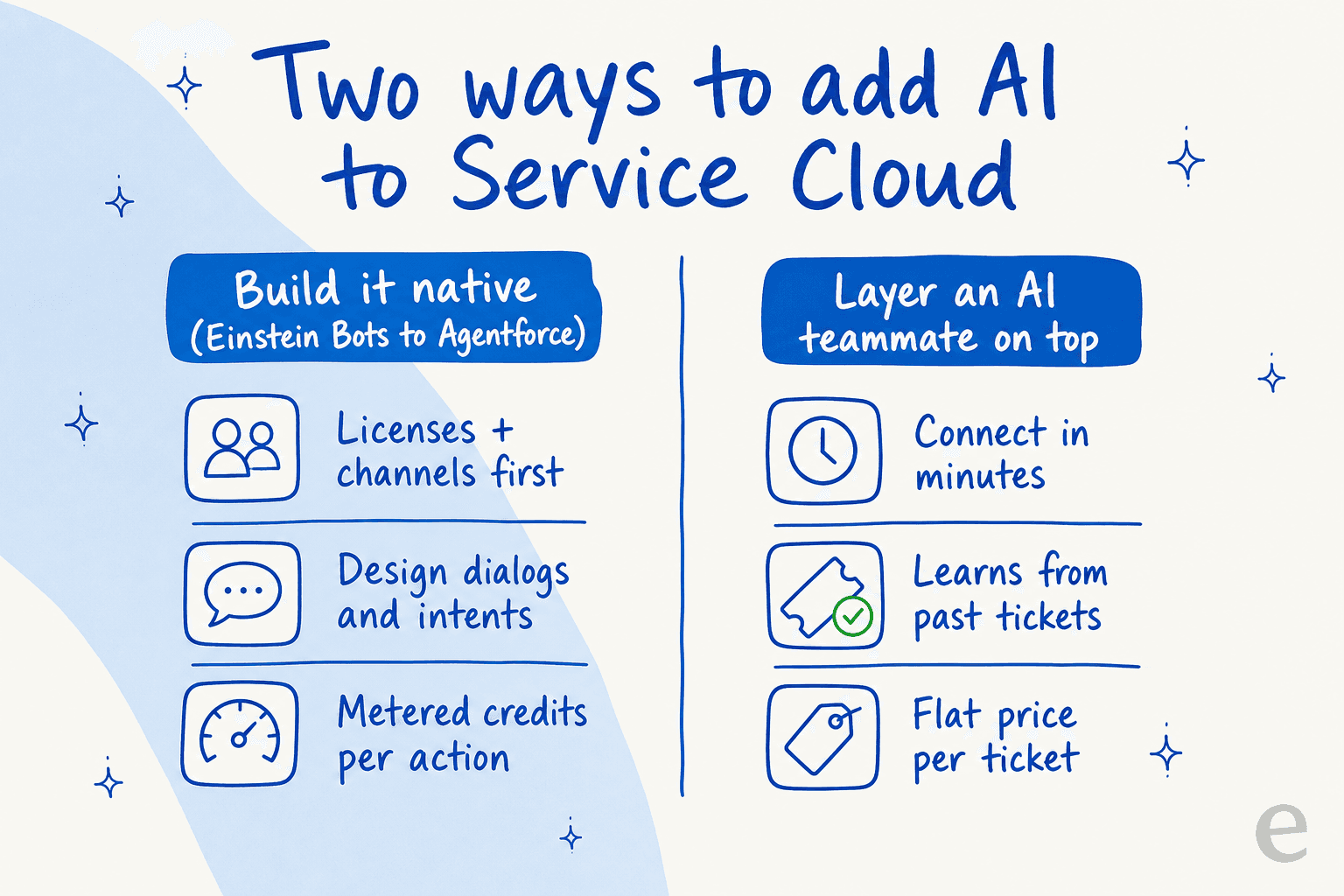
Build it native. You use Salesforce's own tools, Einstein Bots and Agentforce, to construct the AI inside Service Cloud. Maximum control, everything on one customer record, and metered AI pricing you'll want to model carefully.
Layer an AI teammate on top. You connect a purpose-built AI helpdesk agent to Service Cloud. It learns from your solved cases and help center, drafts or sends replies inside your existing workflow, and hands off to humans on anything it isn't sure about. Less control over the guts, far less setup, and the same idea works if you're weighing Agentforce against Zendesk AI too.
Most teams end up doing some of both. Let's walk the native path first, because you should understand it before deciding whether to build it yourself.
Option 1: the native path (Einstein Bots to Agentforce)
Salesforce ships two overlapping products here. Einstein Bots is the older intent-and-dialog chatbot builder. Agentforce Service Agent is the newer generative, autonomous agent. The current recommended path is to build an Einstein Bot on your Service Cloud channels, then optionally upgrade it to an Agentforce agent.
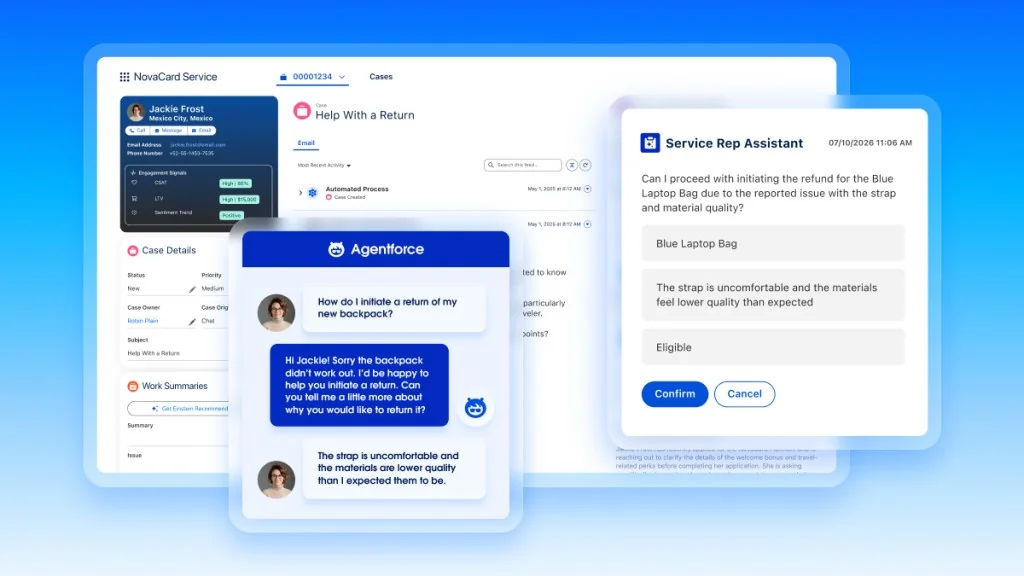
The chores before you can bot
Salesforce is refreshingly blunt about this: "Before we can have fun with Einstein Bots, we have to finish a few chores." Those chores are real prerequisites:
- A Service license and a Chat or Messaging license. The bot has to ride on a live conversation channel; it can't exist standalone.
- A conversation budget. Each org gets 25 Einstein Bots conversations per month per active user, with a paid add-on for an extra 100/month. They don't roll over.
- Channel plumbing. Lightning Experience enabled, the Chat guided setup run, Salesforce Knowledge turned on, an Experience Cloud site published, and an Embedded Service deployment for the widget the bot renders into.
One trap worth flagging: orgs created in Summer '23 or later have enhanced Omni-Channel routing on by default, and it doesn't support standard bots. If that's you, you'll be building Enhanced Bots and routing conversations with Omni-Channel flows.
The build, step by step
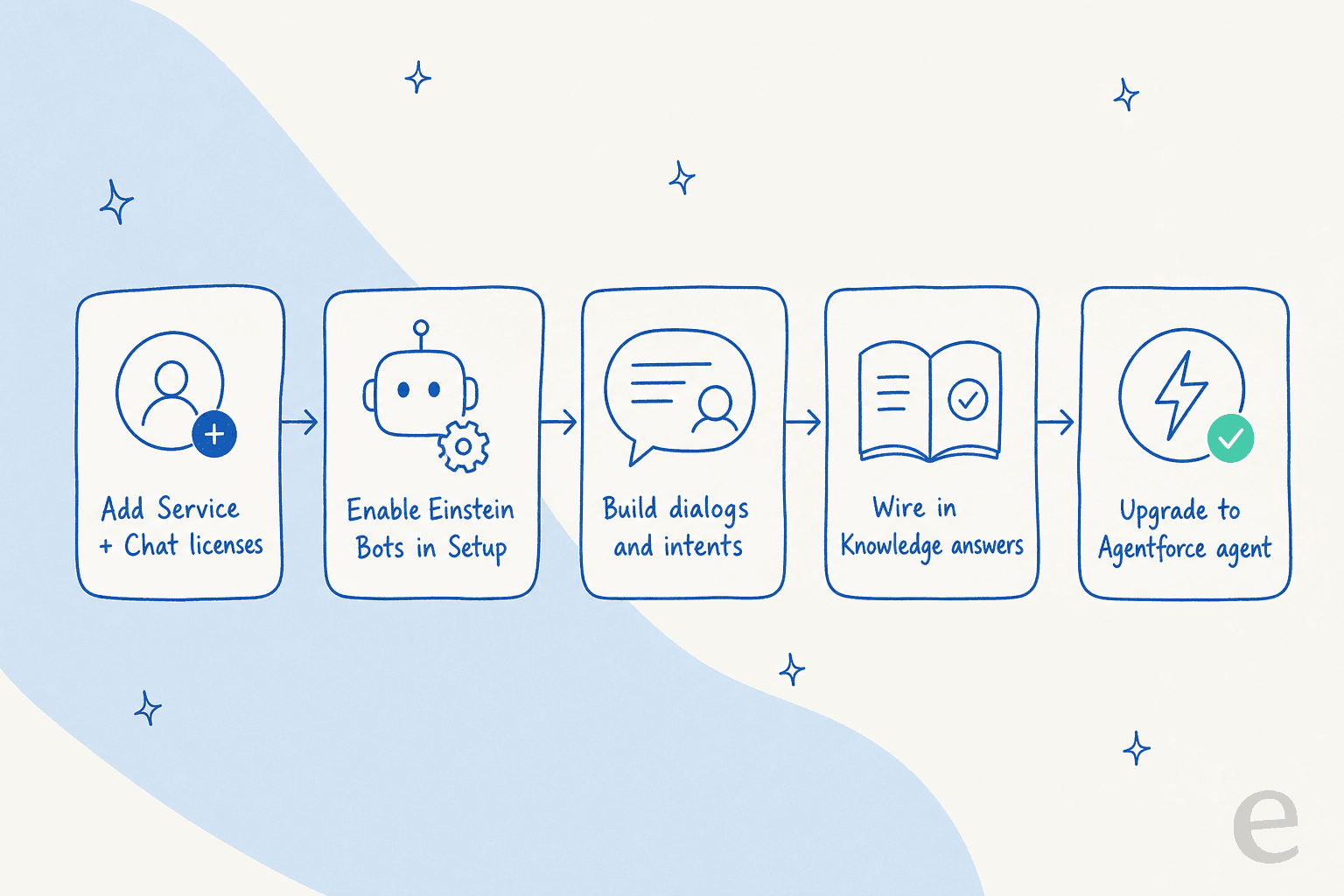
- Turn on Einstein Bots. From Setup, search
Einstein Bots, flip the toggle, accept the terms. You'll need the Customize Application, Modify Metadata, or Manage Bots permission to actually build. (Get Started with Einstein Bots) - Create the bot. Launch the Guided Setup Flow. The fastest start is the Intro Template, which ships with dialogs for common jobs (welcome, report an issue, check order status). From scratch gets you a Main Menu, system dialogs, and entities to capture input.
- Add the generative layer. This is where it becomes "AI" rather than a decision tree. Turn on Generative Knowledge Answers so the bot searches your knowledge base and writes a conversational reply, or use Article Answers to serve FAQ-style responses from your Lightning Knowledge base.
- Build dialogs and intents. Inside the Bot Builder you construct the conversation as a tree of dialogs, each triggered by a menu choice or an intent detected from the customer's free text, using entities to slot-fill and branch.
- Connect to a channel. Standard bots use the Connect a Standard Bot to Channels flow. Enhanced bots route to and from the bot with Omni-Channel flows.
- Wire the human handoff. Handoff is a first-class action, not an afterthought. The Transfer to Agent system dialog (standard) or the Set Routing Type step (enhanced) pushes the live conversation into Omni-Channel, which routes it to an available human in the Service Console.
Graduating to Agentforce
When you're ready for an autonomous agent rather than authored dialog trees, the Create Agent from Bot tool (currently beta) spins up an Agentforce Service Agent from your existing bot. The original bot stays live, so you migrate at your pace. Salesforce's own recommended pattern: let the Einstein bot greet, verify, and filter, then hand complex or sensitive intents to the Agentforce agent. If you want the deeper comparison, we wrote up Agentforce versus other approaches separately.
What native AI actually costs
Here's the part that surprises people. The per-seat editions do not include unlimited AI agent usage. AI is layered and metered on top.
| Edition | Price (USD/user/mo) | What you get for AI |
|---|---|---|
| Enterprise | $175 | Assistive "AI for Customer Service", not unlimited autonomous agents |
| Unlimited | $350 | Adds chat and bots |
| Agentforce 1 Service | $550 | Full AI suite, unmetered employee agents, 2.5M Flex Credits/org/year |
Source: Salesforce Service Cloud pricing. Every line reads "Starting price. Transaction fees apply," so real deals sit above these floors. There is a limited Agentforce free tier to kick the tyres, but it won't carry a real support queue.
On top of that, autonomous Agentforce runs on one of two consumption models:
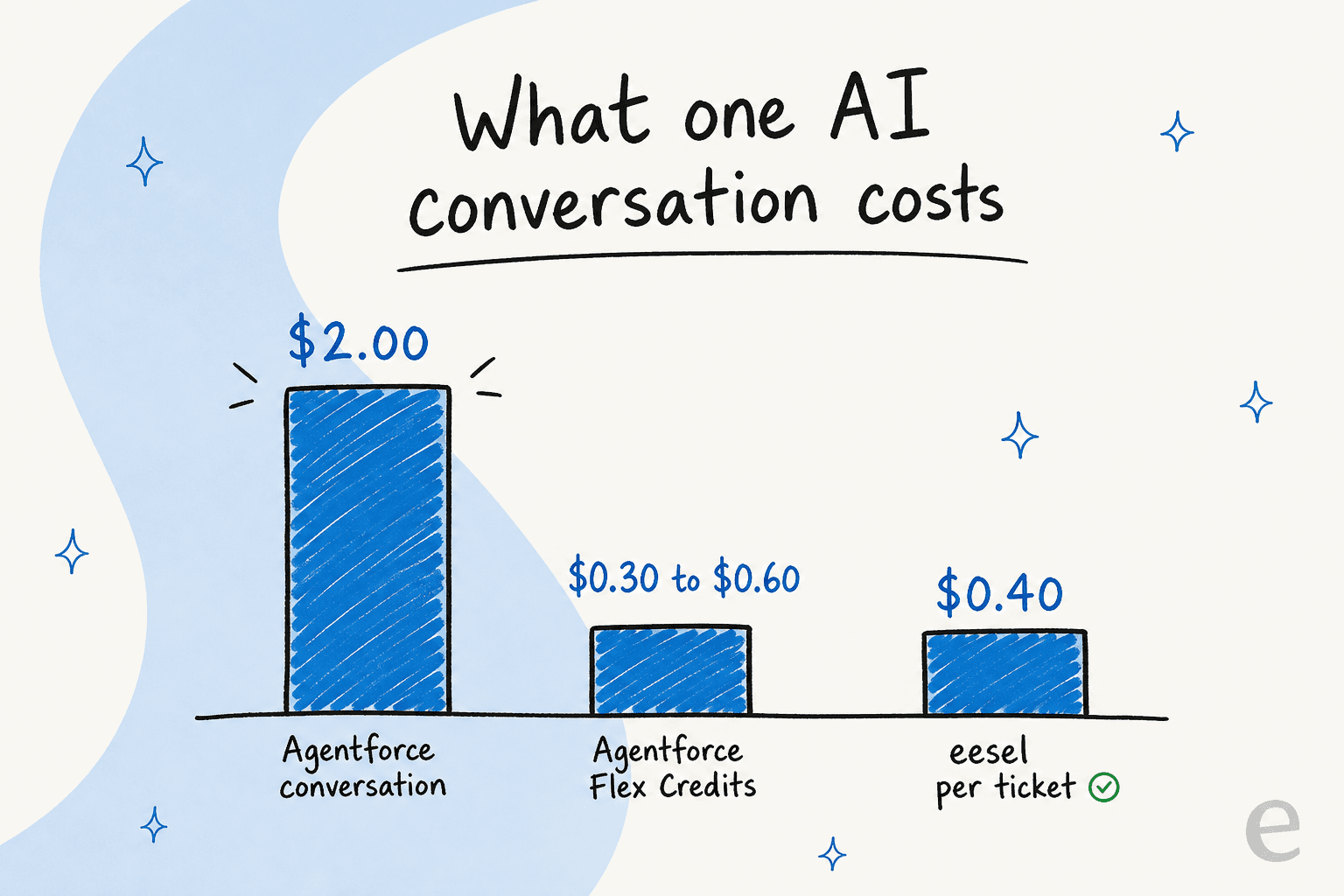
- Conversation-based: $2 per conversation, flat, regardless of complexity.
- Flex Credits: $0.10 per action (20 credits each), in packs of 100,000 credits for $500.
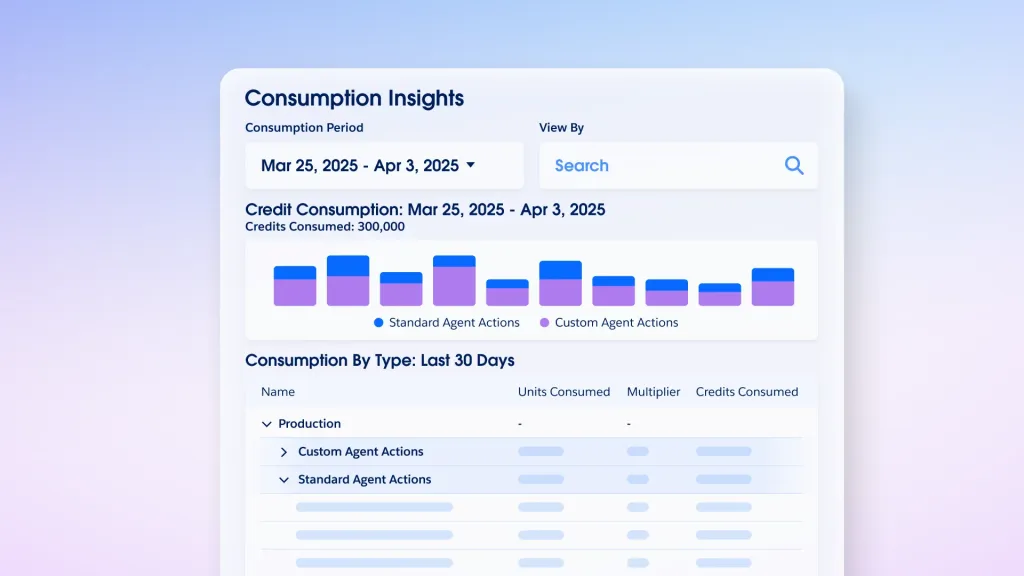
By Salesforce's own math, one interaction is a flat $2 under conversation billing but runs 3 to 6 actions on Flex Credits, so about $0.30 to $0.60. The catch is predictability: a metered wallet is hard to forecast, which is the loudest complaint in the community.
"Pricing and 'Flex Credit' unpredictability... It's harder to budget for than traditional seat licenses. If an AI agent gets stuck in a loop or handles an unexpected surge in holiday traffic, your 'digital wallet' of credits can drain faster than anticipated."

If the cost question is what brought you here, we go deeper in is Agentforce worth the cost and lay out the full setup cost breakdown.
Option 2: layer an AI teammate on top
If the native path reads like a project you don't have the runway for, layering is the alternative. Instead of building dialogs and buying credits, you connect an AI helpdesk agent to Service Cloud and let it learn from what you already have.
This is the approach I work on at eesel, so here's the honest version of how it differs from the native build:
- It trains on your solved cases, not just your help center. Native bots answer from your knowledge base. An AI teammate reads your past Service Cloud tickets too, so it picks up the answers your team actually gives, tone included, on day one.
- Setup is minutes, not a sprint. No license stacking, no Omni-Channel flow diagrams. You connect Service Cloud, point it at your knowledge sources, and it's live. That's the whole reason native connectors matter so much.
- Co-pilot first, then autonomy. The pattern nearly everyone actually wants is to start in draft-reply mode, watch it, then flip to fully automatic on the easy stuff once you trust it. Confidence-based routing keeps low-certainty answers as drafts instead of live replies.
The one I'd underline is simulation. Before an AI teammate replies to a single live customer, you can run it against your historical Service Cloud tickets and see exactly what it would have said and what it would have resolved. That turns "will this thing embarrass us?" from a launch-day gamble into a number you check up front. It's the direct answer to the data-hygiene fear below, and it's not something the native flow gives you cleanly.
Common mistakes when adding AI to Service Cloud
Having watched a lot of these rollouts, the failures cluster into a few predictable buckets.
Pointing AI at messy data and hoping. This is the big one, and Service Cloud users say it plainly:
"Agentforce is only as smart as the data it can 'read.' If your Salesforce org has years of technical debt, duplicate records, stale knowledge articles, or poorly mapped fields, the AI will struggle... If your Content Version files haven't been updated since 2021, the AI agent will confidently give customers outdated information."
The fix isn't a better model, it's cleaning your knowledge first, and simulating against real tickets so you catch the confidently-wrong answers before customers do.
Underestimating the setup lift. Reviewers are candid that "most teams end up needing a dedicated admin or external consultant just to make it work smoothly." Budget for that time, or pick the path that doesn't need it.
Not modeling the metered cost. One team on Reddit put it bluntly: "We ran a POC that was cost prohibitive." Before you commit, run your real monthly ticket volume through both the $2/conversation and Flex Credit math, or use an ROI calculator to sanity-check it. If neither lands, that's your signal to look at alternatives with flatter pricing.
Skipping the handoff design. An AI that can't gracefully pass a hard case to a human just frustrates people. Wire the escalation path before you go live, whichever route you take.
Try eesel for Salesforce Service Cloud
Want an AI for Salesforce Service Cloud without the multi-week build? eesel connects to Service Cloud, learns from your past cases and help articles automatically, and runs a full simulation on your historical tickets so you see the resolution rate before it ever replies live. You start in draft mode, then hand it more autonomy as you trust it, and pricing is a fixed monthly plan from $299/month for 500 credits (1 credit per ticket) with no per-seat fees, so there's no Flex Credit wallet to watch drain.

It's free to try, and because it runs in simulation first, the first thing you'll see is what it would have done on your real Service Cloud tickets, not a demo on someone else's data.