Enterprise AI adoption is accelerating. According to recent research, 90% of organizations are now prioritizing AI initiatives across their operations. For customer service teams, this shift represents both an opportunity and a challenge: how do you implement AI at scale without disrupting existing workflows or compromising service quality?
Salesforce Service Cloud has positioned itself as a leading answer to this question. What started as a case management add-on to Salesforce CRM has evolved into a comprehensive AI-powered service platform. With the introduction of Agentforce, Salesforce is betting big on autonomous AI agents that can handle customer interactions with minimal human intervention.
But is Salesforce Service Cloud AI the right choice for your enterprise? And what alternatives exist if you are looking for faster deployment or more transparent pricing? We will break it down, including how eesel AI offers a different approach for teams that want to get started quickly.
What is Salesforce Service Cloud AI?
Salesforce Service Cloud AI refers to the suite of artificial intelligence capabilities built into the Salesforce Service Cloud platform. The system has evolved through three distinct phases:
- Predictive AI (2016): Early Einstein features focused on case classification and routing
- Generative AI (2022-2023): Introduction of AI-generated replies, summaries, and knowledge articles
- Autonomous AI Agents (2024-2025): The current Agentforce era, where AI agents can handle complete customer interactions
At its core, Service Cloud AI aims to unify customer relationship data, service channels, and artificial intelligence in one platform. The value proposition is straightforward: because Service Cloud sits on top of the Salesforce CRM, AI agents have access to complete customer histories across sales, marketing, and service interactions.
The platform now operates under the Agentforce brand for its AI capabilities. This represents more than a rebrand; it signals a shift from AI as a productivity tool to AI as autonomous digital labor.
Key AI features and capabilities
Agentforce Service Agent
The flagship AI feature is Agentforce Service Agent, an autonomous system that handles customer inquiries across voice and digital channels. Unlike traditional chatbots that follow rigid decision trees, these agents use natural language understanding to interpret customer intent and respond contextually.
Key capabilities include:
- 24/7 availability across phone, chat, SMS, WhatsApp, and messaging apps
- Access to complete customer history from Salesforce CRM
- Ability to escalate complex issues to human agents with full context
- Grounding in company knowledge bases for accurate responses
According to Salesforce's reported metrics, these agents have solved over 1 million support requests, with 85% of customer queries handled without human intervention.
Agentforce Service Assistant
For human service representatives, the Service Assistant provides real-time guidance during customer interactions. The system analyzes incoming case data, customer engagement history, and knowledge articles to create dynamic, step-by-step action plans.
This feature aims to reduce training time for new agents while ensuring compliance with company policies. The assistant can suggest next steps, surface relevant knowledge articles, and even draft responses for agent review.
Service Replies and Conversation AI
Service Replies generates AI-powered responses for SMS, WhatsApp, and other messaging channels. The system analyzes conversation content in real time and suggests replies based on the discussion thread or company knowledge base.
Agents can send these replies with one click or edit them before sending. This feature targets the repetitive inquiries that consume significant agent time but don't require complex problem-solving.
Case Management Automation
Several AI features focus on the operational side of case management:
- Einstein Case Classification: Automatically categorizes and routes incoming cases based on content analysis
- Case Wrap-Up: Generates automated summaries at the end of conversations
- Intelligent Prioritization: Ranks cases by urgency and customer value
These capabilities aim to reduce the manual data entry that bogs down service teams and ensure critical issues reach the right agents quickly.
Knowledge and Search
The knowledge management features include:
- Einstein Article Recommendations: Suggests relevant knowledge articles to agents based on case details
- Search Answers: Provides AI-generated answers grounded in the company knowledge base
- Knowledge Creation: Automatically drafts knowledge articles from resolved cases
This last feature is particularly notable. By analyzing successful resolutions, the system can suggest new documentation that helps future agents solve similar problems faster.
Salesforce Service Cloud pricing and editions
Understanding Salesforce pricing requires navigating multiple layers: base platform editions, AI add-ons, and usage-based alternatives. Here is the complete breakdown.
Service Cloud Base Editions
| Edition | Monthly Price | Key Features |
|---|---|---|
| Starter Suite | $25/user/month | Basic case management, email-to-case, web-to-case, read-only knowledge |
| Professional | $100/user/month | Real-time chat, knowledge management (read/write), macros, service console |
| Enterprise | $165/user/month | Workflow automation, self-service help center, service contracts |
| Unlimited | $330/user/month | 24/7 support, Premier Success Plan, enhanced analytics |
| Einstein 1 Service | $500/user/month | Digital channels, Einstein for Service included, Data Cloud access |
Source: Salesforce Service AI Pricing
Agentforce Add-ons
To access the full AI capabilities described above, you will need additional add-ons:
| Add-on | Price | What's Included |
|---|---|---|
| Agentforce for Service | $125/user/month | Unlimited AI usage, pre-built templates, Prompt Builder, generative replies, summaries, answers, and knowledge articles |
| Industries Clouds | $150/user/month | Industry-specific AI agents for healthcare, financial services, and other verticals |
Agentforce 1 Editions (All-in-One)
For organizations wanting everything bundled, Salesforce offers:
| Edition | Price | What's Included |
|---|---|---|
| Agentforce 1 Service | $550/user/month | Full AI suite, unmetered Agentforce usage, Tableau Next, 1M Flex Credits per year, 2.5M Data Cloud Credits per year |
Alternative Pricing Models
Salesforce recently introduced usage-based options:
| Model | Pricing | Best For |
|---|---|---|
| Flex Credits | $500 per 100,000 credits | Variable AI usage, pay-as-you-go |
| Conversations | $2 per conversation | Predictable customer-facing volume |
| Foundations | Free for up to 2 users | Getting started with 200k Flex Credits |
Important limitations: Flex Credits and Conversations cannot be mixed in the same organization, and unused credits don't roll over month to month.
Real-World Cost Example
For a team of 10 service agents wanting full AI capabilities:
- Option 1: Enterprise Edition ($165) + Agentforce add-on ($125) = $290/user/month = $2,900/month total
- Option 2: Agentforce 1 Service ($550) = $5,500/month total
These figures don't include implementation costs, which typically range from $25,000 to $300,000 depending on complexity.
Implementation considerations for enterprise
Deploying Salesforce Service Cloud AI at enterprise scale involves several key phases:
Data Preparation
The AI is only as good as the data it learns from. Organizations need clean, structured data in their Salesforce instance. This often requires data migration, deduplication, and standardization before AI features can be activated.
Integration Requirements
Most enterprises have existing systems that need to connect with Service Cloud:
- Legacy CTI systems for phone integration
- Third-party knowledge bases
- External CRM data sources
- Industry-specific applications
Salesforce provides MuleSoft for complex integrations, but this adds both cost and implementation time.
Change Management
Rolling out AI to service teams requires significant training. Agents need to understand when to trust AI suggestions and when to override them. Supervisors need new metrics to evaluate AI performance alongside human agent metrics.
Timeline Expectations
Implementation timelines vary widely:
- Basic deployment: 4-8 weeks
- Full AI integration: 3-6 months
- Complex enterprise rollout: 6-12 months
Salesforce recommends starting with a pilot program before full deployment. This allows teams to identify issues and refine configurations before scaling.
Limitations and challenges
Despite its capabilities, Salesforce Service Cloud AI presents several challenges that enterprises should consider:
Pricing Complexity
The tiered pricing model with multiple required add-ons makes cost prediction difficult. Many organizations discover they need higher-tier editions or additional add-ons mid-implementation. The "contact sales" model for enterprise pricing also reduces transparency.
Configuration Overhead
Salesforce is powerful but complex. Fully configuring AI features requires significant administrative effort. Organizations without dedicated Salesforce administrators often need to hire consultants or additional staff.
Ecosystem Dependency
Maximum value requires deep commitment to the Salesforce ecosystem. Organizations using other CRMs or help desks face migration costs and potential disruption.
Learning Curve
Both administrators and agents face steep learning curves. The platform's extensive feature set can overwhelm teams looking for straightforward AI assistance.
Alternatives to consider: eesel AI
For teams seeking a streamlined approach to AI-powered customer service, we offer a different model. At eesel AI, we have built an AI teammate that learns your business in minutes rather than months. You can try eesel AI free or book a demo to see how it works for your team.

Here is how we differ:
Setup Speed
While Salesforce requires weeks or months of configuration, eesel AI connects to your existing help desk and learns from your past tickets, help center, and documentation in minutes. There are no complex implementation projects or consultant fees.
Transparent Pricing
Our pricing is straightforward and published:
| Plan | Monthly Price | Annual Price | Key Features |
|---|---|---|---|
| Team | $299 | $239 | Up to 3 bots, 1,000 interactions, AI Copilot, Slack integration |
| Business | $799 | $639 | Unlimited bots, 3,000 interactions, AI Agent, bulk simulation |
| Custom | Contact us | Contact us | Unlimited interactions, custom integrations |
Source: eesel AI Pricing
There are no hidden add-ons or required upgrades. You pay for interactions, not seats, and you can cancel anytime.
Helpdesk Flexibility
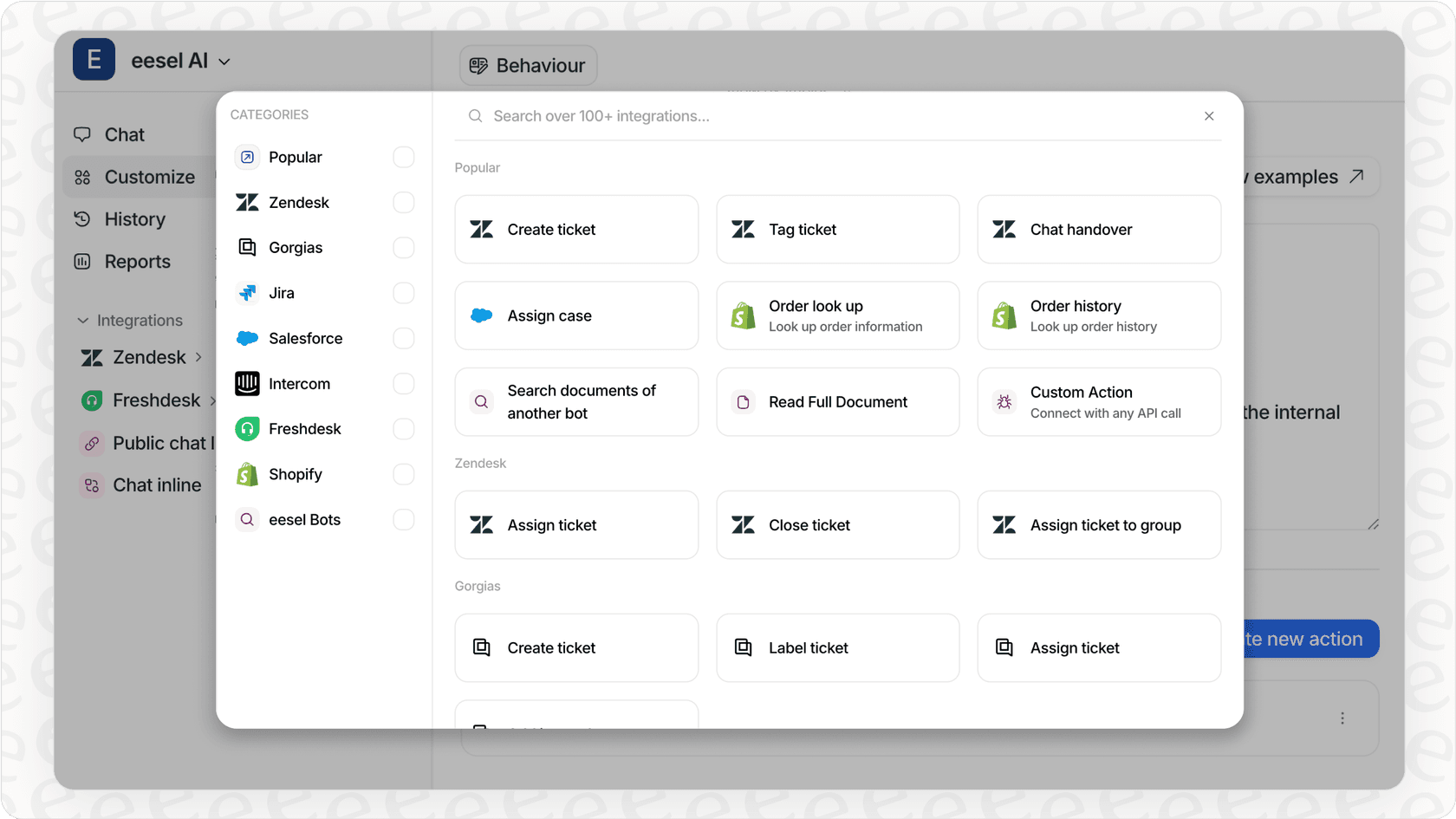
Unlike Salesforce, which requires you to use their platform, eesel AI works with your existing help desk. We integrate with Zendesk, Freshdesk, Gorgias, and 100+ other tools. You keep your current infrastructure while adding AI capabilities.
Progressive Autonomy
We have designed eesel AI around the teammate mental model. You start with AI drafting replies for human review, then gradually expand to autonomous responses as the AI proves itself. You control the pace based on actual performance, not predetermined timelines.
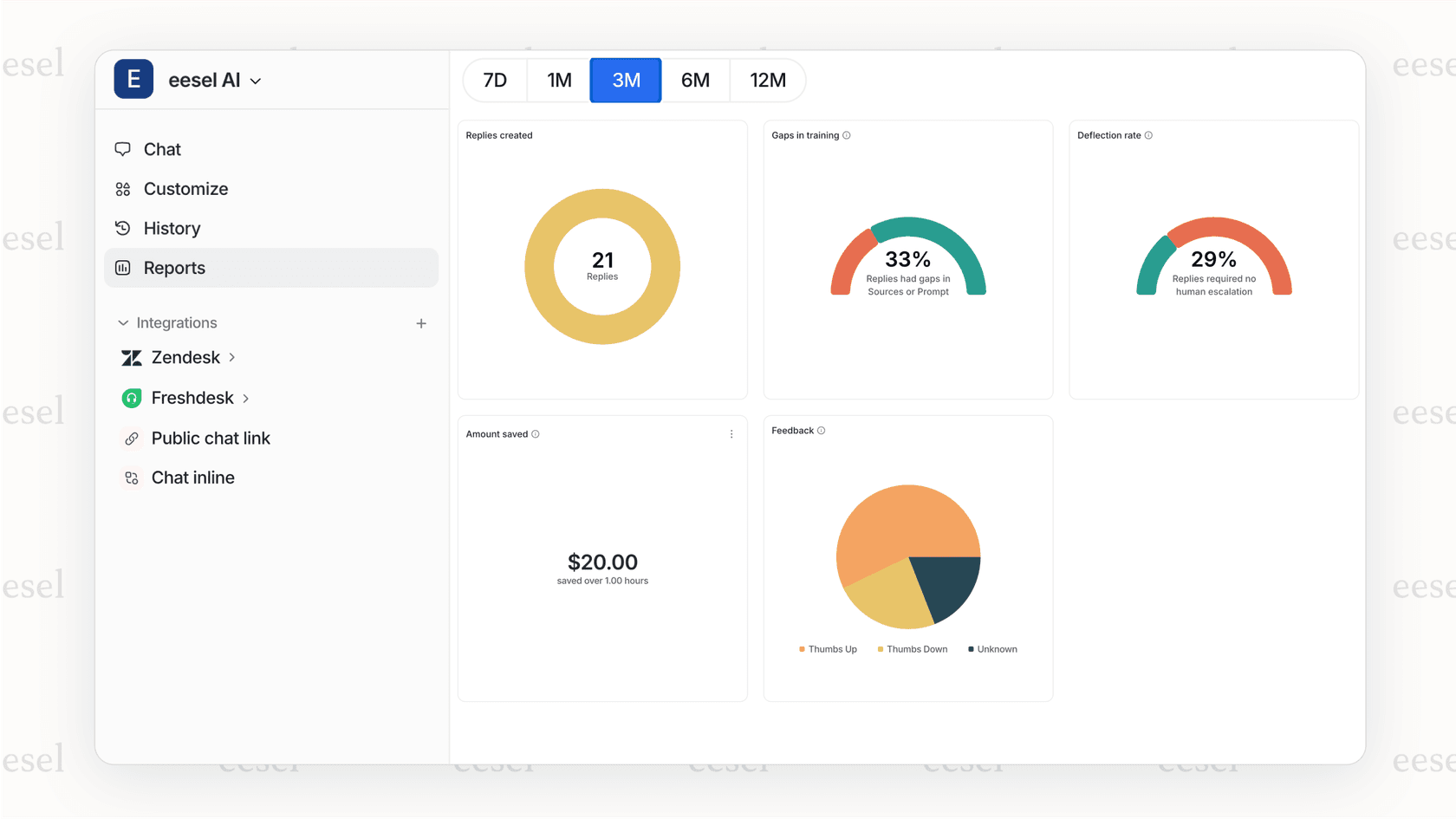
Our customers see up to 81% autonomous resolution rates with a typical payback period under two months. We have processed over 70 million tickets and helped teams save more than $124 million in support costs.
Choosing the right enterprise AI solution
The decision between Salesforce Service Cloud AI and alternatives depends on your specific situation:
Choose Salesforce if:
- You are already invested in the Salesforce ecosystem
- You need deep CRM integration across sales, marketing, and service
- You have dedicated Salesforce administrators
- You require industry-specific AI agents
- Your organization can accommodate complex implementation timelines
Consider alternatives like eesel AI if:
- You want to deploy AI quickly without lengthy implementation
- You prefer transparent, predictable pricing
- You want to keep your existing help desk infrastructure
- You prefer starting small and scaling based on results
- You find Salesforce's pricing or complexity prohibitive
The key is matching the solution to your team's capabilities and timeline. AI should accelerate your service operations, not become another complex project draining resources.
Ready to explore a faster path to AI-powered customer service? Try eesel AI free and see how quickly you can deploy an AI teammate that learns your business in minutes, not months. Or book a demo to discuss your specific requirements with our team.