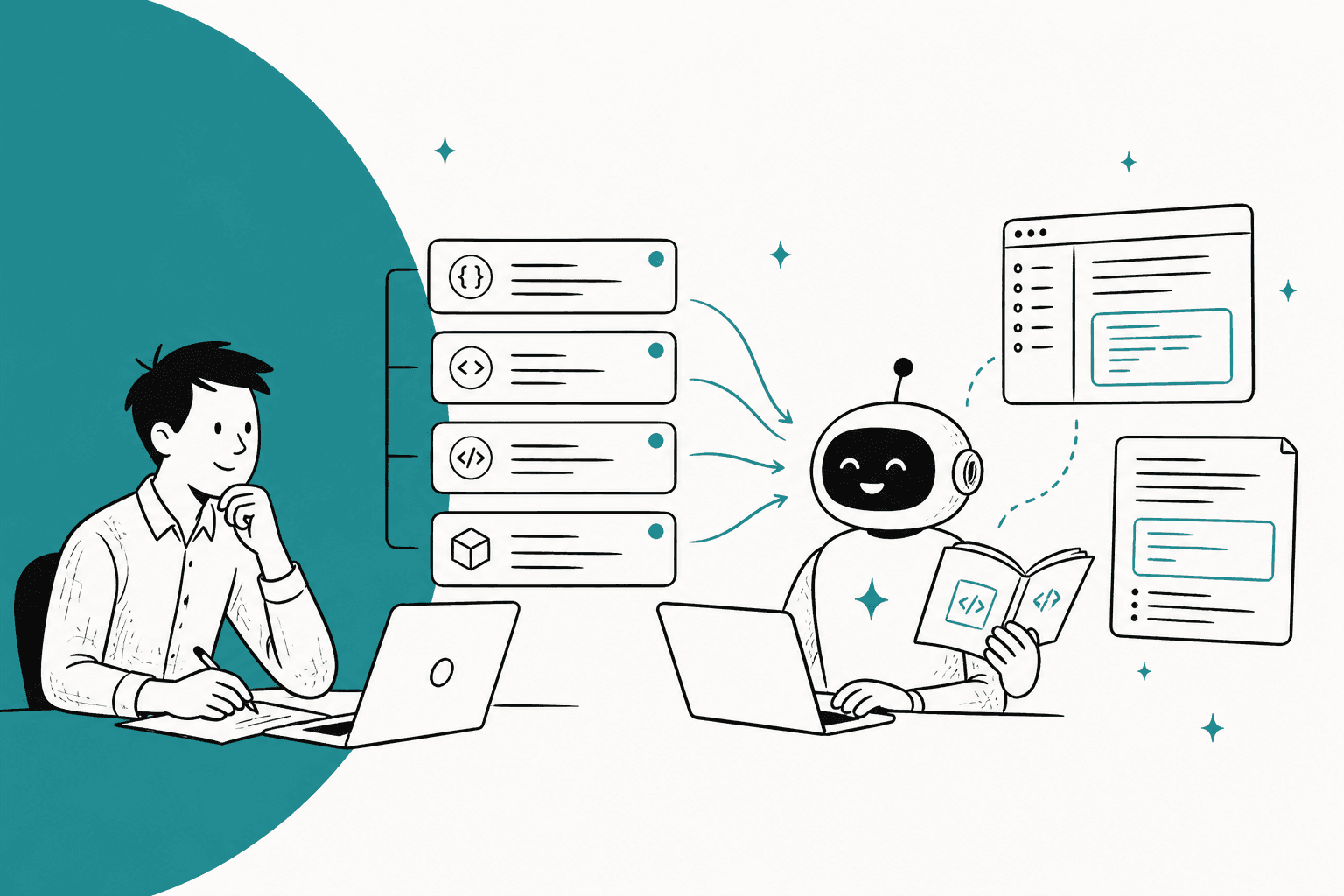
The best AI for devtool support reads what your engineers read: the API reference, the changelog and past resolved tickets, not just a help center. Kapa.ai is the strongest answer engine for docs and Discord or Slack communities. Plain and Pylon are the picks if you'll move to a B2B helpdesk built for Slack Connect. eesel fits if you're staying on Zendesk or Freshdesk: it learns your docs and past fixes, drafts the reply and hands real bugs to a person with the evidence attached. Whichever you pick, replay your own past tickets through it before it touches the queue.
Why is developer support harder for AI than normal support?
I'm a software engineer at eesel, and I build the integrations and APIs that the AI agent runs on. Most of what I've learned about AI support for technical products comes from watching it fail in specific, embarrassing ways.
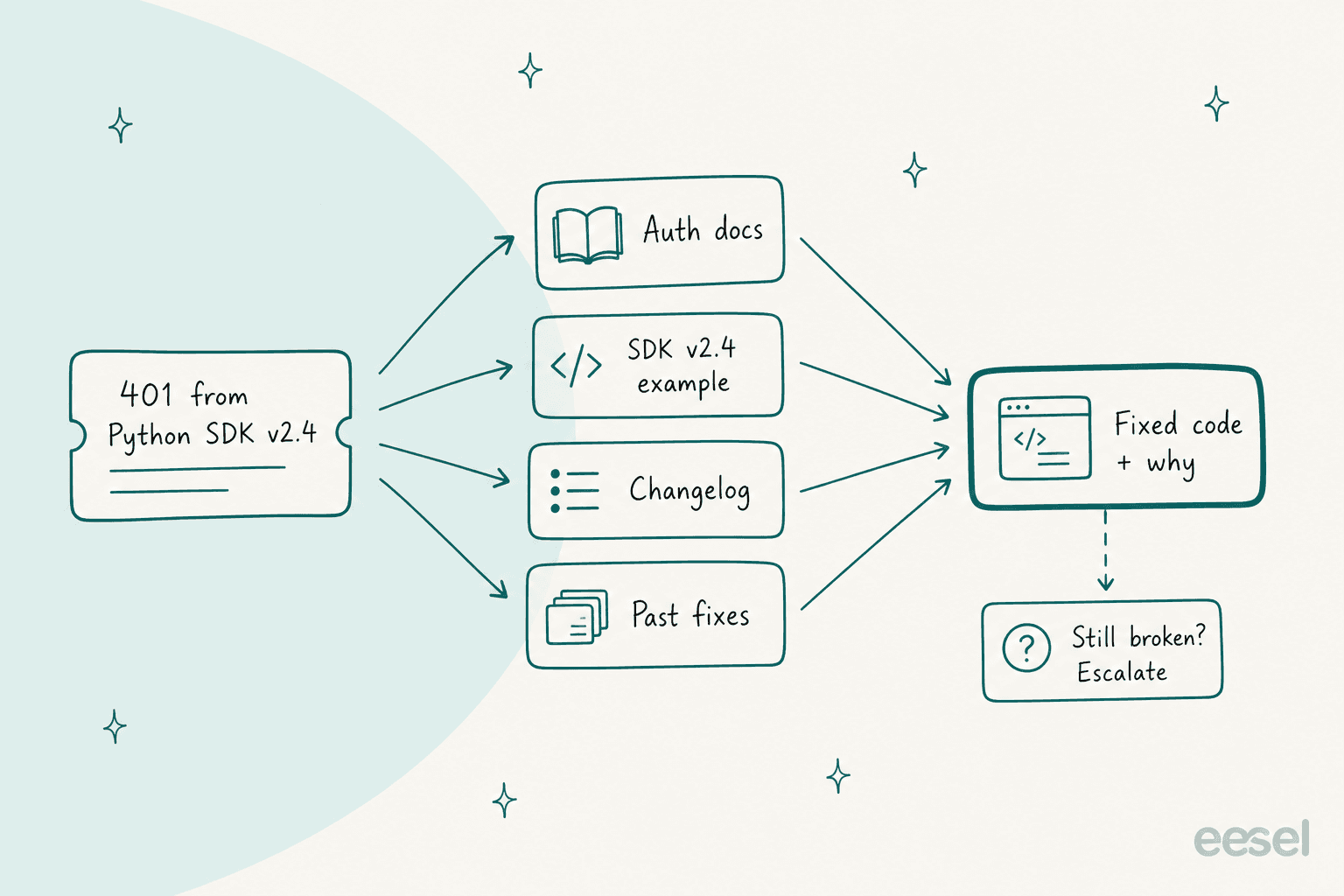
Developer tickets aren't "where's my order." They're "I'm getting a 401 from your Python SDK v2.4 and the token is definitely valid." A good answer to that needs four things at once: the auth docs, the SDK example for that exact version, the changelog entry that changed token scopes, and the ticket from last month where someone hit the same thing. A bot that only reads the help center will confidently send the v3 code sample to someone pinned on v2.4.
And developers are an unforgiving audience. One engineer at an open source company described the support load that comes from bad AI answers elsewhere:
"I work for a company with an open source product and the number of support requests we get from people who ask the chatbot to do their config and then end up with something nonfunctioning is quite significant. Goes up to users complaining our api is down because the chatbot hallucinated the endpoint."

When Mux held back a chatbot on its docs, someone in the thread put the accuracy bar plainly: "Even if 5-10% of questions get a hallucination that sends someone down a totally wrong path, that's too much." (mmcclure on Hacker News). I agree with that bar. It's why I'd judge every tool below on what it does when it doesn't know, not on its best demo answer.
I've seen the B2B version of this up close. On a demo call, a technical support team on Zendesk told us their previous bot had happily confirmed support for products that weren't in their catalog, because one help article said they supported "all models." That's the failure mode in miniature: the AI read the docs correctly and still gave a wrong answer. Since then, every eesel rollout gets simulated against historical tickets before it answers anyone.
One practical note if your team already lives in a terminal: with the eesel CLI, a coding agent like Claude Code or Cursor can upload your exported API reference and changelog as Markdown, tighten the agent's instructions, then fire your trickiest past tickets at it and read the answers before anything reaches a customer. Connecting Zendesk or Freshdesk itself still needs someone with admin access to approve.
Which AI tool fits your support stack?
The biggest fork isn't which model a tool uses. It's whether you keep your current helpdesk or move. Click through to your answer.
Which AI for devtool support?
Start with the first question.
Are you willing to move off your current helpdesk?
Yes, we've outgrown it
Do most customers talk to you in shared Slack or Discord channels?
Yes, and we're 10+ agents or need Microsoft Teams
Yes, and we're a smaller team that wants public prices
No, we're staying on Zendesk or Freshdesk
Where do the right answers live?
Mostly in our public help center
In our docs plus years of resolved tickets
It's not about the helpdesk, questions start in docs or community
Do you want a product, or a framework to build on?
A product our docs team can run
A framework our engineers can code
If you land on "docs widget," my roundup of AI assistants for developer docs goes further on that side. This post is about the support queue: the tickets that still arrive after the docs have done their job.
How I judged the tools
ChatGPT, asked this exact question by a support lead, named five criteria: technical accuracy, documentation grounding, code understanding, helpdesk integration and human handoff. That's a good list. I'd rank them differently for a devtool team:
- What it reads. Docs alone, or docs plus past tickets, changelog and code. This decides accuracy more than the model does. My explainer on RAG versus a plain LLM covers why.
- What it does when it doesn't know. Says so and hands off with context, or guesses. The handoff design matters more than the happy path.
- Where it lives. A new helpdesk you migrate to, an add-on inside your current one, or a widget in front of it.
- The route to engineering. Can it open a Linear, Jira or GitHub issue with the evidence attached, so your tier 2 team doesn't start from zero?
- Whether you can test it on your own tickets before it goes live.
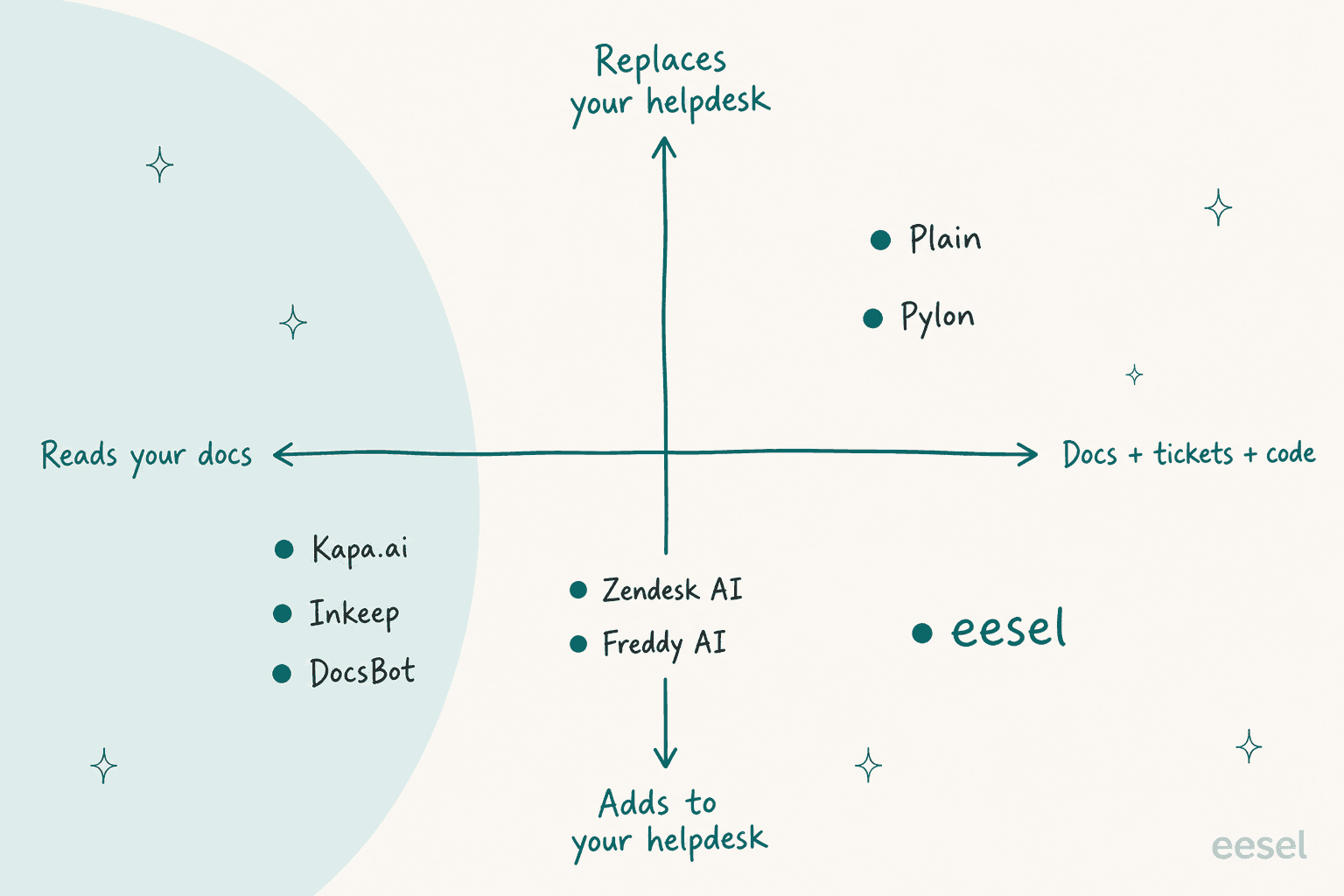
Plotting the eight tools on the first and third of those gives you the shape of the market:
Everything below comes from each vendor's own pricing pages and docs, checked in November 2026. Where I quote users, it's from Hacker News or G2.
The 8 tools at a glance
| Tool | Type | AI price (public?) | Billing unit | Learns from past tickets | GitHub / code source | Slack / Discord | Issue tracker handoff | Free trial | Security (as stated by vendor) |
|---|---|---|---|---|---|---|---|---|---|
| Kapa.ai | Answer engine + widget | Quote only | Not published | Zendesk tickets on Growth | GitHub code, issues, PRs; OpenAPI | Both | Create-ticket button; Zendesk agent app | 14-day Starter | SOC 2 Type II |
| Plain | B2B helpdesk with AI | $45-$99/seat + credits | 100 credits (about $1) per resolution | Sidekick reads past threads | Not a knowledge source | Both | Linear, Jira, Shortcut, GitHub Issues | 7 days | SOC 2 Type II |
| Pylon | B2B helpdesk with AI | $89-$139/seat + credits (quote) | Credits, price not published | Yes, on by default | Public GitHub repos | Both | Linear, Jira, GitHub Issues | Via sales | SOC 2 Type II, ISO 27001 |
| eesel | AI teammate inside your helpdesk | From $299/mo | 1 credit per ticket or chat | Yes (Zendesk, Freshdesk) | No; Markdown uploads instead | Slack questions | Ticket or email with summary | 7 days, 100 credits | SOC 2 Type II audit in progress |
| Zendesk AI agents | Native helpdesk AI | $1.50-$2.00 per resolution | Automated resolution | Not a listed source | Not listed; ReadMe, Stoplight are | Not covered here | Not covered here | 14 days | Not checked here |
| Inkeep | Agent builder | Free (self-host) or quote | Not published | Enterprise support integrations | Not documented | Enterprise | Zendesk, Salesforce on Enterprise | Open Source tier | SOC 2 Type II |
| Freddy AI | Native helpdesk AI | $49 per 100 sessions | Session (24h chat, 72h email) | Gap analysis only | No | Not covered here | Not covered here | 14 days | Not checked here |
| DocsBot | Widget + API | $49-$499/mo | Credits | Zendesk, Freshdesk, Help Scout | GitHub, Bitbucket (beta) | Slack, Discord | Escalation ticket (Standard+) | Free plan | SOC 2 Type II |
1. Kapa.ai
Best for: devtool teams whose questions start in docs, Discord or community Slack, and who want one index that answers everywhere, including inside Zendesk.
How it works
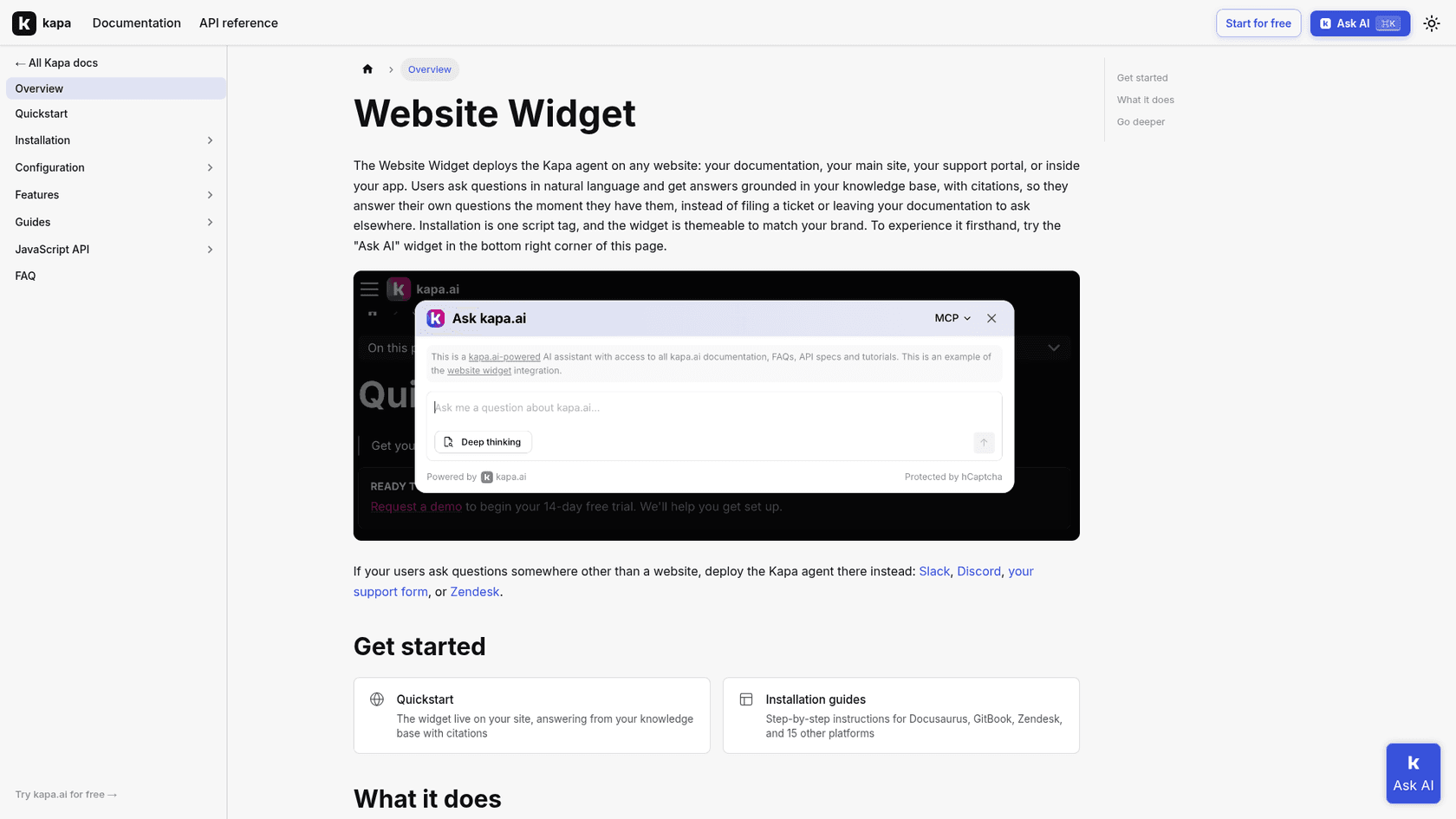
Kapa.ai is a retrieval engine built for technical products. It ingests from connectors listed in its docs: a crawl of your docs site, OpenAPI 2.x and 3.x schemas, GitHub code, issues, discussions and pull requests, Slack, Discord, Stack Overflow, Confluence, Notion and Zendesk tickets. You then deploy the same index as a website widget, a Slack or Discord bot, an MCP server, or a Zendesk agent app that drafts replies into the ticket composer.
What I liked
The source list is the most developer-shaped on this page. OpenAPI schemas and closed GitHub issues are exactly where the answer to "why does this endpoint return 400" lives, and Kapa.ai reads both. Its Coverage Gaps report lists the topics it can't answer conclusively, and the widget can hand off a conversation by emailing the transcript. One developer's verdict from community Discords was measured but fair:
"Kapa must be doing something right since they seem to be growing. Having used it in a few discords, it's what I'd expect for quality for a saas product built on current ai capabilities."
Watch out for
It's an answer layer, not a helpdesk, so routing, SLAs and the ticket itself stay in whatever you run today. A support director on G2 named the failure mode I'd test hardest: it "can be over-confident rather than telling the user it needs more information," though he adds that seems to be improving (Noaman A. on G2). Past-ticket ingestion and private sources sit on the quote-only Growth plan.
Pricing
| Plan | Price | What's included |
|---|---|---|
| Starter | Free for 14 days | Public docs, websites, GitHub, gap reports |
| Growth | Quote ("Get pricing") | Private sources, past tickets, continuous sync, PII masking |
| Enterprise | Contact sales | SSO/SCIM, regional hosting, SLA |
Source: Kapa.ai pricing.
Verdict: the best pure answer engine for a devtool with docs off-platform and an active community. Budget a sales call, and see Kapa.ai alternatives or Kapa vs Inkeep if the quote doesn't fit.
2. Plain
Best for: B2B devtool teams of up to 10 agents who want to replace their helpdesk with one built for Slack, Discord and email, with a public AI price.
How it works
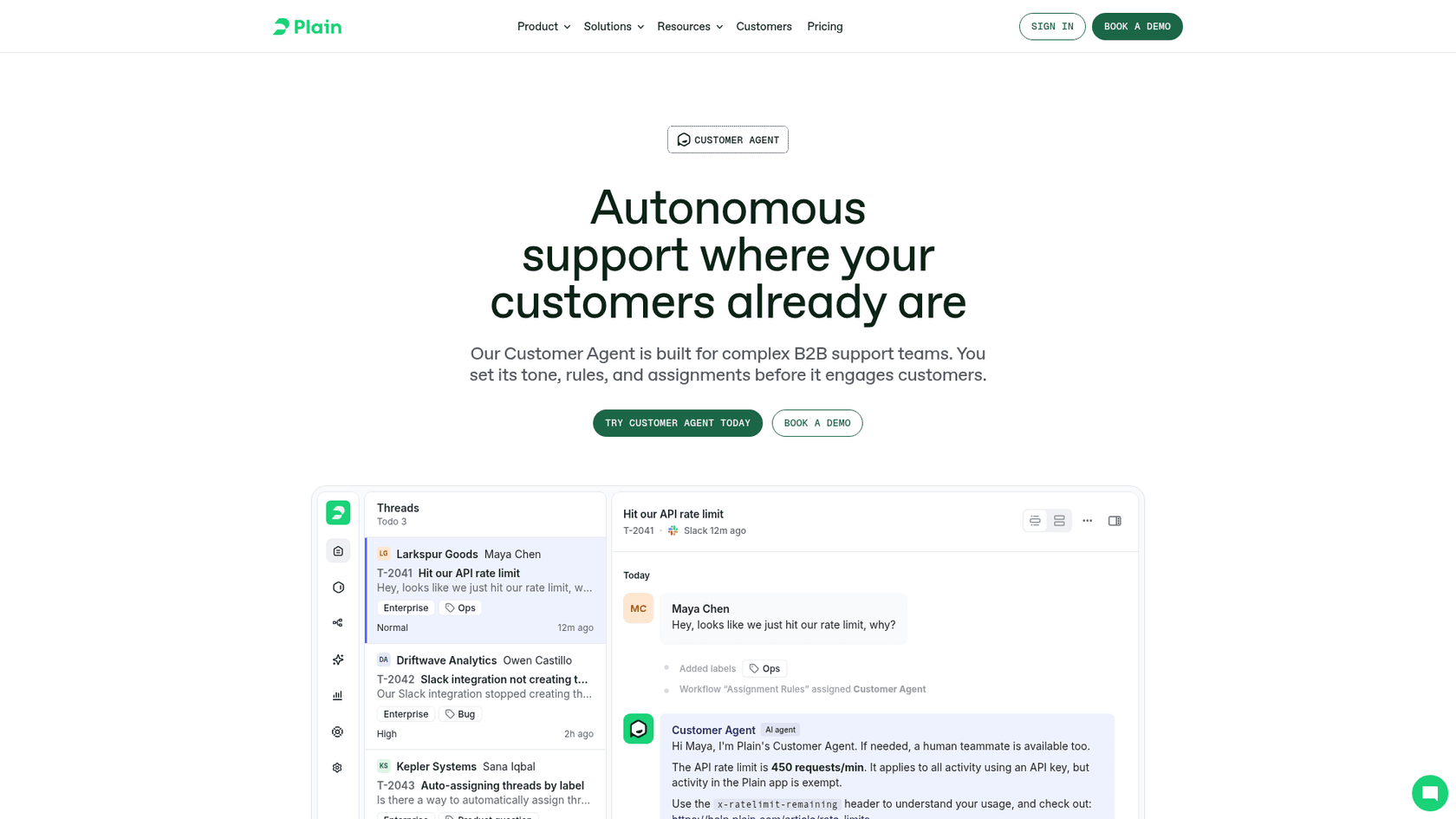
Plain is a helpdesk for B2B teams, and its AI comes in two parts. The Customer Agent (formerly Ari) answers customers directly, and Sidekick helps your team inside threads. The Customer Agent reads your help center plus any sitemap or URL you add, and for docs platforms like Mintlify and ReadMe it fetches the Markdown version of each page first. Plain suggests reindexing from CI on every deploy, which is a very developer-friendly idea (knowledge sources).
What I liked
Plain has the strictest grounding rule I found: every sentence and code block must be backed by the thread, a search result or your instructions, and anything that fails is rewritten or handed off, never sent. When it hands off, it leaves a note listing each search it tried, flags outages as Urgent, and can answer part of a question while passing the rest on. Linear, Jira, Shortcut and GitHub Issues are all on the integrations list. Teams like it for the workflow as much as the AI:
"Not a founder but our support org is a huge fan of Plain (plain.com) which has some AI features but is mostly a great way to manage both Slack and Email support in one place."
Watch out for
The included AI budget is small. Foundation's 1,000 monthly credits cover about 10 Customer Agent resolutions, and Plain itself says the allowance isn't sized for heavy AI use (credits docs). Knowledge is web pages only, so PDFs are skipped and login-gated docs need a token that expires. Once a teammate replies, the agent leaves that thread for good. My Plain review has more on the helpdesk itself.
Pricing
| Plan | Annual price | Seats | AI credits/mo |
|---|---|---|---|
| Foundation | $45/seat/mo ($55 monthly) | Up to 5 | 1,000 |
| Horizon | $99/seat/mo ($139 monthly), 3-seat minimum | 3 to 10 | 2,500 |
| Frontier | Custom, annual only | 10+ | Custom |
Customer Agent costs 100 credits per resolved thread, and top-ups are $10 per 1,000 credits, so about $1 a resolution. Source: Plain pricing.
Verdict: the cleanest switch for a smaller devtool team ready to leave its helpdesk. Compare it with Pylon in my Pylon vs Plain breakdown before you sign.
3. Pylon
Best for: larger B2B devtool teams whose customers live in Slack Connect and Microsoft Teams, and who want public GitHub repos as a knowledge source.
How it works
Pylon calls itself an agentic support platform for B2B. Its Support Agent answers customers, its Assist Agent drafts and investigates for your team, and a Slack Agent answers in Slack. Past Pylon issues and your knowledge base are on by default, and you can add public URLs, files and public GitHub repos. You write escalation rules in plain language, and each one runs like a trigger: change status, assign a team, send a final message.
What I liked
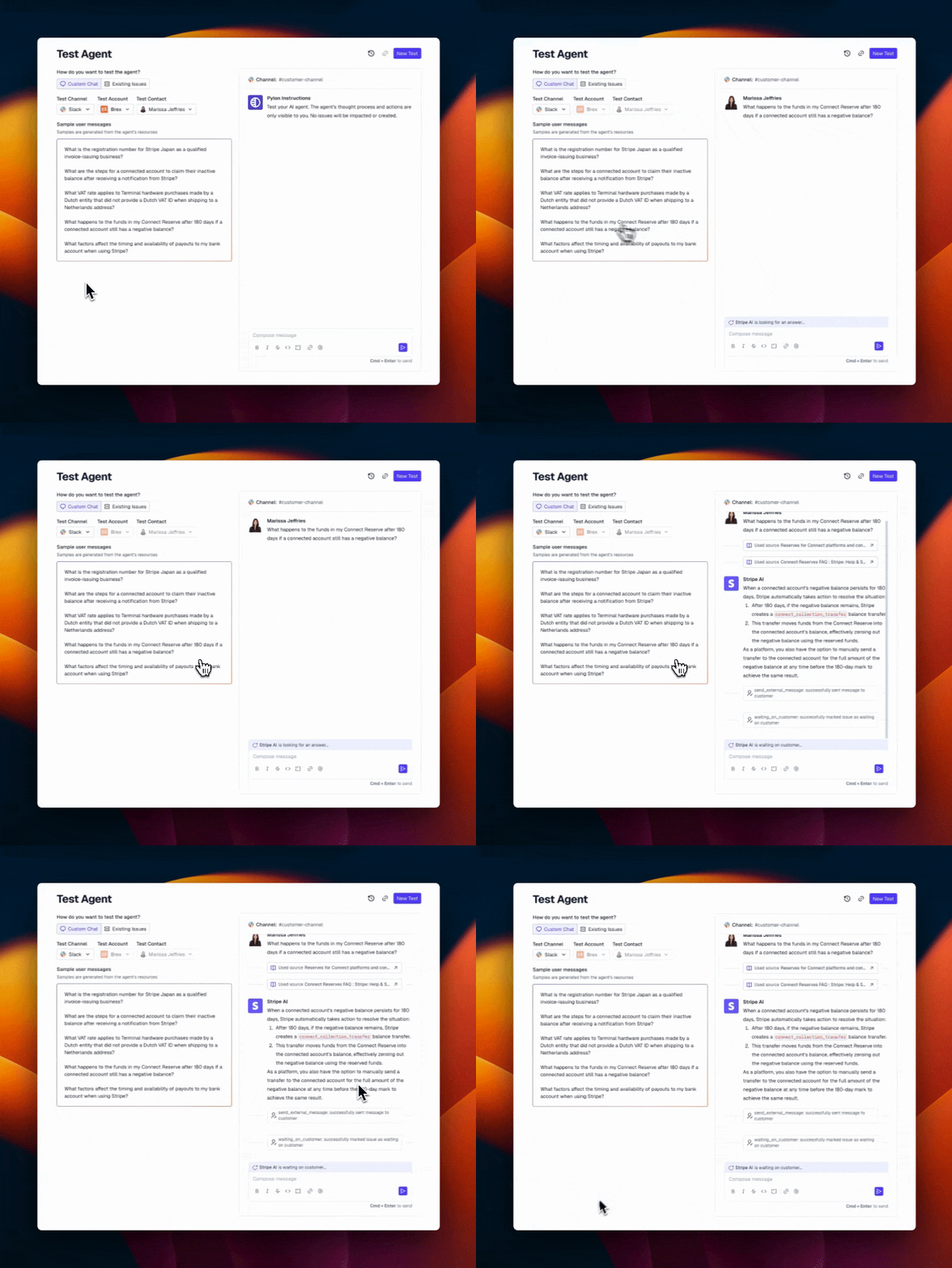
Backtest is the feature I'd want on every tool here. It replays real past issues against up to 3 agent versions side by side, and Pylon says backtests "never message customers or change the original issues" (test docs). The Linear integration syncs comments both ways and moves the ticket back to your team when engineering closes the issue. It's SOC 2 Type II and ISO 27001 certified (security page), with Slack Connect and Discord forums on every plan. My Slack Connect support guide covers why that channel matters for B2B.
Watch out for
The AI part of the bill isn't public. Agents only run on credits, and the per-credit price comes from sales (Pylon pricing). There's a minimum seat count, contracts are annual by default, and Microsoft Teams needs Advanced. URL and GitHub knowledge rescrapes every 30 days on some plans, which is slow for fast-moving API docs. One G2 reviewer summed up the dependency:
"The AI agents still feel somewhat limited - they work best when you have excellent documentation, but they struggle with nuanced product understanding."

Pricing
| Plan | Price | Notable |
|---|---|---|
| Professional | $89/seat, annual | Slack, Discord, email, chat, MCP, API |
| Advanced | $139/seat, annual | Teams, Google Chat, custom reporting |
| Enterprise | Custom | SAML SSO, SCIM, MSA |
| AI credits | Quote | Required for every agent, on every plan |
Verdict: the strongest all-in B2B platform if you're 10+ agents in Slack Connect and can accept a quoted AI bill. My Pylon pricing post and Pylon alternatives list help you pressure-test the quote.
4. eesel
Best for: devtool teams staying on Zendesk or Freshdesk whose best answers are buried in docs and years of resolved tickets.
How it works
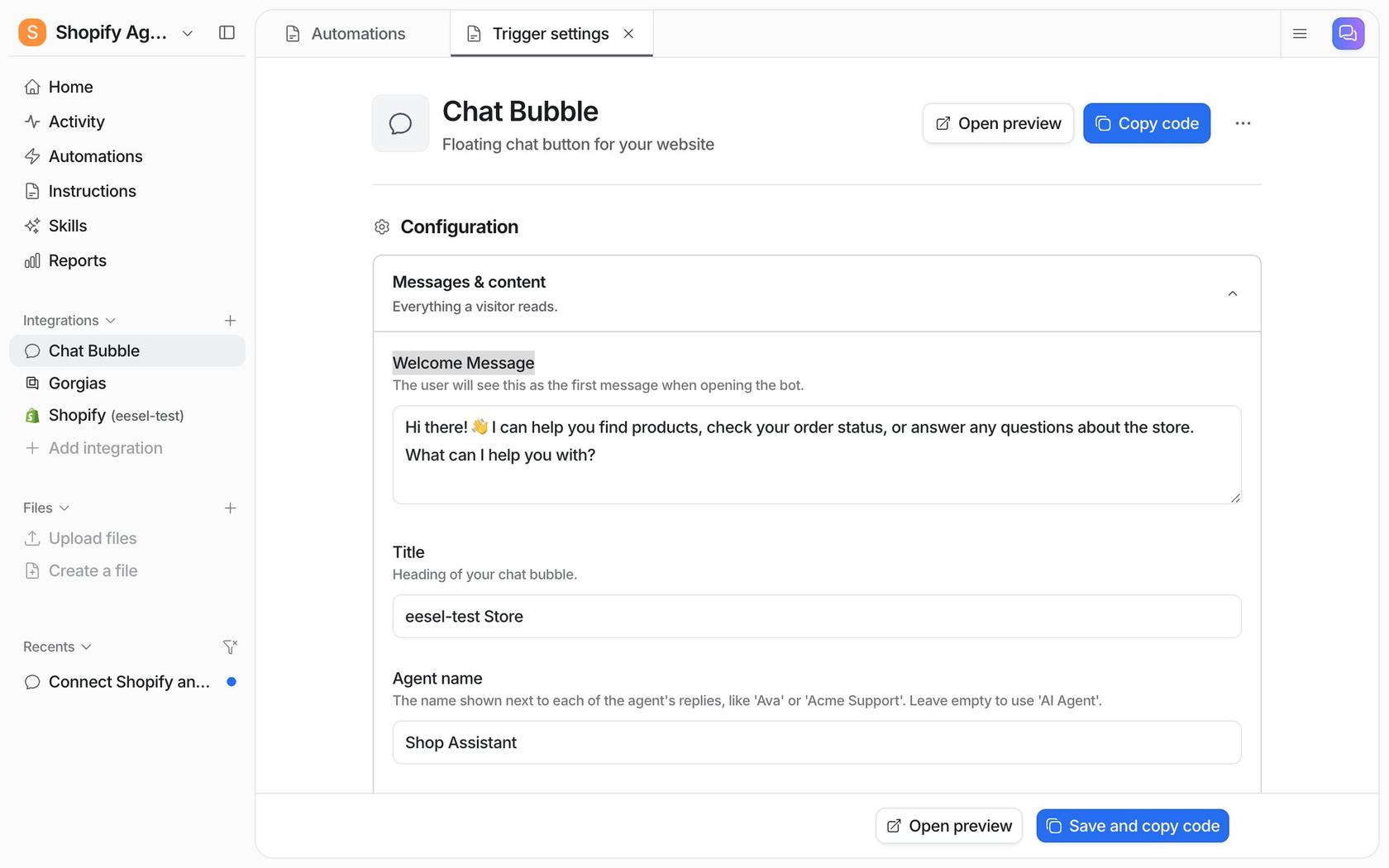
eesel is an AI teammate that joins your existing helpdesk rather than replacing it. The AI helpdesk teammate learns from your docs site (a crawl of up to 2,000 pages, with path filters and custom headers for gated docs), uploaded Markdown and PDFs, Google Drive, Notion, Confluence, and your past tickets in Zendesk or Freshdesk. It then drafts or sends replies on new tickets, answers in a chat bubble on your site, and when it can't answer, it creates a ticket with a conversation summary for a person.
Here's what that looks like on a technical queue. Timengo, a Danish secure email software company whose customers are IT admins, runs eesel on Freshdesk. Its tickets are about certificates, add-in versions and mail flow, close cousins of the SDK-version problem above. eesel searches the product documentation and about 5,300 past tickets and articles, then leaves a draft and an internal note for the support engineer. Between 8 August and 8 September 2026 it prepared 300 tickets and wrote 180 draft replies, and an engineer sends every one.
What I liked
It respects the fact that a wrong answer to a developer is worse than no answer. SE Ranking, which sells SEO software with a public API, runs three eesel agents on Zendesk. Questions about the API, Looker Studio and audits don't get guessed at: they become a Tier 2 ticket with the domain or audit link collected first. In one month, eesel handled about 4,650 conversations and created about 400 of those Tier 2 tickets. That's the route to engineering working as designed.
An industrial automation company whose customers are engineers uses it the same way: answers only from the technical library, the source guide linked with the section, a plain "I have nothing on this" when the docs run out, and a regular digest of badly rated answers and gaps for the documentation team.
Watch out for
There's no GitHub connector and no OpenAPI import, so repo docs go in through a crawl of your published docs site or .md uploads. The website crawl doesn't re-run on its own; Timengo set up its own weekly re-crawl, and you'd want the same for fast-moving API docs. eesel isn't SOC 2 certified yet; the Type II audit is in progress. If you want to leave your helpdesk, Plain or Pylon is the more complete answer.
Pricing
| Plan | Price | Notes |
|---|---|---|
| Free | $0 | 100 credits for 7 days, no card |
| 500 credits | $299/mo | 1 credit = 1 ticket or 1 chat |
| 1,000 credits | $499/mo | |
| 1,500 credits | $699/mo | |
| 5,000 credits | $1,749/mo | More via sales |
| Extra credits | $0.80 each | Up to a monthly cap you set |
Source: eesel pricing. Paying yearly gets two months free.
Verdict: the pick when tickets already land in Zendesk or Freshdesk and the knowledge is spread across docs and past fixes. If your questions mostly start in Discord, Kapa.ai reaches further. The DocsBot vs eesel comparison shows the widget-versus-helpdesk tradeoff.
5. Zendesk AI agents
Best for: devtool teams already on Zendesk Suite whose public help center and API docs platform cover most answers.
How it works
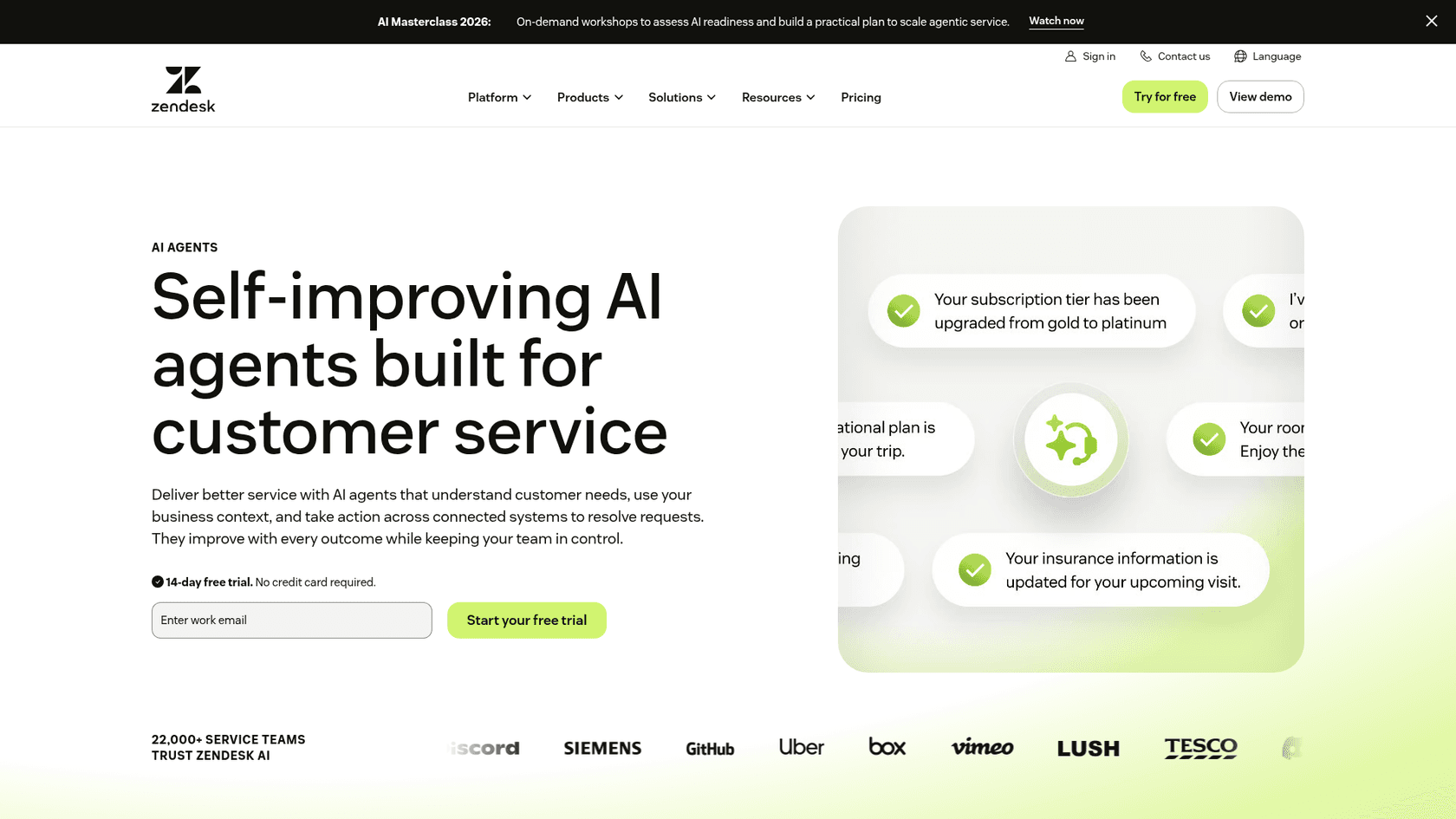
Zendesk's AI agents are included in Suite and Support plans and work across messaging, email and voice. They search your help center live and up to 50 external sources, synced about every 24 hours. For a devtool, the useful bit is the source list: ReadMe and Stoplight API docs are listed connectors, alongside Jira, Linear, Markdown files and authenticated web crawls.
What I liked
Everything stays in one bill and one admin, and you only pay for automated resolutions, not every conversation. Under the resolution tiers introduced on May 18, 2026, an AI-assisted escalation doesn't count against your allowance, so a good handoff costs nothing. My Zendesk AI agents guide walks through setup.
Watch out for
GitHub isn't a listed source, and I found no page that mentions loading an OpenAPI spec directly. External docs answer from the last sync, so a same-day API change can lag. Zendesk also warns that too many sources "can in some cases lead to reduced accuracy." Copilot, the agent-side assistant, is $50 per agent a month and only on Professional and up.
Pricing
| Plan | Annual (per agent/mo) | Included resolutions |
|---|---|---|
| Support Team | $19 | 5 per agent/mo |
| Suite Team | $55 | 5 per agent/mo |
| Suite Professional | $115 | 10 per agent/mo |
| Suite Enterprise + Copilot | Talk to sales | n/a |
| Extra resolutions | $1.50 committed, $2.00 pay-as-you-go |
Source: Zendesk pricing.
Verdict: a sensible default if your docs are already in ReadMe or Stoplight and you're on Suite. See my Zendesk AI pricing breakdown for the resolution maths.
6. Inkeep
Best for: engineering-led teams that want to build their own support agent in code, or enterprises that want Inkeep's team to run it.
How it works
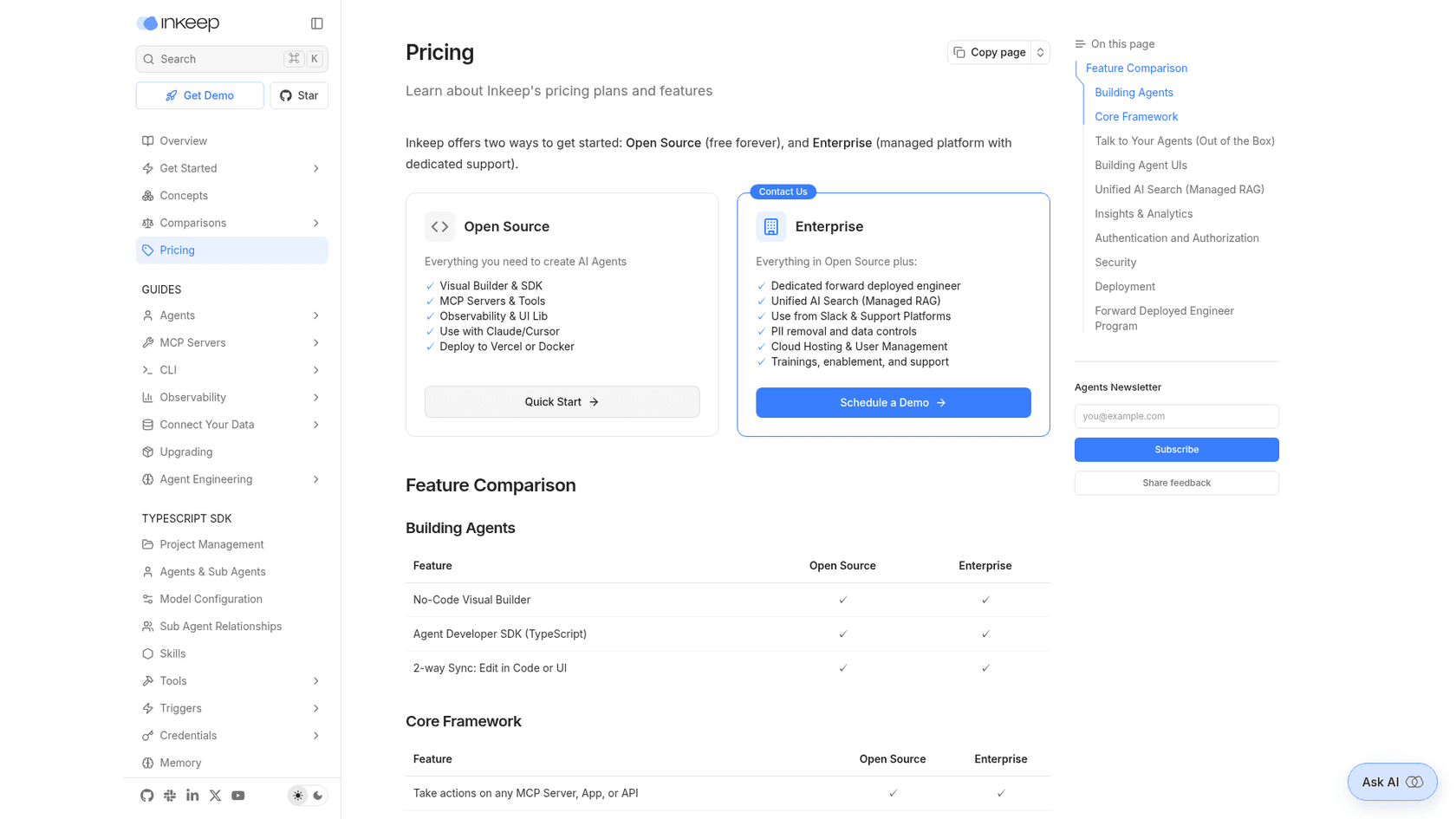
Inkeep positions itself as a no-code plus code agent builder, and support is one use case. You build agents in a visual builder or with a TypeScript SDK, and surface them through React chat components, an MCP server, an API, or Slack, Discord, Zendesk and Salesforce integrations on Enterprise (Inkeep docs). Answers carry inline citations on both tiers.
What I liked
The Open Source tier is free and self-hostable, which suits a devtool whose engineers want to own the agent code. Customers report real deflection:
"Inkeep works great at Pinecone and meaningfully reduced the number of support tickets with common questions/issues."
Watch out for
The free tier doesn't ingest your docs for you: managed retrieval, the support platform integrations and the gap reports are Enterprise only, and Enterprise is demo-only pricing. I didn't find a documented human handoff on the pages I read. My Inkeep review has more detail.
Pricing
| Plan | Price | What's included |
|---|---|---|
| Open Source | Free, self-hosted | Visual builder, TypeScript SDK, MCP, chat UI, citations |
| Enterprise | Quote ("Schedule a Demo") | Managed retrieval, Slack and helpdesk integrations, gap reports, SSO |
Verdict: pick it if you want full code control. Skip it if you want something your support lead can switch on this week; Inkeep alternatives covers the self-serve options.
7. Freshdesk Freddy AI
Best for: devtool teams on Freshdesk with public docs who want the native option and a simple per-session price.
How it works
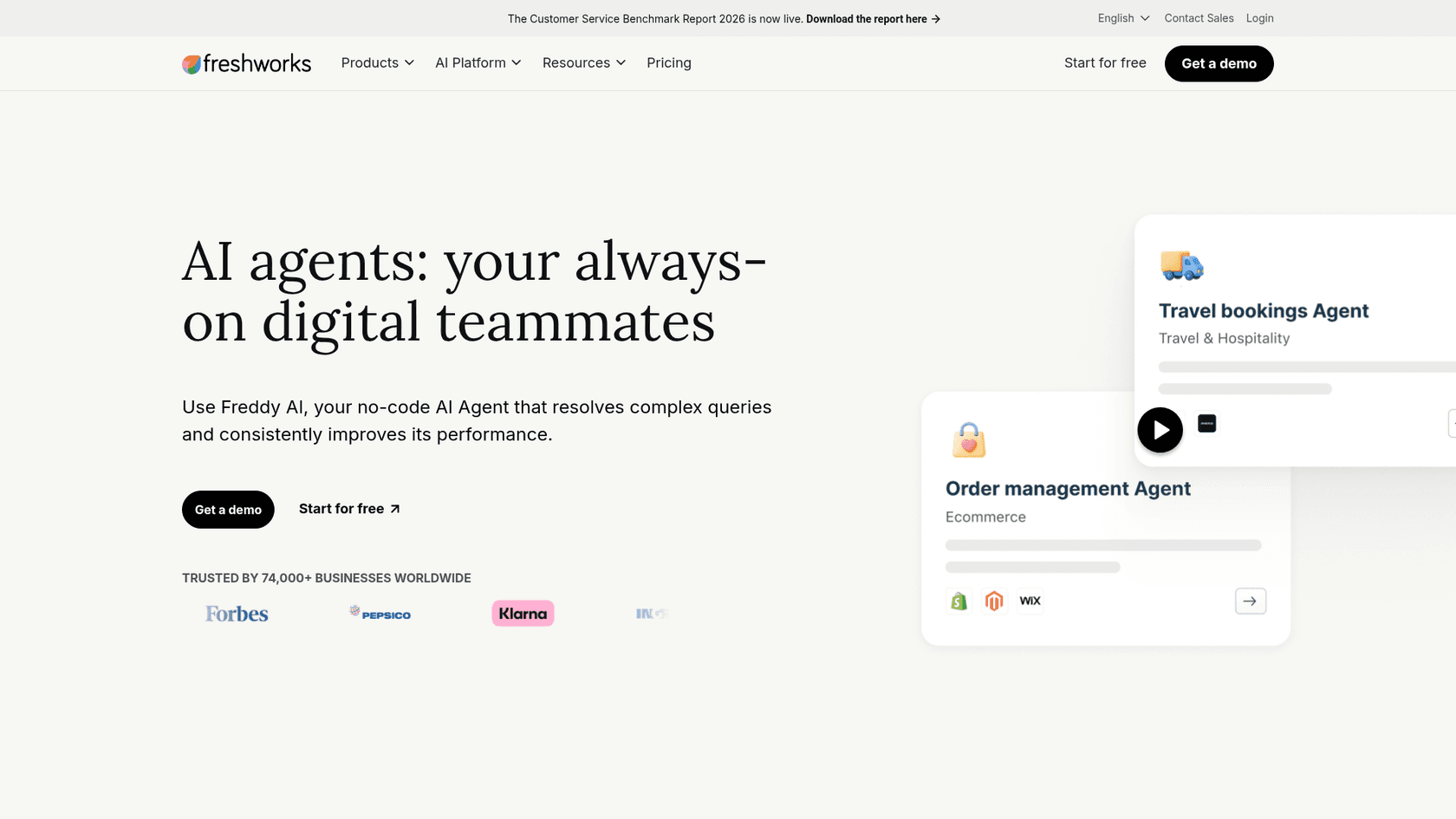
Freddy AI Agent answers on chat and email channels and learns from public URLs, files, published solution articles, custom Q&As, and Google Drive, SharePoint or Confluence (knowledge docs). It escalates to a human with context, and escalation can be confidence-based. Freddy AI Copilot is the agent-side assistant. My guide to Freddy knowledge sources covers the setup.
What I liked
The price is public and simple: $49 per 100 sessions, with 500 complimentary sessions once per account (sessions FAQ). Freshworks explicitly names product documentation as a URL source, and MCP actions are sold at $15 per 1,000.
Watch out for
For developer docs, the limits bite. URLs must be public, so customer-only API references can't be added, and you get 10 URLs per agent and 25 per account. Files are PDF, DOCX or TXT only, so an OpenAPI spec or a Markdown repo needs converting first, and GitHub isn't a source. Past tickets are analysed for gaps, not used as knowledge. Previewing an agent while you build it also uses sessions; my session consumption post explains the counting.
Pricing
| Item | Price |
|---|---|
| Freshdesk Growth / Pro / Enterprise | $19 / $55 / $89 per agent/mo, annual |
| Freddy AI Agent sessions | $49 per 100 (24h chat, 72h email) |
| Freddy AI Copilot | $29 per agent/mo, Pro and Enterprise |
Source: Freshdesk pricing.
Verdict: fine for public, well-structured docs on Freshdesk. If your answers live in gated docs or old tickets, it'll hit its limits early; see Freddy AI pricing for the full cost picture.
8. DocsBot
Best for: small devtool teams that want a public price, GitHub as a source and ticket escalation without a sales call.
How it works
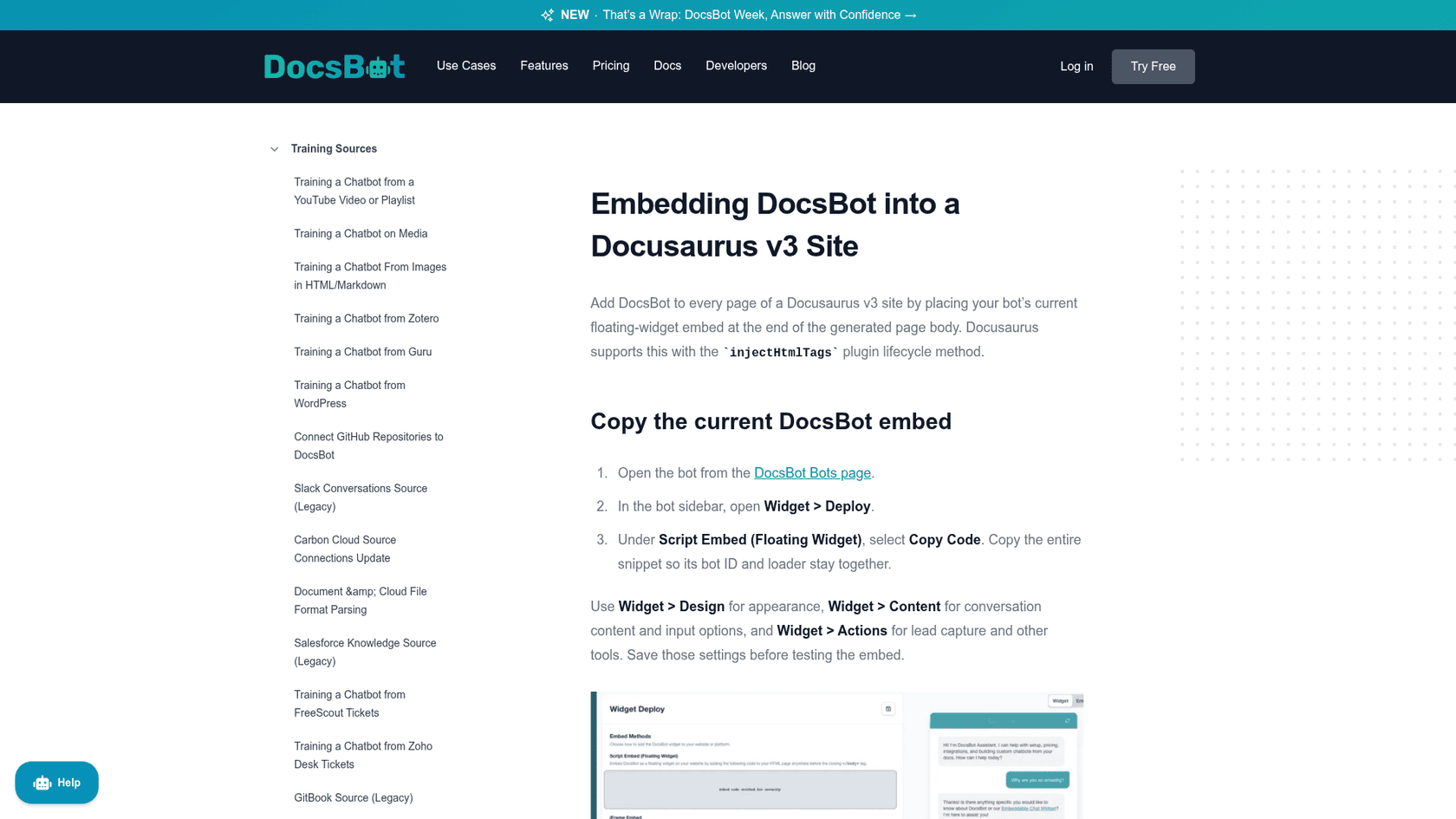
DocsBot trains on websites, sitemaps, documents including Markdown, GitHub code (Bitbucket in beta), and tickets from Zendesk, Freshdesk or Help Scout (DocsBot). You deploy it as a widget, in Slack or Discord, or through its developer API, which returns answers with source links.
What I liked
Everything is on the pricing page, sources can refresh on a daily, weekly or monthly schedule, and the API is good enough that teams automate their source pipeline:
"I'm able to automate remediation and easily push new content into the pipeline sources... it rarely hallucinates."
Watch out for
It's a widget and an API, not a helpdesk, so the ticket workflow stays elsewhere. Escalation tickets start on Standard, and the bot stops answering at the monthly credit cap unless auto-add is on. There's no OpenAPI connector in the docs index I read.
Pricing
| Plan | Price/mo | Source pages | AI credits/mo |
|---|---|---|---|
| Free | $0 | 50 | 100 |
| Personal | $49 | 5,000 | 5,000 |
| Standard | $149 | 15,000 | 15,000 |
| Business | $499 | 100,000 | 60,000 |
Verdict: the best value if you want a deflection layer with a public price. My DocsBot pricing post and Kapa vs DocsBot comparison help you decide whether to step up.
What does AI support cost for a 5-person devtool team?
Sticker prices can't be compared until they're priced for one buyer. So here's mine: a devtool company with 5 support engineers, about 1,000 tickets a month, and an AI that fully resolves 300 of them. Annual billing where offered. Prices are each vendor's own; the maths is mine.
| Tool | Helpdesk seats | AI cost | Monthly total | How I got there |
|---|---|---|---|---|
| eesel | Your existing helpdesk | $499 | $499 + your helpdesk | 1,000-credit plan, 1 credit per ticket the agent works |
| Zendesk Suite Team + AI agents | $275 | $412.50 | about $688 | 5 x $55; 25 included resolutions, 275 more at $1.50 |
| Freshdesk Pro + Freddy | $275 | $490 | about $765 | 5 x $55; 1,000 sessions = 10 packs at $49 |
| Plain Horizon | $495 | $275 | about $770 | 5 x $99; 300 x 100 credits minus 2,500 included, at $0.01 |
| Pylon Professional | $445 | Quote | $445 + credits | 5 x $89; credit price not published |
| DocsBot Standard | Your existing helpdesk | $149 | $149 + your helpdesk | Widget and API only, no ticket drafting |
| Kapa.ai, Inkeep | Your existing helpdesk | Quote | Quote | No public price |
Two things move this more than the sticker. First, billing units differ: Zendesk and Plain charge per resolution, Freddy per session, eesel per ticket worked. A tool that drafts on every ticket but resolves few looks expensive on eesel's model and cheap on Zendesk's. My explainer on deflection vs resolution rate unpacks why that matters. Second, Plain and Pylon replace your helpdesk, so their seat cost isn't extra if you're switching anyway.
How do you pilot an AI tool on your own tickets?
ChatGPT's advice on this question ended with a line I'd frame: "Don't judge by demos. Judge by whether they resolve your actual tickets." Here's the pilot I'd run with any tool on this list:
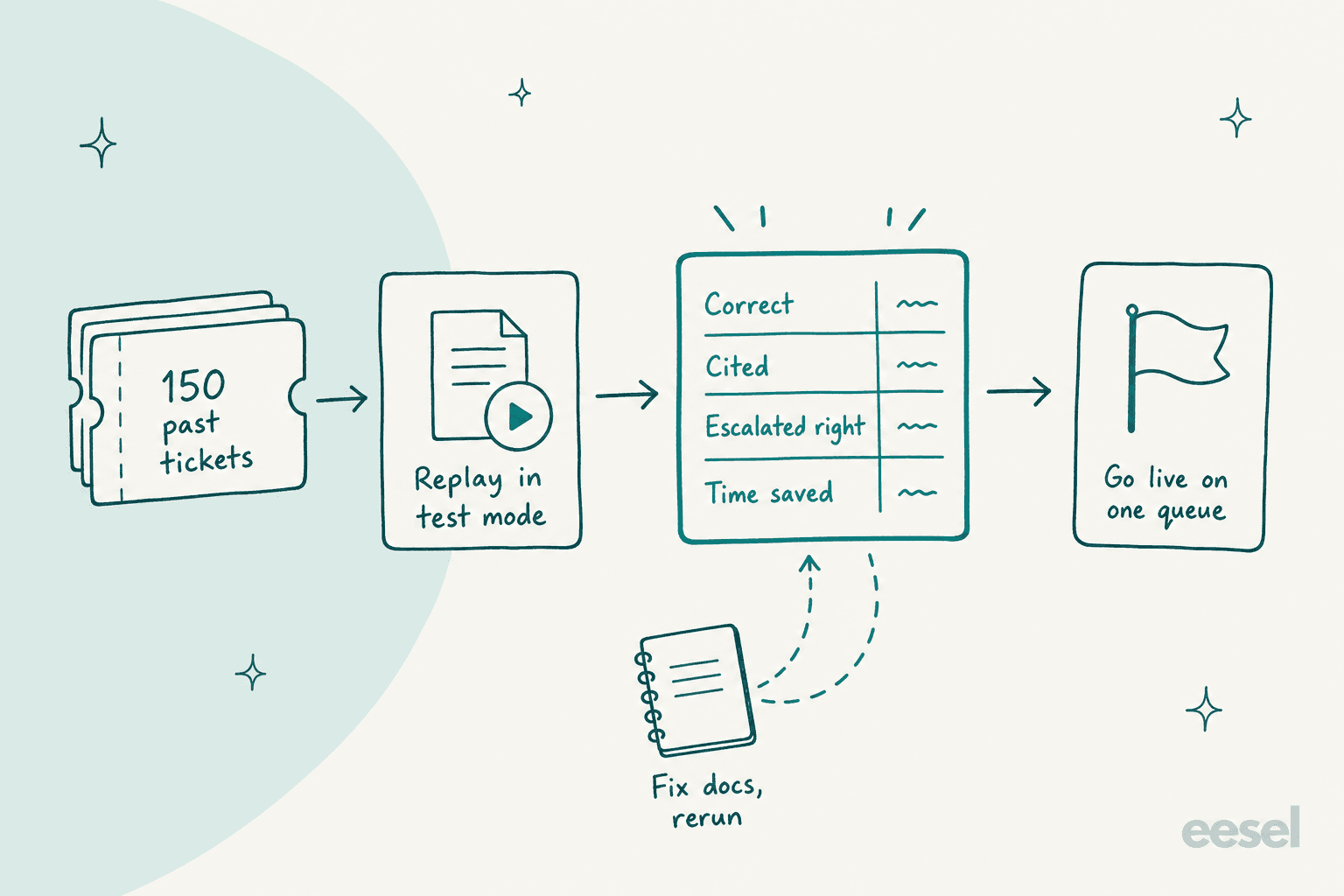
- Pull 100 to 200 resolved tickets. Mix easy ones (auth, rate limits, pagination) with three or four that turned out to be real bugs. Those are the tickets that tell you whether it escalates or bluffs.
- Replay them in test mode. Pylon's Backtest, Plain's test mode and eesel's simulation all do this without messaging customers. For tools without it, paste the questions in by hand.
- Score four things per ticket. Was it correct for the customer's SDK version? Did it cite the right page? Did it escalate the bugs? How long would an engineer take to fix the draft?
- Fix the docs, then rerun. Most wrong answers trace back to a stale or missing page, so treat the misses as your docs backlog. My guide to knowledge gap analysis shows how, and detecting outdated content catches the stale pages first.
- Go live on one queue, drafts first. Start with drafts your engineers approve, then let it answer one category on its own.
Step 3's escalation check is the one teams skip, and developers notice. One user of a large AI company's support described exactly the dead end you're testing for:
"While Claude AI itself is quite good, their support is just terrible - when support AI cannot provide a solution to a problem, it is absolutely not willing to escalate to human engineers. What a shame."
A good escalation for a devtool isn't "a human will be with you shortly." It's an issue in Linear or Jira with the SDK version, the request ID and the steps already tried. If your helpdesk is Zendesk, my walkthrough of AI escalation to Jira shows that flow, and Linear vs Jira helps if you're still picking the tracker. For a broader view across B2B, see my roundup of the best AI for B2B support.
Try eesel for devtool support
If your API and SDK tickets already land in Zendesk or Freshdesk, eesel joins that queue as an AI helpdesk teammate: it reads your docs and years of resolved tickets, drafts the fix for your engineers to approve, and turns real bugs into a Tier 2 ticket with the evidence attached, the way it does for SE Ranking. You can point it at your docs, replay last month's tickets and read every answer before it touches a customer. Free for 7 days. Try eesel.