What I actually looked for
I'm a software engineer at eesel, and I've spent the last couple of years watching our AI try to resolve real B2B tickets, so I have opinions about what separates a tool that demos well from one that survives a Monday morning queue. B2B support is its own beast: the tickets are fewer but gnarlier, the customers are accounts worth five or six figures, and one confidently wrong answer doesn't just annoy someone, it can put a renewal at risk.
That shapes how I judge these tools, because eesel has spent years putting AI agents on live B2B and SaaS support queues across thousands of real tickets. When we cross-validated one trial against a customer's live inbox, the agent hit 93% triage accuracy and caught 100% of spam with zero false positives. But I've also watched the failure mode up close: a paying customer's bot once invented subscription claims that were never true and sent them to real customers, and another answered a product question with "Oxygen," pulled straight from the periodic table. That is exactly why every rollout now gets simulated against historical tickets before it ever replies to a human.
So I weighted four things heavily:
- How it learns. Does it train on your resolved tickets and tribal knowledge, or just scrape your help center and hope?
- Control before autonomy. Can you scope what it answers, route low-confidence cases to a human, and prove it works before going live?
- Where it lives. B2B agents work in their helpdesk and in Slack, not a portal nobody opens. Does the AI meet them there?
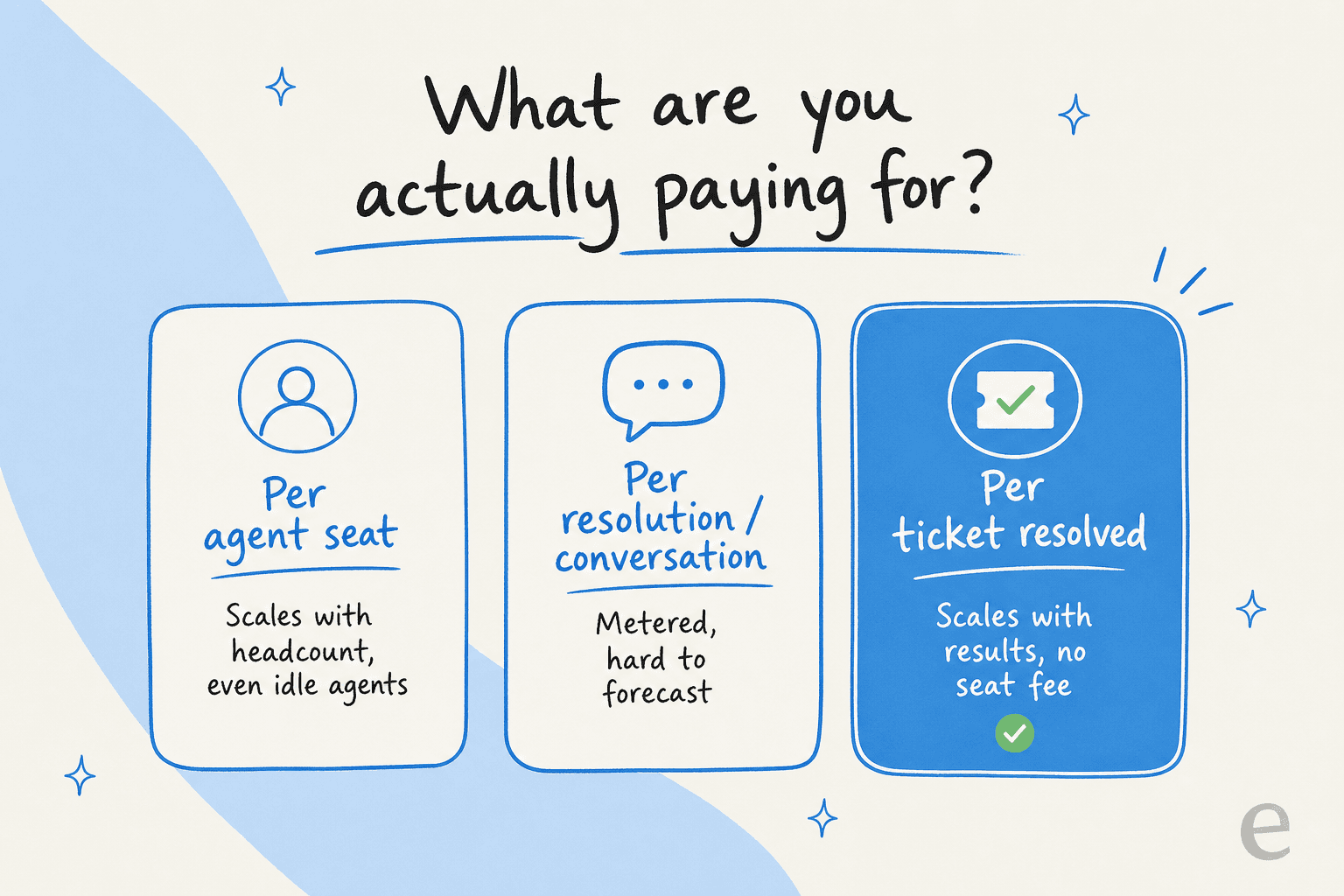
- What it really costs. Per seat, per resolution, or per ticket? The unit decides whether your bill scales with your team or with your results.
One pattern came up again and again in buyer conversations. As one CX lead running about 7,000 tickets a month put it to our team, the AI doesn't need to answer everything, it needs to answer only what it's sure about: "I need an AI who is only handling the tickets that it's confident to handle, and all the other ones, leave them alone." If you want the wider category first, our best AI helpdesk for B2B overview is a good primer.
The 8 best AI tools for B2B support at a glance
Here's the shortlist side by side. "AI billing unit" is the thing that actually moves your bill, so I've made it a column of its own.
| Tool | Best for | AI billing unit | Starting price | Deployment |
|---|---|---|---|---|
| eesel AI | Teams adding AI over an existing helpdesk | Per ticket resolved | $0.40 / ticket, no per-seat fee | Layer over your stack |
| Zendesk AI | B2B orgs already living in Zendesk | Per automated resolution + seats | $55 / agent / mo (Suite Team) | Platform-native |
| Freshdesk Freddy | Mid-market teams wanting cheap ticketing | Per AI session + seats | $19 / agent / mo (Growth) | Platform-native |
| Help Scout | Small B2B/SaaS teams wanting simplicity | Per resolution + seats | $25 / user / mo (Standard) | Platform-native |
| HubSpot Service Hub | Teams already on the HubSpot CRM | Per resolved conversation (credits) | $90 / seat / mo (Pro) for AI | Platform-native |
| Salesforce Service Cloud | Enterprises standardised on Salesforce | Per conversation / Flex Credits | $2 / conversation + editions | Platform-native |
| Forethought | Mid-market wanting a dedicated AI layer | Quote-only (outcome-based) | Quote-only | Layer over your stack |
| Ada | Enterprises at 300k+ conversations / yr | Per automated resolution | ~$30k / yr floor (quote-only) | Layer over your stack |
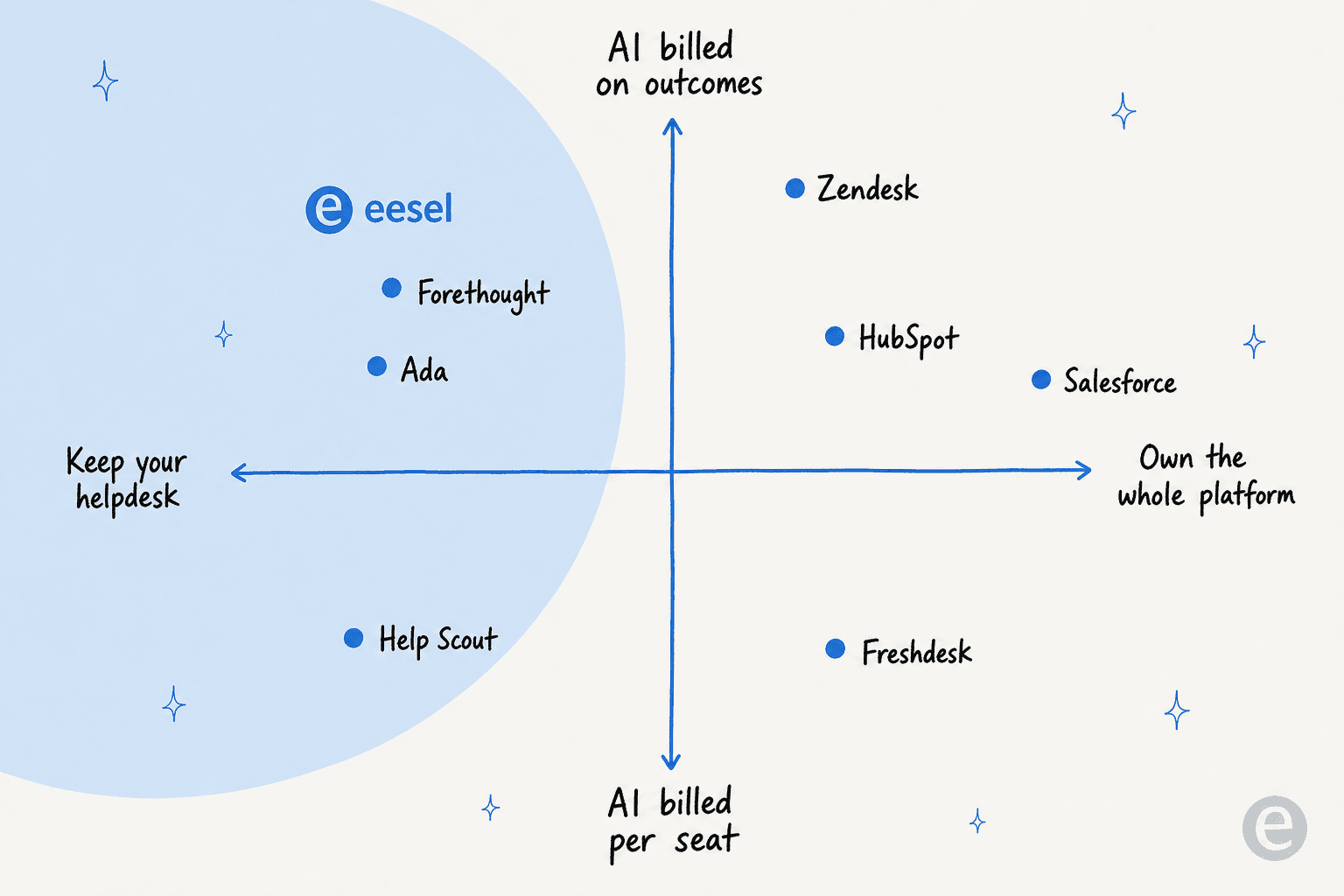
The split jumps out once it's laid out like this: the suites bill per seat with metered AI on top, the AI-native agents bill on outcomes, and where each one deploys tells you whether you're keeping your helpdesk or marrying a platform.
1. eesel AI
Best for: B2B and SaaS teams that already run a helpdesk and want to automate tier-1 tickets as a layer on top, with simulation and gradual autonomy, rather than rip and replace.

Full disclosure, this is the tool I work on, so take my enthusiasm with the appropriate grain of salt and check the receipts. eesel AI is an AI teammate that plugs into the helpdesk you already use, Zendesk, Freshdesk, HubSpot, Gorgias, Front or Salesforce, and learns from your solved tickets, help docs and macros on day one. It covers 100+ integrations and 80+ languages out of the box, which matters when your B2B customers span regions.
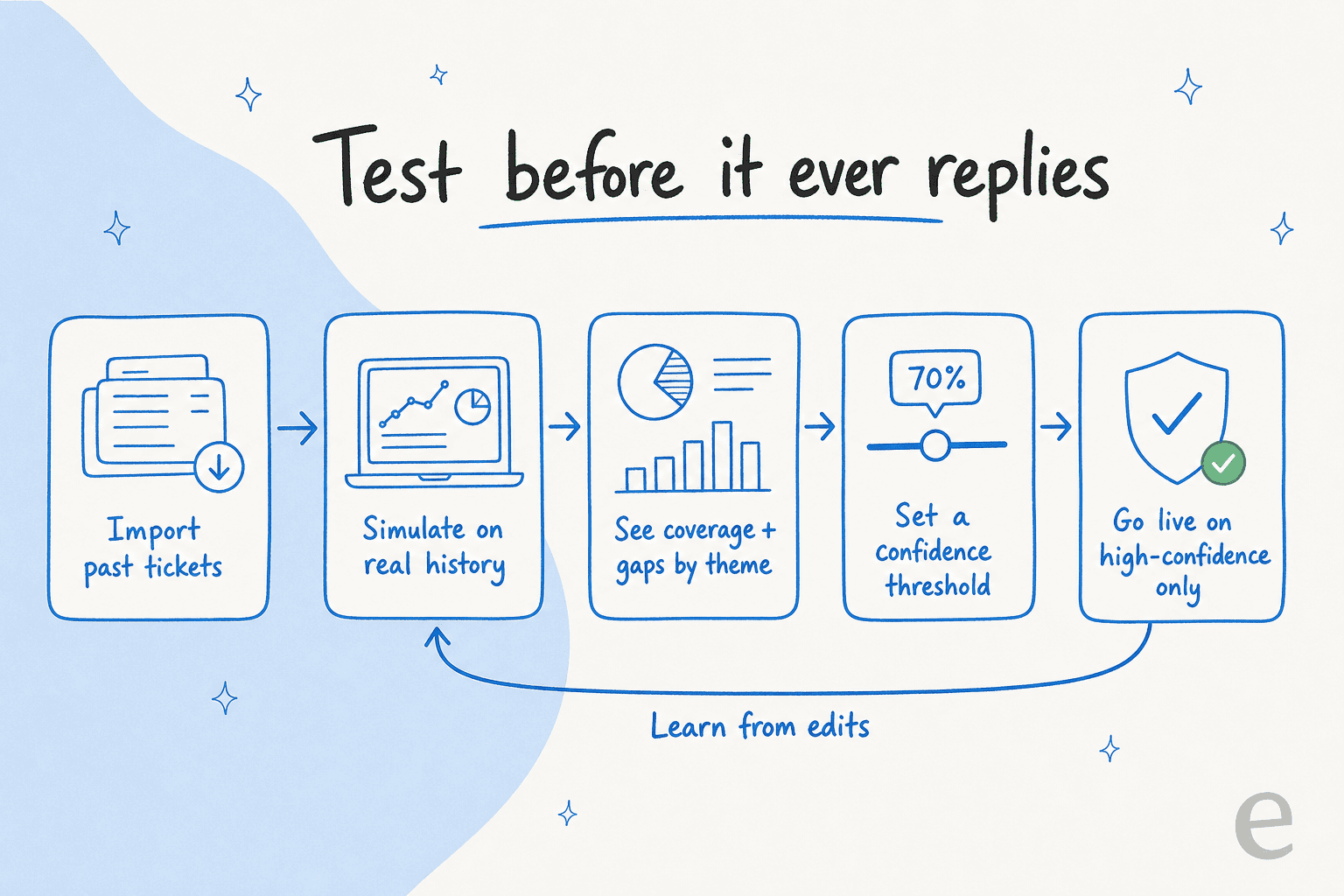
The part I'd actually point a B2B buyer to is the simulation mode. Before the agent replies to a single customer, you run it against your historical tickets, see coverage broken down by theme, find the gaps, fill them, and re-run. Paired with confidence-based routing (low confidence becomes a draft, not a live reply), it's the answer to the "leave the tickets it isn't sure about alone" problem that every careful support lead raises.
On proof: Gridwise reported eesel resolving 73% of tier-1 requests in the first month, with results showing inside a 7-day trial. It scales too, one customer runs a fully automated Zendesk agent on 100,000+ German-language tickets a month. And for the B2B SaaS reader weighing "we'll just build our own on the Claude API," I'd point to what one platform team told us: "We could try to write our own LLM application but we didn't want to invest our time into that. We wanted something that we would not have to maintain."
| Plan | Price | What you get |
|---|---|---|
| Free trial | $0 | $50 in usage, no credit card |
| Pay-as-you-go | From $0.40 / ticket | No platform fee, no per-seat fee, no minimum |
| Annual commit | 25% off | Requires ~$300/mo commitment for the year |
| Enterprise | $1,000 / mo + usage | SSO, HIPAA, BAA, dedicated SE and AM |
Pros: Per-ticket pricing means you only pay for tickets the AI handles, never for idle seats. Simulation-against-history plus confidence routing lets you roll out gradually instead of going live blind.
Cons: It's a layer, not a standalone helpdesk, so you need a supported helpdesk underneath. And SOC 2 is listed as in progress rather than certified, with HIPAA and BAA on the Enterprise tier, worth checking against your procurement bar.
Our take: For B2B teams that want AI on tier-1 without a migration, eesel is the strongest layer-on-top pick, and the simulation-first rollout is built for exactly this cautious buyer. The one thing to weigh is the not-yet-certified SOC 2 if you're in regulated procurement.
2. Zendesk AI
Best for: Large B2B support orgs already standardised on Zendesk that want AI agents and Copilot inside the same workspace their routing already lives in.
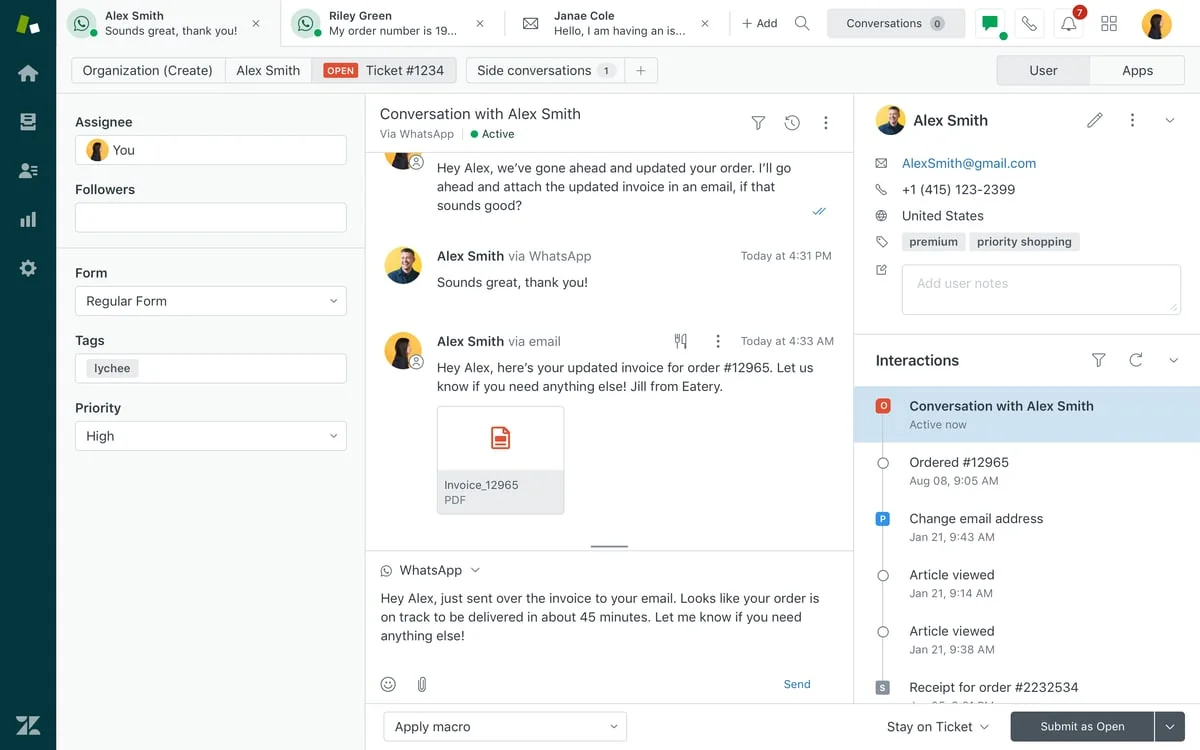
Zendesk now bills itself as the AI-first "Resolution Platform," and it has the scale to back the claim: it cites 22,000+ AI customers and 830M AI interactions. Its AI agents run on a self-improving loop that reasons through multi-intent requests and takes action across messaging, email and voice, grounded in your connected knowledge. It was named a Leader in the 2025 Gartner Magic Quadrant for the CRM customer engagement center, and sits at 4.3/5 across ~6,964 G2 reviews.
If you're already deep in Zendesk, the appeal is obvious: AI agents, Copilot, QA and reporting all live in one agent workspace, so you add AI without re-platforming. The catch is the billing. AI agents are charged per automated resolution on top of seats, and that's where teams start doing nervous math:
"From what I can see in regards to this new 'Automated Resolution' pricing model, we'll be paying about $1.50 ~ $1.20 per resolution. And what Zendesk counts as a resolution can be ... subjective. If you have 500 AR per week, the bill blows out to be $650, where there wasn't a charge before."
u/caledragonpunch, r/Zendesk

| Plan | Price (billed annually) | AI included |
|---|---|---|
| Support Team | $19 / agent / mo | No AI |
| Suite Team | $55 / agent / mo | AI agents, omnichannel |
| Suite Professional | $115 / agent / mo | Adds admin Copilot, skills routing |
| Suite Enterprise | Talk to sales | Advanced AI, governance |
Pros: The most mature, deeply integrated stack here, genuinely omnichannel with enterprise governance and a 1,800+ app marketplace. Strong third-party validation from Gartner and G2.
Cons: Per-resolution billing is the dominant complaint, unpredictable and uncapped above your commit, with the definition of "resolution" disputed. Costs stack fast: seats plus $50 add-ons plus resolution overages.
Our take: Zendesk AI is the safe, full-stack pick if you already live in Zendesk, but the automated-resolution billing makes the true cost hard to forecast, which is exactly when teams start shopping for a layer like eesel on top.
3. Freshdesk (Freddy AI)
Best for: Mid-market B2B teams that want a mature, ticketing-first helpdesk with strong routing and a cheap on-ramp, where AI deflection is a metered add-on you scale into.
Freshdesk is the value play. It's a solid cloud helpdesk trusted by 74,000+ businesses, with a genuinely useful free tier and deep routing, SLAs and automations underneath. Freddy AI splits into Copilot (an agent assist, $29/agent/mo on Pro and up) and the Freddy AI Agent, which is the customer-facing deflection piece.
The thing to understand for budgeting is that Freddy AI Agent is session-metered, not per-seat: a session is one end-user interaction in a time window. The newer SKU runs $49 per 100-session pack, Pro and Enterprise get 500 one-time free sessions, and unused sessions expire each cycle. Community sentiment is "fine for the basics, shaky on the hard stuff":
"Freshdesk Freddy: for early stage teams that want something simple, it covers the basics, auto assignment, suggested replies, FAQ deflection. It's reliable and affordable, nothing crazy."
r/AgentsOfAI, Reddit
| Plan | Price (annual) | Notes |
|---|---|---|
| Free | $0 | 1-2 agents, ticketing + KB, no Freddy sessions |
| Growth | $19 / agent / mo | Core helpdesk |
| Pro | $55 / agent / mo | Advanced routing, 500 one-time Freddy sessions |
| Enterprise | $89 / agent / mo | Audit logs, skills routing |
Pros: A genuinely free 6-month on-ramp for 1-2 agents and a mature helpdesk; Copilot is assignable per agent so you equip only who needs it. Well-liked on G2 for usability at 4.4/5.
Cons: Session-based AI billing is unpredictable at volume, packs expire with no carryover, and the best AI piece (AI Agent Studio) is gated to the pricier Freshdesk Omni SKU. Real users report misclassification on complex tickets.
Our take: Freshdesk is a strong, affordable ticketing backbone, but Freddy lands as a metered add-on that's good at simple deflection and wobbly on complex B2B tickets, so budget for session costs and don't expect autonomous resolution out of the box. Our best AI for Freshdesk guide covers the alternatives.
4. Help Scout
Best for: Smaller B2B and SaaS teams that want a clean, email-like shared inbox they can learn in under an hour, with AI as an option rather than a forced platform.
Help Scout is the friendliest tool here. The inbox feels like email, new agents are productive almost immediately, and the AI is layered on sensibly. AI Answers is the customer-facing chatbot (drawing from your knowledge base across 50+ languages), while AI Drafts, AI Summarize and AI Assist help agents. Help Scout claims its AI agents resolve 73% of interactions on average.
It's also the cautionary tale on pricing churn. Help Scout switched from per-seat to per-contact pricing in 2025, triggered a wave of cancellations, and reverted to per-seat later that year. AI Answers is billed separately at $0.75 per resolution, which adds up fast at scale.
"HelpScout changed back to user-based pricing. Guess too many people cancelled including me. Helpscout lost all trust with this flip-flopping on pricing."
u/manu_8487, r/SaaS
| Plan | Price (annual) | AI |
|---|---|---|
| Free | $0 | Up to 5 users, no AI features |
| Standard | $25 / user / mo | AI Assist included |
| Plus | $45 / user / mo | Adds AI Drafts + Summarize |
| Pro | $75 / user / mo | Min 10 users, SSO/HIPAA |
Pros: The cleanest inbox in the category, with AI billing that's honest at low volume (a resolution only counts if the customer doesn't escalate, and you can cap spend). Rated higher than Zendesk on G2 for ease of use.
Cons: AI Answers' $0.75/resolution stacks on top of seats and becomes real money at scale, the AI can't take actions or learn from past tickets, and reporting depth is thin for larger ops.
Our take: Help Scout is the right call for a small B2B/SaaS team that values a frictionless inbox over deep ticketing, but watch the per-resolution math and the thin reporting before you scale.
5. HubSpot Service Hub
Best for: B2B support and post-sale teams already running on the HubSpot CRM, who want ticketing, success and AI to share one customer record with sales and marketing.
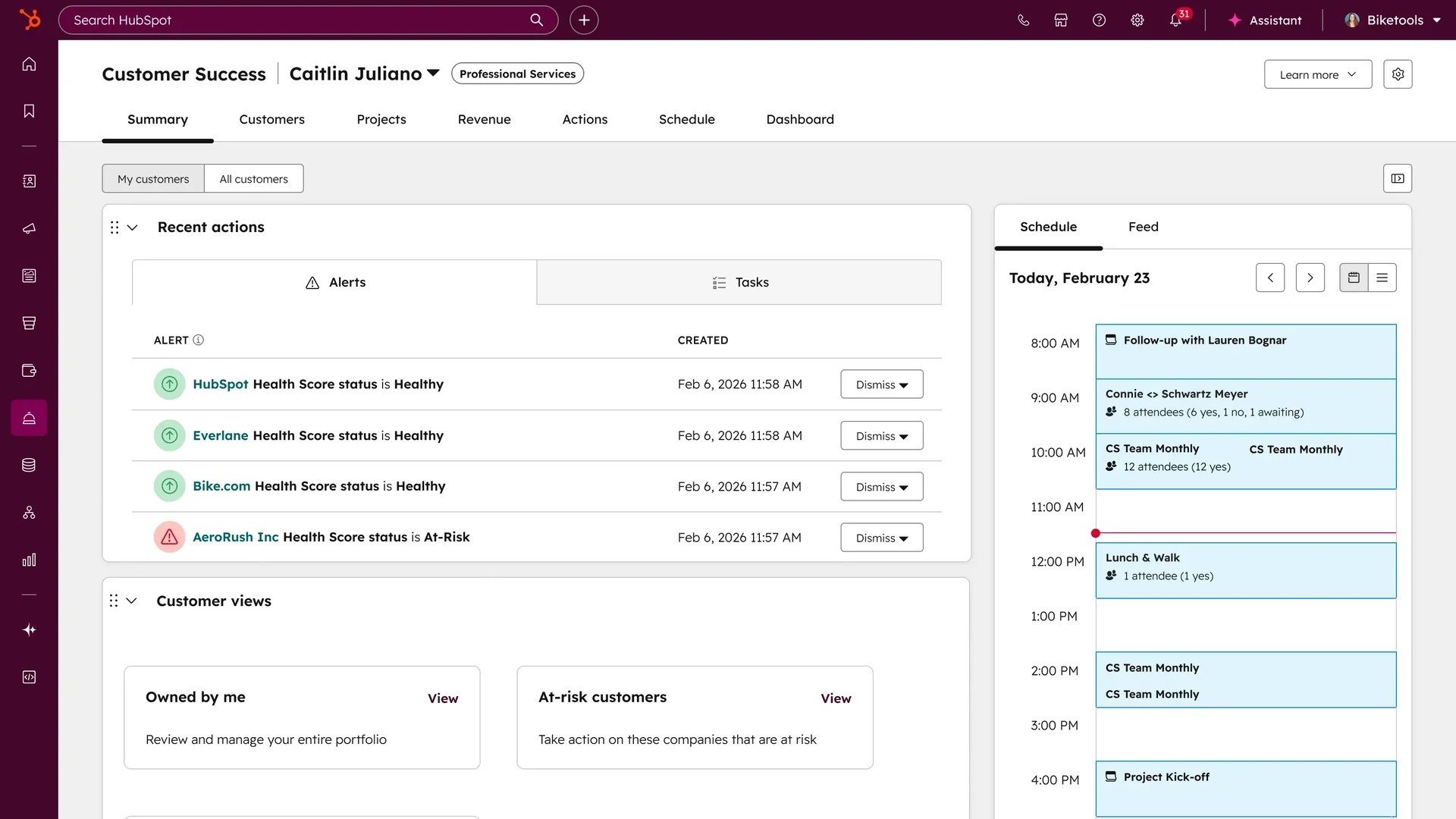
HubSpot Service Hub runs natively on HubSpot's Smart CRM, so support sees every deal stage and marketing touch on one record. For B2B teams already on HubSpot, that unification is the whole pitch. Its Breeze Customer Agent resolves email and chat 24/7, and HubSpot says it resolves 65% of conversations across 8,000+ customers.
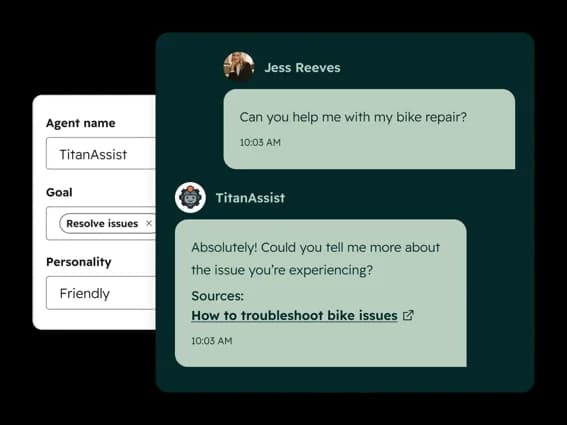
Breeze moved to outcome-based billing in 2026, charging 50 credits per resolved conversation (roughly $0.50), which on paper is fair. The honest gotcha is that "resolved" means no human handoff within 72 hours, and the agent is locked behind the Professional tier at $90/seat with a mandatory one-time onboarding fee.
| Plan | Price | AI |
|---|---|---|
| Free | $0, 2 users | No Breeze agent |
| Starter | From $7 / seat / mo | 500 credits, no agent |
| Professional | From $90 / seat / mo | Breeze agent + $1,500 onboarding |
| Enterprise | From $150 / seat / mo | + $3,500 onboarding |
Pros: Deep CRM unification is hard to beat if you already live in HubSpot, AI is now billed per resolution, and the post-sale tooling (health scores, surveys, conditional SLAs) is strong.
Cons: True cost balloons past the sticker once you stack seats, mandatory onboarding and metered credits. The 72-hour "resolved" definition can bill outcomes a customer wouldn't call resolved, and there's no affordable entry point to the AI.
Our take: A strong fit if HubSpot is already your system of record, but if it isn't, the seat-plus-onboarding-plus-credits stack makes it an expensive way to buy an AI agent. Plenty of AI tools for HubSpot layer on more cheaply.
6. Salesforce Service Cloud
Best for: Enterprise B2B teams already standardised on Salesforce CRM who want AI agents grounded in the same customer data and security layer they already run on.
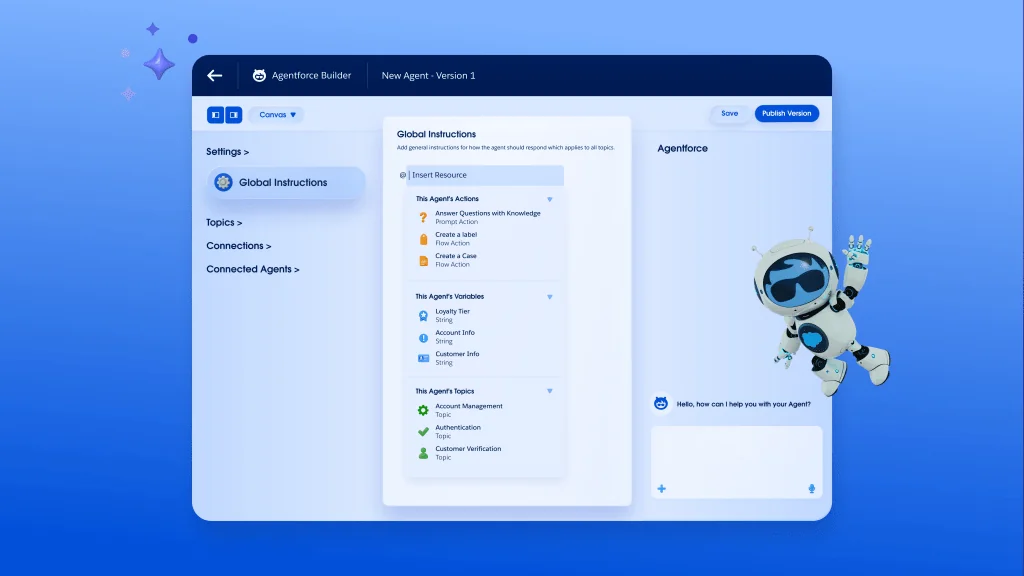
Salesforce Service Cloud is the enterprise heavyweight, and Agentforce is its agentic AI layer. You build agents low-code in Agent Builder, grounded in your CRM and Data 360 records, with a Trust Layer handling data masking and zero retention. If your B2B support already runs on Salesforce, nothing else grounds AI as deeply in your actual customer data.
The pricing is pure enterprise. Agentforce is consumption-first, with Conversations at $2 each and Flex Credits at $500 per 100k, layered on top of Service Cloud editions that run from $25 to $550 per user per month. Salesforce cites a Valoir report of 16x faster agent delivery versus building your own.
| Edition | Price | Notes |
|---|---|---|
| Foundations | $0 | Free Agentforce entry point |
| Service Enterprise | $175 / user / mo | AI for customer service |
| Agentforce 1 Service | $550 / user / mo | Full AI suite, 2.5M credits/yr |
| Agentforce usage | $2 / conversation | Or Flex Credits at $500/100k |
Pros: Deepest CRM-native grounding here, with a broad agentic platform (low-code builder, voice, MCP and BYOM support) and a large partner ecosystem.
Cons: Cost stacks and is hard to predict (seat plus edition plus per-conversation consumption), implementation is an enterprise project rather than a plug-in, and the real AI value lives at the $175+ editions.
Our take: If your support already lives inside Salesforce, Agentforce is the most natural and most powerful place to add AI, but the layered consumption pricing and implementation lift make it a poor fit for anyone not already committed to the platform.
7. Forethought
Best for: Mid-market and enterprise SaaS support orgs that want a dedicated agentic-AI layer over an existing helpdesk (Zendesk, Salesforce, Freshworks) without switching stacks.
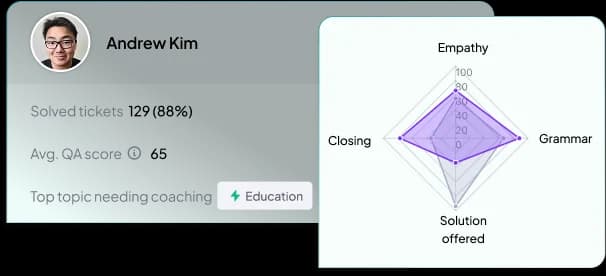
Forethought is one of the few AI-native agents that, like eesel, doesn't make you switch helpdesks. It runs a four-part system: Solve (end-to-end resolution across chat, email, voice and Slack), Triage (auto-tags and prioritises by sentiment and urgency), Assist (an agent copilot), and Discover (knowledge-gap detection). Its Agent QA scores 100% of interactions against custom rubrics rather than a manual sample.
Forethought's own benchmark report claims a 55% average reduction in first response time, and Upwork reported a 50% drop in time-to-resolution. Real operators describe it well:
"Forethought: Think of it like an AI layer on top of your support stack. It scans historical tickets, learns your voice, and auto-responds."
r/startups, Reddit
Pricing is quote-only, built around platform access fees plus outcome-based cost, with no free trial (Forethought runs a proof-of-value on your data instead). Secondary sources peg contracts in the five-to-six-figure range.
Pros: Helpdesk-agnostic, so it's a strong pick for teams locked into Salesforce or legacy Zendesk; reviewers praise the customization (Autoflows, Custom Actions) and a hands-on CSM team. Broad channel coverage under one platform.
Cons: Recurring complaints about UI latency and slow saves, a real configuration learning curve, and quote-only pricing with no trial makes it inaccessible to smaller teams.
Our take: Forethought is a credible enterprise pick when you're committed to your current helpdesk and want a deep, customizable agentic layer on top, but the opaque pricing and configuration complexity mean it earns its keep only for larger orgs with resources to drive the rollout.
8. Ada
Best for: Scaled SaaS and enterprise CX teams (think 300,000+ conversations a year) that want a standalone, automation-first resolution agent layered on their existing helpdesk.
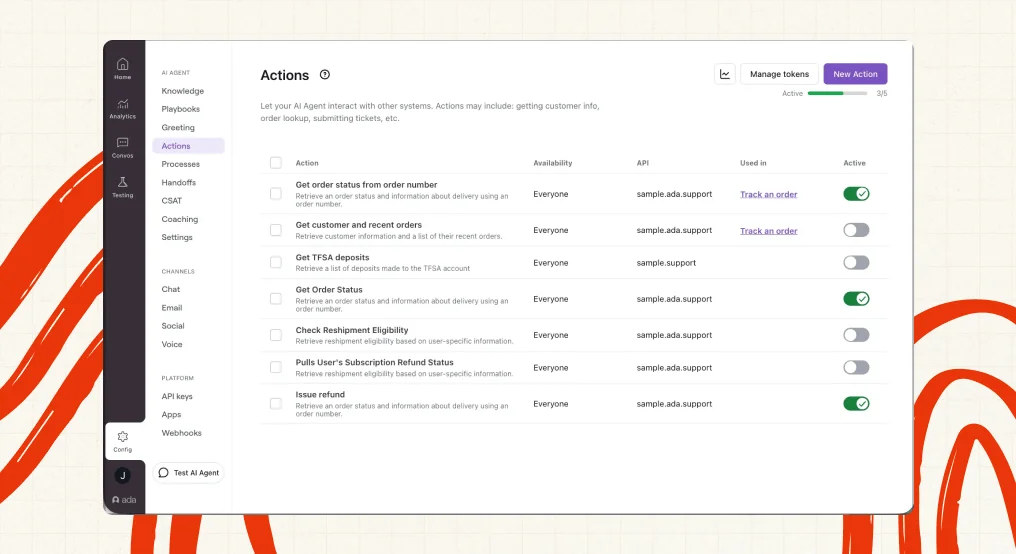
Ada is the enterprise automation specialist. It's a standalone AI agent ("Agentic CX") built on a multi-LLM Reasoning Engine that sits on top of Zendesk, Salesforce, Freshworks and ServiceNow. Ada is unusually upfront that it's not for everyone: its pricing page states it's "a great fit for companies with at least 300,000 annual customer service conversations." It bills on automated resolutions, defined narrowly to pass relevance, accuracy and safety checks.
The compliance posture is best-in-class (SOC 2, HIPAA, GDPR plus the AI-specific AIUC-1 certification and zero data retention), and it's rated 4.3/5 across ~207 G2 reviews. The recurring theme from operators is that it works but costs a lot:
"Used to work for a company paying ~300k+ for Ada.cx, it's expensive. I would stick with Zendesk messaging and answer bot."
r/Zendesk operator, Reddit
| Tier | Cost | Notes |
|---|---|---|
| Platform floor | ~$30,000 / yr | Annual commitment, consumption-based |
| Per-resolution | ~$1-$3.50 each | Stacks on the platform fee |
| Typical enterprise | ~$70,000 / yr | Median contract (Vendr-sourced) |
Pros: Deep, true automation for high-volume queues (multi-step Playbooks, API-backed Actions), helpdesk-agnostic and omnichannel, with best-in-class trust signals.
Cons: No SMB or mid-market path thanks to the 300k-conversation floor, setup is a project not a toggle, and resolution-metered billing is hard to forecast and gated on Ada's own definition of "resolution." Worth weighing the Ada alternatives.
Our take: Ada is the serious pick when you're an enterprise with the volume, clean knowledge and budget to run an automation-first agent across channels, but its 300k floor and opaque per-resolution meter make it overkill for anyone below true enterprise scale.
So how do you actually choose?
After all eight, the decision tree is simpler than the vendor pages make it look.
Start from your helpdesk. If you're committed to a suite and happy to live inside it, the native AI is the path of least resistance: Zendesk AI if you're on Zendesk, Breeze if you're on HubSpot, Agentforce if you're on Salesforce. The AI quality is good and you skip an integration.
If you don't want to marry a platform, the layer-on-top agents are the smarter buy. eesel, Forethought and Ada all sit over your existing stack, which means you keep your helpdesk and your ticket history and just add the brain. Among these, Ada and Forethought are enterprise-only and quote-gated; eesel is the one a smaller B2B team can actually trial today.
Then look hard at the billing unit. This is the part buyers underweight. Per-seat pricing (Help Scout, base suite seats) charges you for agents whether or not the AI helps them. Per-resolution and per-conversation pricing (Zendesk, HubSpot, Ada, Salesforce) only bills for AI work, but it's volatile and the vendor controls what counts as a "resolution." Per-ticket pricing with no seat fee (eesel) is the most predictable mapping of cost to value. The cost-savings math almost always comes down to this one choice, and it's the same logic in our AI versus offshore support cost breakdown.
Whatever you pick, insist on two things before going live: the ability to test against your real past tickets, and confidence-based routing so the AI only answers what it's sure about and cleanly escalates the rest. Those two controls are what separate an AI that quietly loses you a renewal from one that earns its keep.
Try eesel for your B2B support
If your team already runs Zendesk, Freshdesk, HubSpot or Salesforce and you want AI on tier-1 without a migration, eesel AI is built for exactly that. It plugs into your helpdesk, learns from your resolved tickets and docs on day one, and lets you simulate the agent against your historical tickets so you can see coverage and accuracy before a single customer sees a reply. You pay per ticket it handles, from $0.40, with no per-seat fee.

You can start a free trial with $50 of usage and no credit card, point it at a slice of your queue, and watch what it would have done. For a cautious B2B team, that "prove it on my own tickets first" loop is the whole point.
Frequently Asked Questions
What is the best AI for B2B customer support in 2026?
How much does AI for B2B support cost?
Can AI handle B2B support tickets without giving wrong answers?
Do I need to replace my helpdesk to add AI for B2B support?
What should B2B SaaS teams look for in an AI support tool?


Article by
Kurnia Kharisma Agung Samiadjie
Kurnia is a software engineer and writer at eesel AI with two years of SEO experience, writing about AI tools, helpdesk software, and customer support. He pairs a developer's understanding of how these products are built with search-driven research into what actually ranks and resonates with the people searching for them.