


The published rate card, in full
Three plans. Monthly only, and there is no annual toggle anywhere on the page. Here is everything Get BOB actually puts in writing.
| Mini BOB | Medium BOB | Mega BOB | |
|---|---|---|---|
| Monthly price | $29 | $99 | $499 |
| Positioned for | Individuals | Small teams | Larger organisations |
| BOB Jobs included | 50 | 200 | 1,500 |
| Implied cost per Job | $0.58 | $0.495 | ~$0.33 |
| User licences | 1 | Unlimited | Unlimited |
| Insights Feed | Yes | Yes | Yes |
| BOB Builder | Yes | Yes | Yes |
| BOB Marketplace | Yes | Yes | Yes |
| App Marketplace | Yes | Yes | Yes |
| Team Management | No | Yes | Yes |
| Multi-Tenant Orgs | No | No | Yes |
| Onboarding | Self-serve | Live | Live |
| Support | Priority | Live + service partner | |
| Weekly office hours | Yes | Yes | Yes |
| Slack community | Yes | Yes | Yes |
| Free trial | 7 days | 7 days | 7 days |
| Annual price | Not published | Not published | Not published |
| Rate beyond allowance | Not published | Not published | Not published |
| Published security certifications | None listed | None listed | None listed |
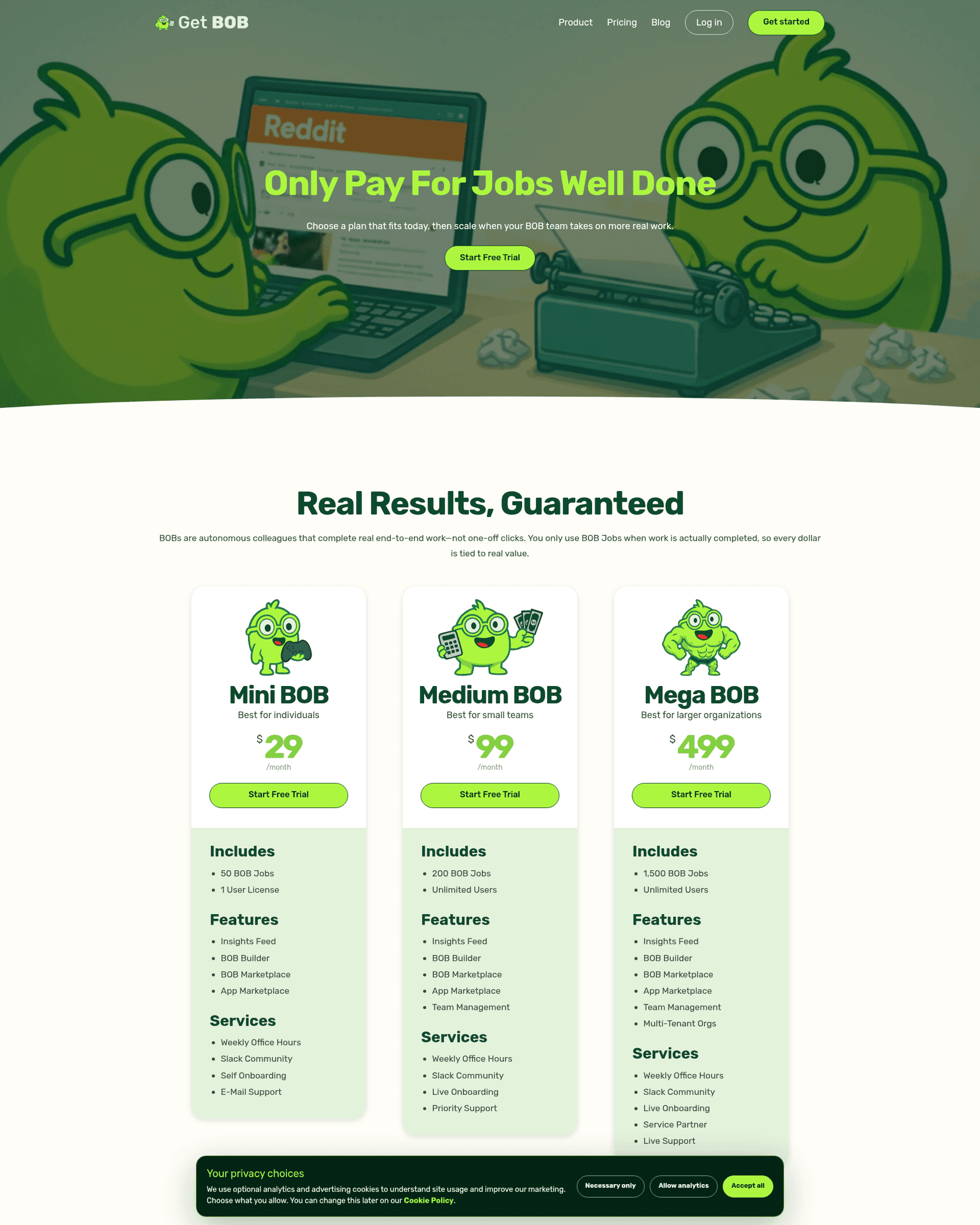
Two things on that card are unusually buyer-friendly and worth saying plainly. Unlimited users from the second tier up removes the per-seat arithmetic that most tools in this space make you do, and it means a five-person team and a fifty-person team pay the same $99. Every plan also gets the full feature set of Insights Feed, BOB Builder, and both marketplaces, so nothing important is paywalled behind Mega BOB except multi-tenant orgs. Compare that to how the seat-plus-credits model works at Lindy, where the pool scales with the headcount you pay for, and Get BOB's shape is simpler.
The last three rows of that table are the ones I would chase before signing anything. None of those numbers exist anywhere on the public site.
What a BOB Job is, because the definition is the price
On a meter like this the unit definition is the rate card. A fixed count of 200 Jobs tells you nothing at all about your bill until you know how big one Job is, which is a strange thing to have to say about a published price.
Get BOB's own answer, which surfaces in Google's index of the pricing page, is that a BOB Job is an end-to-end deliverable, "like when a colleague delivers a finished report, launches a campaign, or writes an entire blog post". That is the largest billable unit anyone in this category currently sells, and the framing is consistent across the site. The hero on the pricing page reads "Only Pay For Jobs Well Done", the section header says "Real Results, Guaranteed", and the supporting line commits to the model directly: BOBs "complete real end-to-end work, not one-off clicks. You only use BOB Jobs when work is actually completed, so every dollar is tied to real value."
Take that at face value and the value proposition is strong. A finished blog post for $0.495 is excellent. A launched campaign for $0.495 is absurd value.
The catch is arithmetic, not honesty. If a whole campaign launch is one Job, then a two-line status update pushed into the Insights Feed is also one Job. The meter cannot tell them apart, so the deal you get depends entirely on the mix of work you actually send. Teams whose automation backlog is mostly small, frequent, low-value tasks will burn the allowance on work worth cents. Teams sending a handful of large, real deliverables will get a bargain. Before you pick a tier, write down your ten most common recurring tasks and mark which ones are really deliverables. The AI agent examples guide is a decent prompt for that exercise, and the workflow automation primer covers where the boundaries usually fall.
It is worth noting that Get BOB is not alone in billing the whole run. n8n counts one execution per entire workflow, and Relevance AI counts one Action per tool run regardless of how much sits inside it. Three vendors independently landing on "bill the outcome, not the steps" makes this a category direction rather than a quirk, and the fuller comparison lives in the alternatives roundup.
The second rate card
Here is where the forecast breaks. Get BOB's signup flow asks you to agree to the Terms of Service and a separate Subscription Terms document. That second document describes the billing model in completely different language.
It never mentions Jobs. It bills BOB credits.
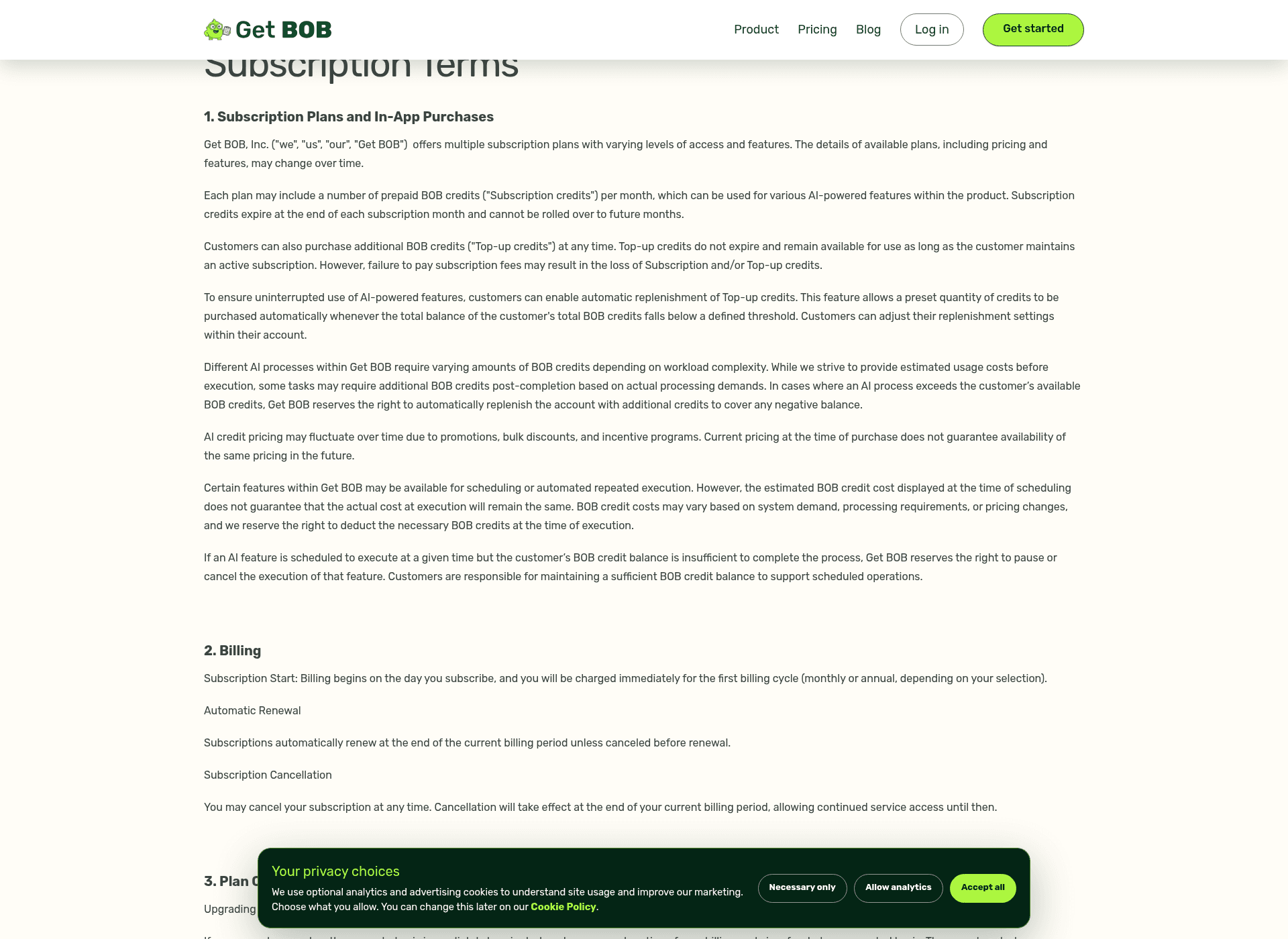
The clauses that matter, in their own words:
- Each plan "may include a number of prepaid BOB credits" per month, and those credits "expire at the end of each subscription month and cannot be rolled over".
- Top-up credits can be bought at any time, do not expire, and survive as long as the subscription does.
- "Different AI processes within Get BOB require varying amounts of BOB credits depending on workload complexity."
- "Some tasks may require additional BOB credits post-completion based on actual processing demands."
- Where a process exceeds your balance, Get BOB "reserves the right to automatically replenish the account with additional credits to cover any negative balance".
- For scheduled work, "the estimated BOB credit cost displayed at the time of scheduling does not guarantee that the actual cost at execution will remain the same".
- "AI credit pricing may fluctuate over time due to promotions, bulk discounts, and incentive programs."
Read the two documents back to back and you are looking at two different meters. One is a fixed count of outcomes. The other is a pool of compute that reprices itself by complexity, can top itself up, and can come back for more after the work is already done.
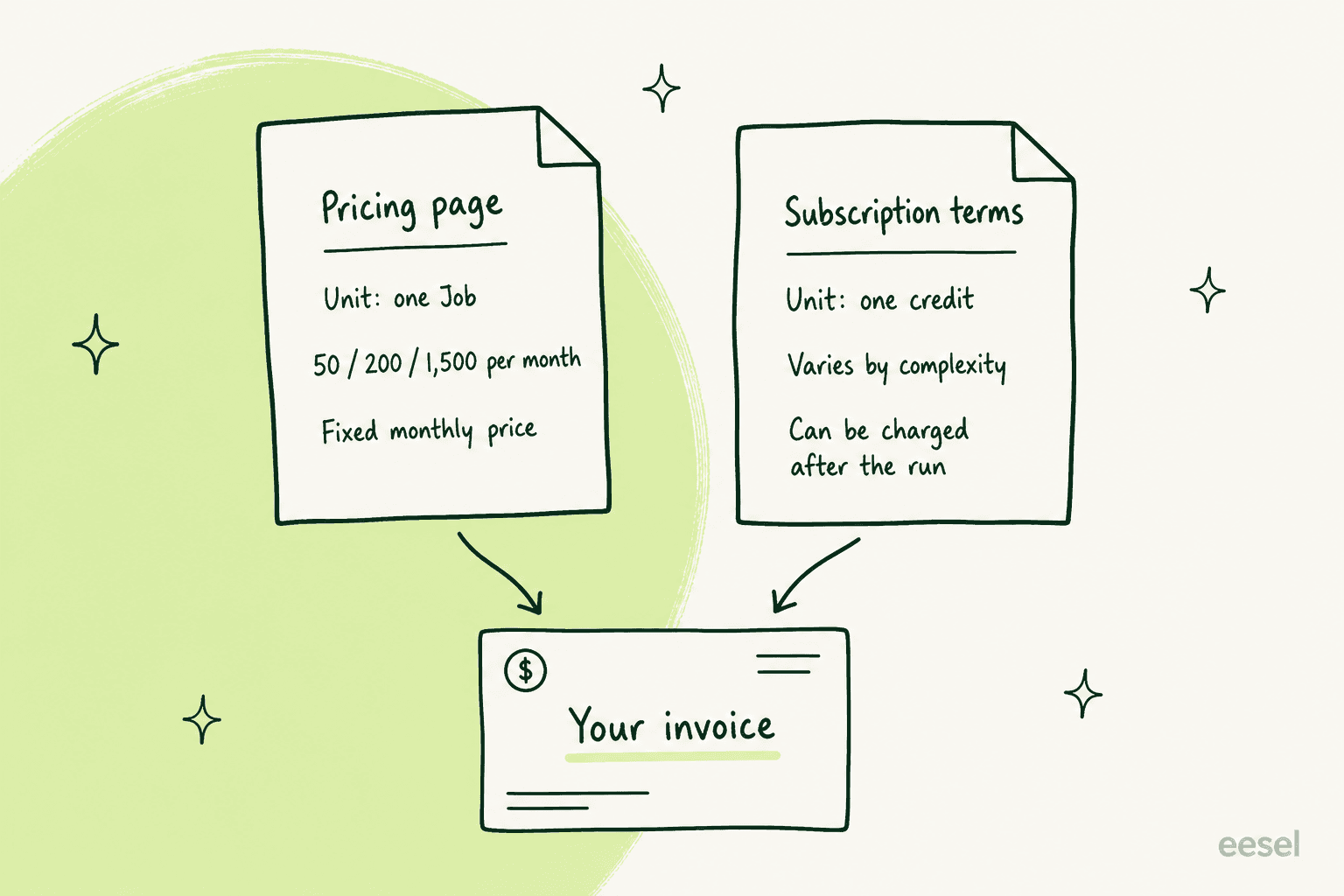
I want to be careful about what I am and am not claiming. I am not saying Get BOB is hiding anything, and I am not saying the credit language overrides the Job allowance in practice. Both documents are published, both are linked at signup, and the most likely explanation is simply that the Subscription Terms were written for a credit-based product and have not been rewritten since the Jobs framing landed. Both are dated 13 March 2026, five months before self-serve signup opened, which supports that reading.
What I am saying is narrower and, for a buyer, more useful. The document that governs your invoice is the one you sign, not the one that sold you. If your forecast comes from the pricing page and your bill comes from the subscription terms, those are two different numbers, and only one of them is contractual. So ask which model your account is actually on, and get the answer in the same email thread as the price.
Four points where the number can move after you approve it
Stack those clauses in the order they would actually hit an account and what you get is not a price. It is a timeline.
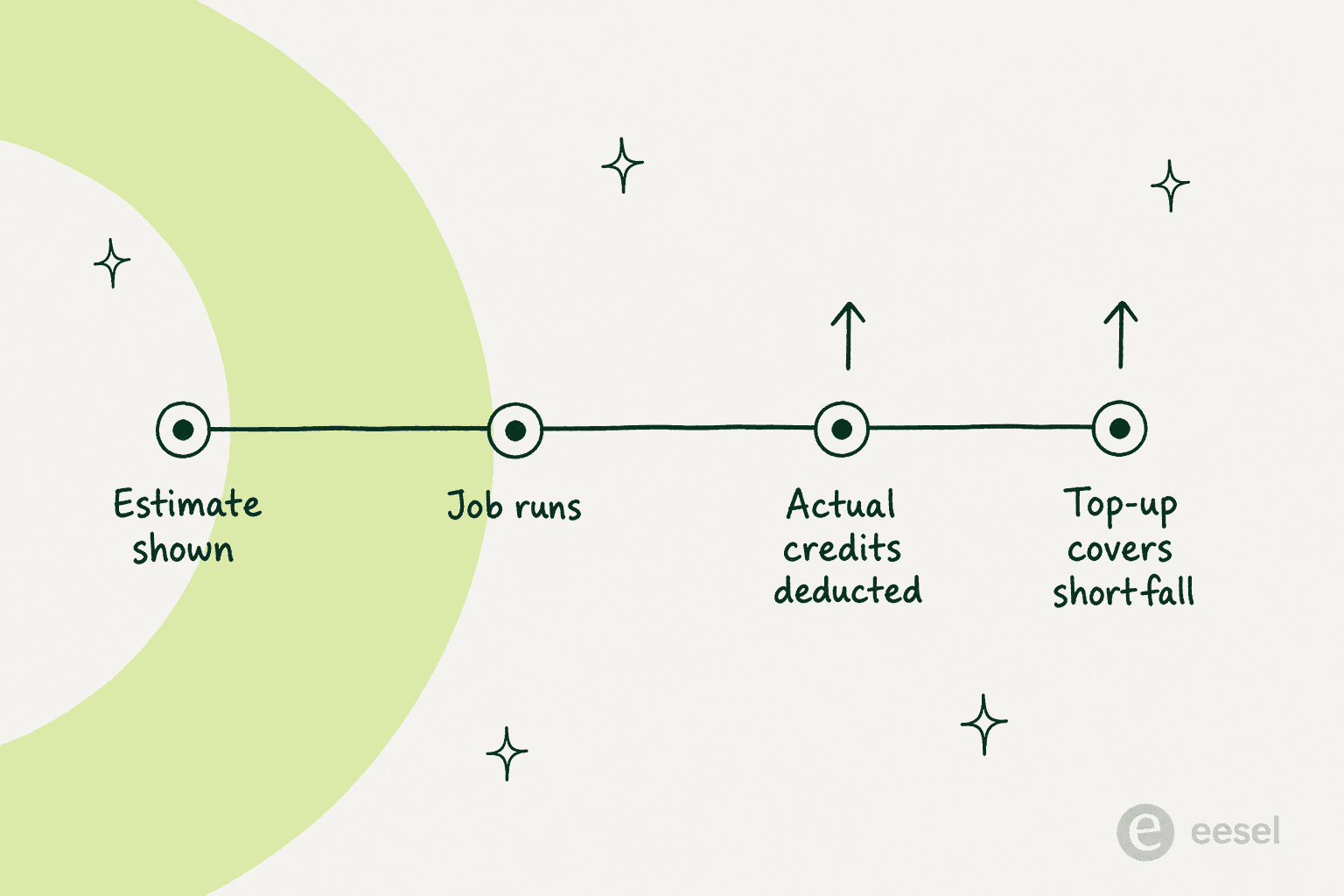
- The estimate. Get BOB says it strives to show estimated usage costs before execution, which is more than several competitors offer. Estimates are not commitments.
- The run. Actual credits are deducted based on real processing demand, and complexity drives the amount.
- After the run. Additional credits may be required post-completion. This is the clause with no analogue on the pricing page, and it is the one that makes a fixed-count forecast unreliable.
- The shortfall. If a process exceeds your balance, the account can be replenished to clear the negative. Automatic replenishment is something you opt into and configure, but the negative-balance replenishment is written as a reserved right rather than a setting.
There is a real tension between point four and the pricing page FAQ, which answers "What happens if I use all my BOB Jobs?" with "You can opt into pay-as-you-go for extra jobs, or upgrade to a larger plan. Nothing happens automatically." The FAQ and the contract are describing the same situation with opposite defaults. Nothing about that is unusual for a young product, and it is exactly the kind of thing that gets tidied up in a legal review. It is also the kind of thing you want clarified before your first invoice.
This is not a Get BOB-specific problem, incidentally. Credit meters that reprice by workload are now the norm across enterprise software, and if you have already priced Rovo credit usage, you know the shape. The same mechanics drive Salesforce Flex Credits. What is unusual here is a credit meter sitting underneath a rate card that advertises outcomes.
The four numbers that are not published
Everything in the left column below is on the pricing page. Everything in the right column is missing from every public page on the site, and each one changes your bill.
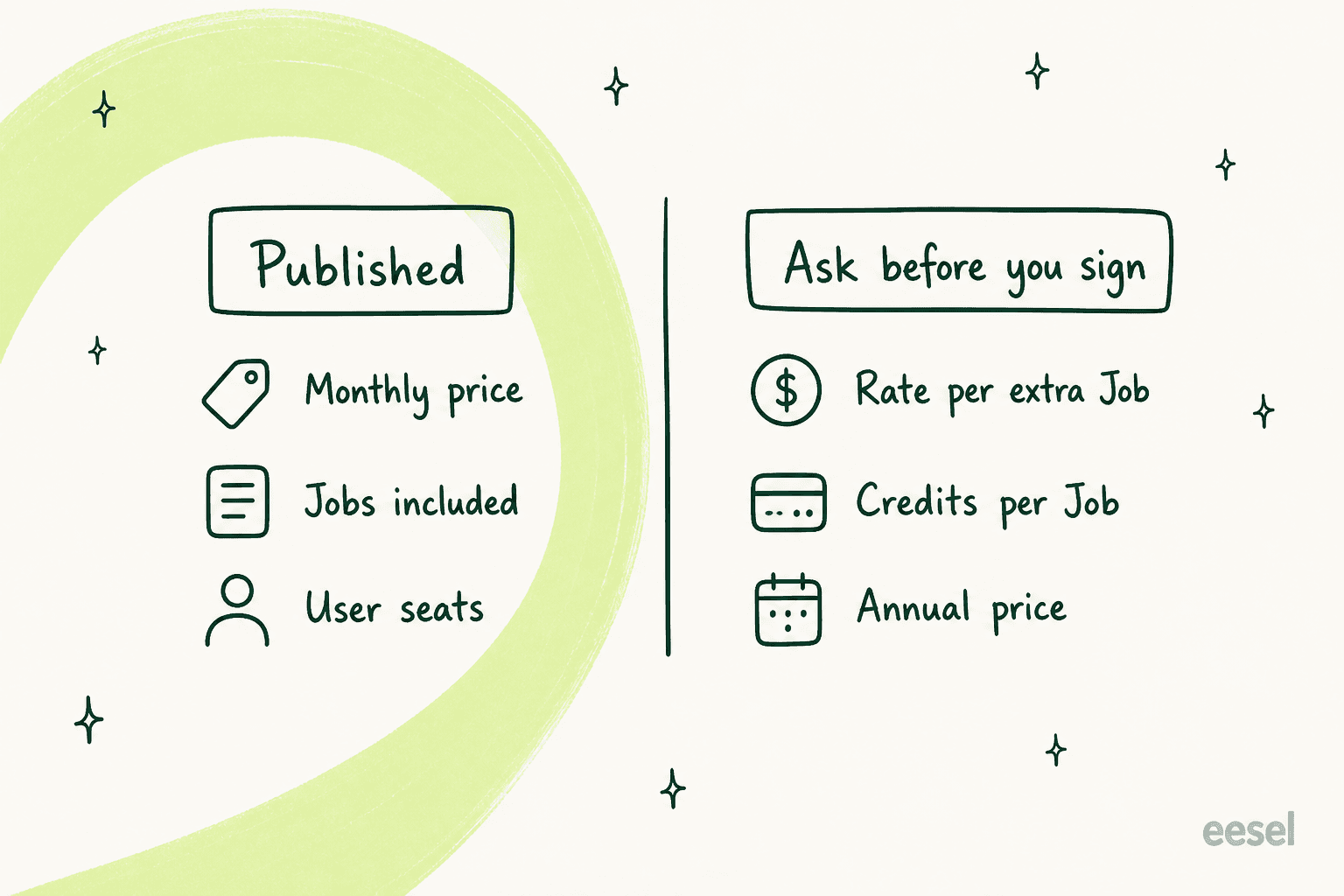
1. The pay-as-you-go rate per extra Job. The FAQ confirms the option exists and never prices it. On a fixed-allowance plan this is the number that decides what a busy month costs, so it matters more than the plan fee. Ask for a dollar figure, not a range.
2. Credits consumed by a typical Job of your type. If the credit model is live on your account, this is your real unit. Ask for the credit cost of two concrete tasks you actually run, one small and one large, and ask whether the difference between them is billed.
3. The annual price. The Subscription Terms describe annual billing and monthly-to-annual switching in detail, including prorated refunds when you switch up. The pricing page shows monthly only. Annual pricing that exists contractually but is not published usually means a discount is available to anyone who asks.
4. Whether a failed Job still counts. The ToS is clear that AI output carries no accuracy guarantee: outputs are "based on the information available at the time and inherent limitations of AI technology", decisions made on them are "solely at your own risk", and the service is provided "as is". That is standard SaaS boilerplate and I would not read malice into it. But on a meter that advertises "Only Pay For Jobs Well Done", the obvious question is who decides "well done", and whether a Job that returns unusable work is refunded, retried free, or simply spent. Relevance AI answers the equivalent question explicitly in its own docs, stating that a failed Tool still counts as one Action. Get BOB does not answer it either way.
A note on why you cannot outsource this due diligence: there is no independent review corpus to check against. Self-serve signup opened on 25 August 2026 after a waitlisted private beta, and searches across G2, Capterra, Trustpilot and Reddit return nothing about this product. The name also collides badly with IBM Bob, a housing-authority app called Bob.AI, and a real-time strategy game's worker units, so search results look busier than they are. Every pricing question here has to be answered by Get BOB directly, in writing.
Terms, trial, and what happens when you change plans
The mechanics themselves are clean, and worth knowing before you click anything.
| Term | What Get BOB's documents say |
|---|---|
| Trial length | 7 days, on any plan |
| Billing start | Immediately on subscribing, for the first full cycle |
| Renewal | Automatic, unless cancelled before renewal |
| Cancellation | Any time, effective at the end of the paid period |
| Upgrade | Immediate, with a prorated refund of the unused cycle |
| Downgrade | End of cycle only, no refund, requested in-product |
| Monthly to annual | Any time, prorated refund, new annual cycle starts |
| Annual to monthly | End of the annual term only, no refund |
| Subscription credits | Expire monthly, no rollover |
| Top-up credits | Do not expire while the subscription is active |
| Unpaid fees | May result in loss of both credit types |
| Refund policy | No general refund clause in either document |
| Governing law | ToS says Texas. Subscription Terms say Delaware law, Texas courts |
| Corporate entity | Get BOB, Inc. |
Two of those rows deserve a flag. The upgrade path is prorated and the downgrade path is not, which is common and which means the cost of guessing a tier too high is real while the cost of guessing too low is zero. Start on Mini BOB and move up, not the other way around. And the two documents name different governing law, which is a drafting inconsistency rather than a trap, but one your legal team will notice and query.
On security, neither document nor any public page lists SOC 2, ISO 27001, HIPAA or a trust centre. The privacy policy commits to "encryption, access controls, and data anonymization" in general terms and to breach notification as required by law, and there is a DPA available. For a $29 individual plan that is fine. For Mega BOB at $499 a month with multi-tenant orgs, aimed at agencies managing separate client workspaces, a procurement team will ask for a certification and there is currently nothing published to hand them. I have watched deals stall for months on exactly this: one European SaaS support team I sat with was gated entirely by an internal ISO security review, and no amount of product enthusiasm moved it forward.
So is Get BOB worth the money?
It depends on one thing, and the plan fee is not it. It is whether you can count your own units.
If your work really is deliverable-shaped, Get BOB is priced well. An agency producing 150 client reports a month lands on Mega BOB at $499, or about $3.33 a report at real volume, and that is cheap for a finished artefact. The unlimited-seat model helps further, because the whole team can sit in the Insights Feed without changing the bill.
If your work is task-shaped, the meter works against you. Sending 200 small updates through Medium BOB spends the same allowance as 200 campaign launches. At that point a step-metered tool is dramatically cheaper per unit: Zapier's plans bill by task, and Make bills one credit per module action. The comparison in Make vs Zapier covers which suits which shape of work, and Zapier AI covers what its AI steps cost on top. The trade-off, and it is a real one, is that those cheap meters assume you have already built the workflow yourself.
If you cannot yet estimate your monthly volume, do not buy a tier. Run the seven-day trial, log every Job you actually consume, and only then pick. The calculator above exists precisely because the plan you need is a function of a number most teams have never measured.
The one scenario I would avoid outright is committing to Mega BOB on a forecast built from the published rate card while your account may be metered in credits. That is where a $499 expectation becomes a different invoice, and it is entirely avoidable by asking four questions first.
I have watched what happens when that goes wrong. A buyer evaluating eesel burned through 200 interactions in a single test day, before anyone on the eesel side had explained the pricing properly, and immediately started worrying about what 9,000 a month would cost. Another ran a methodical 67-test evaluation, rated the answers solid, and visited the billing page three separate times during the trial. Buyers read the pricing page far more carefully than vendors assume, and they read it repeatedly. A rate card has to survive that third reading.
Pricing is confusing. The interaction-versus-ticket model came up mid-call, and the numbers moved by an order of magnitude depending on which meter was being discussed.
That was eesel's own problem to fix, and the fix was not better marketing copy. It was picking one unit, publishing the rate for it, and making sure the contract said the same thing.
Try eesel
If you got here because you are trying to put AI on real work and want the bill to be predictable, that is the problem eesel is built around.
You hire eesel teammates for specific jobs rather than assembling a generalist worker yourself. There are two on the roster today, an AI helpdesk teammate and an AI blog writer, and each arrives with the skills, integrations and company context its role needs. Where Get BOB hands you a BOB Builder and a marketplace so you can compose whatever the business needs, eesel ships a teammate already trained for one job. That architectural difference is why the pricing looks different too.
The reason that matters on a pricing post: the helpdesk teammate is priced at one fixed monthly price (from $299/month for 500 credits), where 1 credit is one ticket or chat handled, published on the page, in the same unit your helpdesk already reports. No credits that vary by complexity, however long the conversation runs, no post-completion adjustment, no unit you have to reverse-engineer from a contract. Whatever number you forecast in month one is the number you can still forecast in month twelve, including the month your volume triples.
It plugs into Zendesk, Freshdesk, Gorgias, Front, Help Scout, HubSpot, Salesforce and Jira Service Management, learns from your existing knowledge base and past tickets, and, because I have watched confident bots give wrong answers on live queues, every rollout is simulated against your own ticket history before it replies to a single customer. Across 8,000+ customers it resolves roughly 65% of conversations.

If the job you actually need done is the support queue rather than general business automation, Try eesel free, or check the pricing first. The credit plans are on the page, which is rather the point.
Where to look next
If Get BOB's unit does not match your work, the useful next move is to compare rate cards on the same axis rather than on features.
- The alternatives roundup prices ten tools on how big one billable unit is.
- Gumloop pricing is the closest published credit model to set beside it.
- Gumloop alternatives covers who eats the cost of a failed run.
- Relevance AI pricing hides its real rate in the docs rather than the pricing page.
- Relevance AI explains what one Action buys you there.
- Cassidy AI pricing shows the quote-gated end of this market.
- Cassidy AI covers the product underneath that rate card.
- Tasklet AI pricing is the other quote-gated comparison worth pulling.
- Sintra AI pricing is the cheapest per-seat option in the category.
- Lindy alternatives goes deep on the seat-plus-credits shape.
- AgentKit vs Make vs n8n compares the three step-metered runtimes.
- AI teammates explains what this whole category is replacing.
- AI employee is the same argument from the buyer's side.
- Best AI employee ranks the field by where the work stops.
Building the business case rather than picking a vendor? Start with AI versus human cost, then use measuring ROI as the framework for month three onwards.
For the support-specific maths, chatbot ROI is the customer-facing half. AI customer service cost is the internal half, and support ticket automation covers the mechanics of actually getting there.
For the wider field, best AI agents is the general roundup. Best AI teammates narrows it to the ready-to-work end of the market.
To narrow by who you are rather than what the tool is, small-business agents sorts by company size. Ticket automation tools sorts by job instead, and if marketing is the department you are automating, AI marketing automation tools is the right list.
A last practical note. Whatever you end up buying, the test is not whether the pricing page is cheap. It is whether you can write down next month's bill on a napkin before you sign, and be right. Get BOB's card is clear, its promise is confident, and its unit is the biggest in the category. Get the four missing numbers, confirm which document governs your account, and you can do the napkin maths properly. Skip that and you are forecasting from a rate card that the contract does not describe.