


How much does Tasklet cost?
Let's answer the search first, then unpack it. As of 2026, here's the full Tasklet pricing lineup:
| Plan | Price | Monthly credits | Daily bonus credits | Best for |
|---|---|---|---|---|
| Free | $0 | None | 300/day | Kicking the tires |
| Starter | $25/mo | 10,000 | 600/day | Solo users, light automations |
| Pro | $100/mo | 40,000 | 600/day | Teams running several agents |
| Custom | from $250/mo | 100,000+ (up to 4M) | 600/day | Heavy or business-wide use |
The headline is friendly: unlimited AI agents and unlimited integrations on every plan, including Free. You're not paying per seat or per bot. The only thing that scales your bill is credits, and that's where a low sticker price can be misleading.
What is a Tasklet credit?
A credit is Tasklet's usage unit, the same idea as a token or an action in other AI agent tools. Every request an agent makes costs credits.
The tricky part: there is no fixed credits-per-task rate. Tasklet's own pricing page says the cost of a request depends on:
- Task complexity: a one-step reply costs less than a multi-step research job.
- Context and data size: the more it has to read, the more it burns.
- Tools and connections active: each active tool adds cost.
- Trigger frequency: an agent that fires on every inbound email racks up runs.
- Intelligence level: Basic through "Genius", where higher levels use more advanced models and burn more credits. Browser automation (Tasklet's agents can drive a real browser) adds latency and cost on top.
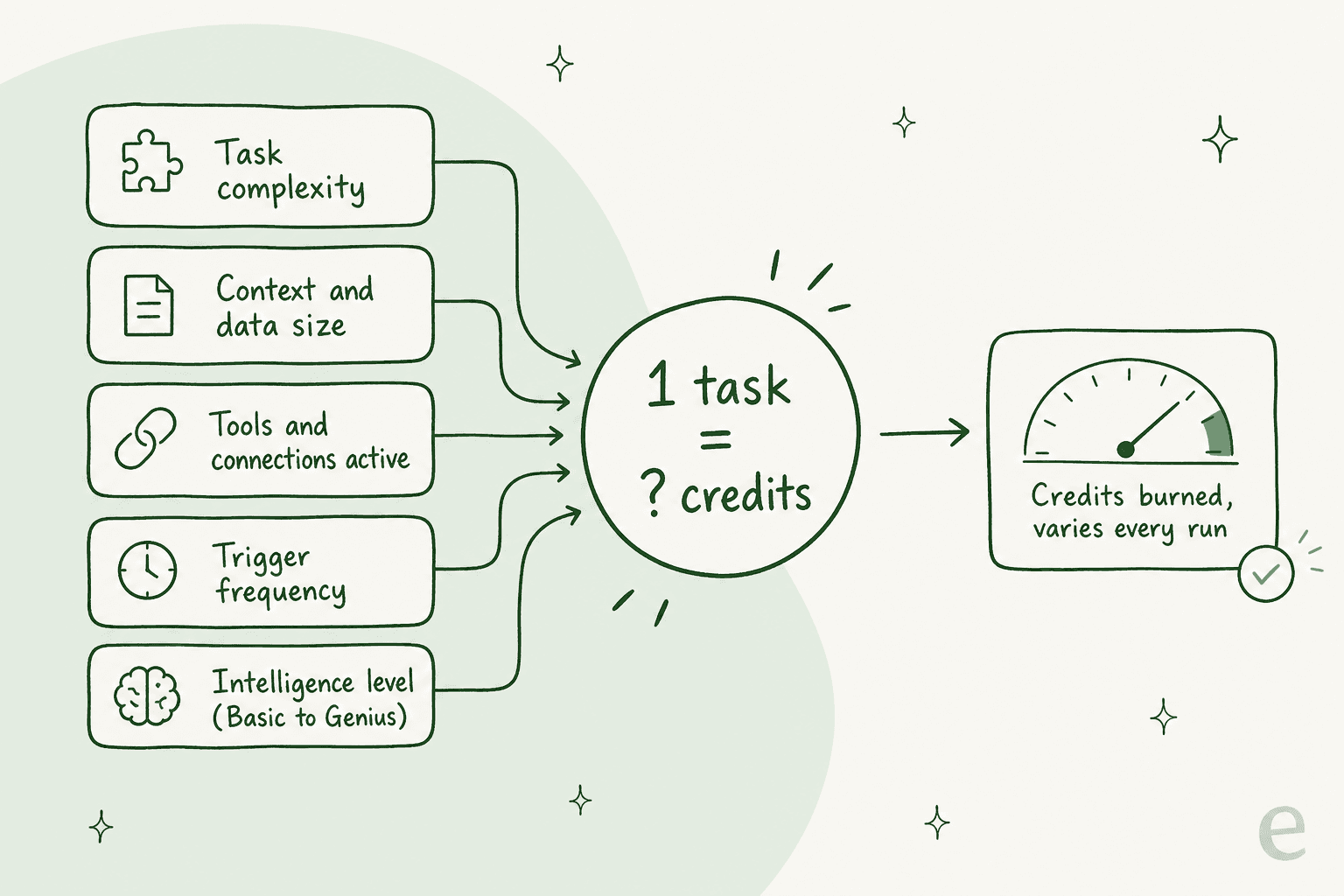
Here's why that matters in practice. On a flat-rate tool, you know a run is a run. On Tasklet, the same automation can cost you 50 credits one day and 400 the next because it read a bigger attachment, or you bumped it to a higher intelligence level. That's fine for tinkering. It's stressful for anything you depend on, because you can't answer the one question finance always asks: "what's this going to cost per month?"
The daily bonus credits (and the catch)
Every Tasklet user gets bonus credits just for opening the app: 300/day on Free, 600/day on every paid plan. They reset at midnight UTC.
Two things to know:
- They don't stack. Miss a day, lose that day's bonus. This nudges you to log in daily, which is a growth mechanic, not a generosity one.
- Monthly credits don't roll over either. So on Starter you get 10,000 credits a month plus up to ~18,000 bonus credits if you log in every single day, but anything unused at the end of the cycle is gone.
The bonus is real value on the free plan, where it's your only credit source. On paid plans it's a nice top-up, but it's not something you can plan a workload around, because it's tied to your login habit rather than your actual need.
The real cost: what the sticker hides
The $25 Starter plan is one of the cheaper entry points in AI automation. But three things make the real bill hard to pin down:
1. No published credits-per-task rate. You can't take "10,000 credits" and divide it into "X tasks", because a task isn't a fixed number of credits. You find out your real burn rate by running your workload and watching the meter, which means the first month is an experiment, not a budget.
2. No published overage policy. Tasklet's pricing page doesn't say what happens when you hit zero mid-month. You can buy one-time credit top-ups (from $25 up to $10,000, valid a year, used only after your other credits), but there's no per-credit overage rate to compare against a flat plan.
3. The expensive features are the ones you'll want. Browser automation and the higher "Genius" intelligence level are Tasklet's headline capabilities, and they're also the ones that burn credits fastest. The workflows that make Tasklet worth buying are the ones that push you toward the next plan up.
None of this makes Tasklet a bad tool. It's a capable agentic automation platform. It just means the honest budgeting advice is: size the plan above the one the credit math suggests, and treat month one as calibration.
Which Tasklet plan should you pick?
Because credits don't map cleanly to tasks, the plan choice comes down to how heavy and how bursty your automations are. Here's a quick way to think it through:
Tasklet for customer support: read this first
A lot of people land on Tasklet wondering if it can run their customer support. It can technically touch a helpdesk through integrations, but it's worth being clear about what it is and isn't.
Tasklet is a horizontal AI agent platform, "IFTTT for the agentic age", built to automate busywork across sales, finance, ops, and support alike. That breadth is the selling point. But it means there's no native ticket UI, no way to simulate a rollout against your historical tickets before it goes live, and no reporting built around support metrics like resolution rate or deflection.
This is where the credit model really shows its edges. Support volume is spiky, a product launch or an outage can 5x your ticket count overnight, and a credit-metered agent responding to every one of those tickets is exactly the scenario where your bill runs away from you with no overage rate to check it against. I've watched a confident-sounding bot quietly give wrong answers on a live queue, which is why at eesel we now simulate every rollout against real historical tickets before it touches a customer. A general automation tool doesn't give you that safety net.
If customer support is the actual job, a purpose-built AI helpdesk tends to fit better than a horizontal automation platform, on both capability and cost.
Where eesel fits
eesel AI is the support-shaped version of this idea. Instead of you wiring up an agent and sizing credits, it plugs into the helpdesk you already run, Zendesk, Freshdesk, Gorgias, Hubspot, and learns from your past tickets and help center on day one.

Two differences matter for anyone comparing it to Tasklet's credit model:
- You can simulate before you ship. eesel runs your agent against thousands of your real historical tickets so you see the resolution rate and the exact replies before a single customer is affected. No guessing.
- The price is one fixed number per month. 1 credit is 1 ticket or chat, however long, with no charge for follow-ups or internal steps, so there is no "what does a task cost" math. Plans start at $299/month for 500 credits. If forecasting a Tasklet bill is the thing giving you pause, that's the whole point of pricing this way.
Want an AI for your helpdesk that you can budget for? eesel works like a new hire that plugs into your existing support stack in minutes and already knows your help center, and you can try it free before you commit.
Tasklet vs flat-rate automation tools
If you're comparing Tasklet against the incumbents, the axis that matters is predictable vs metered:
- Zapier and Make price on tasks/operations with published per-unit rates, so you can forecast, but their "AI" is mostly bolt-on steps, not autonomous agents.
- Tasklet prices on credits with no fixed per-task rate, so it's harder to forecast, but its agents are autonomous and can drive a browser end to end.
- For the narrow job of customer support automation, a tool where 1 credit is 1 ticket sidesteps the whole metered-vs-flat debate: you pay by ticket volume, not runs.
The right pick depends on the job. For broad, build-it-yourself automation where you'll tolerate some billing uncertainty for real agent power, Tasklet is a reasonable bet. For a workload where finance needs a number they can trust, a metered credit tool is the harder sell.
The bottom line on Tasklet pricing
Tasklet's pricing is refreshingly simple on the surface, one dimension (credits), unlimited agents and integrations, a real free tier, a $25 on-ramp. The complexity is hidden in the credit burn: no fixed per-task rate, no rollover, no published overage, and the best features cost the most credits. Budget the plan above what the math suggests, and treat your first month as calibration.
And if the reason you're looking at Tasklet is customer support specifically, weigh it against a purpose-built AI helpdesk before you commit, both for what it can do and for a bill you can actually predict.