If you’re running a customer support team on Freshdesk, you’re probably always on the lookout for ways to resolve tickets faster without sacrificing quality. It’s a classic balancing act. You feel the pressure to scale support, but just hiring more people isn't always the most efficient path.
This is where AI can step in.
By integrating AI with your Freshdesk setup, you can hand off repetitive tasks, give your agents a helping hand, and keep support running smoothly around the clock. You have two main ways to go about it: use Freshdesk’s own reliable AI, called Freddy AI, or bring in a flexible third-party tool that complements your existing system.
This guide will walk you through both paths. We'll compare features and costs to help you figure out the best way forward for your team in 2026.
What is an AI integration?
When we talk about an AI integration for Freshdesk, we’re talking about adding an intelligent layer to your ticketing system to automate work and help out your team. Think of it like giving your helpdesk a brain. The goals are straightforward:
-
Handle common inquiries: It can automatically answer frequent questions like "Where's my order?" or "How do I reset my password?"
-
Help your human agents: AI can draft replies, summarize ticket histories, and pull up relevant knowledge base articles instantly.
-
Automate behind-the-scenes work: It can take care of things like tagging tickets, routing them to the correct team, or flagging urgent issues.
You can do this using the native tools Freshworks provides, or you can integrate a specialized third-party tool that offers additional connection points to your company's wider knowledge base.
Using Freshdesk's native AI: An overview of Freddy AI
Freddy AI is Freshworks' in-house AI engine, built to work directly inside the Freshdesk world. If your team is already using Freshdesk, it's a very convenient and seamless first step into AI-powered support.
Freddy AI features
Freddy AI is made up of a few different pieces:
-
Freddy AI Agent: This is the chatbot your customers will interact with. You can set it up to handle common questions via email or chat, resolving them efficiently.
-
Freddy AI Copilot: This is the assistant for your support team. It works in the background to help with ticket summaries, suggest replies, and act as a writing assistant to polish tone.
-
Freddy AI Insights & Auto Triage: These features analyze conversation trends and automatically categorize or route incoming tickets based on their content.
Setting up Freddy AI
Because Freddy AI is a native feature, the setup is all handled within your Freshdesk admin panel. It’s designed to learn primarily from knowledge sources already inside the Freshworks ecosystem, such as your published Freshdesk knowledge base articles. This makes it a very streamlined experience for teams who keep their documentation centralized in Freshdesk.
Freddy AI pricing explained
Freshdesk offers a tiered approach to AI features. Access to Freddy AI typically requires a Pro or Enterprise plan. From there, features are available as add-ons, allowing you to pay for what you need.
Here’s a quick look at the pricing structure:
| Feature | Plan Requirement | Cost (Billed Annually) | Key Detail |
|---|---|---|---|
| Freddy AI Copilot | Pro or Enterprise | $29/agent/month | Adds advanced agent assistance to your existing plan. |
| Freddy AI Agent | Pro or Enterprise | $100 per 1,000 sessions | Includes 500 sessions, with usage-based scaling for higher volume. |
| Freddy AI Insights | Pro or Enterprise | Requires at least one Copilot license | Access is integrated with other AI add-ons. |
The usage-based model for the AI Agent means your investment scales directly with the volume of customers you're helping.
Considerations for a native-only approach
While Freddy AI is a robust place to start, there are a few things to consider if you only use native tools:
-
Focus on the Freshdesk ecosystem: Freddy AI is optimized to learn from your Freshdesk help center. If your team uses Confluence or Google Docs for internal documentation, you might find that a complementary third-party tool helps bridge that gap.
-
Scalable budgeting: The usage-based pricing for the AI Agent is great for growing teams, though some organizations prefer a flat monthly fee for easier forecasting.
-
Unified Freshdesk experience: Native tools provide a consistent interface, which is excellent for simplicity, though it may offer fewer granular customization options compared to specialized AI platforms.
-
Built for the helpdesk: While Freddy is powerful within Freshdesk, you may need additional tools if you want to use the same AI brain for an internal support bot in Slack or Microsoft Teams.
Using a third-party AI platform
The other option is to use a specialized AI platform that sits on top of your helpdesk. This approach enhances the tools you already use, giving you extra power and flexibility.
Why choose a third-party AI integration?
-
Connect all your knowledge: A specialized tool can plug into dozens of sources beyond Freshdesk, from company wikis to internal project documents, giving the AI a broader context.
-
Fine-grained control: You can set exact rules for ticket handling, customize the AI's personality deeply, and create custom actions like looking up order status in Shopify.
-
Specialized focus: Standalone AI companies focus exclusively on these features, often introducing new capabilities at a rapid pace.
-
Flexibility: If you ever decide to expand your toolset or move to another platform, a third-party AI integration can often move with you, preserving your setup.
Another powerful option: Meet eesel AI
eesel AI is a platform designed to complement native AI by providing a simple, highly flexible setup. It plugs into your existing tools and works alongside Freshdesk to enhance your support operation.
Go live in minutes, not months
With eesel AI, setup is designed to be self-serve. You can configure your AI agent and go live on your own, usually in just a few minutes, without needing long sales calls.
The one-click integration with Freshdesk means there's no complex API work needed. A standout feature is the ability to simulate on your historical tickets before you launch. eesel AI runs through your past conversations to show you how it would have responded, providing a clear forecast of your automation rate.

Unify your knowledge instantly
While Freddy AI is perfect for Freshdesk content, eesel AI can also pull in content from Google Docs, Confluence, Notion, and more.
It can also learn from your past Freshdesk tickets to adopt your brand's voice and understand the specific solutions you already provide. This ensures the AI gives accurate and helpful responses from day one.

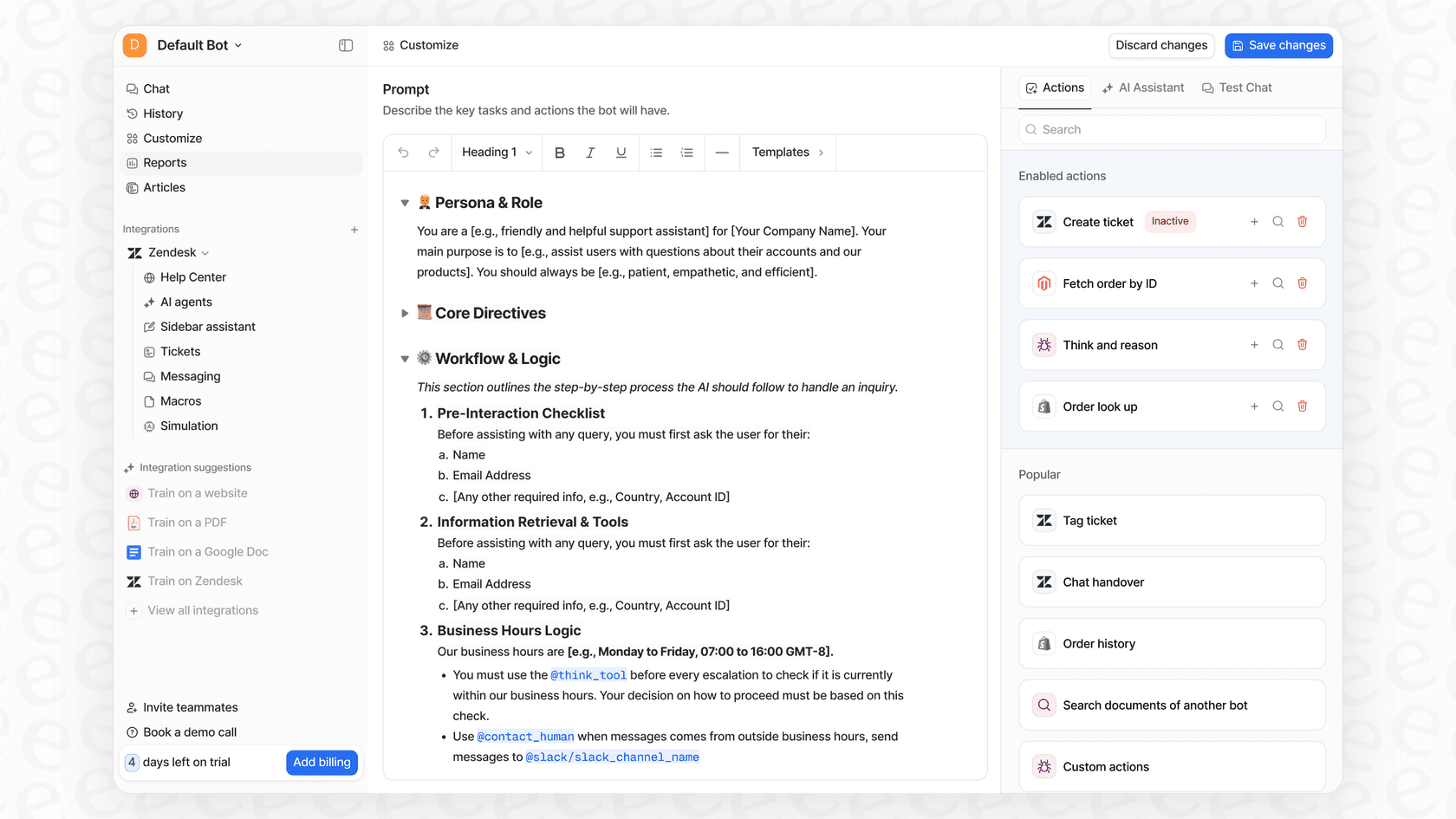
Get total control with a customizable workflow engine
With eesel AI, you can set specific rules for which tickets the AI should handle. For example, it could handle all tier-1 inquiries and pass more complex issues to your human team.
You can also create custom actions that let the AI do more than just answer questions. It can check order details in Shopify or update ticket fields directly in Freshdesk, making it a productive digital team member.
Benefit from predictable pricing and confident testing
eesel AI uses transparent, capacity-based plans with no per-resolution fees. You pay a flat rate based on usage, making your costs predictable.
The simulation mode also generates reports that help identify gaps in your knowledge base. It highlights questions customers are asking that your current documentation might not cover, giving you a clear path for future content updates.
Choosing the right AI integration for your team
So, what's the best move for your team in 2026?
Freddy AI is a convenient, reliable option for teams who want a native experience within the Freshdesk platform. It's built to work perfectly with your existing Freshdesk data.
Third-party platforms offer additional flexibility and control for teams that have knowledge spread across many different apps.
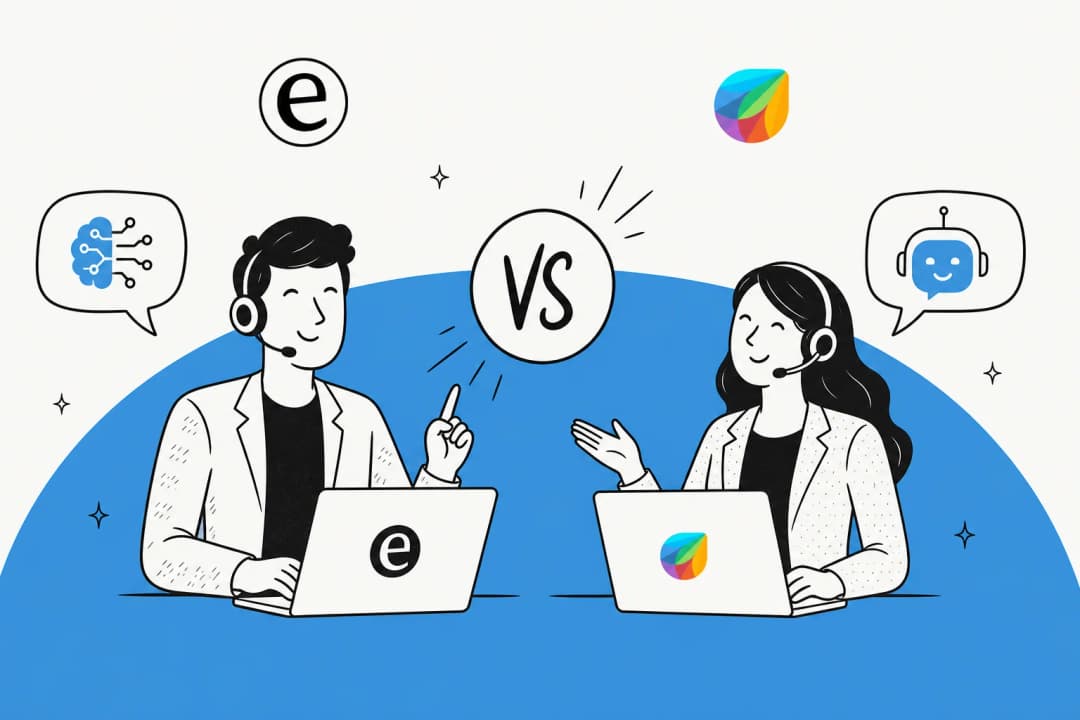
| Feature | Freddy AI (Native) | eesel AI (Third-Party) |
|---|---|---|
| Knowledge Sources | Optimized for Freshdesk | All sources (Confluence, GDocs, etc.) |
| Setup Time | Fast (built-in) | Minutes (self-serve) |
| Customization | Intuitive workflows & persona | Extended workflow engine |
| Pre-launch Testing | Standard | Simulation on past tickets |
| Pricing Model | Scalable add-ons & usage fees | Predictable, flat-rate plans |
For teams looking for a simple and powerful way to integrate AI with Freshdesk, a platform like eesel AI provides a great way to complement Freshdesk's strengths by connecting all your knowledge and automating support with ease.
Ready to see how AI can help your support? Sign up for eesel AI for free and see how quickly you can start helping your agents and automating tickets.
Frequently asked questions
How to integrate AI with Freshdesk if my team is just starting with AI in customer support?
Start by understanding your core needs: do you need basic automation or deep integration with diverse knowledge? Freshdesk’s native Freddy AI is very convenient for teams already using the platform, while third-party tools can offer additional flexibility for specific setups.
What are the main differences in cost when deciding how to integrate AI with Freshdesk?
Freshdesk’s native Freddy AI offers tiered add-ons and usage-based models, which allows teams to scale their investment as they grow. Third-party platforms often provide flat-rate, capacity-based plans that can make monthly budgeting simpler for some teams.
My company's critical information is spread across many tools, not just Freshdesk. How to integrate AI with Freshdesk effectively in that scenario?
Freddy AI is optimized for the Freshdesk ecosystem. If you have significant data in other tools, a specialized third-party AI platform can act as a bridge, connecting to sources like Confluence and Google Docs to provide a comprehensive knowledge base.
Can I really customize the AI to match my brand's voice and specific workflows when I learn how to integrate AI with Freshdesk?
Freshdesk offers reliable out-of-the-box customization. For teams needing even more granular control over personality, tone, and complex custom actions with other business systems like Shopify, third-party integrations are a great option.
What's the typical setup time involved when figuring out how to integrate AI with Freshdesk using a third-party tool?
Modern third-party AI platforms, like eesel AI, are designed for quick, self-serve setup, often allowing you to go live in minutes without needing developer time.
Is it possible to test the AI's performance before fully deploying it after I decide how to integrate AI with Freshdesk?
Yes, some advanced third-party AI platforms offer simulation modes. For instance, eesel AI can run through your historical Freshdesk tickets, showing you how it would have responded and giving you a clear forecast of automation rates before launch.