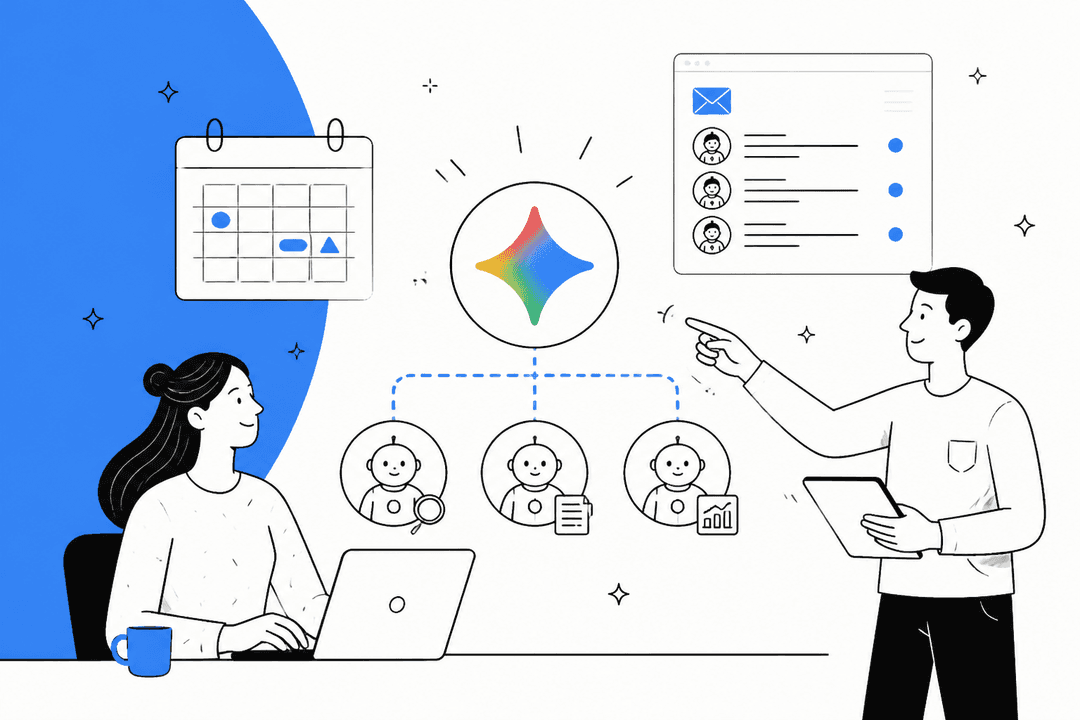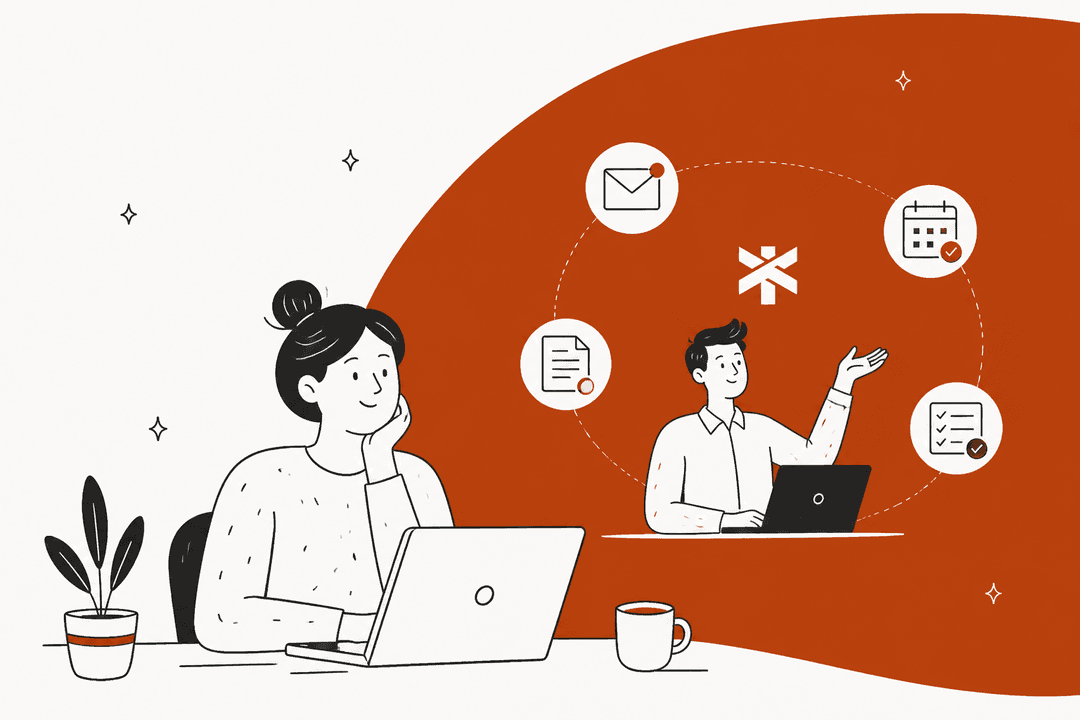
What Shadow actually is
I build AI agents for a living, so I am skeptical of anything that calls itself an "interface for AI." Most of the time that means a chat box with a nicer font. Shadow is genuinely a different shape.
The pitch on its homepage is "the interface that sees, hears, and runs." The idea is that a keyboard and mouse were built for doing, and Shadow is built for thinking: instead of describing your context to an AI, you let the AI see the same screen and hear the same audio you do. It is made by Taper Labs, a small San Francisco team, and it lists companies like Vercel, Mercury, Rippling, Block, Zapier, NVIDIA, and Spotify among its users.
Everything Shadow does is packaged as a Skill, which is really just a tuple: a prompt, the context Shadow captures, and where the output goes. Change any one of those and you have a new Skill. There are two families, Meeting Skills and Action Skills, and the whole product basically falls out of that one idea.
How Shadow works: sees, hears, runs
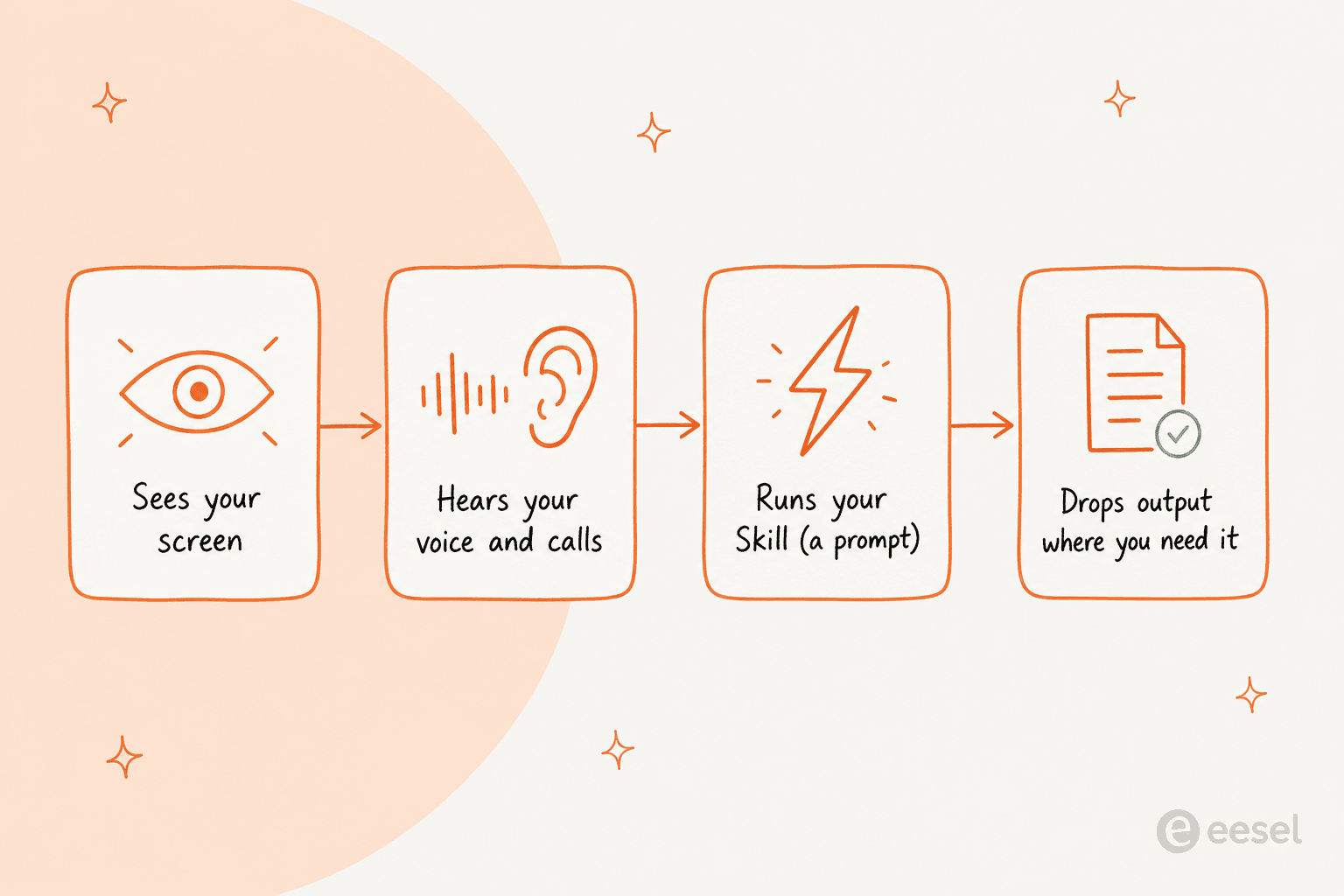
The loop is the same every time. Shadow captures context (your screen, your voice, your call audio, or selected text), you point a Skill at it, and the output lands where you need it: pasted into the focused field, saved as Markdown, or pushed to another tool.
What is clever is that the capture is automatic and the action is on demand. Meeting Skills handle the automatic side, running around your calls. Action Skills handle the on-demand side, firing from a hotkey whenever you want. That split is worth understanding before you judge it, because the two halves feel completely different in daily use.
Meeting Skills: capture without the bot
Meeting Skills are the part I would test first, because you do nothing to trigger them. Shadow has an Autopilot Mode that detects when a meeting starts, records it, and structures the takeaways, so you never press start. Shadow detects your meetings across Zoom, Slack, Teams, Meet, Webex, and Discord, which means Slack huddles and Discord calls are covered alongside the usual suspects.
Here is the part that matters more than it sounds: no bot joins the call. Shadow "joins nothing, hears everything, sees everything," capturing locally from your Mac instead of dialing in as a participant.
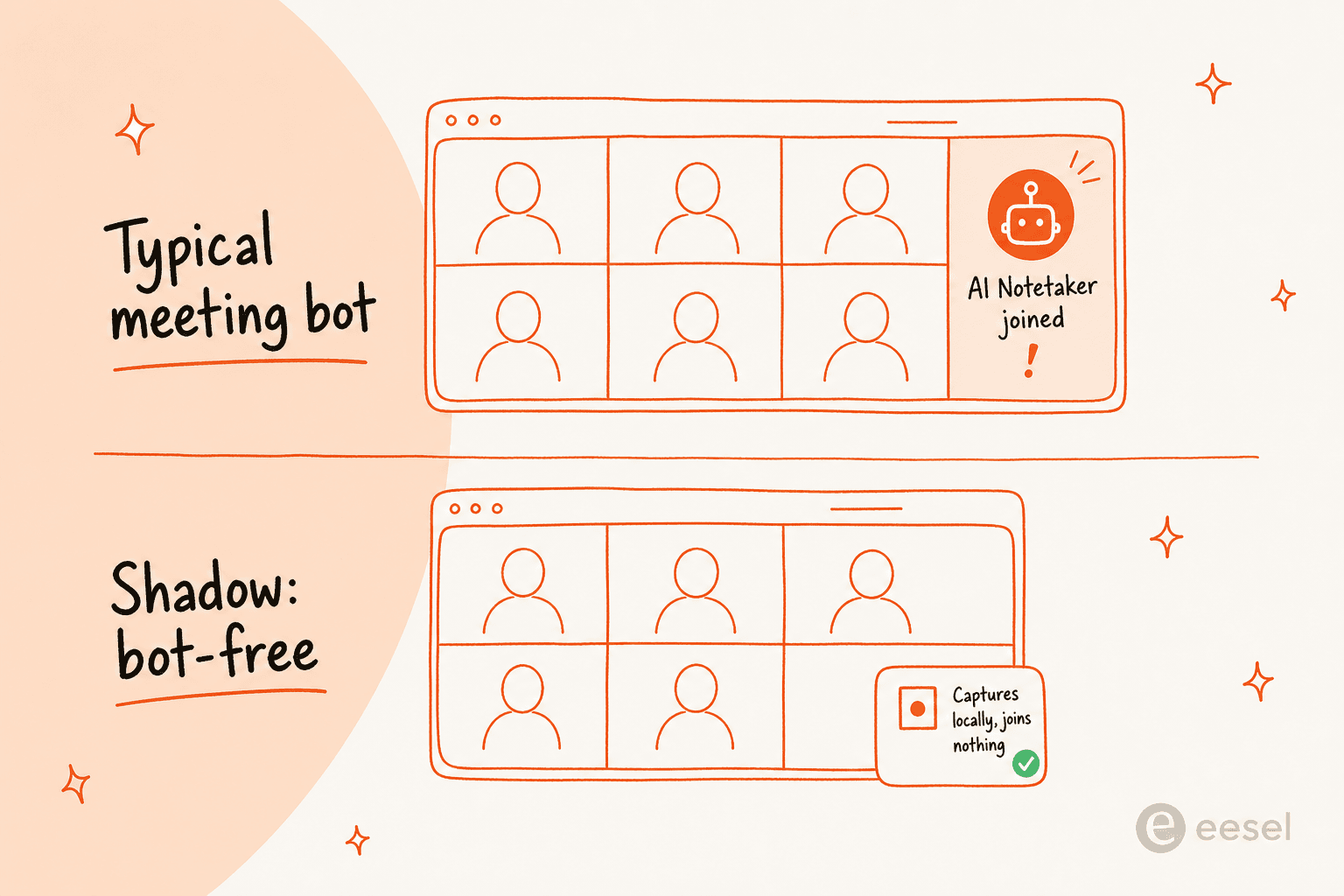
If you have ever watched an external call change tone the second "AI Notetaker has joined" pops up, you know why this is not a cosmetic detail. Customers, candidates, and vendors get quieter and more careful the moment a bot is in the room. This is exactly the frustration that pushes people toward bot-free tools in the first place, and Shadow simply never creates the moment.
When the call ends, the Skill runs. Shadow can turn a call into meeting notes, a BANT breakdown, action items, a follow-up email, or a customer-feedback summary, and it identifies speakers in real time so you know who said what. It also grabs a Smart Screenshot of what was on screen, so slides and shared demos become part of the record, not just the audio. Outputs can be saved as clean Markdown (this is how people sync it to an Obsidian vault) or pushed via webhook to Zapier, n8n, or Make.
Action Skills: AI on a keyboard shortcut
Action Skills are the half that takes a day to get used to and then quietly rewires how you work. You press a keyboard shortcut on any screen, Shadow sees what is there and hears what you say, runs your Skill, and pastes the result back into your app.
The built-in one that explains it best is Quick Reply. Say you are staring at a long email thread. You hit the shortcut, say what you want to get across in your own words, and Shadow reads the thread, drafts a reply that matches the tone and picks up the right details, and drops it into the compose window. The step where you would normally copy the thread into a chatbot, prompt it, and paste back is just gone. If you have used contextual smart reply in Gmail, it is that idea, except it works in any app rather than one inbox.
The other built-in, Voice Typing, turns speech into clean text in whatever field your cursor is in. It is not raw dictation; it handles punctuation and trims the filler. Shadow claims talking is 4x faster than typing for giving it instructions, and for longer messages that felt about right to me. It lands in the same territory as dedicated dictation tools like Wispr Flow, just as one Skill among many rather than the whole product.
The real value, though, is that every Skill is editable. You choose the input (voice, screen, selected text), write the prompt, set a per-Skill shortcut, and pick where the output goes. That is the actual product: a way to build your own AI assistant actions rather than accept someone else's presets.
The privacy architecture is the real story
This is the section I care about most, because it is the reason Shadow can watch your screen and mic without feeling invasive. The pipeline is split deliberately.
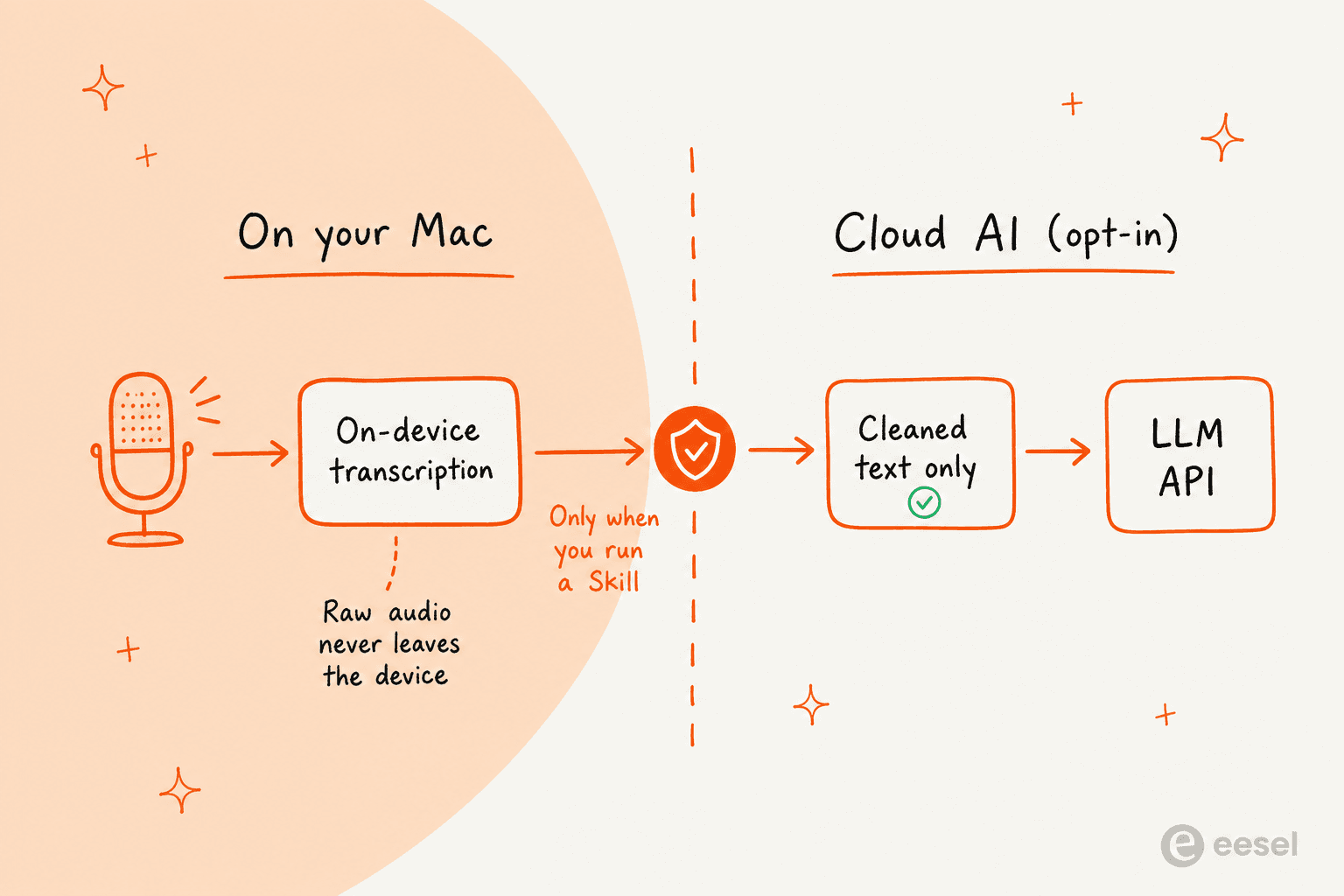
Three things are true by default, per Shadow's own privacy page. Transcription happens on your Mac and the audio never leaves the device. AI only hits an LLM API when you actually trigger a Skill, so turn Skills off and nothing goes anywhere. And your meeting content and Skill outputs are never used to train models.
That architecture is what makes AI meeting capture usable in the places that normally ban it: legal, healthcare, therapy, exec one-on-ones, anywhere a bot banner is a dealbreaker. It is also a design decision I have a lot of respect for, because "local-first, cloud-only-when-asked" is harder to build than "send everything to the server and add a privacy policy."
What people actually say
Sentiment on Shadow is genuinely positive, though it is a small, new product, so the sample is thin. It holds a 4.9 on Product Hunt across 23 reviews and a 4.6 on G2 (the G2 reviews are flagged as incentivized, so I weight them lightly). The single most-cited reason people pick it is the bot-free capture.
"The best part is not having a bot join the call, it just stays in the background so I can actually focus on the conversation instead of worrying about notes. It's basically given me a second brain for my meetings. Highly recommend if you're tired of the 'meeting bot' era."
The privacy model is the other big draw, especially for people in regulated work:
"I was first drawn to Shadow due to its offline transcription. This is a considerable plus in highly regulated industries. The automation of skills is also another great time saver, such as exporting Markdown meeting notes to a folder for synchronization or connecting with Obsidian."
A theme I did not expect: reviewers keep praising how the Skills push past summaries into actual post-meeting work, and how responsive the founder is. On the team side, one G2 reviewer captured why it replaces a stack of tools:
"We have people joining meetings from five different timezones, three companies and seven countries. Shadow's seamless and non invasive feature allowed us to eliminate multiple regressive AI tools. The transcripts generated are spot on."

What it costs
Shadow's pricing is refreshingly simple: two plans, single seat, no enterprise maze. Here is the full breakdown from the pricing page.
| Plan | Price | What you get | Best for |
|---|---|---|---|
| Free | $0, free forever | Unlimited transcription, unlimited audio recording, unlimited smart screenshots. Bot-free meeting capture with no AI Skills. | Trying the bot-free capture, or anyone who just wants clean local transcripts |
| Plus | $8 / month (monthly; annual toggle available) | Everything in Free, plus the AI layer: unlimited Action Skills, unlimited AI meeting notes, unlimited Meeting Skills, unlimited AI chat. Includes a 2-week trial, no card required. | The custom Skills workflow, which is where Shadow actually compounds |
Two things worth calling out. The Free plan is a real free plan, not a trial: you can run bot-free meeting transcription forever without paying. And the entire AI/Skill layer, the part that makes Shadow more than a recorder, sits behind Plus at $8/month. For a single power user that is close to a rounding error, and it is one of the few "premium AI" prices I would not argue with. It is worth remembering this is per-person software, though, so it is not the same math as pricing AI for a whole support team.
Where Shadow falls short
I try to be fair, so here are the real limitations, not the softened ones.
Mac-only, full stop. Shadow is native Swift for Apple Silicon, and the on-device transcription depends on that. There is no Windows, Linux, web, or mobile client. In the reviews, "I would roll this out org-wide if there were a Windows version" comes up again and again. If your team is mixed OS, this is a hard blocker for some people.
Speaker attribution is imperfect. This is the most common quality gripe, and to be fair it is an industry-wide unsolved problem, not a Shadow-specific failure.
"I know this is something the team is actively working on, but speaker attribution could stand to be more accurate. To be fair to the team, no one else has figured this out yet, either."
Custom Skills have a learning curve. The default Skills are good, but the value shows up when you write your own, and a good prompt takes a few tries. The editor makes this easier than the equivalent in a shortcut app, but it is not zero effort.
It is early, and opinionated. A few reviewers noted occasional lag or heavy resource use (reportedly improving), and one pointed out that Shadow nudges you toward its way of running a meeting. If that philosophy fits you, great; if not, you will feel the edges.
How Shadow compares
Shadow sits in a crowded space, but it is doing something specific in each corner of it. Here is how I would place it against the tools people usually mention in the same breath.
| Tool | Category | Joins the call? | What Shadow does differently |
|---|---|---|---|
| Otter, Fathom, Fireflies | AI notetakers | Yes, as a bot | Captures with no bot, and does far more than meetings via Action Skills |
| Granola | Bot-free meeting capture | No | Granola is a notepad; Shadow runs editable Skills, IDs speakers, and uses screen context |
| Wispr Flow | Dictation | n/a | Wispr is dictation-only and excellent at it; Shadow is broader across screen plus voice |
| Raycast AI | Keyboard-shortcut launcher | n/a | Same hotkey paradigm, but Shadow's actions use live screen and voice context |
| Apple Intelligence | OS feature set | n/a | Apple's is a system layer; Shadow ties your existing apps together with your own prompts |
The short version: if your only need is meeting notes, an Otter-style notetaker or Granola will do it. If you want dictation, Wispr Flow is more focused. Shadow wins when you want one tool that captures meetings without a bot and gives you AI actions across your whole Mac. Not many things do both.
Who should install Shadow?
Try eesel
Shadow nails one layer: the individual on a Mac, capturing meetings and firing AI actions without a bot in the room. The layer it does not touch is the one my team lives in, which is the shared support queue where tickets pile up and customers are waiting.
That is what eesel does. It is an AI teammate that plugs into the helpdesk you already run (Zendesk, Freshdesk, Gorgias, Slack, and more), learns from your past tickets and help docs on day one, and drafts or autonomously resolves tier-1 conversations. Shadow's privacy instinct (do the risky thing safely) has a direct parallel here: before eesel ever answers a live customer, you can simulate it against thousands of your real past tickets and see exactly what it would have said. That is how Gridwise resolved 73% of tier-1 requests in its first month, and how Smava runs 100,000+ tickets a month through it.
If Shadow is the AI that watches your screen, eesel is the AI that works your queue. Both start free, and you can try eesel on your own tickets in a few minutes.

Shadow is the most convincing answer I have seen to "what should the AI interface for Mac actually look like." For Mac users who live in meetings and lean on AI daily, it is a straightforward install-now pick, and its take on being a bot-free AI meeting assistant for Mac is the part that will still feel novel a year from now.
Frequently Asked Questions
What is Shadow, the AI interface for Mac?
Shadow is a native Mac app from Taper Labs that reads your screen and hears your audio, then runs your own prompts (called Skills) on that context. It captures meetings without a bot ever joining the call and fires AI actions from a keyboard shortcut anywhere on macOS. It is deliberately not a chatbot and not just a notetaker. If you want that same kind of always-on AI for a support queue instead of a laptop, an AI helpdesk agent is the closer fit.
How much does Shadow cost?
Shadow has a free plan that is free forever, with unlimited transcription, audio recording, and smart screenshots. The paid plan, Plus, is $8 per month and unlocks the AI layer: unlimited Action Skills, AI meeting notes, Meeting Skills, and AI chat. New users get a 2-week Plus trial with no card required. For context on what team-level AI actually costs, our pricing page and the cost of an AI agent versus a human break it down.
Does a bot join the call when Shadow records a meeting?
No. This is the core of the Shadow pitch: it is a bot-free AI meeting assistant for Mac. Shadow captures locally from your machine, so other participants see nothing added to the call. That is the big difference from an Otter-style notetaker that dials in as an attendee. If you want huddle notes and action items without a robot in the room, this is the model that does it.
Is Shadow available on Windows or mobile?
Not yet. Shadow is Mac-only and built natively for Apple Silicon, which is also what lets it transcribe on-device. There is no Windows, Linux, or web client, and no iOS or Android app. If your team runs mixed operating systems, some people will not be able to use it, which is the single most common complaint in meeting-notes app roundups.
Is Shadow good for privacy and regulated work?
It is one of the better setups I have seen for it. Transcription runs on your Mac, the raw audio never leaves the device, meetings are stored locally, and third-party AI is only called when you trigger a Skill. Content is never used to train models. That is why reviewers in legal and healthcare flag it as usable where a bot banner is a non-starter. On a support team, the equivalent guardrail is running an AI agent in a simulation before it ever touches a live customer.


Article by
Kira
Kira is a writer at eesel AI with a Computer Science background and over a year of hands-on experience evaluating AI-powered customer service tools. She focuses on breaking down how helpdesk platforms and AI agents actually work so that support teams can make better buying decisions.