


Fast.io pricing at a glance
Here is the whole published rate card, transcribed from Fast.io's pricing page. Nothing rounded, nothing inferred.
| Starter | Business | Growth | |
|---|---|---|---|
| Monthly, billed monthly | $29 | $99 | $299 |
| Annual total | $290 | $990 | $2,990 |
| Annual, shown per month | $24 | $83 | $249 |
| Annual saving claimed | Save $58 | Save $198 | Save $598 |
| Trial | 14 days | 14 days | 14 days |
| Included seats | 5 | 20 | 50 |
| Seat limit | 5 | 20 | 200 |
| Additional seats | Not available | Not available | $1/seat/month after 50 |
| Included credits per month | 300,000 | 1,200,000 | 4,500,000 |
| Credit rollover | None | None | None |
| Included storage | 1 TB | 10 TB | 50 TB |
| Storage overage rate | Not published | Not published | Not published |
| Vendor's one-liner | "Run real file work with a small team" | "File work for your whole team" | "Scale past your core team" |
A few notes on reading it. The per-month figures on the cards ($24, $83, $249) are the annual price divided by twelve, and the rounding wobbles a little: $290 ÷ 12 is $24.17 rounded down, $990 ÷ 12 is exactly $82.50 rounded up, and $2,990 ÷ 12 is $249.17, rounded down again. Yearly also comes pre-selected on the toggle, so the discounted number is the first thing a visitor sees.
The "4X Usage" and "15X Usage" badges on Business and Growth describe credits only. 1,200,000 ÷ 300,000 is 4, and 4,500,000 ÷ 300,000 is 15, so the badges are accurate. Storage, though, moves at 10x and 50x, while seats move at 4x and 10x. Three different ratios on one ladder.
One naming thing that will bite you in a procurement thread. The product is spelled two ways on the same page: the domain and the plan cards say "fast.io", while the FAQ says "Fastio," twice. Down in the footer, the legal entity is Fastio Inc.
The plans gate volume, not features
This is the most interesting structural fact about Fast.io pricing. It is also easy to miss, because the thing you are looking for is an absence rather than something on the page.
Fast.io's "Compare plans" table has no feature rows. Not one. Every row is a quantity: price, trial length, seats, seat limit, credits, credit reset, storage. No checkmark grid, no "included on Business and above," no security row or support-tier row, no integration count. Its own subtitle admits as much: "The core limits that matter: credits, seats, and storage."
The three plan cards agree with it. Below the quantity bullets, all of them carry the same feature bullets word for word: MCP and agent connections, shareable team workspaces, and share folders and files. Same four "Works with" logos too, for Claude, ChatGPT, Gemini and Cursor.
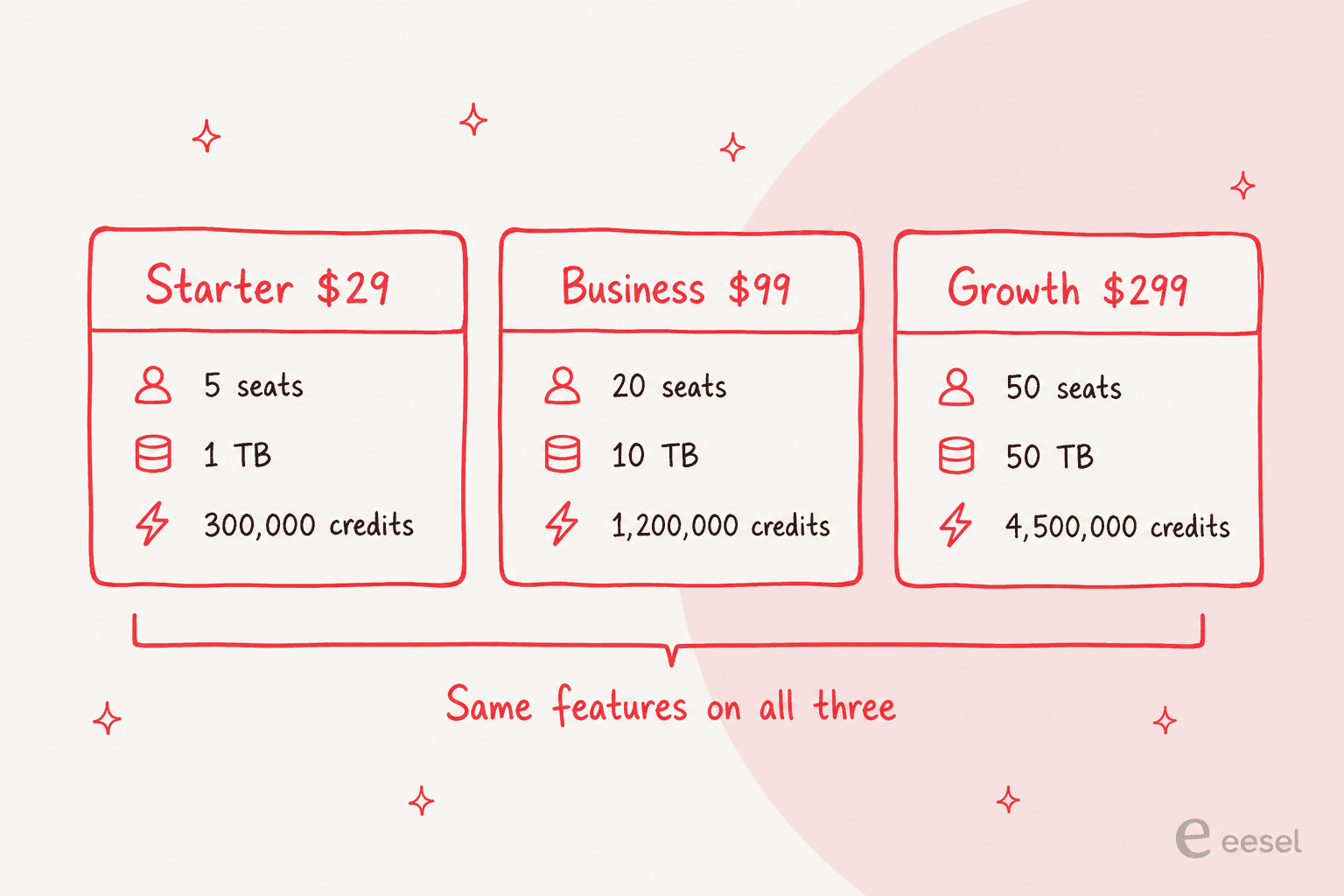
I like this more than I expected to. Most rate cards in this category hold some feature hostage to push you up a tier, so there is a real honesty in a ladder that says out loud you are buying capacity and nothing else. It also means a five-person team on the cheapest plan gets the same MCP connections as a 200-person one. That is not how Copilot pricing works.
For context on how differently this category prices itself, compare it against knowledge base tools that meter per document, or Bloomfire's rate card. The other common shape is a per-seat ladder, and Airtable is the cleanest example of one. Fast.io's flat tiers are the outlier here, mostly in a good way.
Except one page on the same site disagrees
Here is where I would slow down. Fast.io's comparison page carries a 37-row feature matrix. Five of its AI rows are gated to "Pro+": scoped RAG queries, shareable AI summaries, plain-English activity logs and AI chat state tracking among them.
There is no Pro plan. The published tiers are Starter, Business and Growth, so that gate points at a tier you cannot buy. Nor is it the only naming drift. The same matrix labels the entry storage row "1 TB (Solo)," the agents-page FAQ tells customers to pick "Solo, Business, or Growth," and the pricing page calls that plan Starter. Solo and Starter are one 1 TB plan wearing two names, sometimes a single page-scroll apart.
Fast.io is a young product moving fast, and stale marketing copy is about the most forgivable kind of mess there is. But five of the AI capabilities you would be buying are attached to a plan name that does not exist, and that is something to get confirmed in writing rather than inferred. Ask which of Starter, Business and Growth includes scoped RAG, by name, before you sign.
What a credit is, and what nobody publishes
The FAQ gives a definition in one sentence: "Credits cover AI work: chat, file ingestion, agent runs, and document processing. Credits reset monthly and do not roll over."
So four activities draw on one pool, and every one of them is something you would be doing often in the product.
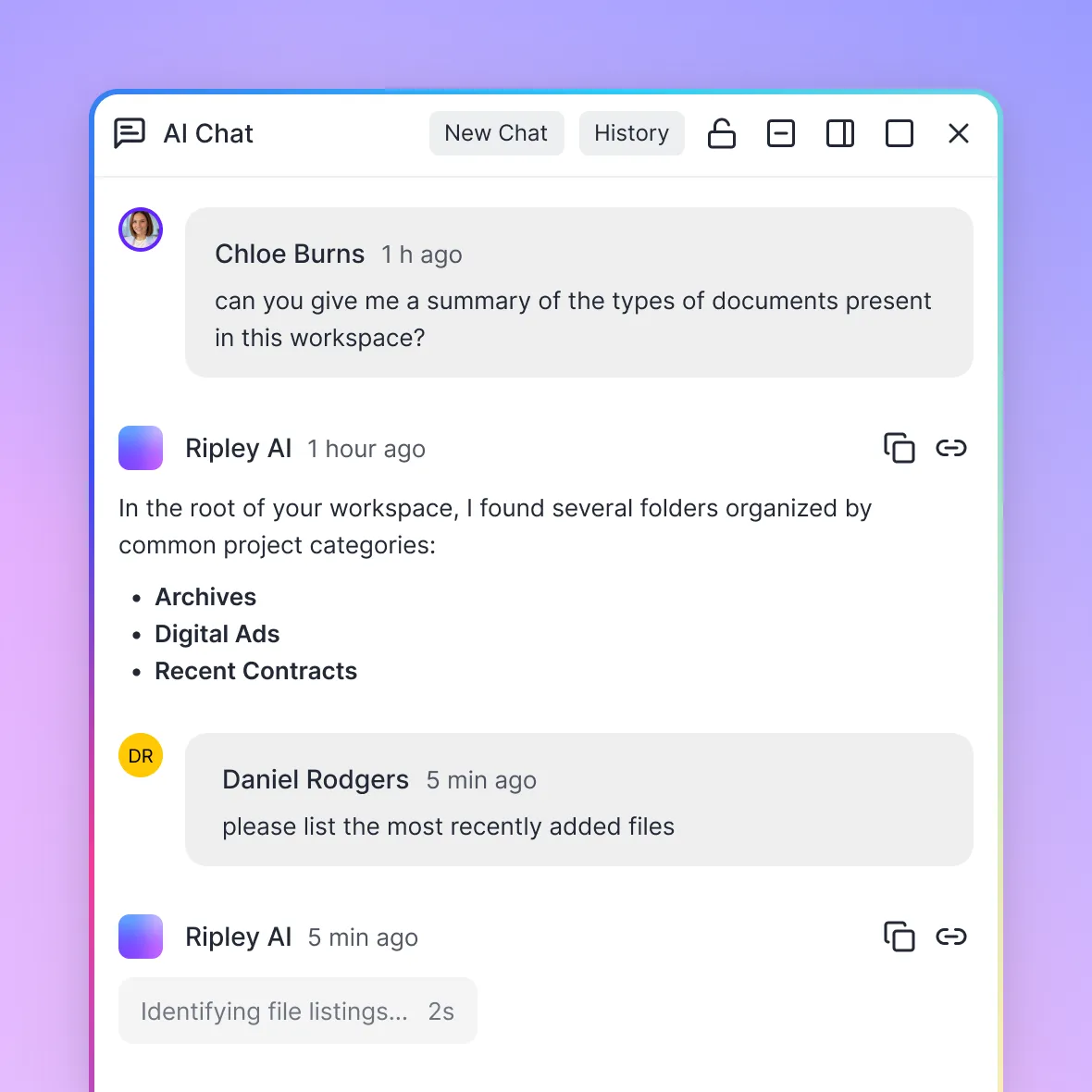
Chat is Ripley, Fast.io's built-in agent, answering across your files. That is the surface the whole product gets sold on.
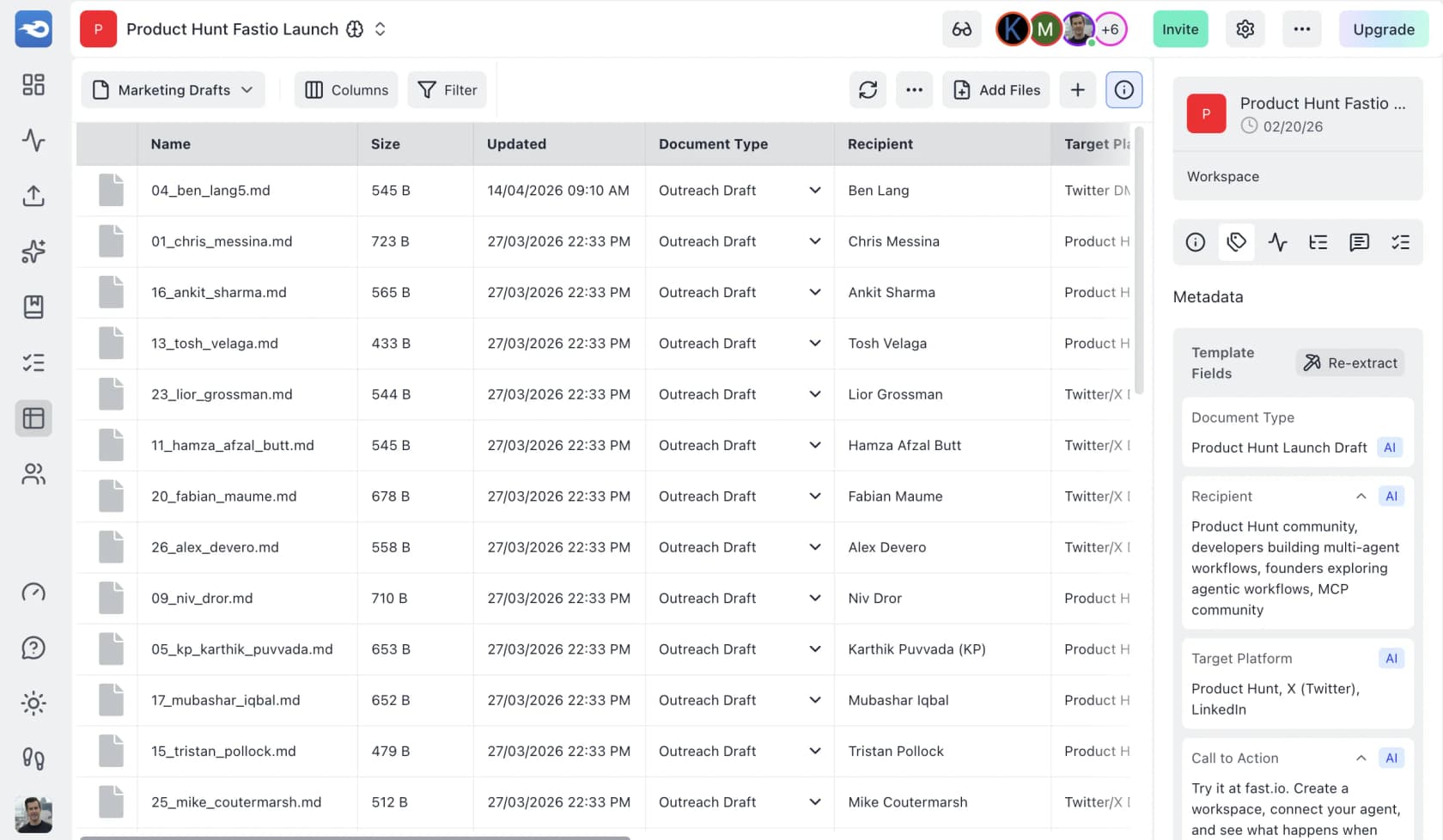
Document processing is Metadata Views, which reads a folder of unstructured files and fills a sortable grid with extracted fields. Note the "Re-extract" button in the right-hand panel. Re-running extraction is a second billable pass over the same files, and that matters if your fields keep changing while you are still tuning them.
File ingestion is what happens when files land, because a workspace has to be indexed before anything can be asked of it. That indexing step is the same retrieval plumbing described in my RAG explainer, worth understanding if you have ever wondered how AI reads a knowledge base. Agent runs is the external side, where Claude reaches in over MCP and does work on real files.
Now the gap. Not one of those four has a published cost. No credits-per-message figure, no per-GB ingestion rate, no per-agent-run rate, and no per-document or per-page or per-field extraction rate anywhere on the site. The credit has a price. The work does not.
So the 300,000 credits on Starter is a number you cannot convert into anything you recognise. A thousand chats, or fifty thousand? Twenty contracts extracted, or two thousand? The page does not say, and nothing linked from it says either.
There is one more thing that makes the silence odd. Fast.io's July 2026 release notes state that the default model across its AI features moved "from 3.5 to 3.6 Flash." So the meter is running on Gemini 3.6 Flash, whose list rate is public: $1.50 per million input tokens and $7.50 per million output.
The model price is knowable, and the credit price is knowable. The one missing variable is how many credits a token costs, and that is the number Fast.io keeps. I am not going to guess at a markup from two figures out of three. But the gap is exactly one conversion table wide, and publishing that table would be easy, since the model vendors themselves manage it. OpenAI's rate card publishes per-token prices you can multiply against your own volume, and so does Anthropic's. My Gemini 3.6 Flash review covers what the underlying model is good at.
To be fair, this is a category habit rather than a Fast.io invention. It shows up across enterprise search pricing and in most agent platform rate cards. It is still the habit that produces the sentence you will read further down, from an actual customer.
What happens when the credits run out
This is the answer I went looking for and did not find on the pricing page. It is also the single most useful thing in this post.
The FAQ says you can "move to a higher plan or add usage where available" and gives the $10-per-100,000 rate. What it never says is whether exhausting your monthly allowance auto-bills you at that rate, or pauses the AI, or blocks the workspace outright. Neither "hard stop" nor "overage" appears anywhere on the page.
The answer sits in the engineering notes. Fast.io's release post from 6 August 2026 lists, among a long run of repairs, that AI jobs now "fail fast when credits are exhausted" instead of grinding through retries. Read plainly, hitting zero is a stop and not a charge.
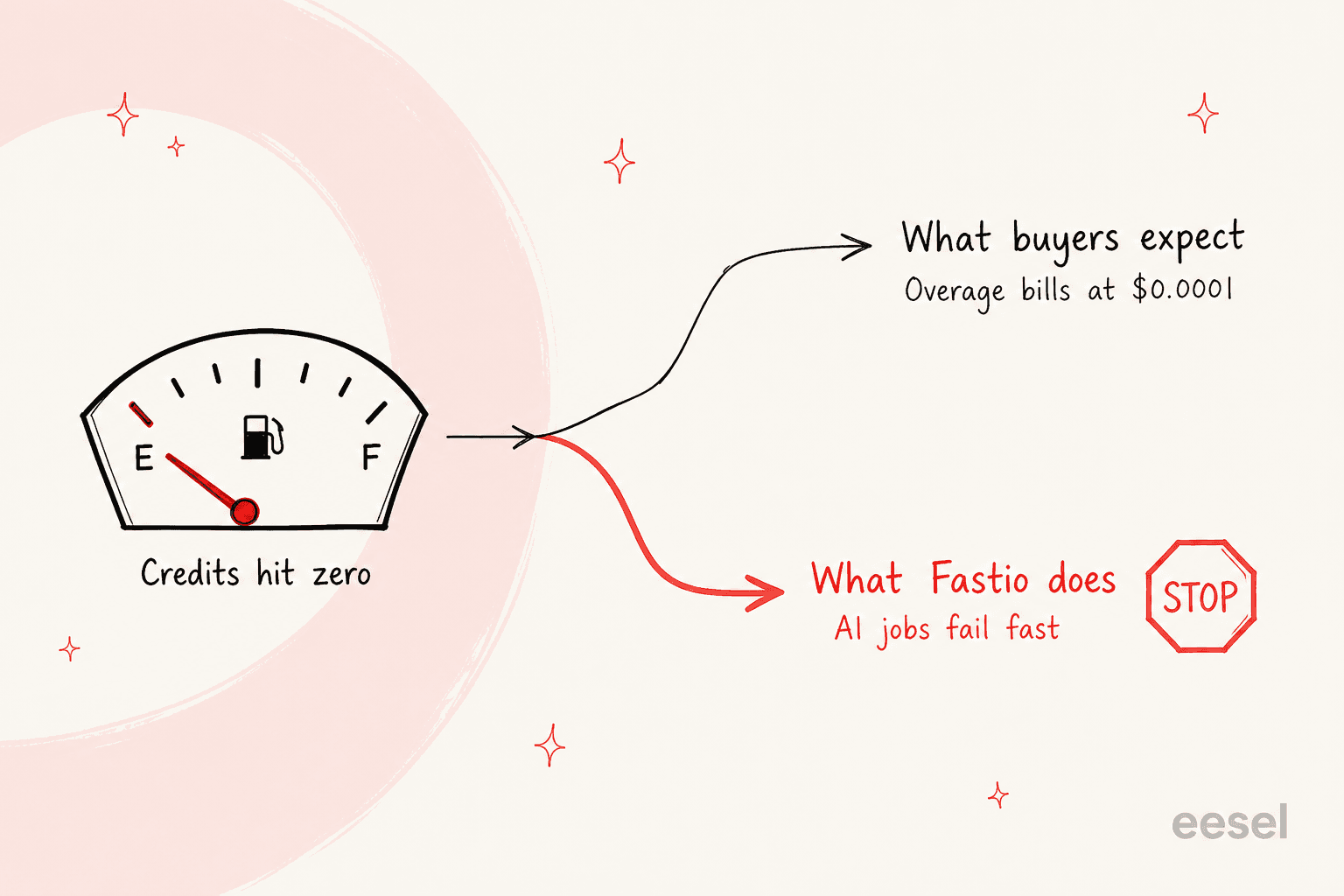
That inverts the usual pricing-post warning. Normally the thing to fear in a metered product is a bill you never modelled. Here the bill is capped by design, since credits reset monthly with no rollover and no automatic top-up. So the risk just moves somewhere else: a heavy month doesn't cost you more, it costs you the feature.
Whether that is good or bad depends entirely on what the AI is holding up. If Ripley summarising contracts is a convenience, then a capped meter is a gift, and I would take it over an open-ended one. If an external agent runs a nightly extraction that something downstream depends on, day 26 of a busy month becomes a real operational event. The mitigation there is not budget headroom. It is buying a plan sized for your worst month rather than your average one.
One wrinkle is worth flagging here. The FAQ hedge is "add usage where available," and the page never says which plans that actually covers. The only plan-specific sentence nearby says Business and Growth "are built for higher-volume work." Whether a Starter customer can buy a $10 credit block at all, then, is unpublished. Do not assume they can.
I have watched the softer version of this problem from the vendor side more times than I would like. In one cost analysis I put together for a customer running about 1,000 tickets a month, a per-outcome meter came out at $792 in a normal month and $3,168 in a Black Friday month at four times the volume, purely because the unit scaled with the spike. That is the failure mode everyone models for, and it is why I write so much about support automation costs.
The fixed-bucket version is quieter and, in some ways, worse. The spike month never shows up on the invoice at all; it shows up as the AI going quiet on the busiest Tuesday of the year. So size the plan against your peak, and read the cost-savings math with that month in mind rather than the average one.
Work out what you would actually pay
The plan you need is usually set by headcount rather than credits, because seats are the hard cap here and credits are the soft one. Put your own numbers in.
The thing the estimator makes obvious, once you drag the numbers around, is that for most credit shortfalls upgrading is cheaper than topping up. That is not an accident of the rate card. It falls straight out of the arithmetic: at $0.0001 a credit, Starter's 300,000 credits retail at $30 on a $29 plan, Business's 1,200,000 retail at $120 on a $99 plan, and Growth's 4,500,000 retail at $450 on a $299 plan. Every tier bundles credits worth more than its own sticker. So Starter to Business is $70 a month for 900,000 extra credits, where the same 900,000 bought as nine top-up blocks is $90.
The trial has two exits, and one of them is unpublished
There is no free plan. Every tier offers a 14-day trial instead, and the mechanics of it are stricter than "14 days" suggests.
A card is required up front. The trial runs "for up to 14 days, or until your trial credits run out, whichever comes first," and at that point "your selected plan activates automatically and billing begins." You can cancel or switch before then. Fast.io is also clear that your files stay exportable.
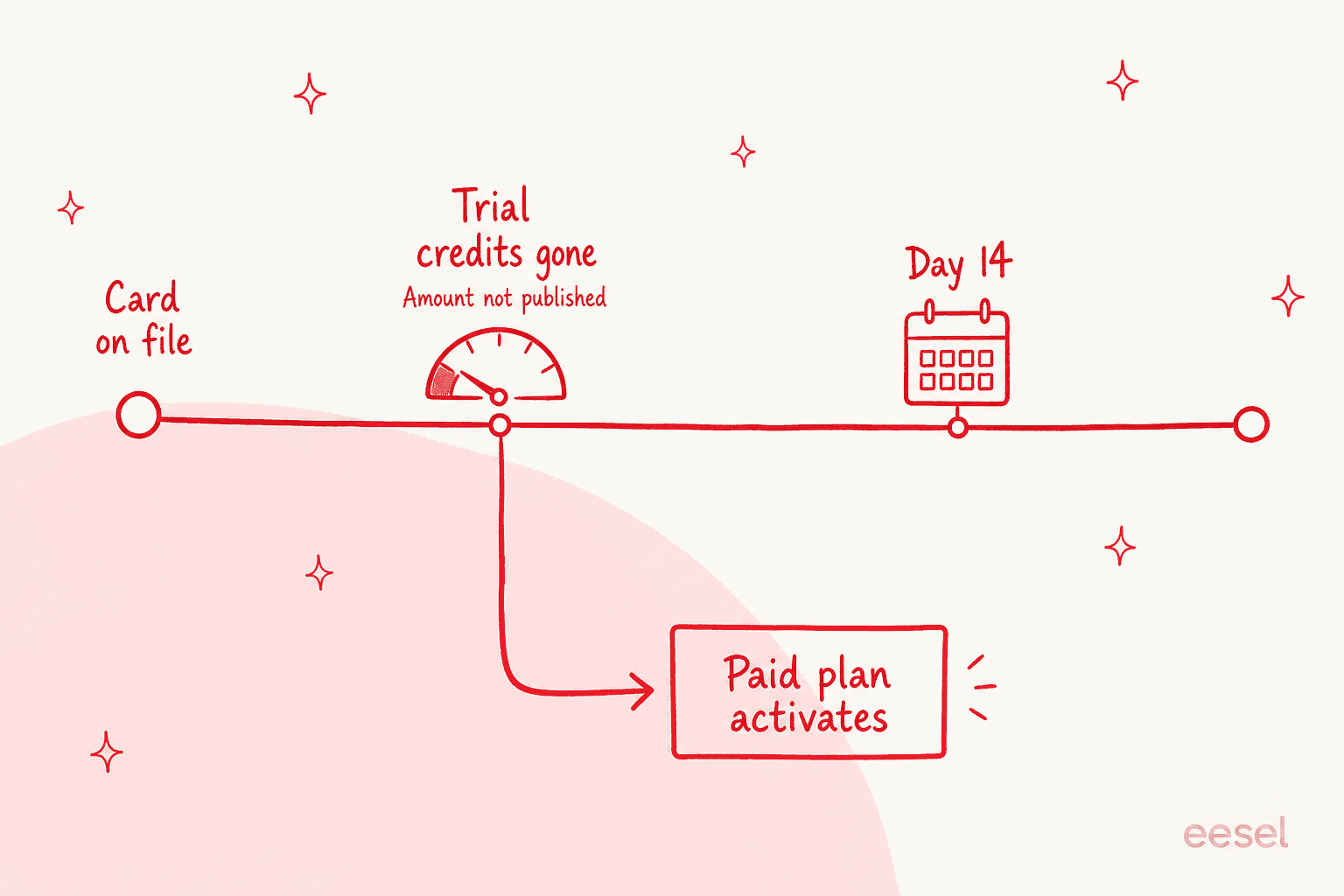
The size of that trial credit allowance is not published anywhere. And because the trial ends on whichever limit hits first, the unpublished number is the real ceiling, not the fourteen days. Do not assume it matches your plan's monthly allowance. Nothing on the site says it does.
What this does to an evaluation is subtle. The list of things Fast.io says you can test is the right list, "real folders, cited AI answers, portals, approvals, and team workflows." But the two heaviest tests you would want to run, a bulk ingestion of your real archive and a full extraction pass over it, are exactly the two that burn the most credits. Run those first, before the pleasant exploratory chatting, or you will find the meter with three days left. The same discipline applies to any AI quality check: test the expensive path while you still have budget to test it twice.
I will say plainly that this shape is not unusual, and eesel does a version of it too. eesel's free plan gives you 100 credits, and the test ends when the 100 credits run out. The one difference is that a credit converts into a countable unit at a published rate, one ticket or chat, so you can plan the test.
Seats are a cliff, not a slope
Read the seat rows carefully. They behave differently from every other number on the card.
Starter includes five seats, and its seat limit is also five. Business includes twenty and caps at twenty. On both of them the "Additional seats" row reads "Not available." Only Growth has a real per-seat rate: $1/seat/month above the included fifty, bounded by a 200-seat limit.
So there are two ways to grow into a bigger bill here, and they feel nothing alike. Above fifty on Growth, each new person costs a dollar, which is about as gentle as per-seat pricing gets. Below fifty, every ceiling is a wall. The sixth person on Starter costs $70/month, because the only way to seat them is the jump to Business. The twenty-first costs $200/month.
That works fine if you hire in steps of fifteen. It works badly if you are a six-person agency. Either way it is worth modelling against the headcount you actually expect, not the headcount you have today. Seat-shaped pricing has this problem generally, which is part of why the cost of an AI agent is easier to reason about per unit of work than per person.
Fully loaded, Growth with all 150 add-on seats runs $449/month on monthly billing. On annual billing it is $2,990 for the plan plus $1,800 in seat charges, so $4,790 for the year. And that is the top of the published product: no enterprise tier, no "contact sales" column, no path at all above 200 people.
Worked totals at three team sizes
Real numbers on annual billing, assuming credit use stays inside the allowance.
| Team | Plan forced by headcount | Per month | Per year | The thing that bites |
|---|---|---|---|---|
| 4 people, light AI use | Starter | $24.17 | $290 | One more hire is a $70/month step, not a $1 one |
| 12 people, moderate use | Business | $82.50 | $990 | 1,200,000 credits, no rollover, no confirmed top-up path below Growth |
| 60 people, heavy use | Growth + 10 seats | $259.17 | $3,110 | 200-seat hard ceiling with nothing published above it |
| 220 people | None published | -- | -- | Growth caps at 200 and there is no enterprise tier |
The 60-person row is the one I would put in front of a buyer. $259 a month for 60 people and 4,500,000 credits is a legitimately good price for what the product does, and I do not want the rest of this post to obscure that. Per head, it is cheaper than almost anything in the internal knowledge base category.
It is also the rare one you can buy with a credit card at 2am without talking to anybody. Not true of Glean, and not really true of a comparable Notion setup either.
Where reviews will mislead you on price
This is the trap I would most want a buyer to avoid, and it stays invisible unless you check dates.
Fast.io's G2 profile sits at 4.2 out of 5 from 57 reviews. The most substantive review there, from a studio COO who rated it 4.5, is the only one that engages the credit model in any depth, and it is a good review, written by somebody who clearly used the thing. It is also describing a rate card that no longer exists.
"My first month on Professional I converted a large video backlog and watched the credits move much faster than I expected."

Count the mismatches against today's page. There is no Professional plan. There is no free tier either, and he describes one in some detail:
"Free tier retention has a real edge: links expire after 60 days and file retention is capped at 60 days too. [...] I have seen people assume free cloud storage means indefinite storage and this is a place where that assumption fails."
He also reports forgiving billing behaviour: warnings rather than cut-offs, pay-as-you-go overruns, and credits that roll over annually. Every one of those is contradicted either by the current page, which says credits reset monthly with no rollover, or by the August release notes, which say AI jobs fail fast at zero. His own verdict on the meter is the fairest line in the whole profile, and it still holds: it is "the mental model that needs work, not the billing behavior."
None of this makes the review wrong. It makes it old. Fast.io rebuilt more than its price list in July 2026: it deleted workflow automation, tasks and approvals outright, calling that "a deletion, not a deprecation," roughly 102 days after approvals shipped. So a buyer reading G2 for a read on cost is reading about a different product on a different rate card. That is a good general reason to trust the vendor's own page over any aggregator, the AI search engines that summarise them included.
The reviews are still useful for the operational stuff that has not changed. Two complaints there deserve your attention regardless of tier, since neither one is priced away: bulk uploads that stall or drop files mid-transfer, and permissions that cannot be applied in bulk or as custom groups.
If you want the wider field rather than the rate card, my Fast.io alternatives roundup prices ten options against it.
What the rate card leaves out
Short list, for the procurement thread.
- No per-unit credit rates for any of the four activities that consume credits. This is the big one, and everything else on this list is smaller.
- No storage overage rate, on any tier. Credits are metered and priced; storage is a fixed ceiling with no published price for exceeding it. The page is silent on what happens at 1 TB on Starter.
- No trial credit allowance, despite it being a binding limit on the trial.
- No stated top-up eligibility below Growth.
- No currency code. Every figure is a bare "$" with no USD statement, and there is no tax, VAT, refund or contract-term language beyond monthly versus yearly.
- No enterprise tier, and no gate that moves you off self-serve. Growth's 200-seat limit is the end of the published product.
Two of those I would call normal for a product this young. The first one I would not, since it is the difference between a price you can budget for and a price you can only discover.
Where Fast.io ends and a teammate begins
Fast.io is doing something clear-eyed and, in my read, correct. It decided storage is step zero, said so on its homepage, then deleted everything that was not that. If your problem is that your company's knowledge is scattered across files no agent can reach, this is a well-priced way to fix it, and $259 a month for 60 people is not a number to argue with.
But notice what the credit meter actually pays for. Chat, ingestion, agent runs, document processing. All four are read operations. You ask, you get an answer with a citation, and then a person still has to go and do the thing.
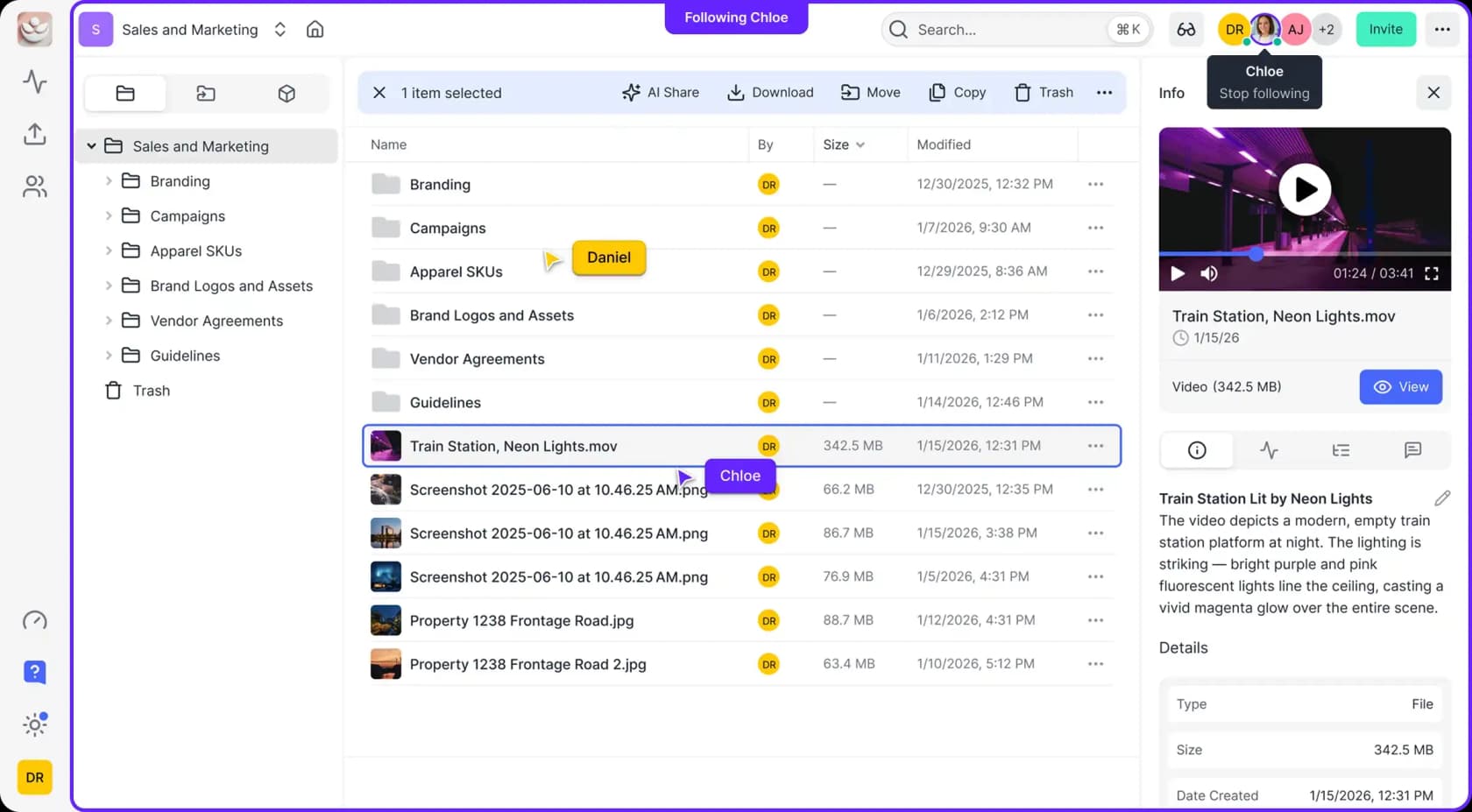
That distinction is the whole reason to think carefully about which layer you are buying, and it is the same line that separates AI agents from chatbots. If the sentence describing your problem is "nobody can find the contract," then a storage-and-index layer is the right purchase, and Fast.io is a good one.
If the sentence is "tickets sit in the queue," or "the blog does not get written," then no amount of retrieval closes it. The honest ROI question is what happens after the answer arrives, and that is the same question sitting behind an AI ticketing system and behind what an AI support agent costs.
Try eesel
eesel sells ready-to-work AI teammates rather than a layer you assemble yourself, and the roster today is two: an AI helpdesk teammate that works your support queue, and an AI blog writer that ships posts. Each one arrives already knowing the integrations and the company context for its job. That is a different purchase from storage an agent can read.

Since you came here for a rate card, here is eesel's, plus the reason I have been so pointed about units all post. eesel charges one credit per ticket or chat handled, one conversation counted once however many replies it takes, with plans from $299 a month for 500 credits. A blog post is $4. Dashboard questions are mostly free. No seats, no platform fee, and you can turn on overage with a cap you set. That is a unit you can match to your own ticket volume tonight, which is exactly the thing I could not do with Fast.io's credit.
The other half is the part I would not ship without. Before it answers a real customer, eesel replays your own past tickets and scores its drafts against what your team actually sent, so the gaps show up on your own history instead of on somebody live. If you have ever been the person who could not verify an AI's answers at volume, that is the difference. It is also the practical answer to AI hallucinations in support.
If you want the wider category first, my roundup of the best AI teammates compares the field, and best AI employees covers the adjacent one.
Otherwise start with the free plan: 100 credits, no card. If you would rather see it on your own queue first, book a demo.