
What is ManyChat?
ManyChat is a conversational automation platform that lets you build automated chat flows across social and messaging channels. It was founded in 2015 by Mikael Yang, is headquartered in San Francisco, and has raised more than $150M in funding, which makes it one of the best-capitalized players in the space. It says it is loved by 1M+ creators, marketers, and brands (a vendor figure), and it is an official Meta Business Partner and TikTok Marketing Partner.
The flagship use case is Instagram. Someone comments a keyword on your Reel or post, ManyChat spots it, and it auto-DMs them a link, a discount code, or a lead magnet while quietly capturing their email. From there it branches out into DM automation, welcome messages, keyword triggers, and multichannel lead generation.
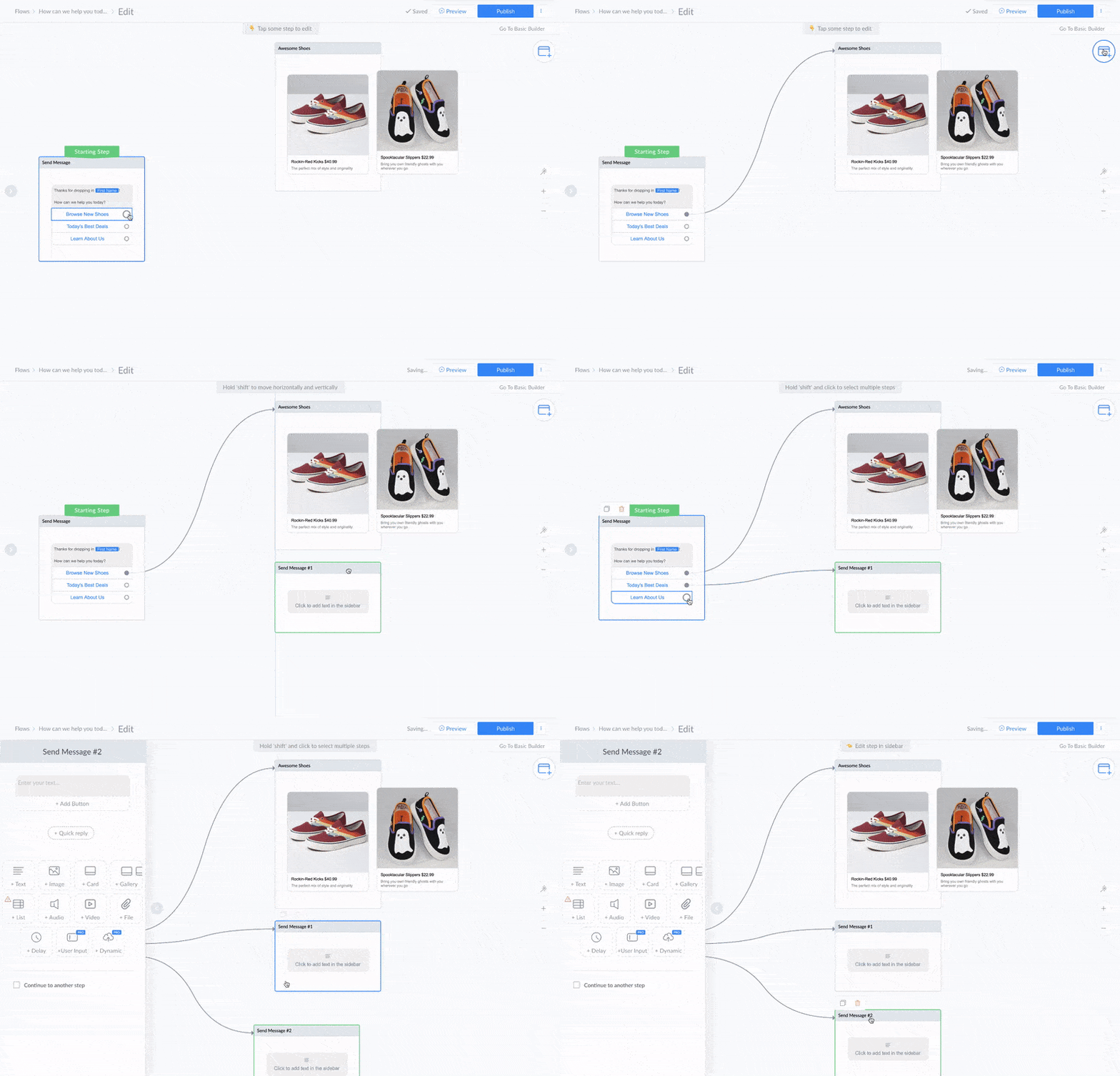
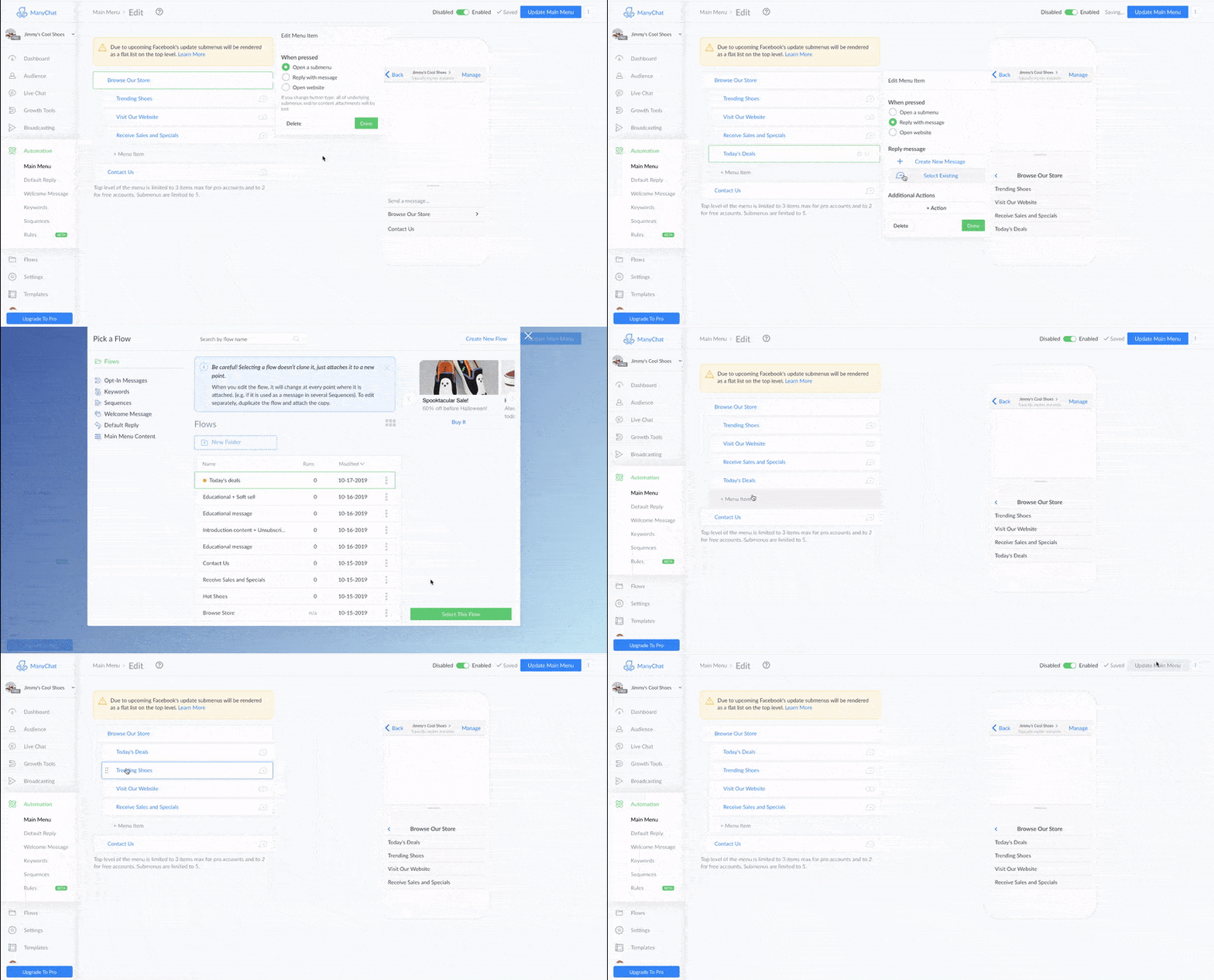
The builder is the part people fall in love with. It is a visual, node-based canvas where you drag message steps, buttons, conditions, and delays into a flow, and you can start from 60+ templates instead of a blank page. One G2 reviewer put it plainly:
"I love how Manychat allows me to automate DMs to my Instagram followers... It's really easy to use, especially the duplicating feature, which lets me create automations in less than five minutes, saving me hours each week."

Instagram and comment-to-DM automation
This is where ManyChat earns its reputation. The comment-to-DM flow is the thing every creator wants: post a Reel, ask people to comment a keyword, and let ManyChat handle the rest. It detects the comment inside Meta's 24-hour engagement window, replies publicly, then slides into the DMs with whatever you promised.
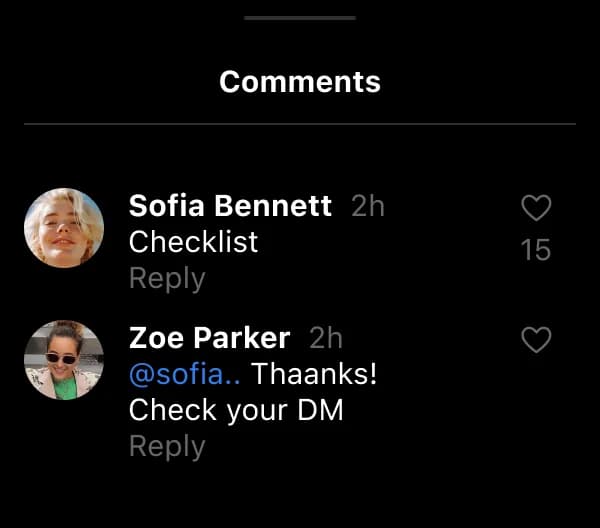
It handles new-follower welcome DMs, keyword triggers, and lead capture too, saving emails and phone numbers against each contact with tags you can segment later. It is a very different animal from Instagram's own Meta AI, which is a general assistant rather than a flow builder. If Instagram is your main channel, this is the strongest multichannel chatbot starting point you will find, and it is a big reason people pick ManyChat over a generic website chatbot or a no-code chatbot builder. It is worth knowing the flow lives and dies by Meta's rules, though: the 24-hour window is real, and a couple of reviewers flagged that adding accounts can occasionally knock the primary one offline when ManyChat and Meta's Business Manager fall out of sync.
ManyChat AI: what it actually does
"ManyChat AI" is not one general agent. It is a bundle of separate tools, and it helps to know exactly what each one does before you assume it will answer everything.
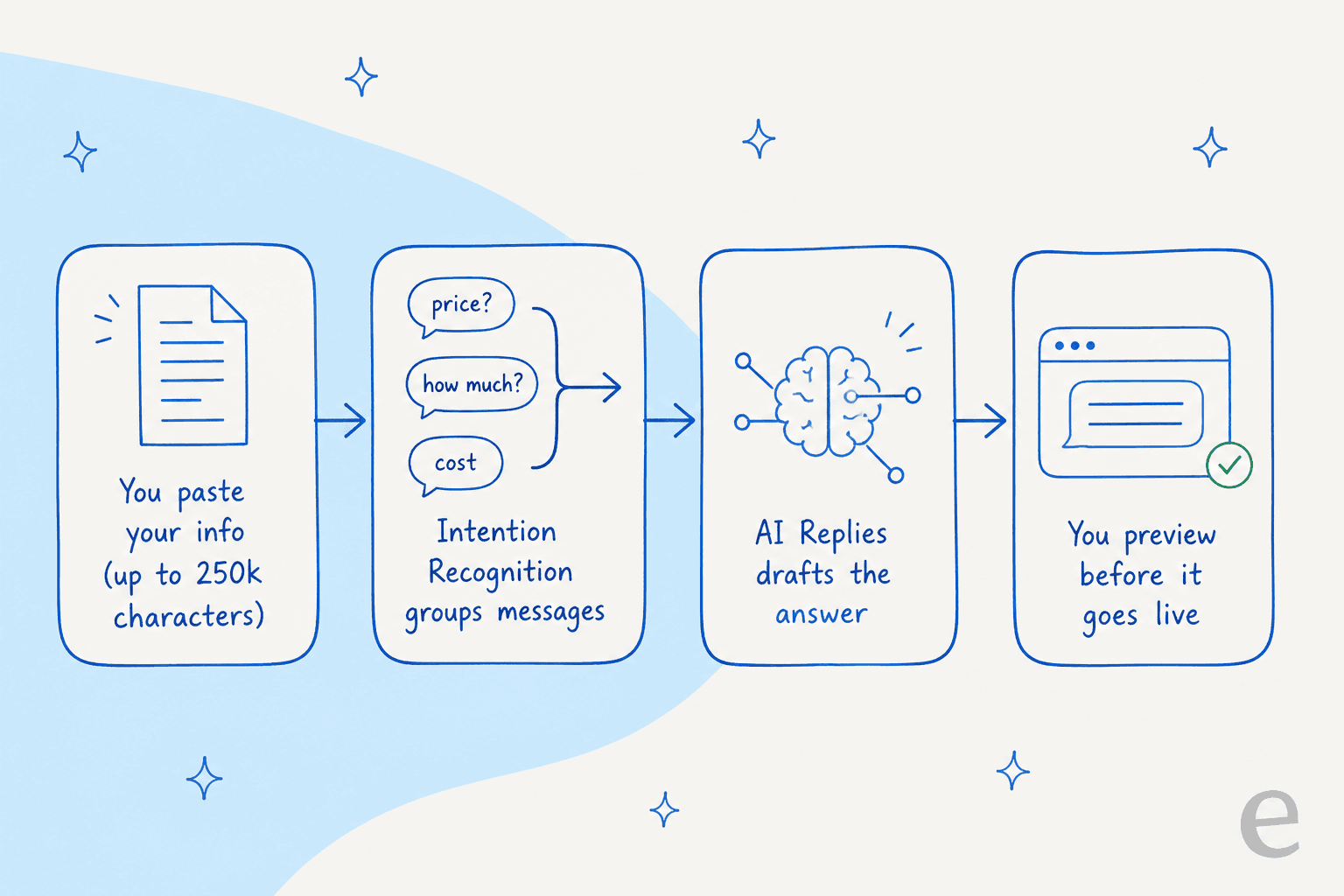
- AI Replies spots questions in DMs and comments and answers them from a Knowledge library you write yourself, up to 250k characters of pasted context. You preview its suggested answers before it goes live.
- AI Comments auto-replies to Instagram comments in your own writing style, learned from your past replies, and you approve every one before it sends.
- Intention Recognition routes on intent rather than exact keywords, so "What does it cost?", "price", and "hw mch is it?" all resolve to the same answer.
- Flow Builder Assistant drafts an automation from a plain-language description of your goal.
- Rounding it out are AI Goals, an AI Step you drop into a flow (10k characters of context), and a Text Improver for rewriting copy.
Here is the important distinction, and it is a fair one, not a knock: ManyChat AI answers from content you supply, not from a live crawl of your website or help center. There is no auto-ingestion of external sources. That is perfectly sensible for a marketing tool, where you want tight control over what the bot says in a sales conversation. It just means the AI knows exactly as much as you paste into it, and no more, which is a different design from a support AI built to read your whole knowledge base. If you have ever watched a bot confidently make things up, this constraint is actually a feature, and it is worth reading up on common chatbot problems before you turn any of this loose on customers.
WhatsApp and the rest of the channels
WhatsApp is ManyChat's second big channel, and it unlocks on the Pro plan and up. ManyChat connects through Meta's WhatsApp Business Platform, so all of Meta's rules come with it: business-initiated messages need pre-approved templates (Marketing or Utility), and the same 24-hour session window applies, where you can send free-form messages while a conversation is open but need a template to re-open an expired one.
One cost that is easy to miss: Meta charges its own per-conversation fee for WhatsApp on top of your ManyChat subscription, billed through the ManyChat Wallet. Rates vary by country (for example, roughly $0.0287 per marketing conversation in North America, higher in some markets), and from October 1, 2026, Meta starts charging for service conversations that used to be free. None of this is on ManyChat's own pricing page, so budget for it separately and read up on the WhatsApp pricing changes before you scale. It is the same platform underneath any WhatsApp chatbot, ManyChat included.
ManyChat pricing: the active-contact model explained
ManyChat's pricing has five tiers. All the monthly figures below are annual-equivalent rates (ManyChat's default view); month-to-month sticker prices run a little higher.
| Plan | Price (annual-equiv.) | Included active contacts | Overage per extra contact | Channels | AI | |
|---|---|---|---|---|---|---|
| Free | $0 | 25 | none | Any 2 | No | No |
| Essential | $14/mo | 250 | $0.10 | Any 2 | No | No |
| Pro | $29/mo | 2,500 | $0.05 | Any 3 | Yes | Yes |
| Business | $69/mo | 7,500 | $0.025 | Unlimited | Yes | Yes |
| Advanced | $139/mo | 25,000 | $0.004 | Unlimited | Yes | Yes |
The unit that matters is the active contact. In ManyChat's own words, that is "a real person you interact with during a monthly billing period," and "it doesn't matter how many messages you exchange. One person = one active contact for the month." Crucially, a contact counts as active whenever a message is sent or received, through an automation, AI, a broadcast, or the Inbox, not only when your automation started it.
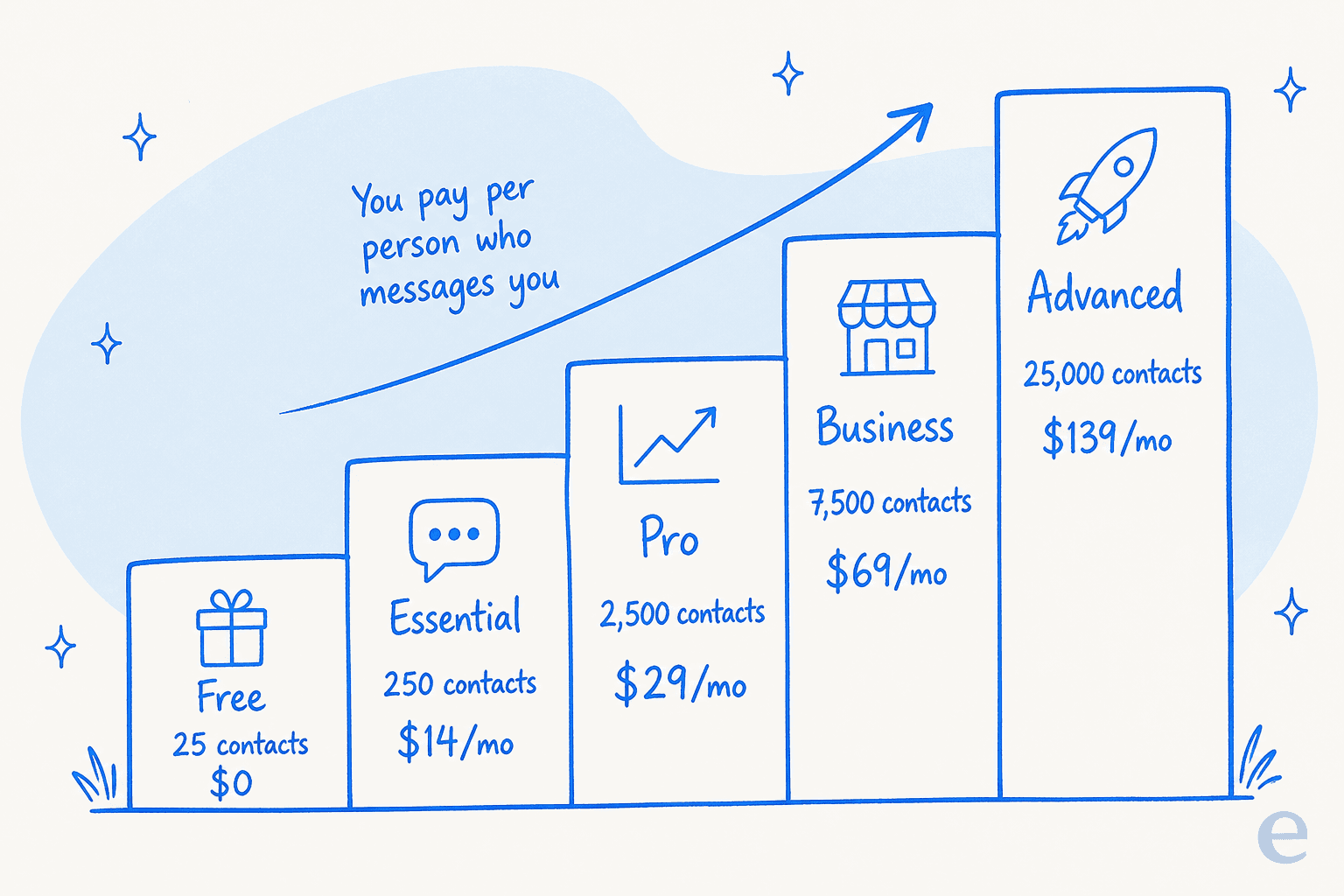
Go over your allowance and automations keep running; you just pay overage per extra contact. The rate drops sharply as you climb, from $0.10 on Essential to $0.004 on Advanced, so the tier you are on matters far more than volume within it. There is no separate per-message or per-conversation meter, and no Enterprise tier; Advanced is the top published plan.
This model is the single most divisive thing about ManyChat. When one post lands big, the bill lands with it. A creator on X summed up the fear:
"Manychat pricing is insane. 1 viral reel and you've lost tons of leads if you're running a DM automation. Someone could easily sweep up tons of customers with more competitive pricing tbh."
There is a real defense you should give the tool: you can set an overage threshold to cap how many extra contacts you are willing to pay for, and if you upgrade mid-cycle, the overage you have racked up so far is forgiven. Used well, the controls are there. The complaint is less about the price and more about the surprise, so the fix is to set that threshold on day one.
What users actually think
The honest picture only shows up when you compare where the reviews come from. Invited reviews on G2 (4.5/5 from 165) and Capterra (4.6/5 from 72) are warm, praising the automation power and the easy builder. Walk-in reviews on Trustpilot tell a rougher story: 2.1/5 from 303, dominated by billing shocks and support complaints.
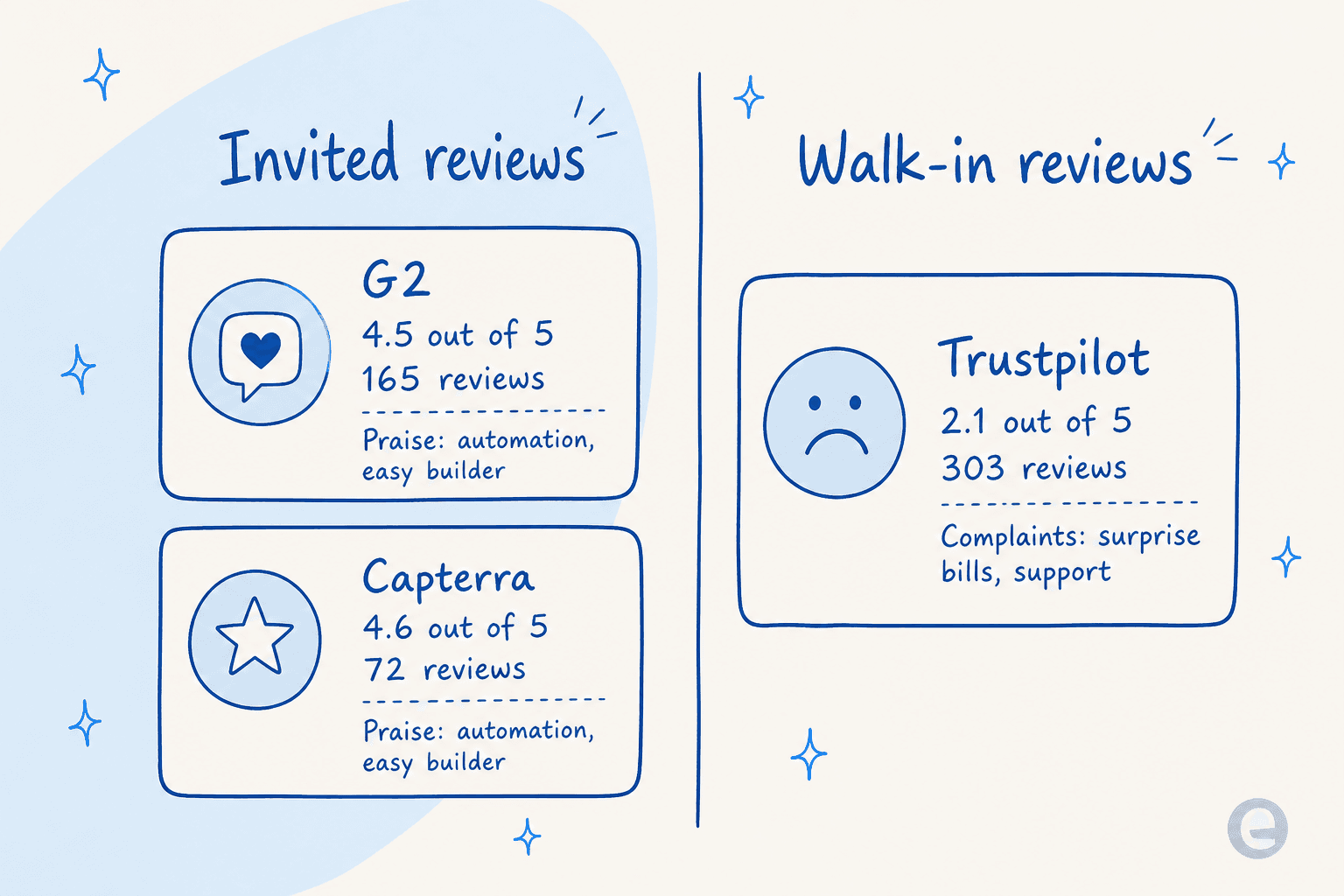
That gap is the real review. The product does what it says on the tin, and people who set it up love it. The friction shows up around money and support, especially when something goes wrong with billing:
"After my usual monthly payment was successfully deducted, my account was unexpectedly downgraded to Free and I lost access to features my business relies on... It has now been almost three days, and the issue is still not resolved."
The pricing confusion is a recurring theme, and it usually traces back to that active-contact definition catching people off guard:
"Would be useful but the way the pricing works is pretty repulsive. You never know how much you will pay. It goes up as you have more and more followers."

Read enough of these and the pattern is clear: love the automation, watch the bill, and do not count on fast support if something breaks on a weekend.
Where ManyChat fits, and where it doesn't
Here is the framing I would use to decide. ManyChat is a chat marketing tool. If your goal is to turn Instagram engagement into leads and sales, it is one of the best, and it deserves its spot alongside tools like Chatfuel and Tidio in any list of ecommerce chatbots. Pair it with your Shopify AI apps or Shopify Inbox and it will happily run the top of your funnel.
Where it stops is real customer support. I have spent the last few years watching teams put AI onto live support queues, and the pattern is always the same: the questions that matter are "where is my order," "can I change my address," "why was I charged twice." Those are order questions and order tracking that do not live in a 250k-character text box; they live in your helpdesk, your order system, and thousands of past tickets. This is the exact gap a purpose-built ecommerce support tool is designed to close. ManyChat does not train on your ticket history, does not connect to helpdesk software, and, tellingly, has no way to simulate a change against your past conversations before it goes live. It has a Preview, but not a dry run over real tickets.
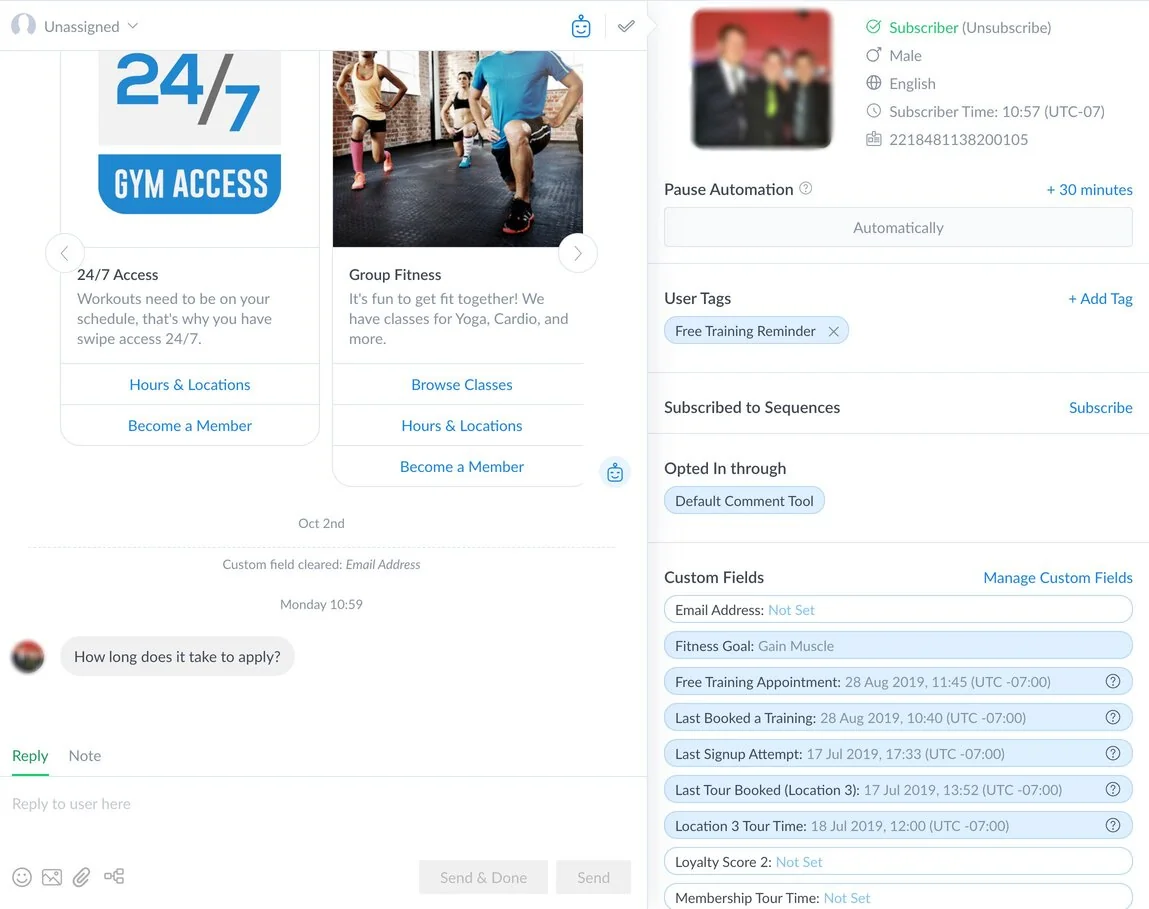
That last gap is the one I would not compromise on. When you are about to let AI answer paying customers, you want to know what it would have said to the last thousand people who wrote in, and you want to hold it back on anything it is not confident about. That is the whole reason a serious customer service AI works differently from a marketing bot.
Try eesel AI for support that ManyChat wasn't built for
If your DMs have quietly turned into a support queue (orders, refunds, "did my payment go through"), that is the moment ManyChat starts to strain, and it is exactly what eesel AI is for. eesel is an AI support teammate that plugs into your helpdesk and learns from the knowledge ManyChat can't reach: your past tickets, your help center, and your order data, so it answers the real questions instead of only the ones you scripted.

The part I would not run a rollout without: eesel lets you simulate on your past tickets before anything goes live, so you see the resolution rate and the exact answers on your real history first, then switch on only the topics it handles well. Teams that do this see it land fast; one, Gridwise, had eesel resolving 73% of tier-1 requests in the first month. It is free to try, it goes live in minutes, and it will not surprise you on the bill. Keep ManyChat for the Instagram funnel; let eesel handle the support.
Frequently Asked Questions
What is ManyChat used for?
How much does ManyChat cost in 2026?
Does ManyChat have a free plan?
Does ManyChat have AI?
Is ManyChat good for customer support?


Article by
Kurnia Kharisma Agung Samiadjie
Kurnia is a software engineer and writer at eesel AI with two years of SEO experience, writing about AI tools, helpdesk software, and customer support. He pairs a developer's understanding of how these products are built with search-driven research into what actually ranks and resonates with the people searching for them.