

Edge Delta pairs an intelligent telemetry pipeline with a roster of autonomous AI Teammates for on-call work. It is a sharp product, but two things push teams to look around: the pricing moved from per-GB pipelines (now free) to storage plus AI tokens billed at roughly 3x the model provider's list price, and the AI-agent side is newer than the observability side.
The right alternative depends entirely on why you are leaving. If it is the data bill, put a pipeline in front of your backend: Cribl ($0.21/GB at the edge) or the free, open-source Vector. If it is the whole platform, Grafana Cloud has the best free tier, New Relic has the cleanest usage-based model, Coralogix stores data in your own bucket, and Datadog has the deepest AI investigation agent if money is no object. Chronosphere and Elastic round out the list for metrics-cost and search-first teams.
One honest note, since I build AI teammates at eesel for a living: none of these are eesel alternatives. Edge Delta hires AI agents for the on-call rotation; eesel hires them for the support queue. If you landed here because you liked the "hire a teammate for a job" idea and your actual job is customer support, jump to the last section.
Why teams look past Edge Delta
I have spent the last few years shipping integrations and APIs for AI agents that work a live queue, so I read observability product pages the way I read any agent platform: not for the tagline, but for what the thing actually does under it. Edge Delta is worth reading closely, because its AI Team uses almost exactly the vocabulary my own team uses. An AI Teammate, in its own words, is "an autonomous agent that takes on a specific engineering job, not a chatbot waiting for prompts." The roster ships pre-built: an SRE, a Code Analyzer, a Security Engineer, a Work Tracker.
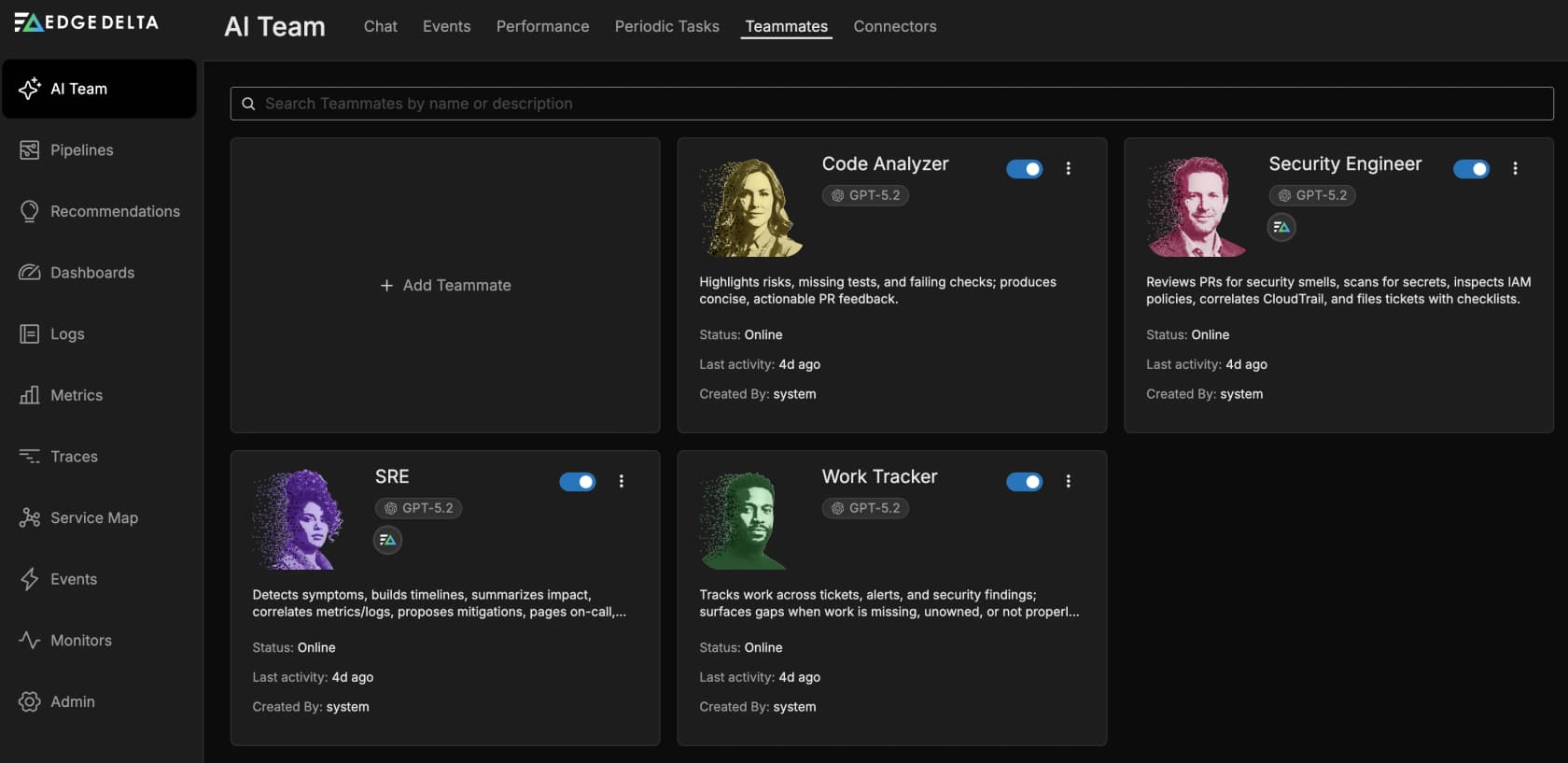
That framing is good, and the pipeline underneath is real engineering: Go agents that process logs at the source, drop low-value data before it is ever indexed, and feed the agents their context. Edge Delta has been at this since 2018, out of Seattle, on $82 million raised, with a Gartner Cool Vendor badge and SOC 2 Type II. This is not a weak product.
So why do teams shop around? Two reasons.
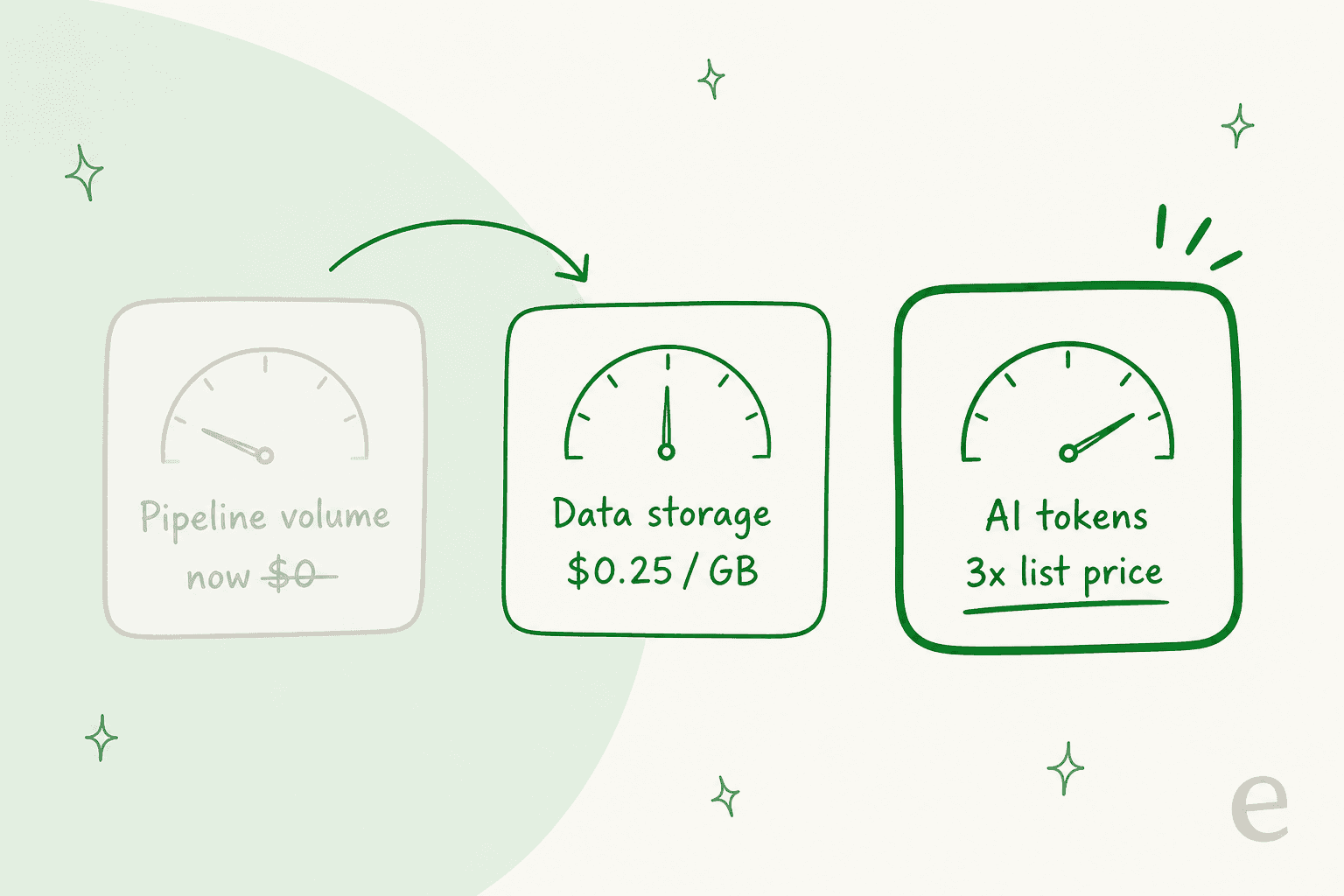
The first is pricing, and it is subtle. Edge Delta made the loud meter quiet. Telemetry pipeline volume, the thing you used to pay per gigabyte for, is no longer charged under an AI Teammates license. What is charged now is data storage, at 0.25 credits per GB, and AI tokens, at a per-model rate that lands at almost exactly 3x each foundation model's own list price. The bill moved from a unit you can forecast (gigabytes) to one you cannot (how much the agents think).
The second is maturity. The pipeline is battle-tested; the autonomous agents are the newer bet, and community coverage is still thin (Edge Delta sits at 4.4/5 on G2 from only seven reviews). None of that makes Edge Delta a bad choice. It just means that if either the price model or the newness gives you pause, there are real alternatives, and they split cleanly into groups.
How to choose (and the one question that sorts everything)
Before the list, one framing that saves a lot of time. Almost every observability migration starts with the same question, and the answer routes you to a completely different shortlist.
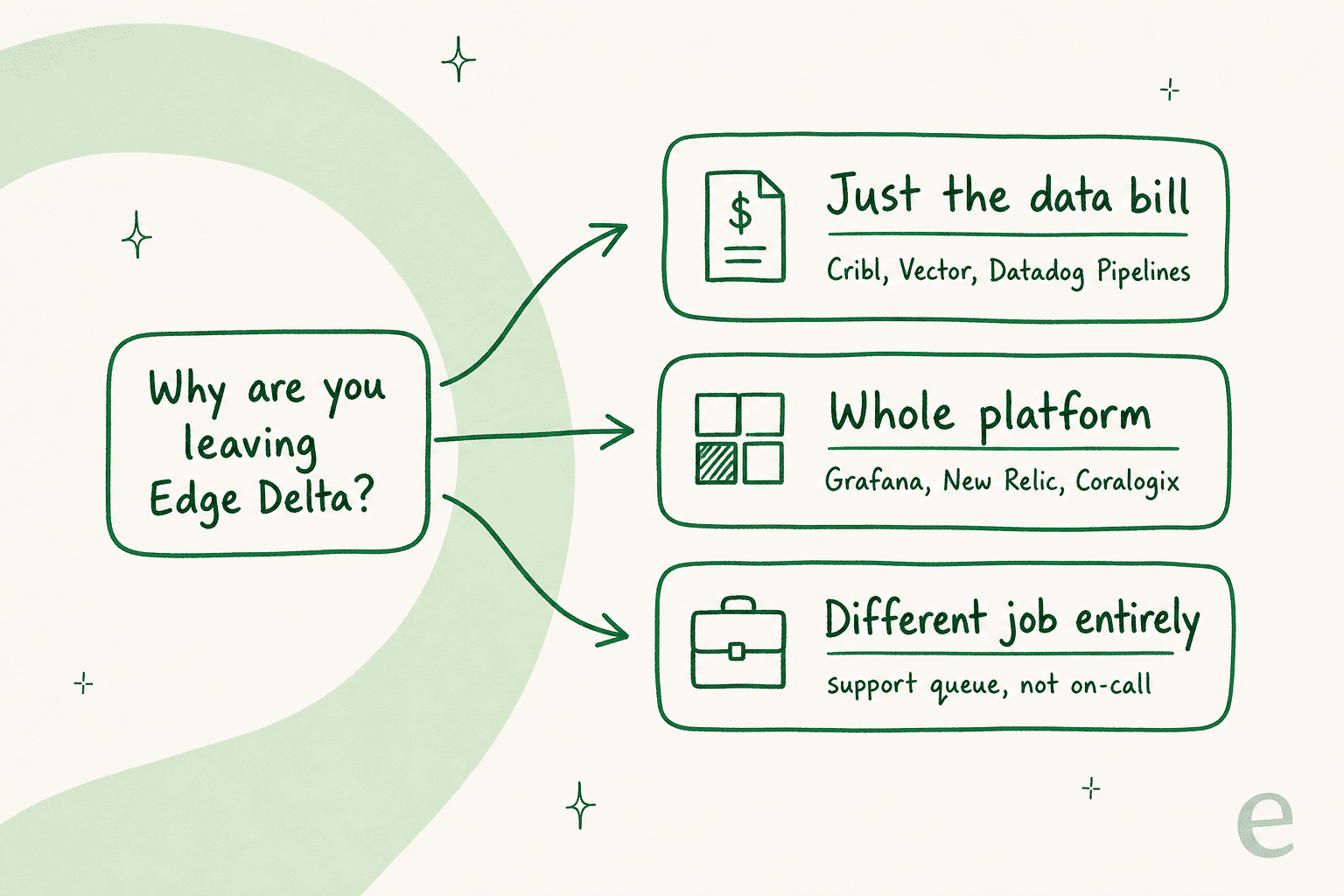
- Just the data bill? You do not need a new platform. You need a pipeline in front of the one you have. That is Vector (free), Cribl, or Datadog Observability Pipelines. This is the "layer, don't switch" path, and it is usually the cheapest and least disruptive.
- The whole platform? You want a place to store, query, and alert on everything. Grafana Cloud, New Relic, Coralogix, Datadog, Chronosphere, and Elastic all live here, and they differ mostly on billing model and where your data physically sits.
- A different job entirely? If what drew you to Edge Delta was the AI-teammate idea and your real problem is the support queue, no observability tool is your answer. That is the last section.
Here is the shortlist at a glance before we go deep on each.
| Tool | Best for | Billable unit | Headline rate | Standing free tier | AI investigation |
|---|---|---|---|---|---|
| Cribl | Pipeline cost control | Credits per GB ingested (1 credit = $1) | $0.21/GB (Edge), $0.26-$0.32/GB (Stream) | Up to 1 TB/day | Copilot (chat assistant) |
| Datadog | Deepest all-in-one + real AI agent | Many, per SKU | Pipelines $0.095/GB; Logs $0.10/GB ingest | Trial only | Bits Investigation (autonomous agent) |
| Grafana Cloud | Best free tier, OSS stack | Per-GB (3 log meters) + per 1k series | Logs from $0.05/GB; metrics $6.50/1k series | 50 GB logs/mo, forever | Sift (automated diagnostics) |
| New Relic | Cleanest usage-based pricing | Data ingest + users | $0.40/GB after 100 GB free | 100 GB/mo + 1 user, forever | New Relic AI + SRE Agent |
| Coralogix | Store everything cheaply in your bucket | "Units" (1 unit = $1.50) by pipeline priority | $1.15/GB (search), $0.50/GB (monitor) | 14-day trial (8 units) | Olly (conversational investigator) |
| Chronosphere | Metrics cost control at scale | Quote-only | Not published (/pricing 404s) | None published | Differential Diagnosis (DDx) |
| Elastic | Search-first observability | Per-GB ingest + retention | From $0.07-$0.09/GB ingest | Trial + 50 GB free egress | AI Assistant (being replaced) |
| Vector | Free, self-hosted pipeline | None (open source) | $0 | Entirely free | None (it is a pipeline) |
What these vendors mean by "AI"
One thing worth settling before the list, because it is where marketing pages blur together. Edge Delta's pitch is autonomous agents. When a competitor says "AI," it can mean three very different things, and the gap between them is enormous.
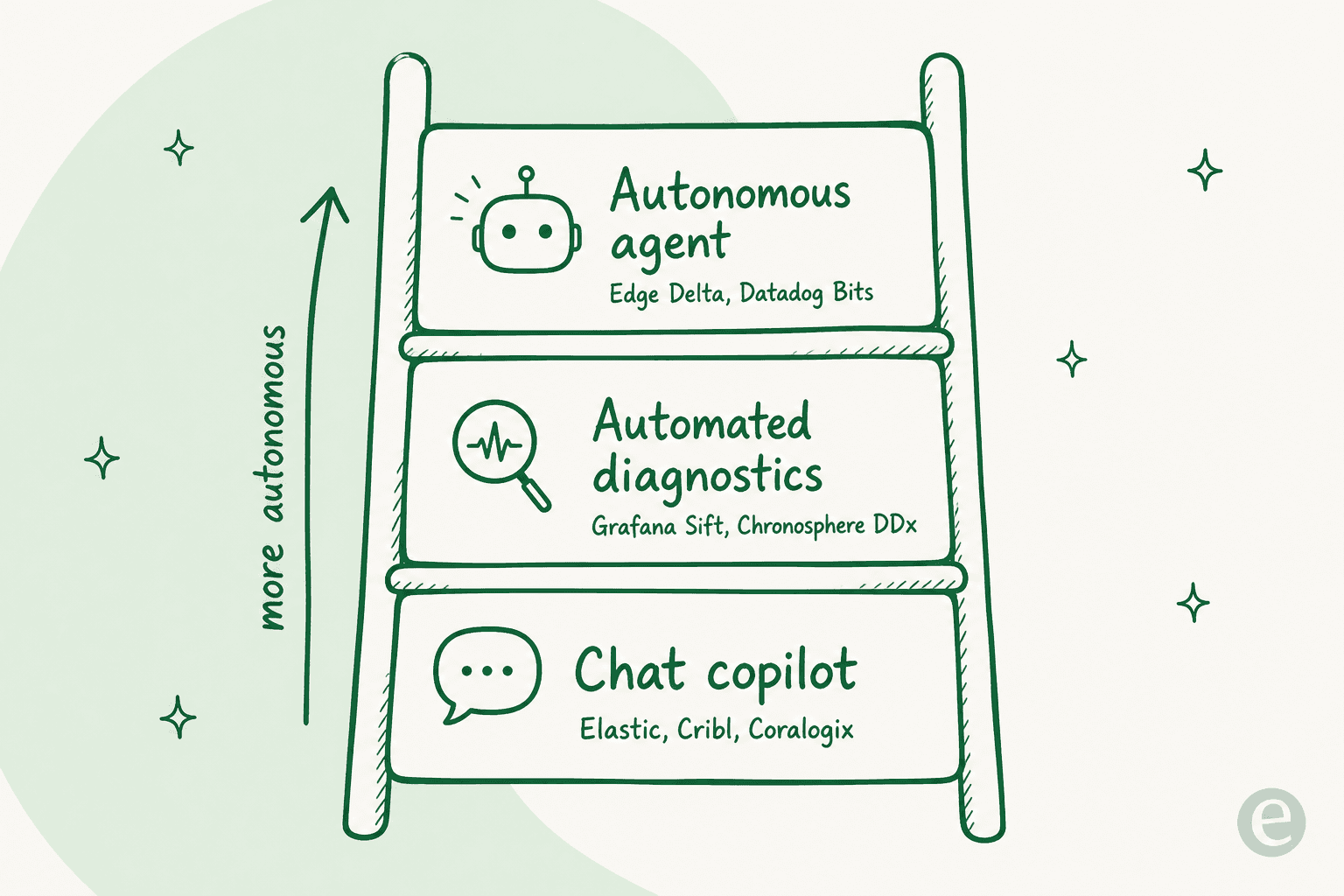
At the top are true autonomous agents that watch event streams and investigate on their own: Edge Delta's Teammates and Datadog's Bits Investigation. In the middle are automated diagnostic engines that run a fixed set of checks when you kick off an investigation: Grafana Sift and Chronosphere's Differential Diagnosis. At the bottom are chat copilots that answer questions and write queries when you ask: Elastic's AI Assistant, Cribl Copilot, and Coralogix's Olly. All three are useful. Only the top rung is doing what Edge Delta's teammates do. Keep that ladder in mind as you read.
1. Cribl
Best for: teams whose only real problem is the telemetry bill, who want to keep their existing backend.
Cribl is the most direct swap for Edge Delta's pipeline half. It sits between your data sources and your destinations, reducing, reshaping, and routing telemetry before it hits an expensive backend. Cribl Edge is the agent-level product that competes head-on with Edge Delta's agent; Cribl Stream is the heavier stream processor.
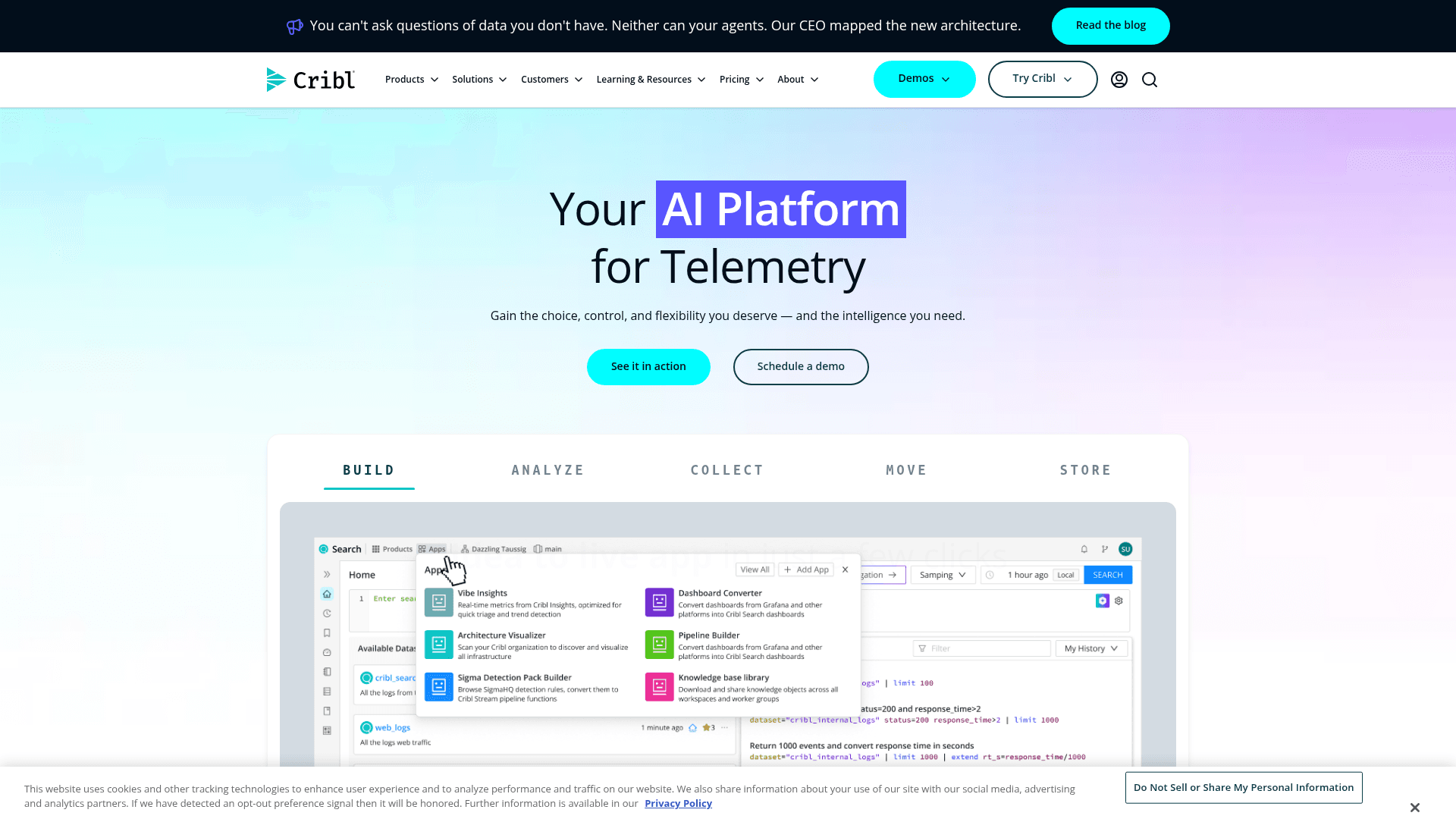
On the AI side, Cribl Copilot writes queries and configs from plain English and its Guard feature scans live streams for PII. It is a handy data-engineering copilot, but it is not an SRE incident agent. That is the honest line: Cribl matches Edge Delta's pipeline, not its Teammates.
Pricing: credits, where 1 credit = $1. Cribl Edge is $0.21/GB ingested; Cribl Stream runs $0.26-$0.32/GB depending on worker type. The free plan covers up to 1 TB/day, which is unusually generous.
- Pros: a cheaper, dead-simple pipeline swap; huge free tier; you keep your backend.
- Cons: no autonomous investigation agent; the per-GB rate is public but plan entry is "contact sales."
Verdict: if you liked Edge Delta's pipeline and shrugged at the AI Teammates, Cribl is the pick. If the Teammates were the whole reason you were there, Cribl only solves half the problem.
2. Datadog
Best for: teams that want the deepest platform and a real autonomous AI agent, and can absorb the bill.
Datadog is the platform everyone benchmarks against. It does two things relevant here: its Observability Pipelines product competes directly with Edge Delta's pipeline (and, neatly, runs on Vector under the hood), and Bits Investigation is the closest thing on the market to Edge Delta's autonomous AI Teammates.
Datadog markets Bits Investigation as "your AI on-call teammate" that investigates alerts and delivers root causes automatically. Of everything on this list, it is the truest match for the thing Edge Delta is trying to build.
Pricing: the most exhaustive rate card in the category, and the most meters. Observability Pipelines lists $0.095/GB (annual) or $0.12 on-demand. Log Management is $0.10/GB to ingest plus $1.70 per million events indexed. Infrastructure is $15-$23 per host. There is no standing free tier for logs, only a trial.
- Pros: deepest platform, best autonomous agent, everything integrates with everything.
- Cons: a lot of meters (log management alone bills on five separate units); the bill is famous for surprising people.
Verdict: the strongest overall alternative if budget is not the constraint. If your Edge Delta search started because of cost, Datadog is a strange place to land, but on capability it is the one to beat.
3. Grafana Cloud
Best for: teams that want an open-source-first stack and the most generous free tier in the category.
Grafana Cloud is the managed home for the LGTM stack (Loki, Grafana, Tempo, Mimir). If your team already lives in Grafana dashboards, this is the least disruptive full-platform move, and it has been loudly repositioning against volume-based billing. Its own pricing page currently carries the banner:
"Send more, charge more is broken. We are changing it."
On AI, Grafana splits the job: Sift runs automated diagnostic checks during an investigation and curates the interesting findings, while Grafana Assistant is the natural-language chat layer. Sift is a diagnostic accelerator, not a fully autonomous teammate, but it is free and included.
Pricing: the free tier is the headline: 50 GB of logs per month with 14-day retention, free forever, no card. Pro is from $19/month plus usage. Logs are metered on three separate per-GB meters (process $0.05, write $0.40, retain $0.10), and metrics are $6.50 per 1,000 active series after the first 10,000 free.
- Pros: best-in-class free tier; open-source foundation, no lock-in; transparent, tiered rates.
- Cons: three separate log meters take a minute to model; Sift is check-based, not a free-reasoning agent.
Verdict: my default recommendation for cost-conscious teams that want a real platform. The free tier alone makes it worth a weekend trial.
4. New Relic
Best for: teams that want usage-based pricing without per-host math, and a clean upgrade path to AI features.
New Relic rebuilt its whole pricing model around usage years ago, and it shows. Instead of per-host licensing, you pay on two axes: data ingested and platform users. It is the cleanest of the full platforms to reason about, and there is a real perpetual free tier.
On AI, New Relic AI is the agentic assistant, sold as an Advanced Compute capability, and the homepage now pushes an SRE Agent aimed at automated remediation. It is moving toward the autonomous end, though it is younger than Datadog's Bits.
Pricing: 100 GB of data ingest free per month, then $0.40/GB ($0.60/GB on the Data Plus option). Users split into Basic (free, unlimited), Core ($49), and Full platform users, which on the Pro edition run $349/user on an annual commit. There is an alternative compute-based model with no user fees.
- Pros: truly usage-based; strong free tier; one of the few vendors offering user-based pricing as an option.
- Cons: full-platform user seats get pricey fast; the AI agent is newer than Datadog's.
Verdict: the best-value full platform for teams that want predictable, usage-based billing and do not want to model per-host counts. A close second to Grafana on price transparency.
5. Coralogix
Best for: teams that want infinite retention without infinite cost, by keeping data in their own cloud.
Coralogix has the most distinctive architecture on this list. Its Streama engine analyzes data in-stream and writes it to your own S3 bucket, so only the data you flag as "Frequent Search" gets indexed to hot storage while everything else stays queryable directly from your bucket. That is a different answer to the same problem Edge Delta solves at the pipeline: cut what you pay to store and index.
Its AI assistant, Olly, is a "conversational investigator" that starts from a natural-language question, and Coralogix also ships an MCP connector and a CLI so you can script investigations. That is a chat-and-tooling approach rather than a fully autonomous agent, but the CLI and MCP surfaces are a genuine strength for agent-driven workflows.
Pricing: billed in "units" where 1 unit = $1.50, and the clever part is the TCO Optimizer, which routes each data source into a priority tier: Frequent Search at $1.15/GB, Monitoring at $0.50/GB, and Compliance/Archive at S3-only cost. Headline rates are logs $0.42/GB, traces $0.16/GB, metrics $0.06/GB. Unlimited users, hosts, and sources; 14-day trial with 8 units, no card.
- Pros: data lives in your bucket (no lock-in, cheap long-term retention); priority-based pricing really does cut spend; strong CLI/MCP story.
- Cons: the units-plus-priority model takes real effort to model; Olly is assistant-class, not autonomous.
Verdict: the best pick if your Edge Delta pain was storage cost and you like the idea of owning your data. The priority tiers are the most direct answer to "I am paying to store logs I never search."
6. Chronosphere
Best for: high-scale teams whose pain is specifically metrics cardinality and cost.
Chronosphere was built by ex-Uber engineers for organizations drowning in metrics at massive scale, and its whole reputation is cost control through aggressive data shaping. If your Edge Delta evaluation was really about taming metrics volume, this is the specialist.
Its AI-adjacent feature is Differential Diagnosis (DDx), a one-click, query-free analysis that finds what differs between working and failing states, for example surfacing that 98% of error spans shared one tag. It is an excellent diagnostic accelerator, but it is a statistical tool, not a conversational or autonomous agent.
Pricing: this is the one caveat. Chronosphere publishes no rate and no unit. Its pricing page returns a 404, so every commercial conversation starts with sales. That is a real downside if you value being able to model a bill yourself before a call.
- Pros: very strong at metrics cost control at scale; DDx is a sharp, fast diagnostic tool.
- Cons: quote-only, no published pricing; narrower focus than the all-in-one platforms.
Verdict: a specialist, not a general Edge Delta replacement. Shortlist it if metrics cost at scale is the specific fire you are fighting; skip it if you want transparent, self-serve pricing.
7. Elastic
Best for: teams that want search-first observability and are comfortable owning more of the stack.
Elastic Observability is built on Elasticsearch, so its superpower is search: fast, flexible querying across huge volumes of logs and traces. For teams that already run the Elastic Stack, extending it into observability is a natural move, and serverless pricing has made the entry point much friendlier than the old self-managed days.
On AI, the AI Assistant for Observability is a chat copilot that builds queries and summarizes incidents. Worth knowing before you commit: Elastic's own docs now mark the Assistant deprecated in favor of a newer Elastic AI Agent, so the AI surface here is mid-transition rather than settled.
Pricing: Elastic Observability Serverless lists ingest from $0.07-$0.09/GB and retention from $0.017-$0.019/GB, split by telemetry type, plus 50 GB of free egress. There is a trial rather than a standing free plan.
- Pros: exceptional search and querying; friendly serverless per-GB rates; strong if you already run Elastic.
- Cons: the AI Assistant is being replaced (BYO LLM connector required); more DIY than a turnkey platform.
Verdict: a strong pick for search-heavy teams and existing Elastic shops. If you are choosing partly for the AI, wait to see where the Agent transition lands.
8. Vector
Best for: teams that want Edge Delta's pipeline value for exactly $0 and do not mind self-hosting.
Vector is the free, open-source telemetry pipeline, and it is the sharpest single comparison in this whole roundup. It collects, transforms, and routes logs and metrics with one lightweight tool, it is vendor-neutral by design, and it is owned by Datadog, which runs it as the engine inside its own paid Observability Pipelines product.
Sit with that for a second: the same software is available at $0 self-hosted and at $0.095/GB as a managed Datadog SKU. That $0.095 is, in effect, the published price of the management layer, and it is the number every paid pipeline (Edge Delta included) has to justify itself against.
Pricing: free. Your only cost is the compute you run it on. Current release is Vector 0.57.0.
- Pros: free and open source; vendor-neutral; the exact same engine top vendors resell.
- Cons: no UI, no managed service, no AI agent; you own the operations.
Verdict: if you have the engineering capacity to run it, Vector delivers most of Edge Delta's pipeline value for nothing. The trade is real (you run it yourself), but for a cost-driven switch it is the honest baseline everything else is priced above.
Try eesel for the support queue
Everything above is for one job: watching production systems. But if the thing that pulled you toward Edge Delta was the AI-teammate idea, the "hire an agent for a defined job, with the skills and context for it" model, and your job is customer support rather than on-call, then no observability tool on this list is your answer. That is a different category, and it is a more mature one.
That is what I build. eesel is an AI teammate platform, and the current roster is an AI helpdesk teammate and an AI blog writer. The helpdesk teammate is the direct parallel to Edge Delta's SRE: it joins your existing Zendesk, Freshdesk, or other queue, learns from your past tickets and help center, and works the queue like a new hire, not a chatbot bolted to the side.

Two differences matter if you are coming from the observability world. First, before it ever replies to a customer, eesel simulates the teammate against your real ticket history, so you see how it would have handled thousands of past conversations before it touches a live one. We learned that discipline the hard way: watching a confident bot quietly give wrong answers is exactly why every rollout runs against history first.
Second, the pricing does the opposite of what gave you pause with Edge Delta. Instead of billing tokens (a unit you cannot forecast), eesel uses one fixed monthly price with 1 credit per ticket or chat the teammate handles (from $299/month for 500 credits), a unit you already count every month. If you have ever tried to budget an AI bill from token estimates, the difference in my cost per resolution math is night and day.
And because half the readers who reach an Edge Delta comparison are engineers, one more thing you will appreciate: eesel has a public CLI. It is the same teammate and workspace you drive from the dashboard, exposed as an agent-friendly surface. A person can run it from a terminal to configure a teammate, kick off a simulation, or inspect activity; scripts can automate those same actions in CI; and coding agents like Claude Code, Codex, and Cursor can drive it directly, alongside an MCP server and webhooks for wiring eesel into the rest of your stack. If you like operating Edge Delta's agents programmatically, you will feel at home doing the same with a support teammate. You can try eesel free, no sales call required.