Zendesk conversational help center: setup, plans, limits

Kira

Katelin Teen
Last edited November 12, 2026
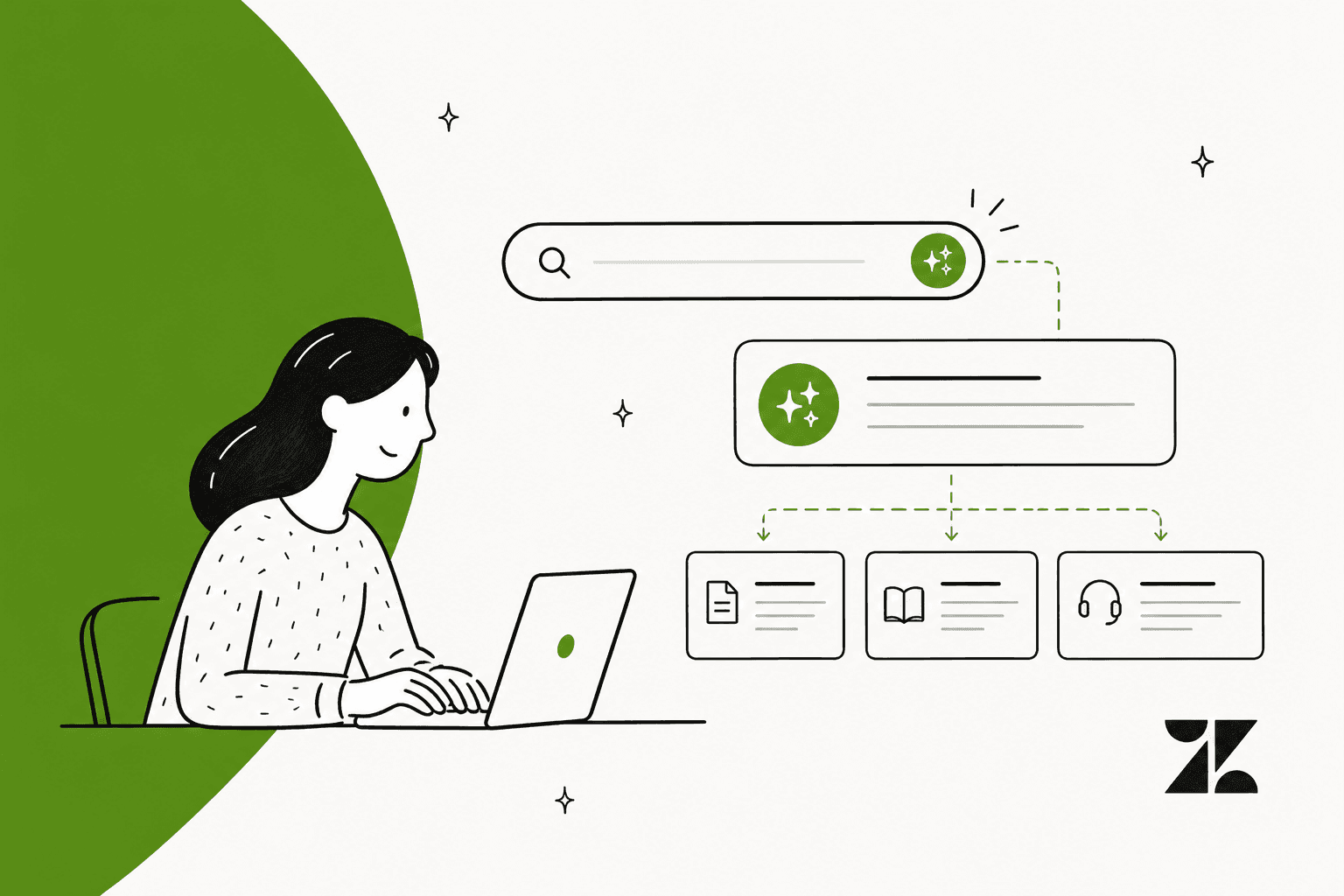
Zendesk's conversational help center is an early access experience, built on the Lisbon theme, where customers type a question, get an AI answer with links to the source articles, and can ask a follow-up that your AI agent takes over. It was announced on July 16, 2026, needs five supporting settings, with gaps like no community pages or article voting. The eesel CLI lets an AI coding agent load approved articles into eesel's ticket teammate and test its answers, though connecting Zendesk still needs an admin's approval.
What is Zendesk's conversational help center?
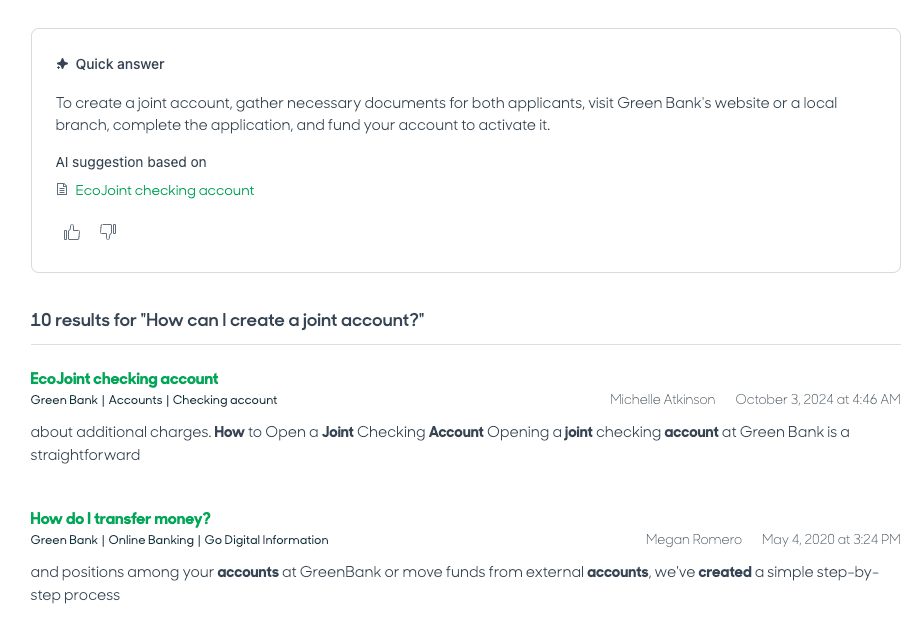
It is a different home page for your existing help center, not a new product with its own price tag. Zendesk's setup article describes it as an AI-powered experience that combines natural-language question answering with normal help center navigation. A customer types a question into a prompt field, gets a quick answer generated from your published articles, and sees links to the sources used. Browsing categories, sections and articles still works.
It is delivered through a new theme called Lisbon. Zendesk announced the early access program on July 16, 2026, with rollout running to July 22, 2026, and the setup article was last edited on November 3, 2026. So after four months it is still labelled early access. I would treat it as something to pilot on a staging brand, not something to flip on for every customer.
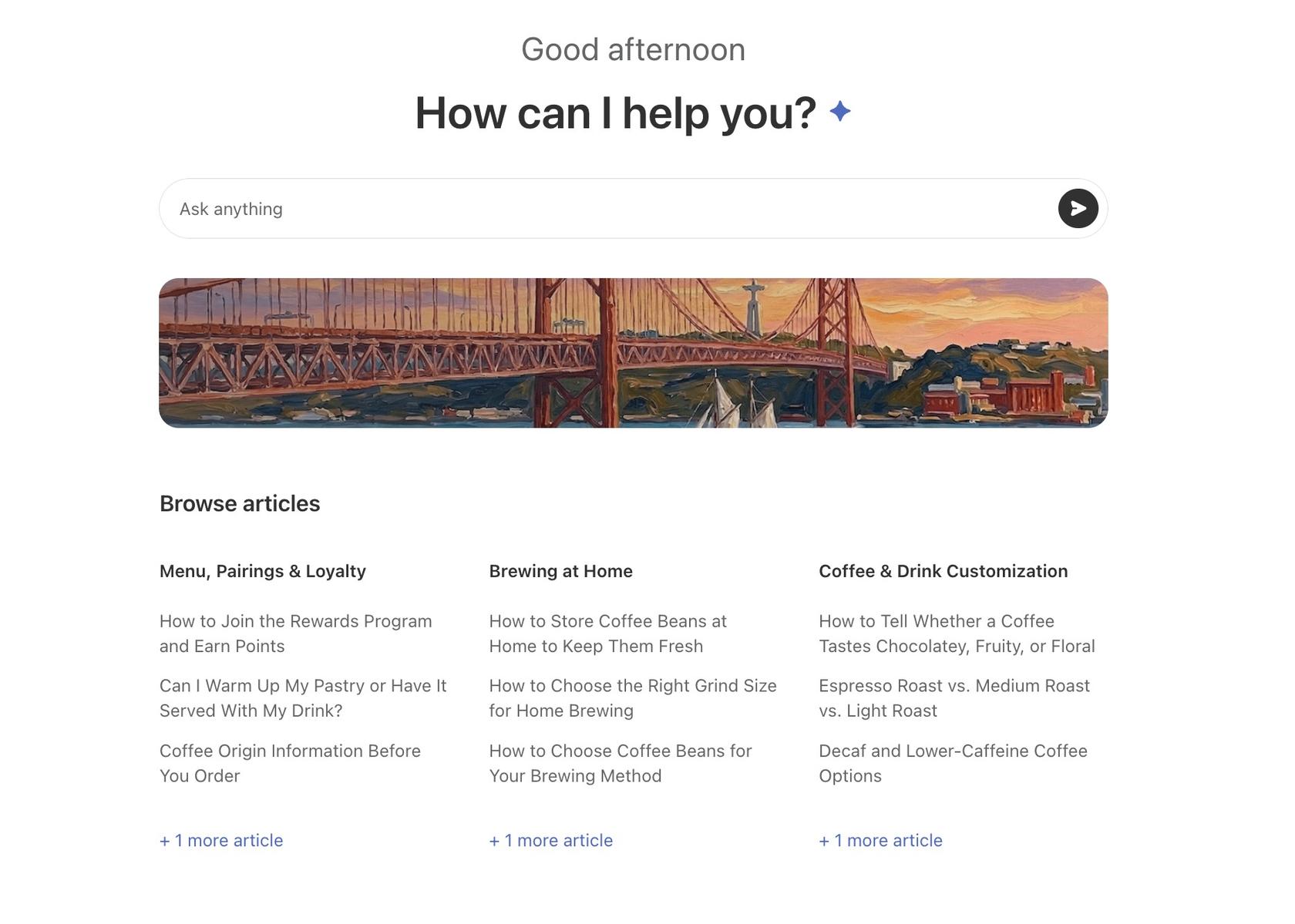
The name matters because Zendesk has several near-identical AI search features. Generative search answers above the normal results, and my Zendesk AI search guide covers it. Zendesk's follow-up questions announcement from April 28, 2026 added a follow-up field to that search page. The conversational help center goes further: the whole home page becomes the prompt, and a side panel keeps your conversations.
How does a customer's question flow through it?
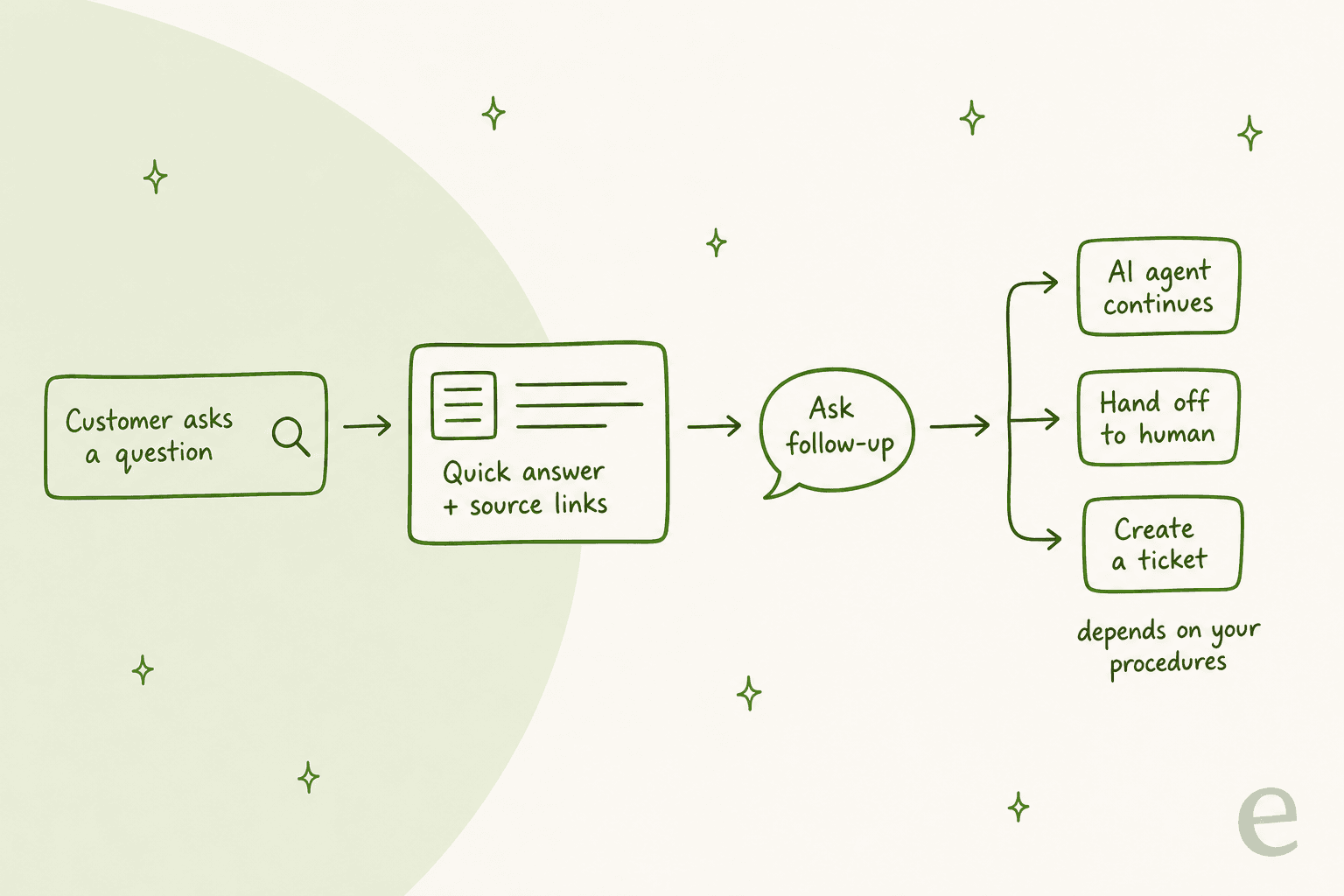
The customer gets a quick answer first, and the AI agent only enters when they ask a follow-up. Zendesk describes three outcomes after the quick answer: open a source link, type in the Ask follow-up field, or hit an empty state when no supported answer exists.
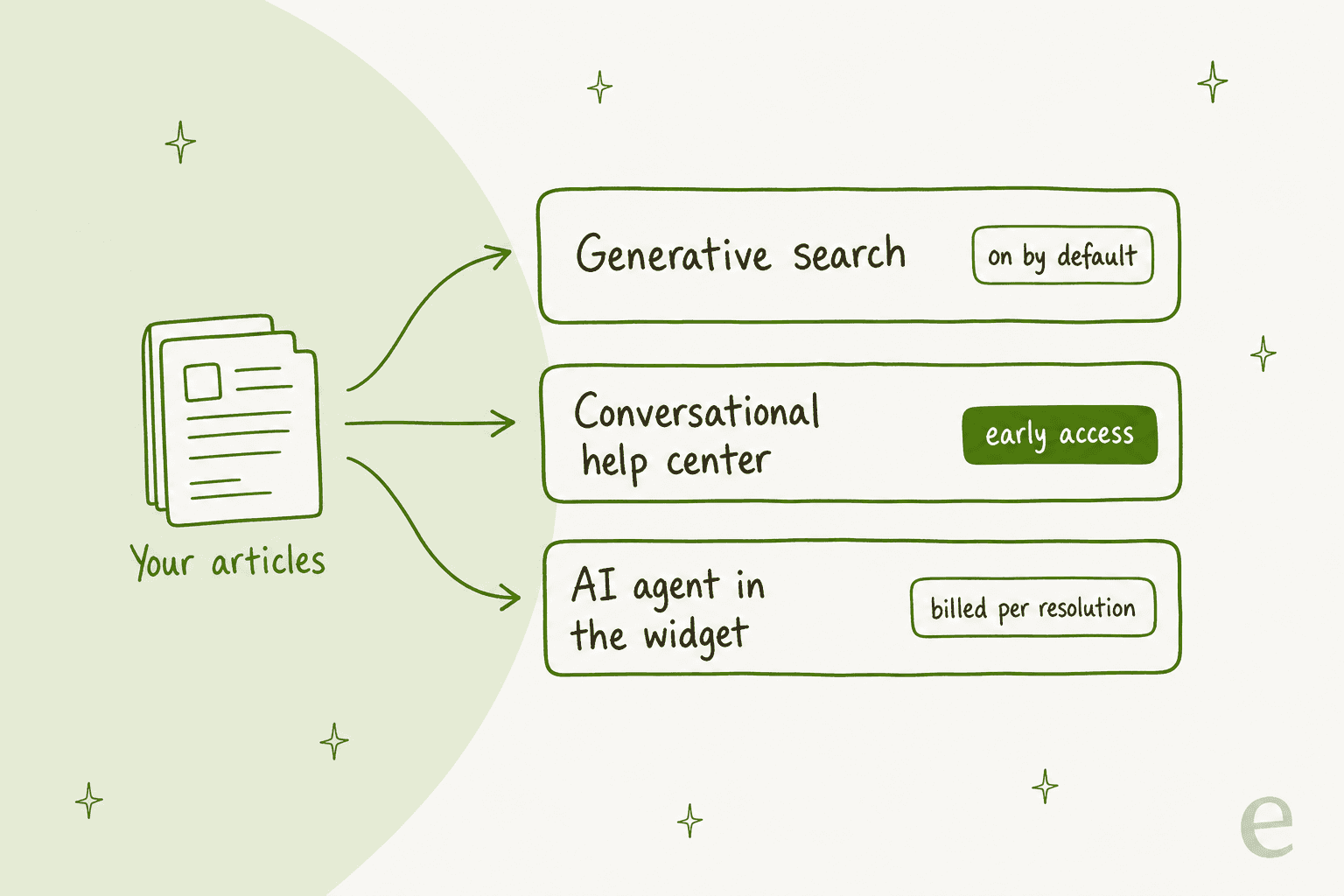
Here is what the first stop looks like in Zendesk's own example, a coffee shop help center. The answer is short, it lists "Used 2 sources" as links, and an Ask follow-up field sits at the bottom.
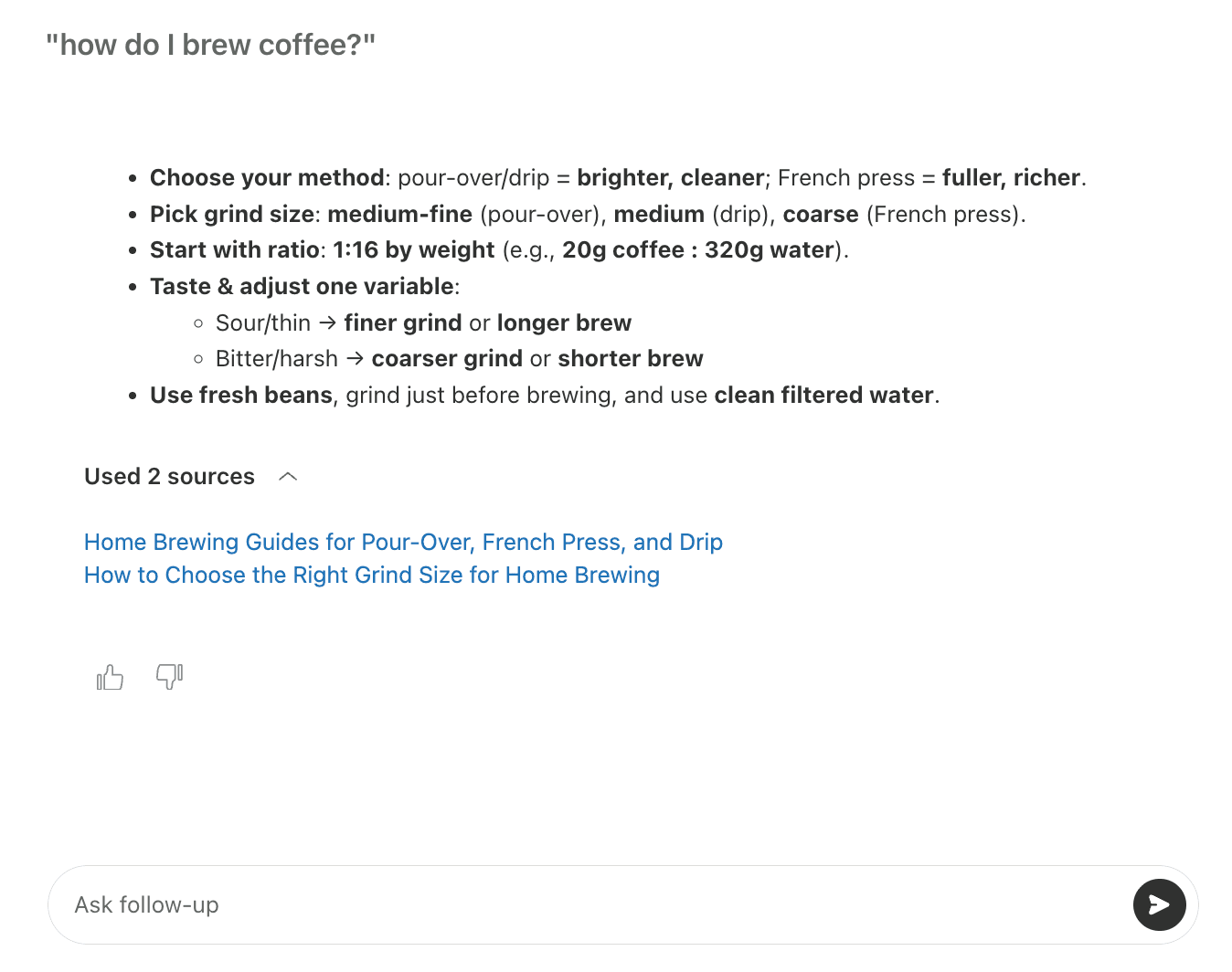
Typing a follow-up is where things change. Zendesk says the experience "can move from a quick-answer interaction into a broader conversation," and what happens next depends on how your AI agent and procedures are configured. The AI agent might continue the chat, walk the customer through a supported workflow, hand off to a human agent, or point them to ticket creation. That is the part I would test hardest, because it is yours to configure. My guides to escalations and the conversation flow builder cover the building blocks.
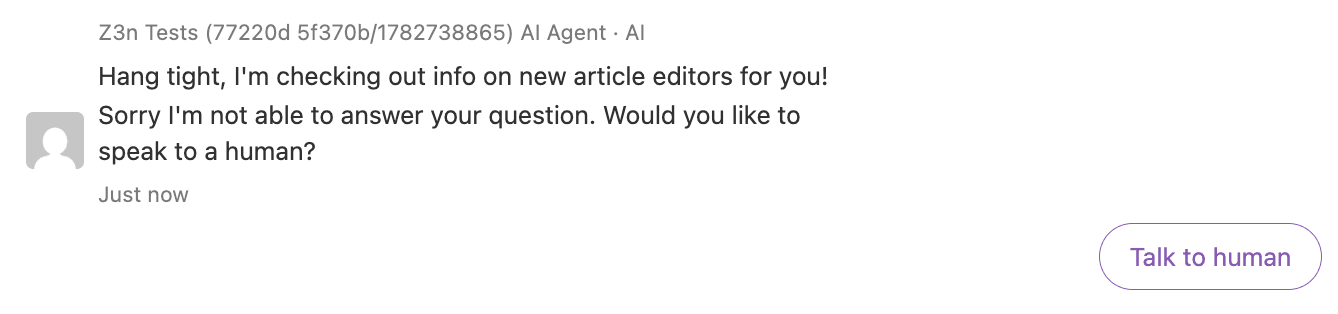
When the AI agent cannot answer, the customer sees the same kind of message as in any Zendesk AI agent chat.
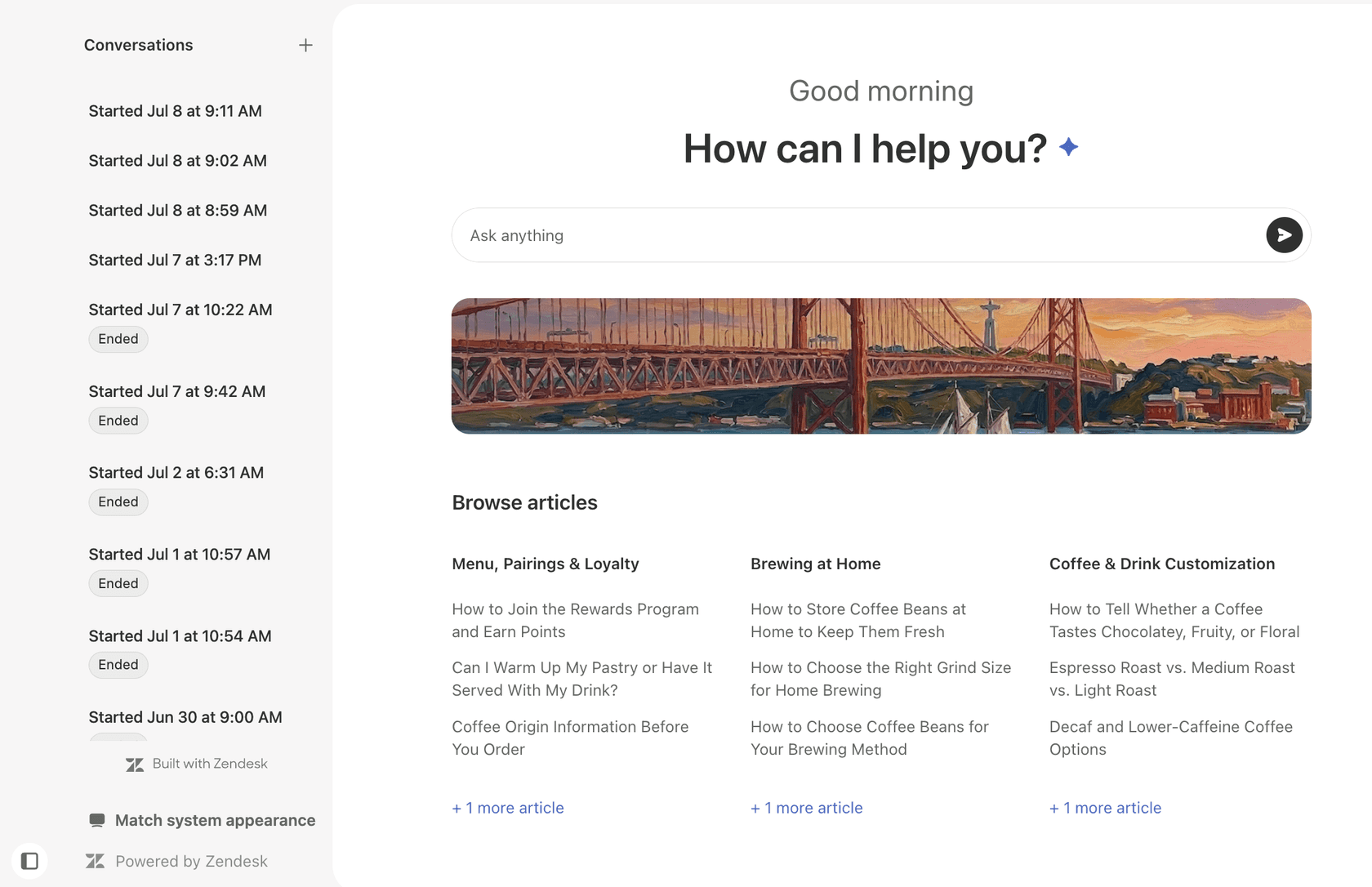
On the customer side, the Lisbon theme adds a conversations side panel. Customers can start a new conversation with the plus button, reopen an earlier one, pick light, dark or system appearance, and choose the help center language.
Which plans and prerequisites does it need?
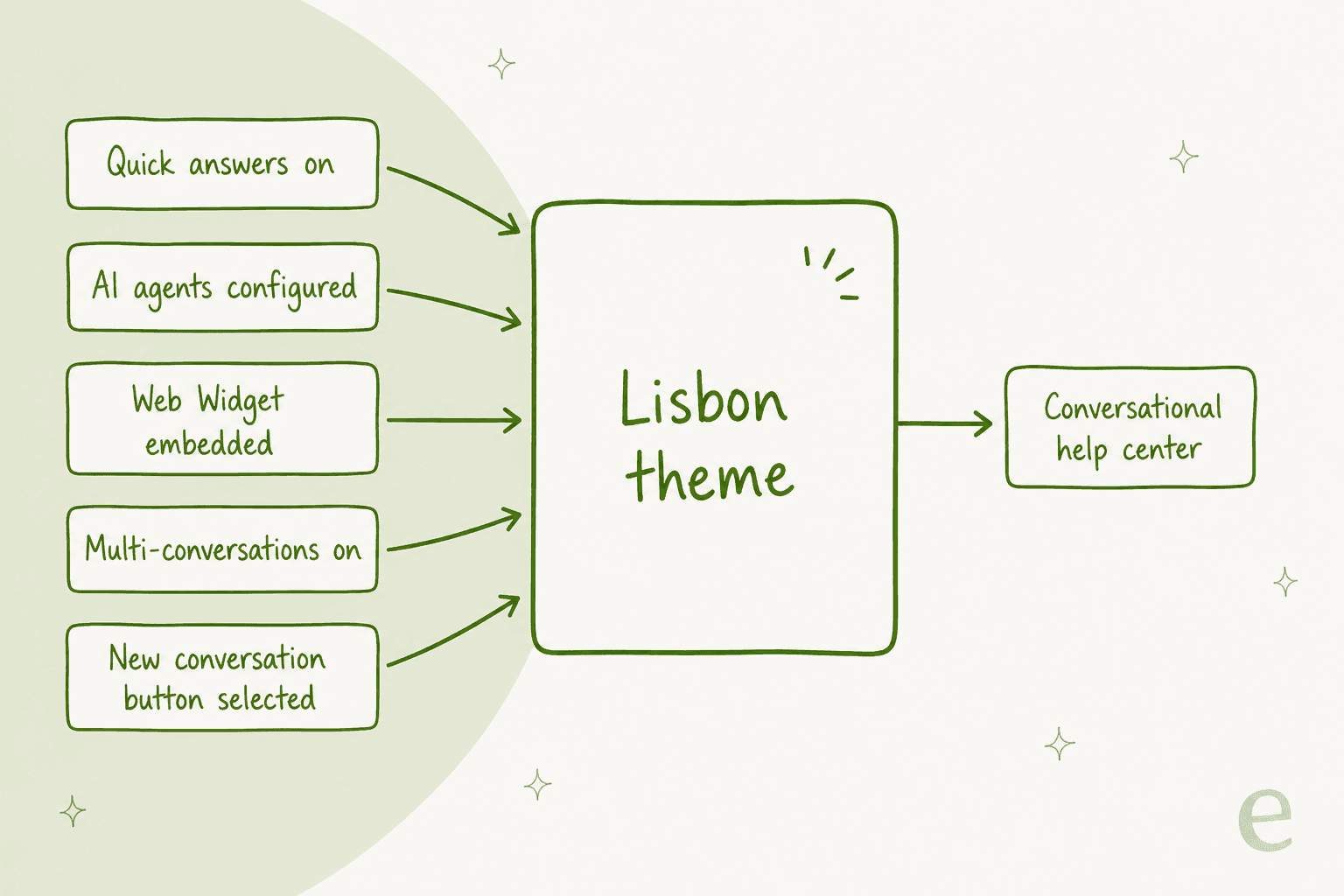
Zendesk's article lists all Suite plans (Team, Growth, Professional, Enterprise and Enterprise Plus), and for Support it says Knowledge Professional or Enterprise. Your account also needs five supporting settings, and missing one blocks the experience.
- Quick answers enabled.
- AI agents configured, either essential or advanced.
- The Web Widget embedded in your help center.
- Multi-conversations turned on.
- The new conversation button in multi-conversations left selected. Zendesk warns that deselecting it blocks the conversational help center.
Two of these deserve a second look. First, the AI agent. Zendesk's AI agents article says AI agents - Essential became legacy on May 11, 2026 and goes away on December 10, 2026. If you are still on it, read my advanced vs essential comparison before you build on it. My new AI agent guide covers the change.
Second, multi-conversations. It works on the Web Widget and the iOS, Android and Unity SDKs, but not on social messaging channels. Zendesk also lists irreversible changes to review before you turn it on, so read that article first and set up the widget with my Web Widget setup guide.
How do you set up the Lisbon theme?
You do it in two places, with no code: Admin Center to join the program, then Knowledge admin to install and configure the theme.
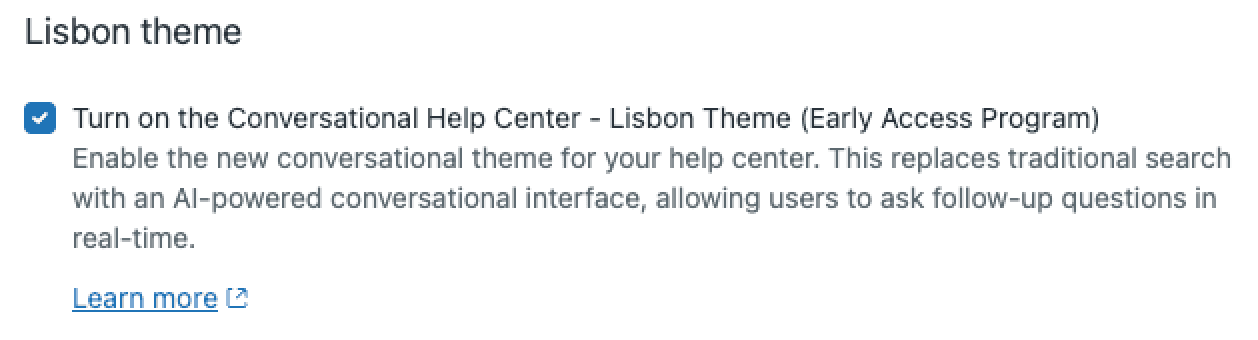
- In Admin Center, click AI in the sidebar, then Knowledge.
- Under Lisbon theme, check Turn on the Conversational Help Center - Lisbon Theme (Early Access Program), then click Save.
- In Knowledge admin, click Customize design, then Add theme, then Add Lisbon theme.
- Click Customize on the theme to open the theme editor and set colors, logo (light and dark), favicon, and help center name.
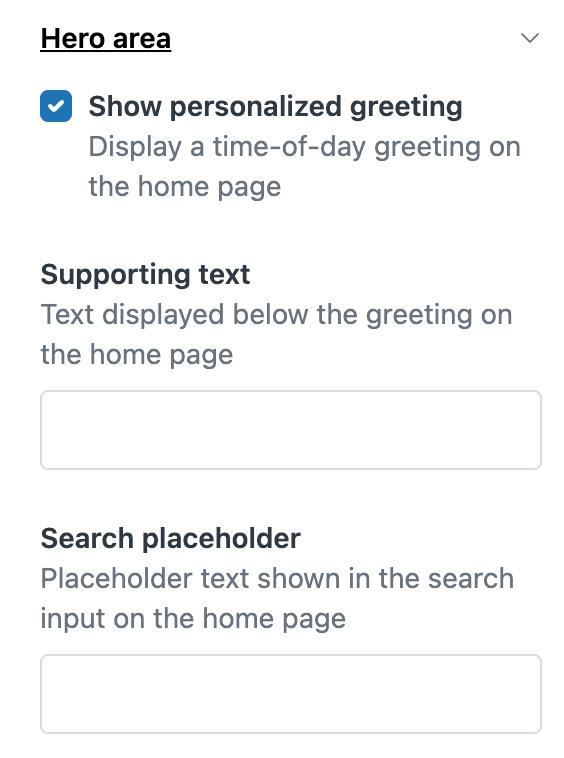
- Configure the hero area: a personalized time-of-day greeting, supporting text and a search placeholder such as "Ask anything".
- Add featured banners (an image or colored text with a title, message and button) and global alerts (Info, Warning, Error or Success bands).
- If you run several languages, put theme text in dynamic content so greetings and banners match the selected language.
- Open the preview, click through articles in light and dark mode, then choose Set as live theme and confirm.
Zendesk's own checklist for the preview step is worth copying: check how existing articles look in dark mode, how your customized elements and multilingual content render, and how the conversation itself appears to visitors. Once the theme is live, visitors see it by default, so there is no gradual rollout switch in the docs. That is why I would try it on a test brand first. My multi-brand help center guide explains how to set one up, and the custom theme update guide is useful if your current theme is customized.
How is it different from generative search and an AI agent?
Think of them as three doors into the same set of articles, billed and controlled differently.
| Generative search | Conversational help center | AI agent in the Web Widget | |
|---|---|---|---|
| What the customer sees | Answer box above the usual results | Prompt-first home page, side panel, follow-ups | Chat in the widget |
| Status | On by default | Early access (Lisbon theme) | Generally available |
| Theme | Standard themes released after March 2025, or a custom theme update | Lisbon theme only | Any theme with the widget |
| Plan note in Zendesk's docs | Suite and Knowledge plans, 100,000 eligible searches a month | Suite plans, Knowledge Professional or Enterprise | Per automated resolution |
| Where answers come from | Top matching articles and posts, plus federated search and knowledge connectors | Published help center content | Your AI agent configuration |
Sources: Zendesk's generative search article and conversational help center article.
The practical consequence is that the Lisbon theme is a front door, not a brain. The quality of the answer still comes from your articles, and the quality of the follow-up still comes from your AI agent. If neither is good, a nicer prompt box will not fix it. My notes on AI content suggestions and help center search keywords cover the content side.
What does it cost?
I found no separate price for the conversational help center, and the Zendesk docs do not list one. What you pay for is the AI agent that handles the follow-ups, plus your Suite or Knowledge plan.
On the Zendesk pricing page, AI agents bill per automated resolution: $1.50 each when committed and $2.00 each pay-as-you-go. Included allowances are 5 resolutions per agent per month on Support Team and Suite Team, and 10 on Suite Professional. Suite Team is $55 per agent per month billed annually. Zendesk's generative search article says a follow-up conversation your AI agent resolves consumes an automated resolution, and by Zendesk's definition a conversation that is escalated to a person does not.
Two details are easy to miss. Generative search includes up to 100,000 eligible searches a month, and the article says the follow-up field will not appear for visitors if you hit the limit without extended searches. The docs do not say whether Lisbon theme quick answers count against that same allowance, so ask your account team. For the wider cost picture, see my AI agent pricing guide and the complete setup and cost guide.
What are the limits and open questions?
The limits are mostly about what the Lisbon theme leaves out. Zendesk lists these for the early access program:
- Code-based theme customization is not part of the intended setup.
- Branding controls are more limited than in fully customized themes.
- Search is simplified: no instant search and no predefined suggestions.
- Follow-up behavior depends on your AI agent configuration and procedures.
- Not available in the Lisbon theme: all community features (profiles, subscriptions, contributions), the new request form, the service catalog, approvals, article voting and article comments.
- A "Built with Zendesk" logo shows in the side panel, and you remove it by deselecting Show Zendesk logo under Admin Center > Channels > Messaging.
If you use community forums, the customer portal or article comments, you would lose them on a live switch. For a help center that is mostly articles, that trade is easier.
I also found three places where Zendesk's own pages do not agree, so test before you plan around them:
- Replace or supplement? The article says the experience "supplements existing self-service options rather than replacing them entirely." The Admin Center checkbox text says it "replaces traditional search with an AI-powered conversational interface." Both can be true (search simplifies but browsing stays), but check the real behavior in preview.
- Which quick answers? The prerequisite link for "quick answers enabled" opens the article on turning quick answers on and off for Agent Workspace, which is the agent-side toggle. I could not confirm from the docs that this is the setting the theme reads.
- Which plans? The April follow-up announcement says the follow-up flow is available on all plans, while the generative search article's header lists Knowledge Professional or Enterprise for Support. The Lisbon article uses the stricter list.
Should you turn it on?
It depends on three things: whether you have a working AI agent, how much of your help center is plain articles, and how many languages you serve. Pick the line that matches you.
What makes the answers good or bad?
The answers are only as good as your articles. Zendesk's generative search article says it directly: the answer "is only as good as your content." It also notes that generative answers cannot be generated when no matching articles exist.
On an eesel sales call, a support manager running Zendesk told me their whole knowledge base had been written for administrators, while the tickets came from end users. The AI was fine. The articles answered a question nobody was asking. That is the failure a conversational front door exposes fastest, because every gap now shows up as an answer, not a search result.
A related complaint comes from a Zendesk Community idea about AI agent replies, where a user wanted the generative answer without the linked articles:
"The article links and previews are clunky and take up too much space, and most importantly our customers do not click the links so the article references take away from the overall experience."
That comment is about AI agent replies, not the Lisbon theme, but it shows the tension. The Lisbon theme always shows its sources, which is good for trust and heavy for a short answer.
Before launch, run your top 30 ticket topics through the preview. My knowledge gap analysis guide and the post on mapping search gaps show how to find missing articles. If you are rebuilding content, detecting outdated help center content covers stale ones, and the AI knowledge base guide and the self-service with AI guide have the structure that works.
Where does eesel fit with a conversational help center?
eesel does not replace the Lisbon theme. It sits behind the ticket, where the harder questions land once the self-service layer has failed. eesel's Zendesk integration works like another agent in your Zendesk: it reads your help center, macros and past tickets, then drafts or sends a reply, as described in the eesel Zendesk documentation. The article work you do for the conversational help center feeds it too.
I have seen that pattern in live accounts. smava runs eesel on Zendesk for about 27,000 tickets a month in German-language loan support. Its drafts come from roughly 820 macros and help center articles, synced from Zendesk and kept apart by brand. Lesson Pro answers from about 4,000 tickets, articles and web pages across two Zendesk accounts, around 2,100 of them from Zendesk, and its team approves replies before they go out, with only a small number sent directly. In both cases the help center is the raw material, and the team still decides what is sent automatically.
The honest split is this. Use Zendesk's Lisbon theme if you want customers to self-serve in a branded conversational page. Use an AI helpdesk teammate for the tickets that still arrive, and keep access control for AI agents tight so nothing sensitive goes out unreviewed.
To compare the two approaches, my Zendesk AI vs eesel guide goes through them. The agentic AI overview explains where Zendesk is heading.
For data handling, see the data privacy checklist, and track outcomes with the resolution rate guide.
Try eesel for Zendesk
If your help center articles are in decent shape, eesel works inside your Zendesk like a new hire who has already read all of them: it drafts the ticket reply, asks a person to approve anything sensitive, and only sends the routine ones on its own. Start with drafts only, watch what it writes on your real queue, then switch on more. It is priced on the eesel pricing page, and security details are published.
Try eesel on a sandbox queue next to your Lisbon theme pilot, and compare the best AI knowledge base tools if you are choosing where your articles live.
Frequently Asked Questions
What is the Zendesk conversational help center?
It is an AI-powered help center layout, delivered through the Lisbon theme, where customers ask questions in natural language and get an answer with links to the source articles. Zendesk announced the early access program on July 16, 2026. See my guide to Zendesk AI search for the older features it builds on.
Which Zendesk plans include the conversational help center?
Zendesk's article lists all Suite plans (Team, Growth, Professional, Enterprise, Enterprise Plus) and Support with Knowledge Professional or Enterprise. It is still an early access program, so it is not yet a standard feature of any Zendesk Suite plan. My Guide Professional vs Enterprise comparison covers what the Knowledge tiers include.
How do I turn on the Zendesk conversational help center?
In Admin Center, go to AI, then Knowledge, and turn on the Conversational Help Center - Lisbon Theme (Early Access Program). Then add the Lisbon theme under Customize design, configure it, preview it and set it as the live theme. The help center customization guide covers the older theme options.
Does the Zendesk conversational help center cost extra?
I found no separate fee for the theme. Follow-up conversations that your AI agent resolves without a human count as automated resolutions, priced at $1.50 committed or $2.00 pay-as-you-go on the Zendesk pricing page. See the Zendesk AI pricing breakdown for the full picture.
What is the difference between generative search and the conversational help center?
Generative search adds an AI answer box above normal results and is on by default. The conversational help center replaces the whole home page layout with a prompt field, a conversation side panel and an AI agent follow-up. My Zendesk AI search guide covers the first.
Can I customize the Lisbon theme with code?
No, not in the early access program. Zendesk says code-based customization is not part of the intended setup and branding controls are more limited than in fully customized themes. If you rely on a marketplace theme or community pages, check the limits section above first.
Does the conversational help center work in multiple languages?
Yes, with care. Zendesk says to use dynamic content for the greeting, placeholder, banners and alerts, or visitors may see text in the wrong language. Start with my multi-language help center guide.
Can eesel replace the Zendesk conversational help center?
No. The theme is Zendesk's public help center layout, and eesel's Zendesk integration works on tickets and chat instead. It reads your help center articles to draft replies, so the content work in this post helps both. See Zendesk AI vs eesel for the split.