
Your help center is often the first place customers go when they need answers. The default Zendesk Guide look works fine, but it looks like every other help center on the internet. A well-designed theme transforms that experience, turning a basic knowledge base into a branded self-service destination that actually reduces support tickets.
The Zendesk Marketplace has 223 themes to choose from, ranging from free options to premium packages nearing $1,000. With so many choices, finding the right fit for your business can feel overwhelming. This guide breaks down the best Zendesk Guide themes from the marketplace, comparing top providers, pricing, and features so you can make an informed decision.
What are Zendesk Guide themes?
Zendesk Guide themes are customizable templates that control the appearance and layout of your Zendesk Help Center. Think of them as the skin that sits on top of your knowledge base content, determining how articles display, how navigation works, and how customers interact with your support resources.
Themes affect everything your customers see:
- Homepage layout how categories and featured content appear
- Article presentation typography, spacing, and readability
- Navigation structure menus, breadcrumbs, and search placement
- Mobile responsiveness how everything adapts to smaller screens
- Brand alignment colors, fonts, and visual identity
The default Zendesk themes work, but they look generic. Premium themes from marketplace providers add functionality like accordion menus, video galleries, table of contents, and custom blocks that make content easier to find and consume. The goal is simple: help customers solve their own problems faster so they don't need to submit a ticket.
Top Zendesk Guide theme providers compared
Three providers dominate the premium theme market, each serving different needs and budgets. Here's how they stack up.
Zenplates
Zenplates offers the most extensive collection with 28 professionally designed themes. Each theme costs $489, or you can buy the complete package for $995 and get every theme they offer.
What sets Zenplates apart is the sheer volume of included extensions. Every theme comes with 24+ extensions covering everything from tabs and toggles to video libraries, system status integrations, and lightboxes. They also include the Pattern Library, a collection of ready-made layouts you can copy-paste into pages.
The target customer here is teams that want extensive customization flexibility without hiring developers. Zenplates themes include full source code access, lifetime updates, and premium support. They also offer branding services for $299 and full customization starting at custom quotes.
Notable companies using Zenplates include Fiverr, Ryanair, Crunchbase, and Copilot.
Lotus Themes
Lotus Themes takes a different approach, focusing on quality over quantity with six core themes starting at $299. They have served over 5,800 companies and position themselves as the enterprise choice.
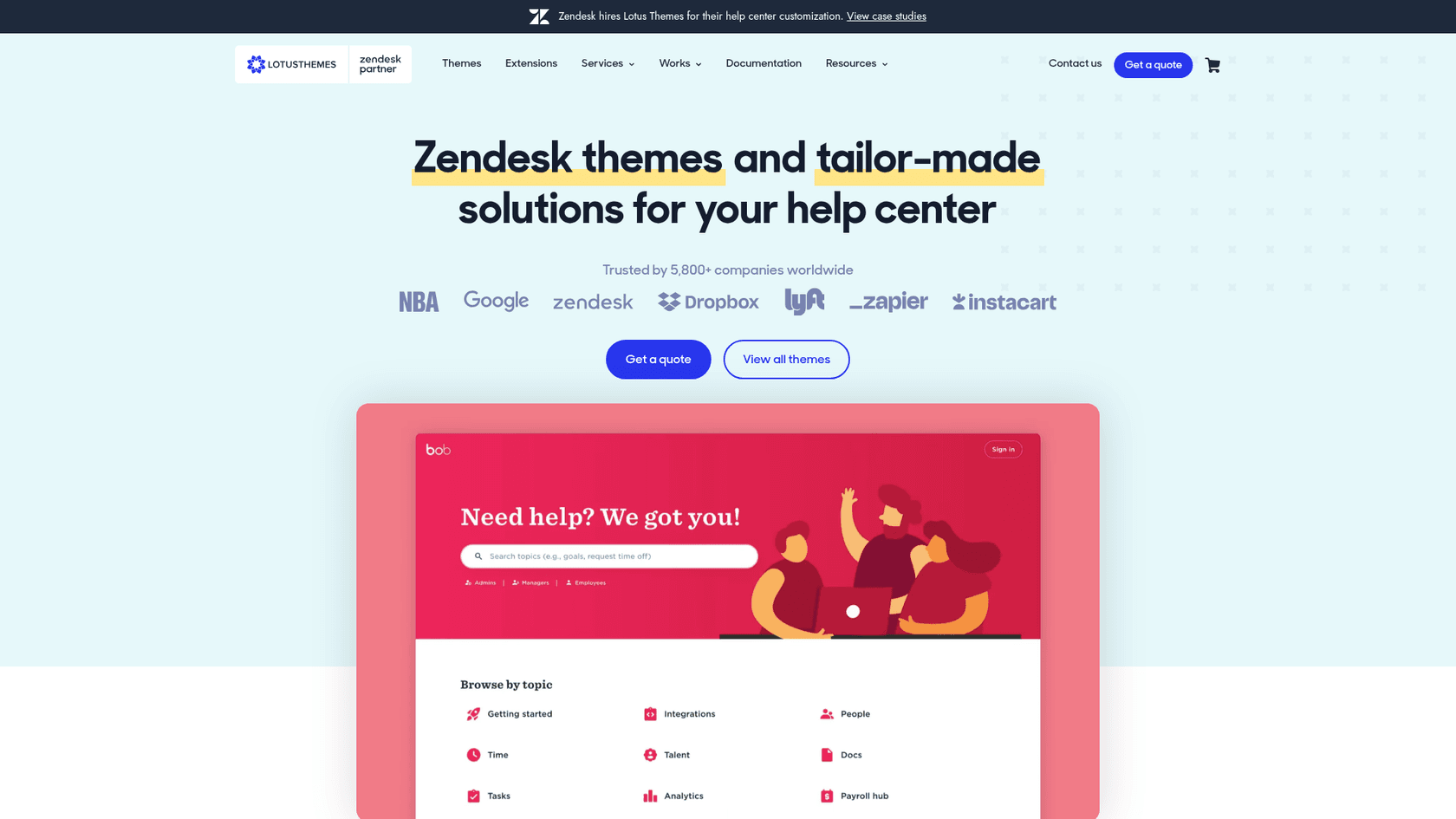
The numbers they share are compelling: customers see a 26% decline in tickets after implementing their themes, and their net promoter score sits at 93%. They claim to be 3x cheaper than in-house development while delivering 2x team productivity improvements.
Lotus Themes offers nine extensions including Community Hot Posts, Server Status, Video Gallery, Side Navigation, and Table of Contents. Their themes emphasize clean, professional design that works well for established brands.
Their client list includes Riot Games, Hootsuite, League of Legends, HiBob, and Hims/Hers. They also offer full Zendesk implementation services beyond just themes.
Grow Shine Themes
Grow Shine Themes occupies the budget-friendly end of the market at $30 per theme. They offer 11 modern themes built on the latest Zendesk framework.
Despite the lower price point, Grow Shine themes include features like RTL support, multi-language compatibility, SEO-friendly structure, and custom blocks for homepage layouts. They emphasize speed and performance with lightweight code.
This is the obvious choice for startups, small businesses, or teams testing the waters with premium themes before making larger investments. At $30, you can try a theme without significant financial commitment.
Zendesk Guide marketplace themes pricing breakdown
Understanding the true cost means looking beyond the sticker price. Here's what you can expect to pay:
| Provider | Starting Price | Package Price | What's Included |
|---|---|---|---|
| Zenplates | $489/theme | $995 (all 28 themes) | All extensions, Pattern Library, source code, lifetime updates, premium support, multi-brand license |
| Lotus Themes | $299/theme | Custom quote | Theme, extensions available separately, premium support |
| Grow Shine | $30/theme | N/A | Single theme, framework updates |
| Zendesk Marketplace | Free (Role theme) | N/A | Basic free option, premium themes from $289-$949 |
Hidden costs to consider
The theme price is just the starting point. Budget for these potential add-ons:
- Branding/customization services Zenplates charges $299 for basic branding, Lotus Themes requires custom quotes
- Additional extensions Some providers charge separately for advanced functionality
- Implementation help If you don't have in-house developers, expect to pay for setup assistance
- Ongoing support Premium support is included with Zenplates and Lotus Themes, but response times vary
ROI perspective
Lotus Themes claims a 26% reduction in support tickets for their customers. If your team handles 1,000 tickets monthly and a theme reduces that by 260 tickets, the $299 investment pays for itself quickly. Even at Grow Shine's $30 price point, the math works if the theme helps deflect even a handful of tickets each month.
How to choose the right Zendesk Guide theme for your business
The best theme depends on your specific situation. Here are recommendations by use case.
For SaaS companies
SaaS companies typically need extensive documentation organization with clear categorization for different product areas, user types, and technical complexity levels.
Recommendation: Zenplates or Lotus Themes
Both offer the structure and extensions needed for complex documentation. Zenplates' Pattern Library is particularly useful for SaaS companies that need consistent layouts across hundreds of articles. Lotus Themes' enterprise focus aligns well with B2B software companies serving larger customers.
For e-commerce
E-commerce help centers need to handle product questions, order issues, returns, and shipping inquiries efficiently. Speed of setup matters because you're likely managing inventory and sales, not spending weeks on help center design.
Recommendation: Grow Shine or Lotus Themes
Grow Shine's $30 price point and plug-and-play installation make it ideal for e-commerce businesses that need quick results. Lotus Themes works well for larger e-commerce operations with more complex support needs.
For enterprise
Enterprise help centers often support multiple brands, regions, and languages. They need advanced customization, reliable support, and professional implementation.
Recommendation: Lotus Themes with extensions
Lotus Themes' experience with 5,800+ companies including major brands like Riot Games and Hootsuite demonstrates their ability to handle enterprise requirements. Their custom development services can address non-standard needs.
For startups and small teams
Startups need professional appearance without enterprise budgets. The theme should work out of the box with minimal customization.
Recommendation: Grow Shine or the free Role theme
Start with Zendesk's free Role theme to test the platform, then upgrade to a Grow Shine theme ($30) when you need more customization. This keeps costs minimal while still delivering a professional look.
Implementation tips for Zendesk Guide themes
Installing a theme is straightforward, but getting it right requires some planning.
Installation process
- Purchase and download the theme files from the provider
- Navigate to Guide Admin > Customize design
- Click "Edit theme" and upload the new theme files
- Configure theme settings (colors, fonts, logo)
- Preview changes before publishing
- Test on mobile devices
Most providers include documentation walking you through their specific setup process.
Customization without coding
All three providers offer varying degrees of no-code customization:
- Zenplates: Pattern Library lets you copy-paste layouts, extensive theme settings
- Lotus Themes: Settings panel for colors, fonts, and basic layout options
- Grow Shine: Flexible settings for colors, typography, and components
If you need changes beyond what the settings allow, you'll need HTML/CSS knowledge or professional help.
When to hire help
Consider professional customization if:
- You need custom page layouts not included in the theme
- Your brand guidelines require specific design elements
- You want to integrate custom functionality
- You don't have in-house developers comfortable with Zendesk's theming system
Zenplates offers branding services ($299) and full customization. Lotus Themes provides custom development quotes based on scope.
Testing before going live
Always test your theme thoroughly:
- Check all article types (regular, community, requests)
- Test search functionality
- Verify mobile responsiveness
- Review different user states (logged in, logged out, agents)
- Check multiple browsers
Most providers offer demo sites where you can preview themes with your actual content.
Elevate your help center experience with eesel AI
A beautiful theme helps customers find your help center. What happens when they start asking questions matters just as much.
While themes improve the look and navigation of your help center, eesel AI improves the actual support experience. Our AI Agent handles frontline support tickets autonomously, drafting responses grounded in your knowledge base and sending them directly to customers. AI Copilot gives your human agents instant draft replies they can review and send.
Here's how it works together: your premium Zendesk Guide theme creates a branded, professional help center that customers trust. When they can't find an answer and submit a ticket, eesel AI steps in to resolve it immediately, 24/7. The theme brings them in. We handle the conversation.
We integrate directly with Zendesk, learning from your past tickets, help center articles, and macros to sound like your team from day one. You can start with AI Copilot drafting replies for agent review, then expand to full AI Agent autonomy as confidence grows.

If you're investing in a premium Zendesk theme to improve customer experience, consider what happens after the ticket is submitted. A beautiful help center paired with instant, accurate AI responses creates the complete self-service experience your customers expect.
Ready to see how eesel AI works with your Zendesk setup? Try eesel free or book a demo to see it in action.


