
What Zendesk's conversation flow builder actually builds
Zendesk calls a scripted flow a dialogue. In the dialogue-builder documentation, each dialogue is linked to a reply, which is linked to a use case. That hierarchy is useful when diagnosing a surprising response: first check whether the right use case and reply were selected, then inspect the dialogue branch.
To create one, open the AI agents workspace, select an agent, then go to Content > Use cases, choose the use case, open Replies, and select Add reply. A new dialogue begins with an AI agent message block. You can pan, zoom, copy a branch, link blocks, and keep draft versions. Zendesk cautions that, when several people edit at once, the last save overwrites the others.
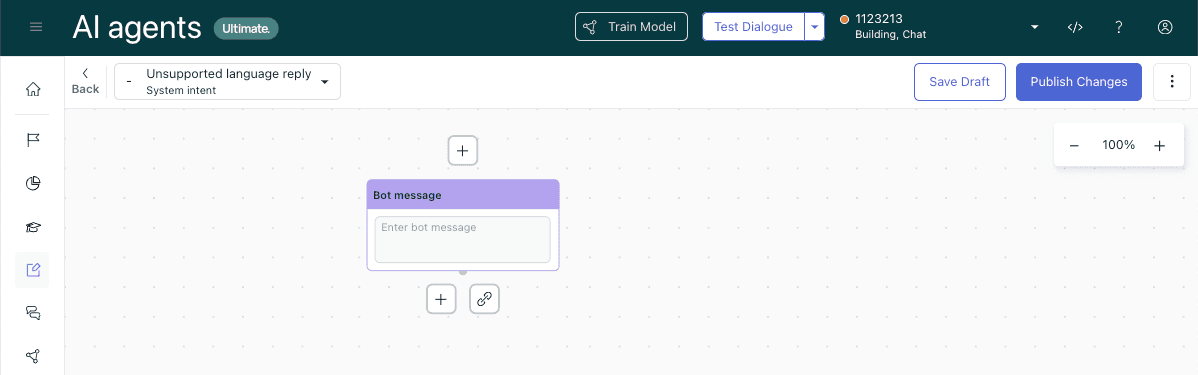
A scripted conversation in Zendesk's dialogue builder. Source: Zendesk documentation.
Pick blocks for the job, not for the diagram
Zendesk documents these core blocks:
- AI agent message sends scripted text. With rich messaging enabled, it supports HTML and Markdown.
- Customer message captures a response and chooses how the dialogue proceeds. It cannot start a dialogue or immediately follow another customer message.
- Generative replies produces an AI-generated answer to a customer message.
- Conditional branches on a parameter or segment.
- Integration or action flow uses an implemented integration to retrieve information or run an action.
- Link to passes the customer to another dialogue and must end its branch.
- Escalation and Availability support the human-handoff path. Carousel availability depends on the CRM and channel; it is not available for email AI agents.
Use a conditional only when the branch changes the work. For example, an order-return dialogue can collect an order number, call the order system, and branch on an eligibility parameter. A fallback can say that the case needs a support teammate instead of guessing. Zendesk evaluates conditional branches left to right, with the fallback furthest right, so put narrow conditions before broad ones. Its conditional-block guide explains the parameter, operator, and value structure.
A safe way to build a multilingual handoff
Suppose the goal is: when a customer asks for a human in a language the team cannot currently handle, acknowledge the request, collect what the next agent needs, and hand it off. The first version can be small:
- Start with an AI agent message that asks for the order or account reference only if it is needed.
- Add a customer message to collect it.
- Use a conditional block for the known language or routing parameter, with a fallback branch.
- In the fallback, explain the next step in plain words and use an escalation block. Add tags or fields only when the team has confirmed the receiving workflow.
- Test the normal language, an unsupported language, blank input, and a customer who asks for a person immediately.
The escalation guide suggests gathering relevant information, applying workflow tags or fields, and identifying suitable agents before transfer. It also documents availability checks for messaging handoffs, so outside working hours you can route to email instead. Those are design choices, not a reason to promise an instant human response.
Validate, test, save, then publish
Use Validate dialogue to catch configuration errors. Test dialogue tests the whole flow without changing the live agent; the builder can also test from a chosen block. Save is a draft and does not run a logic check. Publish runs a logic check and highlights errors that prevent the flow from going live.
That order matters. A loop made entirely of AI messages can trigger a publishing error, for example. Zendesk's publishing-errors article says to include a visitor message when linking back from a bot reply to an earlier block. Treat a green validation state as evidence that the flow is configured, not proof that every customer will understand it.
Where eesel fits if your team also works from a terminal
Your team can operate an eesel helpdesk teammate from the terminal through the eesel CLI. It reaches the same eesel workspace and teammate as the dashboard, so a support lead can review a proposed handoff change with a coding agent and then inspect the result visually. Native Zendesk dialogues still belong in Zendesk; these commands operate the eesel teammate, not the native dialogue builder.
A support lead can ask a script, Claude Code, Codex, or Cursor to inspect the selected eesel teammate before testing a new handoff instruction. With Node.js 18.17 or newer, npx @eesel/cli is equivalent to the global eesel command. Before the chat step, review the teammate's connected actions and restrict anything outside the approved test; sending a test prompt does not itself isolate external effects. Start with inspection:
npx @eesel/cli --agent "Support" instructions
npx @eesel/cli --agent "Support" integrations
npx @eesel/cli --agent "Support" chat "I need a person who can help me in Indonesian"
npx @eesel/cli --agent "Support" activity
The first two confirm which teammate and connected sources the coding agent is touching. The chat is a fresh, scoped test of the proposed handoff wording; activity gives the team a place to inspect what the eesel teammate did. If a change is required, review the command's --help and use --dry-run where a write supports it. Do not grant an action permission just because a test response sounds plausible. Check the actual Zendesk handoff and the receiving team's context after a controlled change.
Test one handoff with an eesel teammate
A useful flow has a narrow job, an explicit fallback, and a human handoff that does not leave the customer guessing. Start with the branch that causes the most confusion, test it with the people who receive escalations, and expand only after the result holds up.
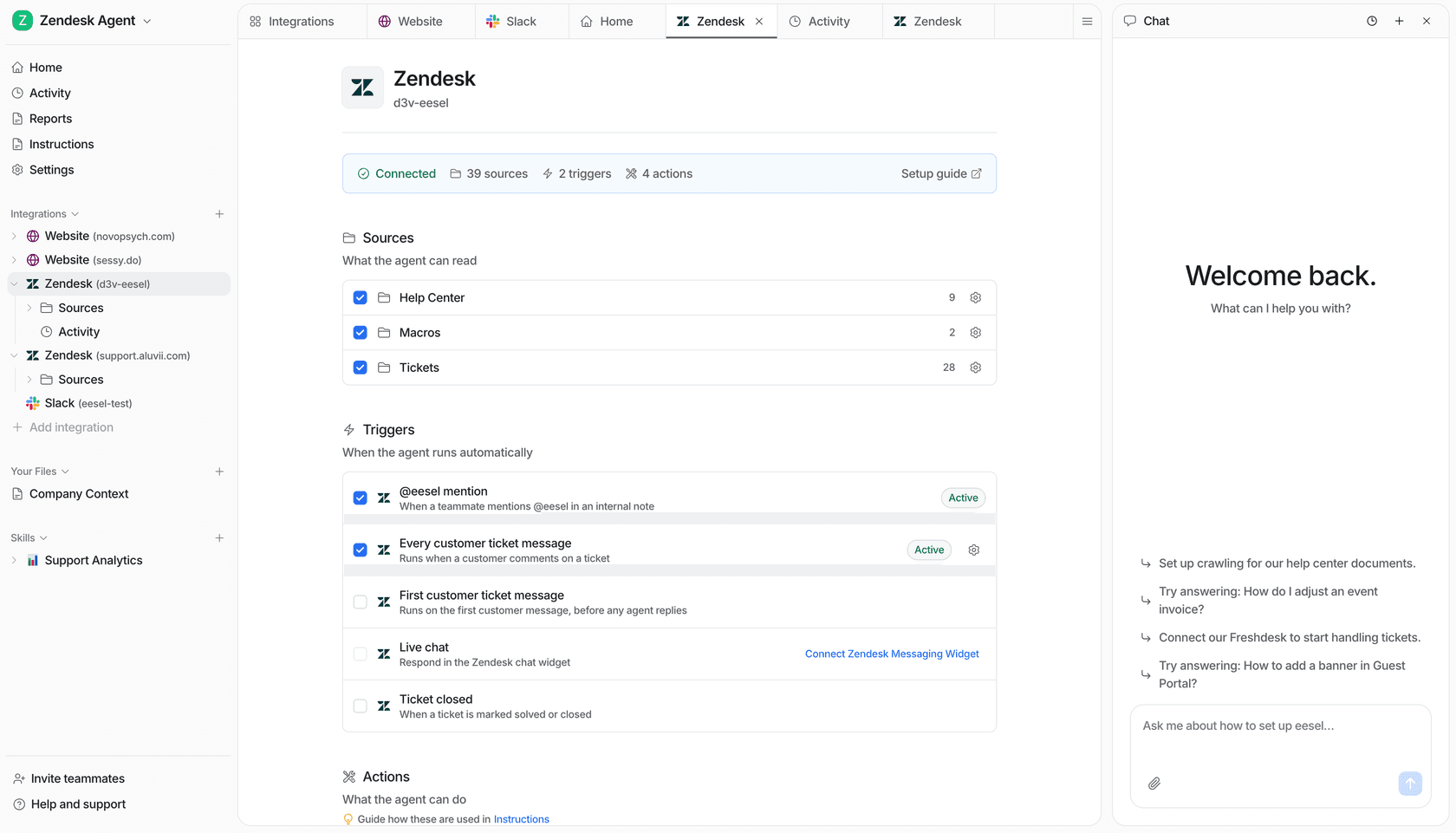
eesel's Zendesk integration view shows sources, triggers, and actions beside teammate chat.
If you want to test an eesel support teammate alongside your Zendesk workflow, Try eesel. Start with one handoff case, inspect the result, and keep Zendesk's native dialogue setup separate.
Frequently asked questions
What is the Zendesk AI agent dialogue builder?
It is Zendesk's visual editor for scripted conversation flows. A dialogue belongs to a reply, and that reply belongs to a use case.
How do I test a dialogue before publishing?
Use Test dialogue for the whole flow, or start a test from a specific branch. Validate dialogue checks the block configuration. Saving creates a draft; publishing runs a logic check and makes the change live.
Can two customer message blocks be consecutive?
No. Zendesk documents that a customer message cannot be first and two customer message blocks cannot be consecutive.
What does the fallback branch do?
A conditional block evaluates its conditions and follows the fallback branch when none matches. Put the specific conditions before the broader fallback path.