Let's be honest, the promise of AI in customer support is massive. Platforms like Zendesk are packed with AI features that are designed to automate replies, give agents a helping hand, and keep customers happy. As with any powerful tool, getting the best results depends on how you set it up.
There's an old saying in the tech world: "garbage in, garbage out." It’s a bit blunt, but it’s true. Your AI is only as smart as the information you feed it.
To get the most out of Zendesk AI and ensure it provides answers that are genuinely useful and accurate, it's all about the quality of your content. When your knowledge base is well-organized, customers get faster resolutions, agents work more effectively, and the AI truly shines.
That's exactly what this guide is for. We're going to break down how Zendesk's AI uses your content, walk through some best practices to get it into shape, and show you how to enhance your setup to get the industry-leading results you're after.
What are Zendesk AI Content Suggestions?
First things first, "Zendesk AI Content Suggestions" is a powerful ecosystem of tools inside Zendesk that all pull from one central place: your help center. When a customer has a question, Zendesk’s AI leverages your knowledge base to find or build an answer.
Here’s a quick look at how it works across their main features:
-
AI agents (formerly Answer Bot): This is Zendesk's chatbot. It reads a customer's question and suggests links to relevant help center articles or provides a direct answer based on that content.
-
Generative replies: This feature pulls information from your knowledge base to create conversational, direct answers to a user's question, making the experience feel natural and efficient.
-
Agent Copilot: This tool works right inside the agent workspace. When an agent is working on a ticket, the Copilot suggests articles or macros to help them reply faster and more accurately.
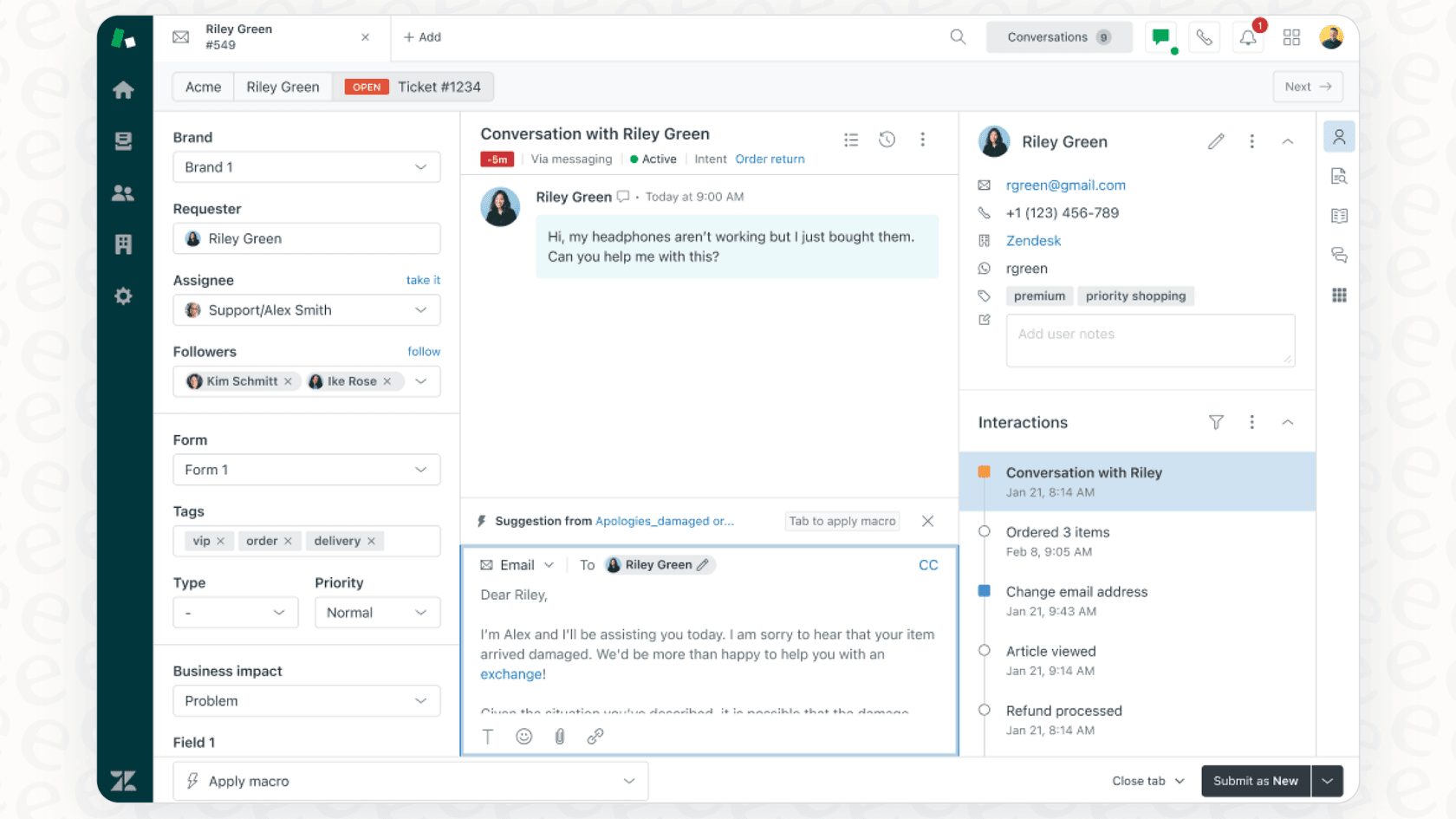
The key takeaway? These tools are highly effective when they have high-quality content to pull from within your Zendesk Help Center. Ensuring your content is set up for an AI to interpret is the best way to see the full value of these features.
How to optimize your knowledge base for Zendesk AI content suggestions
Getting your knowledge base ready for AI is a smart way to boost its performance. Think of it as refining your support content for the modern age. These practical steps, which align with Zendesk's own recommendations, will make a huge difference in 2026.
1. Focus on one topic per article
To ensure the AI provides the most precise answers, it helps to keep articles focused. If an article covers "Resetting your password" and "Updating billing details," the AI has to work harder to find the specific section needed. Each article should ideally cover one specific topic with one clear solution.
This approach ensures clarity and makes it much easier for the AI to find the right answer immediately. If topics are related, you can simply link between the articles.
2. Write with clarity and simplicity
While Zendesk's AI is advanced, it performs best with plain, simple language that both the AI and your customers can easily digest. Clear paragraphs and short sentences are your best friends here.
3. Use formatting to structure your content
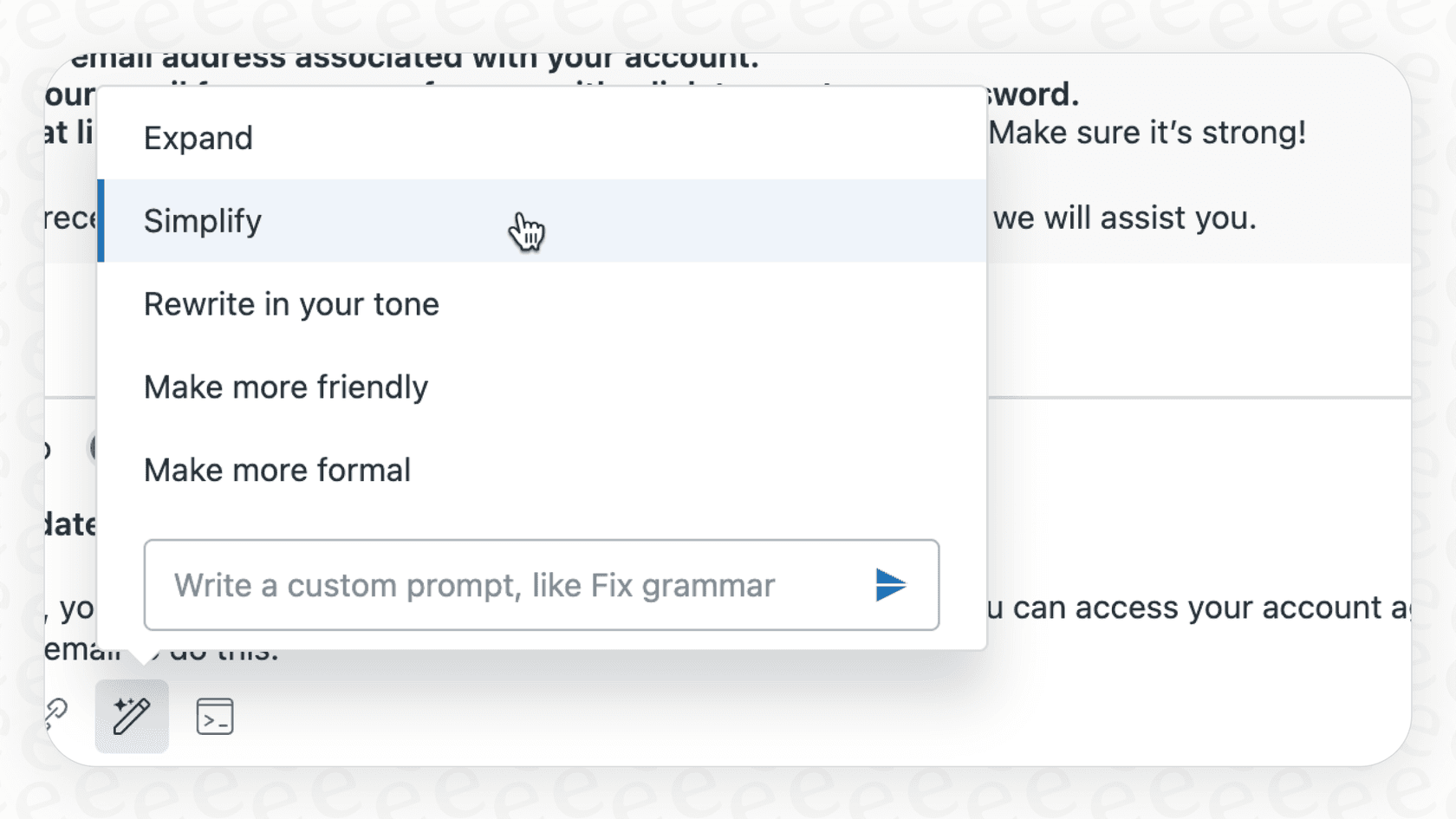
Just like humans, AI benefits from clear structure. Use headings (H2s, H3s), bullet points, and numbered lists to act as signposts that guide the AI through your content.
graph TD; A[Unstructured Content] --> B{Zendesk AI}; B --> C[AI works harder to find context]; D[Structured Content with H2s, H3s, and Lists] --> E{Zendesk AI}; E --> F[Clear, Accurate Answer];
Good formatting helps the AI understand the structure and importance of your information, ensuring that generated answers follow a clear, logical sequence.
4. Answer questions with full context
Providing full context helps the AI be as helpful as possible. Instead of short, one-word answers, provide complete information.
For example, instead of this: "Q: Can I get a refund?" "A: Yes."
Rewrite it like this: "Q: Can I get a refund?" "A: Yes, you can request a refund for any purchase made within the last 30 days."
This provides a complete piece of information the AI can use to form a helpful response.
5. Be careful with tables and images
To make your content as AI-friendly as possible, always provide descriptive text to explain what’s going on in any images or screenshots. If you use tables, keeping them simple with a few columns helps the AI parse the data more effectively. As a bonus, this also makes your content more accessible for all users.
6. Title your articles like a customer would
Title your articles to match natural customer questions, such as "How do I reset my password?" This increases the likelihood that the AI will find a direct match and serve up the right information instantly.
7. Keep your knowledge base clean
Regularly auditing your content is a great practice for any support team. An updated knowledge base ensures the AI is always pulling the most current information.
Set aside time to regularly review your content. Archive older articles and merge duplicates to keep your Help Center as a reliable source of truth.
Expanding your Zendesk AI content strategy
You've cleaned up your knowledge base and followed all the best practices. Your Zendesk AI is now in a great position to succeed. To take things even further, you can look at ways to expand your AI strategy within the Zendesk ecosystem.
While the native tools are powerful, many teams look for ways to connect even more knowledge sources or gain more granular control over their automation.
| Feature | Zendesk Native AI | eesel AI |
|---|---|---|
| Knowledge Sources | Deeply integrated with the Zendesk Help Center. | Connects additional sources like Confluence, Google Docs, and Slack to the ecosystem. |
| Setup & Onboarding | Built-in and comprehensive for Zendesk users. | Fast, self-serve setup with one-click integrations. |
| Testing & Rollout | Offers internal testing and sandbox environments. | Provides simulation on past tickets to forecast ROI before going live. |
| Automation Control | Reliable automation based on triggers and rules. | Offers fine-tuned control for specific topics and custom actions. |
| Learning Method | Leverages your curated Help Center articles. | Can also learn from successful past ticket resolutions. |
Here are some ways you can build on your Zendesk setup to reach even higher levels of automation.
Expanding your knowledge sources within the Zendesk ecosystem
Zendesk's AI is highly specialized in utilizing the curated content within your Help Center. This is great for maintaining a single source of truth. If you have knowledge spread across internal wikis like Confluence or Notion, you can use complementary tools like eesel AI for Zendesk to bring that information into your AI's view without having to manually copy everything over.
Ensuring a confident deployment
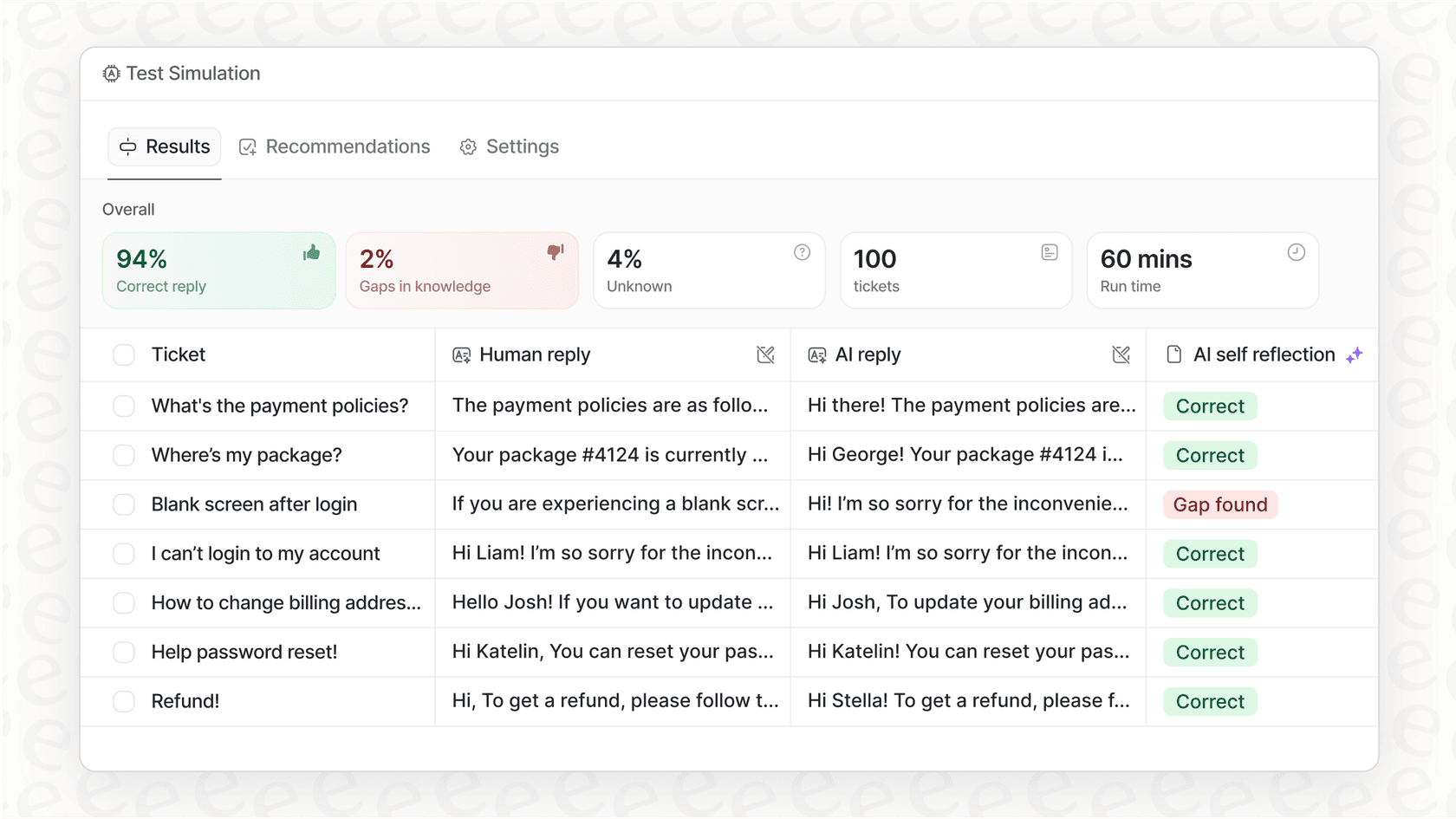
Zendesk provides excellent tools for testing your AI agents. To add another layer of confidence, eesel AI offers a simulation mode. This allows you to run your AI against thousands of past tickets to see exactly how it would have responded, providing an extra layer of validation before you go live for your customers.
Learning from curated content and agent expertise
Zendesk's AI is a master of learning from your official documentation. By adding a tool like eesel AI to your workflow, you can also leverage the tribal knowledge found in your historical support tickets. This helps your AI understand the nuances of complex problems that might not be fully documented yet, effectively learning from the real-world expertise of your best agents.
Zendesk AI content suggestions pricing
Zendesk’s pricing for its AI features is designed to be scalable and match the needs of growing teams.
-
Suite plans: Basic AI features are included in the Zendesk Suite plans, which offer a mature and reliable platform for teams of all sizes. These start with the Suite Team plan at $55 per agent, per month (billed annually).
-
Advanced AI add-on: For teams looking for enterprise-grade tools like Intelligent Triage and Generative AI for agents, Zendesk offers the Advanced AI add-on for $50 per agent, per month.
This per-agent model provides predictable costs as you scale your team. Other tools, like eesel AI, offer interaction-based pricing, providing another option for teams who prefer to pay based on volume.
Go beyond suggestions with true automation
Optimizing your Zendesk help center is a fantastic move for 2026. Following these practices will make your AI perform better and make your knowledge base a more valuable resource for everyone.
Zendesk is the gold standard for customer service platforms, offering a robust and mature ecosystem. By combining Zendesk's powerful native features with complementary tools like eesel AI, you can unlock even more automation potential. eesel AI works right alongside your existing Zendesk setup, helping you unify knowledge and test with confidence while keeping Zendesk at the heart of your support operation.
Frequently asked questions
What exactly are Zendesk AI Content Suggestions and how do they work?
Zendesk AI Content Suggestions refer to the answers provided by tools like AI agents (chatbots), generative replies, and Agent Copilot. These features work by searching and interpreting information found within your Zendesk Help Center to assist customers and agents efficiently.
What are the most important steps to optimize my knowledge base for effective Zendesk AI Content Suggestions?
To optimize your knowledge base, focus on creating single-topic articles written in clear, simple language with effective formatting like headings and bullet points. Ensure answers provide full context, and title articles from a customer's perspective. Regular cleaning and updating of your knowledge base are also crucial.
Why might my Zendesk AI Content Suggestions not be providing useful or accurate answers?
The performance of Zendesk AI Content Suggestions is highly dependent on the quality of your source content. Focusing on clear, well-structured, and updated articles will help the AI perform at its best. Ensuring descriptive text accompanies any tables or images can also significantly improve accuracy.
Do Zendesk AI Content Suggestions access knowledge from outside my Zendesk Help Center?
Zendesk's native AI is designed to pull information primarily from your Zendesk Help Center. This ensures that the AI uses curated, verified information to provide responses. For teams with knowledge spread across other platforms, there are complementary tools within the Zendesk ecosystem to help bridge those gaps.
How can I test the effectiveness of Zendesk AI Content Suggestions before deploying them widely to customers?
Zendesk offers robust internal testing and sandbox capabilities for Zendesk AI Content Suggestions. This allows you to review the AI's performance and ensure your content is properly optimized before making the features live for your customers.
How is the pricing structured for Zendesk AI Content Suggestions?
Zendesk AI Content Suggestions features are part of Zendesk Suite plans, which are structured to scale with your team. More advanced AI capabilities, such as Intelligent Triage and Generative AI for agents, are available via the Advanced AI add-on, providing flexibility for different business needs.