
Choosing the right knowledge base software is tricky enough without having to decode pricing bundles and feature tiers. If you're evaluating Zendesk Guide (now Zendesk Knowledge), you've probably noticed it comes in multiple flavors: Lite, Professional, and Enterprise. But which one actually makes sense for your team?
Let's break it down. This guide compares Zendesk Guide Professional vs Enterprise, covering the features, pricing, and use cases that matter. Whether you're setting up your first help center or considering an upgrade, you'll find the clarity you need to make the right call.

Feature comparison: Zendesk Guide Professional vs Enterprise
What you get with Guide Professional
Guide Professional covers what most growing teams need. You can build a branded help center, manage content efficiently, and surface knowledge across your support channels.
Key features include:
- Up to 5 help centers enough for most companies with multiple brands or regions
- Customizable themes intermediate customization with standard, custom, and marketplace themes
- SEO features XML sitemaps and search optimization built-in
- Knowledge Capture app agents can flag missing articles while solving tickets
- Generative AI tools create, expand, and translate articles using AI
- Content history and versioning track changes and roll back when needed
- 40+ language support serve global audiences from one platform
- Knowledge connectors sync content from Confluence, Google Drive, and other sources
For teams getting serious about self-service, Professional hits the sweet spot. You get enough flexibility to build a solid knowledge base without the complexity (and cost) of enterprise features you might not need yet.
What Guide Enterprise adds
Guide Enterprise is built for organizations where knowledge management is mission-critical. Think multiple brands, complex compliance requirements, or teams spread across regions.
The Enterprise tier adds:
- Up to 300 help centers scale to virtually any organizational structure
- AI-powered Content Cues Zendesk's AI analyzes tickets and suggests new articles to write
- Approval workflows route articles through legal, compliance, or managerial review before publishing
- Content segmentation show different content to different user segments
- Advanced permissions custom agent roles with granular access controls
- Federated search search across multiple help centers and community forums
- Deeper content structure up to 6 levels of hierarchy (vs. 2 in Professional)
- Sandbox environment test changes before pushing to production (2 included)
- Audit logs track every change for compliance and security
The approval workflows alone are worth the upgrade for regulated industries. When your knowledge base content needs legal sign-off or when a wrong answer could create liability, Enterprise gives you the controls you need.
Side-by-side comparison
| Feature | Guide Professional | Guide Enterprise |
|---|---|---|
| Help centers | Up to 5 | Up to 300 |
| Theme customization | Intermediate | Advanced (multiple templates) |
| AI Content Cues | ❌ | ✅ |
| Approval workflows | ❌ | ✅ |
| Content segmentation | ❌ | ✅ |
| Custom agent roles | ❌ | ✅ |
| Federated search | ❌ | ✅ |
| Content hierarchy | Up to 2 levels | Up to 6 levels |
| Sandbox | Add-on | 2 included |
| Audit logs | ❌ | ✅ |
| Scheduled publishing | ❌ | ✅ |
| Content blocks | ❌ | ✅ |
Pricing breakdown
Zendesk doesn't sell Guide as a standalone product, so pricing depends on which Support or Suite plan you choose.
Suite plans (include Guide)
| Plan | Annual price | Monthly price | Guide tier |
|---|---|---|---|
| Suite Team | $55/agent/month | $69/agent/month | Professional |
| Suite Professional | $115/agent/month | $149/agent/month | Professional |
| Suite Enterprise | Custom (sales) | Custom (sales) | Enterprise |
Support plans (include Guide Lite)
| Plan | Annual price | Guide tier |
|---|---|---|
| Support Team | $19/agent/month | Lite |
| Support Professional | $49/agent/month | Lite |
| Support Enterprise | $99/agent/month | Lite |
The jump from Suite Professional to Suite Enterprise is $54 per agent per month (annual billing). For a team of 20 agents, that's about $13,000 more per year. Whether that investment pays off depends on whether you actually need the Enterprise features.
Add-ons to consider:
- Advanced AI Agents contact sales for pricing; adds autonomous resolution capabilities
- Copilot $50/agent/month for AI-powered agent assistance
- Sandbox if you're on Professional and need a test environment
One note on EU data residency: if you need your data stored in the EU, you'll need at least Suite Professional (or Support Enterprise with an add-on). This is a common trigger for upgrades among European companies.
When to choose Zendesk Guide Professional
Guide Professional is the right choice for most teams. It's powerful enough for serious knowledge management without the overhead of enterprise governance features.
Consider Professional if you:
- Have 5-50 support agents
- Manage one brand or up to 5 distinct brands
- Need a customizable help center but not complex approval chains
- Want AI-assisted content creation without the full Enterprise AI suite
- Are building your knowledge base strategy and need room to grow
- Don't have strict compliance requirements for content publishing
Professional works well for startups, growing SMBs, and single-product companies. The 5-help-center limit sounds restrictive, but most organizations don't need more. You can structure a lot of content within a single well-organized help center.
The customer results speak for themselves. Qualia achieved 91% help center usage and a 30% decrease in daily ticket volume using Zendesk's knowledge tools. Squarespace saw a 27% increase in help center use with a 95% self-service success rate.
When to upgrade to Guide Enterprise
Enterprise becomes worth considering when knowledge management complexity scales beyond what Professional can handle.
Signs you need Enterprise:
- You're managing more than 5 brands or regional sites
- Content requires legal, compliance, or managerial approval before publishing
- You need AI to analyze tickets and suggest new articles automatically
- Different teams or user segments need access to different knowledge bases
- You want to test help center changes in a sandbox before going live
- Audit trails and granular permissions are non-negotiable
Enterprise is built for large organizations, multi-brand companies, and regulated industries. The approval workflows alone justify the cost for companies in finance, healthcare, or legal sectors where inaccurate information carries real risk.
Tesco grew their self-service percentage from 30% to 73% over three years using Zendesk's knowledge tools at scale. For enterprises, the investment in better knowledge management pays dividends in reduced ticket volume and faster resolution times.
How eesel AI compares as a knowledge base solution
While Zendesk Knowledge is a solid choice for teams already in the Zendesk ecosystem, it's worth considering alternatives that take a different approach to knowledge management.
We built eesel AI for Zendesk as an AI teammate that handles customer service, sales, and internal knowledge. Instead of configuring a tool, you hire eesel and train it on your existing documentation, past tickets, and help center articles.
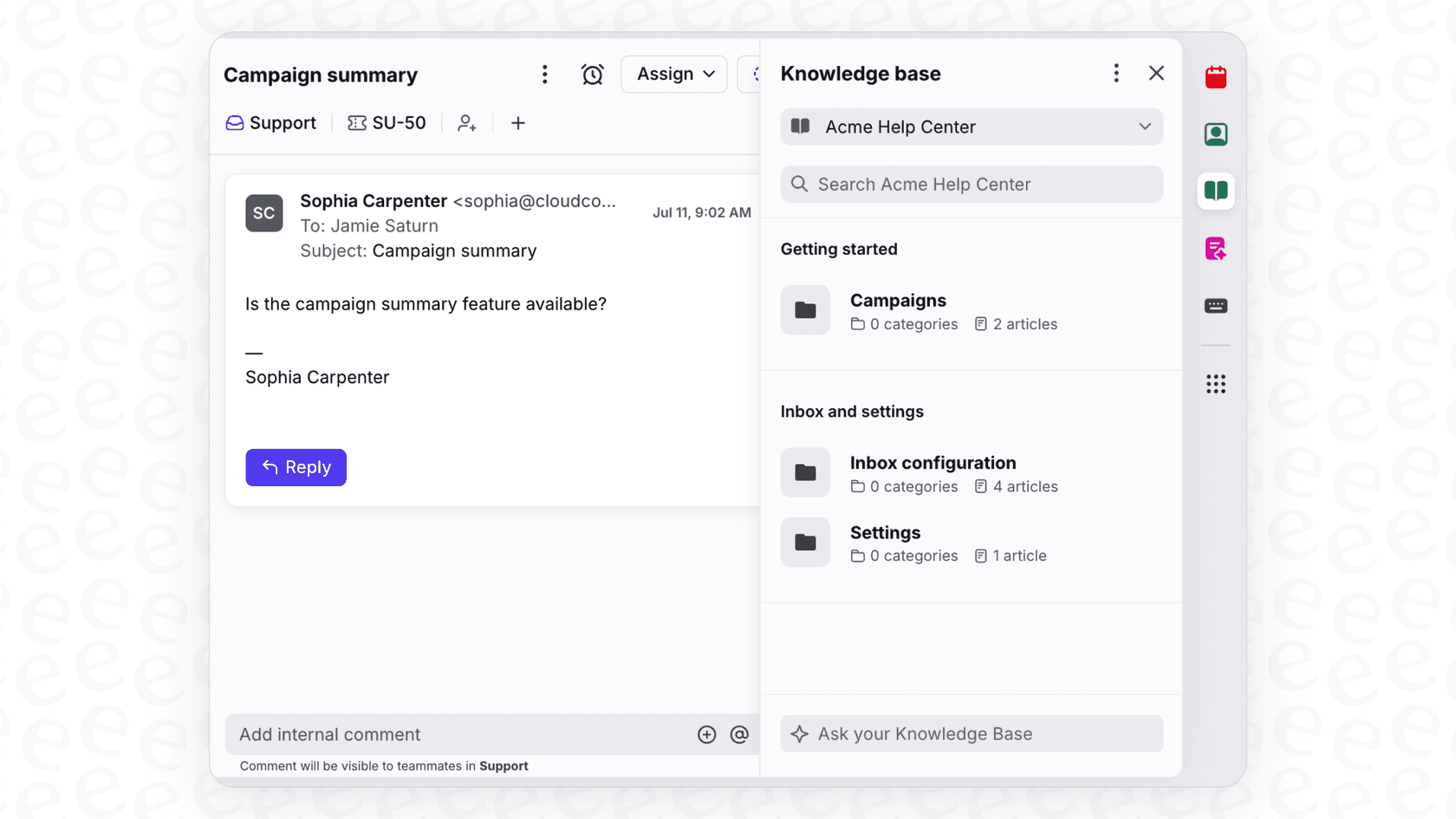
Here's how we differ:
Setup and onboarding Zendesk requires you to build and organize your knowledge base manually. We connect to your existing tools (Confluence, Google Docs, Notion, your help center) and learn your business automatically. Most teams are up and running in minutes, not weeks.
AI-first approach While Zendesk has added AI features, we started with AI at the core. Our platform doesn't just store knowledge; it actively uses it to answer questions, draft replies, and identify gaps in your documentation.
Pricing model Zendesk charges per agent, which gets expensive as you scale. We price based on AI interactions, so you're paying for outcomes (resolved conversations) rather than seats. Our Team plan starts at $299/month for up to 3 bots and 1,000 interactions.
Internal knowledge Zendesk Knowledge focuses heavily on external customer knowledge. We put equal emphasis on internal knowledge, with AI-powered chat for Slack and Microsoft Teams that helps employees find answers without hunting through documentation.
If you're evaluating knowledge base solutions and want something that works alongside your team rather than requiring extensive configuration, try eesel AI. We integrate with Zendesk, Freshdesk, and other major platforms, so you don't have to rip and replace your existing setup.
Choosing the right Zendesk Guide plan for your needs
Let's make this simple. Here's a decision framework based on what actually drives plan choice:
| Factor | Choose Professional | Choose Enterprise |
|---|---|---|
| Team size | Under 50 agents | Over 50 agents |
| Brands/help centers | 1-5 | 6+ |
| Content workflow | Direct publishing | Approval required |
| Compliance needs | Standard | Regulated industry |
| AI content suggestions | Nice to have | Critical |
| Budget sensitivity | High | Lower |
Bottom line? Start with Professional unless you have a specific reason to need Enterprise. You can always upgrade later, and Professional gives you plenty of room to grow.
If you're still unsure, run the numbers. Calculate what you'd pay for Enterprise versus Professional, then ask: will the approval workflows, additional help centers, and AI Content Cues save us enough time or reduce risk enough to justify the cost?
For most teams, the answer is no until they hit a specific trigger (compliance requirements, brand expansion, or team size). When that trigger hits, Enterprise is there.
And if Zendesk's bundled approach doesn't fit your needs, alternatives like eesel AI offer a more flexible, AI-first take on knowledge management without the per-agent pricing model.