Recharge refunds and loyalty credits: what reverses automatically and what does not

Rama Adi

Katelin Teen
Last edited November 9, 2026

On 29 September 2026 Recharge added two Credit settings, Reverse earned credits and Refund redeemed credits, so a fully refunded Shopify order automatically takes back the loyalty credits it earned and returns the credits the customer spent. It does not turn a cash refund into store credit, which Recharge's refund guide still says is not possible. New stores have both settings on and existing stores have both off, and partial refunds are not handled. eesel's AI helpdesk teammate can explain these cases from your policy but cannot issue refunds or credits itself, and the eesel CLI lets a coding agent upload your approved credit and refund rules, then test answers before anything goes live.
What did Recharge actually ship?
The request I started from was "refunding orders back to loyalty credits". The docs describe something different, and the difference matters for your macros. Recharge's 29 September 2026 changelog entry is titled "Automatically manage loyalty credits after refunds". It adds Credit Settings that control what happens to a customer's credits when an order is refunded. The money still goes back to the original payment method. Only the credit balance moves.
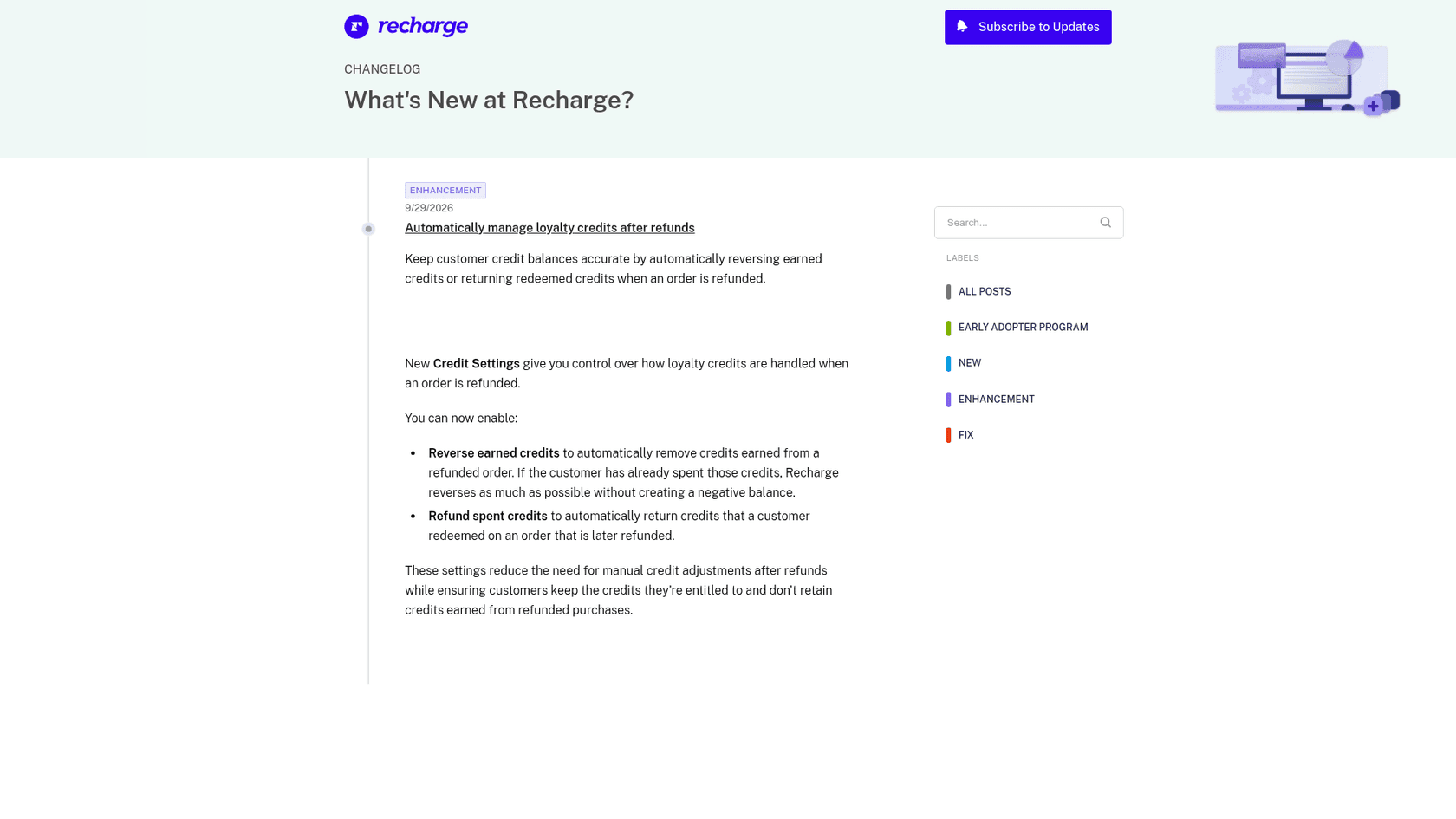
I build integrations at eesel, so I read vendor docs for what a feature does under the headline. Everything below about Recharge comes from its own changelog and help center, and where those say nothing I say so. The Credits feature itself is part of Recharge's Rewards offering, which the store credit settings article describes as a way to give customers store credit automatically or manually.
What do the two settings do?
There are two switches, and they handle opposite halves of the same refund. Recharge's changelog calls the second one "Refund spent credits", while the help center calls it "Refund redeemed credits". They are the same setting under two names, so search for either when a teammate asks.
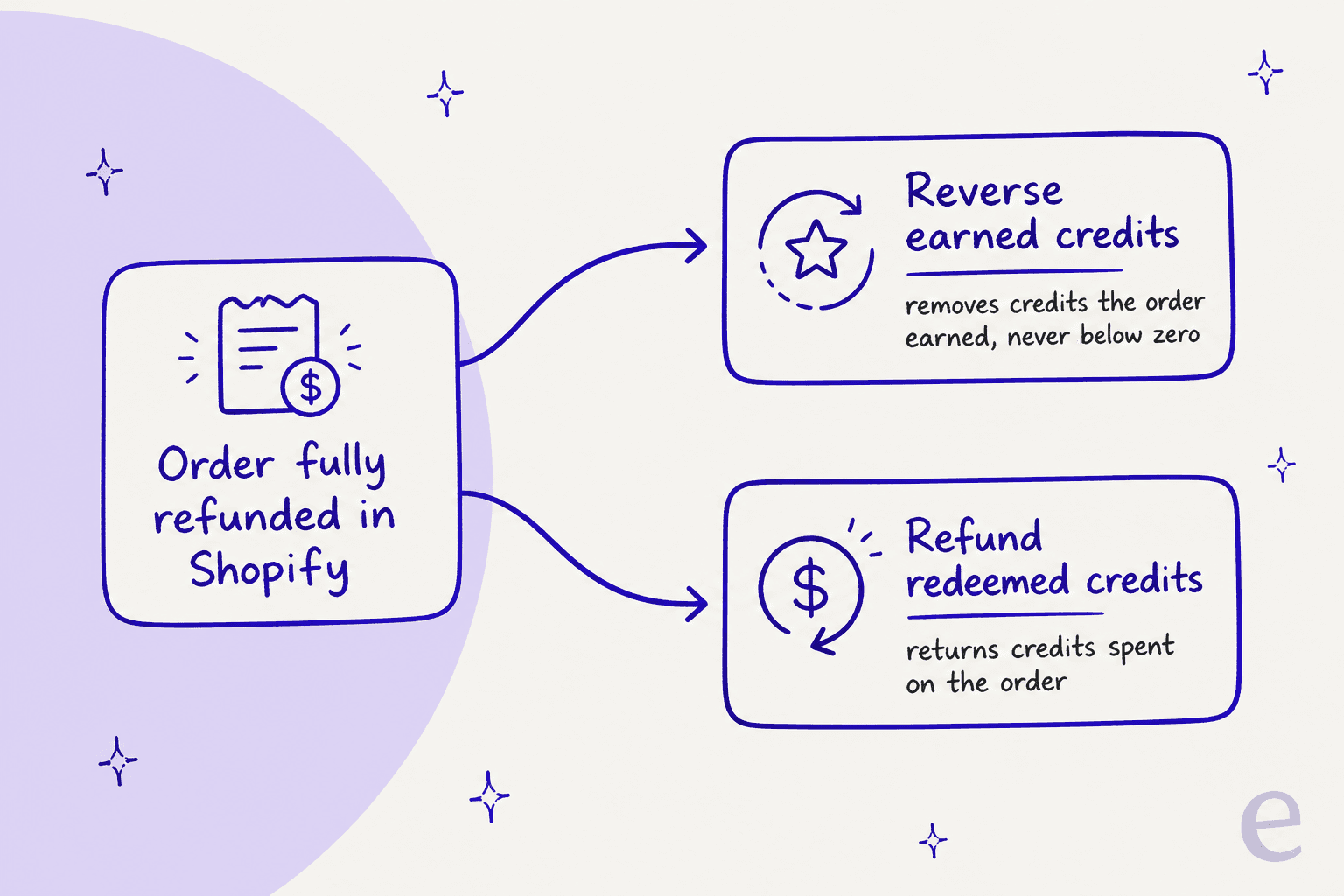
| Setting | What it does | Limit stated by Recharge |
|---|---|---|
| Reverse earned credits | Removes the credits the customer earned from the refunded order | If some are already spent, Recharge removes the remaining balance and never goes below zero |
| Refund redeemed credits | Returns the credits the customer used on the refunded order | They go back to the existing credit account and keep its expiration date |
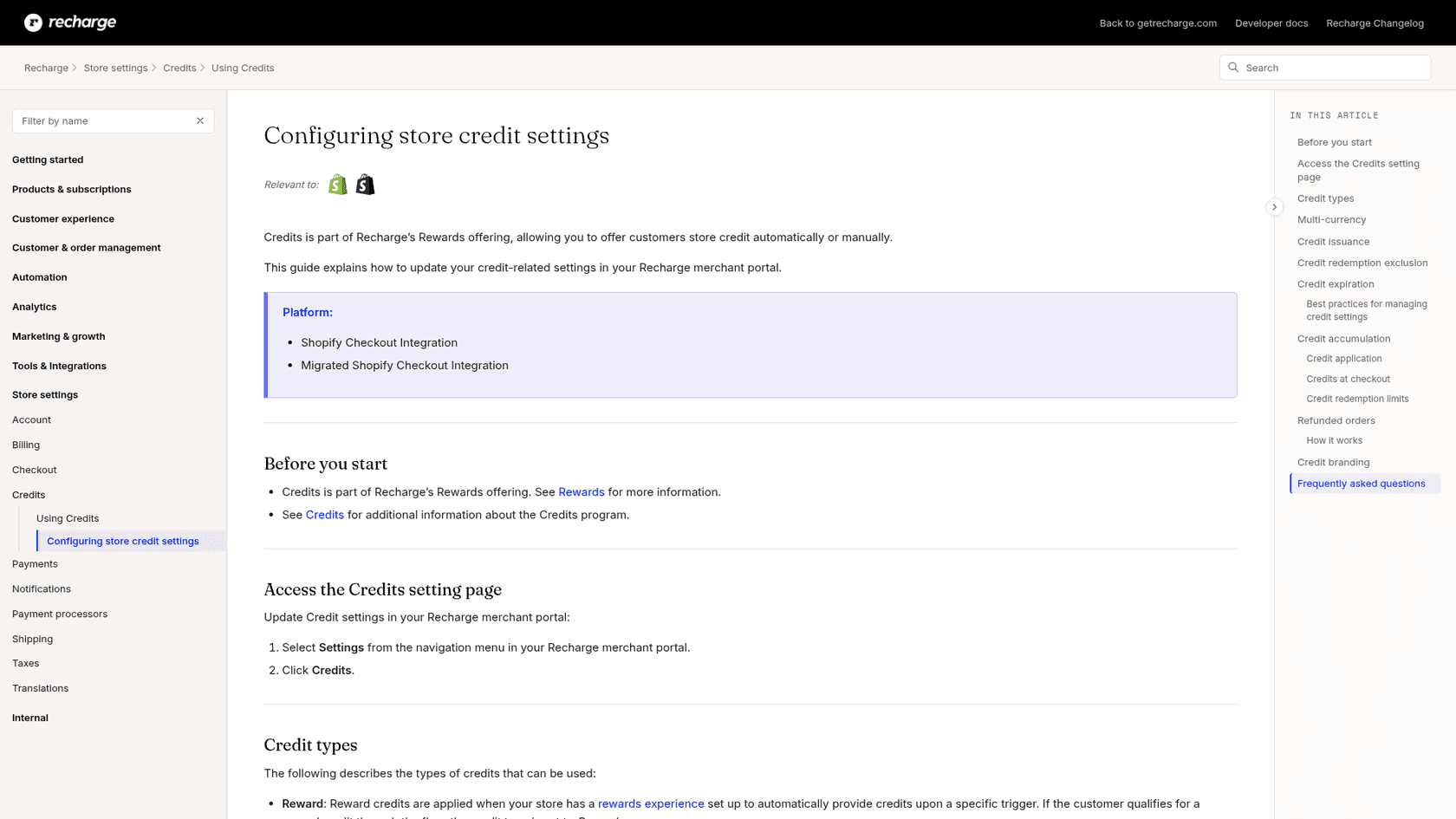
Two details in the help center are easy to miss. Recharge only adjusts the credit account created by that order, and it does not remove gift credits. And every automatic adjustment carries a note referencing the Shopify order ID, which is the first place I would look when a customer asks why their balance changed. For how credits are issued in the first place, the same help center explains the Credits issuance setting that decides whether credit is earned on the amount paid or on the full order value.
When do the settings run, and when do they not?
They run when an order is fully refunded in Shopify, meaning all line items are refunded. Refunding shipping is optional. They apply to both checkout orders and recurring subscription orders. Beyond that, the list of things that leave credits untouched is the part support needs on a sticky note.
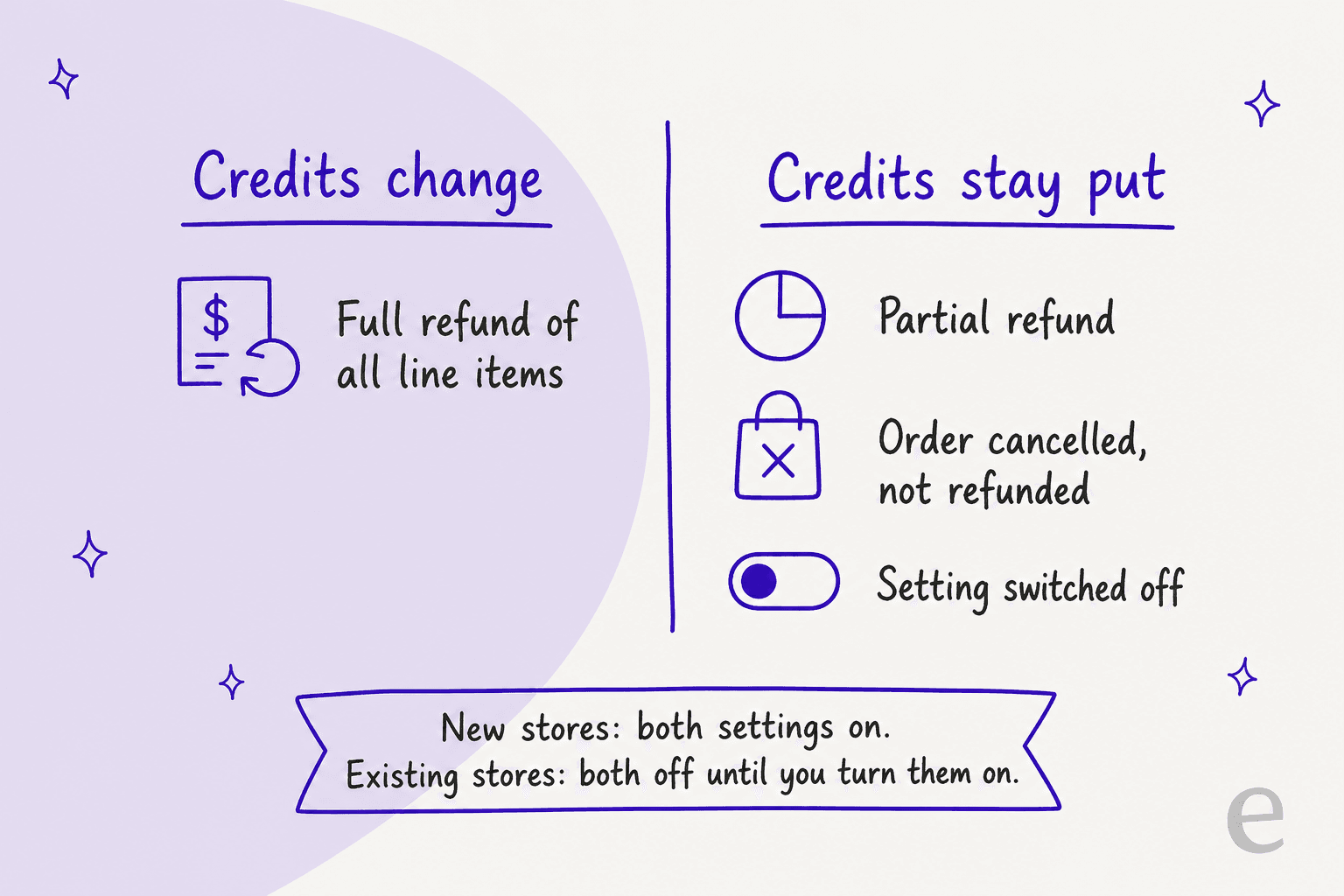
- Partial refunds are not handled. Recharge points you to a manual balance adjustment instead.
- Cancelling a Shopify order without refunding it changes nothing.
- One-time checkout orders paid with credits get their credits back only if the full gift card balance was refunded, and Recharge then revokes the gift card.
- Defaults differ by store age. Recharge says new stores have both settings on, and existing stores have both off until you turn them on.
That last bullet is the one I would check today. A store that has run Recharge Rewards for a year is almost certainly in the "off" group, so a refunded order still leaves earned credits sitting in the customer's balance. The staff permissions article is also worth a look, because by default only store owners configure and issue credits.
Why does this not turn refunds into store credit?
Because that is a separate limit, and the older refund guide is explicit about it. In its FAQ, Recharge's guide to issuing a refund answers "Can I refund the customer using store credit?" with no, because Shopify gift cards and Shopify POS are not compatible with subscriptions. That article was last updated on 8 July 2026, before the new settings, so I read it as describing the cash refund path only.
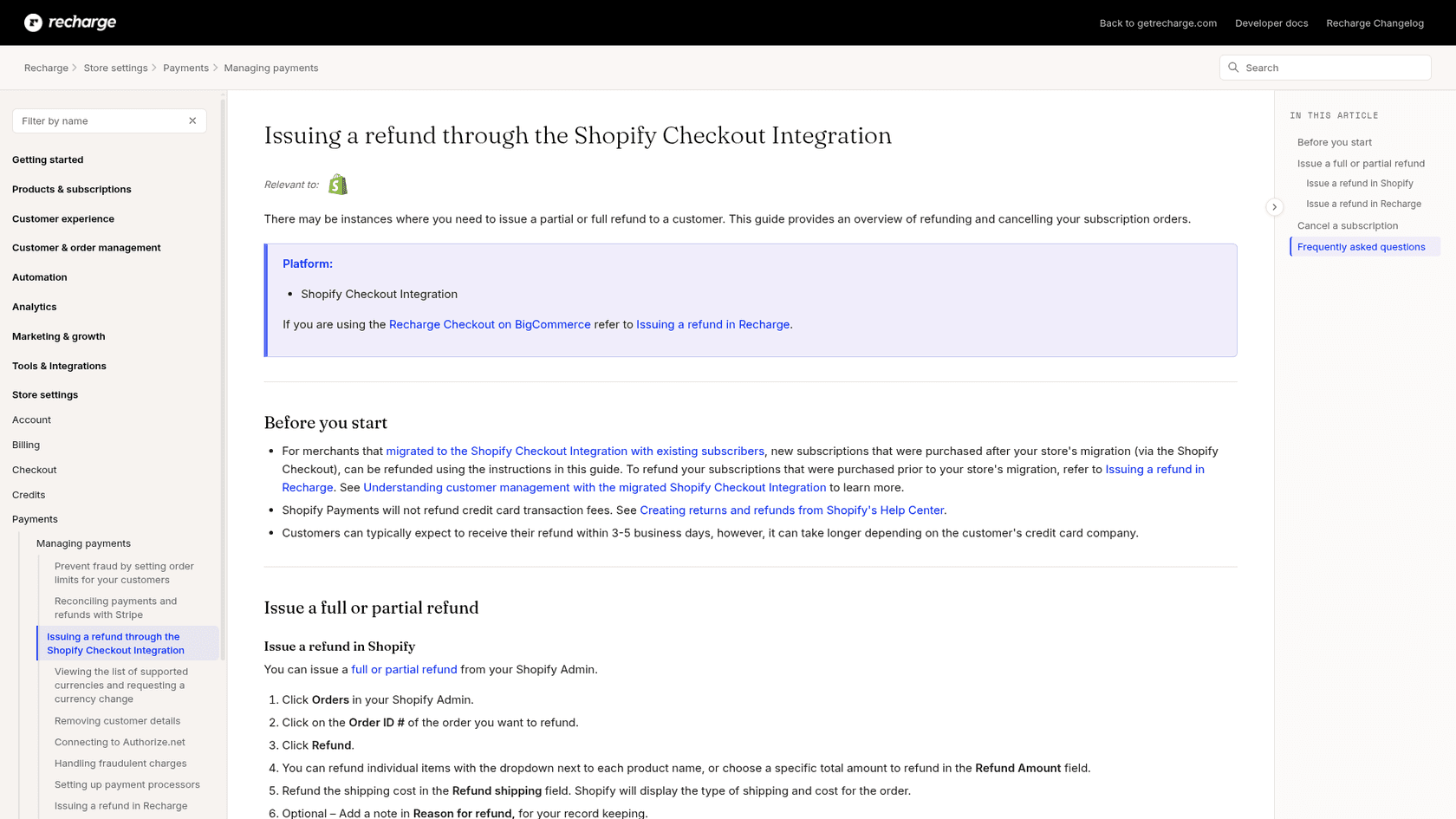
Three more facts from the same two articles shape what you tell customers:
- A refund in Shopify cancels the order in Recharge but not the subscription. The customer is charged again on the next cycle unless you also cancel it.
- Credits cannot be converted into cash. Recharge's Credits article says so, and adds that merchants can modify credits manually to provide other payout methods at their discretion.
- An order paid entirely with credits must be refunded as credits, not to a payment method.
If you want the wider picture of how subscription tickets reach this point, my guides to skipping an order, pausing a subscription and subscription box support cover the neighbouring requests.
Prepaid plans add a wrinkle, covered in prepaid deliveries, and a product swap is often the better answer than a refund.
What does a refund look like with the settings on?
Here is a worked example. It is my illustration of the rules above, not a Recharge screenshot, so check the numbers against your own store.
A store offers 10% credit per order, with credit issued on the amount paid. A customer pays $30 on an order and earns $3. The order is fully refunded in Shopify.
- Reverse earned credits on. Recharge removes the
$3. If the customer has since spent$2of it, Recharge removes the remaining$1and stops at zero, per the help center. - Refund redeemed credits on. If the same order also used a
$20credit, that$20returns to the customer's existing credit account and keeps that account's expiration date. - Both off. The customer keeps the
$3they earned and does not get the$20back, which is exactly the "why did my balance not change?" ticket.
Notice what the example does not cover: the case where the customer already spent the earned credit, so the store has paid out value on a refunded purchase. Recharge's changelog describes the goal as ensuring customers keep credits they are entitled to and do not retain credits earned from refunded purchases, and the "never below zero" rule means some value can still stay with the customer. That is a policy choice you should know about before you tell an agent to promise a clean reversal.
What do the docs not say?
The changelog is short, and the help center fills most gaps. A few things remain unstated, and I would treat them as unknown until you test.
| Question | What Recharge says | Source |
|---|---|---|
| Which plans include it? | Rewards access depends on your plan, check the Loyalty tab | Managing store credits |
| Which platforms? | Shopify Checkout Integration and Migrated Shopify Checkout Integration are listed | Store credit settings |
| Does the customer get an email about the change? | Not stated | Changelog and help center silent |
| Can you see which refunds triggered which adjustments in bulk? | Each adjustment carries a note with the Shopify order ID; bulk reporting is not described | Help center |
| Does it cover referral credits? | The docs name Reward, Gift, Manual and Referral credit types but only say gift credits are not removed | Store credit settings |
| Can you undo a reversal? | Removing credits by hand cannot be undone; nothing is said about automatic ones | Managing store credits |
What should support do by hand?
The settings cut the routine cases, so the tickets that remain are the odd ones. Recharge's manual route is under Customers, then the customer, then Credits, where you open the credit ID, choose Adjust credit balance, pick Add or Subtract, enter the amount and add an internal note. Its warning is plain: if you remove credits, the adjustment cannot be undone, and restoring the balance means issuing new credits.
| Ticket says | First check | Then |
|---|---|---|
| "I returned my order and my reward points are still there" | Is Reverse earned credits on? Was it a full refund? | If partial or off, adjust by hand with a note |
| "My refund came back but my credits did not" | Is Refund redeemed credits on? | Same check, then adjust by hand |
| "Can I get store credit instead of money?" | Refunds to store credit are not possible through the refund path | Your team decides on a manual credit; see refund approvals |
| "I cancelled but you charged me again" | Did you cancel the subscription as well as refund the order? | Cancel it in Recharge, see cancellation and retention |
Anything that touches money deserves a person's sign-off, which is the pattern in my approval workflows guide. For reusable wording, my refund macro templates and Gorgias macros are a starting point.
A written human handoff rule keeps the money decisions with your team, and agent handoff practices apply the same idea when an AI teammate takes the first reply.
If a refund turns into a dispute, my notes on payment disputes and chargeback inquiries pick up from there.
Where does an AI teammate fit?
Honestly, in the explaining and the lookup, not in issuing the credit. eesel connects to Recharge with an API token, and its Recharge documentation lists what the agent can do: find a subscriber by email with their subscriptions, addresses and payment methods, list orders with their id, status and scheduled date, read a subscription, skip a charge, update quantity or frequency, cancel or reactivate a subscription, cancel a queued prepaid order, and update an address. Refunds and credit adjustments are not on that list, and neither is reading a credit balance, so eesel does not issue them and I would not describe it as doing so.
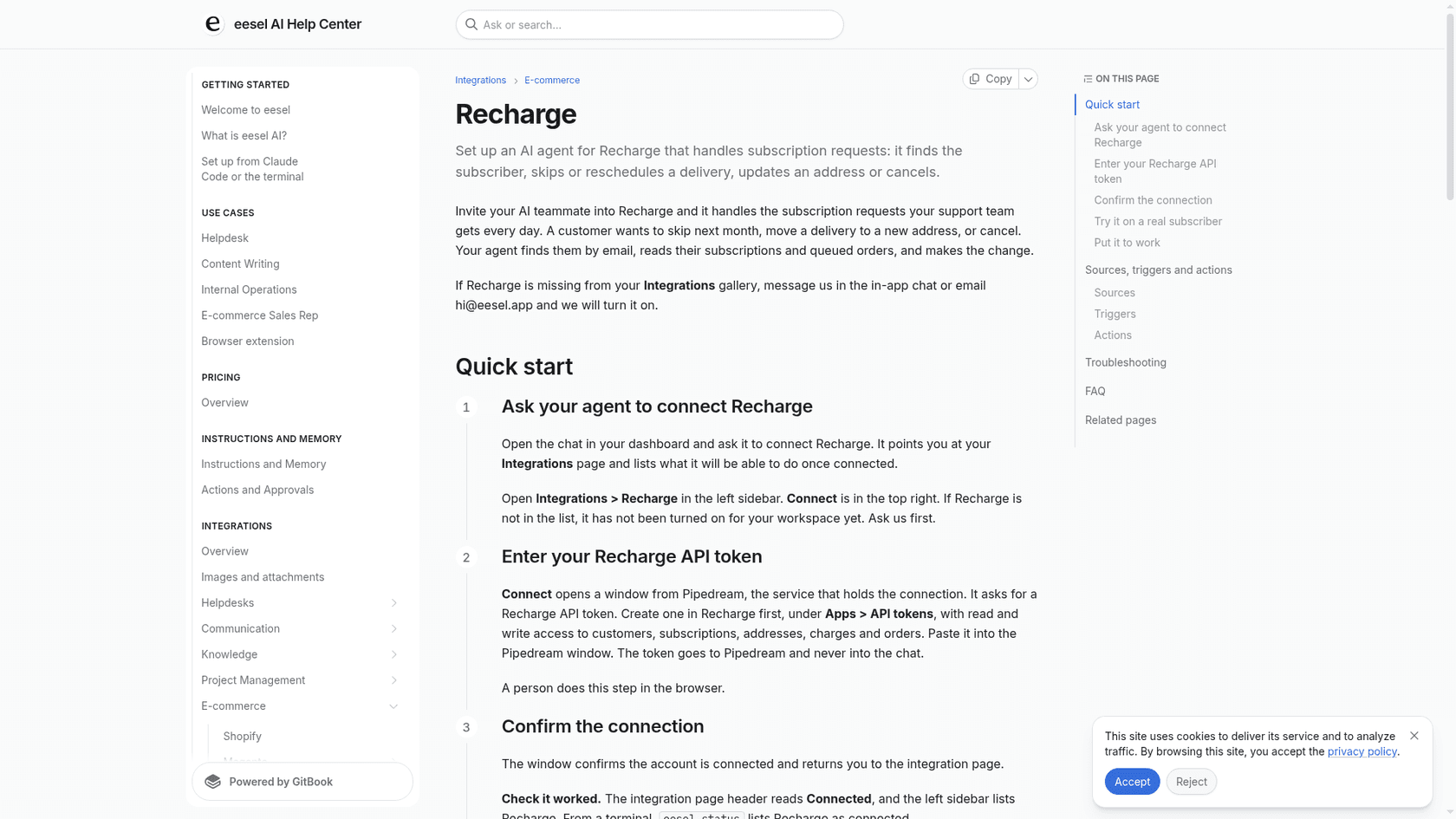
What that leaves is a useful job. A customer writes "I returned my box, why do I still have points?", and the teammate finds the subscriber, reads the order status and the next charge, explains your policy in plain words from the knowledge you gave it, and passes the actual credit adjustment to a person with the details attached. Two limits apply: Recharge has no trigger that wakes eesel, so it works inside conversations it already handles in your helpdesk, Slack or website chat, and it only acts through the actions listed in its docs.
The same split shows up in my notes on refund requests, billing support and churn prevention.
For where that sits in the wider queue, see ecommerce order management and order tracking support.
I would not borrow numbers from a different stack and call them Recharge results. Named stories show how order-aware replies work. Question Beauty runs eesel on Gorgias and Shopify, and between 8 August and 8 September 2026 it handled 990 tickets, looked up 290 Shopify orders before answering delivery questions, and closed 280 without a person. STIL Classics uses draft mode: eesel checked 230 Shopify orders in the same month and left 430 draft replies as internal notes for a person to send. Neither is a Recharge or credits story, but a lookup before the reply and a person on anything involving money is the shape a refund queue needs.
For the stack, my Gorgias and Recharge guide and the Shopify support roundup cover setup, and the Shopify agent setup guide walks through the store side.
I would begin in draft mode, add ticket tagging so refund and credit tickets are easy to find, run common questions through a simulation test, and only then let it reply alone on read-only questions. With the eesel CLI, a coding agent can load your written credit rules, such as the full-refund-only limit and your manual adjustment policy, and ask test questions against them. Connecting the helpdesk and Recharge still needs someone with admin access to approve it.
What should I do this week?
Five steps, about 25 minutes in total.
- Open Settings, then Credits, in your Recharge merchant portal and find the Refunded orders section. Note whether both switches are on.
- Decide on purpose whether you want automatic reversal, then turn the switches on or leave them off. Do not leave it to the default.
- Write the full-refund-only limit into your refund macro so agents never promise an automatic fix for a partial refund.
- Test one fully refunded order and one partially refunded order on a store you can check, and read the adjustment note.
- Decide which credit adjustments need approval, and who in your team can do them. The AI helpdesk agent guide covers handing the routine lookups to an AI teammate, and the ecommerce helpdesk roundup compares the options.
Try eesel for Recharge
If your agents spend their refund tickets finding the subscriber, checking the order and explaining why credits did or did not move, eesel is the teammate that does that lookup in Recharge by email and passes the credit decision to your team for approval. It joins the helpdesk you already use, connects to Recharge with an API token, and works alongside Shopify. The Question Beauty story shows what order-aware replies look like in a real inbox. Try eesel on your own queue, free to start.
