Recharge prepaid fixed-price bundles: setup, limits and what support must know

Kira

Katelin Teen
Last edited November 9, 2026

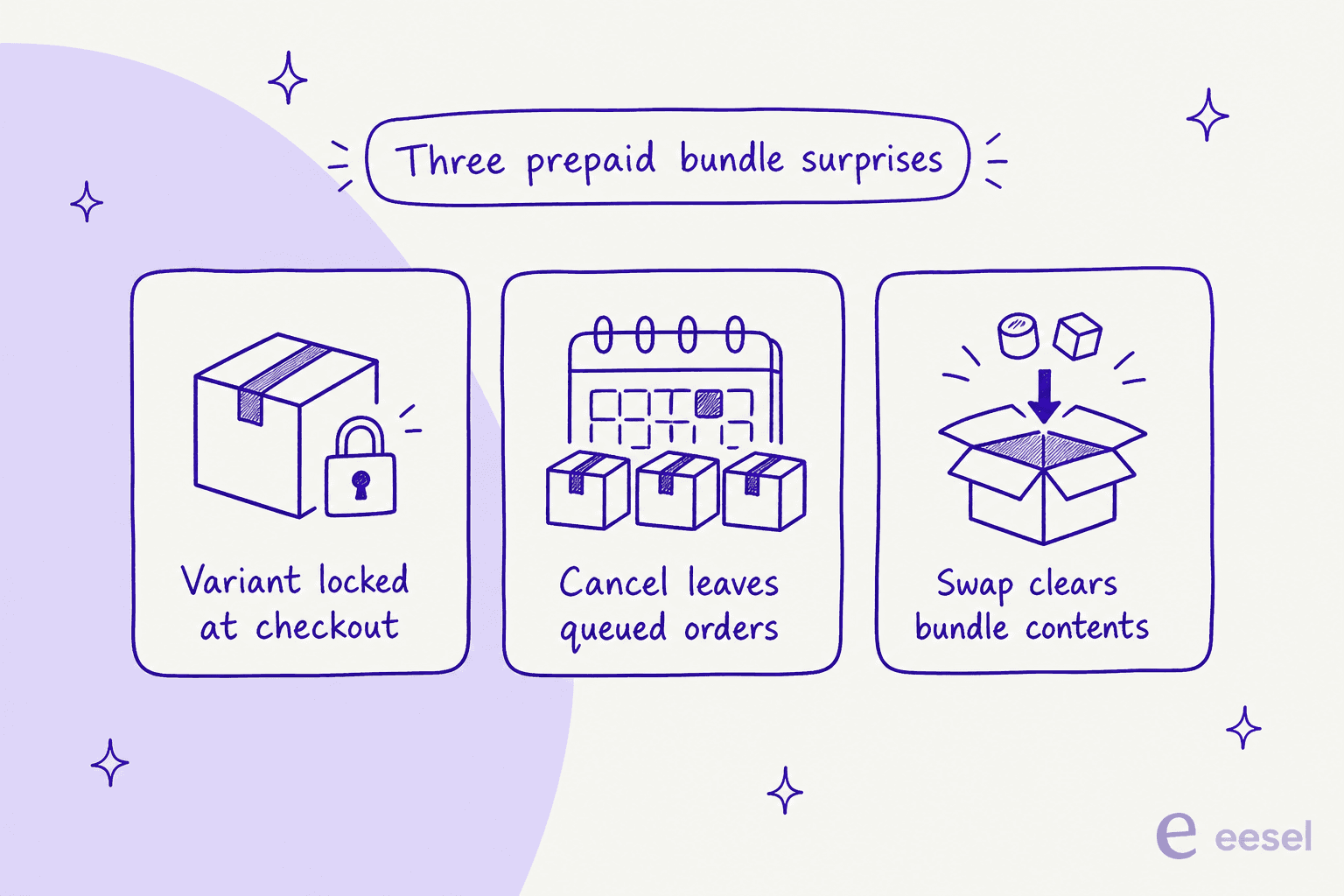
Since 2 November 2026, Recharge preset and fixed-price customizable bundles can be sold as prepaid subscriptions on both legacy prepaid plans and Variant Level Plans. Dynamically priced bundles still cannot. The subscriber pays once, and every later shipment shows up as a $0.00 order. Support gets three surprises: the variant is locked after checkout, cancelling leaves queued orders behind, and a swap clears the bundle contents. An AI helpdesk teammate such as eesel can look the subscriber up in Recharge and explain all three before a person steps in.
With the eesel CLI, an AI coding agent can upload approved knowledge, like your exported Recharge bundle articles and macros, then ask test questions and check the answers before anything goes live. Connecting Recharge itself still needs a person to paste an API token in the browser.
What changed on 2 November 2026?
Recharge's changelog entry from 2 November 2026 is short: fixed-price bundles are now compatible with both legacy prepaid plans and prepaid plans that use Variant Level Plans, for preset and customizable bundles alike. Recharge calls it a fix, and says it resolves earlier compatibility issues that stopped some prepaid configurations from working with bundles. It is available for all stores, with one caveat in the same note: dynamically priced bundles are not compatible with prepaid plans.
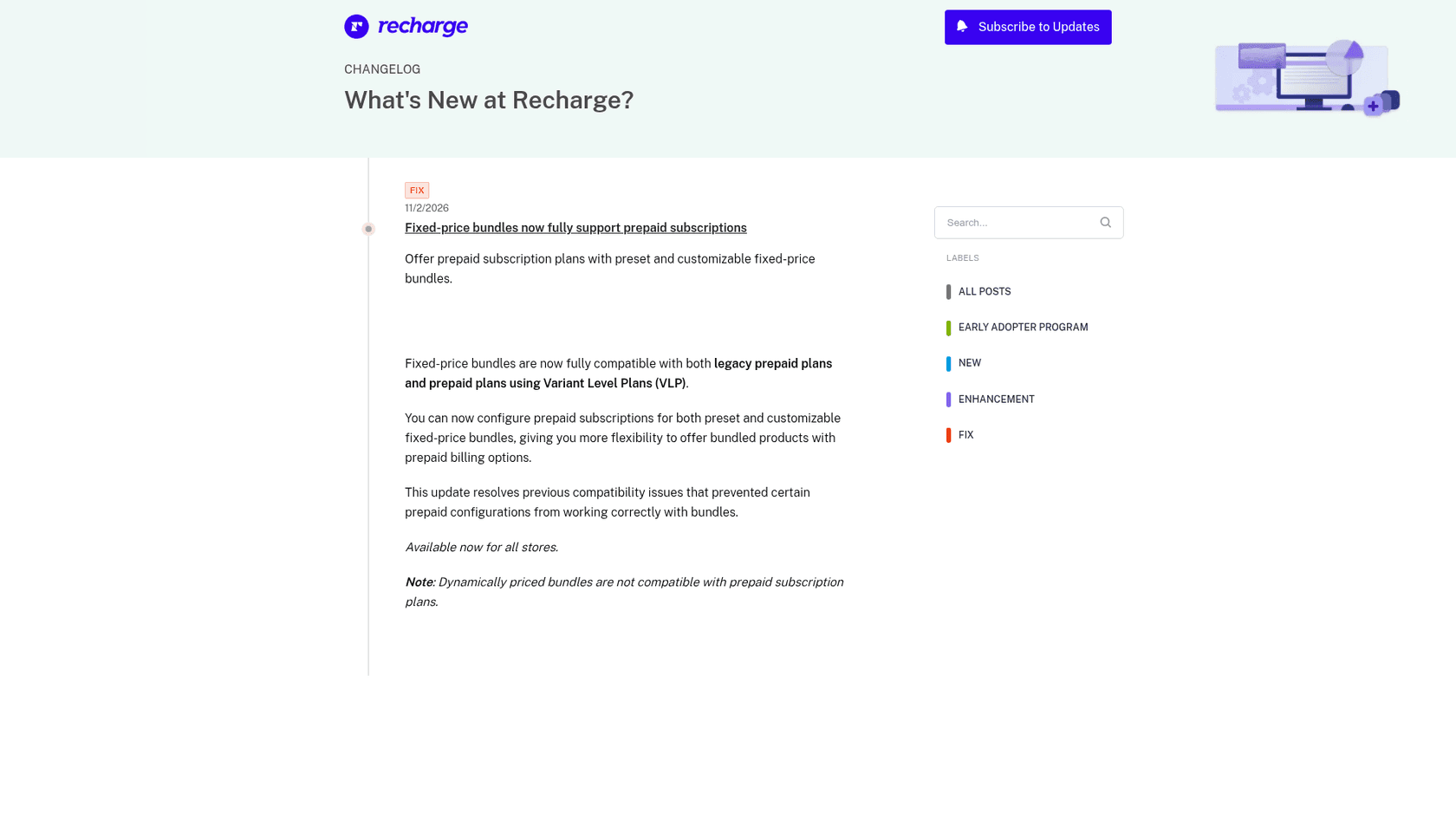
Recharge's bundle guides now carry a prepaid row that says fixed-price bundles are compatible, so this is less a new feature than a gap closing. The part that matters for a support team is the dividing line, which is the pricing model of the bundle. I checked the live docs on 9 November 2026, and they draw it like this.
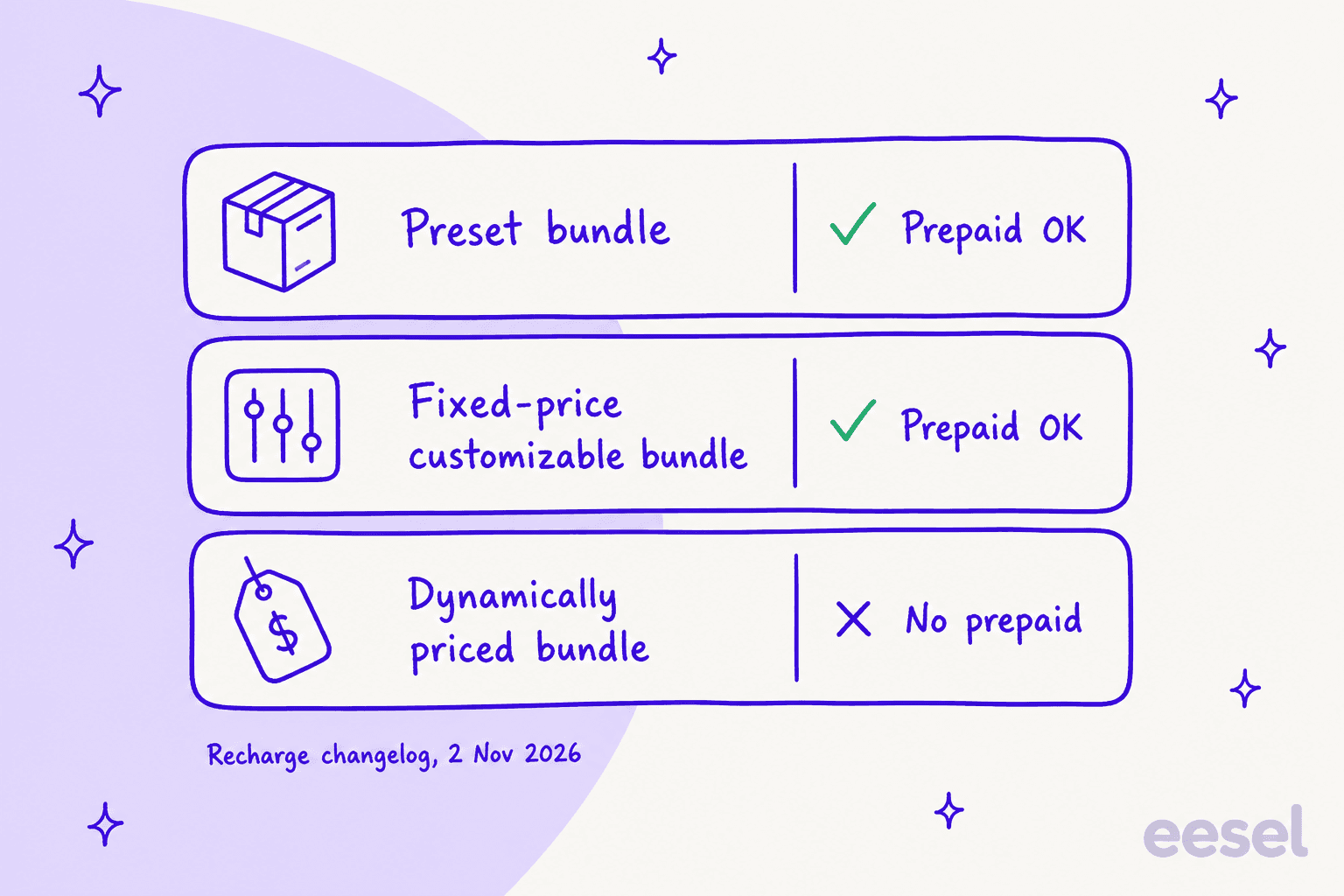
How do prepaid fixed-price bundles work?
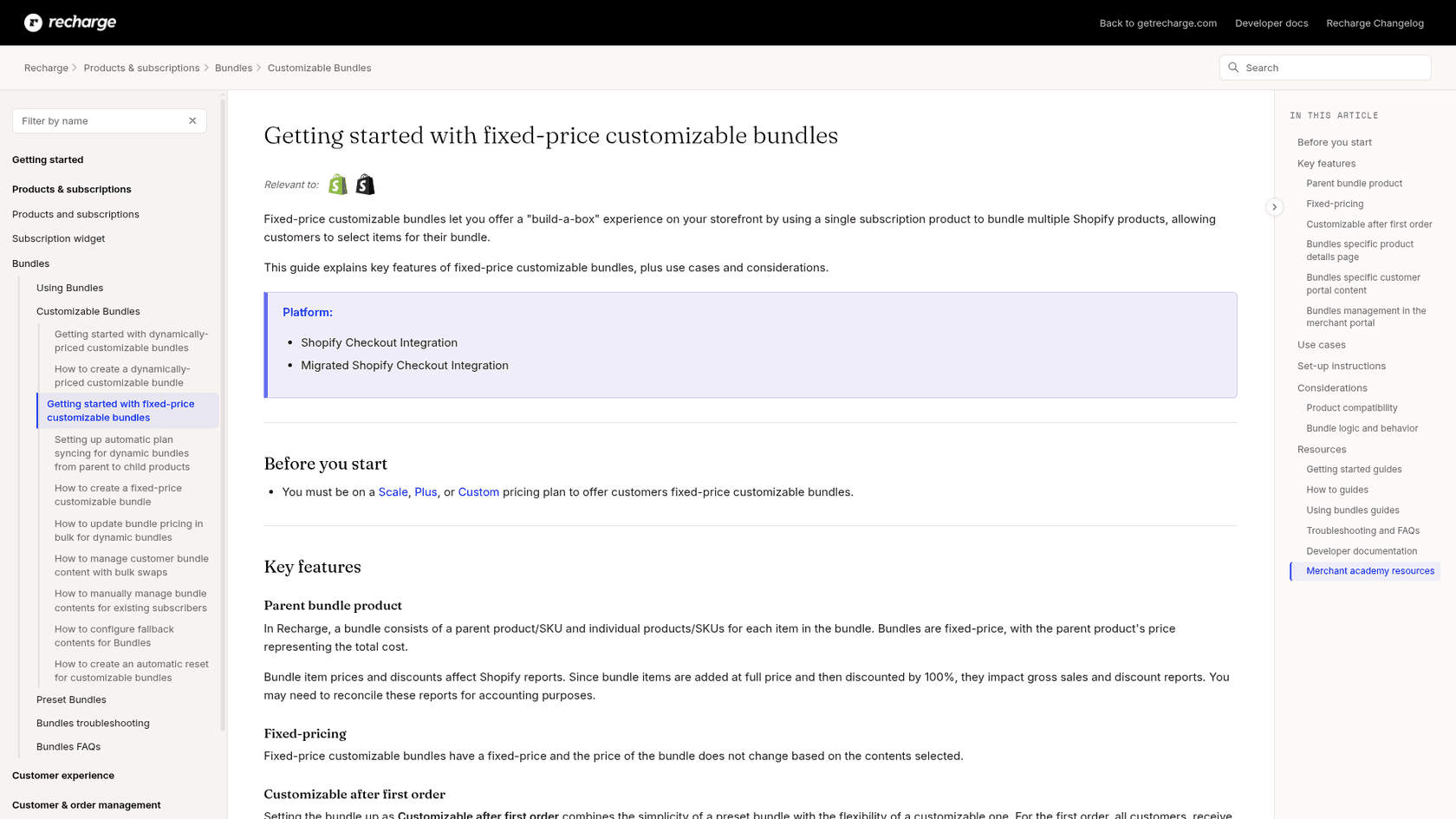
A Recharge bundle is a parent product plus the individual products inside it. Recharge's bundles guide says the parent product's price is the total cost, whatever the customer puts in the box, and tax is calculated on that parent price. There are two fixed-price flavors:
- Preset bundles. Every customer gets the same contents, and customers can see but not edit them in the portal.
- Fixed-price customizable bundles. Customers build the box, and the bundle can be set to Customizable after first order, so the first box is the same for everyone and later boxes are theirs to change.
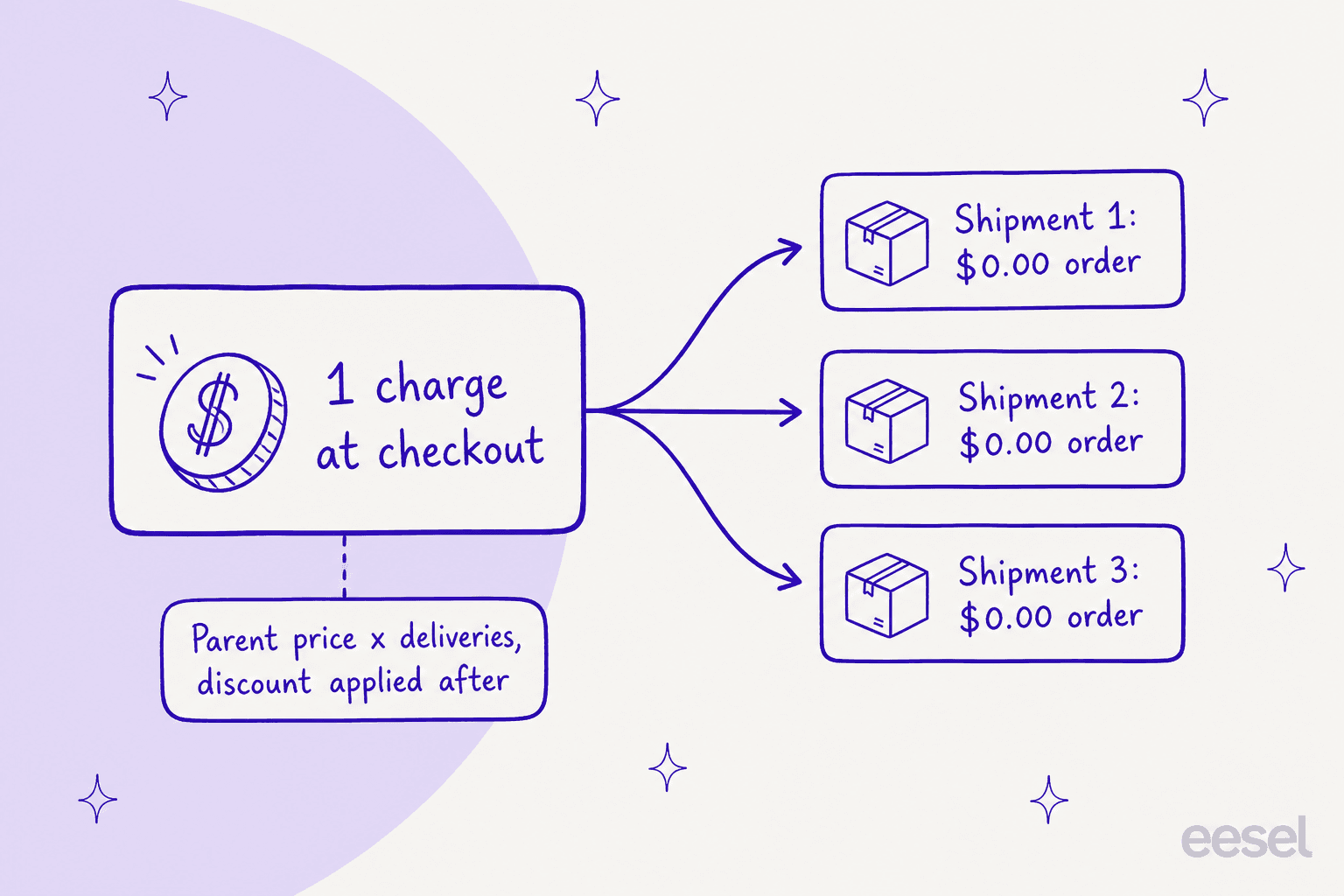
Prepaid then changes when the money moves. Recharge's prepaid guide prices a prepaid plan as the standard product price multiplied by the number of deliveries, with any discount applied after. Its own example is a $10 product on a 3-month prepaid plan: a $30 charge, or $27 at 10% off. For a bundle, the parent price plays the role of that product price. Each later shipment is a $0.00 order, because the customer has already paid.
One more behavior that finance will ask about: bundle items are added to the Shopify order at full price and then discounted by 100%, so they show up in gross sales and discount reports. Recharge says you may need to reconcile those reports for accounting, which is a handy bridge to your ecommerce order management routine.
On the customer side, stores on Affinity 2.0 get a banner explaining the product is prepaid, a shipment counter such as Shipment 2 of 3, and updated pricing on the Next order page when a shipment is already paid. If you want the wider ticket mix for subscription boxes, my subscription box support guide covers it.
Which Recharge plan do you need?
Bundles are the gate. Recharge's docs say you must be on a Scale, Plus or Custom plan to offer fixed-price customizable bundles, and the same line appears on the preset bundle guide. Plus is no longer sold to new merchants, so for a new store the real choice is Scale or Custom.
| Plan | Monthly fee | Transaction fee | Prepaid | Preset and customizable bundles |
|---|---|---|---|---|
| Starter | $149 | 1.50% + 20¢ | Listed | Not listed |
| Scale | $499 | 1.25% + 20¢ | Listed | Listed |
| Custom | Volume-based rates | Set in contract | Listed | Listed |
| Plus (existing merchants only) | Legacy terms | Legacy terms | Not on the new pricing page | Named in the bundle docs |
Fees and plan rows come from Recharge's pricing page and its billing guide, where Starter is month-to-month and new installs from 2 November 2026 get a 60-day free trial before billing starts. The Bundles SDK and API are separate: Recharge says they are available to Plus or Custom merchants.
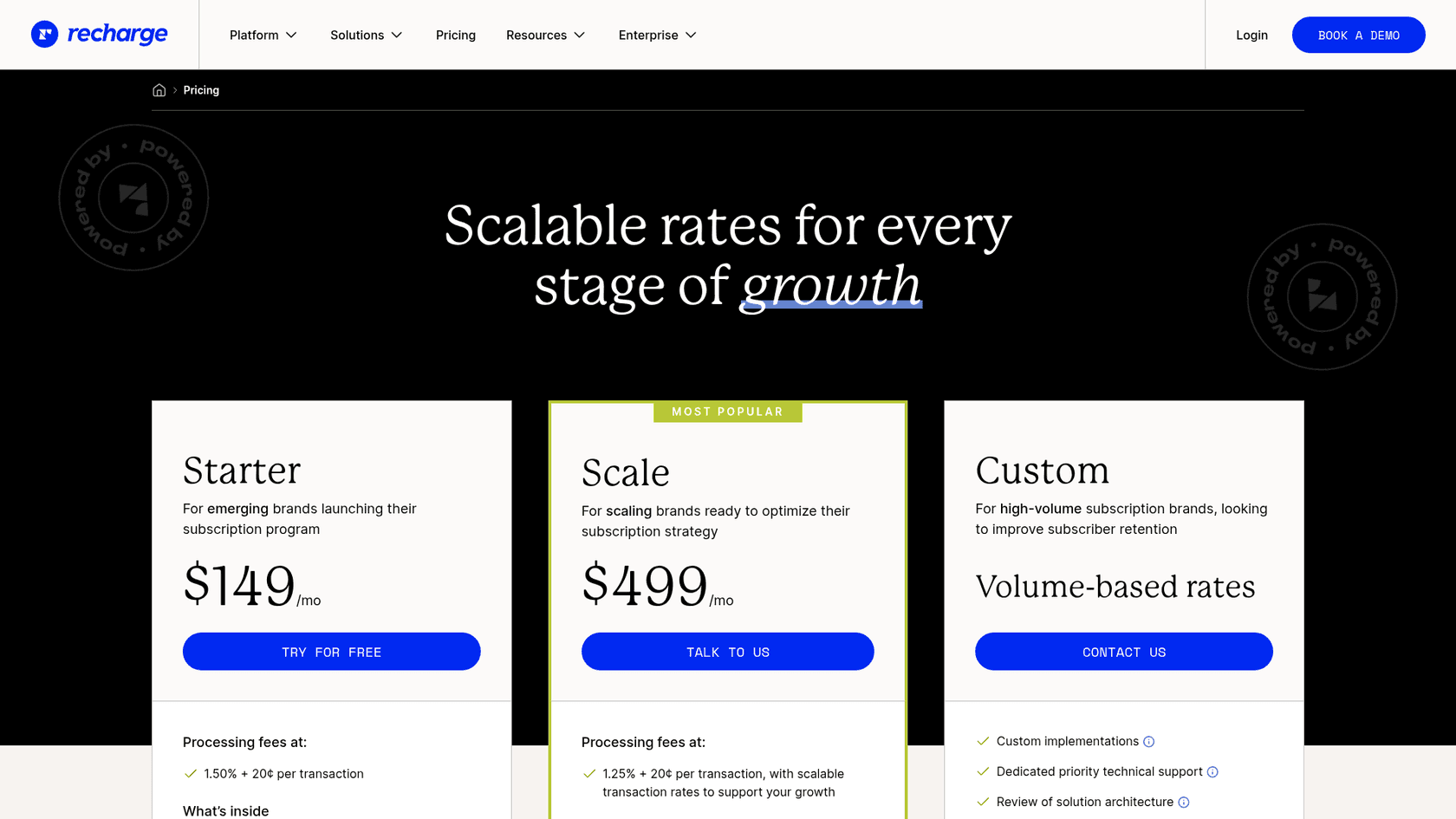
The practical read: a Starter store can sell prepaid today, but it cannot sell a prepaid bundle until it moves to Scale. That is a $350 per month step up in platform fee alone, before transaction fees, so it is worth pricing against the bundles you expect to sell.
How do you set up a prepaid fixed-price bundle?
Recharge's create guide is the source for steps 1 to 5 below, and the prepaid guide is the source for the prepaid plan.
- Build the Shopify collections. Make at least one collection that holds the bundle's products. If you track inventory, use an automated collection with a condition that inventory is greater than zero, so out-of-stock items drop out of the options.
- Create the bundle in Recharge. In the merchant portal go to Products, choose Bundles, click Add a bundle, pick the Customizable template and select Fixed: The price is always the same.
- Set the price and contents. Choose how many products customers add, the price, and which collections they pick from. Optionally set a default selection, which Recharge recommends so a subscriber who never opens the portal still gets a full box.
- Add the subscription option. For prepaid, the plan type is set on the product: with Variant Level Plans you choose Add another plan, then Prepaid, and set how often it ships and how often it charges, which must be a multiple of the shipping interval.
- Install the bundles widget and publish. Customizable bundles must be bought through the
recharge-bundletemplate widget or a custom widget, not through quick-add or cart-abandonment emails. - Run a test order. I would not skip this one, and the reason is in the next section.
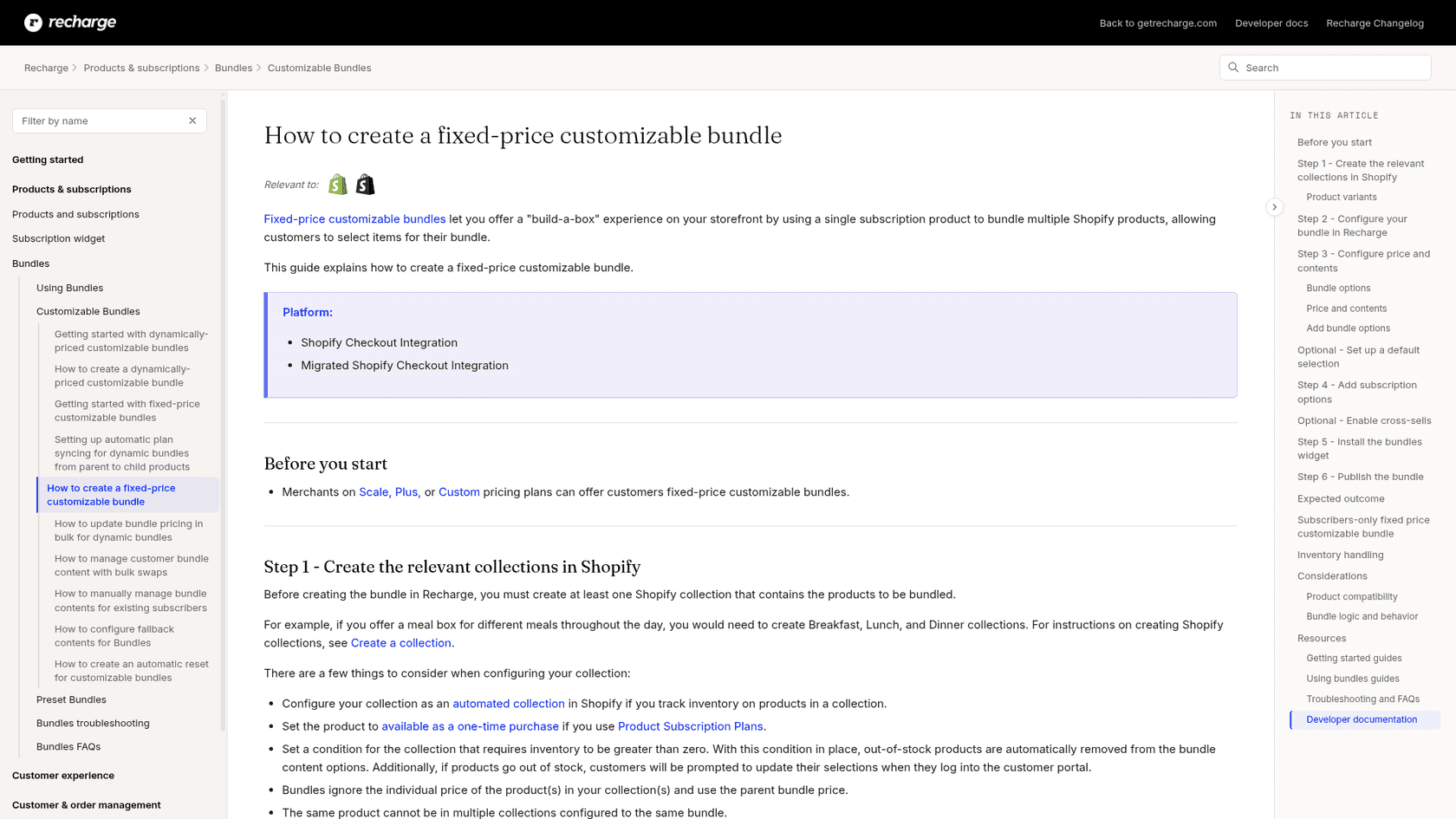
Here is where the docs go quiet. The bundle creation article's frequency step lists one-time, one-time and subscription, and subscription-only options and does not mention prepaid at all. I could not find a single Recharge article that walks through attaching a prepaid plan to a bundle from start to finish, so steps 2 and 4 are my reading of two separate guides. Treat the test order as part of setup.
What are the limits of prepaid fixed-price bundles?
Most of these come straight from the considerations tables in Recharge's bundle guides, and each one maps to a ticket you will eventually see.
| Limit | What Recharge says | Ticket it creates |
|---|---|---|
| No expiry | Prepaid bundle product options cannot be set to expire after a certain number of charges | "Why did it renew?" on what the customer thought was a one-off gift |
| Variant locked | A multi-variant parent works, but customers choose the variant only at checkout and cannot change it in the portal | "Can I switch to size L?" |
| Swap clears contents | Swapping or changing the variant of a bundle subscription removes the contents and they must be re-selected | "My box is empty" |
| Dynamic pricing excluded | Dynamically priced bundles are not compatible with prepaid | "Can I build my own box and prepay?" |
| Cross-sell, Automate, partial fulfillment | Not compatible with fixed-price bundles | Offer and routing gaps for your team |
| Shop app, Recharge Cart | Fixed-price bundles are not compatible | "I can't see my bundle in Shop" |
| Collection size | Up to 250 products per collection | Missing items in the picker |
| Variant-level collections | Not supported because of a Shopify API limit, so customers may see variants outside the collection | "Why is that size in my options?" |
| Concierge SMS | Skip and charge-date changes work by text, but swaps send a link to the portal | "SMS can't change my box" |
Two items in that table deserve more than a row. First, Recharge's cancel guidance for prepaid says the portal shows the product as cancelled while the queued prepaid orders are not cancelled, so every cancel ticket is really a two-step job. My cancellation and retention guide and skip order guide cover the same trap from the other side. Second, Recharge's prepaid article says a customer's change to a prepaid subscription only affects the next charge, not the shipments already scheduled in the current cycle, so someone has to update the remaining orders by hand.
What the docs do not say: how an edit to bundle contents interacts with shipments already queued on a prepaid fixed-price customizable bundle. Recharge documents the contents widget and documents the queued orders, but never the two together. That is the exact thing I would test before announcing prepaid bundles to subscribers.
"Many advanced features especially around custom checkout experiences, dynamic subscription logic, or more complex bundle rules often require custom coding. Out-of-the-box flexibility only goes so far."

What will subscribers ask, and what should you reply?
Prepaid bundles turn a few simple questions into ones that need a lookup. The answers below follow Recharge's docs, and the first column is the thing a customer actually writes.
| Customer says | What is true | Suggested reply |
|---|---|---|
| "Why was I charged $0.00?" | Each paid shipment is a queued $0.00 order | Explain the upfront payment and name the remaining shipments with dates |
| "Cancel my box" | Cancelling the subscription leaves queued orders | Confirm what will still ship, and cancel the queued orders only if the customer wants them stopped |
| "Swap one item in my box" | A preset bundle can only be swapped as a whole, and a customizable bundle swap clears the contents | Say what will change before you do it, and re-select contents straight after |
| "Change my size" | The variant is fixed after checkout | Offer a team-assisted change and tell them the remaining shipments need updating |
| "Skip next month" | Concierge SMS and the portal handle skips on bundles | Check whether this is a prepaid shipment before promising a refund |
If you want these answered in minutes rather than hours, the lookup is the slow part, not the explanation. Pair it with clear human handoff rules. My AI macro templates guide shows how to word the shipping ones, and the refund approval matrix shows where a person should sign off.
Can an AI teammate answer prepaid bundle tickets?
Partly, and I would rather say where it stops than oversell it. eesel is an AI teammate platform whose helpdesk teammate joins the queue you already run, and its Recharge integration reads a subscriber's subscriptions, queued orders and next charge date live. Its docs teach the agent that a prepaid plan is one charge covering several shipments, that cancelling the subscription leaves the remaining shipments queued, and that skip is not cancel. It can cancel one queued, unshipped prepaid order, but only with an approval, and an approval workflow is what keeps that safe.
The limits are as concrete. Its Update subscription action changes quantity and frequency and cannot swap a product, and there is no action that edits bundle contents, so those requests go to your team. eesel's Recharge docs do not say whether it reads the individual items inside a bundle, so I would not promise customers an item-level answer. And Recharge has no event that wakes the agent: it works inside conversations it already handles in your helpdesk, in Slack or on your site.
Named stories show the pattern even when they are not on Recharge. Question Beauty runs eesel on Gorgias and Shopify, and in the month from 8 August to 8 September 2026 it handled 990 tickets, looked up 290 Shopify orders before answering delivery questions, and closed 280 without a person. Everything touching money or a complaint went to a teammate with a note attached. STIL Classics uses the other mode: eesel checks the order and leaves a draft reply as an internal note, and a person sends it. A prepaid bundle ticket suits either, because the answer depends on a record and the risky step needs a sign-off. For stacks like yours, my Gorgias and Recharge guide goes through the setup.
I would start in draft mode, add ticket tagging so bundle tickets are easy to find, run the bundle questions through a simulation test, and only then let it reply on its own for the read-only lookups.
Try eesel for Recharge
If your Recharge store is about to sell prepaid bundles, eesel is the teammate that answers "which shipments are left and what will I be charged?" with the live subscription open, then hands cancellations and swaps to your team for approval. It connects to Recharge with an API token and works alongside Shopify, and the Question Beauty story shows what order-aware replies look like in a real inbox. Try eesel on your own queue, free to start.