Recharge change shipping address: what the update touches

Riellvriany Indriawan

Katelin Teen
Last edited November 6, 2026

A Recharge address edit applies to one address record and every subscription attached to it, not to the customer. A second address stays as it was, Shopify's profile address does not feed Recharge, and a new address does not pull queued prepaid orders with it. So when someone writes "I moved", find the address the subscription actually sits on, edit it in place, then read the next orders and quote the new destination back.
An AI agent like eesel can read a subscriber's addresses and queued orders and change the address future charges use, but it can't move subscriptions between addresses, merge them or rebuild prepaid orders. With the eesel CLI, a coding agent can upload approved knowledge such as your address-change macros and rules, then ask test questions and check the answers before anything goes live. The Recharge connection itself still needs someone with admin access to approve it.
Why is an address change in Recharge not one simple edit?
Because the address is its own record, and the customer, the subscription, the charge and the Shopify order each point at it in a different way. A customer says "update my address" once. Behind that sentence there can be several records that each need to be right.
The pattern I see in support queues is that agents edit the one place they can find, tell the customer it is done, and the next box goes to the old door. The cause is rarely carelessness. Recharge's API reference states the model plainly: an address record is a shipping address, each customer can have multiple addresses, and subscriptions are a child object of an address. Everything below follows from that one sentence.
This is one more in our Recharge set, after skips, pause dates, product swaps and one-time additions. The tickets arrive by email, chat or Instagram DM, and they usually say some version of "I'm moving, please update everything."
What does an address edit change inside Recharge?
It changes the address record, so it reaches every subscription on that address and the charges built from them. Nothing else moves unless you move it.
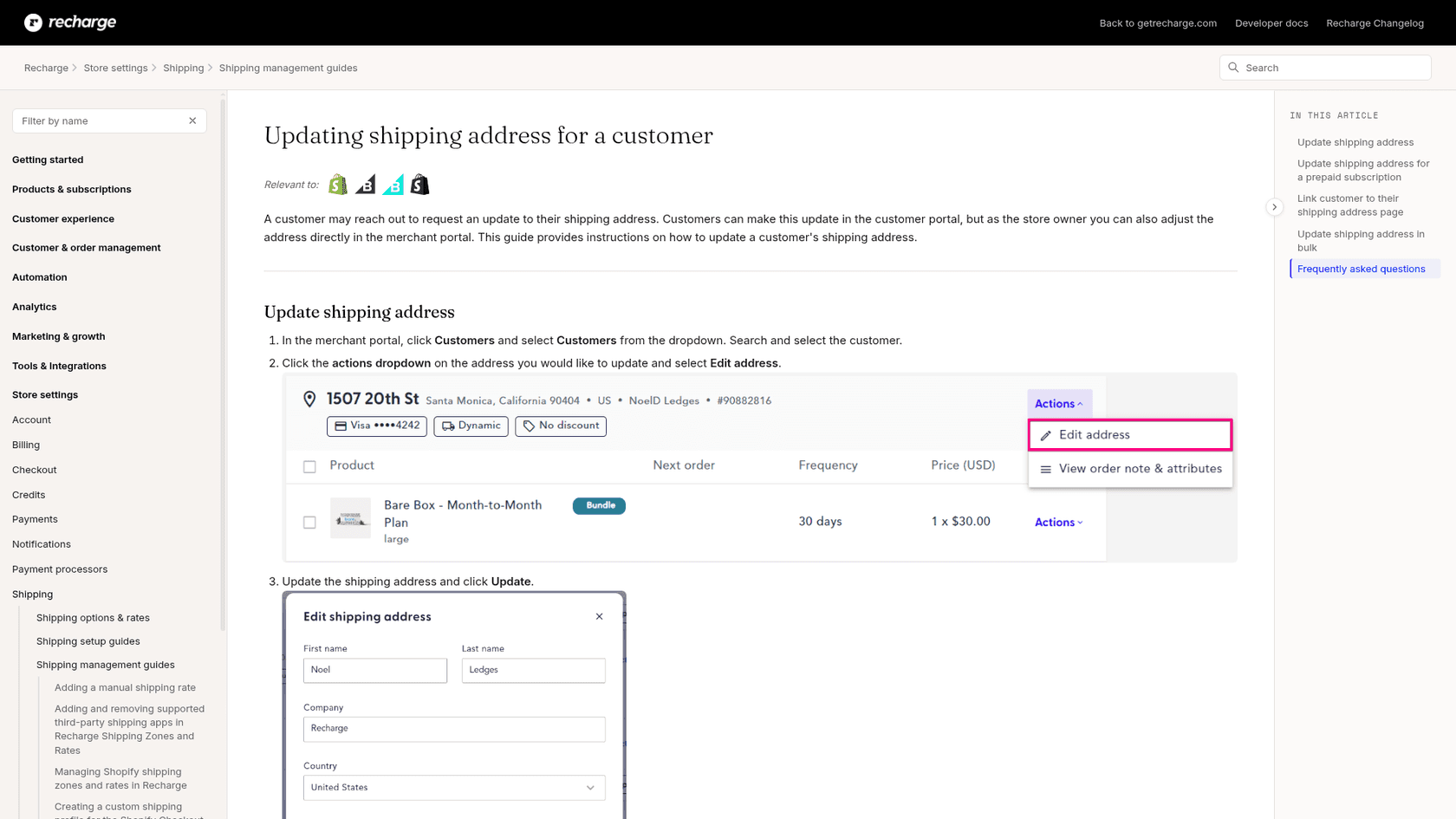
Here is the path in the merchant portal, per Recharge's address guide:
- Click Customers, then search for and select the customer.
- Open the actions dropdown on the address you want and select Edit address.
- Update the shipping address and click Update.
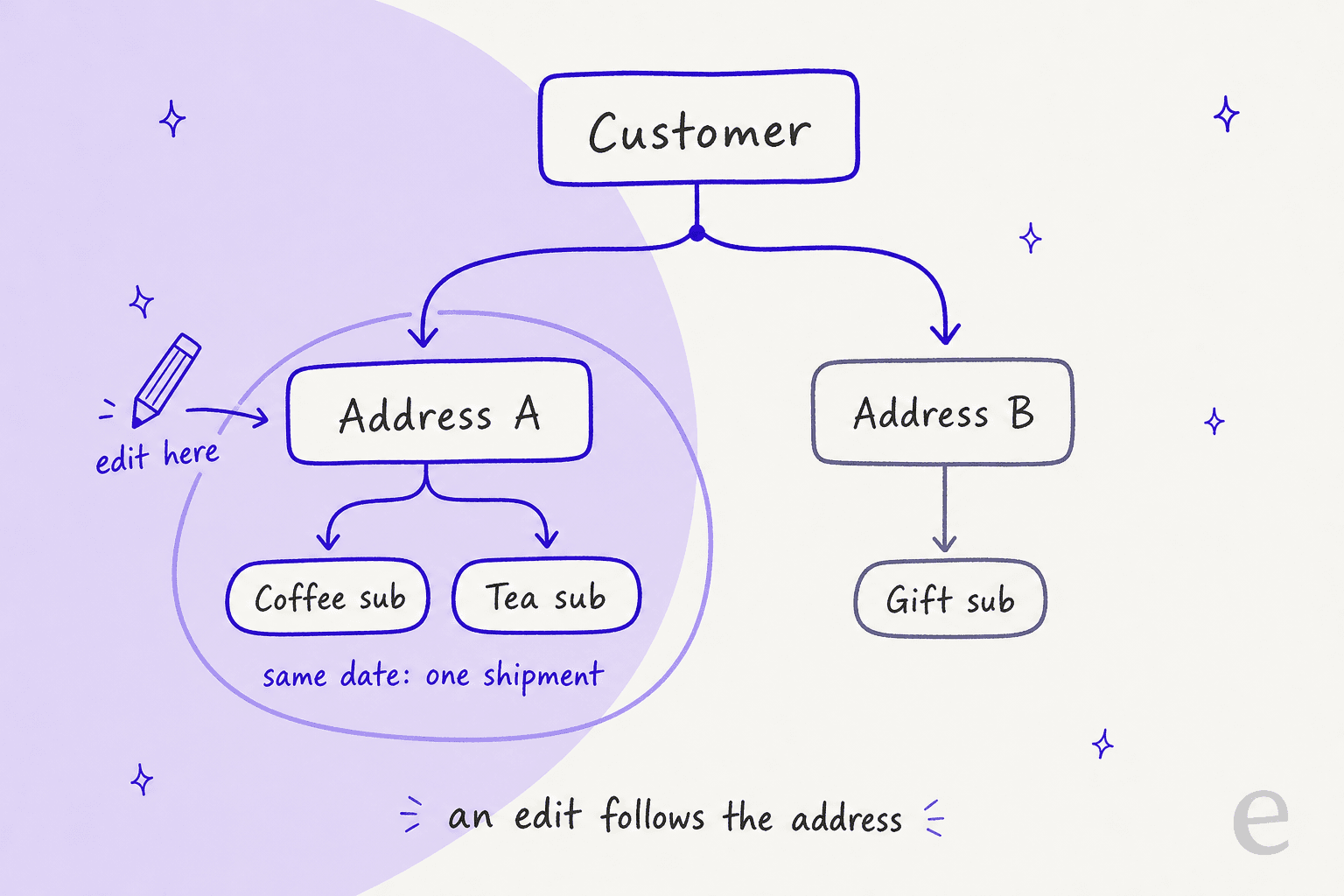
The reason an edit reaches everything on the address is how charges are built. Per the charge object docs, all subscriptions on a given address with the same next_charge_date are merged into one charge, with one line item per subscription. The Recharge combining guide says the same thing from the shipping side: by default, subscriptions under one address with the same renewal date are treated as one order and shipped together. Prepaid subscriptions are the exception, because Recharge always processes and ships them separately.
Recharge also refreshes upcoming charges when an address or subscription changes. Its API docs call this regeneration, a process that refreshes the charge data when the subscription or the address is updated. For queued charges the same docs say you change the parent subscription or the address, not the charge. In practice that means a normal address edit should carry into the next charge on its own, and your job is to confirm it, not to hand-edit the charge.
What happens when a customer has more than one address?
Only the address you edit changes. A second address, with its own subscriptions, keeps shipping where it did.
This is the case behind most "you sent the wrong one" follow-ups. A customer with a coffee subscription at home and a gift subscription at a parent's house has two address records. Telling Recharge about a move only fixes the one you opened. Before you edit, list every address on the customer and ask which ones moved. It takes ten seconds, and it prevents the second ticket.
Duplicates make this harder. Recharge's Address Reuse guide says a new address ID is traditionally created when a customer completes a new checkout using an address they already used, and Address Reuse, on by default, is meant to prevent that. It compares fields such as address lines, city, province, zip, country, payment method and presentment currency, and it lists why you may still see several address IDs for one physical address:
- the Address Reuse setting is off,
- a subscription address was edited after checkout,
- the address belongs to a gift subscription, or
- data was migrated from a legacy system.
So "one address" in the customer's head can be two or three records in Recharge. Recharge offers a duplicate address report and a Merge addresses tool to consolidate them, which I cover below. If you work in a helpdesk with a Recharge sidebar, look at the address IDs, not the street lines.
Does a Shopify address change update the Recharge subscription?
No. This is the single most useful fact in the whole post, because the customer usually updates the address they can see: the one in their Shopify account.
Recharge's guide answers it in its FAQ: updating an address in Shopify does not automatically update the address in Recharge. What the customer should do depends on the portal theme:
- Affinity, Prima or Novum: update the address in the customer portal and in Shopify. Addresses created in Recharge sync to Shopify when orders are processed, but updates made in Shopify are not synced back.
- Unity: adding or editing an address in Shopify under Profile settings will not update the subscription order. The customer has to edit it under Subscription addresses on the Profile page.
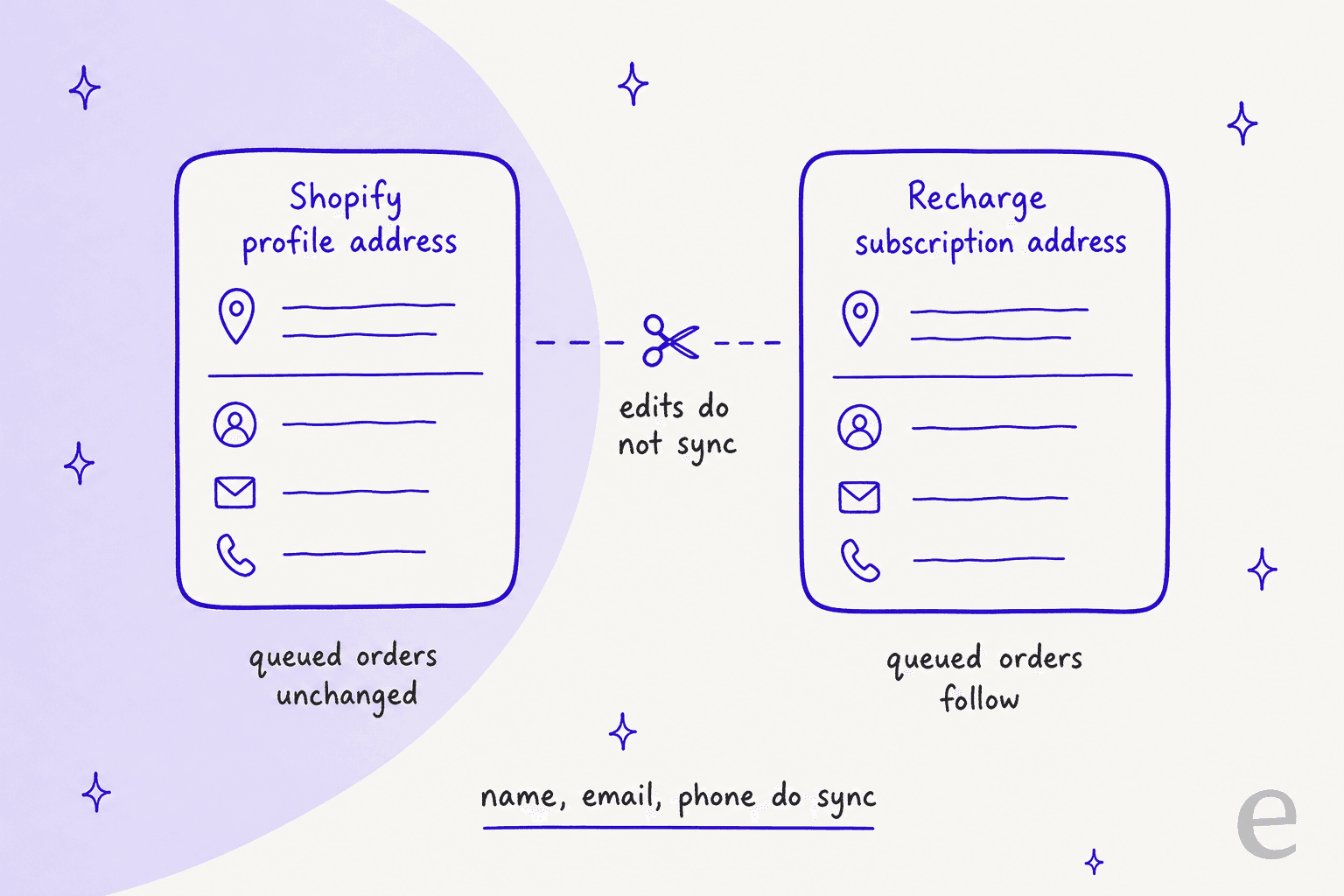
Recharge's Customer Sync guide closes the loop. Sync is on by default for all stores and runs in real time, but it only covers first name, last name, email, phone number, tax exemption status and email marketing preference. It states that Customer Sync does not update customer addresses.
The direction matters too. Per the address guide's warning, a Recharge address edit reaches your ecommerce platform after the next recurring order is processed, and if you want it there immediately you update the platform as well. So for a customer who needs next week's box to go somewhere new, the safe move is two edits: the Recharge address and, if an order already exists, the Shopify order. Shopify's own help center says you can edit the shipping address on an order after it is placed, that taxes are recalculated only for unfulfilled orders, and that you can't edit the billing address. I found no Recharge page saying a Shopify order edit flows back into the subscription, so I treat them as two separate fixes. If you want the order side covered, our Gorgias macro for address edits and Shopify order data guide go deeper.
Which address problems hit queued prepaid orders?
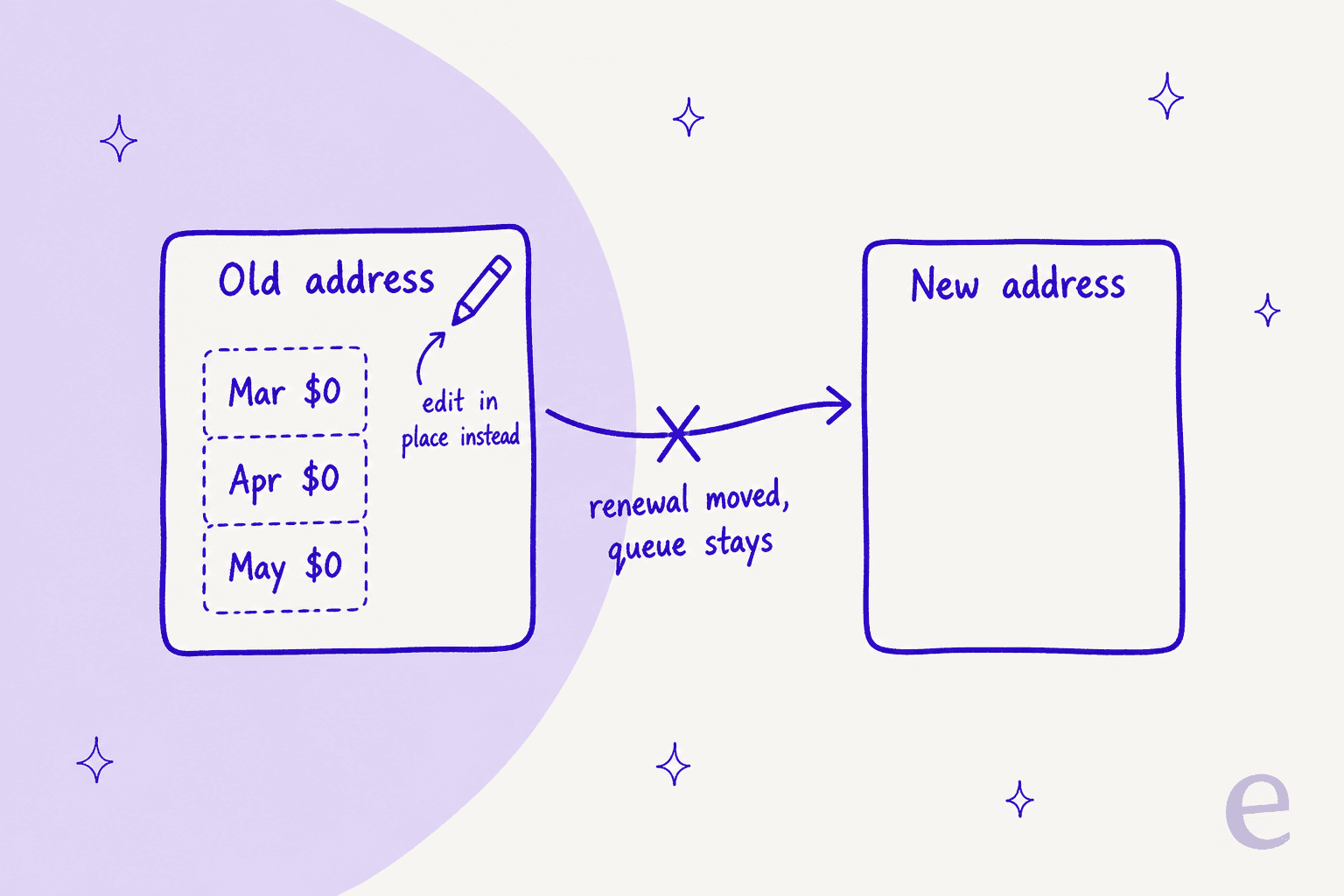
Prepaid is where "edit it" quietly fails. A prepaid plan has a queue of $0.00 orders, and those do not follow a new address unless you edit the old one in place.
Recharge's address guide is direct: for prepaid subscriptions, the simplest approach is to update the existing address on file rather than create a new one. If a new address is created and the prepaid renewal is moved to it, the system will not update future queued orders. The recovery path depends on whether the original address still exists:
- It still exists: delete the prepaid orders from the existing prepaid address and re-create them on the new address.
- It was deleted: contact Recharge Support to move the orders or fix the address details.
Two more limits bite here. The combining guide notes that you cannot move the address for prepaid products, and the merge tool states that addresses with prepaid subscriptions cannot be merged with another address. If a customer on a prepaid plan "added a new address in the portal" before writing in, check where the queue sits before you promise anything. The full picture of how the charge and queue relate is in our prepaid deliveries guide.
When should you move subscriptions instead of editing the address?
Move them when the customer has several addresses and wants one subscription to start shipping somewhere else. Edit in place when the whole address changed.
Recharge's move guide lays out the steps: open the customer, hover over the subscription, open the three-dot menu, choose Move address, pick the new address and click Update. There is a bulk version using the product checkboxes and Move address in the bulk actions bar. Three side effects are worth saying out loud to a customer:
| What you do | What can change | What to check afterward |
|---|---|---|
| Move one subscription to another address | It syncs to the new address's frequency and may update the next order date | Next order date, and whether it now ships with other items |
| Move a subscription that has future skips | Future skips are removed when a subscription moves to a different address | Re-skip if the customer still wants the skip |
| Move across addresses with different presentment currencies | Not allowed for multi-currency stores; cancel and add a new subscription instead | Price and currency on the new subscription |
| Move a prepaid subscription | Not possible with Move address | Edit the existing address instead |
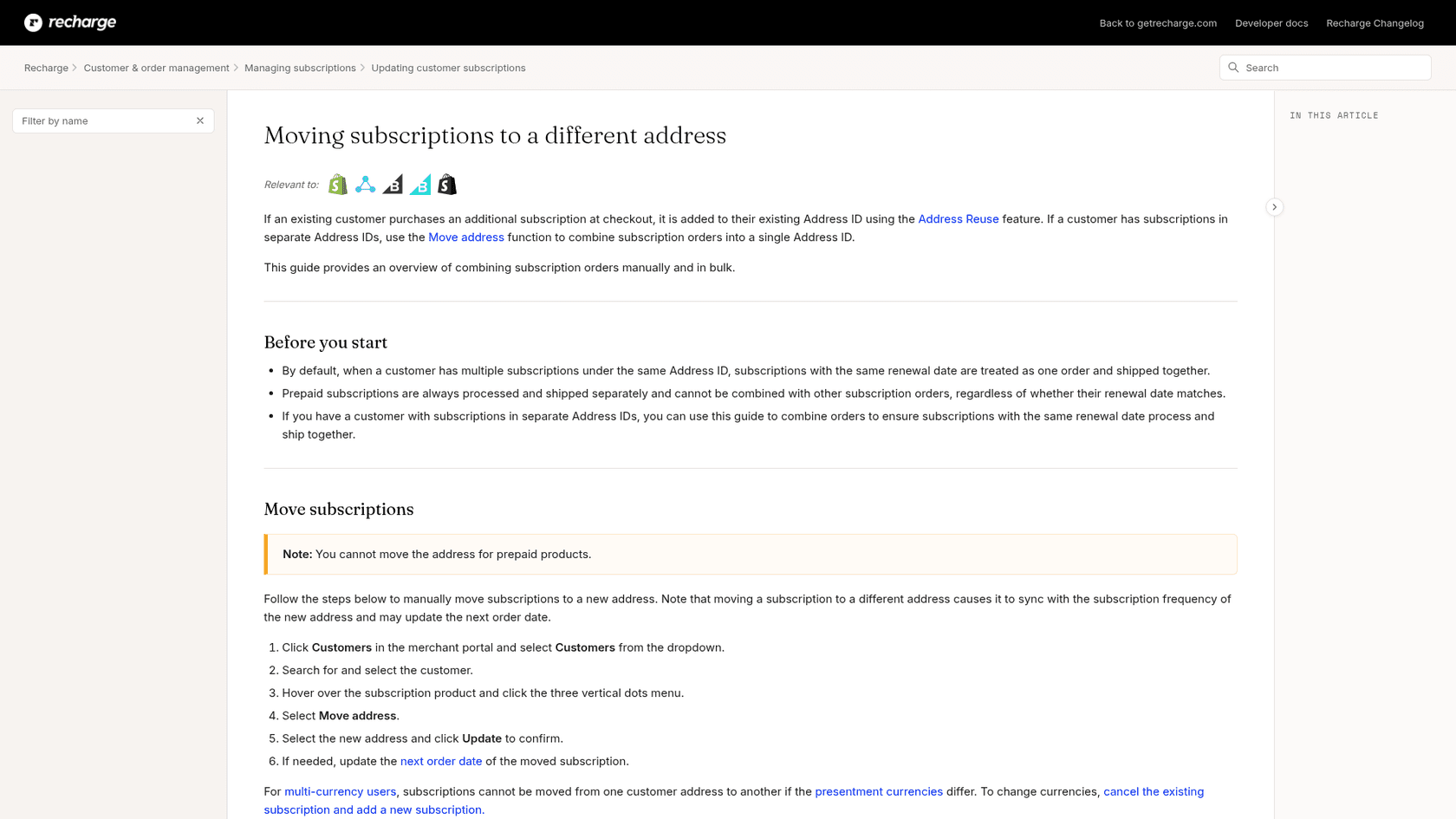
The skip rule is the one agents miss. Recharge keeps a customer's skipped order in most cases even when the subscription is later updated, but future skips are removed if the next charge date changes, the frequency changes, or the subscription is moved to a different address. When that happens Recharge emits a subscription/removed_from_skipped_charge event and adds a "skip removed" entry to the customer timeline. A customer who skipped March and then moved can find March back in the queue. Our skip ticket guide covers how to re-skip.
For duplicates, the Merge addresses option consolidates subscriptions from several addresses into one target address, and you can set the next charge date for all of them and optionally delete the duplicate addresses. The API has a matching merge call that combines up to 10 source addresses into one target and fails if any has a different presentment currency.
Which records does a given address change touch?
Pick the request and read what changes and what you still have to do. I use this order when a ticket lands.
Address change checker
What is the situation?
Do: edit the existing address record in the merchant portal.
Touches: every subscription on that address and the charges built from them.
Check: other address IDs on the customer. Tell them which boxes now go where.
Do: create or pick the second address, then use Move address on that subscription.
Touches: that subscription only. Frequency may sync and skips are removed.
Check: next order date and any skip the customer had.
Do: edit the existing address in place. Move address is not available for prepaid.
Touches: the queued orders only if you edited rather than created a new address.
Check: read each queued order. If a new address was already made, recreate the orders or contact Recharge Support.
Do: edit the address in Recharge as well. Shopify edits do not sync back.
Touches: nothing in the subscription until you do.
Check: the theme (Unity customers use Subscription addresses on Profile).
Do: edit the Shopify order shipping address if it is unfulfilled, and the Recharge address for later orders.
Touches: two separate records. Taxes recalculate on unfulfilled Shopify orders only.
Check: fulfillment status before you promise a delivery address.
How do helpdesks and AI agents handle address-change tickets?
Most teams work them from the helpdesk with Recharge open in another tab. The lookup is the cost: find the subscriber, count the addresses, read each address ID, confirm the next order.
Gorgias has a Recharge sidebar and AI Agent actions, and our Gorgias macros guide shows how teams standardize replies. I haven't verified whether any Gorgias action touches Recharge addresses, so check its current docs before planning around it.
eesel is narrower on purpose, and here is the exact finding for addresses. From its Recharge docs, eesel finds the subscriber by the email they wrote from, and its customer lookup returns their subscriptions, addresses and payment methods in one call. It lists subscriptions and orders with status and scheduled date. Its Update address action changes the shipping address future charges will use, and Update customer changes only name, email and phone. The docs teach it that address changes live on address records, not on the customer, so it never tries to fix a shipping problem by editing the contact details.
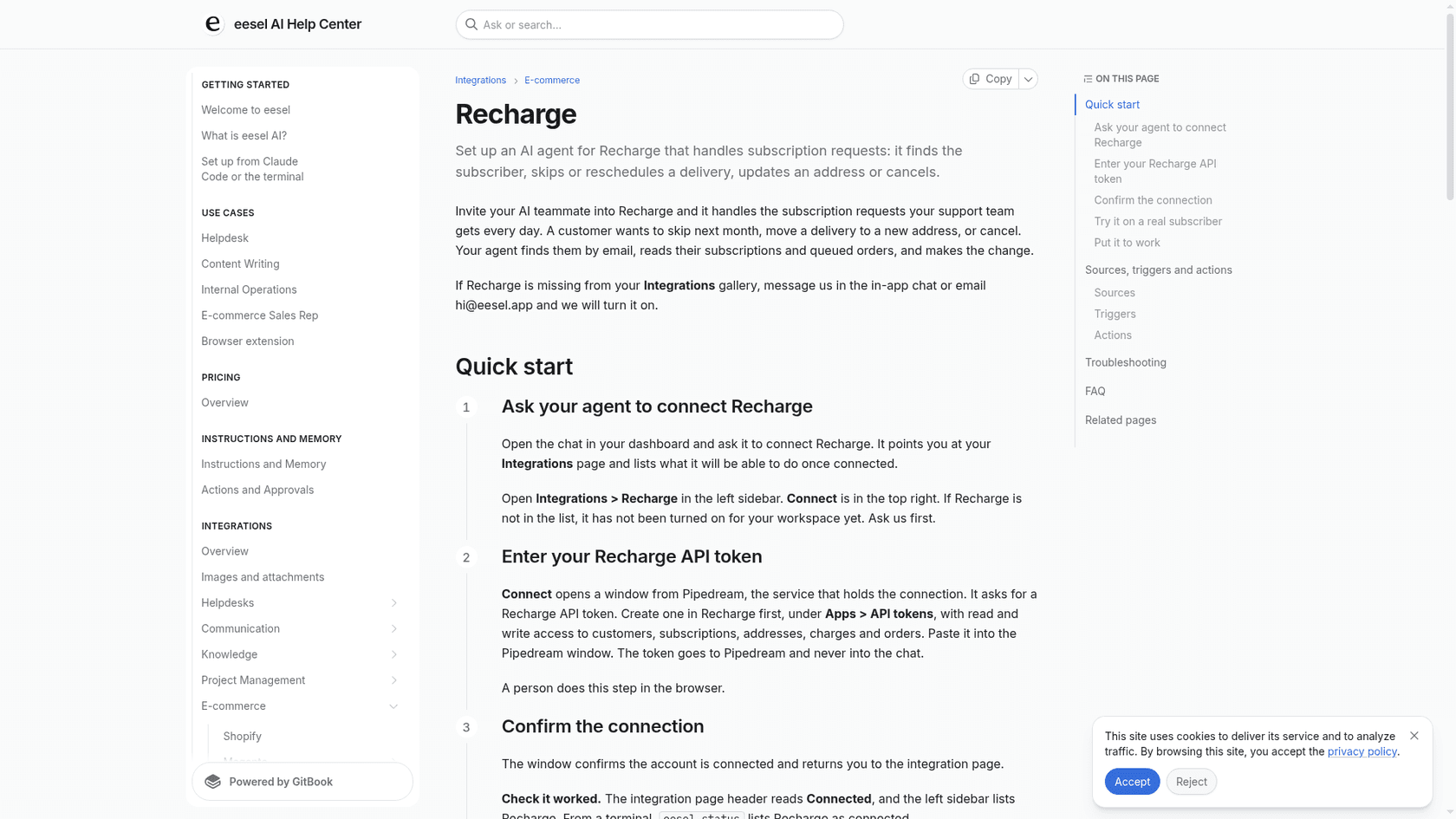
The limits matter as much as the action. The docs list no move-address, no merge, no recreation of queued prepaid orders and no edit of the Shopify order, and they don't say Update address rebuilds queued prepaid orders. A prepaid address change is therefore a handoff that someone verifies. Every write can also wait for approval under your action rules.
None of the stories below run Recharge, so I'm not claiming a Recharge result. They show the habit worth copying, which is reading the real record before replying. STIL Classics runs eesel on Gorgias and Shopify, and any ticket with an order number gets the order, its fulfilment status, the items and the ship-to address pulled from Shopify before a draft is written. In one month eesel prepared about 320 tickets and looked up about 230 Shopify orders, with a person checking each draft and doing anything that changes an order. Question Beauty runs eesel on Gorgias and Shopify too, checks the order and fulfilment status first, and hands refunds and complaints to a person with a note.
What I'd look for before letting any agent near an address change:
- It reads the addresses first. An agent that edits the only address it sees misses the second one.
- It knows Shopify and Recharge don't sync addresses. Ask it what it does when the customer only edited their store profile.
- It treats prepaid as a handoff. "A teammate will confirm your queued boxes" beats a made-up confirmation.
- It's tested on real tickets. Replay past address tickets with simulation testing before go-live.
- It has a clean escalation path. Follow your handoff rules for anything it can't do.
How should you reply to an "I moved" ticket?
Reply with the address you changed, which subscriptions it covers, and the date of the first box going there.
For a normal move:
Hi Dana, I've updated the address on your subscription to 14 Elm Street. It covers your coffee and tea subscriptions, which ship together on March 14, so that box goes to the new address. Your gift subscription at your parents' address is unchanged. Tell me if that one should move too.
For a customer who only edited their store account:
Hi Dana, thanks for letting us know. Updating the address in your store account doesn't change your subscription, so I've updated it on the subscription itself. Your March 14 box will go to 14 Elm Street.
For a prepaid customer:
Hi Dana, I've updated the address on your prepaid plan and I'm checking that your two remaining boxes show it. I'll confirm once I've read them.
Each one names the address, the scope and a date, and none promises what nobody has checked. Saved as macros they're easy to reuse. Some things also cut these tickets at the source:
- Point customers to the right form. Recharge lets you copy a direct portal link to the shipping addresses page from Customer portal links, if your portal allows address edits. Our portal login guide covers access trouble.
- Keep Address Reuse on. It prevents duplicate address IDs from new checkouts.
- Use the bulk tool for big changes. The bulk address import takes an
address_idplus only the fields to change. - Message before the charge. Moves cluster before renewals, so proactive notices catch them early.
- Tag these tickets. A consistent tag shows later how many are Shopify-only edits.
What does the Recharge API show for addresses?
The same records, as data. In the 2021-11 API, an address update is a PUT /addresses/{id} call that needs the write_customers scope, and updating country requires updating zip too. A separate Change a subscription address call (write_subscriptions scope) takes an address_id to attach one subscription to a different existing address, which is the API equivalent of Move address.
Two points I'd care about as a support lead. Queued charges are regenerated from the subscription or address, so you change those and let the charge follow. And writes are scoped, so an automated address change should sit behind an approval step before it touches a live customer. For the wider order-data picture, see our ecommerce order management guide.
Should an address change also trigger a risk check?
Sometimes. An address change is a request to redirect a parcel, so I'd verify identity first when it arrives from a different email than the one on the subscription. Recharge's portal login is email-based, as covered in our login guide, so an agent working a ticket should confirm the person writing is the subscriber before editing. Our guides to fraud-related support and account recovery cover the checks, and the security review guide covers what to ask a vendor.
Try eesel for Recharge address tickets
If "I moved, update everything" fills your queue, eesel can handle the lookup and the first fix inside the helpdesk you already use. It is an AI helpdesk teammate for Shopify support: it finds the subscriber in Recharge, reads their addresses and queued orders, can update the address future charges use once you approve it, and hands moves, merges and prepaid queue fixes to your team.
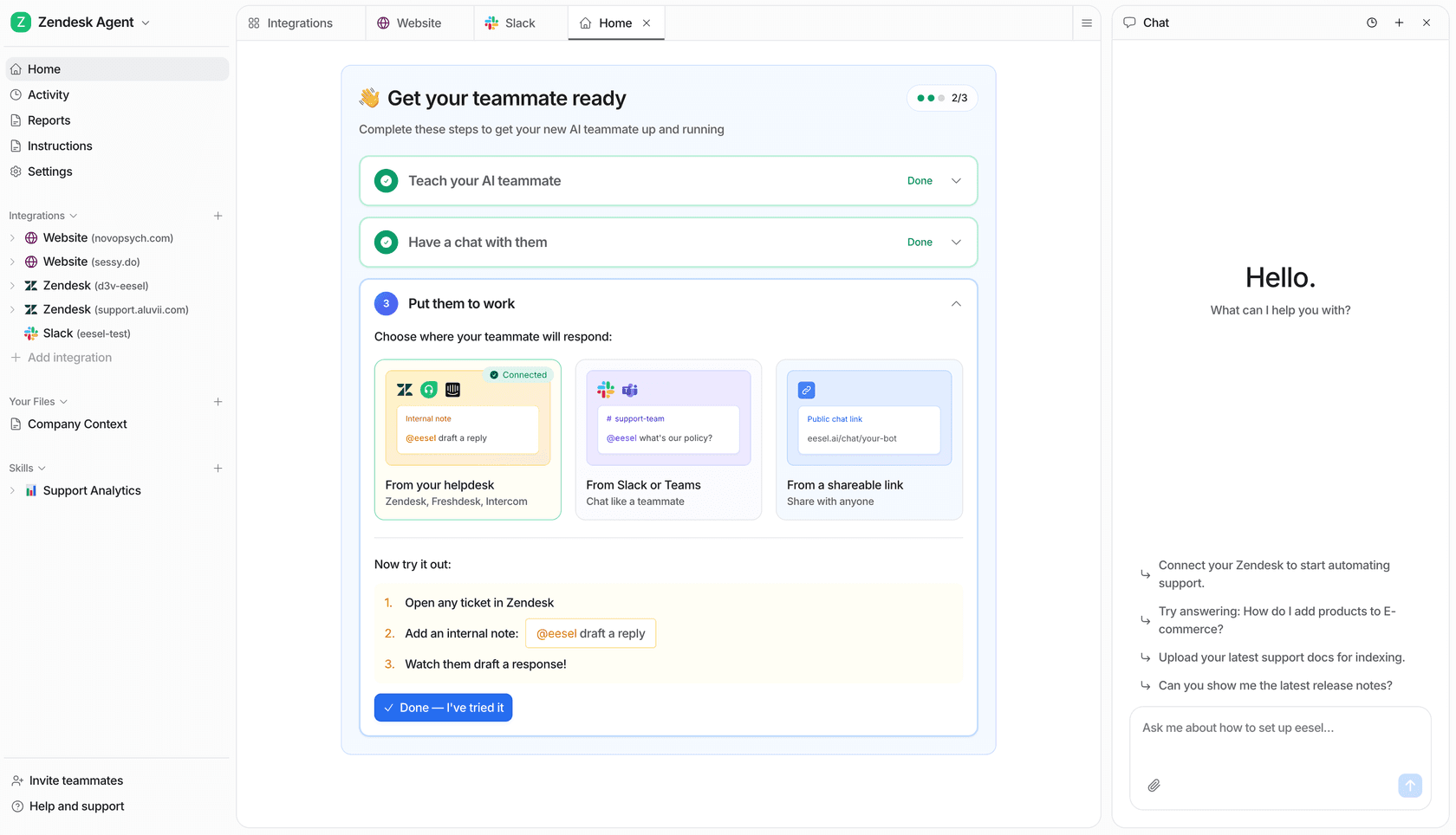
Connect Recharge and Shopify, point the agent at a real subscriber with two addresses, and ask it to list them before it touches a live ticket. If you run Zendesk, it works from there too, and our Shopify support roundup and ecommerce support guide are the next stops. Try eesel free.