Recharge prepaid subscriptions: how deliveries and charges work for support

Rama Adi

Katelin Teen
Last edited November 6, 2026

A Recharge prepaid plan is one upfront charge that pays for several deliveries, followed by a queue of $0.00 orders, one per shipment. Most prepaid tickets go wrong because the customer, or the agent, treats it like a monthly plan: a cancel leaves the queued orders in place, an address change on a new address doesn't reach them, and a refund never cancels a shipment by itself. Read the queue, then answer with dates.
An AI agent like eesel can read a subscriber's queued orders and cancel one queued prepaid order, but it can't skip, reschedule, add a shipment or refund on a prepaid plan, so those go to a person. With the eesel CLI, a coding agent can upload approved knowledge such as your prepaid rules and macros, then ask test questions and check the answers before anything goes live.
Why do prepaid tickets feel different from monthly ones?
Because the money and the deliveries live in two different places. On a monthly plan, one charge makes one order. On a prepaid plan, one charge makes several, and the customer only remembers paying once.
I work on the integration side at eesel, where we wrote the Recharge actions, and the line that matters most in Recharge's docs is the one in the API reference: a charge can generate more than one order, and Recharge flags that case as prepaid. Everything downstream follows from that. A skip, a cancel, an address change and a refund each touch the charge, the queued orders, or both, and they don't always move together.
The tickets arrive in predictable shapes, by email, chat or Instagram DM: "why was I charged $0?", "I cancelled, why is another box coming?", "can I skip March?", "I moved, will the rest go to my new address?", and "refund me for the boxes I won't get." This is one more in our Recharge set, after product swaps, skips and pause dates, and the one where the answer depends most on which record you open.
What is a Recharge prepaid subscription?
It is a plan where the customer pays upfront for several deliveries. Recharge's prepaid guide says prepaid products let you collect payment upfront for multiple deliveries, and Recharge calculates the price as the standard product price multiplied by the number of deliveries, with any discount applied after.
The guide's own example is the easiest one to quote: a $10 product sold as a 3-month prepaid plan is a $30 charge, and at 10% off the customer pays $27. Three plan settings decide how it behaves:
- Ship this product every. How often the customer gets a box.
- Charge the customer every. How often they are billed. It has to be a multiple of the ship interval, so shipping every 2 months allows charging every 4, 6 or 8 months.
- Expire after a certain number of charges. Optional. Set to 1, it makes a one-off prepaid gift.
Recharge offers two versions. Prepaids with Variant Level Plans is the current experience, and Recharge recommends upgrading to it. Prepaids without Variant Level Plans (Legacy) is the original one, where you build separate products priced for the whole cycle. If a customer can't find a prepaid option, check which version the store runs first.
How do the upfront charge and the $0 orders work?
The customer is charged once, and each shipment becomes its own queued order. That is why one "purchase" can show a paid order followed by several $0.00 ones.
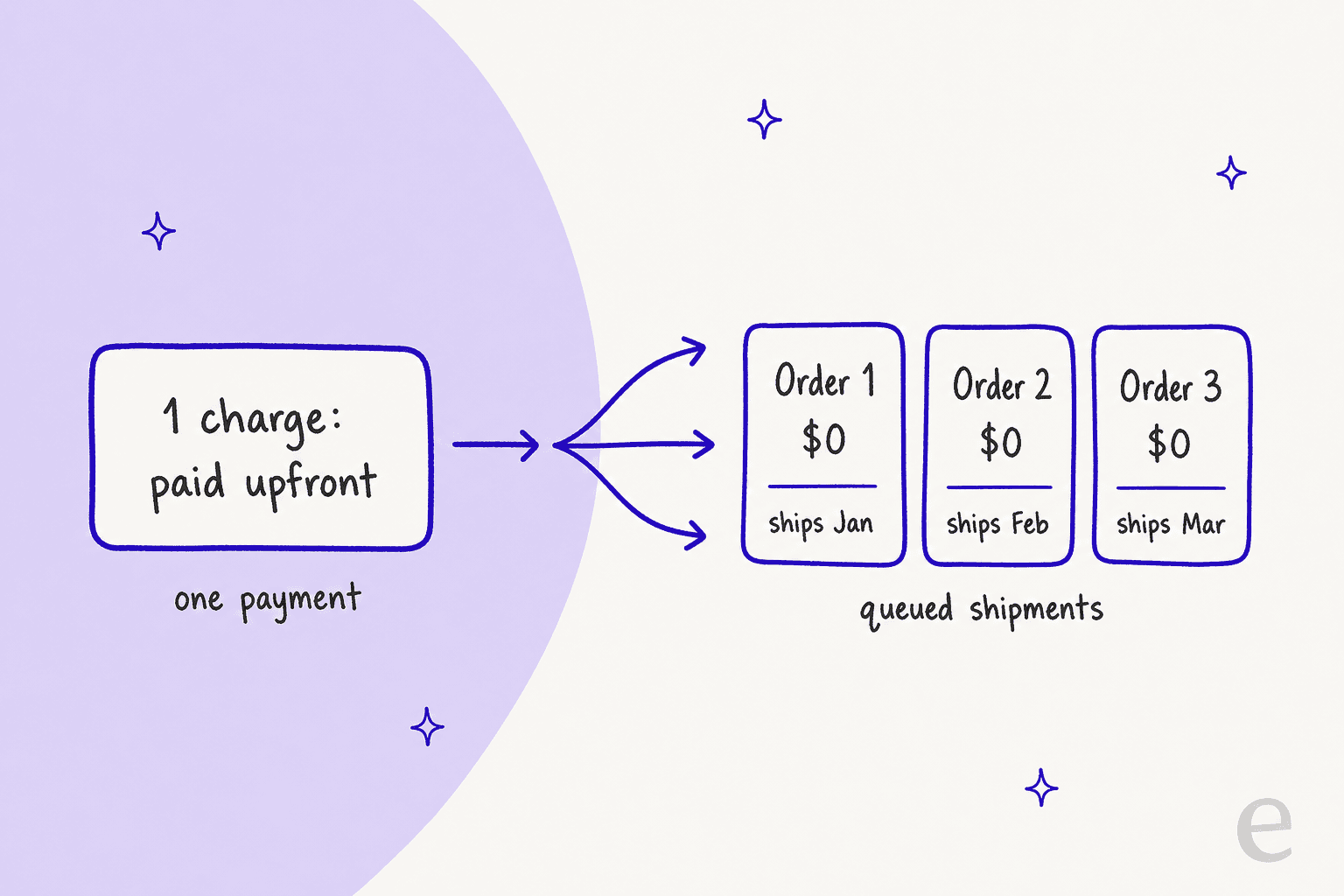
Recharge's orders API states it directly: an order is created after a charge is successfully processed, and for a prepaid order, it is queued for a particular date and submitted to the store platform on that date. The prepaid swap guide adds that when a customer buys a prepaid subscription, all shipments are created at once and scheduled by the subscription's rules.
| Record | What it is | What to read on it |
|---|---|---|
| Charge | The one payment, made upfront | Amount, status, and how many orders it generated |
| Queued order | One shipment, shown as a $0.00 order | Scheduled date, product, status |
| Renewal | The next charge that starts the next cycle | Date, and whether the plan expires |
On the customer side, stores using Affinity 2.0 show a banner explaining the product is prepaid, shipment progress such as "Shipment 2 of 3", and updated pricing on the Next order page when a shipment is already paid for. Cancelled or expired prepaid subscriptions stay visible until every prepaid shipment is fulfilled, then move to the inactive tab.
Two small details explain a lot of tickets. First, because Shopify can send an invoice for a $0 shipment, Recharge's guide suggests adjusting those notifications. Second, in the legacy setup, shipping and taxes are charged only when the initial order is processed, so the first order's shipping has to cover every box. If a customer asks why later boxes show no shipping, that's the reason.
When are the orders created and released?
Created at purchase, released on their dates. The queue exists from day one, and each order is submitted to the store platform on its scheduled date, not when the customer paid.
That has two consequences for support. A customer who prepaid in January already has a February and March order in the queue, so "your next order isn't set up yet" is never the right answer. And the next charge is a separate date: Recharge's shipment dates guide says the renewal order carries a Renewal tag in the customer's upcoming orders, which is where you find it.
A plan with an expiry behaves differently at the end. Recharge says that when a prepaid subscription expires, it does so immediately after the final charge processes, even if shipments remain in the queue, and the system then treats the subscription as cancelled. A plan set to expire after one charge expires at checkout even though future shipments are still scheduled. So an "expired" prepaid plan can still have boxes coming, which looks like a bug to the customer and isn't one. Our subscription business roundup explains where else this trips people.
What happens when a customer skips a prepaid delivery?
It works only if you enabled it, and it moves other dates. In the merchant portal, go to Storefront, then Customer portal, and select Skip upcoming prepaid orders under Customer portal functionality. Recharge says skipping lets customers skip prepaid orders and proceed to the next queued order.
Recharge's guide is careful about side effects. The same page warns that changing or skipping a prepaid shipment date will impact the other prepaid shipment dates or the upcoming charge date if the plan renews, and suggests updating both the next shipment date and the next charge date to keep them aligned. A table lower down says changing a single shipment date doesn't impact other shipment dates in the existing cycle. Those two notes read as pulling in different directions, so my rule is to read the queue after every change and quote the dates you see, not the ones you expect.
To reschedule by hand, open the customer, find the upcoming order tagged Renewal, use the three-dot menu, choose Reschedule and pick the new date. Recharge says rescheduling that charge date reschedules all dates related to the prepaid charge. For one-off shipments, the API has a Delay an order call that pushes the next queued prepaid order back one interval and shifts every later order and charge by the same amount.
If you want the monthly-plan version of this question, our guide to Recharge skip tickets covers it, and the pause date post explains why a pause is a different request.
What happens when a customer cancels a prepaid plan?
The portal says cancelled and the boxes keep coming. That is the single most expensive prepaid mistake.
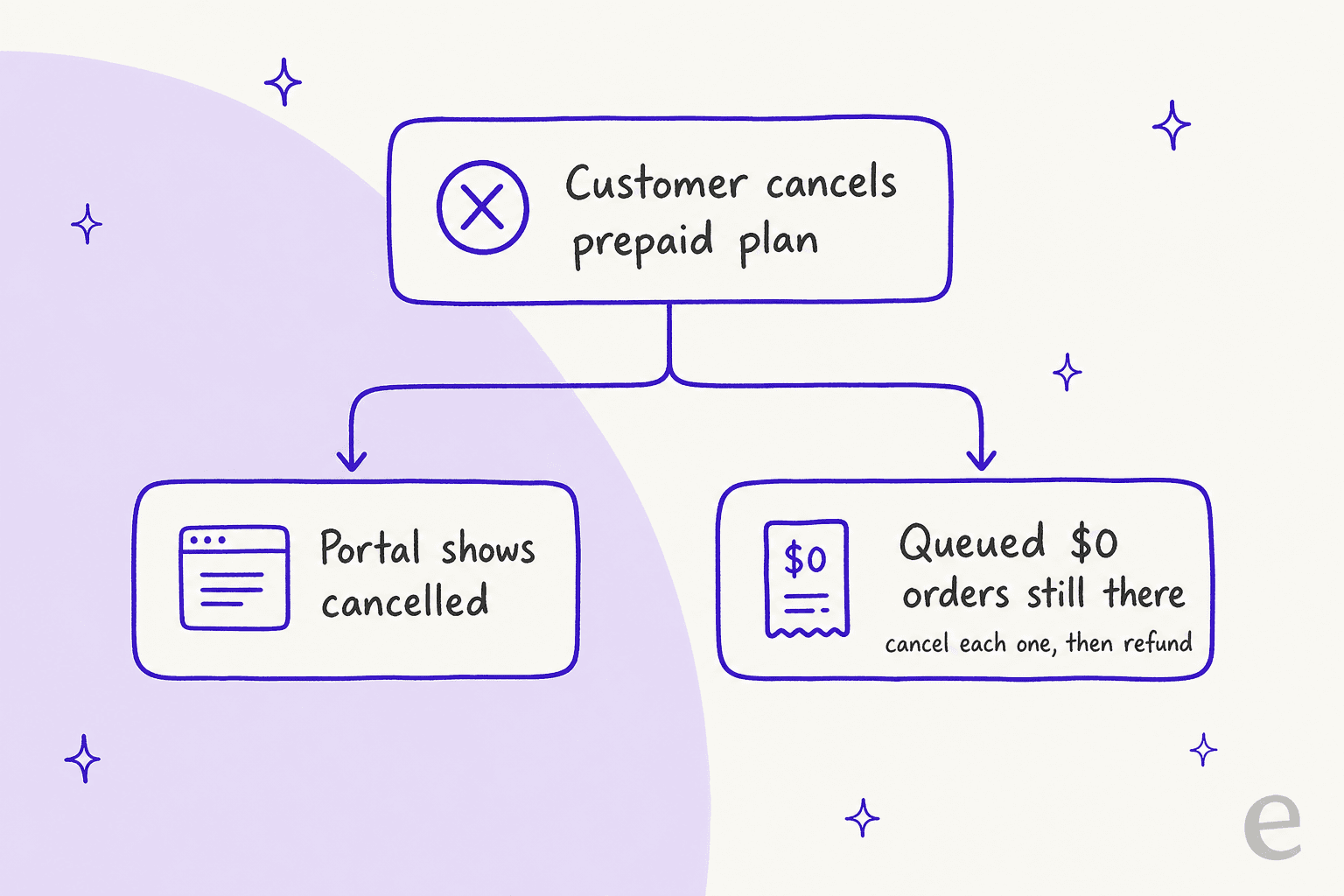
Recharge's cancel guide says cancelling a prepaid subscription does not automatically cancel the queued shipment orders, and gives the extra step:
- In the merchant portal, open Customers and find the customer.
- Hover over the subscription, open the three-dot menu and choose Cancel subscription.
- In Upcoming orders, expand each queued $0.00 order and click Cancel.
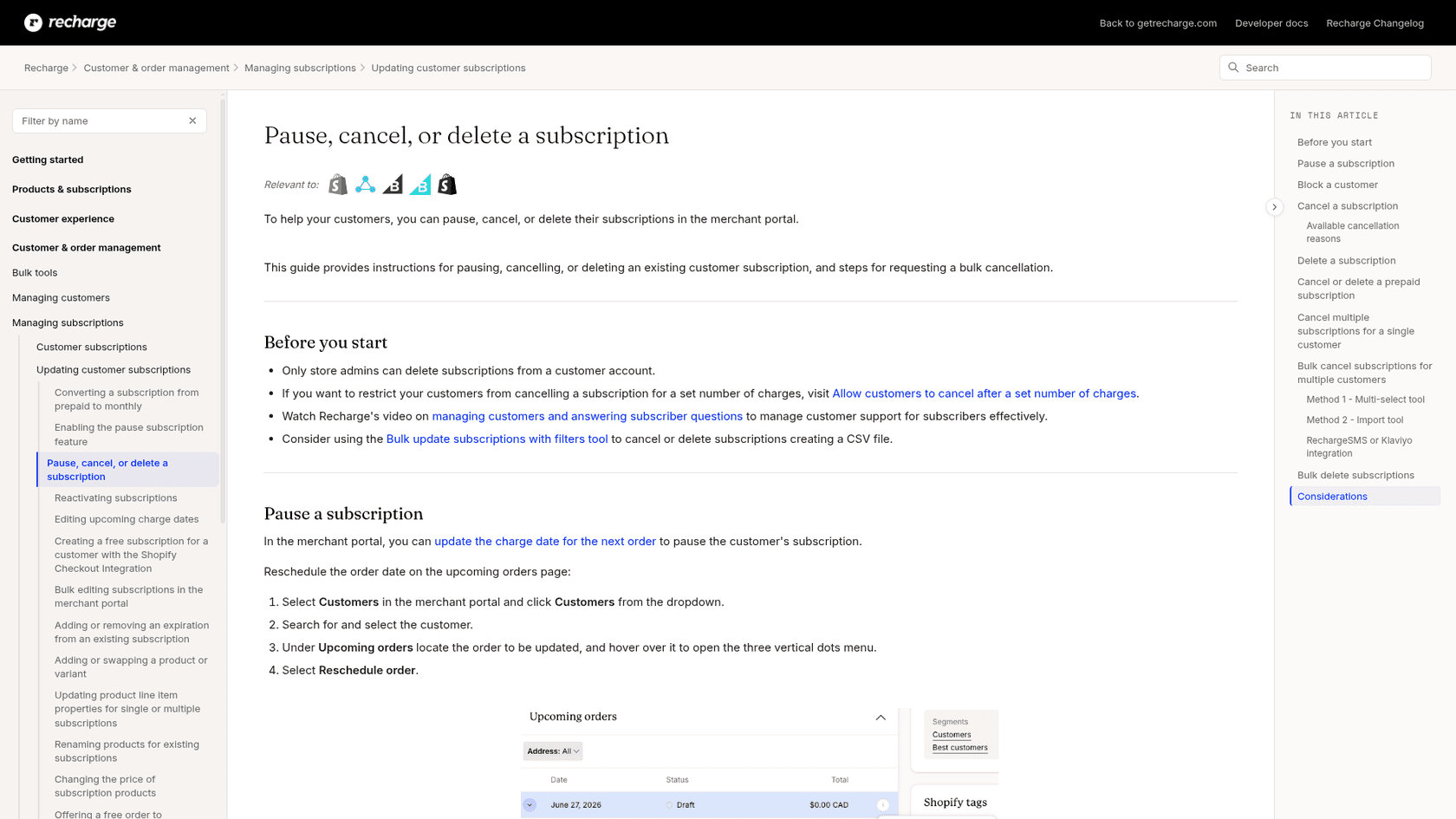
Two cautions from the same guide. The bulk cancel and import-tool routes don't cancel prepaid shipments that are already scheduled, so a bulk cancel is not enough on its own. And Recharge's prepaid guide warns that if you need to add a shipment, do it before cancelling the charges, because cancelling a charge first can prevent you from generating the order.
If the customer wants to go back to a monthly plan, Recharge's conversion guide says to cancel the prepaid subscription, optionally cancel the remaining shipments, then add the monthly subscription. The reverse, monthly to prepaid, means confirming the price covers the whole cycle, editing the frequency to "This is a prepaid subscription" with a charge interval larger than the ship interval, and checking the upcoming order shows the right number of shipments. Cancellation tickets also belong in your retention flow.
What happens when the address or product changes?
Both changes can miss the queued orders, and the failure is silent. The customer thinks it is done, and the next box goes to the old place or ships the old item.
Address. Recharge's address guide says that for prepaid subscriptions the simplest route is to update the existing address on file. If a new address is created and the prepaid renewal is moved to it, the system will not update future queued orders. The fix depends on whether the old address still exists: if it does, delete the prepaid orders from it and recreate them on the new address; if it was deleted, contact Recharge Support. The same guide warns the customer's address updates on the store platform after the next recurring order, so update it there as well if it must change immediately. Related limits from Recharge's move-address guide: you cannot move the address for prepaid products, prepaid subscriptions always ship separately, and addresses with prepaid subscriptions cannot be merged with another.
Product. The product is set for the whole cycle when the plan is created, and a customer's own change only affects the next charge. Per Recharge's prepaid swap guide, prepaid customers must contact you to swap. You add the new prepaid product with a charge date at the end of the previous cycle, cancel the old product, then swap the variant on each remaining queued shipment. Our product swap post covers the monthly version. Fixes for a changed address live on address records, which is why the address macro guide belongs in your set.
How do you refund the remaining prepaid deliveries?
Cancel the unshipped orders, then refund the money, as two separate actions. Recharge's refund guide says that by default Recharge does not cancel an order when refunding, and the reverse is true too: cancelling an order does not refund it.
The refund itself is Refund by amount from the order in the customer's recent orders, or Refund by item for orders with two or more items. Recharge says customers can typically expect the money in 3-5 business days for Shopify or 5-7 for BigCommerce, and that transaction fees are not removed for refunded amounts. One catch: the guide states it doesn't apply to merchants on the Shopify Checkout Integration, which has its own refund article, so check which integration the store uses.
I found no Recharge formula for refunding the unshipped part of a prepaid cycle, so I wouldn't invent one. Work out the amount for the boxes that won't ship, compare it against your policy, and keep a human on the money step, the way our refund approval matrix and refund automation guide suggest. A refund asked for after a dispute is its own topic: see payment disputes.
What does the Recharge API show for prepaid?
The same records, as data. In Recharge's 2021-11 API, an order has an is_prepaid flag, and the charge object carries a count of orders generated from it, which is greater than 1 for prepaid subscriptions. The pieces I'd care about as a support lead:
- Delay an order. The id must be the next queued order of a prepaid subscription. It delays that order by one interval and shifts all later orders and charges by the same amount. Scope:
write_orders. - Clone an order. You can add extra orders onto a successful charge that already has prepaid orders by cloning an existing one.
- Update line item properties. Allowed on prepaid queued orders. To change queued charges, change the parent subscription or the address.
Reads and writes are scoped, and an automated write should sit behind an approval workflow before it touches a live customer.
Which prepaid answer fits this ticket?
When a prepaid ticket lands, I check things in this order. Pick the request and read what to do and what to say.
Prepaid ticket checker
What did the customer ask for?
Do: check that Skip upcoming prepaid orders is on, then skip or reschedule the next queued order.
Check: did other shipment dates or the renewal date move? Read the queue again.
Tell them: the new date for each remaining box and the new charge date.
Do: cancel the subscription, then cancel each queued $0.00 order under Upcoming orders.
Check: is any shipment still scheduled? A cancelled portal view doesn't mean an empty queue.
Tell them: which boxes are cancelled and whether a refund is coming.
Do: edit the existing address on file, not a new one.
Check: was a new address already made? Recreate the prepaid orders on it, or contact Recharge Support if the old one was deleted.
Tell them: that the queued boxes now go to the new address, and when the store profile updates.
Do: add the new prepaid product, cancel the old one, then swap the variant on each queued shipment.
Check: does every remaining order show the new item?
Tell them: which box the new item starts with.
Do: cancel the unshipped orders first, then refund by amount in Recharge.
Check: which integration does the store use? Shopify Checkout has its own refund steps.
Tell them: the amount, why that amount, and the 3 to 5 business day window on Shopify.
How do helpdesks and AI agents handle prepaid tickets?
Most teams work prepaid from the helpdesk with Recharge open in a second tab. The cost is the lookup: find the subscriber, find the charge, count the queued orders, read each date.
Gorgias has a Recharge sidebar and AI Agent actions, and our Gorgias and Recharge post covers them. I haven't verified whether any of those actions touch prepaid queued orders, so check the current Gorgias docs before planning around it.
eesel is narrower on purpose, and here is the exact finding for prepaid. From its Recharge docs, eesel finds the subscriber by the email they wrote from, lists subscriptions with status and next charge date, and lists orders with each order's status and scheduled date. The docs also teach it that a prepaid plan is one charge covering several shipments, so after a cancel it lists the remaining shipments and cancels each queued order that shouldn't ship, one by one. It also notes that the Charge ID shown against each queued shipment is the same for all of them, and cancelling it removes nothing.
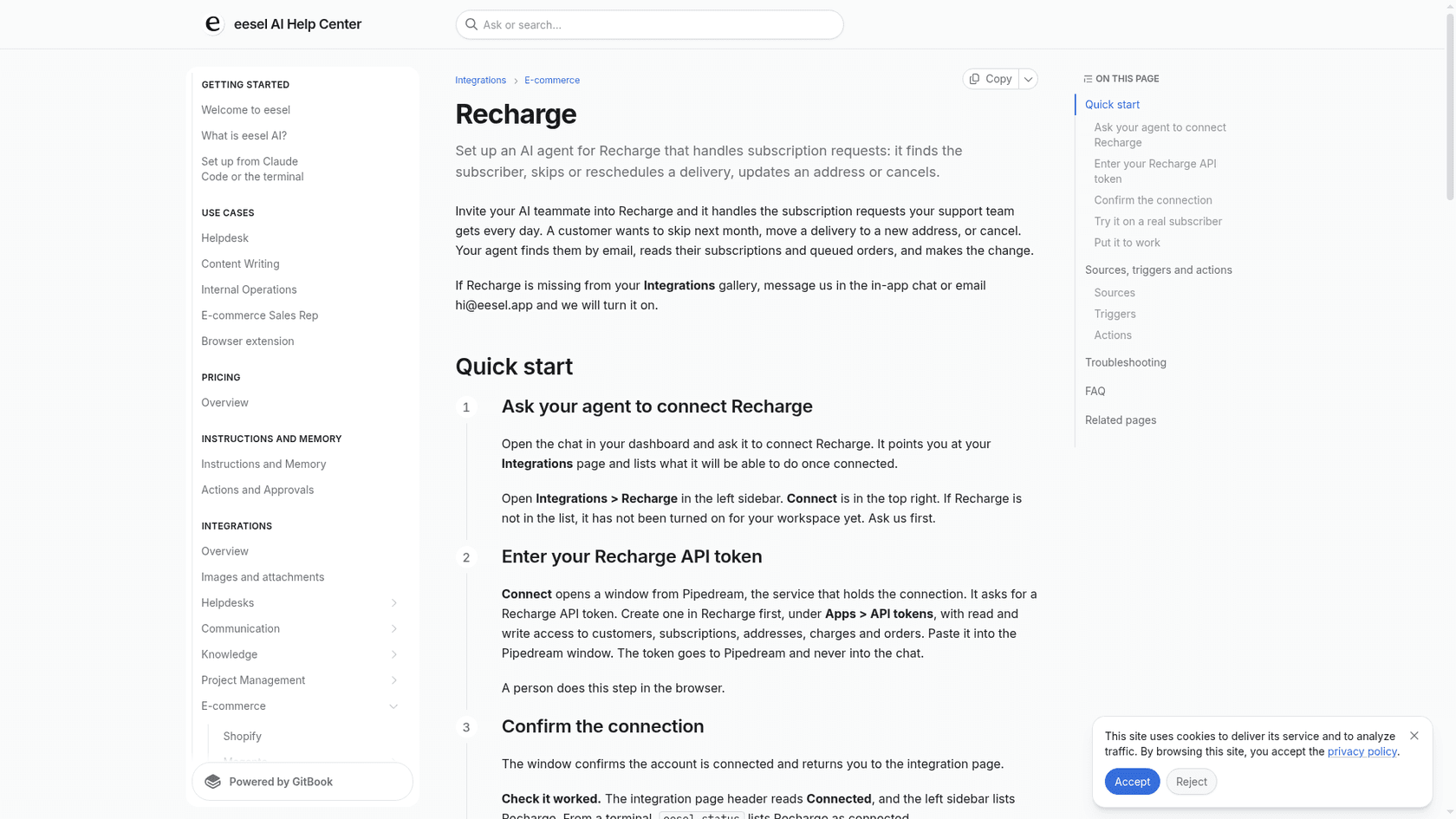
What it can't do on a prepaid plan matters just as much. Its Skip charge action covers month-to-month plans only, and the docs list no reschedule, no added shipment, no address recreation for queued prepaid orders and no refund action. Update address changes the address future charges will use, but the docs don't say it rebuilds queued prepaid orders, so I'd treat a prepaid address change as a handoff and verify it. Each of those goes to your team.
None of the customers below run Recharge, so I'm not claiming a Recharge result. They show the pattern of reading the order before answering. STIL Classics runs eesel on Gorgias and Shopify, and in one month eesel prepared about 320 tickets for the team and looked up about 230 Shopify orders first, with a person checking each draft and doing any refund. Poseidon Animal Health, a supplement brand on Gorgias, names pausing an auto-ship as a typical customer question and has its team check auto-ship changes before anything is sent. The record comes first, then the reply.
What I'd look for before letting any agent near prepaid:
- It reads queued orders first. An answer without a date is a future ticket.
- It knows the charge isn't the queue. Cancelling the subscription or the charge is not the same as cancelling shipments.
- It doesn't pretend to have actions it lacks. "I can't reschedule that, a teammate will" beats a made-up confirmation.
- It's tested on real tickets. Run it on past prepaid tickets with simulation testing before go-live.
- Money goes to a person. Anything charged follows your handoff rules.
How should you reply to a prepaid ticket?
Reply with the dates, what was charged, and the one thing that could change them.
For "I cancelled, why is another box coming?":
Hi Sam, thanks for flagging this. Cancelling your subscription stops renewals, but the boxes you already paid for were still queued. I've cancelled the shipment due on April 14 so it won't go out. If you'd like a refund for the unshipped boxes, tell me and I'll pass it to our team to review.
For "why was I charged $0?":
Hi Sam, you paid for three months upfront on January 14, so this order is a $0.00 shipment that's part of that payment. Nothing new was charged. Your remaining boxes ship on March 14 and April 14.
For "I moved, will the rest go to my new address?":
Hi Sam, I've updated the address on your subscription, and I'm confirming that your two remaining boxes show the new address. I'll reply once that's checked.
Notice what they do: name a date, say what the charge was, and avoid promising what nobody has checked. Saved as macros, they're easy to reuse, and they're the replies worth copying if you train an AI on past tickets. Our canned response guide covers keeping the set tidy.
Some things that cut prepaid tickets at the source:
- Adjust the $0 order notification. Recharge's guide suggests it for stores selling more than one purchase type.
- Turn on prepaid skips only if you can support them. Dates move when customers skip.
- Tag prepaid tickets. A consistent ticket tag shows later which of these questions dominate.
- Message before the renewal. The renewal is the moment people remember they paid; see proactive support.
- Know your order data. Our order management guide covers what sits behind these records.
What should you check in the store before promising anything?
Four settings decide most of what you can offer, and it is worth looking at them before a ticket arrives.
- Which prepaid version. Variant Level Plans or Legacy changes how customers add and upgrade prepaid.
- Prepaid upsell in the portal. Show prepaid upsell lets customers switch from a regular subscription to a prepaid one.
- Prepaid skips. Skip upcoming prepaid orders is a separate toggle.
- Bundles. Fixed-price bundles work with prepaid, but dynamically priced bundles don't, per Recharge's considerations table.
Recharge also lists a multi-currency limit for Variant Level Plans: if your store uses fixed product prices in international markets, Shopify still applies an exchange rate when calculating subscription prices, and Recharge says you can contact its support to switch to the legacy option. For a wider look at selling plans, our guides on AI upselling and product bundling are the next read.
Does the Recharge plan change what you can do?
I found no plan restriction in the prepaid guides I read, so these features aren't described as gated. Here is Recharge's current pricing:
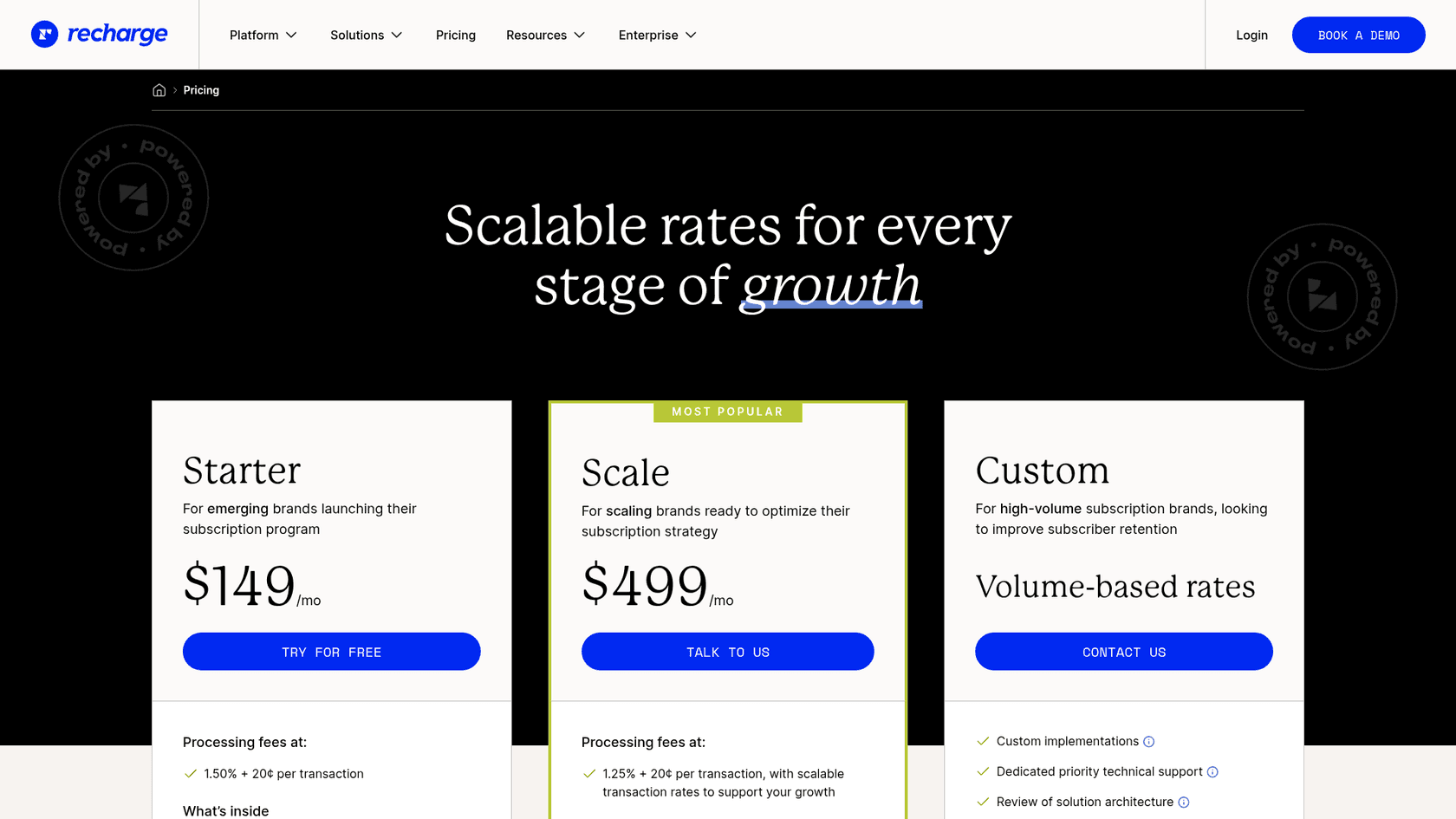
| Plan | Monthly fee | Processing fees |
|---|---|---|
| Starter | $149/mo | 1.50% + 20¢ per transaction |
| Scale | $499/mo | 1.25% + 20¢ per transaction, with scalable rates |
| Custom | Volume-based rates | Custom |
A prepaid charge is one transaction, so the fee applies once to the upfront amount, and Recharge's refund guide says refunded amounts are not removed from the fee calculation. Check the pricing page for what each plan includes.
Try eesel for Recharge prepaid tickets
If "which of my boxes are left?" fills your queue, eesel can answer it from the live queue inside the helpdesk you already use. It is an AI helpdesk teammate for Shopify support: it reads the subscriber's queued orders and dates in Recharge, replies with the real schedule, can cancel one queued prepaid order for a verified customer once you approve it, and hands skips, date changes, address fixes and refunds to your team.
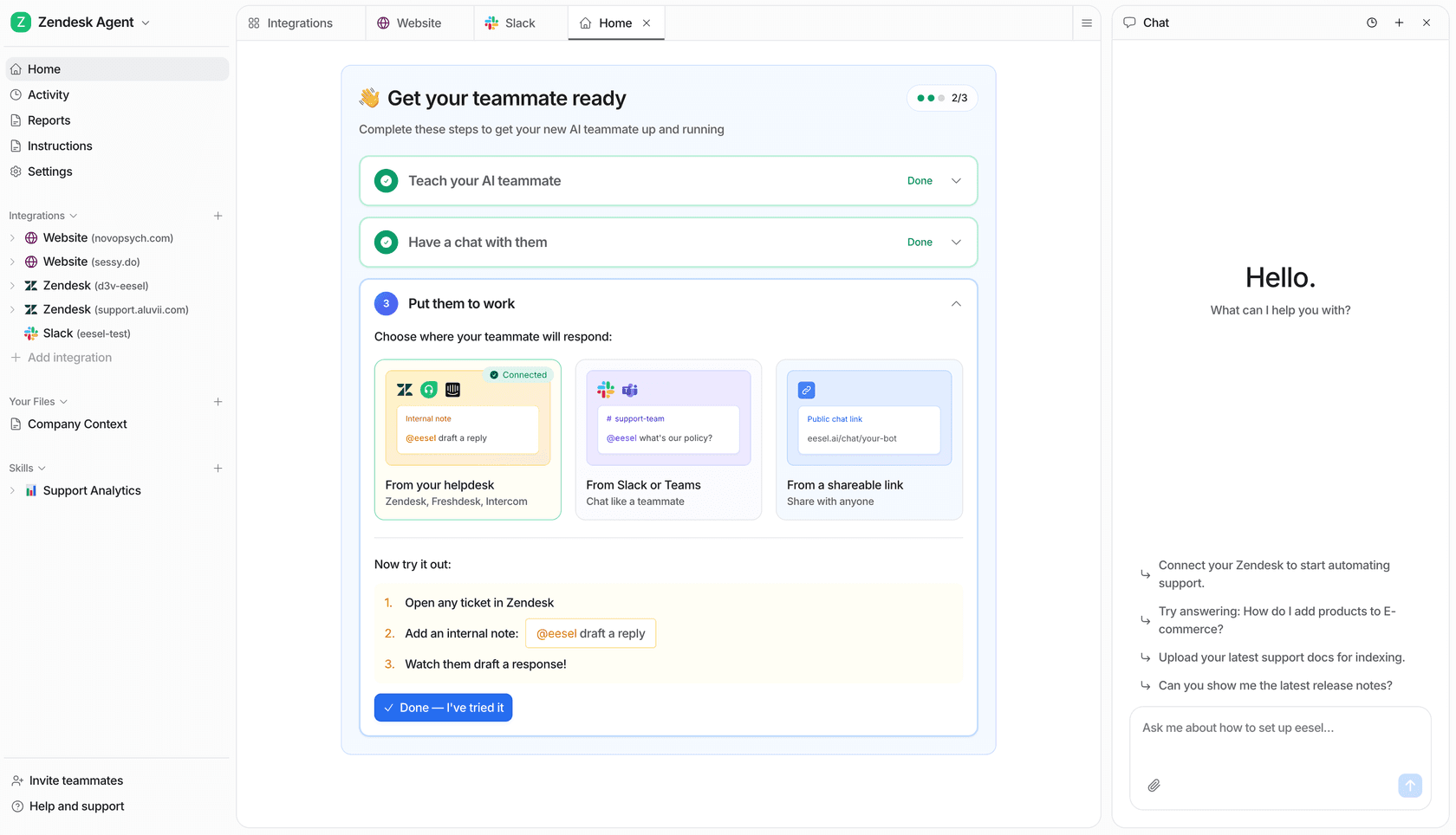
Connect Recharge and Shopify, point the agent at a real prepaid subscriber, and ask it for the remaining shipments before it touches a live ticket. If you already run Zendesk, it works from there too, and our Shopify support roundup and ecommerce support guide are the next stops. Try eesel free.