Recharge one-time order additions: how add-ons work and how to support them

Kira

Katelin Teen
Last edited November 6, 2026

In Recharge, a one-time product is an add-on that rides on the next order only. It does not repeat, and skipping or cancelling the subscription does not remove it: a skip rolls the add-on to the following order, and a cancel leaves it until someone deletes it. Your team (or the customer, if you allow it) adds it from the merchant or customer portal, and the API's onetimes resource does the same. Most add-on tickets are really date and status questions.
An AI agent like eesel can answer "when does my add-on ship?" from the live subscription, but it has no add-product action in Recharge, so the add itself goes to a person. With the eesel CLI, a coding agent can upload approved knowledge such as your add-on rules and macros, then ask test questions and check the answers before anything goes live.
Why do add-on tickets go wrong so often?
Because "add one more thing to my next box" sounds like one action and is really three: pick a product, pick an order, and decide what happens if that order changes. The customer only thinks about the first.
I work on the team that wrote eesel's Recharge actions, and the thing I keep seeing in the docs and in tickets is how much weight sits on the word "next." A one-time product doesn't belong to the subscription. It belongs to whichever upcoming order it was attached to. Recharge's own guide says it plainly: a one-time purchase is added only to the next scheduled order and isn't included in future recurring orders unless the customer adds it again.
So the tickets arrive in a handful of shapes, by email, chat or Instagram DM: "can you add the shaker bottle to my next order?", "where is the add-on I bought?", "I skipped, why was I charged for the extra item?", and "please remove it". If you've read our posts on skip tickets and pause dates, this is the third in the set, and the one where the order, not the subscription, is the thing to look at.
What is a one-time product in Recharge?
It is a single purchase added to an existing subscription order, billed once, shipped once, and then gone. Recharge describes the difference as purchase frequency: a subscription product repeats, a one-time product doesn't.
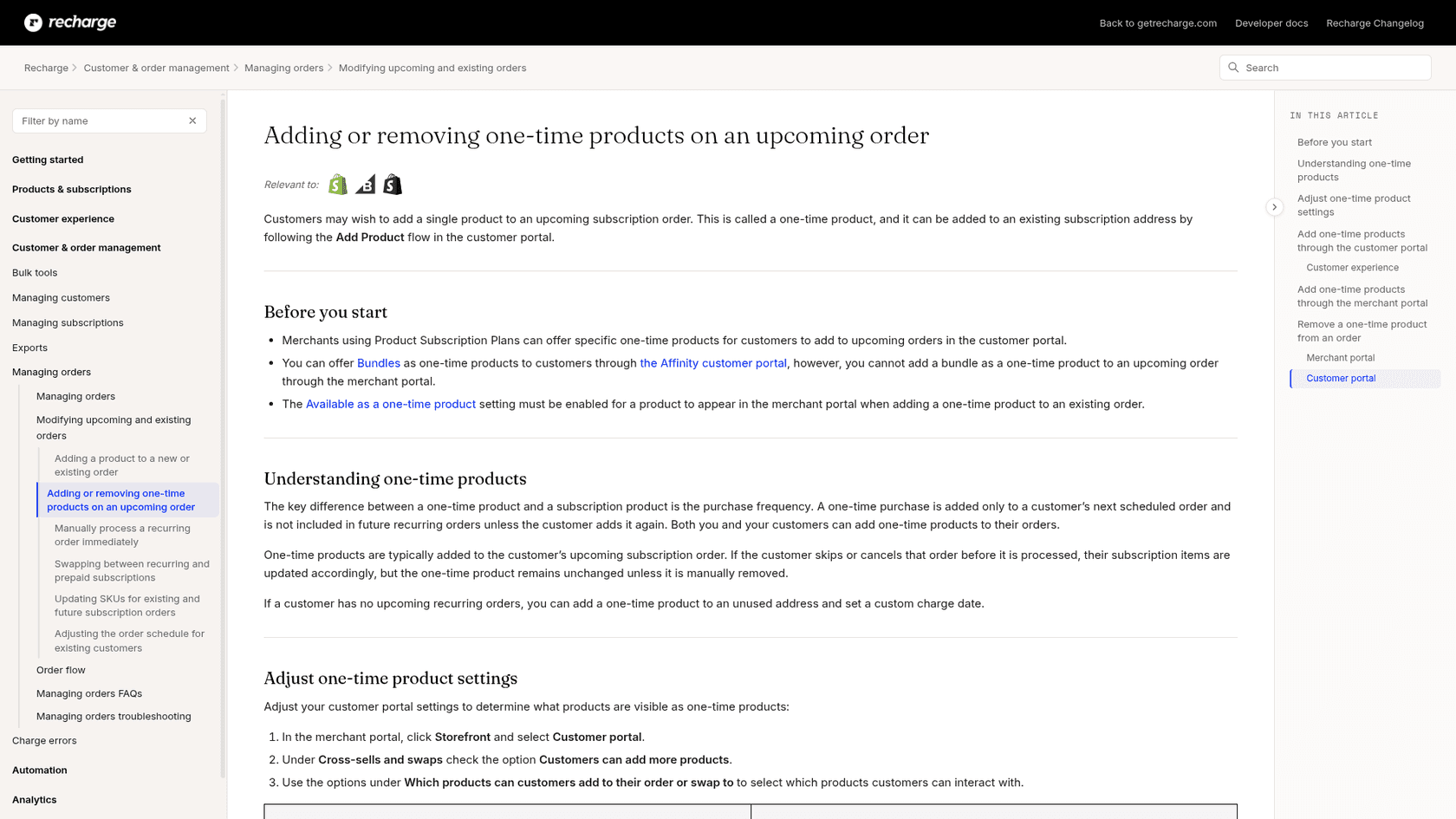
Three details from that guide decide most edge cases:
- Merchants set the menu. With Product Subscription Plans, you offer specific one-time products, and the Available as a one-time product setting must be on for a product to appear in the merchant portal's add flow.
- Bundles are portal-only. You can offer bundles as one-time products through the Affinity portal, but you can't add a bundle as a one-time product to an upcoming order from the merchant portal.
- Shopify shows subscription wording. When an add-on is attached to a subscription order, Shopify displays the subscription and delivery verbiage on it, and a View subscription link appears in the Shopify admin. Recharge says this is expected and the order processes the add-on as a one-time purchase, so the customer is charged once. It is the number one cause of "why does my add-on say subscription?" tickets.
If a customer wants the item every cycle, that isn't an add-on. It is a subscription swap or addition, and Recharge's swap guide says that to change from a subscription to a one-time product you cancel the subscription and add the one-time product. Our subscription business roundup covers the wider picture.
How does an add-on get onto an order?
Three ways, and they don't all behave alike.
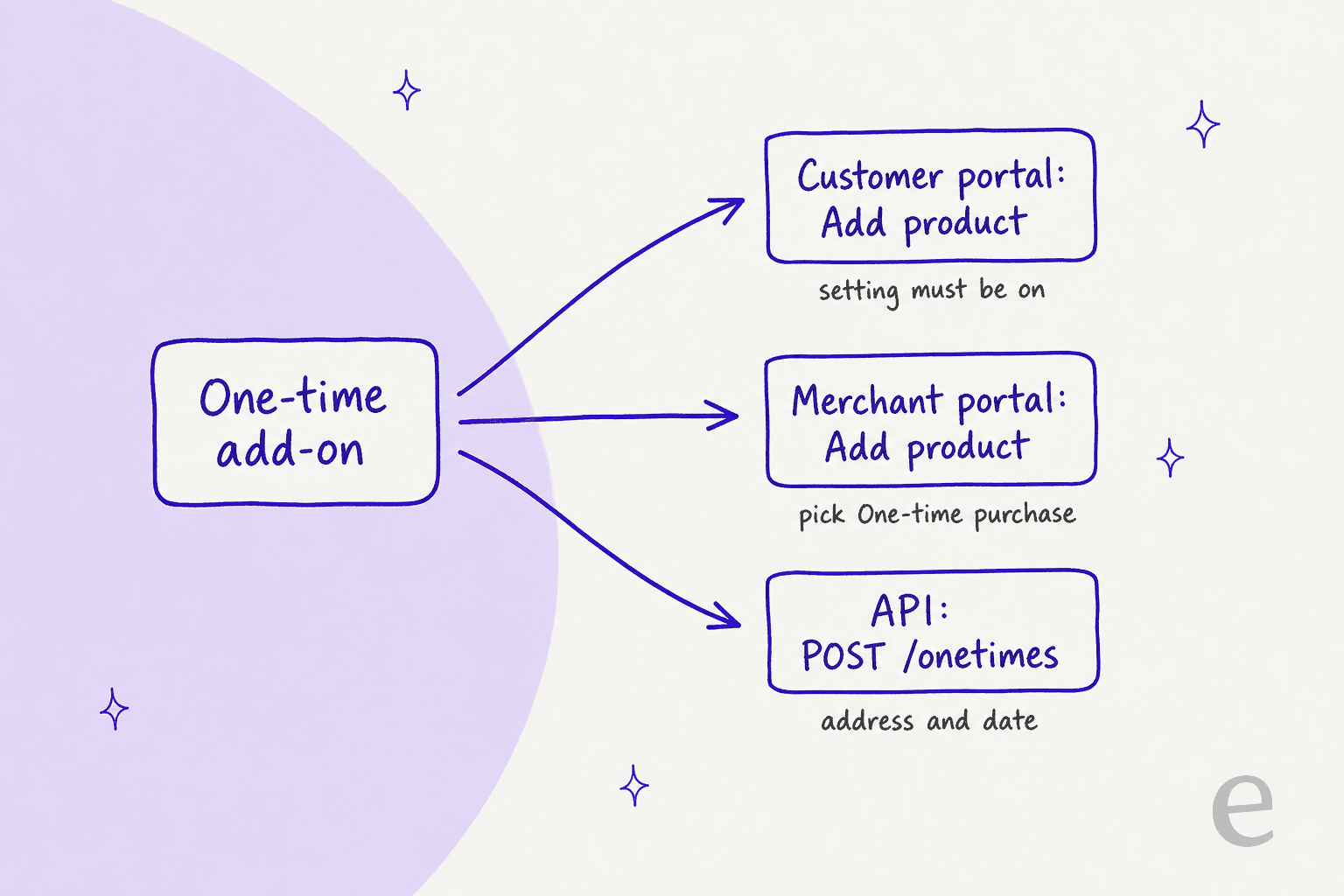
| Route | Who does it | Steps | What to watch |
|---|---|---|---|
| Customer portal | The customer | Add Product flow, pick One time only, confirm | Needs the add-products portal setting on and the product visible |
| Merchant portal | Your team | Customers, find the customer, Add product, set Plan to One-time purchase, update price and charge date, save | Bundles can't be added here |
| API | Your integration | POST /onetimes with an address, variant, quantity and a date or add_to_next_charge | Needs a write_subscriptions scope |
On the customer side, Recharge's Affinity instructions say to open the View your next order tab, choose Browse all products (or +Add from the quick view), click +Add on the product, select One time only and click Add to order. If a customer says they can't find it, ask which tab they're on before anything else.
If you go through the merchant portal, remember that your team sets the price and the charge date at add time. That is the useful part for support: you can add a free sample, a replacement bottle at a discount, or a goodwill item at a price you choose, which a customer can't do for themselves.
Which portal settings allow or block adding products?
Two places control it, and they're easy to confuse: the product's plan, and the customer portal's add settings.
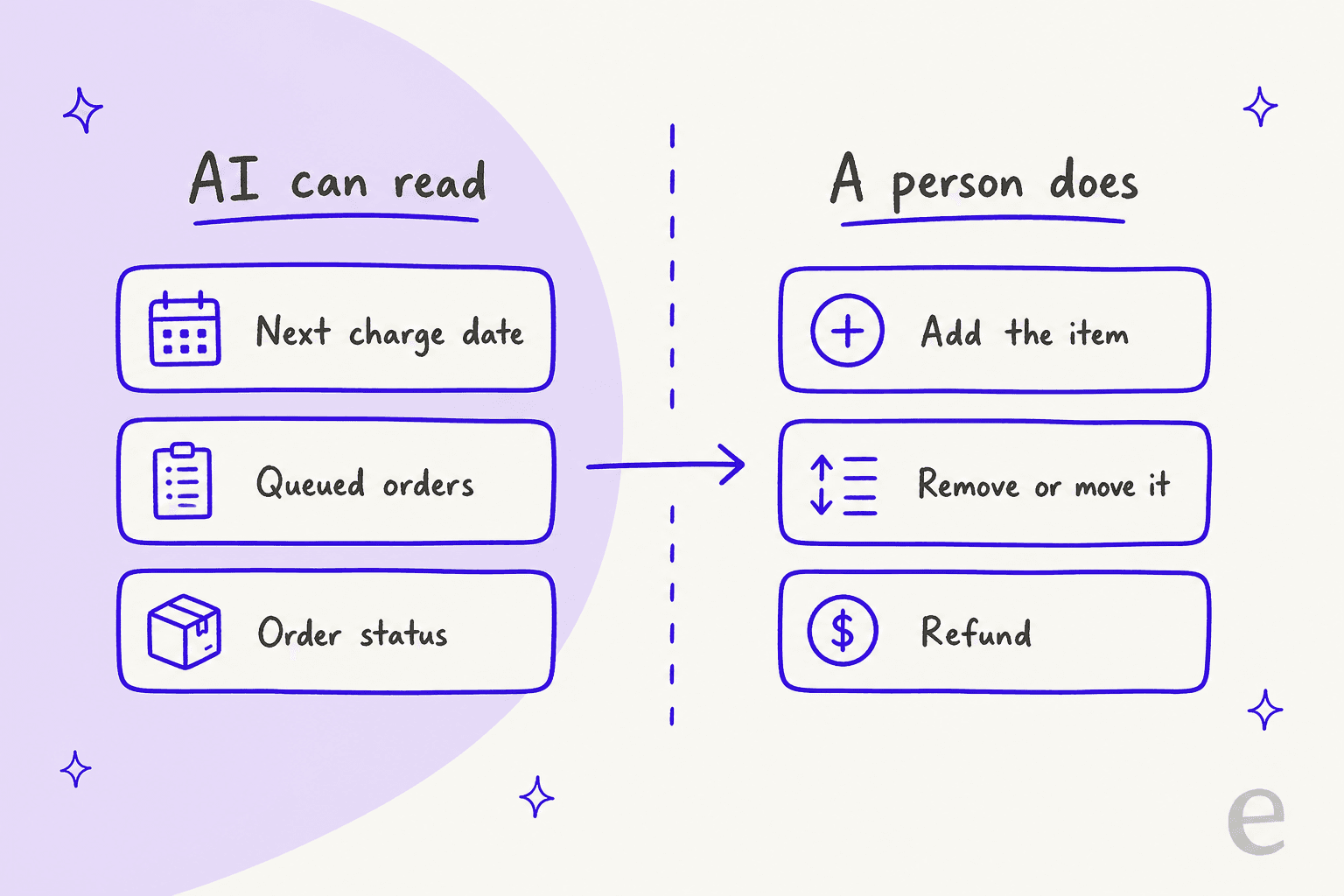
Recharge's portal settings guide puts the toggle under Cross-sells, adds, & swaps. Select Allow customers to add extra products to their next order, then choose which products appear as recommendations: Smart select products, products from a Recharge collection, or all products with a Recharge plan. There is also a sort order and an option to include other variants of products the customer already subscribes to. Recharge adds that strategies that need added products, such as Win Backs, override the setting.
The older one-time guide describes the same control as Customers can add more products and lists four selections for which products show up: all products, Recharge products, a Recharge collection, or smart select. The labels differ between the two articles, so check which wording your portal uses.
Two rules from the one-time guide are the ones I'd put in a macro:
- Subscription-only products appear in search without a one-time option. A product set to a subscription-only rule shows in the "Add Product" search, but doesn't show the option to add it as a one-time purchase.
- Dynamic pricing can force add-on only. The swap guide says products that use only dynamic-pricing plans can't be added as subscription items through the merchant portal and can only be added as one-time purchases to existing subscriptions. That's why an Add product button can look grayed out for a subscription add.
For stores that want the add flow to carry more weight, our guides on AI upselling and product bundling explain what to measure before you widen the product list.
Which charge and address does an add-on ship with?
The one it was attached to. In the API's own words, onetimes represent non-recurring line items on a queued charge, so the add-on is part of one specific upcoming order for one specific address.
That has three consequences for support:
- Check the address first. The merchant-portal add flow adds to the customer's existing subscription address. A customer with two addresses can end up with the add-on on the wrong one. Address edits live on address records, so a shipping fix is a separate step (our address macro guide shows the Shopify side).
- No upcoming order means a custom date. Recharge says that if a customer has no upcoming recurring orders, you can add a one-time product to an unused address and set a custom charge date. That is the answer for "I'm paused, can I still buy one bottle?"
- The date is the date of the order. In the API,
next_charge_scheduled_atis the date the purchase executes, and it can't be combined withadd_to_next_charge, which tells Recharge to attach the add-on to the next charge under that address.
One honest caveat: Recharge's help article doesn't describe what happens to an add-on when you move the whole charge to a new date. My read, from the API definition, is that the add-on travels with the charge, but I'd check the charge in the portal before promising the customer a date. That is the same rule I gave for pause tickets: read the record, then answer.
What happens to an add-on when the order is skipped, moved or cancelled?
The add-on stays, and that surprises customers. A subscription is flexible; an add-on is attached to an order.
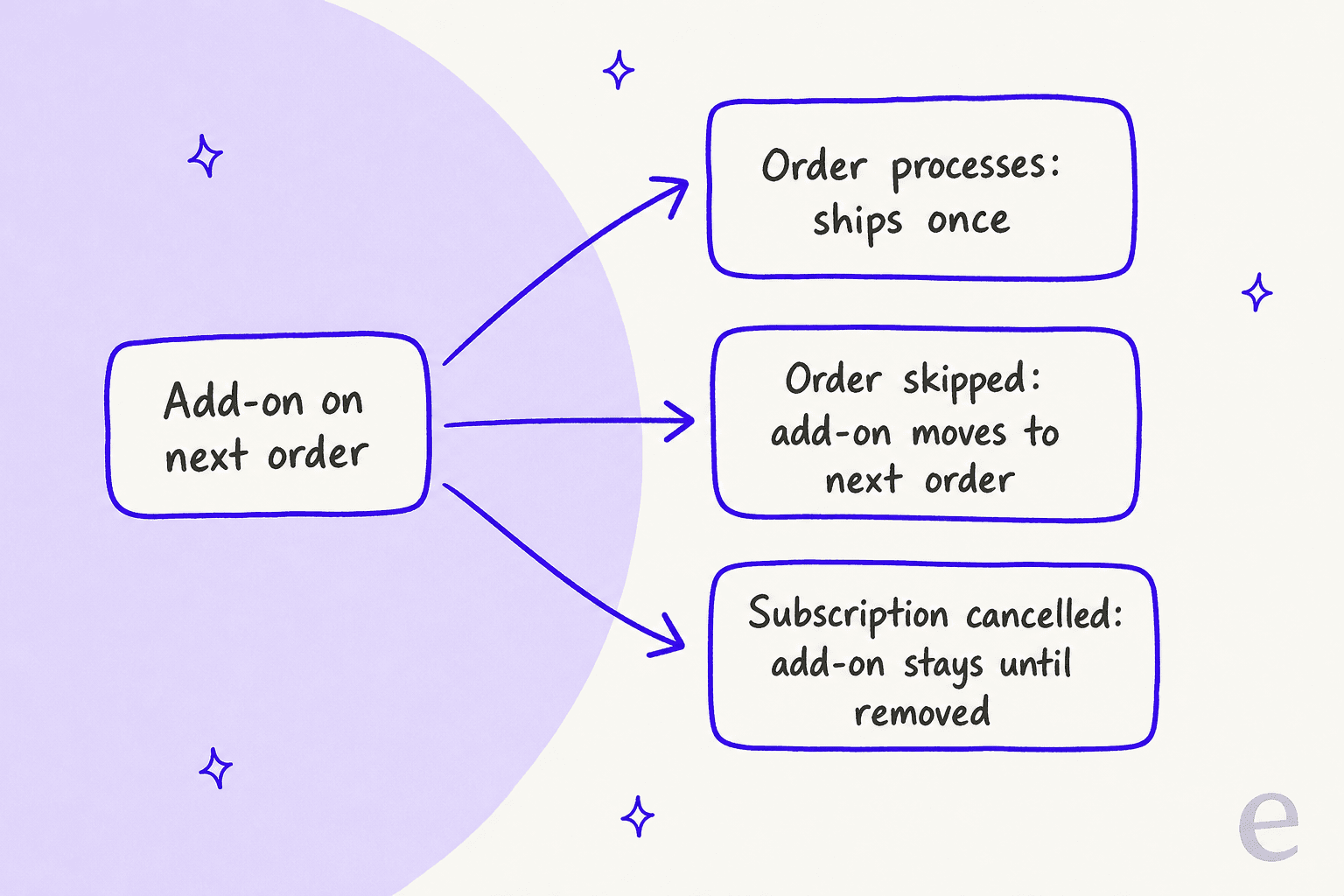
| Event | What happens to the add-on | Source |
|---|---|---|
| Order processes | It ships once and is gone | One-time guide |
| Customer skips the order | Subscription items skip; the add-on is rescheduled to the following order | Affinity instructions |
| Customer skips or cancels before processing | Subscription items update; the add-on remains unless manually removed | One-time guide |
| Subscription is cancelled | A manually added add-on isn't removed automatically; you or the customer must delete it | Cancel guide |
| Free gift on the charge | It stays on the charge while the charge still has another purchase item | Cancel guide |
The skip row deserves care. The Affinity page says a skipped order skips "all subscriptions within the order" and that one-time products "cannot be skipped and will get rescheduled to the following order." So the customer who skips a box in March and receives only a shaker bottle in March is not seeing an error. The tidy reply is to say the date the add-on now ships and offer to delete it if they don't want it.
For prepaid plans, take extra care. eesel's Recharge docs describe a prepaid plan as one charge covering several shipments, and Recharge's swap guide says prepaid customers must contact you to change a product. I didn't find a separate one-time rule for prepaid in the guides I read, so check the queued orders before you promise anything there. The same goes for the cut-off window if you use one.
And the cancel case is the one that costs money. A customer cancels, forgets the add-on, and the charge goes through for a lone product. That is a billing question before it is a subscription question, and it belongs in the same flow as cancellation and retention.
How do you remove or refund an add-on?
Remove it before the order processes; refund it if it already did. Recharge's guide has two removal paths, both before the charge runs, and the API has a third:
- Merchant portal: Customers, find the customer, hover over the one-time product, click the three-dot menu, select Delete, then click Confirm: delete order.
- Customer portal: the customer deletes the one-time product directly.
- API:
DELETE /onetimes/{id}returns204with no body.
The guide doesn't describe refunds, so I wouldn't invent a Recharge refund step. Once the order has been charged, an add-on is an ordinary line on an ordinary order, and the refund follows whatever your team already does. I'd keep the approval step: money moves rarely belong in an agent's judgment, which is why we wrote up a refund approval matrix and a guide to automating refunds with limits.
What does the Recharge API's onetimes resource do?
It is the same add-on, as data. In Recharge's 2021-11 API, onetimes has five endpoints: create, retrieve, update, delete and list.
curl 'https://api.rechargeapps.com/onetimes' \
 -H 'X-Recharge-Version: 2021-11' \
 -H 'X-Recharge-Access-Token: your_api_token' \
 -H 'Content-Type: application/json' \
 -d '{
  "address_id": 45154492,
  "next_charge_scheduled_at": "2021-12-17",
  "quantity": 1,
  "external_variant_id": { "ecommerce": "3844892483" }
}'
That example is trimmed from Recharge's reference, which also shows price, product_title and properties. The fields I'd care about as a support lead:
next_charge_scheduled_at: the date the add-on executes.is_cancelled: a flag for a cancelled add-on, so a lookup can tell a removed one from a live one.properties: key-value pairs for details such as colour or grind, which is where a "wrong variant" ticket is often solved.sku_override: whentrue, the add-on's own SKU is used to generate charges and orders.
Reads need read_subscriptions, and writes need write_subscriptions. The list endpoint can filter by address_id, which is the call that answers "what add-ons are on this address?" If you are weighing who writes to it, our post on human handoff is worth a read first.
Which add-on answer fits this ticket?
When a ticket mentions an add-on, this is the order I'd check things in. Click a type and read what to do and what to tell the customer.
Add-on ticket checker
What did the customer ask for?
Do: add it as a One-time purchase in the merchant portal, with the price and charge date you want. If there's no upcoming order, add it to an unused address with a custom date.
Check: is the product set as available one-time? Is it a bundle? Which address is it on?
Tell them: the order date it ships with, and that it won't repeat next month.
Do: open the customer's upcoming order and find the add-on line. Read the date, not the request.
Check: was the order skipped, so the add-on rolled to the following order?
Tell them: the exact date it ships and what it shipped with.
Do: explain that add-ons can't be skipped and move to the following order. Offer to delete it.
Check: is the add-on now on a later order than the customer expects?
Tell them: the new date, and that the subscription items did skip.
Do: delete the one-time product from the upcoming order, before it processes.
Check: has the charge already run? If so, this is a refund, not a delete.
Tell them: that it's removed, and that nothing else on the order changed.
Do: look for a lone add-on left on the next charge. A cancelled subscription doesn't remove a manually added one.
Check: delete it if the order hasn't processed. If it has, route a refund through your approval flow.
Tell them: what happened in plain words and what you did about it.
How do helpdesks and AI agents handle add-on tickets?
Most teams work add-ons from the helpdesk with Recharge open in a second tab. The cost is the lookup: someone has to find the subscriber, open the right upcoming order, and read the add-on line.
Gorgias has a Recharge sidebar and AI Agent actions for subscriptions, and our Gorgias and Recharge post covers them. I haven't verified whether any of those actions adds a one-time product, so check the current Gorgias docs before planning around it.
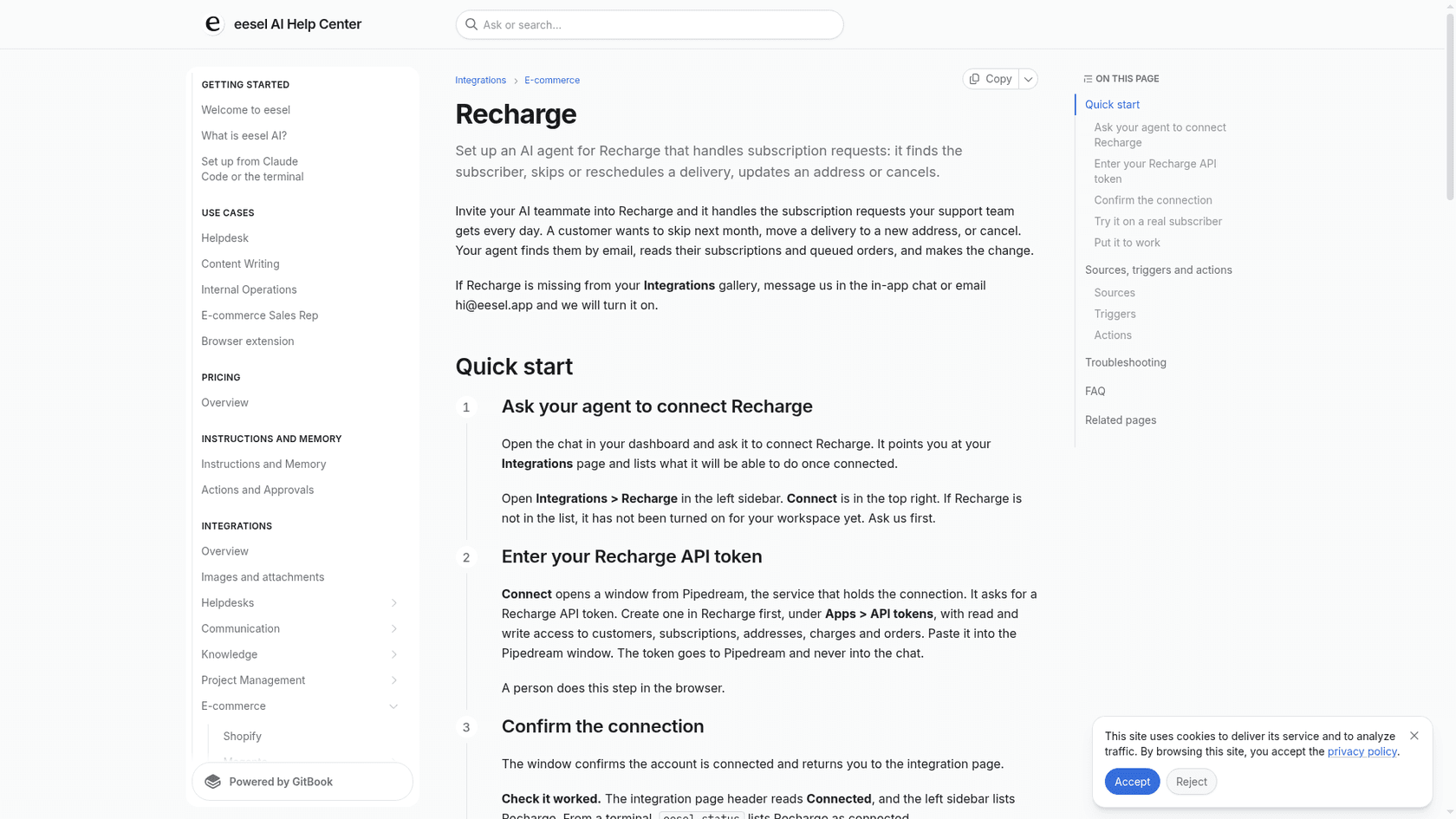
eesel is narrower on purpose, and here is the exact finding for add-ons. From its Recharge docs, eesel looks the subscriber up by the email they wrote from, lists subscriptions with status and next charge date, and lists orders with each order's status and scheduled date. It can skip one charge on a month-to-month plan, change quantity or frequency, cancel, reactivate, create a subscription, and cancel a queued order of a prepaid plan. It has no action that adds a one-time product, and none that removes one, so for an add-on request it answers what it can read and hands the add to your team.
None of the customers below run Recharge, so I'm not claiming a Recharge result. They show the same pattern of reading the order before answering. STIL Classics runs eesel on Gorgias and Shopify, and in one month eesel prepared about 320 tickets for the team and looked up about 230 Shopify orders first, with a person checking each draft and doing any refund. Poseidon Animal Health, a supplement brand on Gorgias, names pausing an auto-ship as a typical customer question and has its team check auto-ship changes before anything is sent. The record comes first, then the reply.
What I'd look for before letting any agent near add-ons:
- It reads the next charge date and queued orders first. An answer without a date is a future ticket.
- It doesn't pretend to have actions it lacks. "I can't add that, a teammate will" beats a made-up confirmation.
- It tags add-on tickets. A consistent ticket tag shows later which products drive add-ons.
- It's tested on real tickets. Run it on past add-on tickets with simulation testing before go-live.
- Money goes to a person. Charges that already ran follow your handoff rules.
How should you reply to an add-on request?
Reply with the date, what the add-on is attached to, and the one thing that could change it.
For a request to add an item:
Hi Sam, I've added the shaker bottle to your next order, which ships on March 14. It's a one-time item, so it won't repeat on later orders. If you'd like it every month instead, tell me and I'll set that up as a subscription.
For "I skipped, why did I get the add-on?":
Hi Sam, your subscription items skipped as requested. One-time add-ons can't be skipped, so the shaker bottle moved to your next shipment on April 14. If you'd rather not receive it, reply and I'll remove it before it ships.
For "I cancelled but I was charged for an add-on":
Hi Sam, I'm sorry about that. Cancelling a subscription doesn't remove an item that was added to the order separately, and one was still on your last charge. I've refunded it in full and you'll see it in 3 to 5 business days.
Notice what all three do: they name a date and say what happened in order. Stored as macros, they're easy to reuse, and if you're training an AI on past tickets, these are the replies worth copying. Our refund and shipping macros show the surrounding set.
Some things that make add-ons easier at the source:
- Turn on the add-products portal setting so simple requests don't reach you.
- Keep the product list short. Recommendations in the portal come from your settings, and a short list cuts "can't find it" tickets.
- Use the upcoming order email as the moment to offer add-ons, as part of proactive support.
- Flag delays honestly. An add-on stuck on a late order is a shipping delay question, not an add-on question.
- Know your order system. Our order management guide covers what sits behind these records.
Does the Recharge plan change what you can do?
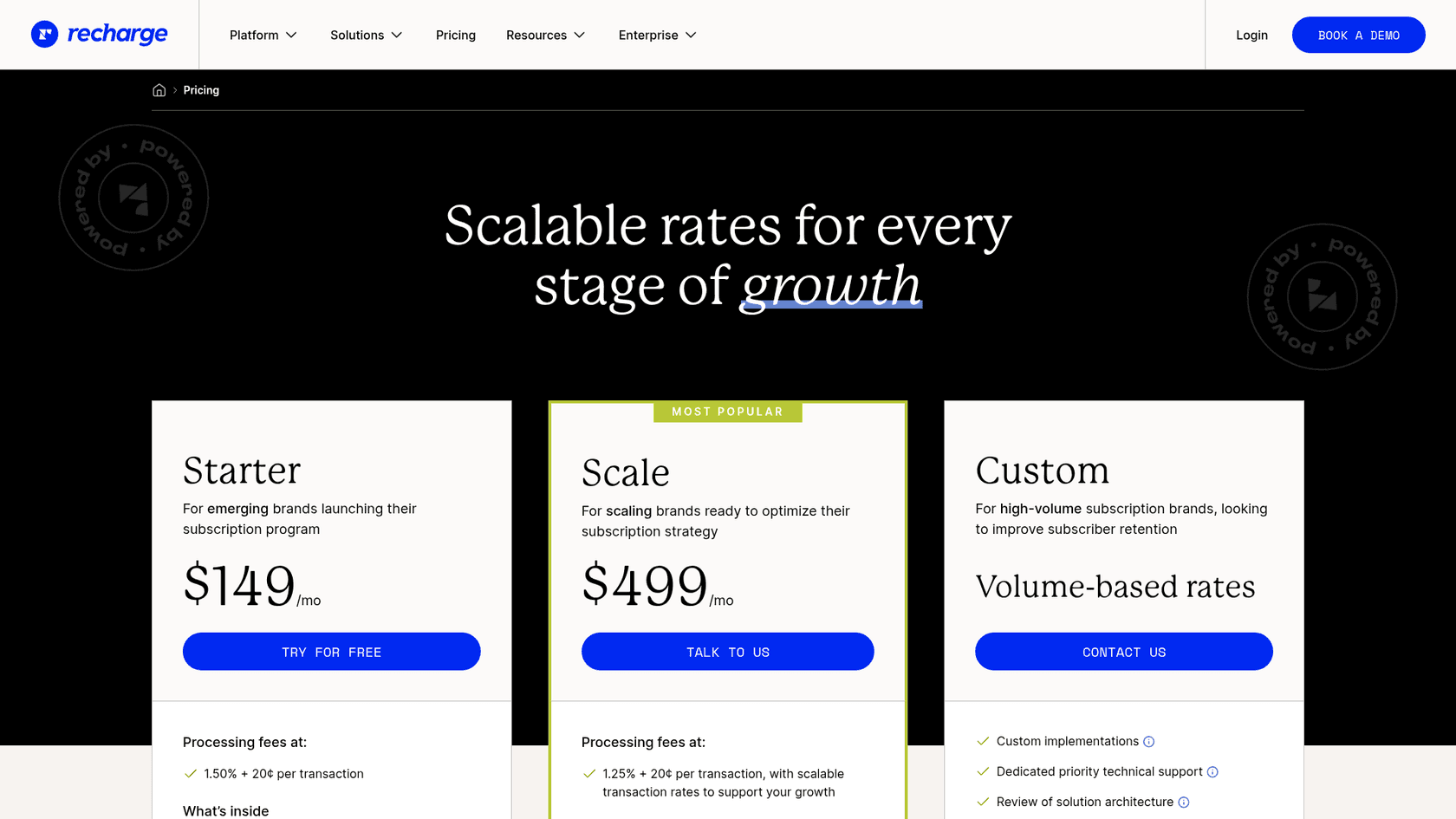
I found no plan restriction in the one-time or portal guides, so these features aren't described as gated. Here is Recharge's current pricing:
| Plan | Monthly fee | Processing fees |
|---|---|---|
| Starter | $149/mo | 1.50% + 20¢ per transaction |
| Scale | $499/mo | 1.25% + 20¢ per transaction, with scalable rates |
| Custom | Volume-based rates | Custom |
An add-on is a transaction like any other, so the per-transaction fee applies to the order it ships with. Check the pricing page for what each plan includes before you decide.
Try eesel for Recharge add-on tickets
If "when does my add-on ship?" fills your queue, eesel can answer it from the live subscription inside the helpdesk you already use. It is built for Shopify support: it reads the subscriber's next charge date and queued orders in Recharge, replies with the real date, and hands the add action, any removal and anything with money attached to your team.
Connect Recharge and Shopify, point the agent at a real subscriber, and ask it for their next order before it touches a live ticket. If you already run Zendesk, it works from there too, and our Shopify support roundup and ecommerce support guide are the next stops. Try eesel free.
Frequently Asked Questions
How do I add a one-time product to a Recharge subscription order?
Does a Recharge one-time product repeat on future orders?
What happens to a one-time add-on if the customer skips the order?
Why can't customers add products in the Recharge customer portal?
Can I add a one-time product through the Recharge API?
onetimes resource in Recharge's 2021-11 API creates, retrieves, updates, deletes and lists add-ons. A create call needs an address, a variant, a quantity and either a charge date or the add_to_next_charge flag. Treat an automated write like any other action and put it behind a approval workflow.