Recharge subscription product swap: how to handle "switch my flavor" tickets

Riellvriany Indriawan

Katelin Teen
Last edited November 6, 2026

A Recharge subscription product swap is a smaller change than customers expect and a bigger one than agents expect. A swap keeps the next charge date and any skipped charges, but it can move the subscriber to the latest Shopify price and restart a dynamic-pricing discount from order one. Customers on prepaid plans can't swap in the portal at all, so your team does it by hand across every queued shipment.
An AI agent like eesel can read the subscription and tell the customer what a swap will change, but its Recharge update action can't swap the product, so the swap goes to a person. With the eesel CLI, a coding agent can list the Recharge actions on your workspace and test the lookup on a real subscriber before go-live.
Why do swap tickets get messy?
"Can I switch to the other flavor?" is a happy ticket. The customer is staying, they just want something different. Recharge's own swap guide says variant swapping and SKU swapping mean the same thing, and the customer's words rarely match either term. They say "change my coffee", "wrong size" or "send the unscented one".
The ticket gets messy for three reasons that sit behind the button:
- Wrong tool. A variant change, a product swap and an add-on are three different actions in Recharge.
- Side effects. Price, discounts and queued orders can change after the swap, and the customer finds out on charge day.
- Plan type. Prepaid subscriptions, bundles and dynamic-pricing products each break the self-serve path in a different way.
Getting it right matters because swaps are a retention move. Recharge's out-of-stock guide suggests swapping a sold-out product for a different one and swapping back later. Its prepaid swap guide says customers who "get tired of it after months" of the same product can be kept by letting them change it. If the swap ticket turns into a refund request, you lose both.
My read of Recharge's docs is that the swap itself is easy and the surprises come from what it touches, which is what the rest of this post is about. If you are also fielding skip requests and pause requests, swaps are the third of the same family.
What is the difference between a variant swap and a product swap?
A variant swap changes the size, flavor or option on the same product. A product swap replaces the product with a different one. Recharge gives them different menu items, and agents mix them up.
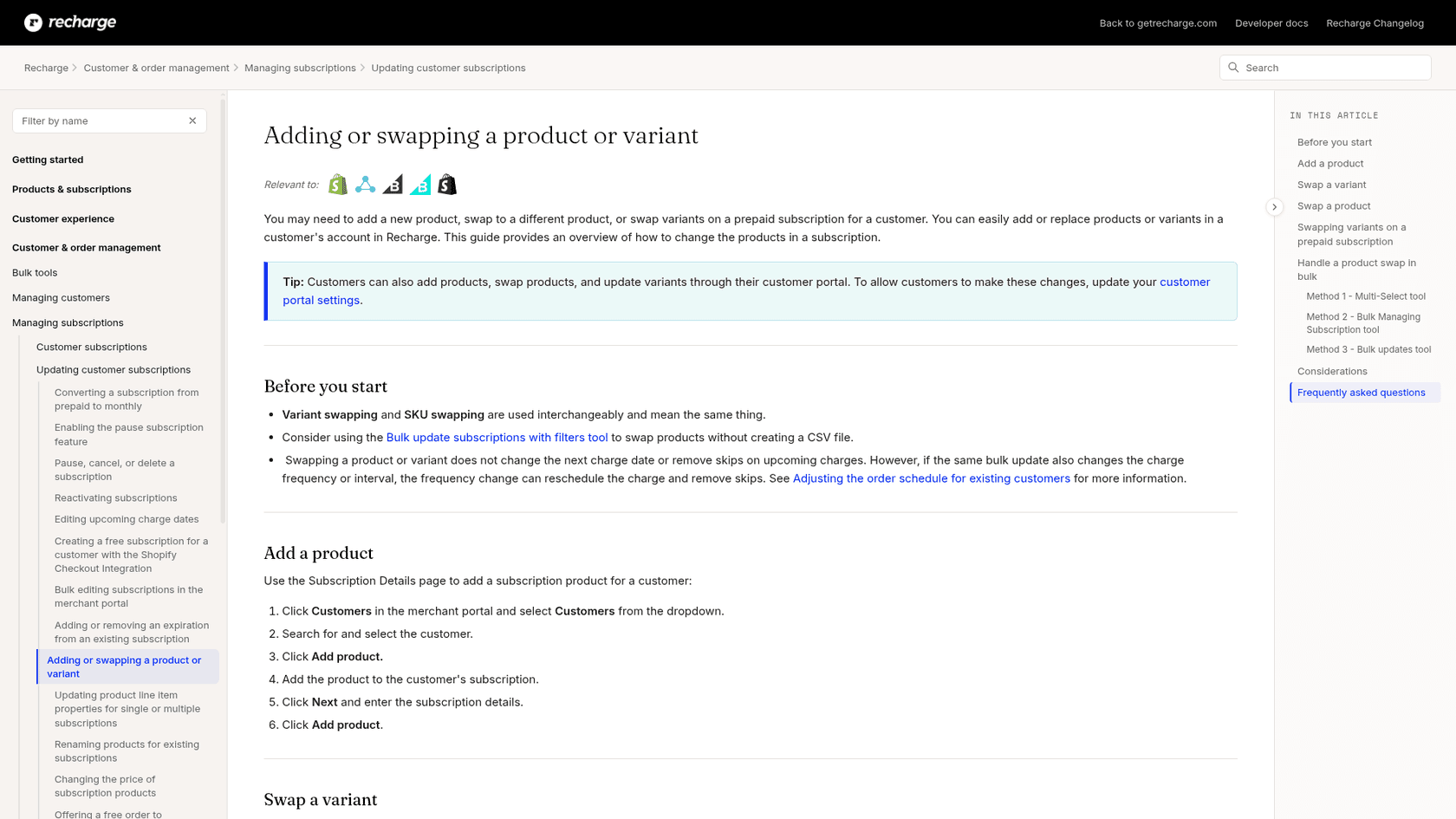
| Customer says | Action in the merchant portal | What it does |
|---|---|---|
| "Make it the large size" | Customer > subscription > Actions > Edit subscription product > pick the variant > Save product | Changes the variant on the same product |
| "Switch me to the decaf blend" | Actions > Swap > pick the product > Next > Swap product | Replaces the product on the subscription |
| "Add the filters too" | Add product on the customer page | Adds a second subscription item |
| "Replace it just this once" | Not a swap: add a one-time product to the upcoming order | Applies to the next order only, per the one-time product guide |
That last row is the one I'd train people on. A swap is permanent for every future charge. A one-time product is added only to the next scheduled order and isn't included afterwards, which is what "just this month" usually means. Recharge adds a catch: if the customer skips or cancels that order, the one-time product stays unless someone removes it.
Swaps need a subscription on both sides. Recharge notes that swaps must occur between products with subscription selling plans. To go from a subscription to a one-time product, you cancel the subscription and add the one-time item, and the products must be active and assigned to the Online Store sales channel on Shopify.
What does a Recharge swap change, and what does it leave alone?
It changes the product and, often, the price. It leaves the schedule alone. That split is worth a picture, because it answers most "what happens if..." questions.
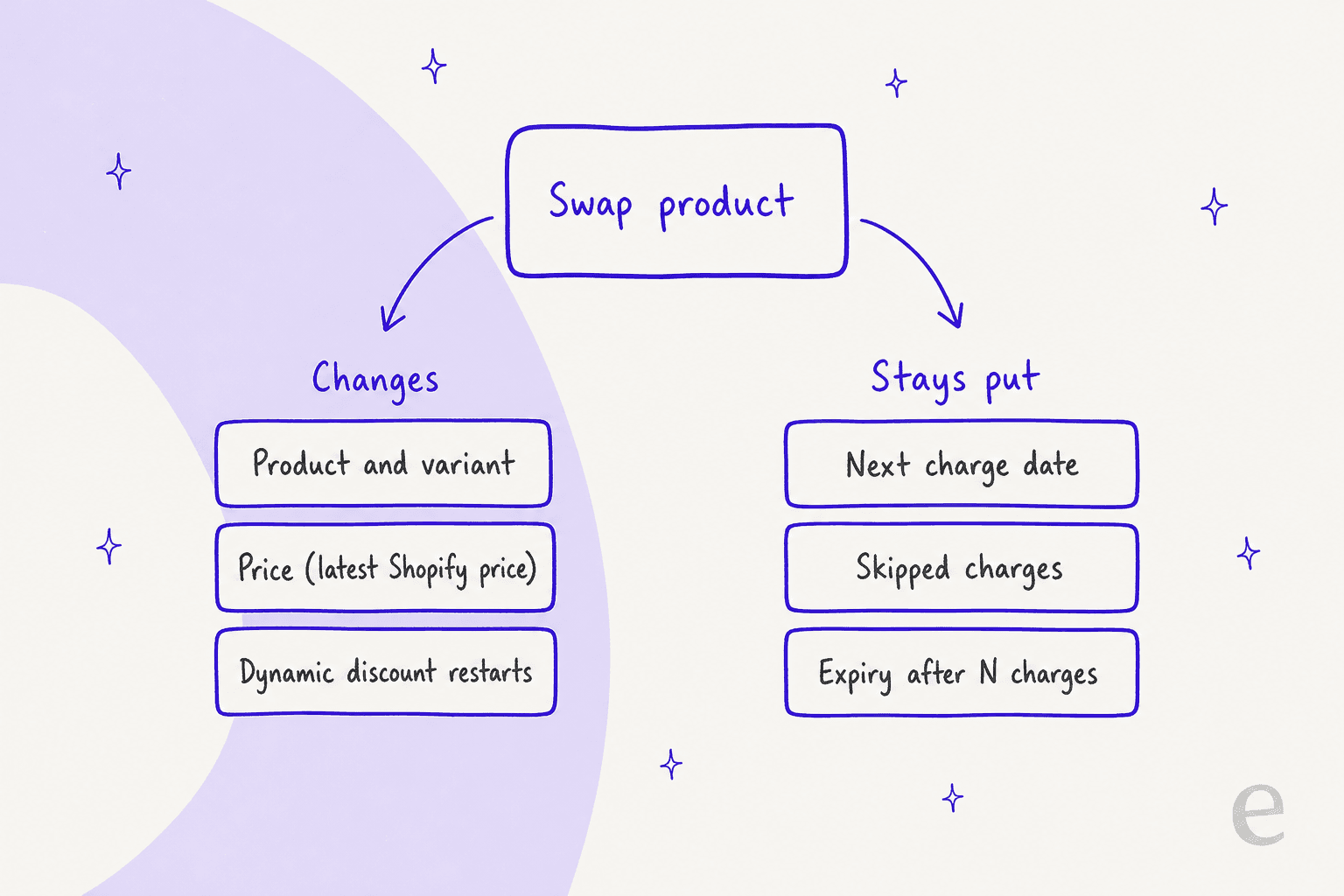
Here is the evidence for each side, all from Recharge's own docs:
- Next charge date stays. The swap guide says the next charge date of the swapped product is not changed by default, "to keep the original subscription settings customers checked out with". Merchants can switch on Edit frequency so customers choose a date when they swap.
- Skips stay. Swapping doesn't remove skips on upcoming charges. The one trap is a bulk update that changes frequency at the same time, which can reschedule the charge and remove the skip.
- Expiry carries over. If the new product expires after a set number of charges under a Product Subscription Plan, those settings carry over.
- Price can change. Recharge's price guide says a product variant change in the customer portal applies the most recent Shopify price, while a quantity change keeps the existing one. Its example: a customer who subscribed at $20 moves to $22 after a variant change if the plan price rose.
- Dynamic discounts reset. Under dynamic pricing, the discount amount resets if you or a customer swap the variant, and a portal swap onto a dynamic plan restarts from order 1. A customer three orders in who swaps gets the new plan's full initial discount from the next order.
- The plan matters for incentives. With Product Subscription Plans you must select a plan during the swap, or the subscribe-and-save incentive discount won't apply after it.
The mismatch between those last two lines is where tickets come from. A customer who swapped into a dynamic plan may be pleased by a bigger discount, while one who swapped inside a plan may see the price go up. Neither one read the doc.
Discount codes sit on a different level. Recharge applies them by address profile, one per address, rather than by subscription. I didn't find Recharge saying that a swap removes a code, so if a customer reports a vanished discount, look at the code's own settings and at whether a dynamic plan reset is the cause before you blame the swap.
Which products can customers swap to in the portal?
Only the ones you allow. Portal swaps are off by default, and the choices sit in Storefront > Customer portal > Cross-sells, adds, & swaps.
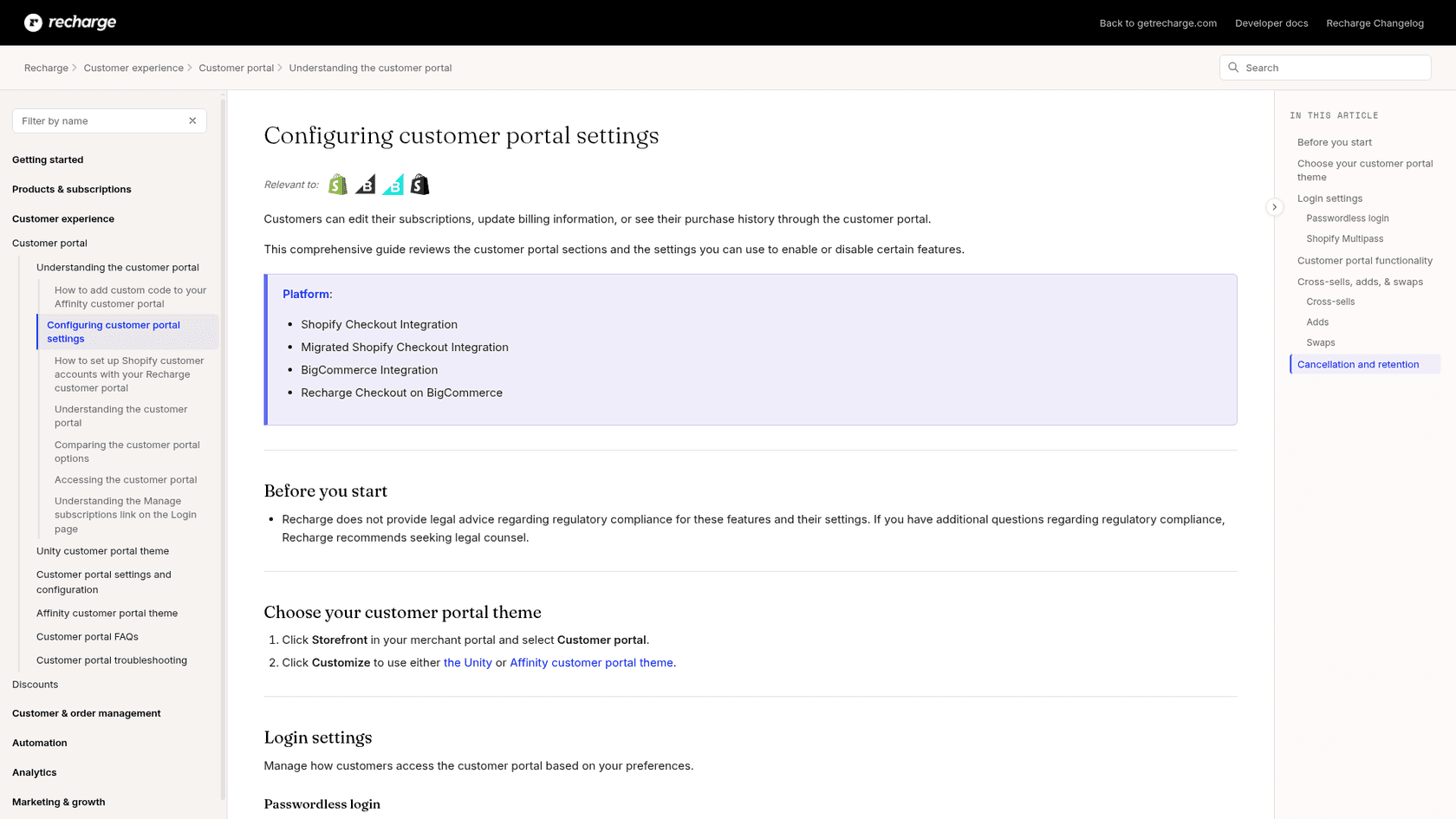
The portal settings guide lists the controls:
- Allow customers to swap between products turns swaps on. Retention strategies that need swaps, such as Cancellation Prevention, override this setting.
- Which products can customers swap to? offers three options: smart-selected products based on the customer's subscriptions, products from specific Recharge collections, or all products with a Recharge plan.
- Include other variants of the customer's subscribed products adds sizes or flavors of what they already have. When it is off, variants of their existing products are filtered out of the options.
If you want a customer-visible date choice on swaps, remember the Edit frequency switch from the swap guide. On the Affinity theme, the customer path is Manage subscriptions, then Manage this subscription, then Swap this for a different product, as Recharge's customer instructions show.
Why does the swap option sometimes not appear? Four documented reasons cover most "I can't find it" tickets:
- The portal swap setting is off.
- The subscription is prepaid. Recharge's API marks an item
is_swappableonly if it isn't prepaid and portal swaps are allowed, per the subscription object. - The target product uses dynamic pricing only. Recharge says you can't add or swap a product that is configured with dynamic pricing, and suggests adding a non-dynamic plan that is hidden from the storefront widget.
- The target isn't active, or isn't on the Online Store channel.
That list is also a good set of instructions for a helpdesk teammate, because each cause has a different reply.
Why can't prepaid customers swap on their own?
Because a prepaid subscription creates all of its shipments at the start. Recharge's prepaid swap guide says month-to-month customers can swap through the portal while prepaid customers must contact you, and each queued shipment holds the original product.
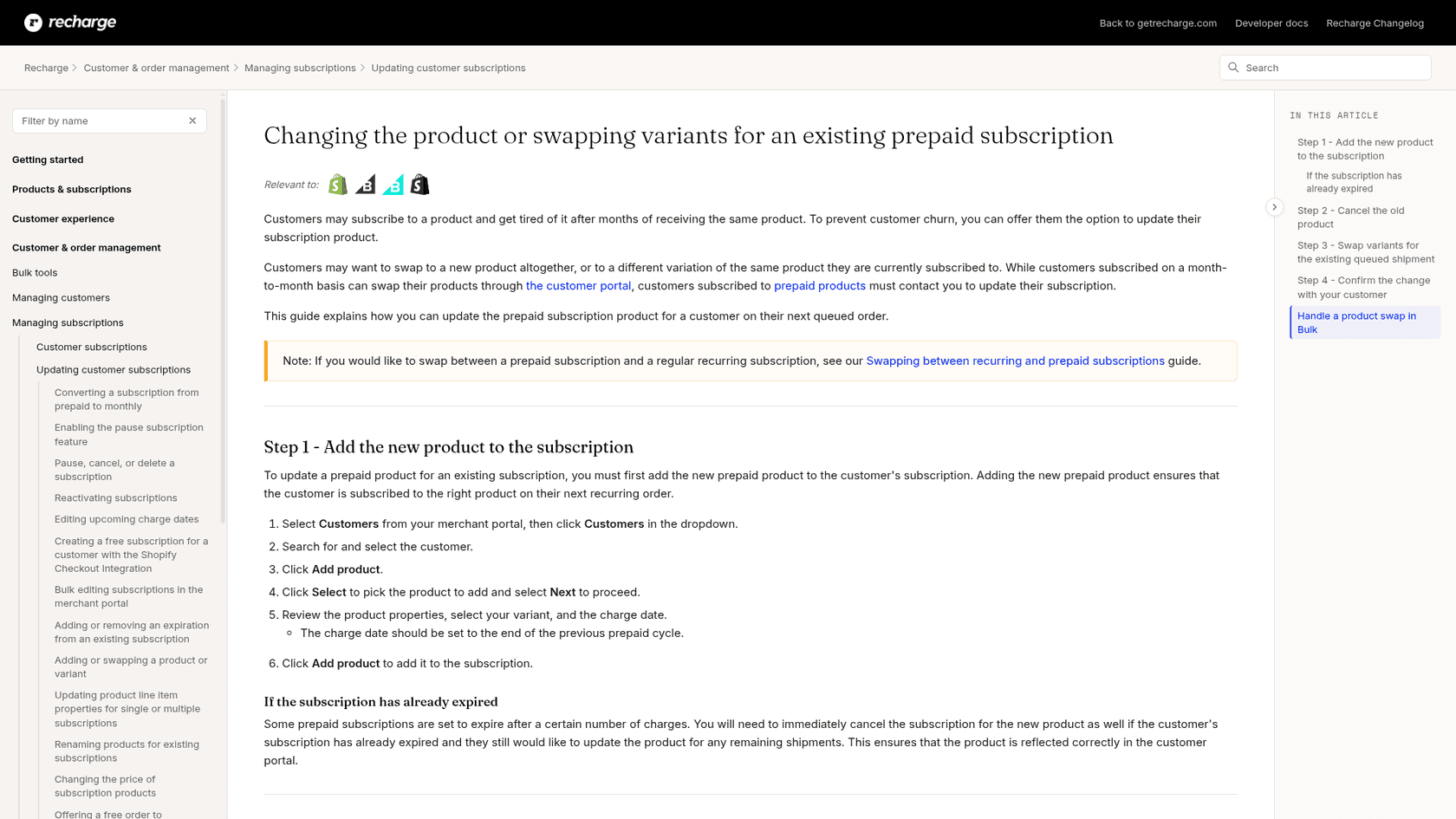
The manual process has four steps, and skipping one gives you a double charge or a wrong box:
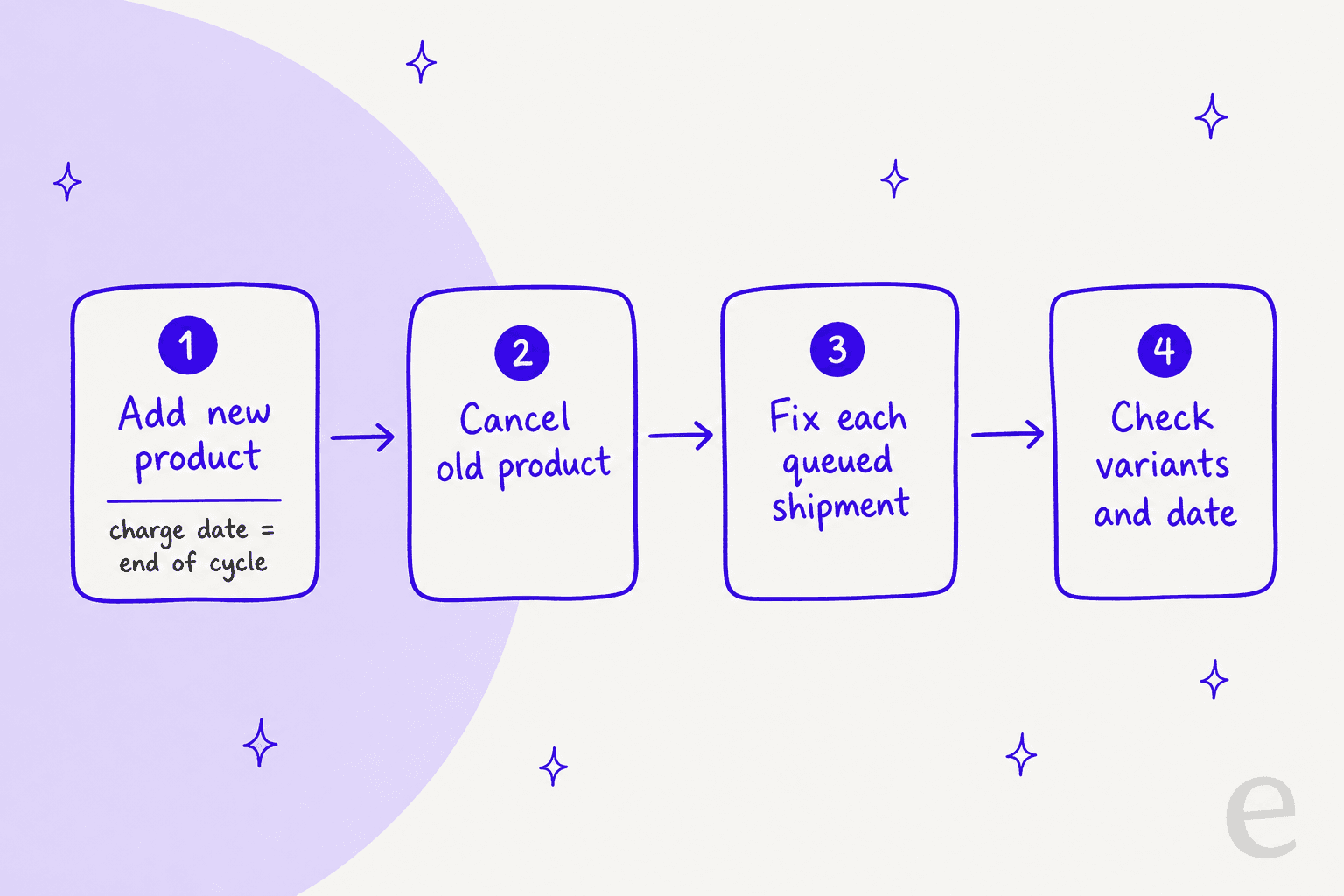
- Add the new prepaid product to the customer, with the charge date set to the end of the previous prepaid cycle.
- Cancel the old product, so Recharge doesn't charge for both.
- Fix every queued shipment. Open each upcoming order, add the new product, then remove the old one with the trash icon.
- Check the result. Every queued shipment should hold the new variant, and the next charge date should be right.
If the prepaid subscription has already expired, Recharge says to cancel the new product's subscription as well so the portal reflects it correctly. A bulk swap has its own limits: swaps only work on the parent bundle product, and swapping to a customizable bundle leaves the contents empty until the customer or you pick them. Recharge recommends fallback contents so those orders aren't blank.
For bulk work, a CSV import that changes the variant ID won't update other attributes such as price or title unless you include those columns. That's the opposite of the portal behavior above, and the source of the "why is my price still the old one" ticket after an ops-team bulk swap.
Which swap answer fits this ticket?
When a swap request lands, this is the order I'd check things in. Click through it with a real ticket open.
Swap ticket checker
Answer each question for the ticket in front of you.
1. Is the subscription prepaid?
No: go to question 2.
2. Is the new product dynamically priced, or inactive?
No: go to question 3.
3. Does the customer want it for every order or only the next one?
If every order, go to question 4.
4. Is the customer on a dynamic-pricing plan today, or moving onto one?
No: go to question 5.
5. Will the new product have a different price?
What are the common swap tickets, and what is the answer?
Most swap tickets are one of five shapes. Each has a documented answer.
| Ticket | Likely cause | What to do |
|---|---|---|
| "I can't find the swap button" | Portal swaps off, prepaid plan, or target not allowed | Check the swap settings and plan type, then swap for them |
| "My price went up after I switched" | Variant change applies the latest Shopify price | Show the old and new price, offer to review the plan price if it was an error |
| "My discount disappeared" | Dynamic-pricing reset, or a swap without a plan selected | Check the plan and incentive discount, and the code on the address |
| "Swap just this month's box" | They want a one-time change | Add a one-time product to the upcoming order |
| "Item's out of stock, switch me" | Sold-out product | Swap now, swap back later, per the out-of-stock guide |
The sold-out case is worth a macro. Recharge retries out-of-stock charges daily for up to 60 days, then leaves the charge in an insufficient inventory state. A swap, or a moved charge date, is how you end that loop without cancelling. If your team already uses macros for refunds and exchanges, a swap macro belongs beside them.
One more cross-over: the swap ticket often arrives right before a cancel. A customer who is annoyed by a product is a churn risk, and offering the swap first is the cheapest retention move you have.
How do helpdesks and AI agents handle Recharge swaps?
Most teams answer swap tickets from the helpdesk with Recharge open in a sidebar, so the helpdesk tool decides how many tabs the agent needs. The AI options differ on what they can read and what they can change.
Gorgias has a broad Recharge action list: cancel, pause, skip, change frequency, change charge date, update address, create a discount code and read-only lookups. The Gorgias AI Agent Recharge actions page I read doesn't list a product swap. That's a fair summary of the market for ecommerce support: swaps are the action vendors have been slowest to automate, partly because of the price and discount side effects above. Our comparison of Gorgias AI Agent and eesel goes through the rest, and our Gorgias and Recharge guide covers the setup.
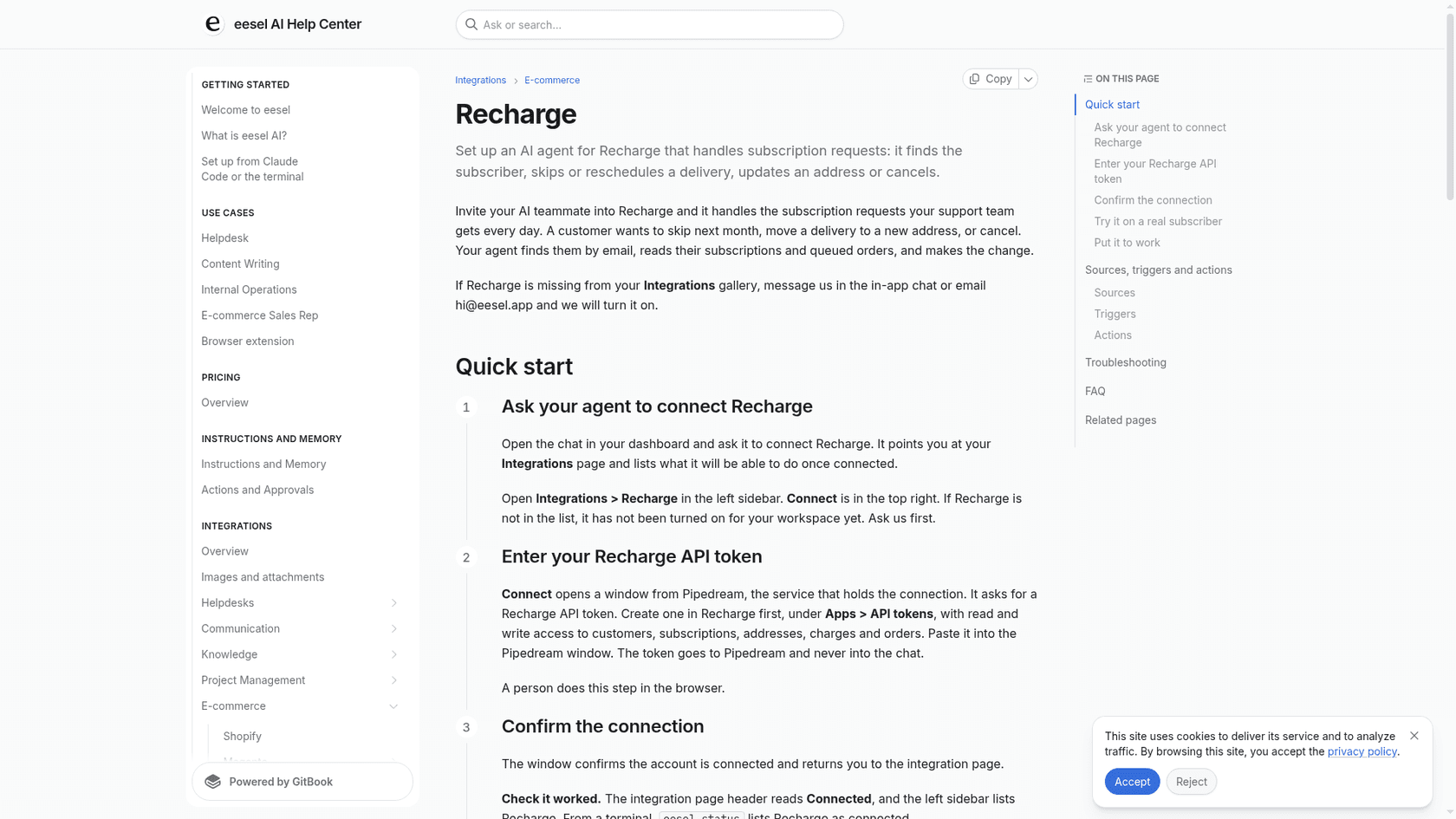
eesel is explicit about this. Its Recharge integration docs list Look up, Skip charge, Update subscription, Cancel, Reactivate and Create subscription, and they say Update subscription "changes the quantity, or how often it ships and bills. It cannot swap the product." So the agent does the part it can do well: it finds the subscriber by email, reads the product, price, frequency and next charge date live, and writes a reply that says what the swap will change. Then it hands the swap itself to your team, or points the customer to the portal if you've enabled swaps.
I wouldn't try to get around that limit by cancelling and creating a new subscription. eesel's docs say a new subscription is a different subscription with a new start date, schedule and possibly price, and the agent never presents it as undoing the old one. For a swap, that is the wrong trade.
What I'd look for in any tool before it handles swap tickets unattended:
- It reads the plan type first. Prepaid, bundle and dynamic pricing each change the answer.
- It says the new price. "Done" is not a reply when the price can move.
- It checks the date after. The next charge should read the same as before the swap.
- It hands off cleanly. A request it can't perform should reach a person with the subscription ids attached, through a proper handoff.
- It tags the ticket. A consistent swap tag tells you which products people leave.
Cape Coffee Beans, a South African specialty coffee store on Shopify and Zendesk, shows why the read side matters for a catalogue with over a thousand products. In one month eesel looked up 19 products in Shopify and ran about 120 knowledge searches across tickets, products and Drive files, answering as an internal note with the source linked. Product questions like "which blend is closest to this one?" start with that lookup. Question Beauty, a cosmetics brand on Gorgias, has eesel looking up Shopify orders before it replies. Neither runs Recharge swaps through the agent, and I won't claim they do.
How should you reply to a swap request?
A good swap reply names three things: what changed, what the price is now, and when the next charge is.
For a clean variant swap:
Hi Sam, done. Your subscription is now the 12 oz decaf blend. The price is $18 per bag, and your next charge is still December 8, same as before. If you'd like to switch back, just reply here.
When the price changed:
Hi Sam, I've swapped you to the large size. It's priced at the current rate of $22, up from the $20 you had before, because the plan price rose since you joined. Your next charge is still December 8. If that's more than you wanted, tell me and I'll look at options.
For prepaid:
Hi Sam, I can change that for you. Your prepaid plan has four boxes left, so I'm updating each one by hand. You'll get an email when all four show the new flavor, and your shipping dates won't change.
When the customer wants it only once:
Hi Sam, I've added the vanilla blend to your December box as a one-time product. Your regular subscription goes back to the original after that, so there's nothing to change on your side.
If you're training an AI on past tickets, replies like these are what you want it to copy, and testing it before launch lets you check it mentions the price and the date. A few things that cut the volume at the source:
- Turn on portal swaps for month-to-month plans, with a short list of target products.
- Include variants so sizes and flavors show up as options.
- Hide products you can't swap to, such as dynamic-pricing-only items, using the non-dynamic plan workaround.
- Mention the price in the swap confirmation, so the question never reaches the helpdesk. If it does, a Shopify order lookup in the same reply settles the rest.
What does Recharge cost, and do swaps need a higher plan?
No. Swapping is part of the standard merchant portal and customer portal. Recharge's current pricing page lists two public plans.
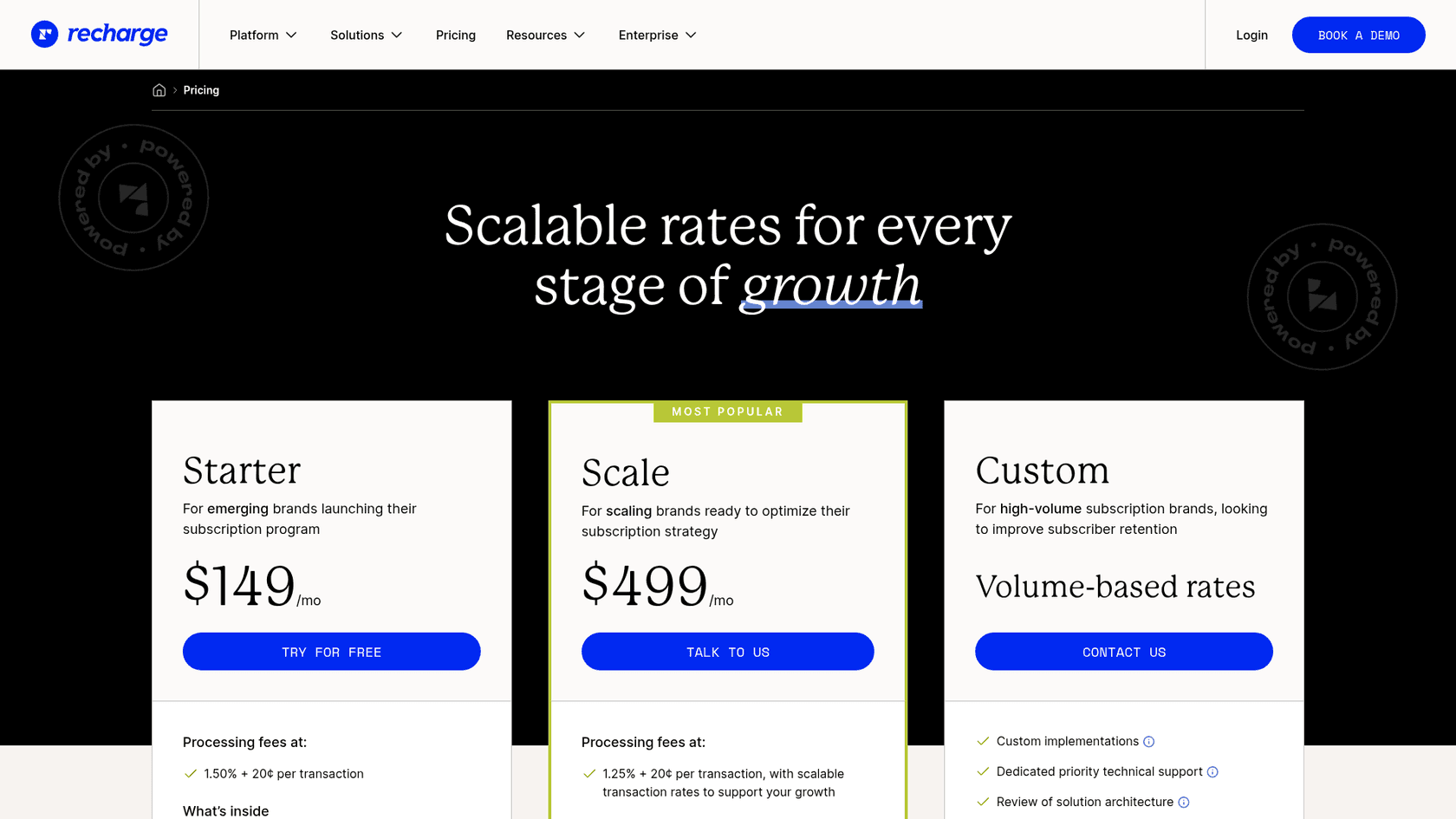
| Plan | Monthly fee | Processing fees |
|---|---|---|
| Starter | $149/mo | 1.50% + 20¢ per transaction |
| Scale | $499/mo | 1.25% + 20¢ per transaction, with scalable rates |
| Custom | Volume-based | Custom |
I checked the pricing page on November 6, 2026. I didn't find anything on it that gates product swaps to a higher tier, so the swap controls above are available on both public plans as far as the help center says.
Try eesel for Recharge swap tickets
If your queue fills with "can I change my flavor?" tickets, eesel can take them inside the helpdesk you already use. It's built for Shopify support teams: it reads the subscriber's live Recharge subscription, explains what a swap will do to the price and the next charge, and hands the swap to your team with the details attached. Skips and frequency changes it can run itself, and you can make any of them wait for approval.
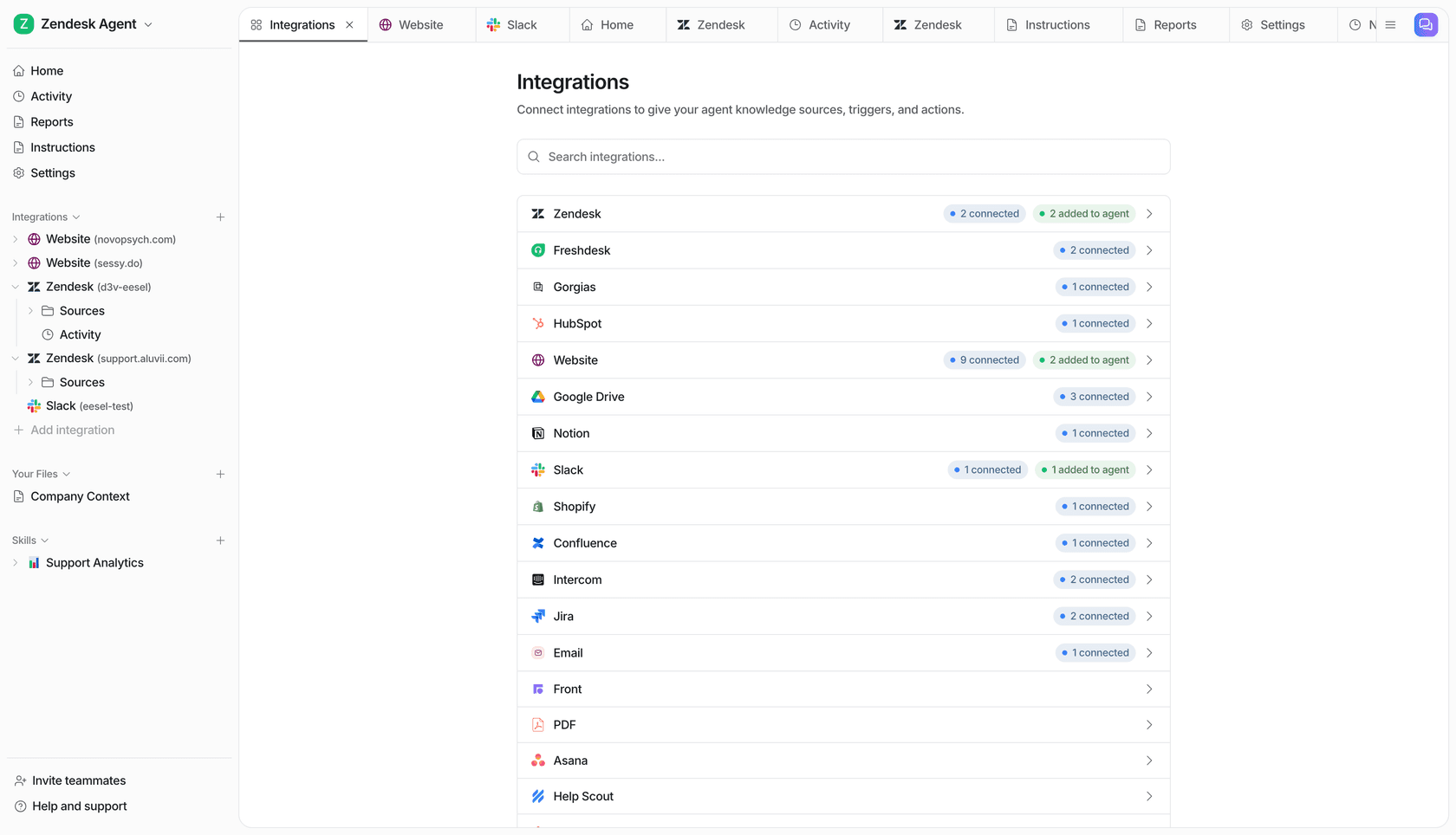
Connect Recharge and Shopify, point the agent at a real subscriber, and ask what a swap would change before it touches a live ticket. If you want the full picture of the stack, our guides to ecommerce helpdesks and subscription business tools are a good next stop. Try eesel free.