Recharge Affinity subscription page: what it does, its limits and what still hits your inbox

Riellvriany Indriawan

Katelin Teen
Last edited November 9, 2026

On 19 October 2026 Recharge made the Affinity 2.0 Subscription details page editable in the Page Builder, with separate templates for standard products and bundles. Subscribers can reschedule, skip, swap, change options, upgrade to prepaid and cancel from one page, but only if the matching portal setting is on. Prepaid charges lose several of those actions, so swaps, cancellations and preset bundle edits still reach your inbox. An AI helpdesk teammate such as eesel can look the subscriber up in Recharge and explain the next charge before a person steps in.
With the eesel CLI, an AI coding agent can upload approved knowledge, like your exported Recharge portal articles and macros, then ask test questions and check the answers before anything goes live. Connecting Recharge itself still needs a person to paste an API token in the browser.
What did I see when subscribers started using self-service?
I work the support queue, and the pattern is always the same. In March 2026 a DTC brand on Gorgias and Shopify, about 7,000 tickets a month, told our team it wanted half of its email resolved automatically, and subscription management sat next to order tracking and basic product questions as one of its three biggest buckets. A portal is the obvious first answer to that bucket. It is also the reason the tickets that remain are harder: the easy skip and the easy address change are gone, and what is left is the odd case where the portal says no.
One G2 reviewer describes the upside well.
"The customer portal is particularly valuable, giving subscribers the ability to self-manage their subscriptions by skipping, pausing, swapping products, or updating billing and shipping details without needing to contact support, which has significantly reduced our support ticket volume."

This post is about the page that does most of that work, what changed on it in October, and where it stops. If you want the neighbours, my guides to portal login and skipping an order sit right beside this one.
What is the Affinity subscription page, and what changed in October?
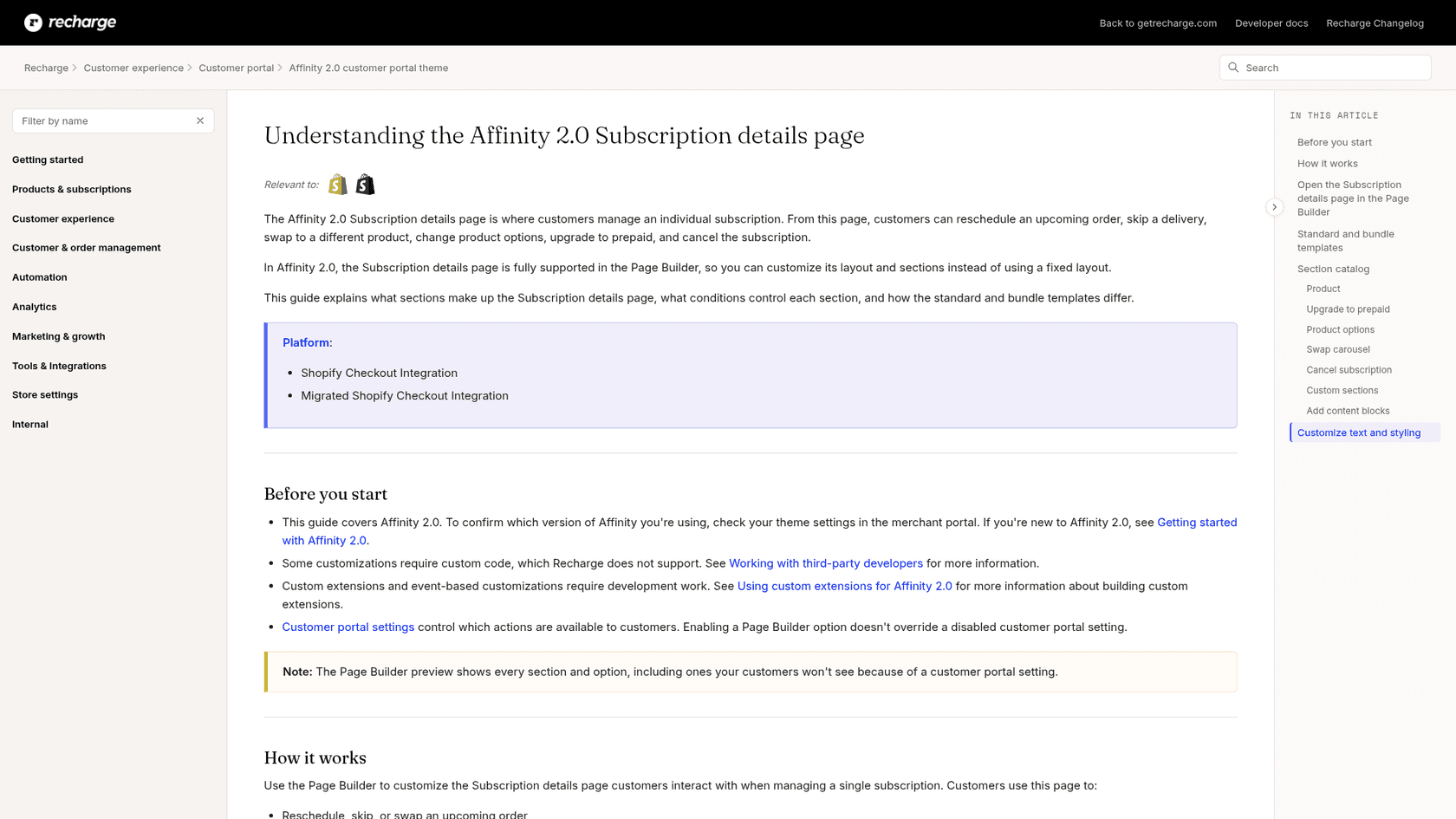
Affinity is Recharge's customer portal theme. Recharge moved stores off the older Novum and Prima themes from January 2025 and calls them deprecated, so most Shopify stores you will meet are on Affinity 1.0 or 2.0. In Affinity 2.0 the portal has four pages in the Page Builder: Overview (the Next order page), Subscriptions, Account and Subscription details.
The Subscription details page is the one for a single subscription. Recharge's Subscription details guide says customers reschedule an upcoming order, skip a delivery, swap to a different product, change product options, upgrade to prepaid and cancel from it. What changed is that its layout is no longer fixed.
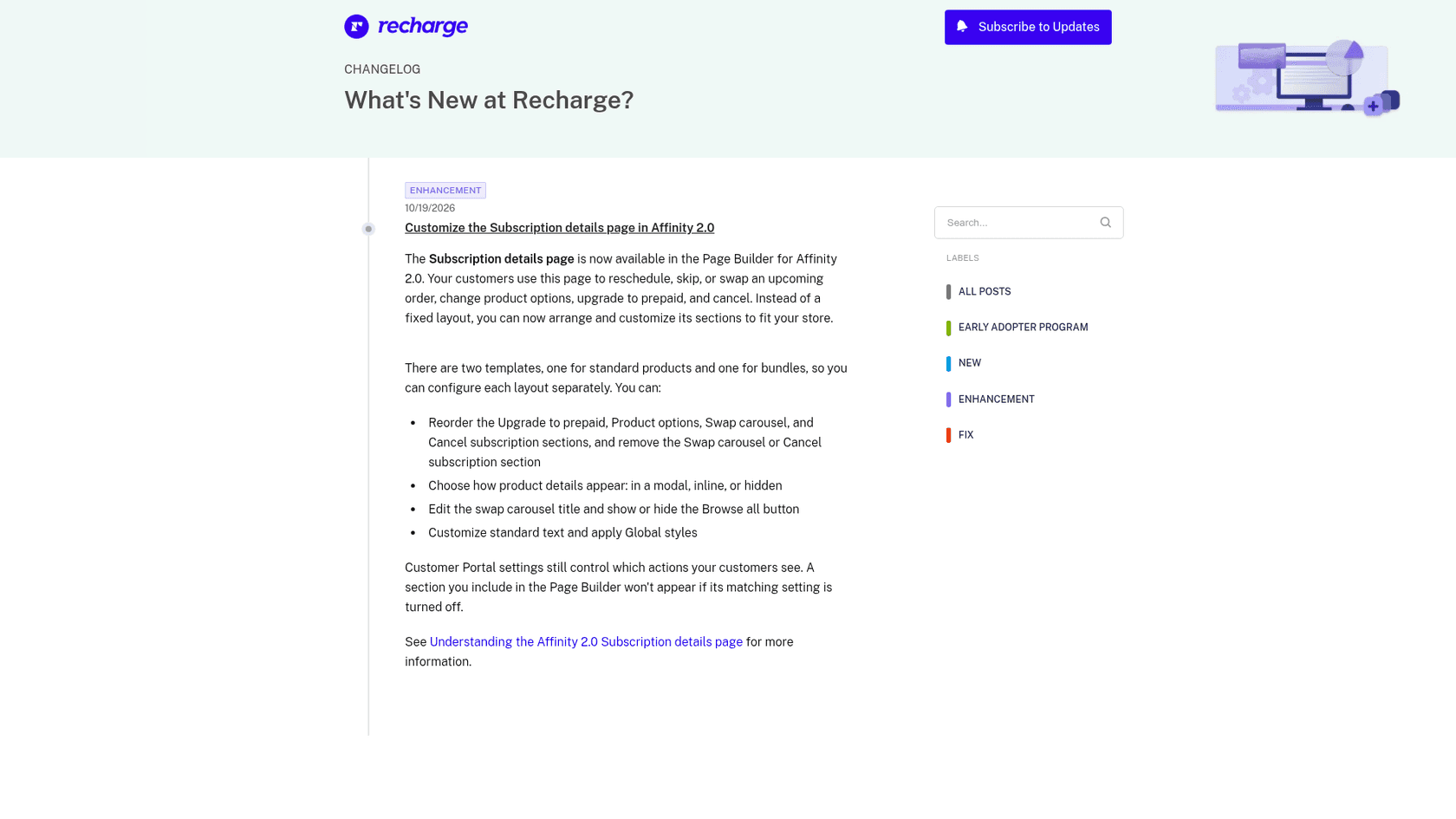
The changelog entry, dated 19 October 2026 and tagged Enhancement, lists what a merchant can now do:
- Reorder the Upgrade to prepaid, Product options, Swap carousel and Cancel subscription sections.
- Remove the Swap carousel or the Cancel subscription section. The Product section is locked in place.
- Choose whether product details show in a modal, inline or hidden.
- Edit the swap carousel title and show or hide the Browse all button.
- Customize standard text and apply Global styles.
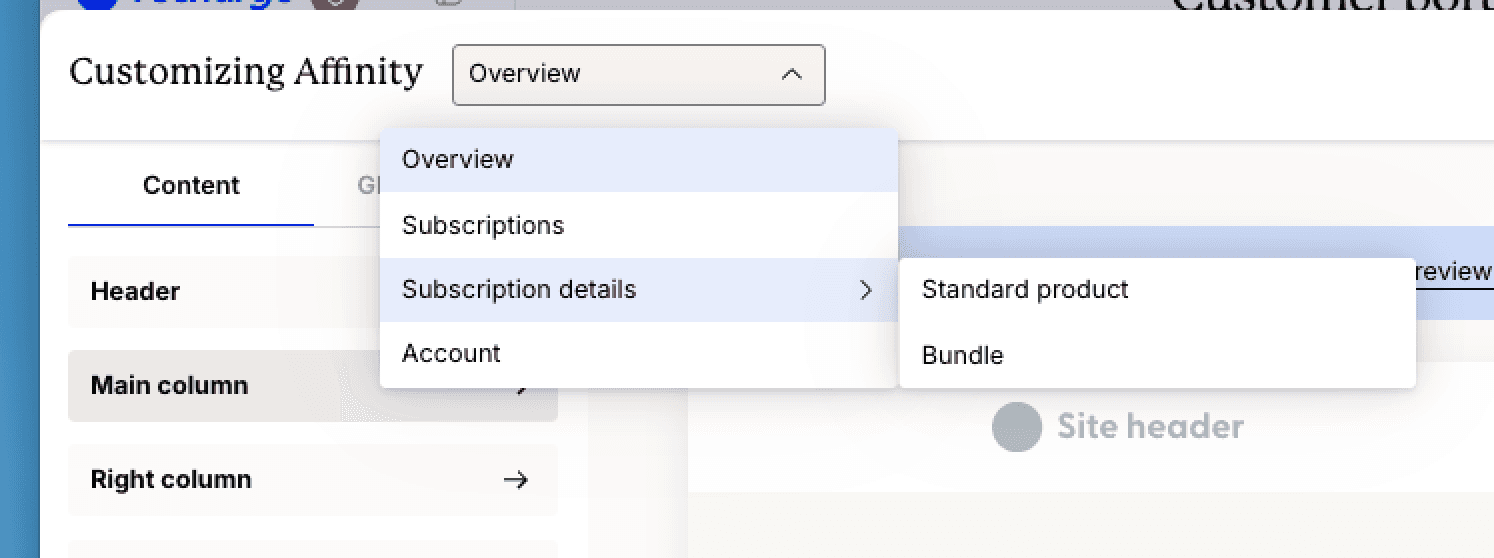
Two templates exist, one for standard products and one for bundles. Customers see the one that matches the product on the subscription they open, so you configure both. In the Page Builder you reach them from the page dropdown, under Subscription details.
What can a subscriber do on it?
Recharge's guide groups the page into sections, and each one is a place a ticket can be prevented or created.
| Section | What the subscriber sees | Condition worth knowing |
|---|---|---|
| Product | Title, variant, frequency, next order date, price, plus Reschedule, Skip and Swap | Always shown. Actions follow Customer portal settings |
| Upgrade to prepaid | An offer such as "Save up to 10% when you upgrade to prepaid!" | Only when the Show prepaid upsell setting is on |
| Product options | Variant selectors, quantity, frequency and shipping address, with a note that changes apply to every order | Customers press Save changes |
| Bundle options (bundle template) | Variant selectors, frequency and a contents picker with a Fill with best sellers link | Bundle template only |
| Swap carousel | Alternative products with a Swap button, and an optional Browse all button | Hidden if swaps are off in portal settings |
| Cancel subscription | A cancel link at the bottom | Cancellation options follow your portal settings |
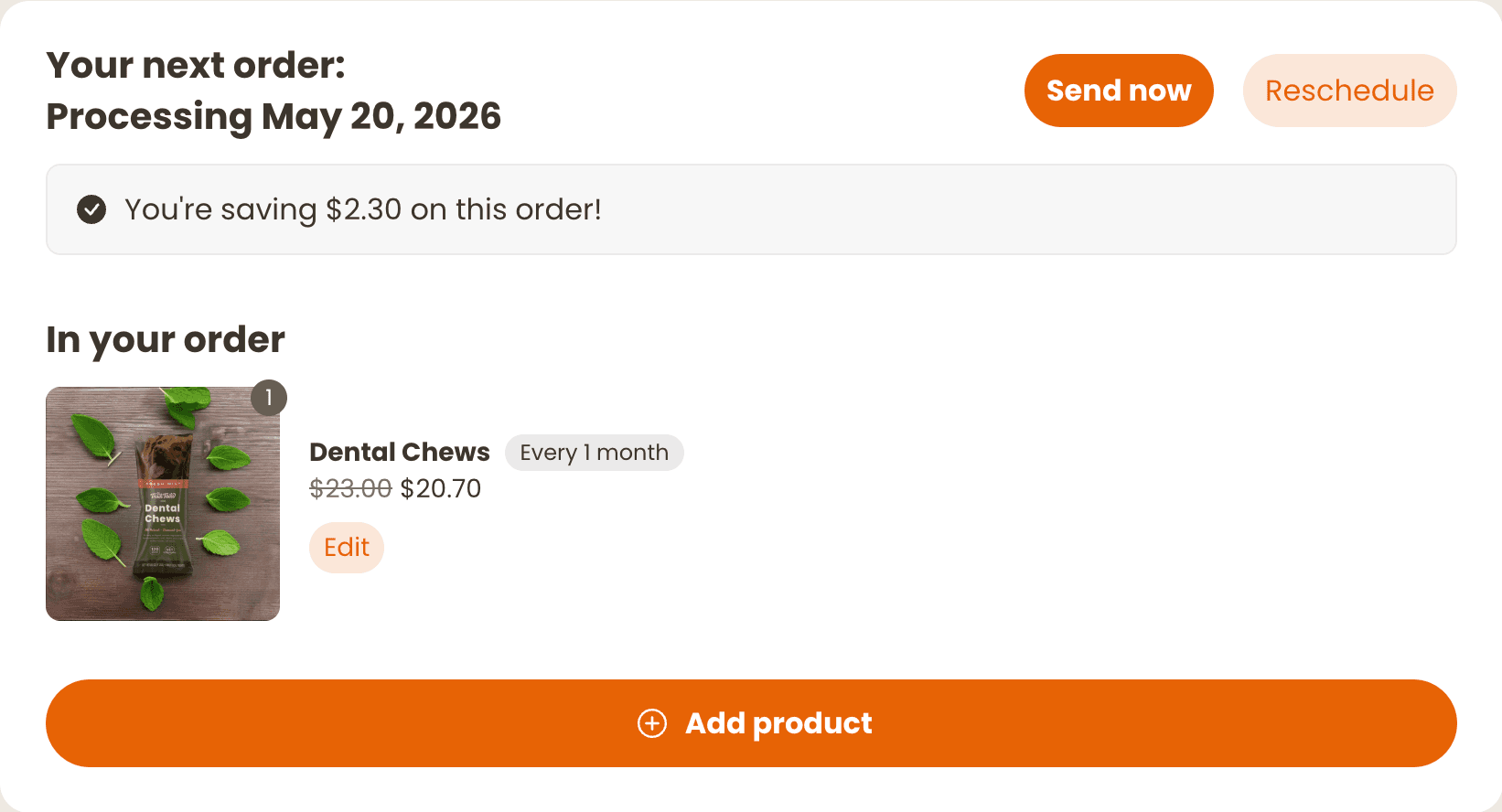
Two details matter more to support than to design. First, the Product options note says changes apply to every order, not only the next one, so a subscriber who edits quantity here is making a permanent change. Second, the page is the destination for the Edit link on the Next order page, which opens it for subscription and one-time products.
If you are curious how the Next order page differs, Recharge's Next order guide shows the main entry point.
How is Affinity 2.0 different from the classic portal?
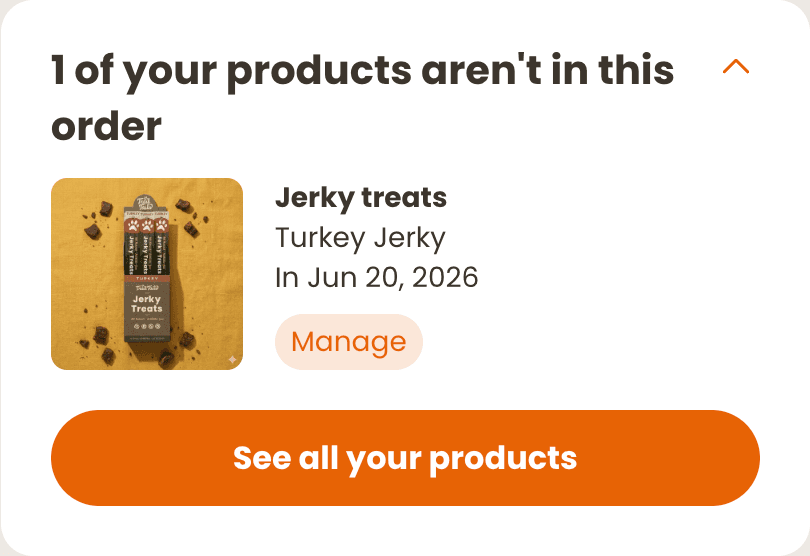
The biggest shift is not visual. In Affinity 1.0 the entry page groups every order scheduled for the same date, so a skip or reschedule affects all charges under that date. Recharge's Next order guide says Affinity 2.0 focuses on one charge or order at a time, and actions apply only to that one.
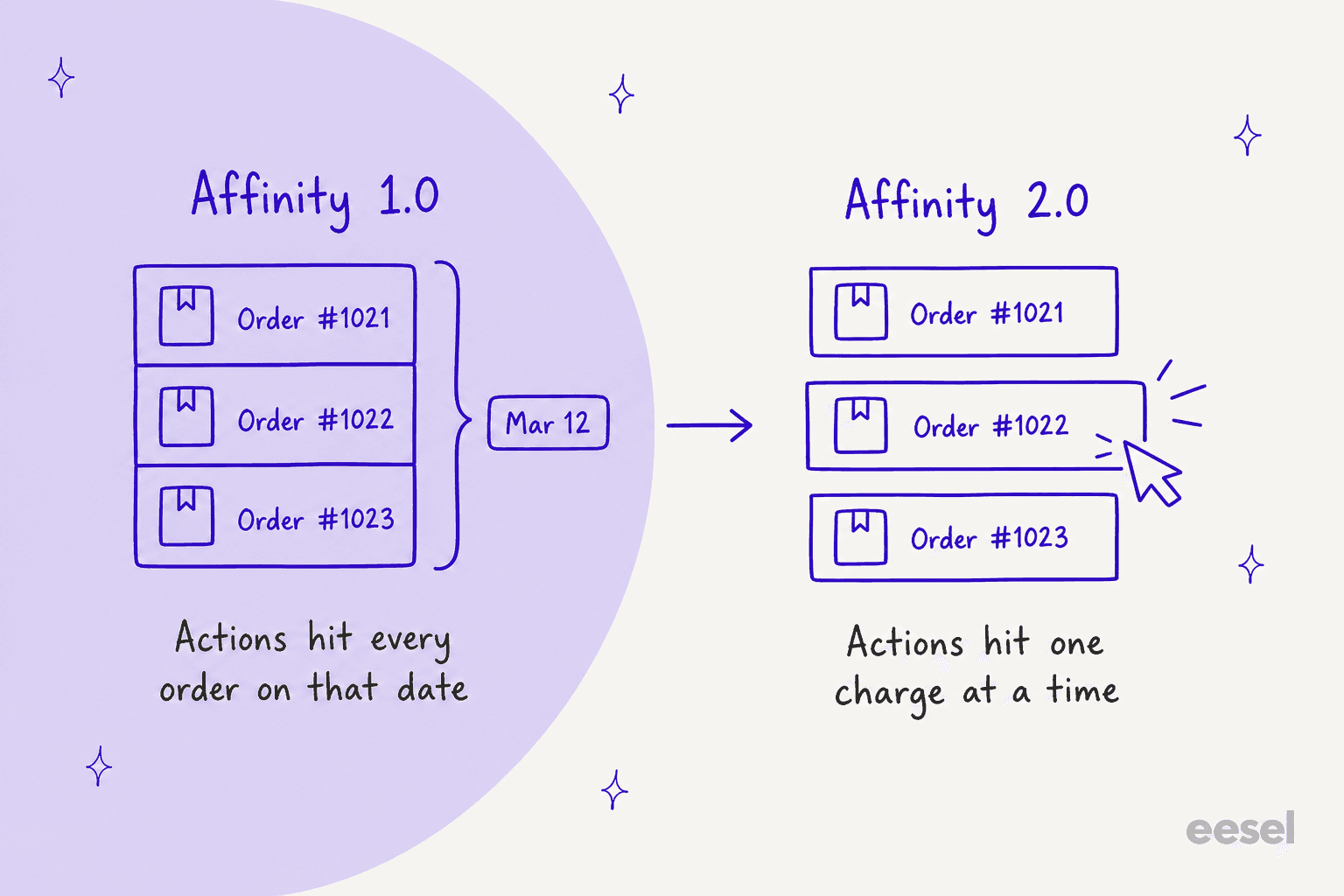
That fixes a classic complaint ("I skipped one item and my whole box skipped"). It adds a new one, because the other subscriptions now live in a collapsible block called Not in your next order, and a customer who does not open it can believe an item disappeared.
Other differences from the Getting started guide:
- No-code layout. Add, remove and reorder sections, with banners and informational blocks.
- Compact navigation. You can show it on all pages or only the home page.
- Central styles, copy and translations. Changes apply to other onsite experiences that use Affinity styling.
- Unsupported items. Recharge lists legacy memberships and gift orders as not supported.
- Pages not yet in the builder. They keep the Affinity 1.0 layout and behavior.
Which Recharge plan do you need?
I could not find a plan requirement in the Affinity 2.0 guides. They list the Shopify Checkout Integration and the Migrated Shopify Checkout Integration as the platforms, and say nothing about Starter or Scale. So do not budget a plan upgrade for the portal. Budget one for what the bundle template assumes.
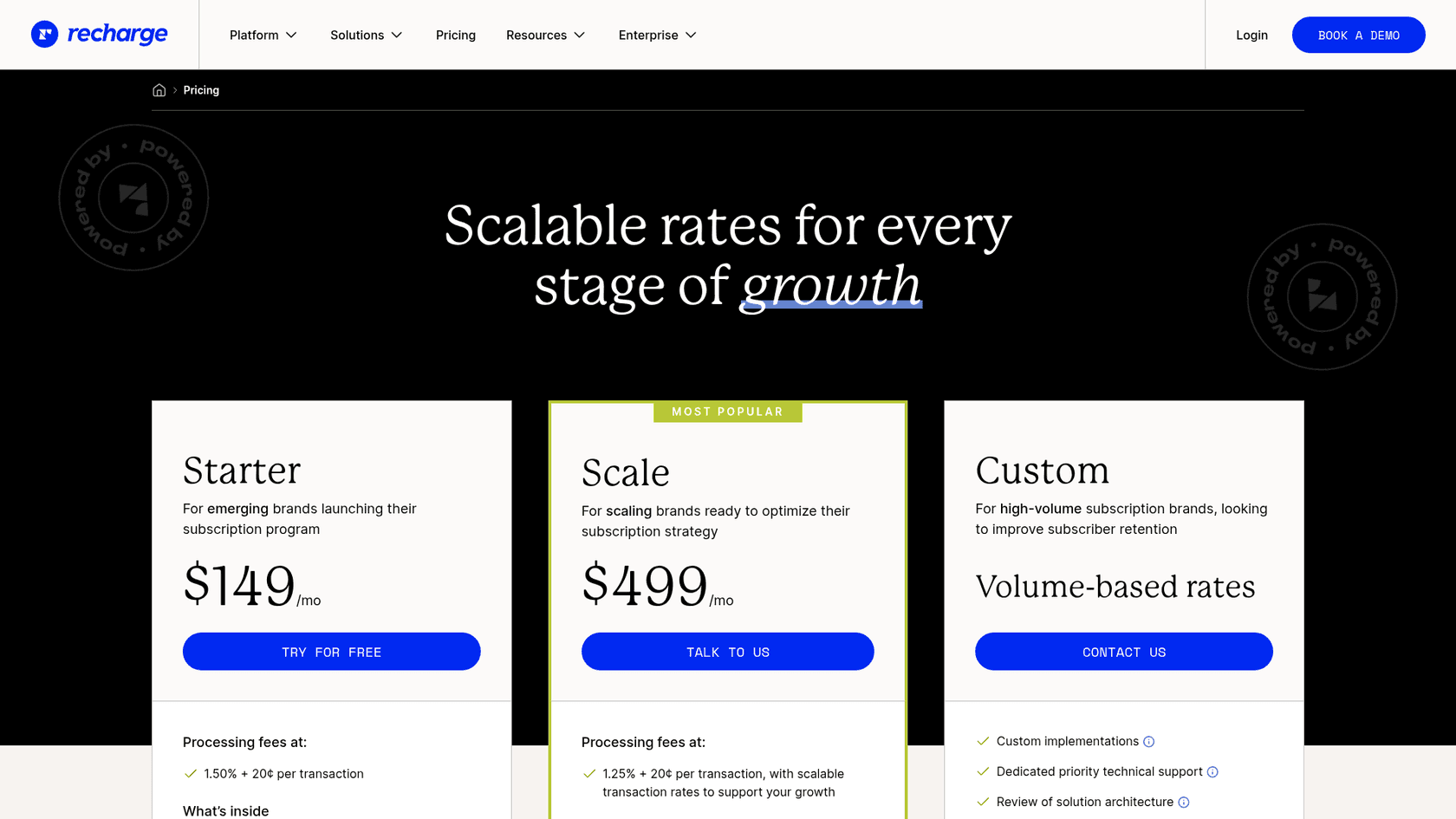
| Plan | Monthly fee | Transaction fee | Relevant to this page |
|---|---|---|---|
| Starter | $149 | 1.50% + 20¢ | Portal guides list no plan gate |
| Scale | $499 | 1.25% + 20¢ | Customized bundles listed |
| Custom | Volume-based | Set in contract | Same as Scale, plus contract support terms |
Fees come from Recharge's pricing page and its billing guide, where installs from 2 November 2026 get a 60-day free trial. If you sell bundles, my fixed-price bundles guide covers the Scale requirement in detail.
How do you set it up?
Recharge's guides give these steps. I would do them in a test store first, because saved changes go live straight away.
- Check your version. In the merchant portal click Storefront, then Customer portal, and look under Your current theme. To move up, find Affinity 2.0 under Other themes and click Switch to this theme.
- Open the Page Builder. Click Customize, then use the dropdown at the top to choose Subscription details, and pick Standard product or Bundle.
- Arrange the sections. Drag to reorder, and remove the Swap carousel or Cancel subscription section only if you mean it.
- Set the store-level switches first. Under Storefront, Customer portal, Customer portal functionality, decide which actions customers get: edit addresses and product details, reschedule or skip, switch to prepaid, change frequency, apply discount codes.
- Preview twice. Use the desktop and mobile toggles, then Preview in your store with a real test customer, because the builder canvas uses sample data.
- Publish. Recharge publishes all Affinity 2.0 pages available to your store together. Customers stay on Affinity 1.0 until you publish.
What can you not customize?
Recharge is clear about the edges, and each edge is a ticket.
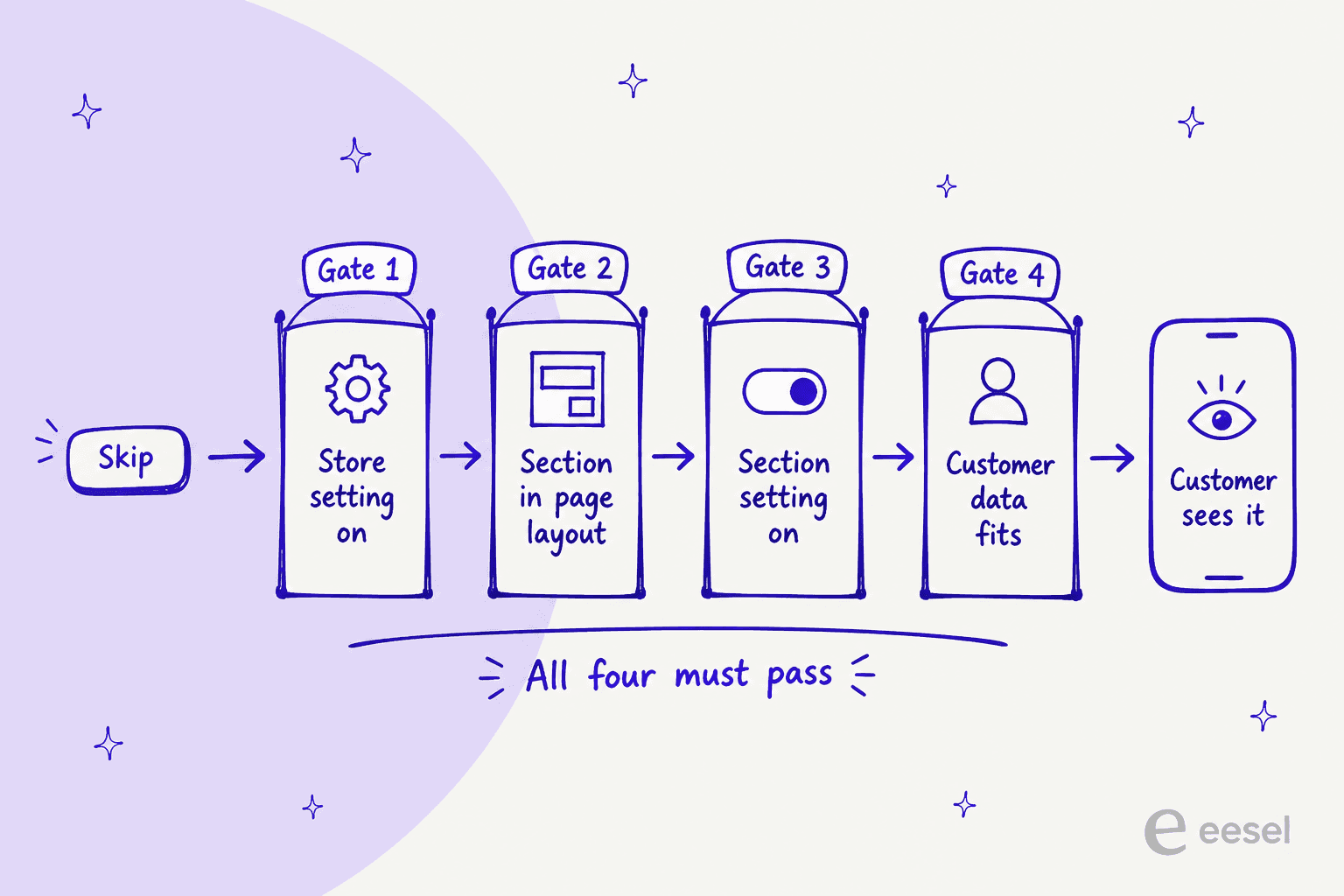
- Four gates, not one. A feature can be gated by store settings, page layout, section settings and customer data, and all four must pass. A section in the layout can still vanish for a given customer.
- Preview lies by omission. The Page Builder preview shows every section and option, including ones customers will not see.
- Images. Content block images must be square and no larger than 60 x 60 pixels.
- Custom code is on you. Recharge does not support customizations that need custom code, and custom extensions need development work.
- Generic text is shared. Edits to standard text apply across the portal, not only the page you are editing.
- Only two sections are removable. The Swap carousel and Cancel subscription section.
One more limit shows up on the Next order page rather than here. Recharge's guide says Send now, Reschedule, Swap and Cancel need a queued, non-prepaid charge, and Skip on a prepaid order needs a separate Skip upcoming prepaid orders setting. So for prepaid subscribers the page offers less, which is where a lot of mail comes from. My prepaid deliveries and delivery frequency guides cover the follow-ups.
"The reports are a bit clunky and take a long time to load. Additionally, the forward-facing customer portal can sometimes load slowly as well."

Which tickets still reach your inbox?
Use this checker to test a request before you promise customers self-service. It follows Recharge's docs, not my store, so confirm on a test customer.
A queued, non-prepaid charge can be skipped from the page when the Skip their next order setting is on. Expect a ticket only when that setting is off or the customer is on a prepaid plan.
Swap needs a queued, non-prepaid charge. A prepaid subscriber has no Swap button, so the request goes to your team.
On a payment error the Next order page shows Retry payment and Update payment method. An inventory error shows no buttons, and other errors show a Contact support link, which becomes a ticket.
The Next order page needs a non-prepaid charge for Cancel. Recharge also says cancelling a prepaid subscription leaves queued orders, so someone must cancel each queued order.
Edit contents is hidden for preset bundles. Only customizable bundles redirect to the Subscription details page to change contents.
Subscriptions with a different next date sit in Not in your next order, with a Manage button. If you removed that section from the layout, expect "my item vanished" mail.
What does this mean for support?
The page removes the repeatable tickets and sharpens the rest. Four patterns are worth planning for.
- Prepaid is the gap. Fewer actions for prepaid subscribers means more mail from them, and the answer needs a lookup of queued shipments. My pause date and address scope guides cover two related asks.
- "The button is gone" is a settings question. Before you reply, check the four gates for that subscriber. Reply with what is true for them, not a general policy.
- Failed payments need two answers. The page offers a retry, but a customer who sees a Contact support link needs a person. A payment method error macro helps.
- Metrics shift. Contact rate falls, but the mix gets harder. If you track deflection rate, compare it with resolution rate so you do not celebrate a bounce, and watch your ecommerce contact rate.
Pair it with clear human handoff rules and a refund approval matrix so agents know when to sign off.
For wider context, I have separate guides on self-service solutions and Shopify AI customer service.
Can an AI teammate answer the tickets the page does not?
Partly, and I would rather say where it stops than oversell it. eesel is an AI teammate platform whose helpdesk teammate joins the queue you already run. Its Recharge integration reads a subscriber's subscriptions, queued orders and next charge date, and it works inside conversations in your helpdesk, in Slack or on your site, because Recharge has no event that wakes it. Its docs say it can skip one charge on a month-to-month plan, change quantity or frequency, cancel a subscription, reactivate one, cancel a single queued prepaid order, and update an address, and each action can wait for an approval.
The limits are as concrete. It cannot swap a product, pause a subscription or change a delivery date, so those requests go to your team, and its cancel action on a prepaid plan leaves the queued shipments until each is cancelled by order id. Setup needs a Recharge API token with read and write access, pasted by a person. I would also not promise it can read the Page Builder layout, because the integration docs do not mention it. Use an approval workflow for the cancellations.
Named stories show the pattern even when they are not on Recharge. Question Beauty runs eesel on Gorgias and Shopify, and in the month from 8 August to 8 September 2026 it handled 990 tickets, looked up 290 Shopify orders before answering delivery questions, and closed 280 without a person. Everything touching money or a complaint went to a teammate with a note attached. STIL Classics uses the other mode: eesel checks the order and leaves a draft reply as an internal note, and a person sends it. For a Recharge stack, my Gorgias and Recharge guide goes through the setup.
I would start in draft mode, add ticket tagging so the portal's leftovers are easy to find, run your five worst portal questions through a simulation test, and only then let it reply on its own for read-only lookups. If subscriptions are the heart of your store, the subscription box support guide shows the wider ticket mix.
Try eesel for Recharge
If your Affinity page now answers the easy asks, eesel is the teammate for the rest: it opens the subscriber in Recharge, explains the next charge and the queued shipments, and sends swaps and prepaid cancellations to your team for approval. It connects with an API token and works alongside Shopify, and the Question Beauty story shows what order-aware replies look like in a real inbox. Try eesel on your own queue, free to start.