

JivoChat is a good, cheap omnichannel inbox for teams under about five agents: website chat, Telegram, Facebook, Instagram, WhatsApp and phone in one app, rated 4.6 on G2 and Capterra. Paid plans run $28 to $56 per agent a month on annual billing. The catch is the company, not the inbox: its 2.2 Trustpilot score comes mostly from renewal price jumps and slow support. AI is two separate add-ons, so if you mainly want repeat questions answered, an AI teammate like eesel can take that job before you buy more seats.
With the eesel CLI, an AI coding agent can add eesel's chat bubble to your site, upload approved knowledge like your FAQ pages and canned replies, and run test questions before any visitor sees an answer.
What is JivoChat?
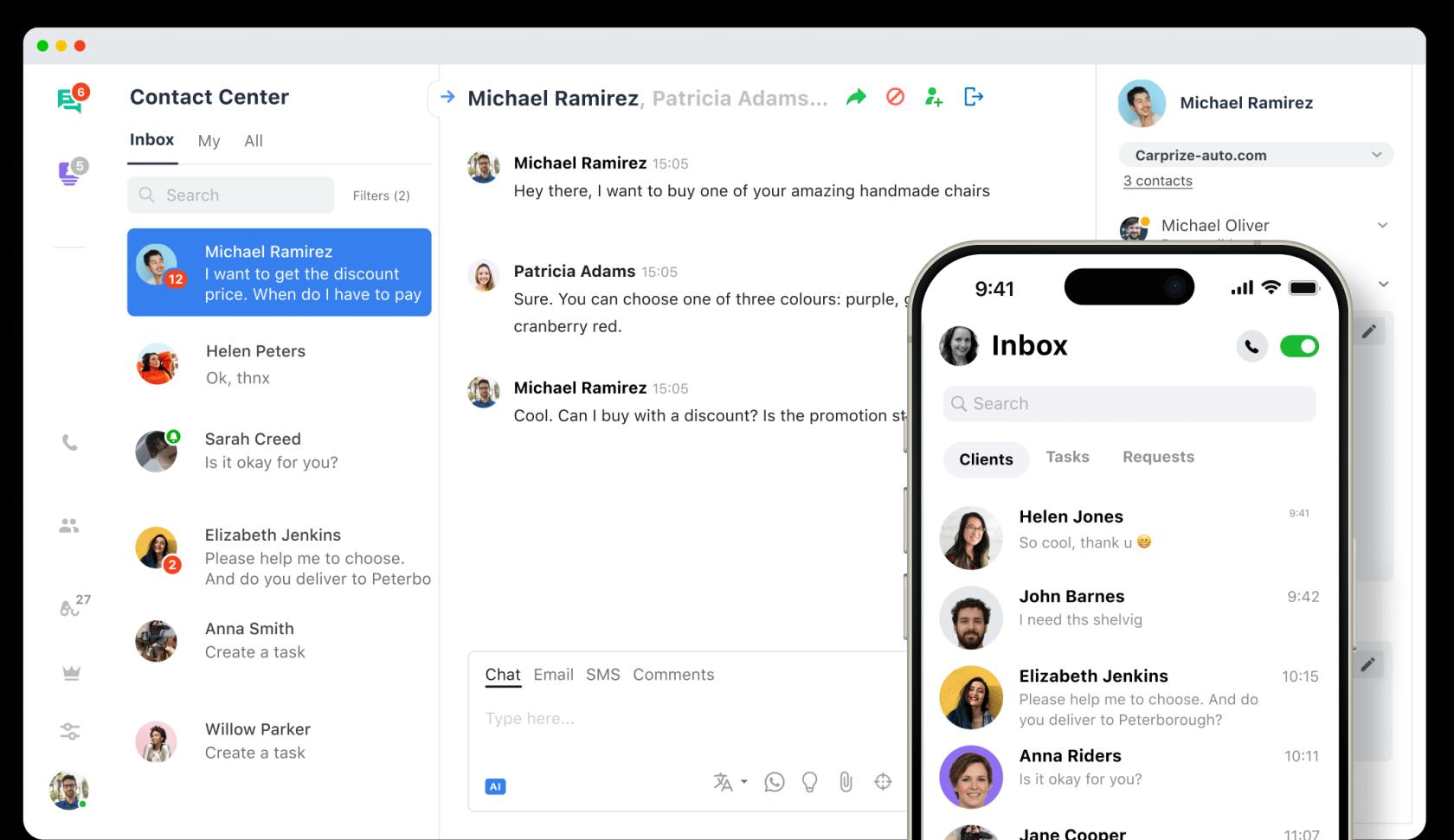
JivoChat is a live chat and messaging inbox. You put a chat widget on your site, connect your social messengers and phone line, and your agents answer all of it from one app on desktop, web or mobile. It's a classic omnichannel setup at a small-business price. JivoChat says it serves 200k+ businesses and 14M+ chats a month on its homepage, and it sells software only. Its own pricing FAQ is blunt about that: "we only provide the software for your agents to use."
I build AI agents for support teams at eesel, so I spend a lot of time looking at how tools like this work under the hood, and what they make you pay for. For this JivoChat review I went through the pricing page, the plan table, the help center docs for both AI products, the terms of service, and the reviews on G2, Capterra and Trustpilot. What came out is a split verdict. The product is liked. The billing relationship is where people get hurt.
If you're comparing it with the rest of the live chat software market, JivoChat sits in the low-price, many-channels corner, next to tawk.to and Smartsupp.
What does JivoChat do well?
Three things stand out, and they line up with what reviewers keep saying.
It puts a lot of channels in one place, even on the free plan. The free plan covers website chat plus Telegram, Facebook, Instagram and Viber, a callback button and offline forms, with apps for desktop, mobile and browser (pricing page). You can install it on unlimited websites at no extra cost. Most rivals gate social channels behind a paid tier, so this is real value for a small shop.
It's easy to learn. Good live chat features don't help if agents can't find them. Capterra scores it 4.7 for ease of use (Capterra), and the praise is about simplicity more than power:
"Simplicity - Jivo chat is easy to use, and easy to train reps to use. No frills, all function, low price!"

It's cheap for a small team. The same theme shows up across platforms. One Capterra reviewer called it "great and inexpensive for a team less than 5 people", and a Trustpilot reviewer using it mainly for WhatsApp wrote that "no other app could offer what they offer at their price".
There's one more quiet strength: a JivoChat licence is one seat for an agent logged in at the same time, not one named person (purchase guide). If you run shifts, you pay for peak headcount, not your whole roster.
Where does JivoChat fall short?
The limits are about depth and scale, not the basics.
- Fewer features and integrations than bigger tools. A Capterra reviewer put it plainly: "Great for a small team, not as scalable as other solutions." Another G2 reviewer switched to Tidio because they needed "a wider range of platforms" (G2).
- Advanced features sit high up the plan ladder. Chat routing, the Chat API and the mobile SDK are Enterprise-only, and multiple departments and webhooks start at Professional (pricing page).
- Setup can take a while. One G2 reviewer found the setup "somewhat confusing and time-consuming", and another flagged that the widget code weighs on Core Web Vitals.
- Support replies can be slow. G2's own summary of reviews notes that "response times can be slow", and a Capterra reviewer said the team "take a while to respond to customer support requests".
None of these are deal breakers for a five-person team answering website and Instagram chats. They start to matter when you outgrow that, which is exactly when the plan you need gets more expensive.
How do JivoChat's plans compare?
JivoChat has four plans, priced per agent per month on annual billing (pricing page). Monthly billing costs more: the calculator gives 30% off for a year and 10% off for three months, so Professional works out to about $60 a seat month to month.
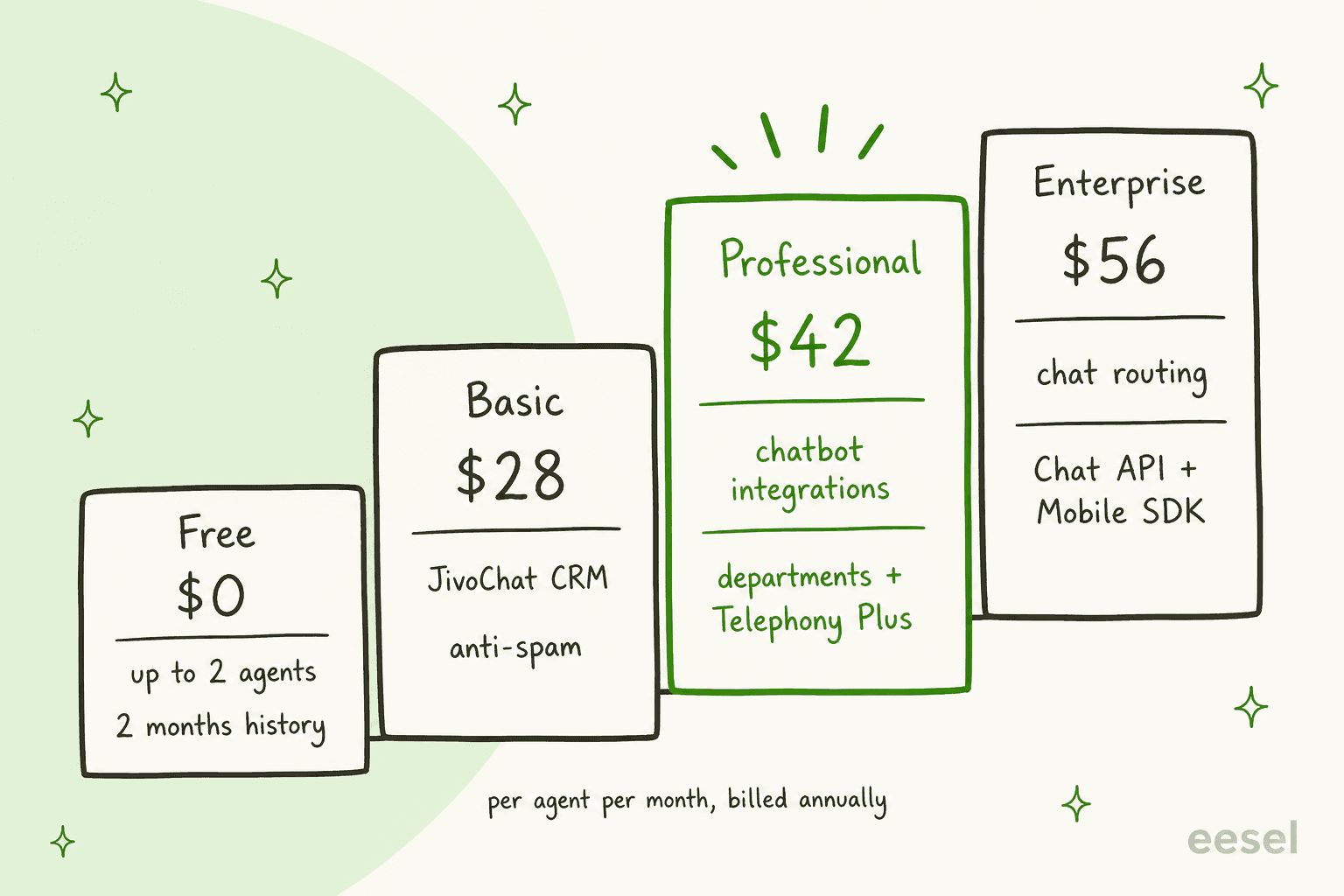
| Plan | Price (annual, per agent/month) | Agents | What it adds |
|---|---|---|---|
| Free | $0 | up to 2 | Website chat, Telegram, Facebook, Instagram, Viber, callback, offline forms, 2 months of chat history |
| Basic | $28 | up to 100 | Proactive invitations, visitor monitoring, canned replies, anti-spam, JivoChat CRM, unlimited history |
| Professional | $42 (14-day trial) | up to 100 | Telephony Plus, WhatsApp integration, chatbot integrations, chat rescue, departments, webhooks |
| Enterprise | $56 (14-day trial) | unlimited | Chat routing, video call module, Mobile SDK, Chat API |
One oddity worth knowing: the plan table says the free plan has "up to 2" agents, while the header above it says it "includes 5 agents". Plan for two. If you're still choosing between tools on the free tier, my list of live chat alternatives is a quicker scan.
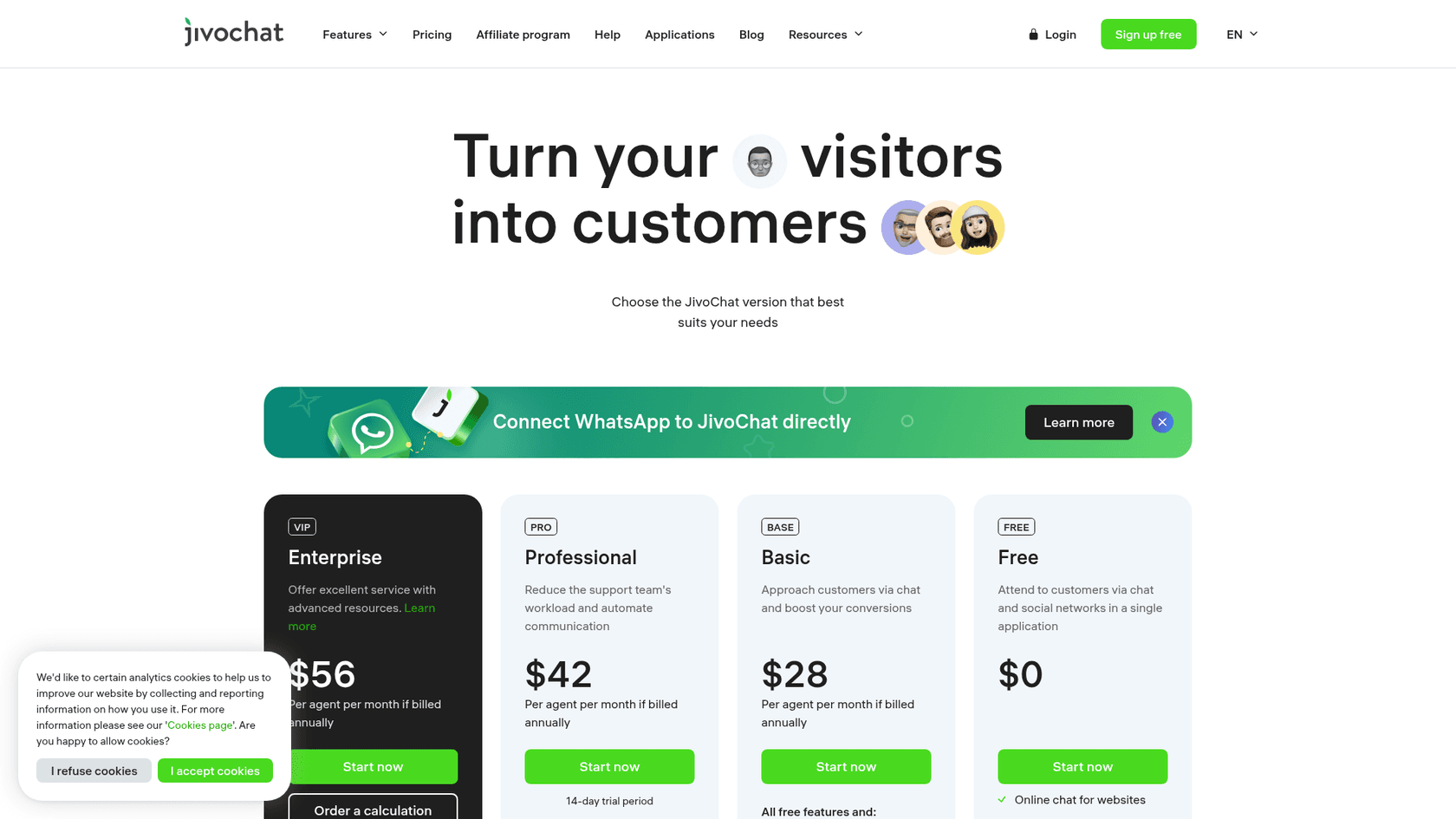
The add-ons are where a bill grows. On annual billing, WhatsApp is $27 a month, the AI assistant $13 a month, Jivo Marketing $6, Telephony Plus $4 (included on Professional and Enterprise), video calls $23 per agent and the AI Agent $69 per agent (pricing page). Phone numbers start at $1 a month and calls at $0.02 a minute (telephony page). I worked through year-one totals for three team sizes in my JivoChat pricing guide.
If WhatsApp is your main channel, it helps to understand WhatsApp Business API pricing before you commit to any tool.
My WhatsApp support AI roundup covers the bot side of that channel.
How does JivoChat's AI work?
This is the part most JivoChat reviews skip, and it's the part I care about most. JivoChat sells two AI products, and they do different jobs.
The AI assistant: a writing helper for agents
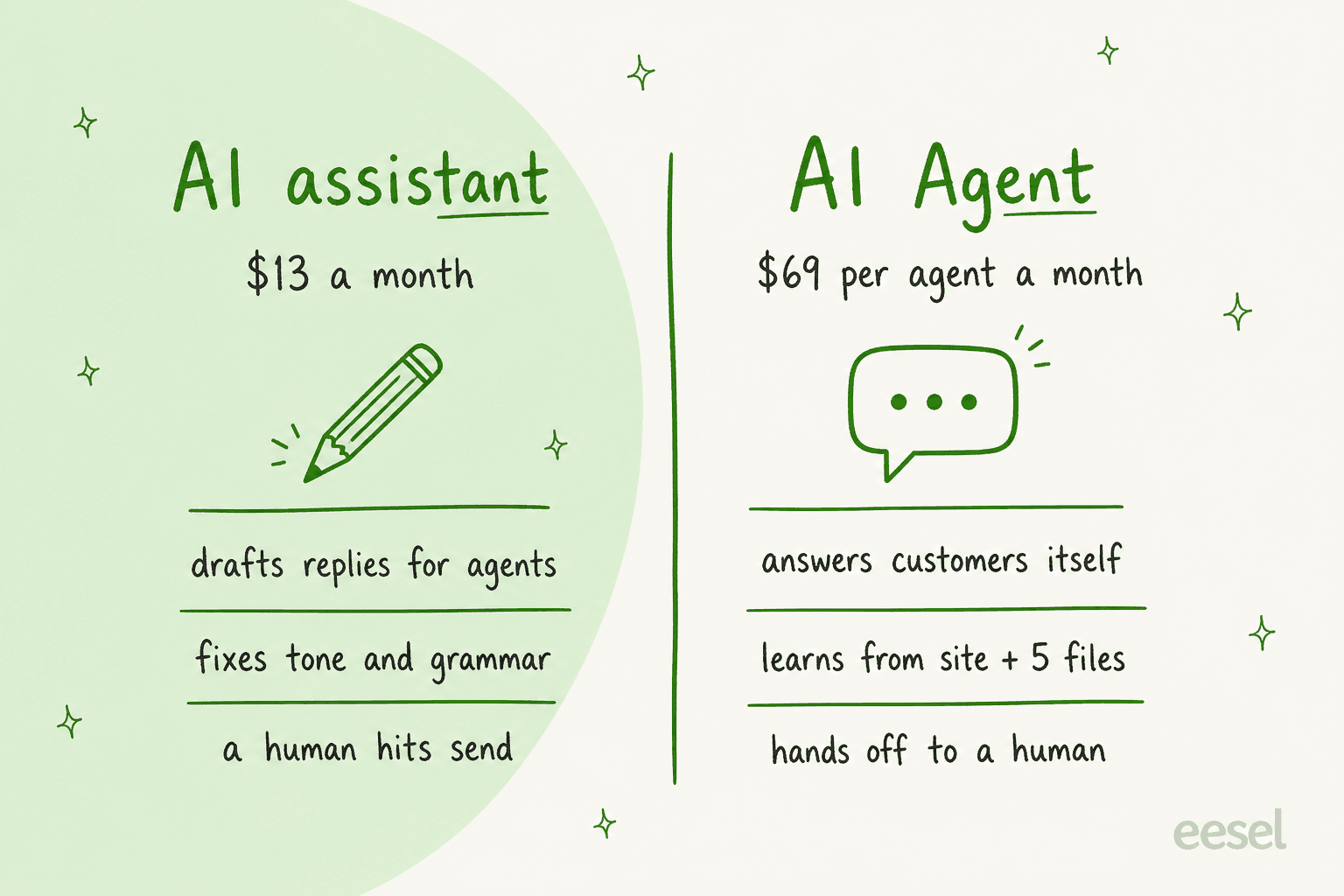
The AI assistant runs on OpenAI and sits inside the agent's reply box. It adjusts tone, fixes spelling and grammar, summarises chats, and can draft the next reply for the agent to check. JivoChat is clear that "the final say is always with the human". You set it up by writing a short company summary and picking a role like "Support Operator", and the help article says that summary is what the model answers from.
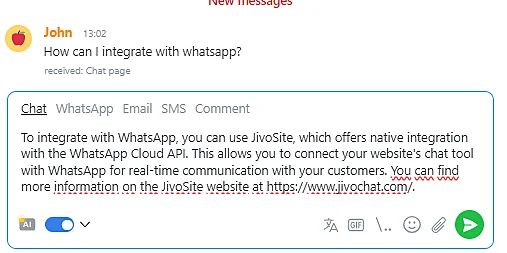
At $13 a month, it's a cheap speed-up. It doesn't take a single chat off your team's plate, though. Someone still reads and sends every reply.
The AI Agent: a bot that answers customers
The AI Agent is the one that answers by itself. Setup is a four-step wizard. You give it your website address, and it scans public pages for contacts, products, services and tone, which usually takes up to five minutes. Then you can add:
- Knowledge files: up to 5 files, up to 30 MB each, in formats like .pdf, .docx, .csv and .md.
- Web search: up to five public domains it may look things up on (whole domains, not single pages).
- Instructions: written in a "Details" field, with Markdown supported.
It can hand a chat to a human, add tags, collect contact details and summarise the conversation on handover, and you can create up to 15 AI operators (help center). JivoChat claims it can "resolve up to 80% of conversations automatically". That's a vendor claim, and I didn't find a reviewer on G2, Capterra or Trustpilot talking about the AI Agent either way.
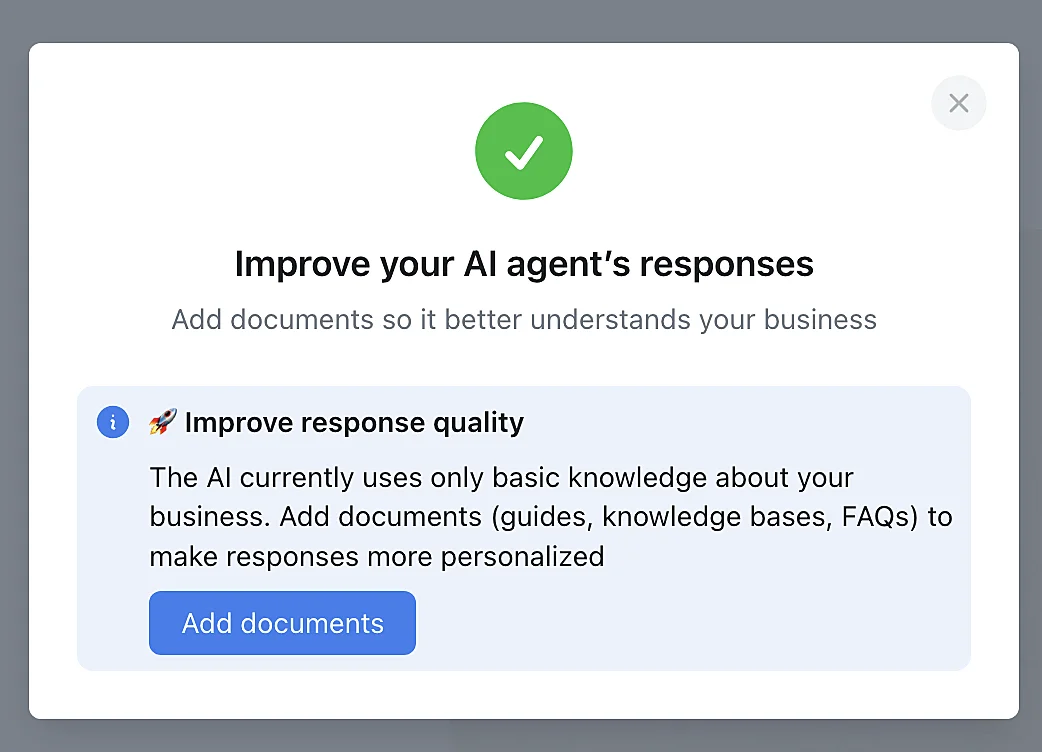
My builder's read: the setup is sensible and quick, and the handoff options are the right ones. Two things would make me pause. First, the knowledge sources are your public website plus five files, and past chat history isn't listed as a source, so the agent won't learn from how your team actually answers unless you write that down. Second, the price is $69 per agent a month, and the pricing page doesn't say whether "agent" means a human seat or an AI operator. Ask sales before you budget for it. For more on what a good bot should learn from, see my guide to AI for live chat, and my explainer on deflection vs resolution for reading claims like that 80%.
What do JivoChat users say?
Here's the most useful thing I found. The review platforms disagree, and the disagreement tells you what to watch for.
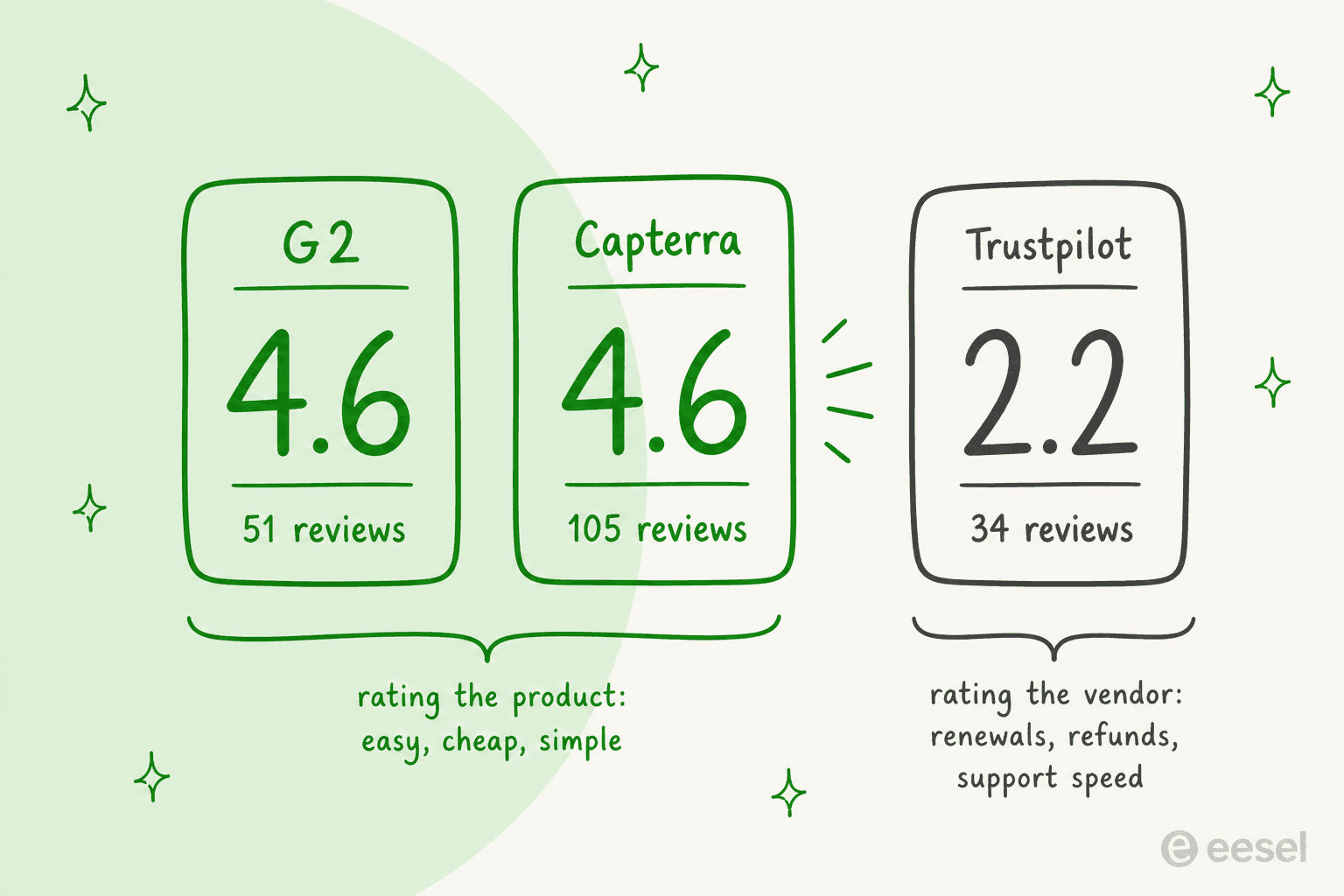
On G2, JivoChat holds 4.6 from 51 reviews, with 84% five-star. On Capterra it's 4.6 from 105 reviews. On Trustpilot it's 2.2 from 34 reviews. G2 and Capterra reviewers mostly rate the product: it's easy, it's cheap, it works. The Trustpilot 1-stars are mostly about the vendor: what happened at renewal, and how support handled it.
The loudest complaint is price increases on existing accounts:
"I went from paying $140 a year to now they are trying to charge me $450 a year."

"This company abruptly increased prices by 300% for existing users with no notice or justification, a serious breach of trust."
JivoChat's terms of service say price increases are communicated at least ten days in advance and apply only to later renewals. So the policy exists, but these reviewers say the notice didn't reach them. Either way, the lesson is the same: watch your renewal date and your inbox before it.
Refunds are the second theme. One reviewer renewed six days before a 30% Black Friday promotion and asked for the difference:
"They refused, saying my purchase was too long ago, even though it was only 19 days ago and just six days before their promotion started."
That matches the terms: payments are non-refundable, except a full refund within ten days of your initial payment if you haven't used the service beyond the free trial (terms).
The third theme is support speed and bugs, especially in less common setups:
"Mobile SDK is broken on iOS, and their support is very slow in finding solutions. Most of our complaints about their bugs just get ignored."
To be fair, support gets praise too. One Trustpilot reviewer wrote that support "has always been quite helpful and the app just does exactly what it promises". Capterra's customer service score is 4.5. I didn't find JivoChat threads on Hacker News, so the picture above comes from the three review sites.
Who should use JivoChat?
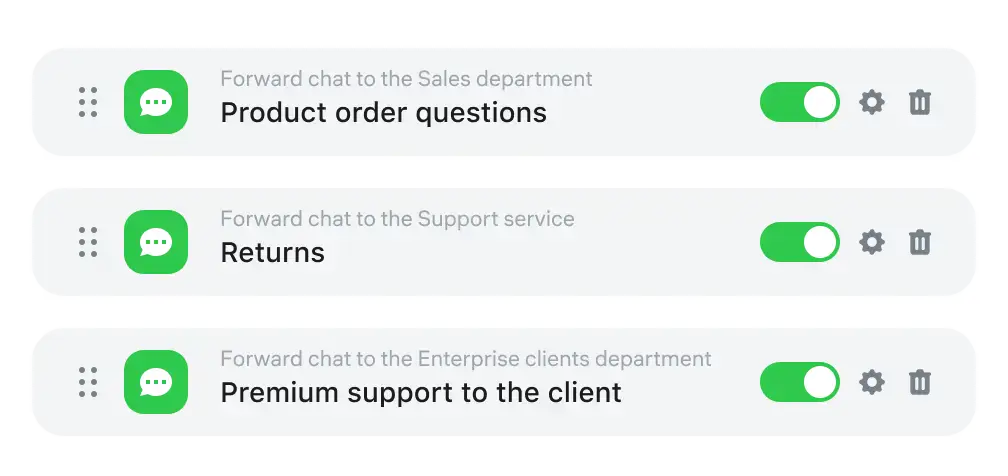
Here's how I'd decide.
| Your situation | My take |
|---|---|
| 1 to 5 agents, website chat plus Instagram, Facebook or Telegram | Good fit. The free plan or Basic covers it cheaply. Pair it with solid live chat scripts. |
| WhatsApp is your main sales channel | Good fit on Professional plus the $27 WhatsApp add-on, but price the add-on in from day one. |
| Shift team with more people than seats online at once | Good fit, thanks to concurrent licences. |
| Growing past 10 agents, need routing, API or many integrations | Look at Enterprise pricing next to tools like HubSpot, Freshchat or LiveChat. |
| You mainly want AI to answer repeat questions | Compare the $69 AI Agent with AI-first tools before adding seats. |
| You're an online store | Check my ecommerce live chat picks too. |
If you land in the last row, my roundup of customer service AI chatbots and my guide on AI chatbot vs live chat are good next reads.
For head-to-heads, see Tidio vs LiveChat and my Crisp pricing breakdown.
If you've already decided to move, start with my JivoChat alternatives list, or Chatwoot pricing for an open-source route.
Is JivoChat worth it?
Yes, if you're a small team that wants many channels in one cheap inbox and you go in with your eyes open on billing. Start on monthly or three-month billing until you're sure, put your renewal date in a calendar, and don't count on a refund after the first ten days.
It's a weaker pick if the real problem is volume. Every extra concurrent agent on Professional is another $42 a month, and the AI Agent adds $69 per agent on top. When most of your chats are the same twenty questions about shipping, returns and opening hours, paying for more seats to answer them is the expensive route. That's where an AI teammate in front of your team usually costs less, and my look at AI customer service cost shows how the pricing models compare.
Where eesel fits next to JivoChat
eesel doesn't integrate with JivoChat, and it isn't a live chat inbox, so I won't pretend it replaces one. It takes a different job: answering the repeat questions on your website by itself, so your people only see the chats that need them. If you're still adding chat to your site, my guide to adding live chat covers both routes.
eesel is an AI helpdesk teammate. It runs as a chat bubble on your website, learns from your help pages, product data and past replies, and hands a chat to a person by email or your helpdesk when it can't close it. I've watched a confident-sounding bot give a customer the wrong answer, which is why every eesel rollout is tested on real past questions before it talks to anyone. My guide on testing an AI agent walks through how.
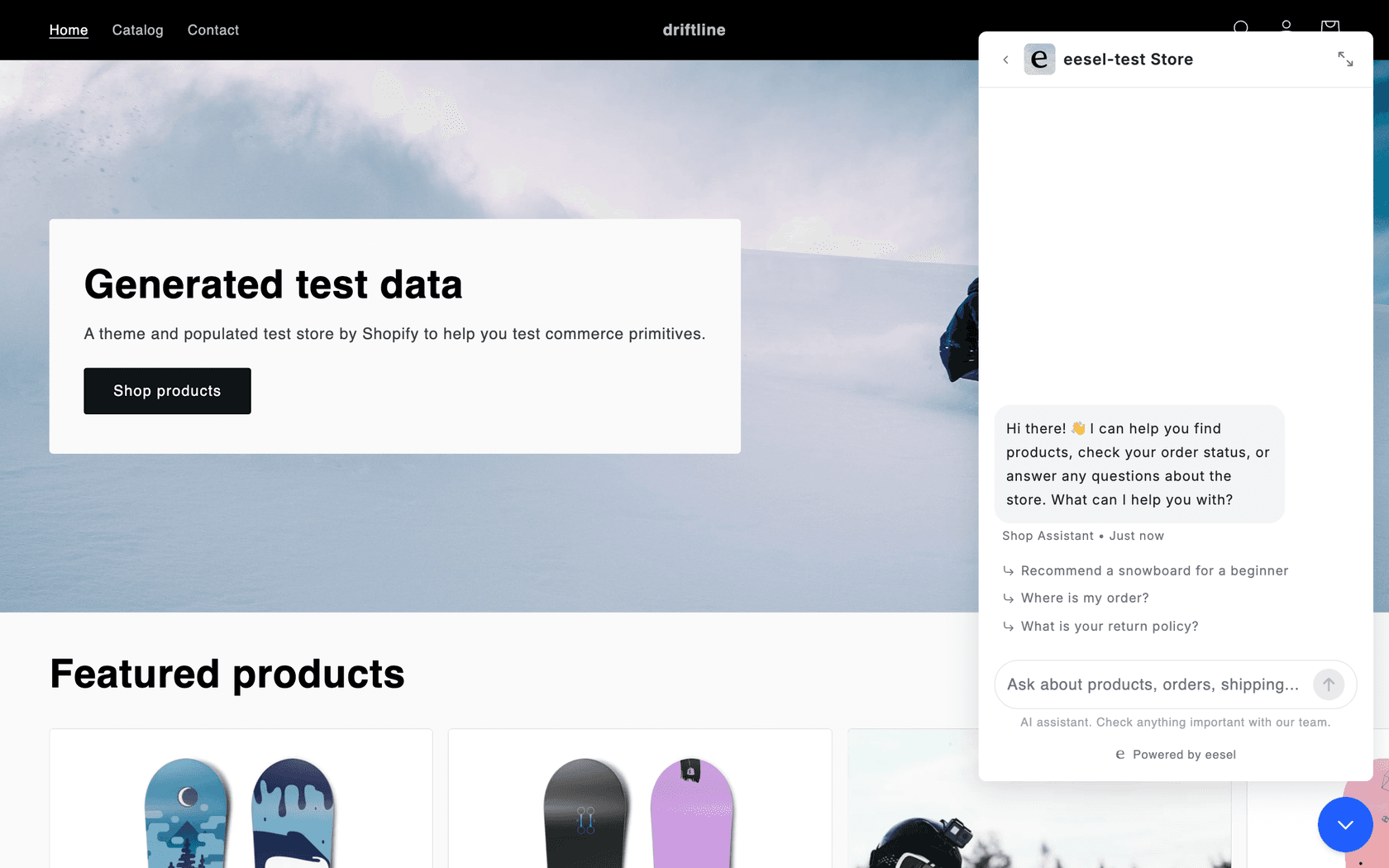
Here's what that looks like for a store. IC Intracom runs one eesel agent per brand on two web stores. Each chat answers product, stock and compatibility questions from about 2,100 Shopify product records, and sends sales and technical questions to the right team with the transcript attached.
And for a business with seasonal swings, Norden-Frisia, a German ferry line to the North Sea islands, runs its bot CaptAIn from 346 knowledge items across its website chat bubble, a public chat link and Zendesk. The plan was scaled to 10,000 interactions a month for summer, then back down for winter. With per-agent licences, that would mean paying for seats that sit empty half the year.
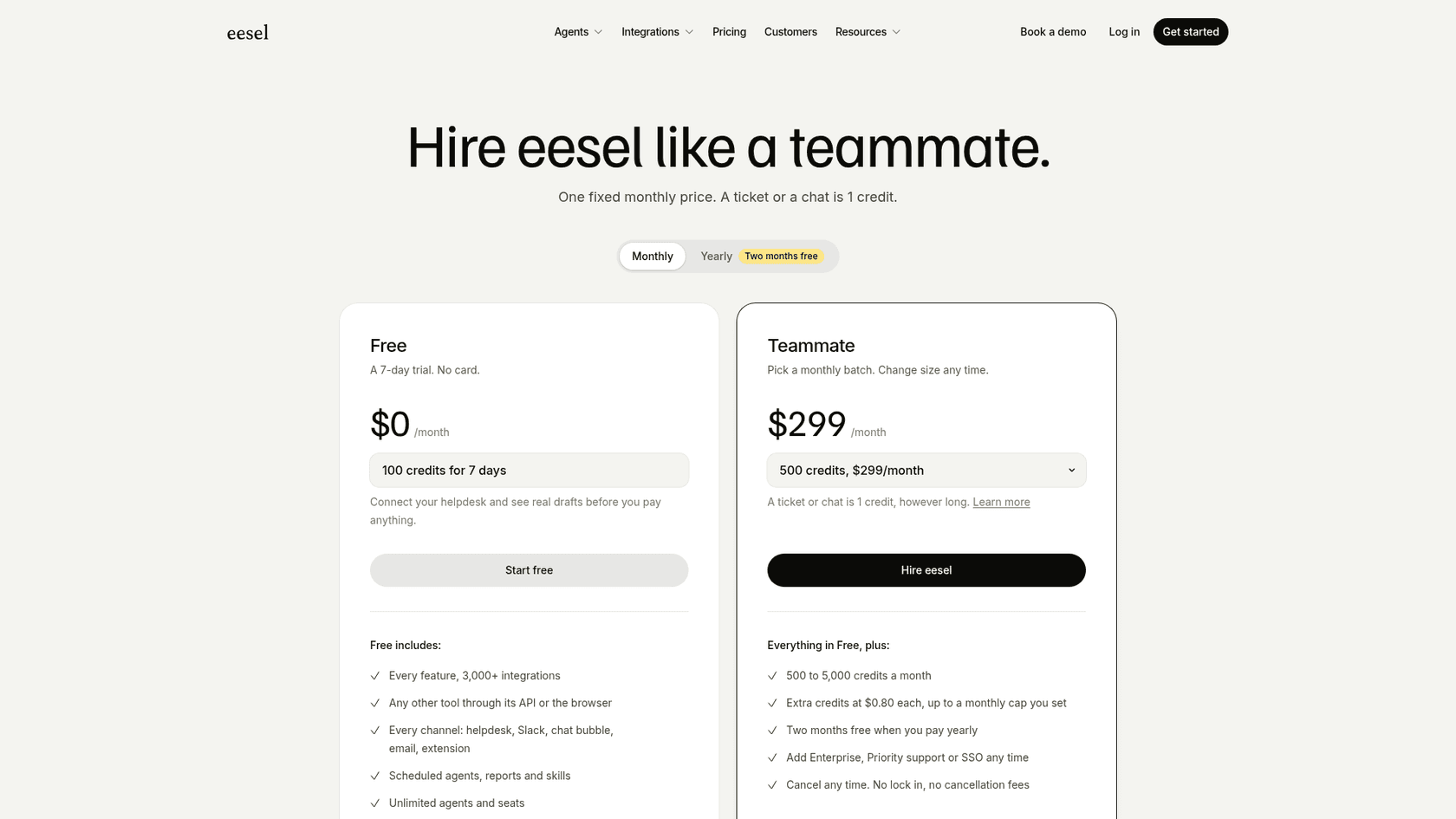
Pricing is per conversation, not per seat. On eesel's pricing page, the Teammate plan is $299 a month for 500 credits, where one chat is one credit however long it runs, with a 7-day free trial. My chatbot cost guide shows how that compares with other bots.
Try eesel
If your JivoChat inbox is filling up with the same questions, try letting AI take those first. eesel joins your website as a chat bubble in a few minutes, already knows your help pages, and answers like a new hire who has read everything, handing over to your team when a chat needs a person. Test it on your real questions for a week before you decide whether you need more seats at all.
Frequently Asked Questions
Is JivoChat any good?
Yes, for small teams that want website chat, social messengers and phone in one inbox. It holds 4.6 on G2 and Capterra, where reviewers praise ease of use and low price. The weak spots are slow support replies and renewal billing, which is why its Trustpilot score is 2.2. My JivoChat alternatives roundup covers other options.
How much does JivoChat cost?
JivoChat has a free plan, then Basic at $28, Professional at $42 and Enterprise at $56 per agent per month on annual billing. WhatsApp, the AI assistant and the AI Agent are paid add-ons. The full breakdown is in my JivoChat pricing guide.
Does JivoChat have AI?
It has two AI add-ons. The AI assistant ($13 a month) drafts and polishes replies for your agents. The AI Agent ($69 per agent a month) answers customers itself from your website and up to five uploaded files, then hands off to a person. If you mainly want AI answering chats, compare it with other AI live chat software.
Is JivoChat free?
Yes. The free plan covers website chat plus Telegram, Facebook, Instagram and Viber, but the plan table limits it to up to 2 agents and 2 months of chat history. A 14-day trial of Professional is available. For other free options, see my live chat software for websites guide.
Why do JivoChat reviews on Trustpilot look so bad?
Most of the 1-star reviews in this JivoChat review sample are about price rises at renewal, a refused refund and slow support, not about the inbox itself. JivoChat's terms say payments are non-refundable except within 10 days of your first payment, so read them before paying a year upfront. If that puts you off, my JivoChat alternatives list has other options.
What is better than JivoChat for AI customer service?
If AI is the main job, tools built around it usually fit better. Tidio and Crisp bundle AI into live chat, and eesel's chat bubble answers website visitors from your own help pages and hands off to your team.