


Jira Service Management summarizes tickets in four ways, and only one of them runs without a click. The Suggestions panel shows a brief summary by itself, the Summarize button is Premium and Enterprise only and the result vanishes when you leave the request, and the Request Router Rovo agent can save a summary as a comment. If you want a short note already sitting on every new request, eesel leaves one as an internal note, and the eesel CLI lets a coding agent set it up and test it, though a person still approves the Jira connection.
Can Jira Service Management summarize a ticket with AI?
Yes, four ways, and they behave differently enough that "turn on AI summaries" is not one switch. I read each against Atlassian's own pages on November 21, 2026.
| Route | How it starts | Where the summary lands | Who sees it | Plan per Atlassian |
|---|---|---|---|---|
| Suggestions panel | Appears on its own once enabled in Space settings | Side panel on the request | Any agent opening it | Not stated on the page |
| Summarize button | An agent clicks Comments, then Summarize | Above the comments | Only that agent | Premium or Enterprise |
| Request Router or Service Request Helper | Chat, or an automation rule for Request Router | Chat reply, or a comment | Depends on where you put it | Not stated on the page |
| Slack incident summary | Joining the incident channel, or /jsmops summarize incident | Slack message | The person who joined | Premium and Enterprise, per the pricing page |
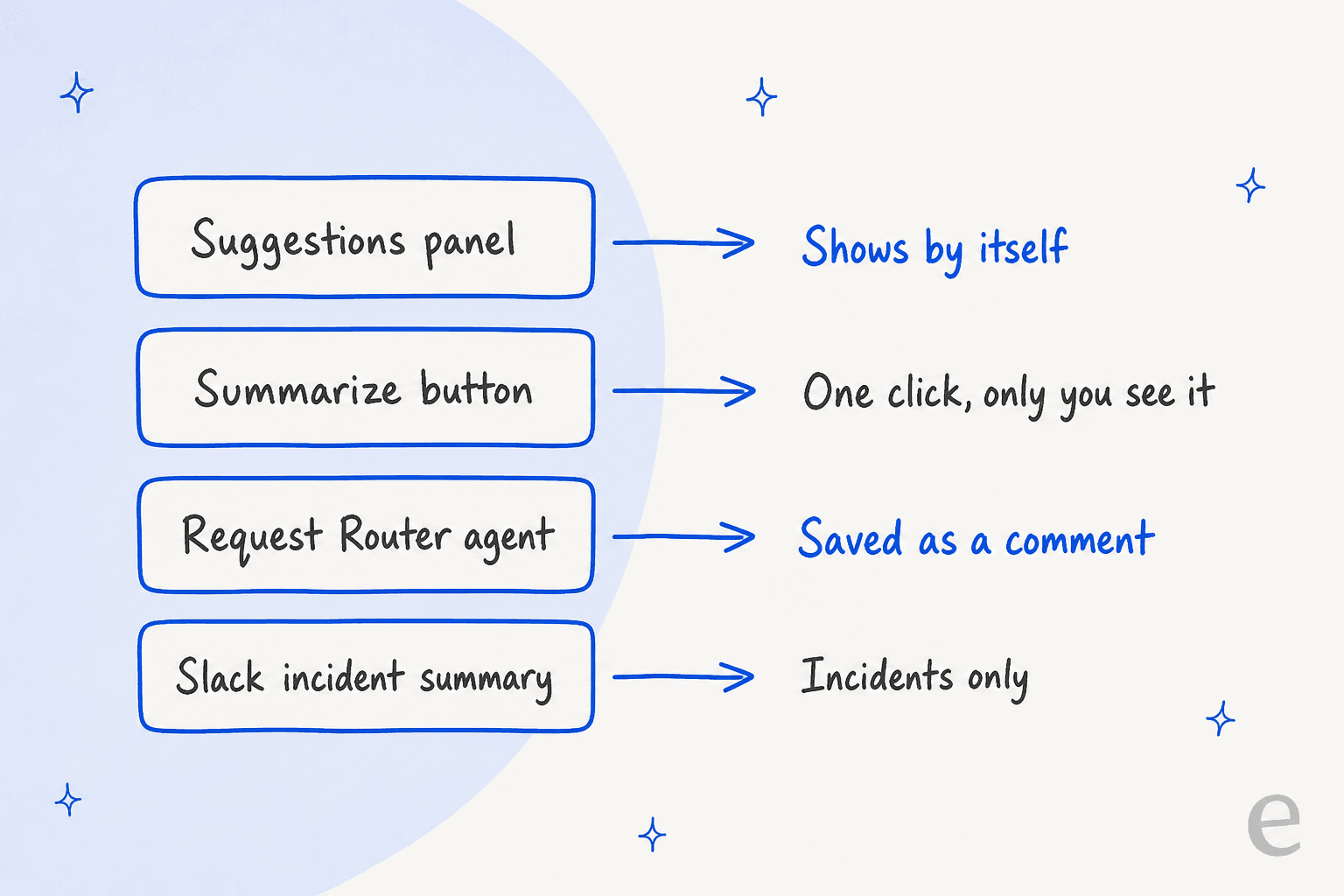
If you've read my AI ticket triage breakdown, the Suggestions panel will look familiar, because it carries the triage hints and the summary in one place. For the full feature catalogue, my JSM AI review and Atlassian Intelligence in service management cover the rest.
How do I use the Summarize button?
Open a request, go to the Activity section, select Comments, then select Summarize. That is the whole setup, and it is the route most agents mean when they ask this question.
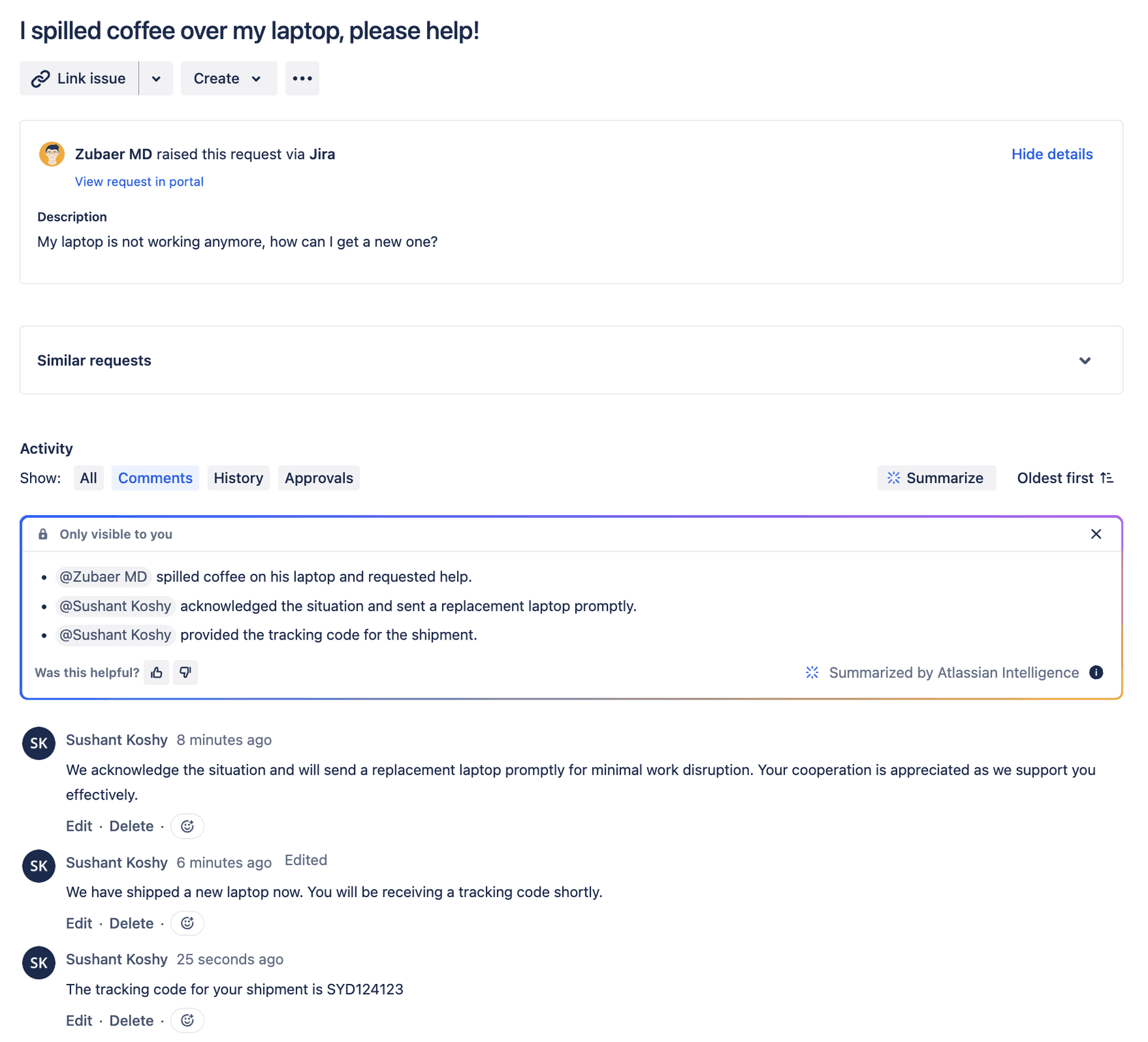
Three details from Atlassian's page matter more than the click itself:
- It is plan gated. The page says the feature is only available for Premium or Enterprise customers who have AI enabled for Jira Service Management.
- It is private. The summary is only visible to you, and it disappears when you navigate away from the request. You can regenerate it as often as you like.
- It is a quality warning, not a guarantee. Atlassian says the accuracy of AI output may vary.
That second point is the one I'd flag to a team lead. A summary nobody else can see and that does not stay on the ticket is a reading aid for one agent, not a handoff note. If the next shift needs it, someone has to copy it into a comment.
When the button is missing, two documented causes are worth checking before you file a ticket. An Atlassian Community reply from a Premium user said it took "a week or two" to appear after activation:
"for our instance, summarize took about a week or two for it to appear after we activated Atlassian Intelligence."
That reply is from 2023 and its author says it is not an official answer, so treat it as a hint. A more recent one is an Atlassian bug where the button was greyed out when a request was opened from filter results. One user wrote in March 2026 that it was "very annoying since I am taking mostly my tickets from my Filters", and Atlassian posted that a fix was deployed on April 14, 2026:
"It is still happening, very annoying since I am taking mostly my tickets from my Filters."
The listed workaround was to open the request through its ticket-number link. If you still see it greyed out, that is the first thing I'd try.
What does the Suggestions panel summary show?
It is the only route in the table that does not wait for a click. Suggestions uses AI to analyze a work item, and Atlassian lists "a brief summary of the work item" first, then reporter details and a list of steps that might help (service requests only), or a probable root cause (incidents only).
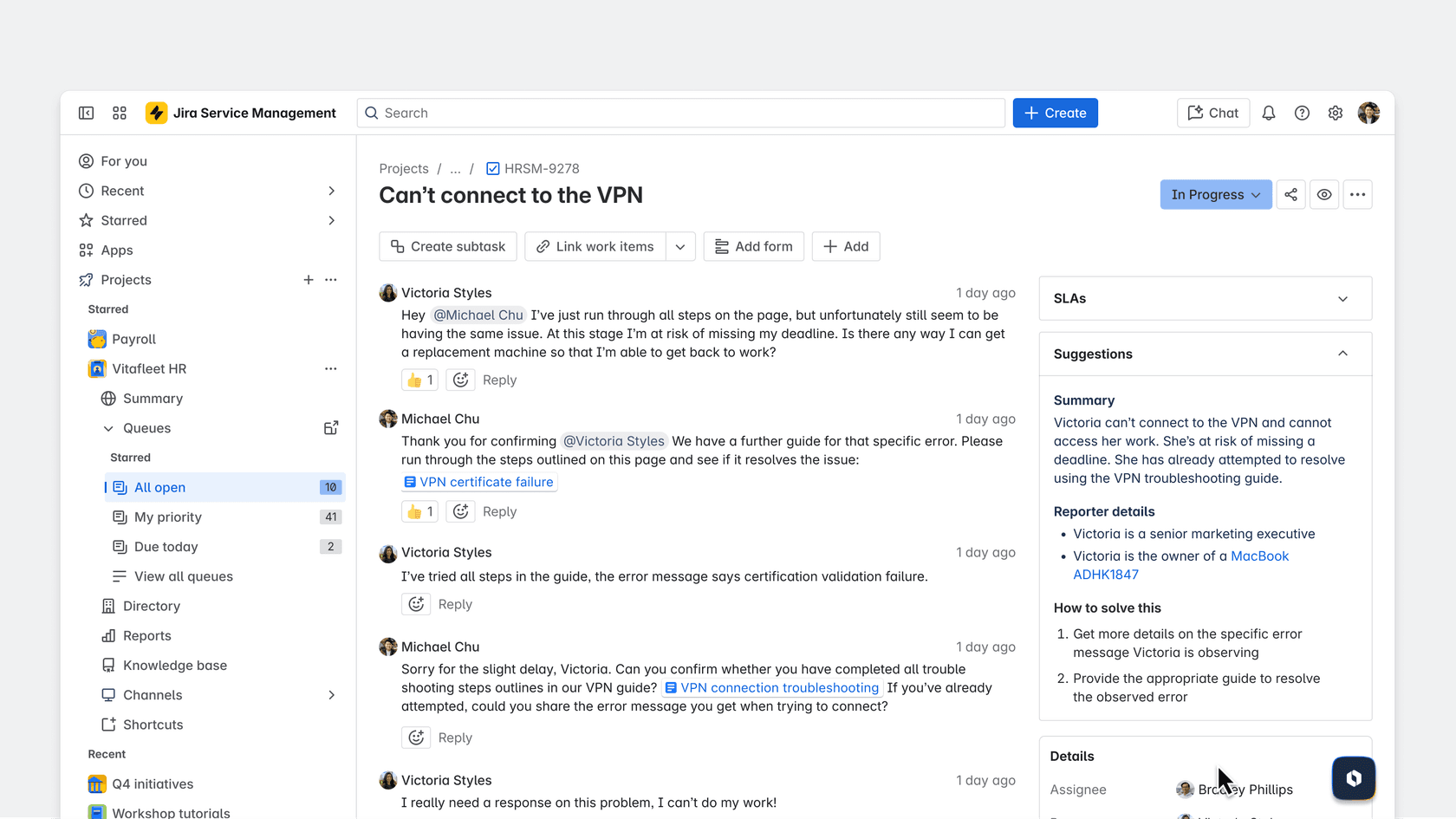
Setup is a switch, not a project: confirm AI is activated for Jira Service Management, open your service space, choose Space settings, then Features, enable Suggestions, and turn on the Service request management and Incident management work categories. After that it shows up for service requests and incidents with the other context fields.
Two limits are in Atlassian's own wording. Suggestions "can't be manually configured or influenced by knowledge base content", so you cannot tell it how to word the summary or what to emphasize. And the page names no plan, which is the opposite of the Summarize button page. That mismatch is why I would not assume the two features share a plan gate, and why I'd test on a real project before telling a team the panel is covered.
Can an agent save the summary to the ticket?
Possibly, through two Rovo agents, and only one of them says so in its docs. This is the route that would fix the "disappears when you leave" problem.
- Request Router has a Generate summary section: it reviews the activity and conversations in a work item and writes a concise summary of key actions and resolutions. Its Summarize work item skill, per the table on that page, creates the summary and adds it as a comment. The agent can also run inside automation rules if you start the prompt with "Automation mode".
- Service Request Helper has a Generate case summary section that gathers data, notes and customer communications into a summary "for effective resolution and handover". You start it from Rovo Chat or from Chat with Service Request Helper inside Suggestions.
The gap is what Atlassian does not say. For Request Router, nothing on the page confirms that a summary comment will appear automatically on every new request, so I'd treat "one summary comment per request via an automation rule" as something to test with a private request first, the same advice I gave for agents that write comments in my draft replies post. My Jira AI automation guide covers the rule side, and Rovo agents the agent side.
What do the summaries read, and what do they miss?
The Summarize button reads the work item's description and comments. That is the exact wording on Atlassian's page. It does not say it reads linked requests, child items or attachments.
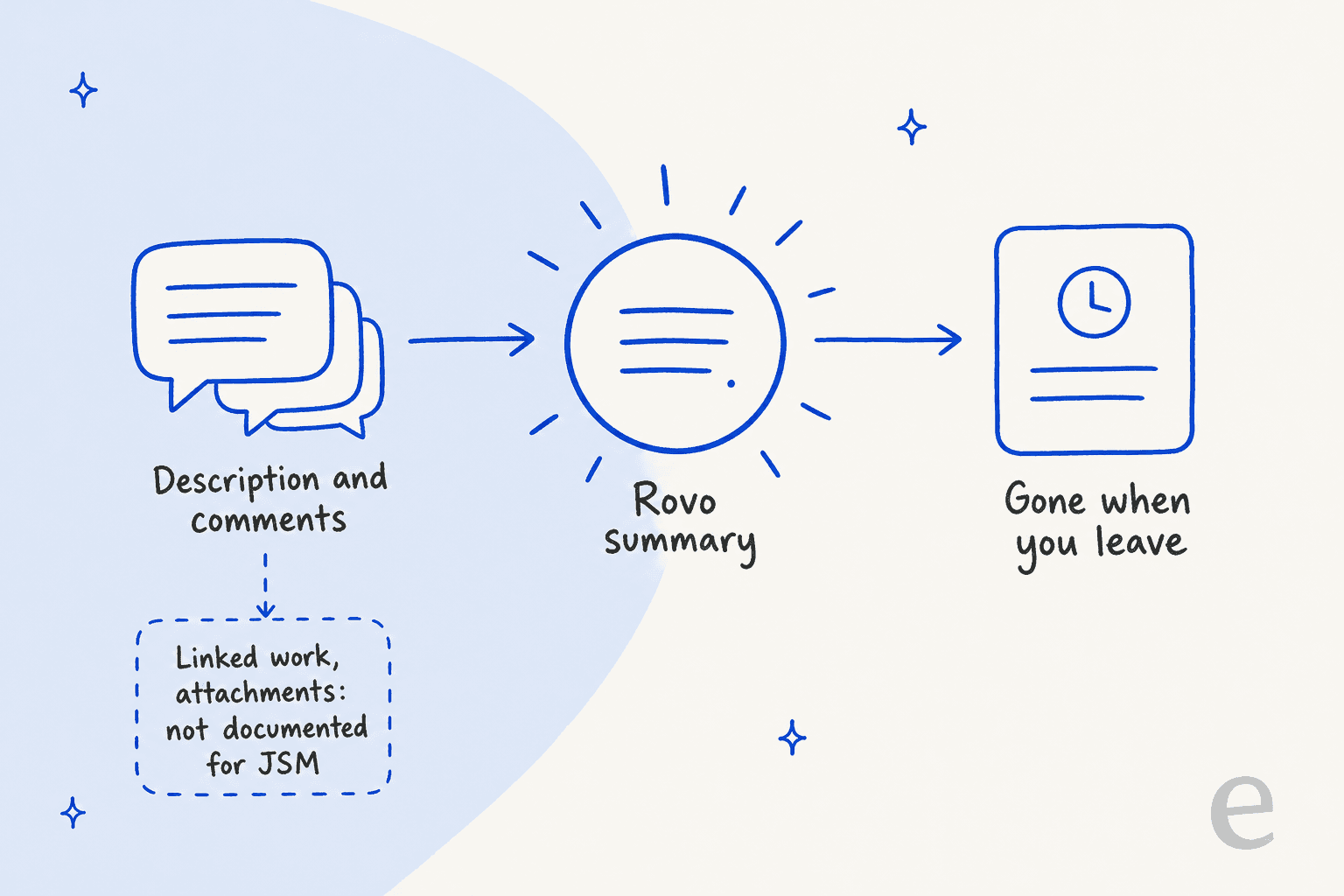
There is a wider reader in Jira itself. Atlassian's July 27, 2026 release note describes a work item summary card that pulls from "the description, comments, fields, linked work, child tasks, and attachments", generated on demand and respecting permissions, and says it is rolling out across Jira cloud plans. The Jira-side feature list says summaries include overview and status, key contributors, blockers and next steps. I could not find a page saying that card appears in a Jira Service Management service space, so I would not promise it to a support team.
Two more things I looked for and could not find documented on Atlassian's pages:
- Languages. No supported-language list for summaries. The pricing page does list 24 languages for multi-language support in service projects, which is a separate feature.
- A summary of the virtual agent chat. The virtual service agent docs say an issue is created for a human agent when a flow needs one. They do not describe a conversation summary attached to it. After the handoff, the Suggestions panel can summarize the request, but that is the request's content, not necessarily the chat.
Which plan do JSM AI summaries need, and what do they cost?
The plan answer is split across pages, so here is what each says.
| Feature | Plan per Atlassian's page | Credit tier per the credits page |
|---|---|---|
| Summarize button | Premium or Enterprise | Summaries are listed as Free |
| Suggestions panel | Not stated | Not stated |
| Request Router, Service Request Helper | Not stated | Basic agents cost 10 credits per event, but the page does not place these two |
| Slack incident summary | Premium and Enterprise (pricing page) | Not stated |
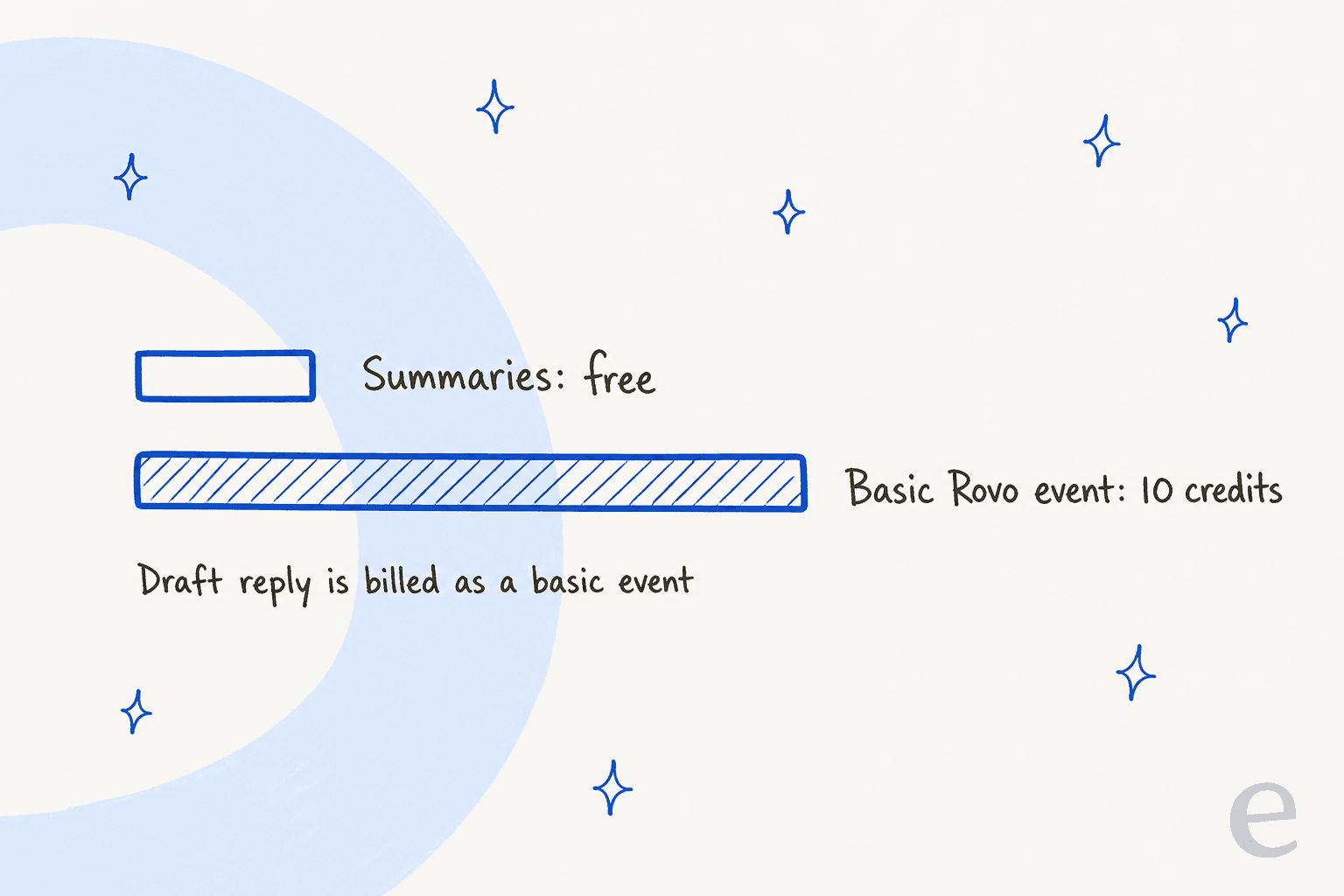
On cost, Atlassian's Rovo credits page has a Free tier for "embedded AI woven across product surfaces", and its example list includes Summaries. Basic events, including basic Rovo agents with no model selection, cost 10 credits each. So the button is the cheap route by that page, while a draft reply, which Atlassian classes as a basic feature, is not. I wrote the credit math in the draft replies post.
Included credits depend on how you buy. In the Service Collection that carries Jira Service Management, the credits page lists 250, 700 and 1,500 credits per user per month for Standard, Premium and Enterprise. Standalone Jira gets 25, 70 and 150, so check which row your bill sits on. The pool is shared across the organization, resets monthly, and pay-as-you-go billing starts on December 3, 2026 at $0.01 per credit.
Seat prices disagree between Atlassian's pages, so I'll name them:
| Plan | Pricing page | Licensing page, 1 to 15 agents, monthly |
|---|---|---|
| Standard | $21.50 per agent | $26.90 |
| Premium | $55.28 per agent | $61.60 |
I could not reconcile the two sets from the pages, so I'd budget from the licensing tier that matches your agent count. The Jira Service Management pricing guide and Atlassian Intelligence cost breakdown go deeper, and Jira AI pricing covers the add-on side.
How do I get a summary waiting on every new request?
None of Atlassian's documented routes put a summary on a request before an agent opens it, apart from the Suggestions panel, which does not save anything. That is where I'd bring in eesel. I build integrations at eesel, so I read the docs closely and I'll only claim what they say.
What the docs support: eesel starts on a new issue in a Service Management project and on a new comment from anyone except eesel. It reads the issue fields, the description and every comment, oldest first, each marked public or internal and with the reporter flagged as the customer. It sees attachment names only. It can leave an internal note or reply publicly. A standing rule saved in chat sets how those notes are laid out.
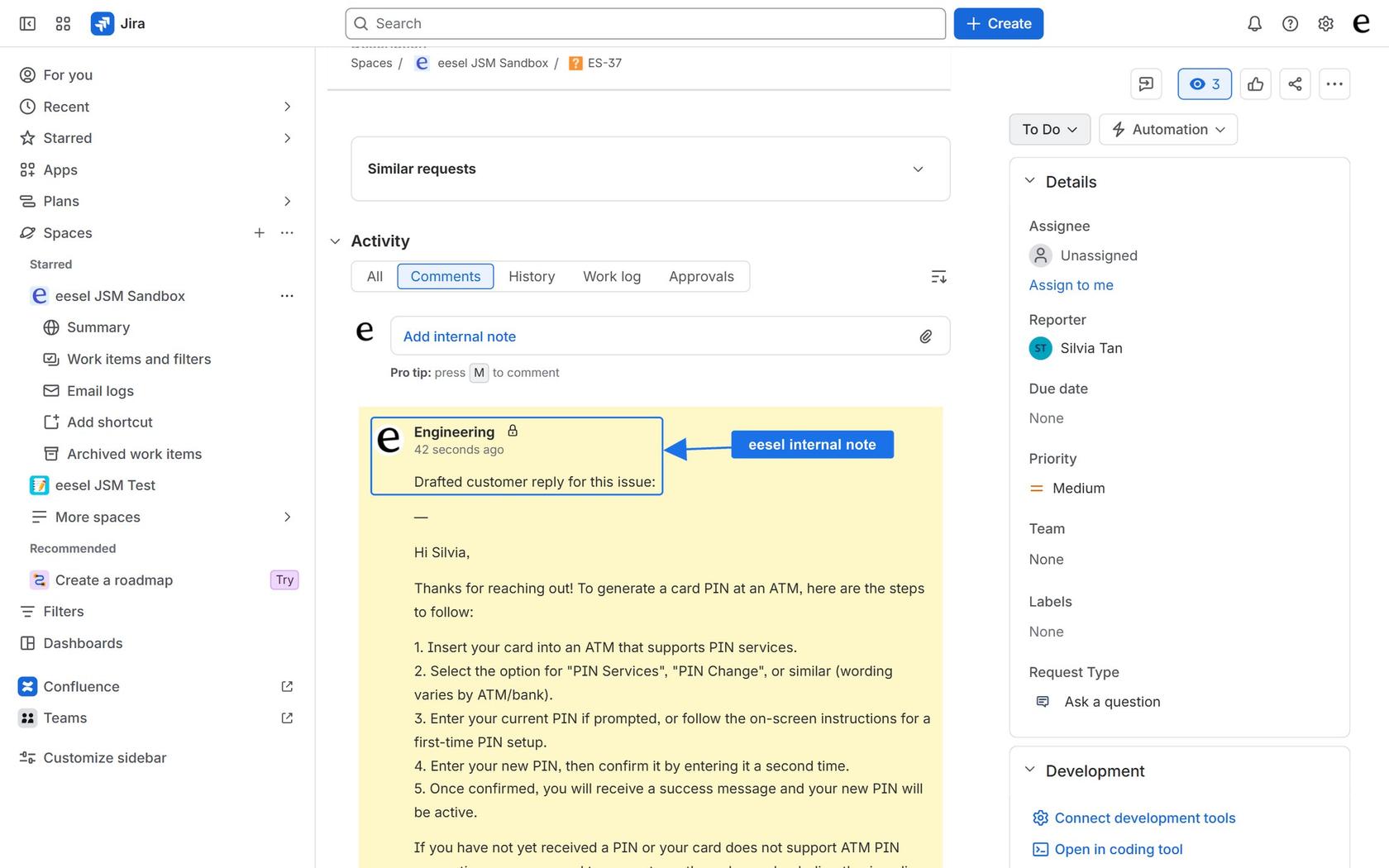
The docs do not name a "summary" feature, so a summary-first note is something you write into that layout rule, not a switch. The same mechanic is documented for Freshdesk in a customer story. Qontro runs eesel on Freshdesk as a co-pilot, and its story says mentioning eesel on a ticket with the word "summarise" gets a short note covering who the customer is, the issue, what has been tried and where it stands. Qontro had about 190 Freshdesk tickets drafted in a month. That is Freshdesk, not Jira, so I'd test the equivalent on a JSM project before relying on it. SE Ranking shows the other half: handovers that carry the customer's name and email to the team.
The limits are the part to read. Per the docs, every comment wakes it, internal notes included, unless your instructions say otherwise. It posts as the Atlassian account behind your API token. A project added later needs the trigger switched off and on. It cannot open attachments and does not answer the JSM Messenger widget.
| Rovo summary routes | eesel | |
|---|---|---|
| Starts when | A click, or an automation rule you build | A new request or comment |
| Saved on the ticket | Only through an agent comment | As an internal note |
| Layout you control | Not for Suggestions | A saved instruction rule |
| Reads | Description and comments, per Atlassian | Fields, comments, attachment names, your knowledge sources |
| Cost unit | Free tier or about 10 credits per basic event | 1 credit per ticket or chat |
| Price | Credits included per agent, then $0.01 each | From $299 a month for 500 credits, no per-seat fee |
At low volume the Summarize button costs less than eesel, because Atlassian lists it as free. You pay eesel for the note being there without a click, for knowledge outside Jira such as Confluence, and for a layout you control.
With the eesel CLI, an AI coding agent can run eesel integrations connect for your helpdesk, add approved runbooks and ask test questions before launch. Someone with admin access still approves the Jira connection and the API token.
Which route should I use?
My pick depends on who reads the summary:
- One agent catching up on a long thread: the Summarize button, if you are on Premium or Enterprise. It is free on Atlassian's credits page, but nobody else sees it.
- Every agent needs the gist at a glance: turn on Suggestions in Space settings. Check it works on your real requests first.
- The summary must stay on the ticket for the next shift: test Request Router's comment skill, or have eesel leave a note on each request.
- Responders joining an incident: the Slack incident summary, which the pricing page puts on Premium and Enterprise.
- Customers chat with a bot first: look at the virtual service agent, then check what your agents actually see after the handoff.
The trade-off I'd flag is trust. A summary can drop the one detail a customer cared about, which is why I'd keep the full thread one click away and compare a few summaries with the real conversation before rolling this out. For testing methods, see AI support simulation testing and training AI on tickets.
To see how other helpdesks handle the same feature:
- Help Scout conversation summaries
- Gorgias ticket summaries
- Freshchat conversation summaries
- Dixa conversation summaries
- Gladly conversation summaries
- Re:amaze conversation summaries
- Zendesk AI summaries
For the wider view, read can AI summarize support tickets, ticket summarization and Jira AI summary use cases.
More on JSM itself:
Try eesel for Jira Service Management
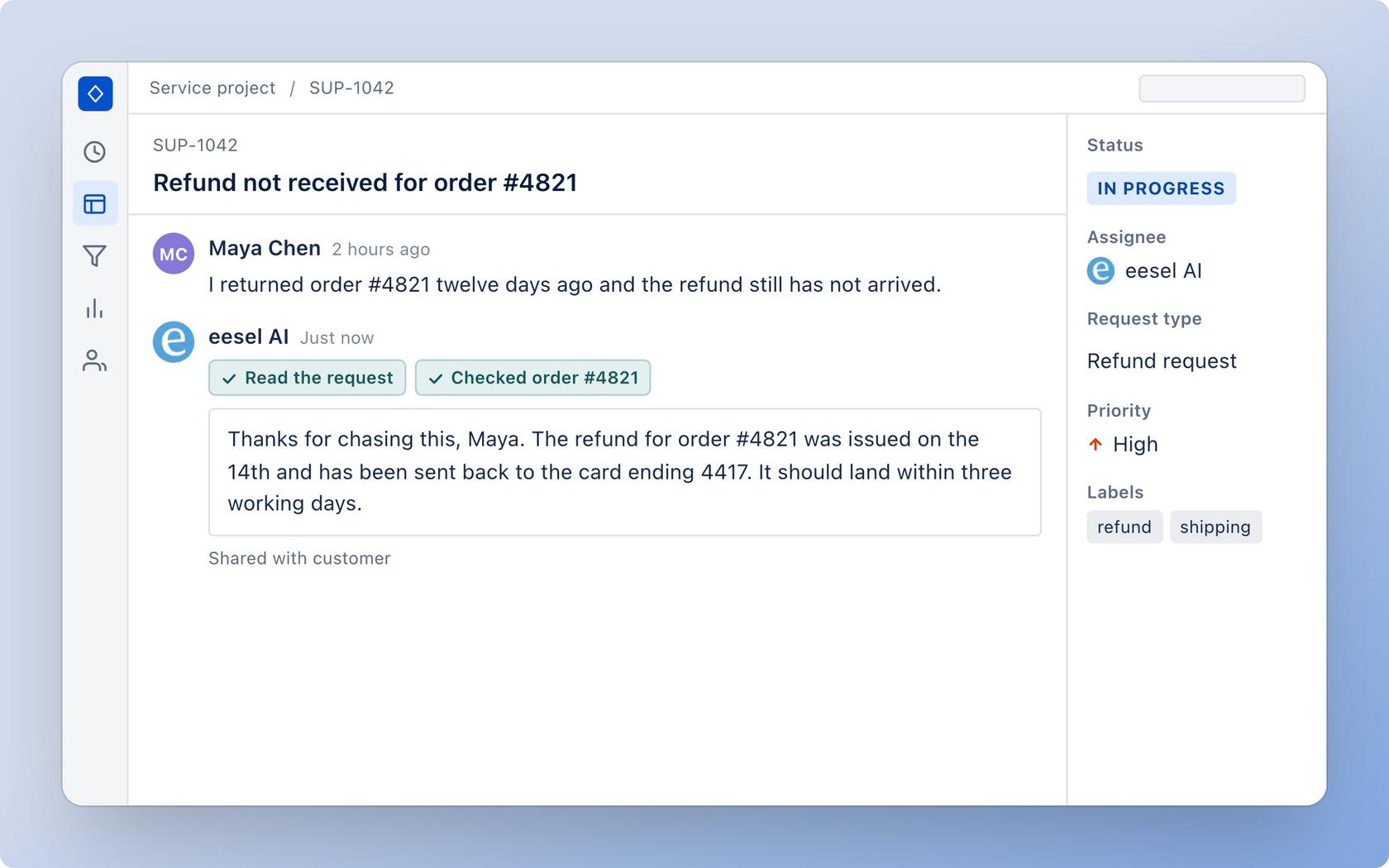
If your agents lose time re-reading long request threads, eesel can pick up each new request and comment and leave an internal note laid out the way you set it, built from the request and your Confluence pages, help center or runbooks. You connect it with an Atlassian API token, pick a trigger and tell it how to write its notes; nothing is installed from the Atlassian Marketplace. It costs from $299 a month for 500 credits, with no per-seat fee and a free 7-day trial of 100 credits.
Try eesel for free, or read the integration page first.