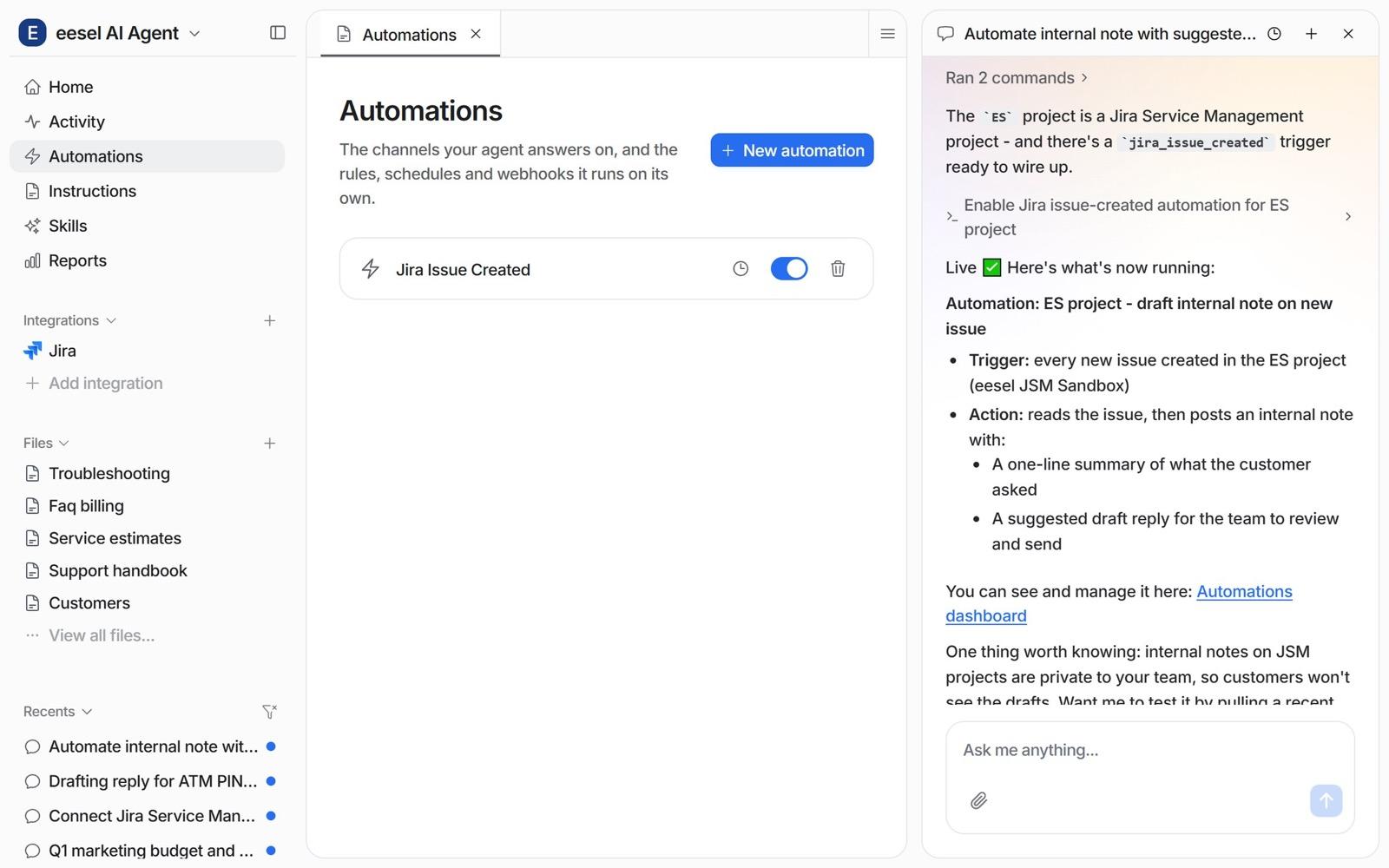
Jira Service Management can triage requests with its own AI, but only the Triage button and the Suggestions panel are close to turnkey, and both wait for an agent to act. For triage that runs on every new request, I'd put the Request Router agent inside an automation rule, since it suggests priority and request type from similar past requests. Atlassian's docs show no step-by-step for writing those suggestions back into fields. If you want priority, labels, assignee and a drafted reply set without a click, eesel does it from the first request, at a flat price from $299 a month.
Can Jira Service Management AI triage requests on its own?
Partly. I read the Atlassian pages that touch triage on 2026-11-20, and what I found is a ladder, not one feature. At the bottom, AI suggests and you click. At the top, an agent works a request from a runbook. In between sits a rule that fires on every new request.
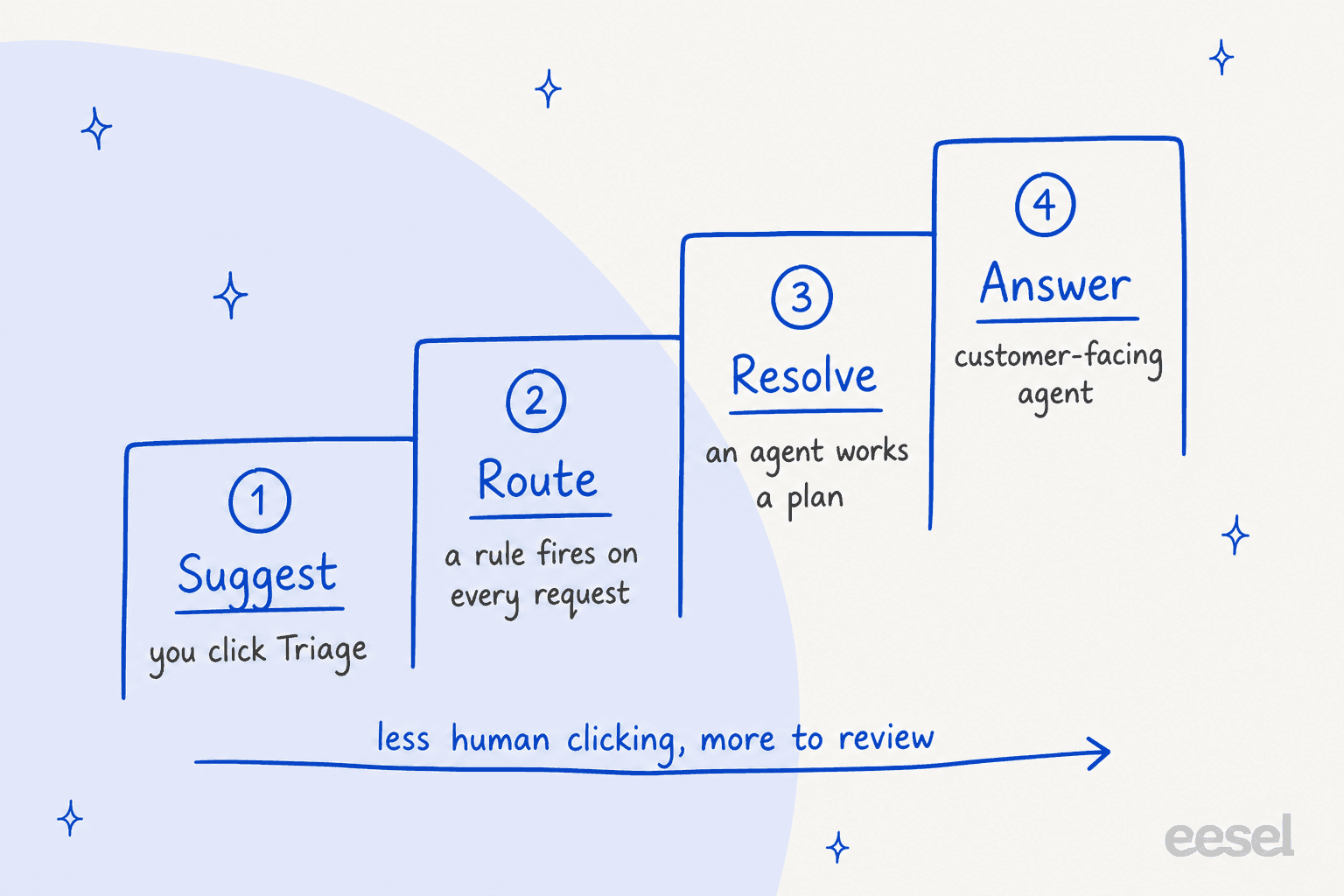
Here is what each rung does, who starts it, and what Atlassian says about plan and billing.
| Option | Who starts it | What it sets or suggests | Plan and gating | Billing |
|---|---|---|---|---|
| Triage in queues | An agent selects work items and clicks Triage | Request type, plus fields it can fill from the content | AI enabled, JSM licence, Service Desk Team or Administrator role, Make bulk changes permission | Not stated on the page |
| Suggestions panel | Shows on every service request | Suggests a priority change and an assignee | AI active for JSM, switched on in Space settings, Features | Not stated on the page |
| Customer sentiment | Automatic on new requests | Positive, Neutral or Negative label | Premium or Enterprise with AI enabled | Not stated on the page |
| Request Router | Chat prompt or automation rule | Suggests priority, request type, escalation; summarises | Rovo is on for Standard, Premium and Enterprise | Rovo credits, tier not stated |
| Request Resolver | Per request type, supervised or autonomous | Triages, updates custom fields, comments, transitions | All Rovo-enabled sites; service requests only | Premium AI feature, uses Rovo credits |
| Virtual service agent intents | The customer, in a help channel | Routes the customer to the right request type | Premium and Enterprise | 1,000 assisted conversations a month, then from $0.30 each |
I build integrations at eesel, so I read these pages the way I'd read an API reference: what can the thing write, and what can it only suggest? That split decides almost everything below.
Which triage option fits your plan?
Pick your plan and the job, and the widget names the option that fits. It uses Atlassian's own gating, so where a page is silent it says so.
1. Which plan are you on?
2. What do you need triage to do?
How does the Triage button in queues work?
It is the oldest and simplest option. You select several work items in a queue, choose Triage, review the suggested request types, and click Apply. Atlassian's page says it is most useful when email creates lots of work items with the Emailed request type, and that AI fills in fields of the new request type from the content.
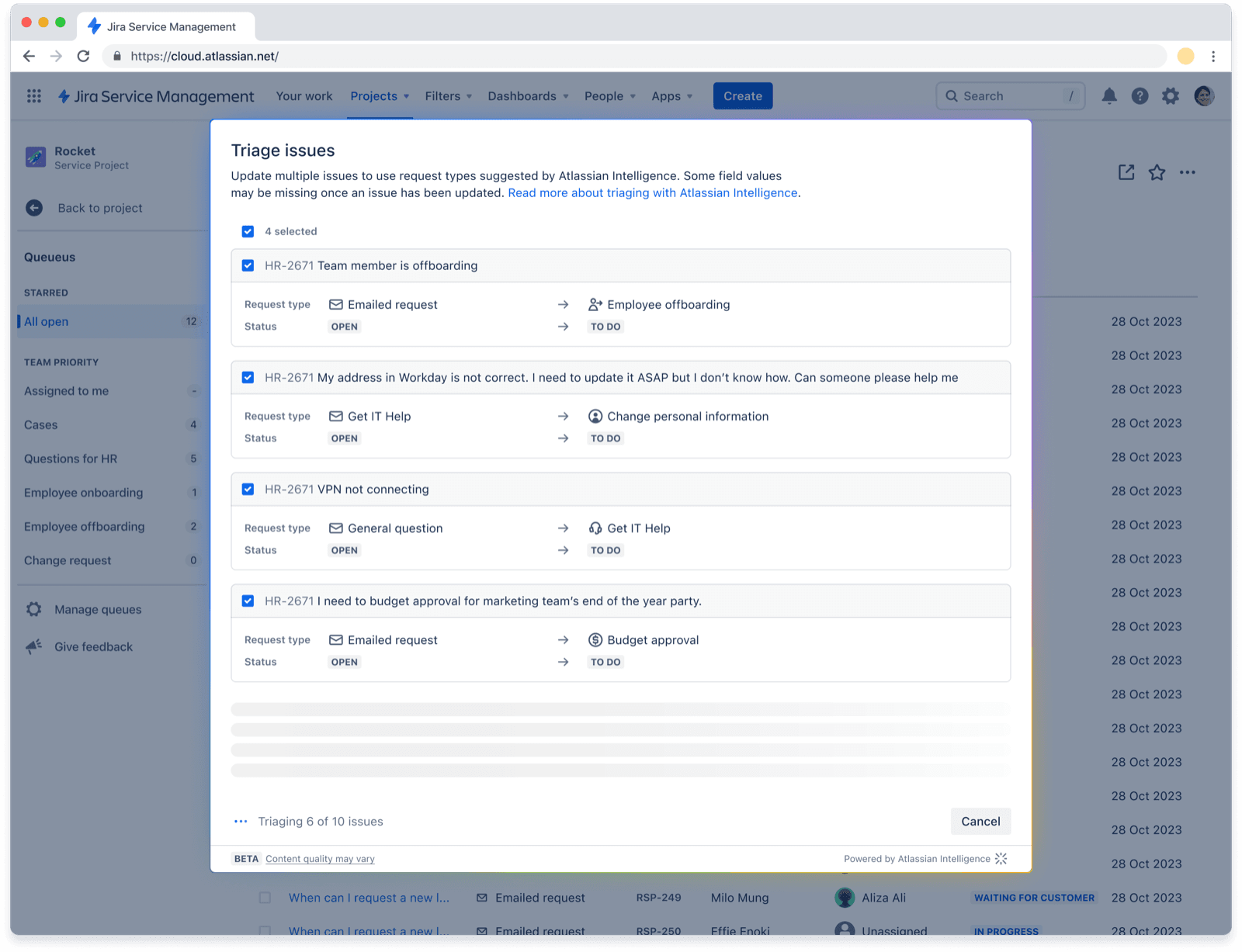
Three limits matter. It never runs by itself: an agent has to open the queue and click. Request types with required fields it cannot fill are not offered. And the access rules trip people up, which is why Atlassian wrote a support article for the "You don't have permission to use AI triage" error: the user needs a JSM licence, the Service Desk Team or Administrator role, and the Make bulk changes global permission. My earlier write-up of this feature is in Atlassian Intelligence triage issues.
One caution on the screenshot. Atlassian's own image of the dialog carries a Beta tag and shows 2023 dates, so the label may be stale. The current docs page does not repeat it.
What do Suggestions and customer sentiment add?
They add a second opinion on the request itself, not a routing step. The Suggestions panel shows a summary, reporter details and a list of possible next steps. For a service request, the AI actions on offer are changing the priority and adding or updating the assignee. Atlassian states Suggestions "can't be manually configured or influenced by knowledge base content", so you cannot teach it your routing rules.
Sentiment is the cheap prioritiser. The sentiment doc says it labels each request Positive, Neutral or Negative from the request and recent comments. It is Premium or Enterprise only, shows automatically on new requests, and for existing ones is only worked out when the reporter adds a new comment.
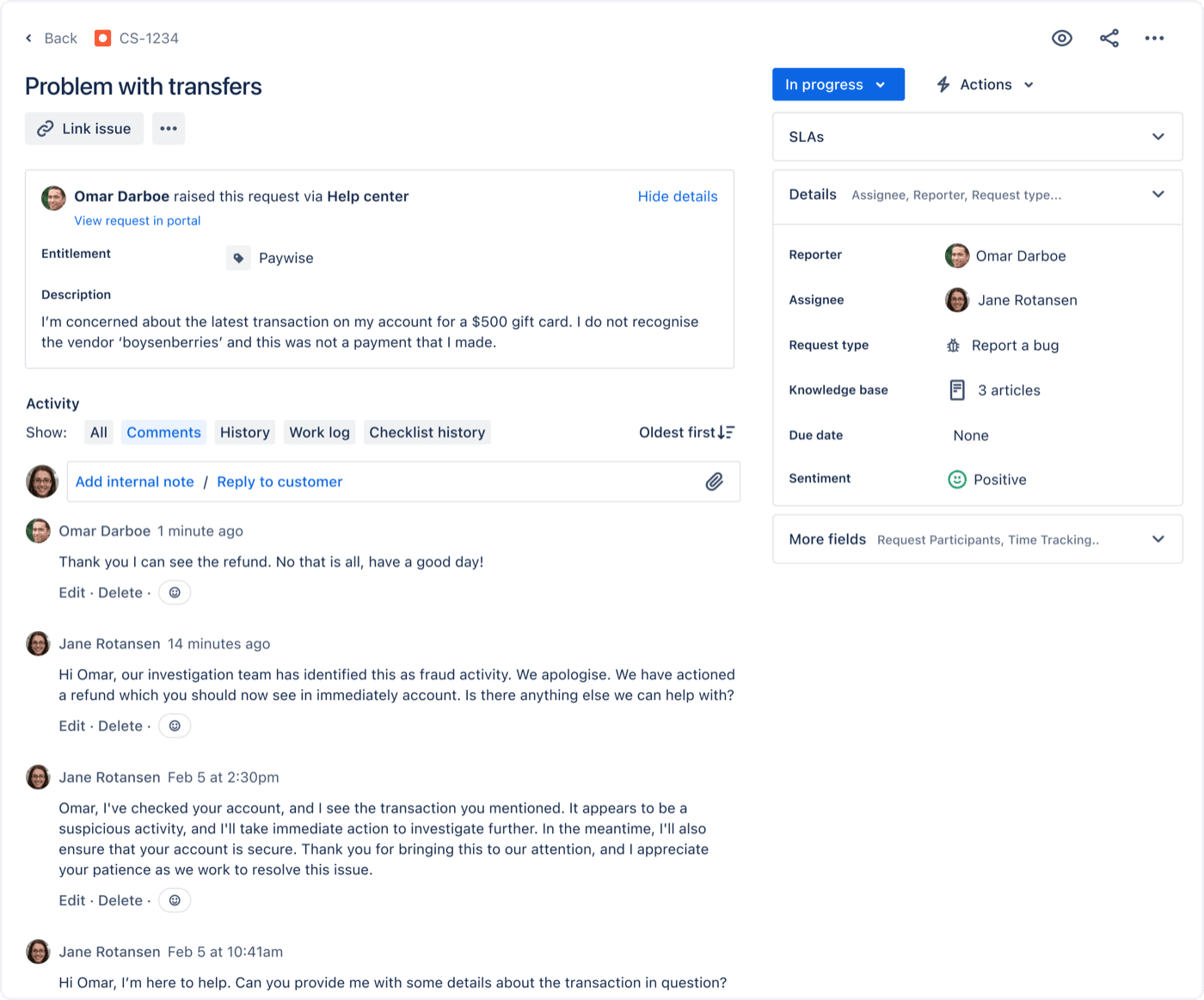
I would treat sentiment as a sort key for a queue, not as a trigger. It tells an agent who is annoyed. It does not tell the rule where to send the request. For the general idea, see AI sentiment analysis for support.
Can Request Router triage inside a Jira automation rule?
This is the option most admins want, and it is where Atlassian's pages disagree with each other. Request Router (formerly the Service Triage Agent) is a Rovo agent that, in Atlassian's words, analyses content and sentiment "to instantly determine the request type, urgency, and priority". It can also suggest escalation based on SLAs and customer sentiment. You trigger its automation mode by starting your prompt with "Automation mode".
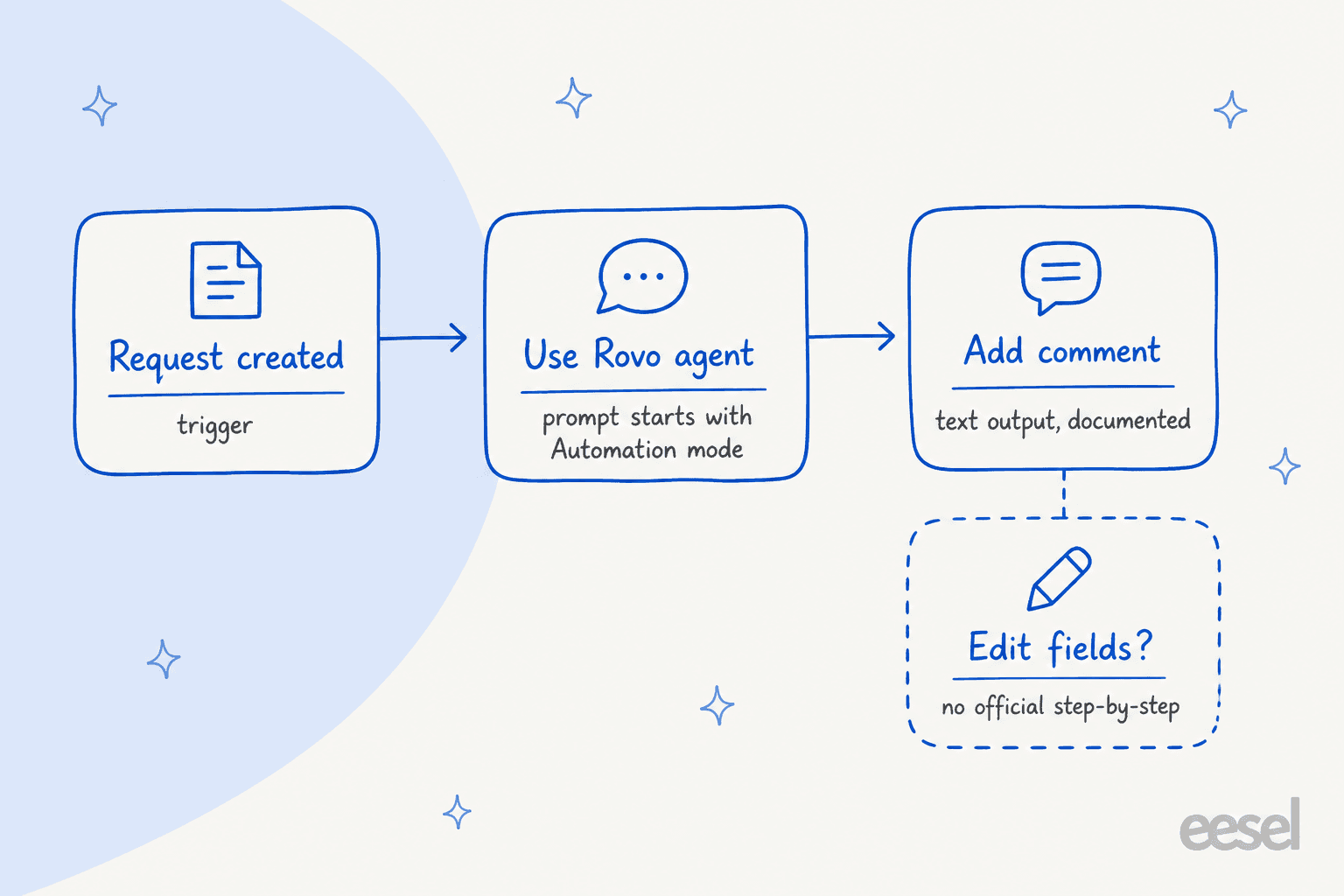
Here is the conflict, laid out plainly:
- The Request Router page says you can "automate triage and field updates for requests within your service space".
- Its skills table calls one skill "Suggest request type" but describes it as "Update the request type for a work item".
- The automation actions page says the Use Rovo agent action "must be coupled with a secondary action with text-based output, like Add comment".
- The smart values page lists
{{agentResponse.asObject}}as raw JSON "when you need to extract specific values or trigger APIs".
Put together, the documented path is a trigger, the Use Rovo agent action and a comment. The field-writing path is plausible through the JSON smart value, but I could not find an official walkthrough, so I would prototype it in a sandbox space before promising your service desk anything. Atlassian also does not say whether Request Router bills as a basic agent (10 Rovo credits per event) or a premium one. Its usage table names Request Resolver as premium and does not name Router.
There is a Rovo Ops route too. Atlassian's June 2026 post ships an Intelligent Incident Triage template that suggests an assignee from the description and historical patterns, then updates the assignee field. That one is for incidents, and the same post says only about 1% of agentic automations in JSM use Rovo Ops. For the wider Rovo picture, see Rovo agents and Rovo in automation rules.
Where does Request Resolver fit?
Request Resolver goes past triage. Once a space admin enables it for a request type, it reads the request, writes a resolution plan from your runbooks, and either waits for a human to approve or carries the plan out. Triage is one step in that plan, alongside updating custom fields, commenting and moving the request to Resolved.
The limits are worth reading before you switch it on. It handles service requests only, not incidents. It uses your internal knowledge base, not external content. It is not HIPAA compliant. And it is a premium AI feature that consumes Rovo credits. Atlassian's own advice is to start supervised on one or two high-volume request types and only go autonomous once plans are approved without edits. That is the same crawl-walk-run order I'd use for any AI ticket routing project.
Can the virtual service agent route requests?
Yes, with intents. The virtual service agent can walk customers through a conversation that "gather[s] information, route[s] them to the right request types, or take[s] actions". Atlassian lists "use the virtual service agent to triage issues for your agents" as a reason to choose intents over AI answers. Intents are ideal for questions that need a human but go faster once routed.
The catch is the meter. It is included in Premium and Enterprise, with 1,000 assisted conversations a month, then from $0.30 each. A matched conversation counts whether the agent resolves it or escalates it. So a routing-only intent that always hands off still counts as billable. See Atlassian's virtual agent for how I'd weigh it.
What does JSM AI triage cost in 2026?
Three things set the bill: the per-agent plan, the Rovo credit pool, and usage billing from December 3, 2026.
| Item | Standard | Premium | Enterprise |
|---|---|---|---|
| Service Collection monthly list price, 1 to 15 agents | $26.90 per agent | $61.60 per agent | Contact sales |
| Rovo credits included per user per month | 250 | 700 | 1,500 |
| Virtual service agent | Not included | 1,000 conversations a month included | Same |
| Extra Rovo usage after December 3, 2026 | $0.01 per credit | $0.01 per credit | $0.01 per credit |
Sources: licensing page, pricing page and Rovo usage doc. The pricing page headlines blended rates of $21.50 and $55.28 per agent, so quote the licensing table for a small team. Credits are pooled across the organisation, reset monthly and do not roll over. A basic AI event costs 10 credits.
Worked example, labelled as my arithmetic: a 10-agent Premium team pays about $616 a month at list price and gets 7,000 credits. If Router triages 1,500 requests and each call bills as one basic event, that is 15,000 credits, so 8,000 extra credits, or about $80 at $0.01 each. Atlassian has not confirmed Router's tier, so treat that as a floor, not a quote. Also separate from triage: the Customer Service Management AI agent bills $1 per resolution from December 3, and Atlassian says that charge is a different pool. My fuller breakdown is in Jira Service Management pricing and Rovo credit usage.
What do admins say about it in practice?
The honest summary from Reddit is mixed. One practitioner described what works:
"Does initial triage - on ticket creation, search internal knowledge and past tickets for content and determine action plan with confidence level."

Another admin, who runs 15 to 20 service desks, hit the reliability wall when Rovo created tickets from Slack:
"Creating tickets in the wrong service desk... Telling the user it created a tickert, telling them the summary/description it usded, but NOT actually creating the ticket and providing them SOMEONE ELSES TICKET... there is no debugging in Slack for Rovo."
And a third pointed at the visibility gap that makes any triage hard to improve:
"I can't see the customers converstaions or initial messages... I don't really now how to improve rovo if I can't see on which conversations it didn't perform well"
The second thread also contains vendor-seeded posts, so I only quote commenters who are not pitching a product. The pattern I'd draw: Rovo triage works when your Confluence content and past requests are good, and it is painful to debug when it does not.
How does eesel triage Jira Service Management requests?
eesel is an AI helpdesk teammate that joins the JSM queue as a service desk agent. It is not a Messenger widget. I'll stick to what eesel's JSM docs say, because the marketing page and the docs disagree in places.
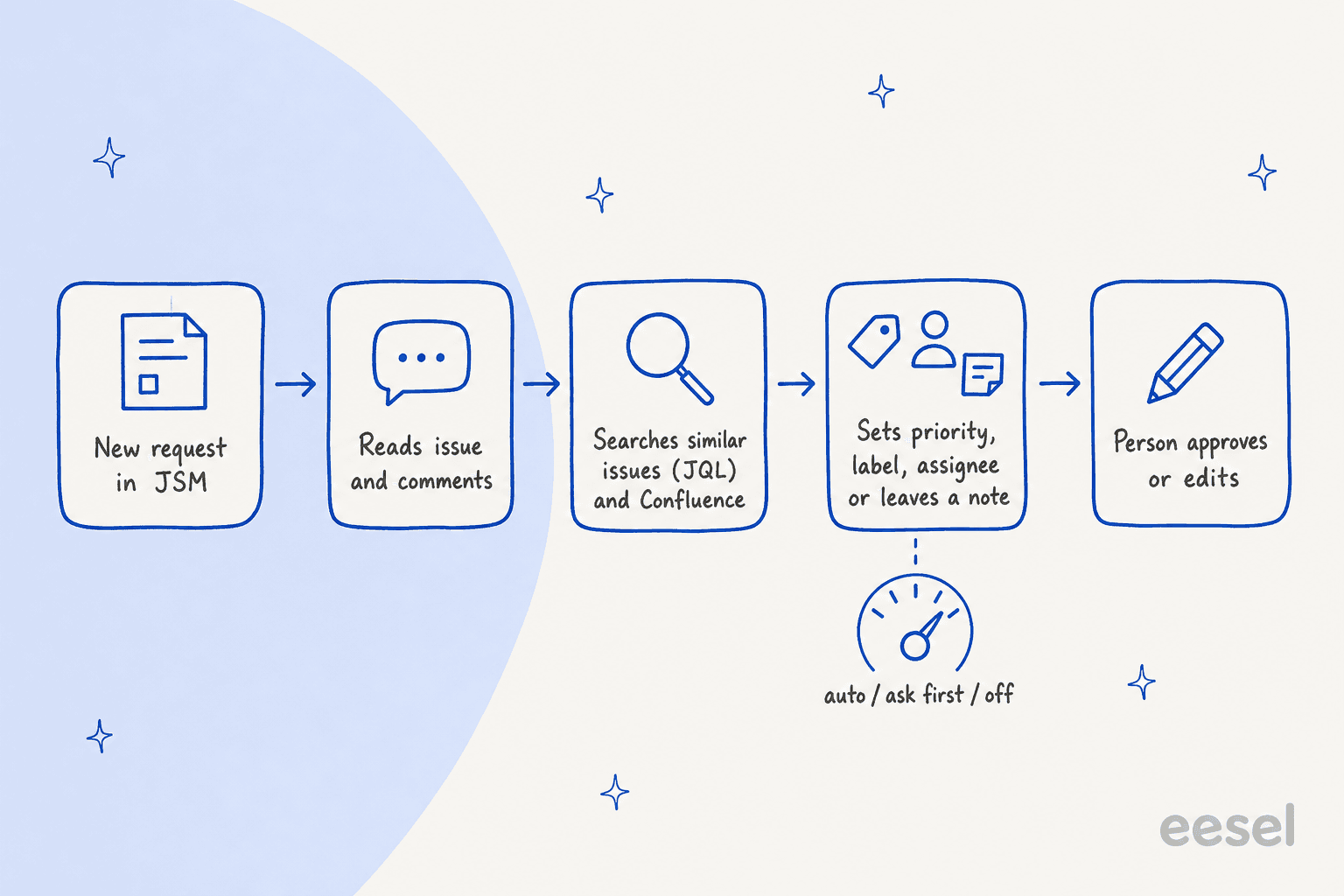
What it does per the docs:
- Starts on two events. A new request in a Service Management project (
jira_issue_created, "first response and triage") and a new comment from anyone except eesel. Status or field changes do not start a run. - Reads the whole request. Summary, status, priority, labels, assignee, reporter, components, due date, custom fields by name (Request Type included), every comment marked public or internal, and attachment names only.
- Looks things up live. It searches past requests with JQL, reads SLA clocks and approvals, and answers from Confluence, a help center or uploaded files. It does not copy Jira issues into its knowledge.
- Acts as the triage step. Update Issue edits priority, due date and custom fields. Assign Issue (it looks the person up first), Label Issue, Link Issues for duplicates, Add Watcher and Transition Issue are separate actions. Leave Note on Issue posts an internal note and Reply to Issue posts a public comment.
- Asks first when you want. Each action can run on its own, ask for approval, or stay off.
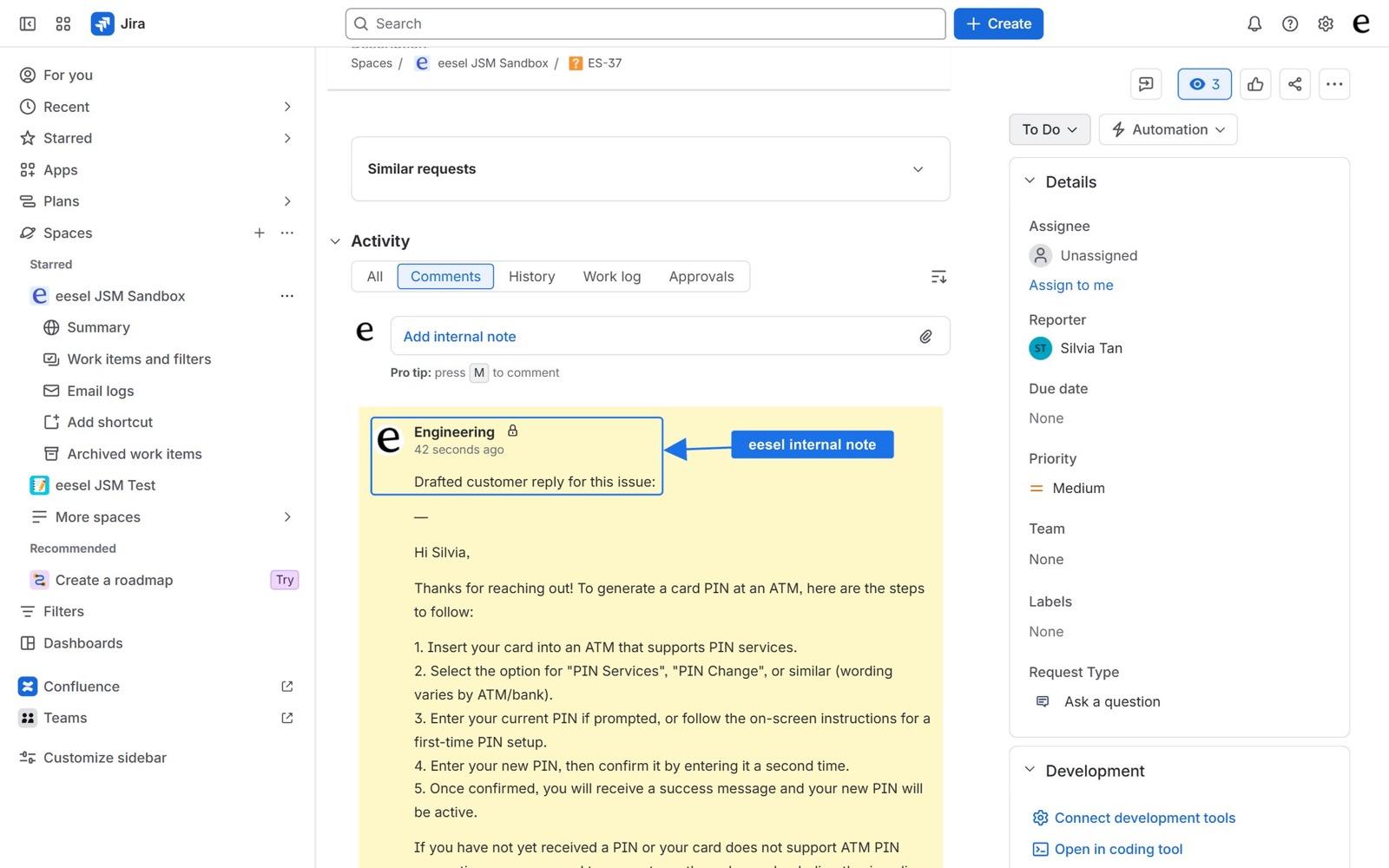
Where the docs and the marketing page conflict, I trust the docs. The integration page says eesel sets request type and SLAs and "learns from your past requests". The docs list no action that changes the request type or an SLA field, and state that eesel cannot be trained on past issues. So I would describe eesel as setting priority, labels, assignee and links, and reading request type, not as re-typing requests. If your queues key off labels or custom fields, that is enough to move a request into the right queue.
Other limits, from the same docs: only two triggers, internal notes need a JSM project, it posts as the Atlassian account behind the API token, and a project added later needs the trigger switched off and on. Pricing is on the live page: a ticket or chat is 1 credit, from $299 a month for 500 credits and $499 for 1,000, with no per-seat fee and a free 7-day trial of 100 credits. At 1,500 requests that is the $699 plan, so it costs more than Router's metered triage-only guess above. You are paying for replies and actions, not just a label.
Proof from real customers is mostly outside JSM, so I'll name the difference. smava runs one eesel agent on its Zendesk that categorises every ticket: about 14,600 tickets in one month had a language tag, a reply-eligibility check and one category written into Zendesk fields, out of roughly 27,000 handled. That is the same triage job on a different helpdesk. On JSM itself, InDebted uses eesel as the first responder on an internal Jira desk for a 5 to 10 person IT team. Its head of IT says it "essentially acts just like an agent would", and the case study reports 15% of incoming issues deflected. The 55% in that write-up is a projection, and it assumes learning from past issues, which the current docs say eesel does not do.
With the eesel CLI, an AI coding agent like Claude Code can run eesel integrations connect jira, upload approved runbooks and check its answers on test questions before anything goes live. Pasting the Atlassian API token and switching an automation on still happen in the dashboard.
How should I roll triage out safely?
My order, from lowest risk to highest:
- Turn on Suggestions and sentiment in Space settings. Agents see the AI's view with no automation.
- Run Triage in queues on the Emailed request pile. Check the result by hand for a week.
- Prototype one automation rule with Request Router that comments its suggested priority and request type. Compare against what agents actually choose.
- Add an agent that acts, in supervised mode: Request Resolver on one request type, or eesel leaving internal notes first.
- Only then automate field changes, and track overrides.
For measurement, watch first response time, the escalation rate and how often agents change the AI's priority. If you are choosing among tools rather than features, start with the best AI for Jira Service Management and the JSM AI alternatives.
Try eesel for Jira Service Management triage
If you want requests to arrive with a priority, labels, an assignee and a drafted reply, eesel connects to JSM with an Atlassian API token, with nothing to install from the Marketplace. Start with an automation that leaves an internal note on every new request, then let it set fields once the notes are right. Try eesel free for 7 days.