Jira Service Management gives you two native ways to put an AI agent in Slack, and they can't share a channel. The virtual service agent (through the Atlassian Assist app) needs Premium, answers from your knowledge base and hand-built flows, and bills $0.30 per assisted conversation after the first 1,000 a month. A Rovo agent (through the Rovo app for Slack) works from Standard, files requests with its Raise a request skill, and starts billing Rovo credits on a pay-as-you-go basis on December 3, 2026.
Pick the virtual service agent if you need structured intake flows, and Rovo if you need open-ended answers across Confluence and other tools. If you want one agent that answers in Slack from Confluence and past threads, then files the JSM request only when a person is needed, that's the job eesel does. With the eesel CLI, a coding agent like Claude Code can connect both Slack and JSM, then run test questions before the agent answers anyone.
Which Jira Service Management AI agent can live in Slack?
There are two, and the naming makes this harder than it should be. I build eesel's helpdesk integrations, including the Jira Service Management one, and the most common question I hear from IT leads is which "JSM AI in Slack" they're actually looking at.
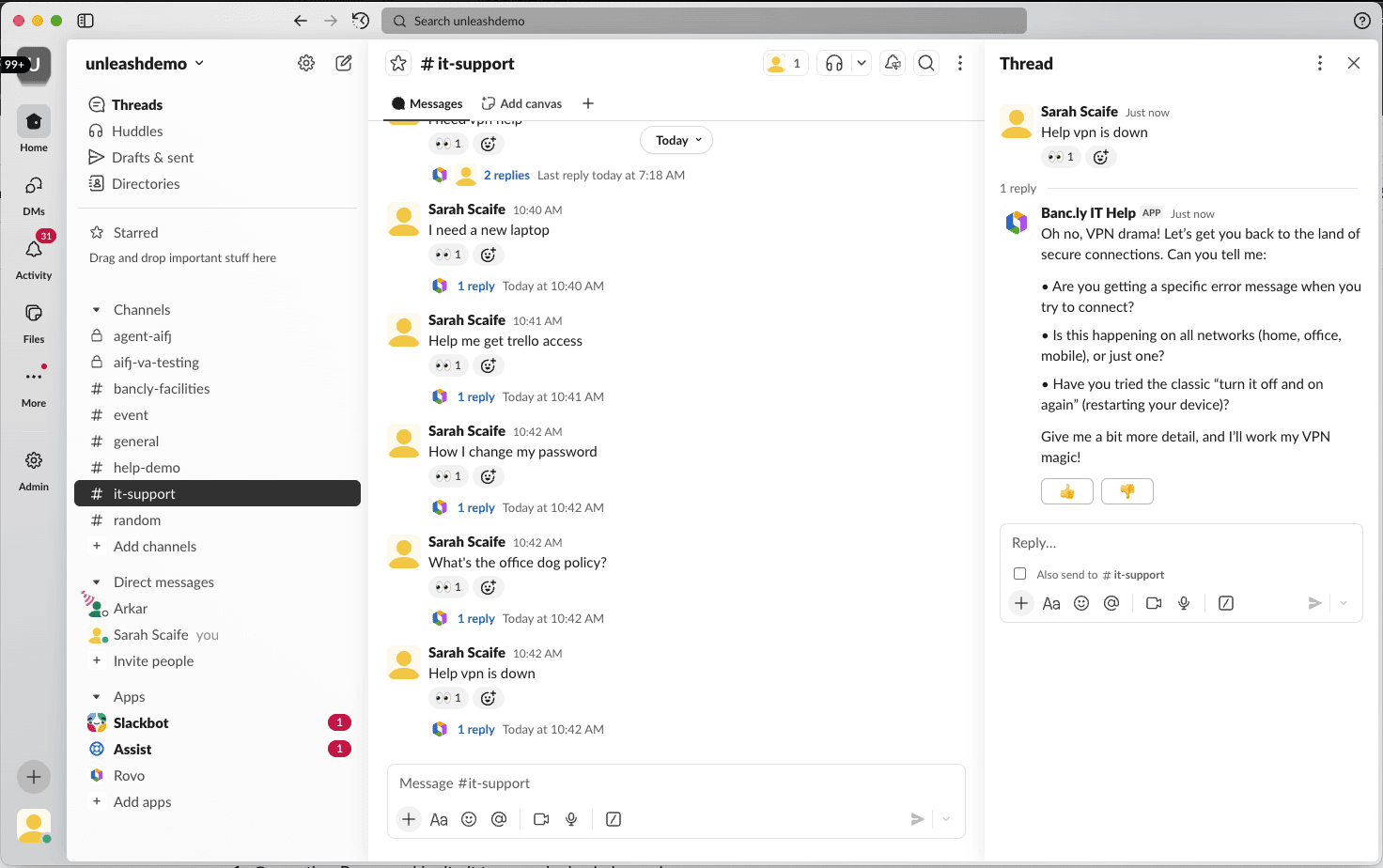
Route 1: the Atlassian Assist app plus the virtual service agent. Assist is the Slack bot that powers JSM's chat feature (it's the renamed successor to Halp, and the backbone of most Slack ticketing setups on Jira). On its own, Assist isn't AI: it turns Slack messages into JSM work items and syncs comments. The AI layer on top is the virtual service agent, which recognizes questions with machine learning and answers using "turn-by-turn conversation flows, artificial intelligence connected to your knowledge base, or a combination of both."
Route 2: the Rovo app for Slack plus a Rovo agent. Rovo is Atlassian's company-wide AI layer, covered in more depth in my Rovo Slack integration guide. The Rovo app for Slack lets anyone on a Rovo-enabled site chat with Rovo or with a custom agent your team built in Rovo Studio, including a support deflection agent that replies automatically in a help channel.
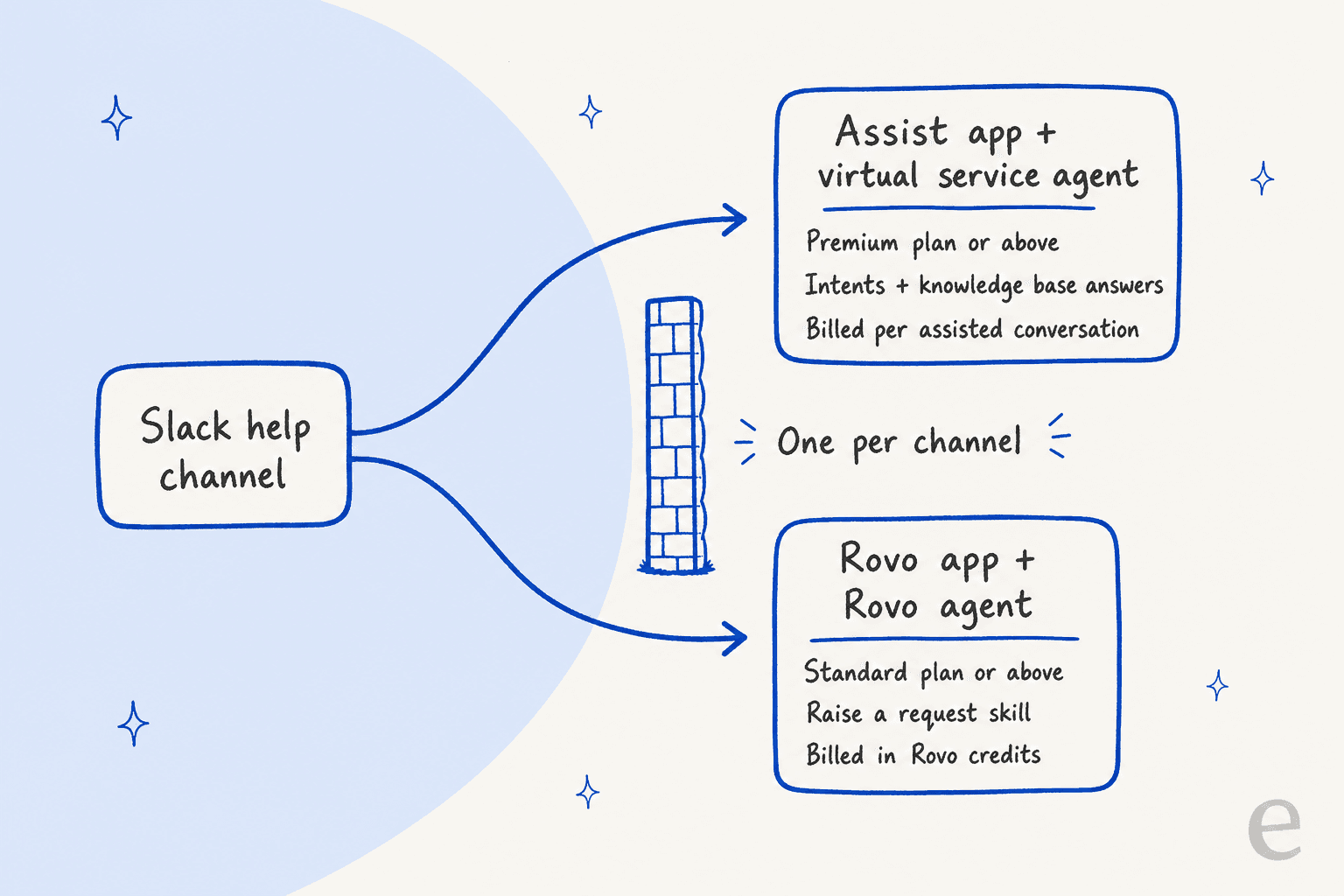
Here's the catch that shapes every decision after this. Atlassian's own Rovo self-service guide includes an eligibility check: you have to deactivate a live virtual service agent or remove the Assist app from the Slack channel before a Rovo agent can take it over. So you're choosing one engine per channel, not stacking them.
| Assist + virtual service agent | Rovo app + Rovo agent | |
|---|---|---|
| Plan needed | Service Collection Premium or Enterprise | Standard, Premium or Enterprise (Rovo enabled) |
| How it answers | Intents (designed flows) and AI answers from your knowledge base | Generative answers from the knowledge you scope it to |
| Knowledge it can use | Linked JSM knowledge base spaces | Confluence, Jira, JSM help centers, connected third-party tools |
| Creates JSM requests | Yes, by escalating a conversation | Yes, with the Raise a request skill |
| Two-way Slack thread sync | Yes, through the agent channel | Yes, since March 2026 |
| Billing unit | Assisted conversations | Rovo credits |
| Slack and Teams together | No, one or the other | The Slack app covers Slack only |
| Setup owner | JSM space admin | Agent owner in Rovo Studio, plus an org admin for public replies |
How does the virtual service agent work in Slack?
The virtual service agent needs two kinds of Slack channel before it does anything. An agent channel is private, for agents and admins, and it's where they assign, triage and comment on work items. One or more request channels are where employees ask for help and talk to the virtual service agent.
Setup runs like this:
- Confirm you're on a Service Collection Premium or Enterprise plan, AI is activated by your org admin, and you're a space admin. Those are the three prerequisites Atlassian lists.
- Create the virtual service agent in the Studio app, then switch on AI answers, build an intent, or both.
- In your JSM space, go to Space settings > Channels & self service > Chat, select Add to Slack, and let Assist create the private agent channel.
- In each request channel, type
/add, add Assist, and pick Request channel when prompted. - Back in Chat > Slack, edit the request channel and select Virtual service agent. The other two options, automatic or manual work item creation, turn the AI off.
Two details trip people up. The email someone uses in Slack has to match their Atlassian account so the workspace connects properly, and employees in the request channel need access to your JSM project or the agent can't reply to them. The bigger one: you can only use the virtual service agent in Microsoft Teams or Slack, not both. If half your company lives in Teams, this route only serves one half, which is why some teams look at a broader ITSM integration with Slack instead.
Can you test it before employees see it?
Partly. Test mode makes every intent active, inactive ones included, inside a Slack test channel, and AI answers work there even when they're switched off for customers. Test conversations don't count toward your assisted-conversation meter. But the virtual service agent "will create real issues in Jira Service Management" while you test, so warn your queue.
Atlassian's testing advice is people-powered: ask as many colleagues as you can to try it, test every branch, and imagine users who are "in a rush, stressed, frustrated." There's no replay of past requests to see how the agent would have handled last month's tickets. That's the gap I'd plan around, because a deflection bot's worst failures are the questions nobody on the test squad thought to ask.
How does a Rovo agent work in Slack?
The Rovo app is a different animal. Any user can install the app from the Slack Marketplace and chat with Rovo right away. For a help channel, though, you want a custom agent your team built in Rovo Studio, and Atlassian's help center agent guide shows the build: write instructions, add JSM help centers as knowledge, then add up to five skills. The key skill is Raise a Request, which can file tickets across up to 50 JSM spaces with routing to the right request type and pre-filled required fields.
To put that agent in a channel, you mention @Rovo, invite it, type /rovo manage, choose Custom agent, and give it at least one trigger. That trigger matters more than it looks: @Rovo summons Rovo, not your agent, so without a trigger nobody can call it. The trigger options are:
- New messages: replies to every new post. Only one agent per channel can use it, so it's the one for a dedicated help channel.
- Keywords: replies when a word appears, under 30 characters and unique in the channel.
- Emojis: replies when someone reacts with a set emoji, handy for "nobody answered this" moments.
Turn on continuous replies too, or employees have to re-trigger the agent for every follow-up in a thread.
Who sees the answer?
This is the setting I'd check first, because it decides whether your help channel works at all. A custom agent that uses its own access replies publicly, drawing only on the content its owner gave it. An agent that uses the requesting person's access replies privately to whoever asked, and they choose whether to post it. For a support channel you want public replies, which means the agent owner sets it to its own access in Rovo Studio, and you scope its knowledge to what anyone in the channel is allowed to read.
Does it hand off to a human?
Yes, since March 2026. When a Rovo agent raises a request from a Slack thread, the full thread transcript syncs into the JSM ticket's comments and the assignee can reply from either JSM or Slack. Atlassian's bi-monthly Rovo update adds that sync works both ways, including edits, deletes and images, while internal JSM comments stay private.
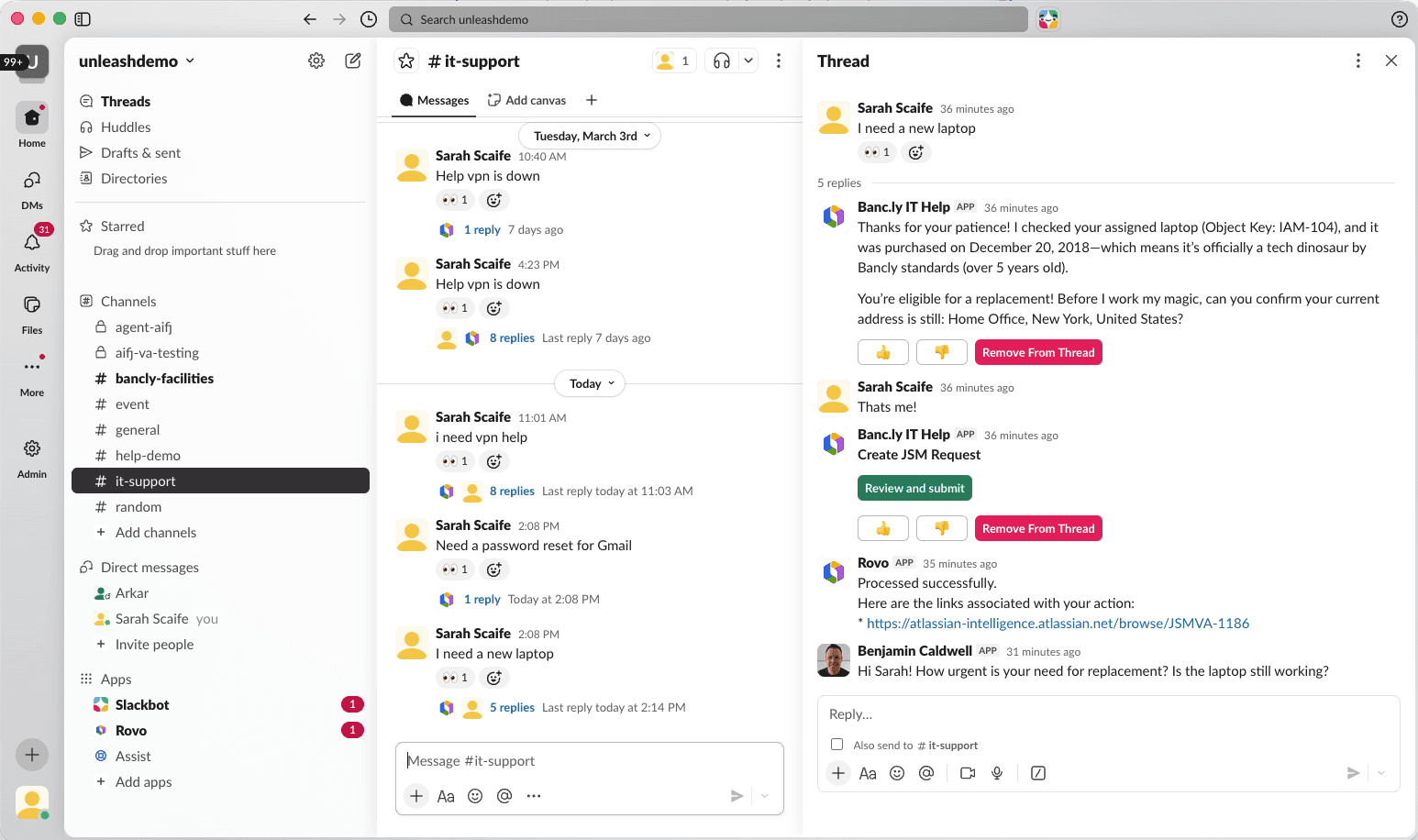
Before that release, the gap was spelled out in Atlassian's public tracker: when Rovo created tickets from Slack, ROVO-387 noted, the user and the agent "can only continue via other notification channels like email." A related request to let Rovo custom agents run as the JSM chat virtual agent, ROVO-371, is still marked In Progress. Read that as a sign the two routes may merge one day, not as something to plan a rollout around.
What does the JSM AI agent in Slack cost?
The two routes bill on different meters, and one of them changes in 13 days.
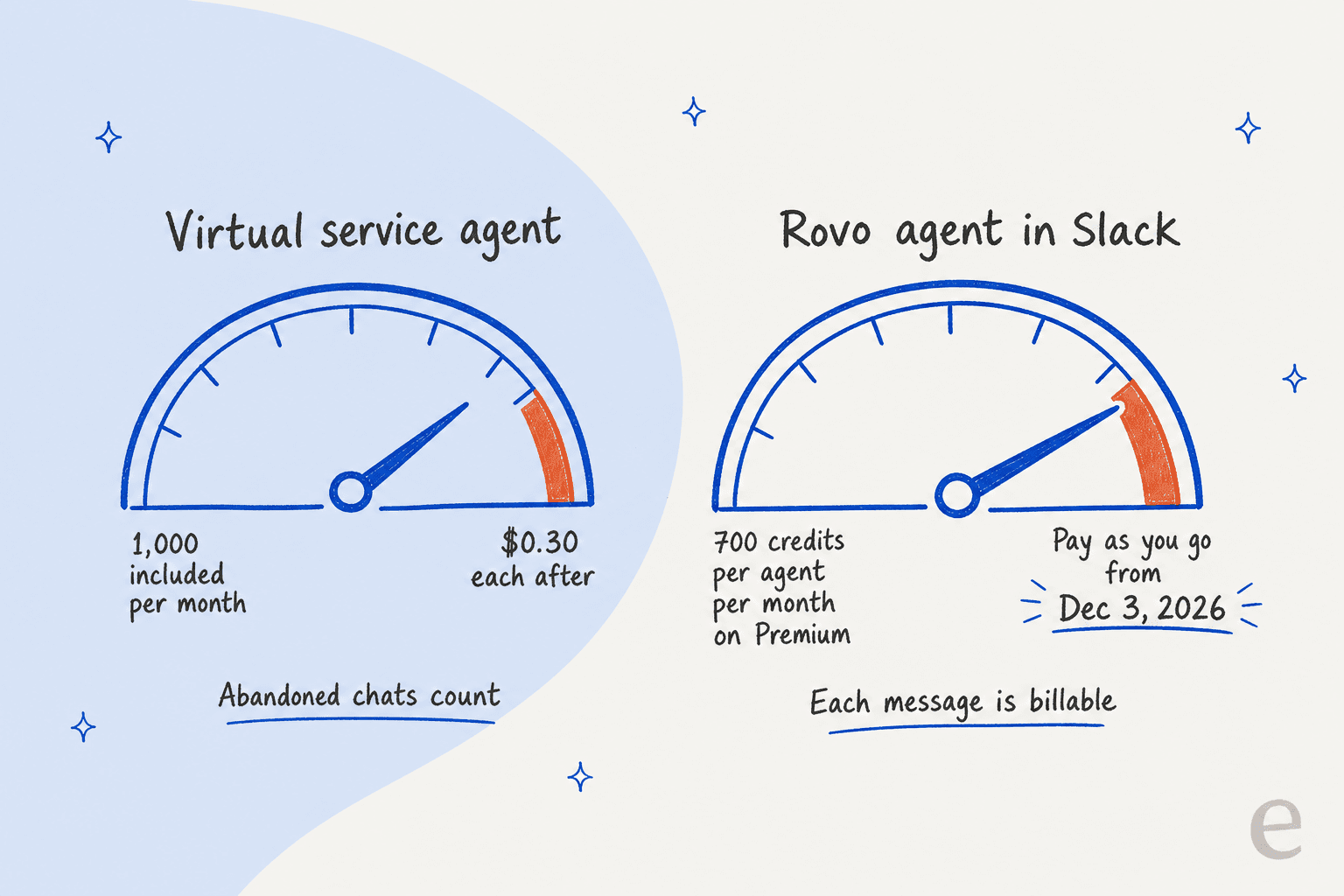
The virtual service agent counts assisted conversations. The pricing page says Premium and Enterprise include 1,000 a month or 12,000 a year, then extra ones "start at $0.30(USD)/assisted conversation/month" through an add-on you subscribe to. Two kinds count: any conversation matched to an intent, whether it was resolved or escalated, and any AI-answered conversation where the user says it helped or abandons it and it auto-closes. An abandoned conversation bills like a solved one.
Rovo agents spend Rovo credits. Per Atlassian's Rovo usage docs, Service Collection includes 250, 700 or 1,500 credits per agent per month on Standard, Premium and Enterprise, pooled across your whole org and reset monthly. In chat, each user message is a billable event, and a basic Rovo agent costs 10 credits per event. The help center Self-service Agent sits in the premium tier, which bills variable credits. From December 3, 2026, pay-as-you-go turns on by default at a list price of $0.01 per credit ($10 per 1,000), with alerts at 80% and 100% of your allowance and a spending limit admins can set.
| Plan | Headline price per agent/month | Chat in Slack (Assist) | Virtual service agent | Rovo credits per agent/month |
|---|---|---|---|---|
| Free | $0, up to 3 agents | Included | Not included | Not included |
| Standard | $21.50 | Included | Not included | 250 (+1,000 indexed objects) |
| Premium | $55.28 | Included | 1,000 assisted conversations/month, then from $0.30 each | 700 (+2,500 indexed objects) |
| Enterprise | Contact sales | Included | 1,000 assisted conversations/month, then from $0.30 each | 1,500 (+6,250 indexed objects) |
Prices are the headline rates on the Service Collection pricing page. Atlassian bills in agent-count bands, so your real per-agent rate moves with team size; my JSM pricing guide walks the bands.
A worked example makes the difference concrete. Say a 10-agent IT team on Premium fields 1,500 Slack conversations a month, about four employee messages each.
- Virtual service agent: 1,000 included, 500 extra at
$0.30= about$150a month in overage, before any volume discount. - Basic Rovo agent: 1,500 × 4 messages × 10 credits = 60,000 credits. Your pooled allowance is 7,000 credits (10 × 700), and every other Rovo user in the org draws from it too. That leaves at least 53,000 credits, or about
$530a month at$0.01each.
For the wider Atlassian AI bill, see Jira AI pricing. The Rovo number is the one I'd model before December 3, because it scales with how chatty your employees are, not with how many problems get solved.
What do IT teams say about the JSM agent in Slack?
The sharpest feedback I've found is about how the virtual service agent counts success. An IT manager on r/ITManagers described taking a long document of limitations to Atlassian's product team:
"One example: virtual agent will count a ticket as "successfully deflected" if the user gives up responding and it auto closes. That's not a successful deflection, that's an awful user experience. Atlassian didn't seem to think so."

The same thread, titled "looking for alternatives to JSM that work better in Slack," had a shorter take: use Assist to bridge Slack and JSM, and wait for Rovo.
"Just use Atlassian Assist to bridge the two, formerly Halp. Virtual Agent kind of sucks, but once they enhance with Rovo might get better."
To be fair to Atlassian, both comments date from December 2025, and the Rovo handoff and two-way sync shipped after them. The Slack-first design also gets real appreciation: under the March roundup, the top reader question was when Teams users would get the same features. And on the Rovo side, one admin on the Atlassian Community described the gap plainly: the Rovo agent works well with Confluence knowledge, but gives no metrics on conversations with customers. If you report deflection to leadership every month, that's worth testing before launch.
Where does eesel fit for JSM teams in Slack?
eesel takes a third path: one AI agent that works in Slack and inside Jira Service Management at the same time, so you don't pick a meter per channel or a plan tier to unlock it. It works on any JSM plan, connected with an API token.
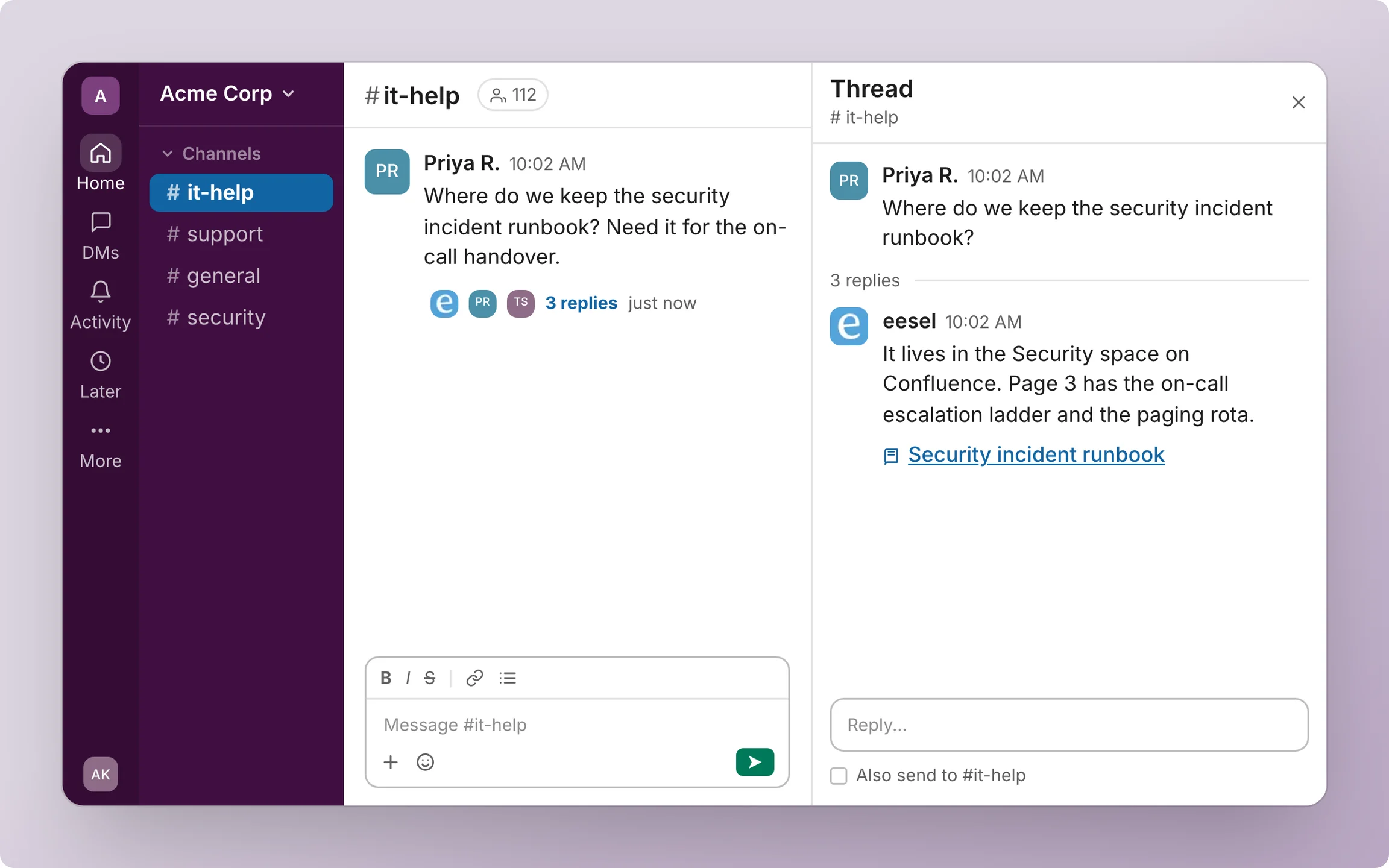
The closest real example is InDebted, a fintech whose IT team uses eesel as the first responder in Jira. eesel fully deflects 15% of their incoming issues today, they connected it to Confluence and Slack so employees can find documentation and get linked to the source article, and Jason, who leads IT, put setup simply: "It was quite easy to set up." Two published stories show the Slack side on other helpdesks: Lesson Pro gets a weekly plan posted into a Slack channel for each booking agent, and SaunaSpace calls eesel with @eesel in Slack as well as on tickets.
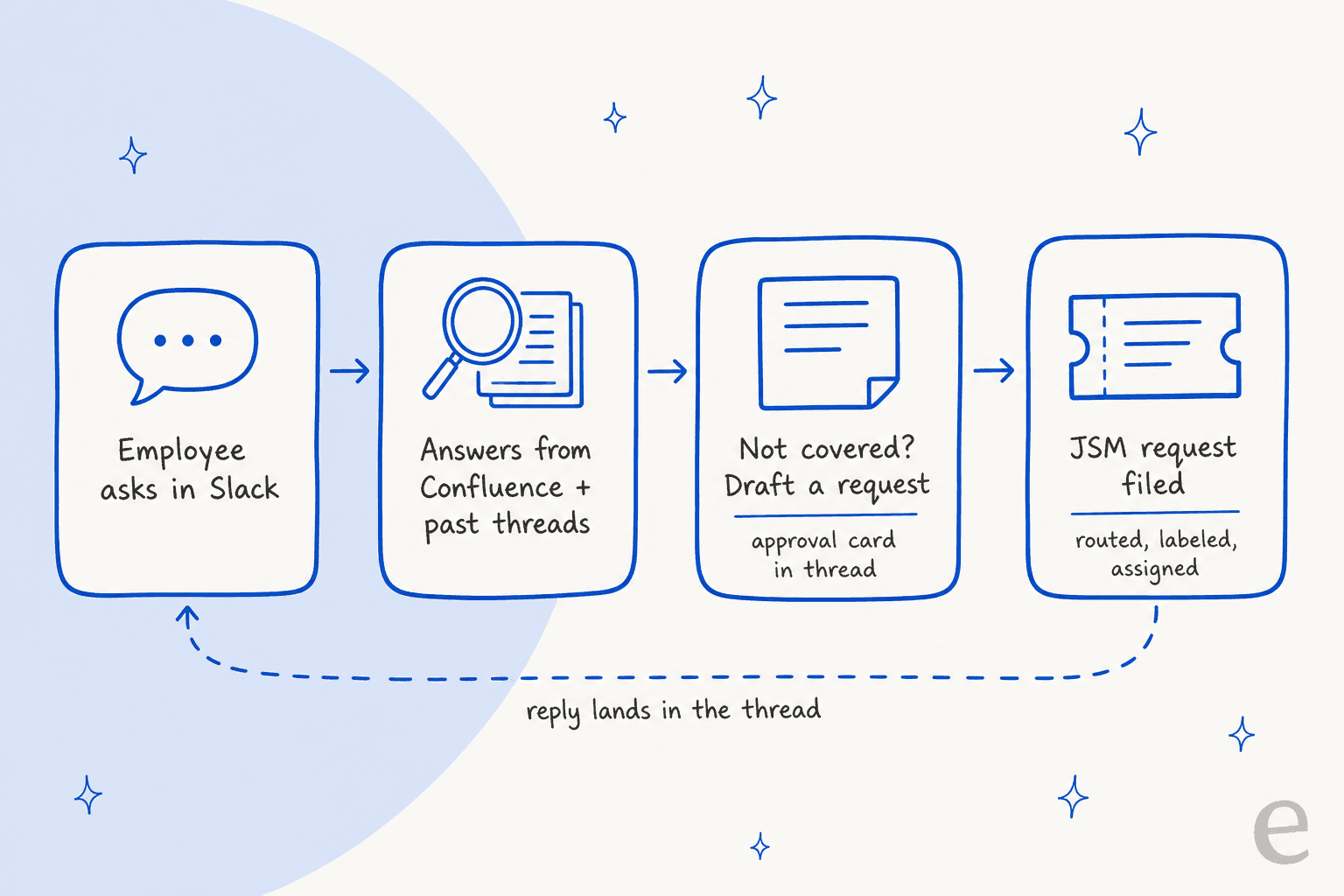
Here's how it runs, from the Slack docs and the JSM docs:
- In Slack, eesel answers when someone mentions it, messages it directly, or posts a question in a channel it has joined. It reads the whole thread, searches past Slack messages (up to 90 days in a channel), and answers from Confluence, Notion, Google Drive or your help center, with a link to the source.
- When a person is needed, it can file the JSM request with project, type, priority, assignee, labels and custom fields. Actions that need approval show up as an approval card in the thread, and nothing runs until someone with edit access clicks Approve.
- Inside JSM, a separate automation picks up new requests and comments, then posts a public reply, leaves an internal note, or moves, assigns and labels the issue. Most teams start with internal notes, so the agent drafts and a person sends, the same pattern I walk through in adding AI to JSM.
- Before launch, you can test it against past JSM requests to see where it's strong and where your docs have gaps, instead of relying only on a human test squad.
Be clear on the limits, too. eesel files the request and can reply on it, but it doesn't run Assist-style two-way syncing between a Slack thread and ticket comments. It treats full members of your Slack workspace as your team and guests from other organizations as outsiders, which suits internal IT and HR desks better than Slack Connect support. And the JSM triggers need an API token from an account that can administer Jira automation, because eesel creates the "Send web request" rule for you.
If you'd rather set this up from a terminal, the eesel CLI lets Claude Code, Codex or Cursor run eesel integrations connect slack and eesel integrations connect jira, upload approved runbooks or exported knowledge base articles, and ask test questions to check the answers. Someone with admin access still approves the Slack app and creates the Atlassian API token.
Which route should you pick?
Match the route to the job, not the brand name.
| Your situation | Best fit | Why |
|---|---|---|
| Premium plan, structured intake (access requests, hardware orders) | Virtual service agent | Intents collect the fields before escalation |
| Standard plan, knowledge spread across Confluence and other tools | Rovo agent | No Premium upgrade, wide knowledge scope |
| You need Slack and Teams covered | Rovo in Slack, separate setup for Teams | The virtual service agent is one or the other |
| High message volume, tight budget after December 3 | Model both meters first | Rovo bills per message, not per solved request |
| One agent for Slack answers and JSM queue work, any plan | eesel | Same agent answers in Slack and works requests in JSM |
If you're still comparing wider options, my roundups of the best AI for JSM and AI for Slack support go tool by tool, Claude for JSM and ChatGPT for Slack cover the general-purpose assistants, and is JSM AI worth it runs the numbers on the native features.
Try eesel in Slack and Jira Service Management
If your employees already ask IT questions in Slack, eesel can answer them there from Confluence and past threads, then file and work the JSM request when a person is needed, on whatever JSM plan you're on. Connect both in under 30 minutes, test it on past requests, and only then let it answer for real. Try eesel, with plans from $299 a month and a free tier to start.