


If your team uses Jira, you know the feeling. You're swimming in a sea of repetitive tasks, manual updates, and endless ticket grooming. AI automation sounds like the perfect life raft, and Atlassian's answer is Rovo, a slick AI layer designed to streamline workflows right inside its ecosystem.
But what's it actually like to use day-to-day?
This article gives you an honest, practical look at using Rovo AI in Automation Rules. We’ll cover what it does well, where you might hit some surprising roadblocks, and how it compares to more flexible AI platforms built for the messy reality of modern support.
What exactly is Rovo AI in Automation Rules?
Think of Rovo as Atlassian’s built-in AI assistant that works across Jira, Confluence, and other apps you’ve connected. It’s designed to dig up information, generate summaries, and, most importantly, actually do things on your behalf.
At its heart, Rovo is powered by something Atlassian calls the "Teamwork Graph." It’s a fancy way of saying the AI understands the relationships between your people, projects, and documents. This context is what helps Rovo be more useful than a simple chatbot.
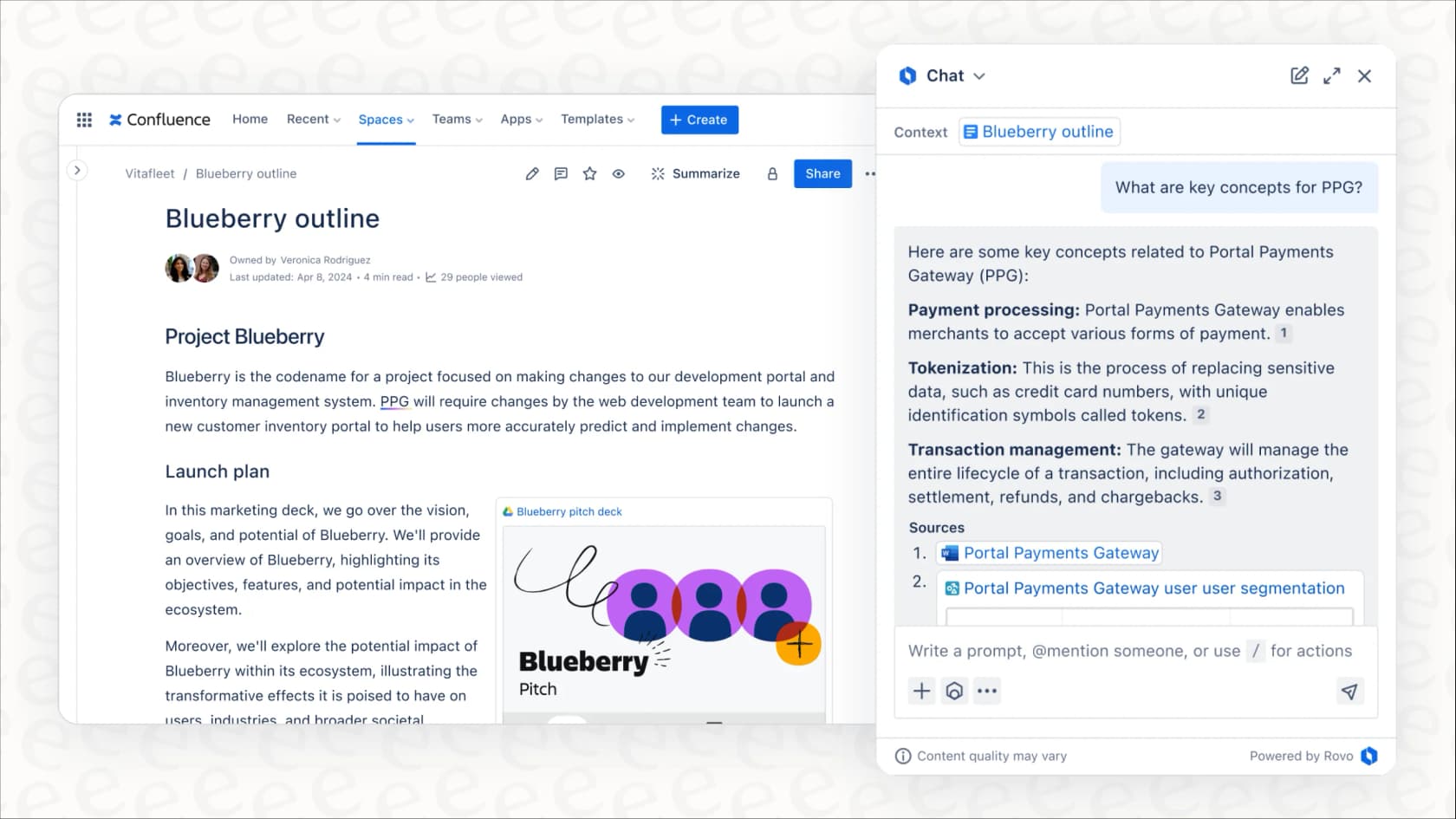
In practice, using Rovo AI in Automation Rules gives you a new, super-powered action to add to your workflows. Instead of just changing a ticket's status or pinging a Slack channel, you can now ask an AI agent to do something specific, like summarize a long-winded issue, suggest a parent epic, or check if a bug report has all the necessary info.
Core features and common use cases
So, what can you actually get done with it? Rovo’s automation skills are meant to shine within the Atlassian suite, and there are a couple of ways you can get started.
Getting started with out-of-the-box templates
To help you get going without too much head-scratching, Atlassian provides some pre-built automation templates that show off what Rovo is capable of. You can find these in the Jira Automation Template Library under the "Rovo Agents" category.
Here are a few of the most common ones:
-
Feedback analysis: This rule automatically scans new Jira issues, pulls out the key themes in a summary, and sends a digest to a Slack channel or creates a new Confluence page. It's a pretty neat way to monitor customer feedback without someone having to read every single ticket.
-
Bug triaging: Using the "Bug Report Assistant" agent, this template double-checks new bug reports for completeness. If crucial details like steps to reproduce are missing, it can automatically nudge the person who created the ticket to add more information.
-
Work readiness: This one uses the "Readiness Checker" agent to make sure a new task has everything it needs (like acceptance criteria or a clear definition of "done") before it gets assigned to an engineer, which helps cut down on the back-and-forth later.
Building custom automation rules with Rovo Studio
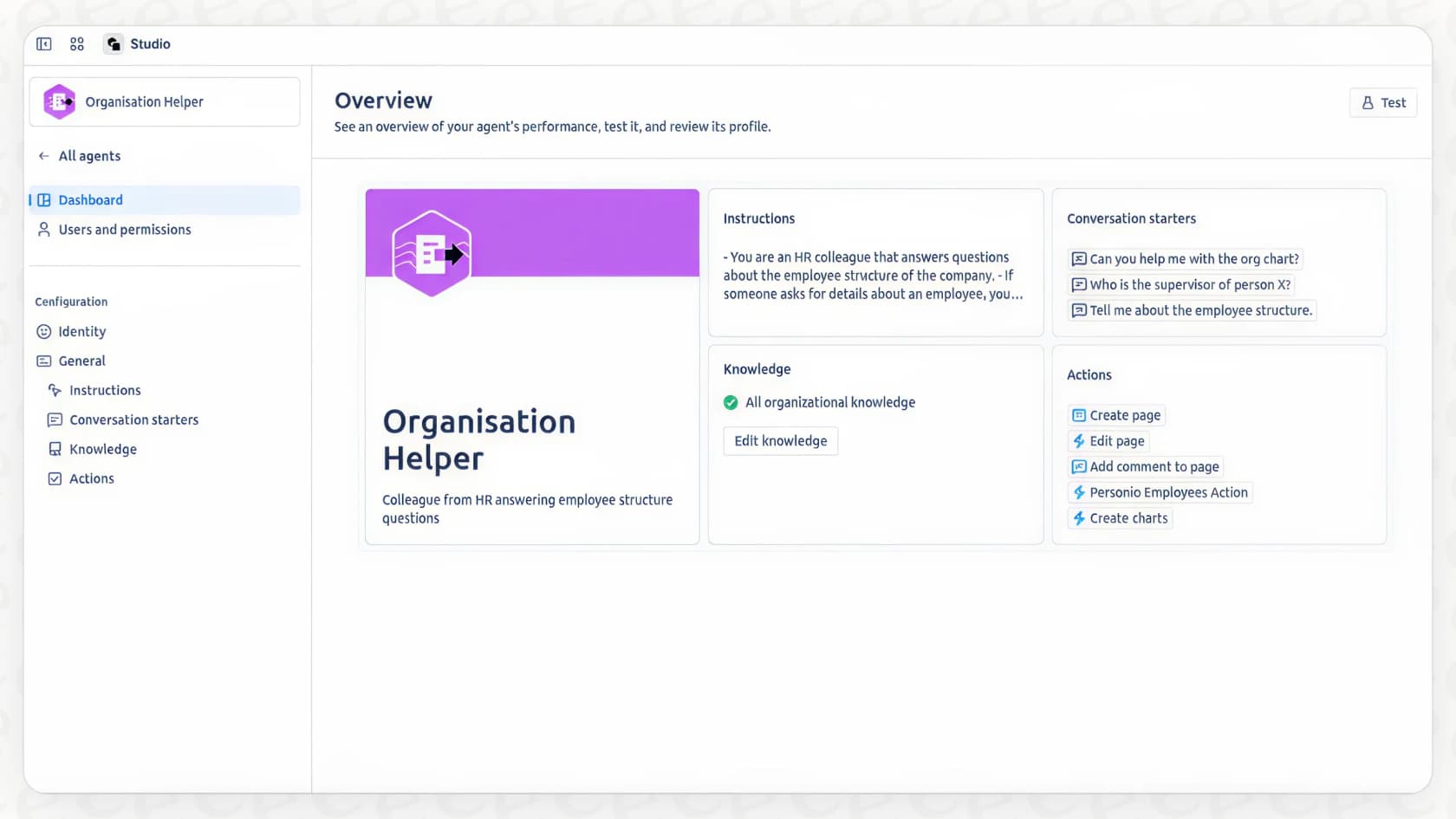
Templates are a nice starting point, but the real magic happens when you start building your own automation rules. Rovo Studio is a no-code/low-code environment where you can create custom AI agents to handle your team’s specific workflows.
For example, you could build a rule that says, "When a new high-priority issue is created in Jira Service Management, use a custom Rovo agent to summarize the customer's request and add it as an internal comment for the support team." These agents can be triggered by just about any event in Jira or Confluence and can perform actions based on simple, natural language prompts you give them.
The hidden complexities and limitations of Rovo AI
On the surface, Rovo sounds like a perfect fix. But like any tool that’s built into a larger platform, it’s worth understanding where it might fall short before you go all-in building your workflows around it.
Limitation 1: Deeply tied to the Atlassian ecosystem
Rovo is built by Atlassian, for Atlassian. It works beautifully when your entire world, project management, knowledge base, service desk, is inside their products. But what happens when that’s not the case?
Most modern teams use a whole stack of different tools. What if your support team lives in Zendesk, Freshdesk, or Intercom? Rovo’s automation abilities stop right at the Atlassian border. This means you’re stuck either managing two separate automation systems or trying to build fragile, custom bridges between them. It ends up creating more work, not less.
Limitation 2: The "cold start" knowledge problem
A Rovo agent is only as smart as the information you feed it. For it to work well, your Confluence spaces, Google Docs, and other sources need to be perfectly organized, up-to-date, and complete. Let’s be honest, whose are?
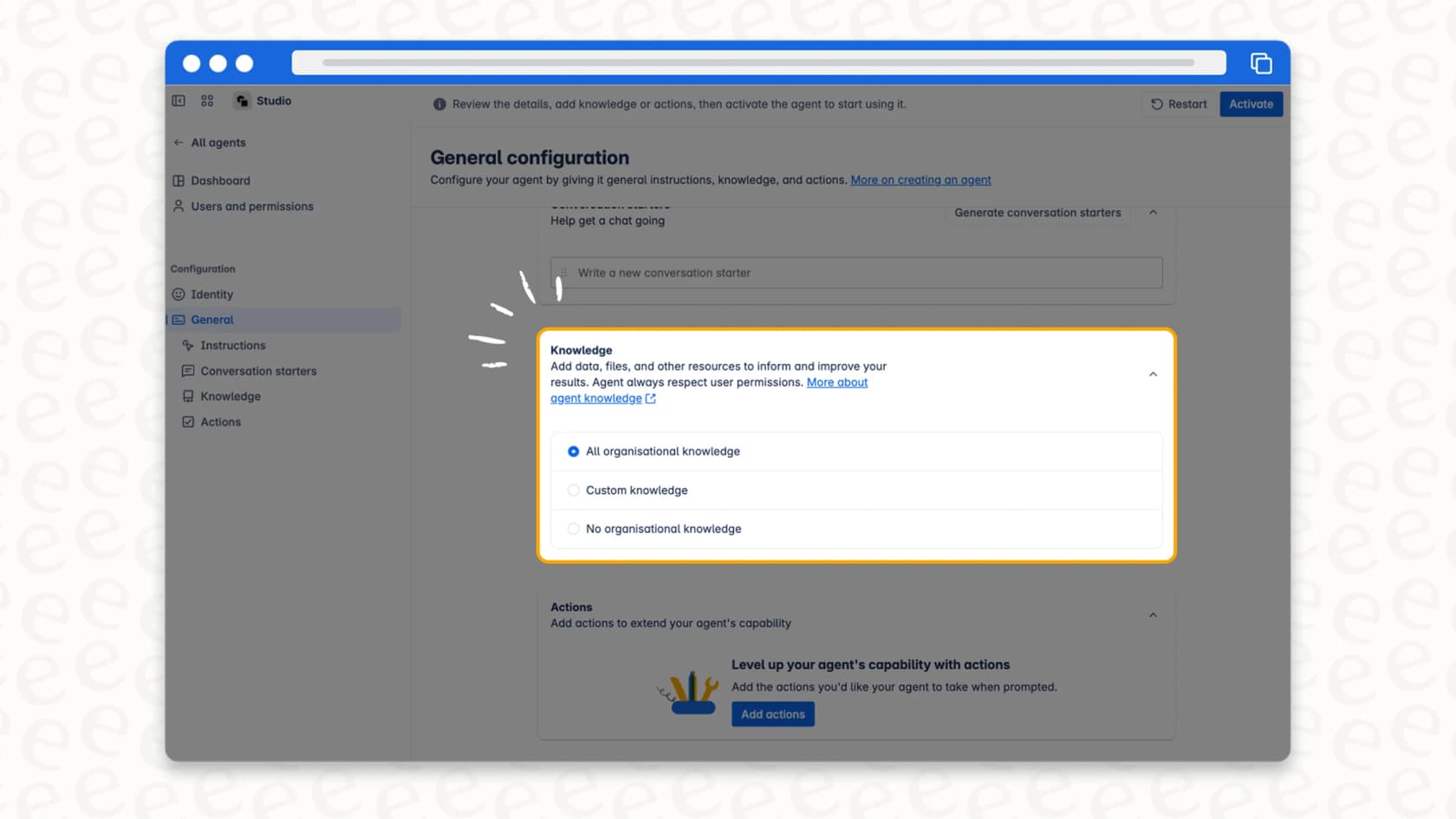
For many support teams, the most valuable knowledge isn't in a pristine knowledge base; it’s buried in thousands of past ticket conversations. This is where your team’s unique tone of voice, clever workarounds, and proven solutions are hiding. Rovo doesn't natively learn from historical ticket resolutions in other helpdesks, which means you’re leaving your best training data on the table. A tool like eesel AI on the other hand, is built to train on your past tickets from day one.
Limitation 3: Customization requires a lot of effort
Rovo Studio is great for simple tasks, but what if you need to do something more complex? If you want an agent to look up order information in Shopify or pull account details from a custom database, you're going to need a developer.
These kinds of custom actions require building on the Atlassian Forge platform, which can turn a simple workflow idea into a multi-week engineering project. This creates a huge bottleneck for support and operations teams who just want to solve a problem and move on. In contrast, platforms like eesel AI are designed for non-technical users, letting them set up complex, custom actions on their own without writing code or waiting in line for engineering resources.
Limitation 4: No way to test with confidence
With Atlassian Automation, the workflow is pretty straightforward: you build a rule, cross your fingers, and turn it on. There’s no good way to see how your new Rovo agent would have performed on last week’s tickets before you set it loose on live customers.
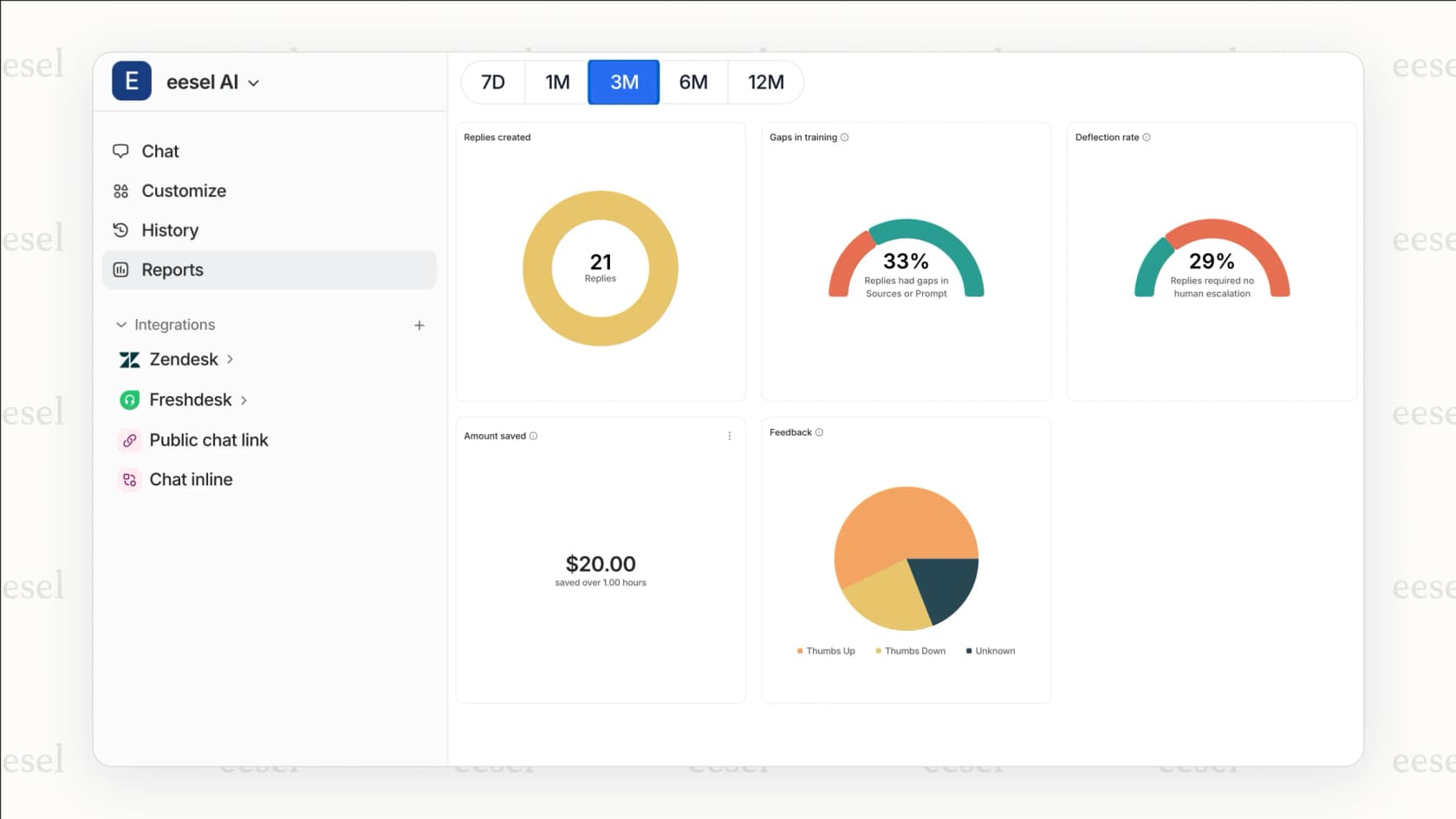
This "build and pray" approach is risky. You could be automating incorrect responses or messing up your triage process without realizing it until the damage is done. This is a critical gap that eesel AI solves with its simulation mode. You can test your AI setup on thousands of your actual historical tickets, see exactly how it would have responded, and get accurate performance forecasts before a single customer ever interacts with it.
How much does Rovo AI cost?
This is where things get a little fuzzy. For now, Rovo's features are included at no extra cost if you're on an Atlassian Cloud Premium or Enterprise plan for Jira, Confluence, and Jira Service Management.
It works on a credit system. Each user gets a monthly allowance of AI credits (70 for Premium, 150 for Enterprise), and this pool is shared across your whole organization. A single chat with Rovo or one action from a Rovo agent in an automation rule uses up 10 credits.
The big catch? Atlassian has already said they plan to introduce usage-based pricing in the future. This creates a lot of uncertainty. As you start relying more on Rovo, your costs could become unpredictable and spike during busy periods. This is a big difference from eesel AI's transparent, fixed monthly pricing (from $299/month for 500 credits, with no per-seat fees), so you always know what you're paying.
A more flexible approach to AI automation with eesel AI
Rovo's limitations really show why a different approach is needed, one that's built for teams who need a powerful AI that works across all their tools, not just the ones from a single company. This is where eesel AI steps in.
-
Go live in minutes, not months: eesel AI is designed to be ridiculously easy to set up yourself. You can connect your helpdesk (like Zendesk, Freshdesk, or Gorgias) and knowledge sources with a single click. No mandatory sales demos or developer sprints required.
-
Unify your knowledge, instantly: This is eesel AI's superpower. It trains on your historical support tickets to automatically learn your brand voice, common solutions, and internal processes. It also connects smoothly to Confluence, Google Docs, Notion, and over 100 other sources, creating a single, smart brain for your AI agent.
-
Test with confidence, not risk: Forget the "build and pray" method. With eesel AI’s simulation mode, you can see exactly how your AI will perform on your past tickets and get solid resolution rate forecasts before you flip the switch.
-
Control your workflows and costs: eesel AI's workflow engine gives you fine-grained control over what gets automated. And with its predictable pricing, you’ll never get hit with a surprise bill after a busy month.
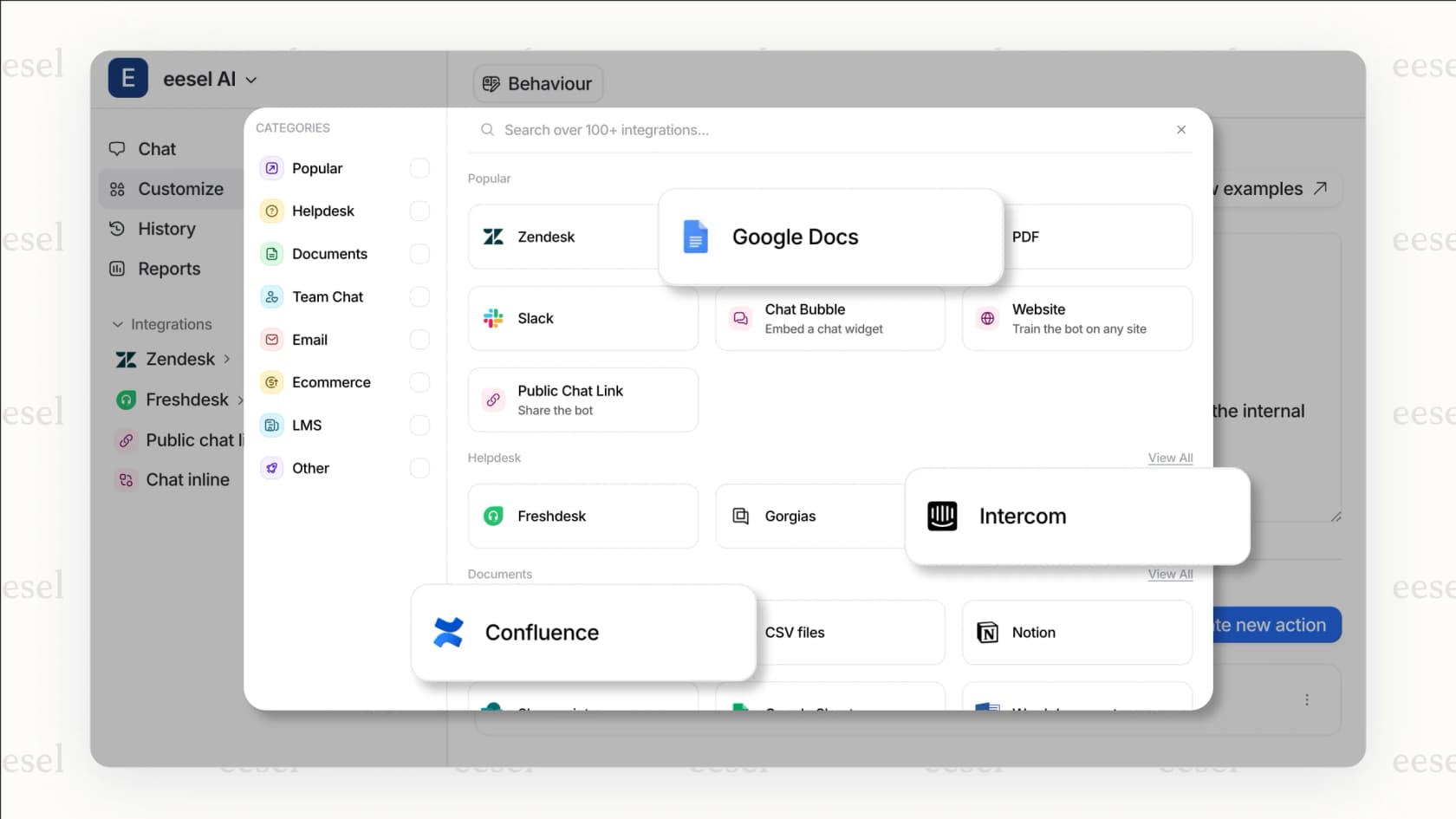
Here’s a quick breakdown of how they stack up:
| Feature | Atlassian Rovo | eesel AI |
|---|---|---|
| Primary Ecosystem | Atlassian (Jira, Confluence) | Helpdesk Agnostic (Zendesk, Freshdesk, etc.) |
| Knowledge Sources | Confluence, Google Docs, etc. | Past tickets, Help Centers, Confluence, GDocs, Notion & more |
| Setup & Onboarding | Built-in, but custom agents require Forge (dev time) | Radically self-serve, go live in minutes |
| Pre-launch Testing | Limited to basic rule validation | Powerful simulation on historical tickets |
| Custom Actions | Requires developer skills (Forge) | Fully self-serve prompt & action editor |
| Pricing Model | Included in plans, but moving to usage-based | Fixed monthly price, from $299/mo (500 credits) |
Rovo AI in Automation Rules is a good start, but flexibility is the future
Don't get us wrong, Rovo AI in Automation Rules is a big and welcome addition for teams who are all-in on the Atlassian ecosystem. It’s a solid way to streamline workflows and bring AI directly into Jira and Confluence.
However, for most support and operations teams that rely on a mix of different tools, its limitations can become a real headache. The ecosystem lock-in, the difficulty of custom tasks, and the lack of proper testing create genuine challenges.
Flexibility is key. You need an AI platform that works with your existing tools and workflows, not one that tries to lock you into a walled garden.
Ready for a more flexible approach?
If you're looking for an AI solution that plugs right into your existing helpdesk, learns from all your team's knowledge, and gives you the confidence to automate, your team will love eesel AI.
Try eesel AI for free and see how much you can automate in just a few minutes.
Frequently asked questions
What is Rovo AI primarily designed to do?
Rovo AI in Automation Rules acts as an intelligent assistant within your Atlassian ecosystem, performing tasks like summarizing issues, triaging bug reports, or checking work readiness. It leverages the "Teamwork Graph" to understand connections between your projects and documents, automating repetitive tasks.
How much does Rovo AI currently cost?
Currently, Rovo AI in Automation Rules is included at no extra cost for Atlassian Cloud Premium or Enterprise plan subscribers. Users receive a shared pool of monthly AI credits, but Atlassian has announced plans to introduce usage-based pricing in the future.
What are the main limitations of Rovo AI?
Key limitations include its deep ties to the Atlassian ecosystem, making integration with external tools difficult. It also struggles with "cold start" knowledge, not natively learning from historical tickets outside Atlassian, and offers limited pre-launch testing capabilities.
Can Rovo AI integrate with external tools like Zendesk or Freshdesk?
Rovo AI in Automation Rules is deeply tied to the Atlassian ecosystem and does not natively integrate with external helpdesks or other non-Atlassian tools. This means you might need to manage separate automation systems or build complex custom integrations.
Can I test my custom Rovo AI automations before deploying them?
With Atlassian Automation, there's no robust way to thoroughly test how Rovo AI in Automation Rules would perform on historical data before going live. This "build and pray" approach can carry risks of automating incorrect responses without prior validation.
Are there pre-built templates for Rovo AI?
Yes, Atlassian provides out-of-the-box templates for Rovo AI in Automation Rules within the Jira Automation Template Library. These templates demonstrate common use cases like feedback analysis, bug triaging, and work readiness checks.
How does Rovo AI learn from my team's knowledge?
Rovo AI in Automation Rules relies on organized knowledge sources like Confluence spaces and Google Docs. However, it doesn't natively learn from historical ticket resolutions in other helpdesks, potentially leaving valuable context untapped for its training.