


Jira Service Management does have AI sentiment analysis, but only on Premium and Enterprise, and what you get is a label, not a workflow. Each request is marked Positive, Neutral or Negative and you can filter on it in a queue. I found no documented way to use it in automation rules or native dashboards, and Atlassian describes its inputs in one line. If you want a furious customer to trigger a label, a priority change and a note, eesel can do that from rules you write. With the eesel CLI, a coding agent can upload your approved escalation policy and run test requests before launch, though a person still approves the Jira connection.
Does Jira Service Management have sentiment analysis?
Yes. Atlassian's support page says the feature "uses AI to determine how customers are feeling based on the content of their request and their recent comments", and shows the result on the work item as Positive, Neutral or Negative. I read it against Atlassian's pages on November 22, 2026.
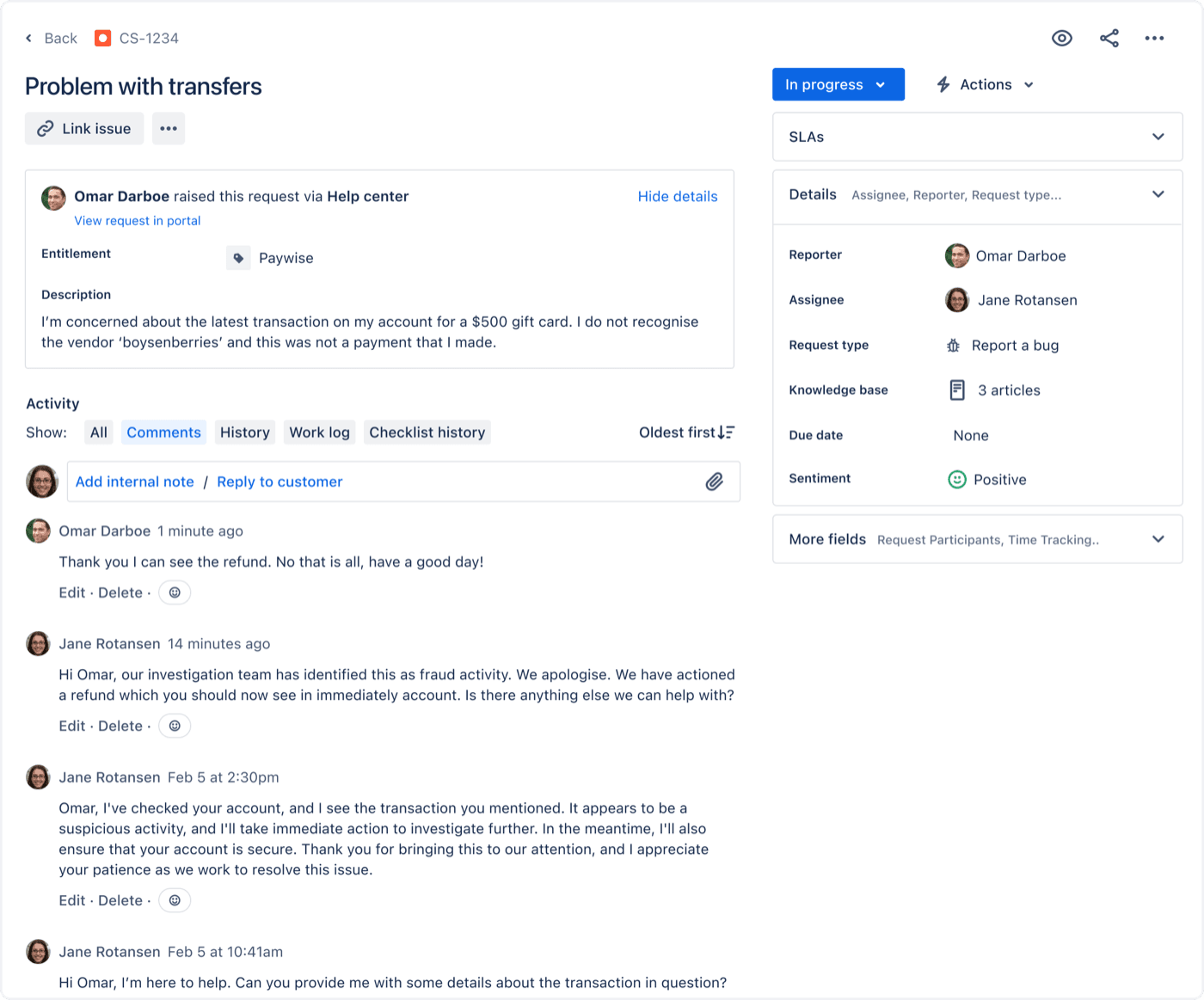
The summary of what the docs promise:
- Three values only. Positive, Neutral, Negative. No score, no percentage, no confidence level.
- A field on the request. Agents find it under Details in the right-hand panel, after opening a request from Queues.
- A prioritization aid. Atlassian says it helps agents "prioritize work items that require immediate attention" and give more empathetic replies.
- Not everywhere. The page notes AI features are not available in the Atlassian Government environment.
If you want the wider list of Atlassian's AI features first, my JSM AI review and Atlassian Intelligence in service management cover them. My older Atlassian Intelligence customer sentiment guide predates several of the limits below, so treat this post as the current read.
Which plan do you need, and how do you turn it on?
Premium or Enterprise, with AI enabled for Jira Service Management. That is Atlassian's wording, and it is the same gate the Summarize button has in my ticket summaries post.
To switch it on, per the docs: open your space, select More actions, then Space settings, then Features, and turn on Customer sentiment analysis under Work item view. Two behaviors are worth knowing before you promise anything to a team lead:
- New requests are scored automatically. Atlassian says the sentiment will display for new work items once the toggle is on.
- Old requests are not backfilled. For existing items, the value is only determined when the reporter adds a new comment.
That second point means your first week of data will look thin, and a queue of Negative requests will only contain tickets that got a fresh customer comment after you flipped the switch.
There is also a setup bug on record. An Atlassian bug, ROVO-775, says the Sentiment field is not automatically added to the work item screen even though the docs say it should be. The listed workaround is to add the field to the screen by hand. In the 2024 beta thread, a few Community members reported the same symptom, a field that stayed empty:
"I added the Sentiment field to the issue view and the field is empty. I can only manually select the customer sentiment."
That is a 2024 beta comment, so it may no longer apply, but the open bug is why I would check the screen configuration first if your field is blank.
What does it cost?
Seat prices come from Atlassian's own pages, and they disagree. The pricing page shows $21.50 (Standard) and $55.28 (Premium) per agent per month. The licensing page shows $26.90 and $61.60 for 1 to 15 agents. I could not reconcile them, so budget from the licensing table for your agent count. Sentiment needs the Premium row, so the real cost is the jump from Standard, which my JSM pricing guide breaks down.
On Rovo credits, Atlassian's credits page lists 250, 700 and 1,500 credits per user per month in the Service Collection for Standard, Premium and Enterprise, with pay-as-you-go billing starting December 3, 2026 at $0.01 per credit. It does not name the sentiment field in any tier, so I cannot tell you whether it draws credits. The page does list summaries as free and basic Rovo agents at 10 credits per event. See Rovo credit usage and Rovo pricing explained for the math.
What does it actually read?
Less than most buyers assume, and less than Atlassian documents in one place. The only official statement I found is in Atlassian's August 2024 beta announcement: it uses "ticket context like the title, description, and comments" and updates in real time as new comments come in.
In July 2026 a Community member asked what else feeds the label (agent replies, SLAs, CSAT). A Community Champion answered that he found no published breakdown of model inputs, and listed what he had observed:
"Status, priority, SLA breaches, and CSAT scores do not feed into it."
That is a user's observation, not an Atlassian statement. Still, it matches the docs, which describe request content and comments only. Things I looked for and could not find on any Atlassian page:
- Supported languages for the sentiment feature.
- Whether the customer can see the label. A partner asked this in the beta thread in October 2024 and the thread shows no answer.
- Whether agent and internal comments count, or only the customer's.
- A confidence threshold or an explanation of why a request got its label.
That last one is what a Community Champion said kept her from using it:
"I haven't used the Sentiment feature because I can't see the settings for it (transparency) and don't have a way to adjust it."
What can you do with the label?
One thing is documented, and the others are documented gaps.
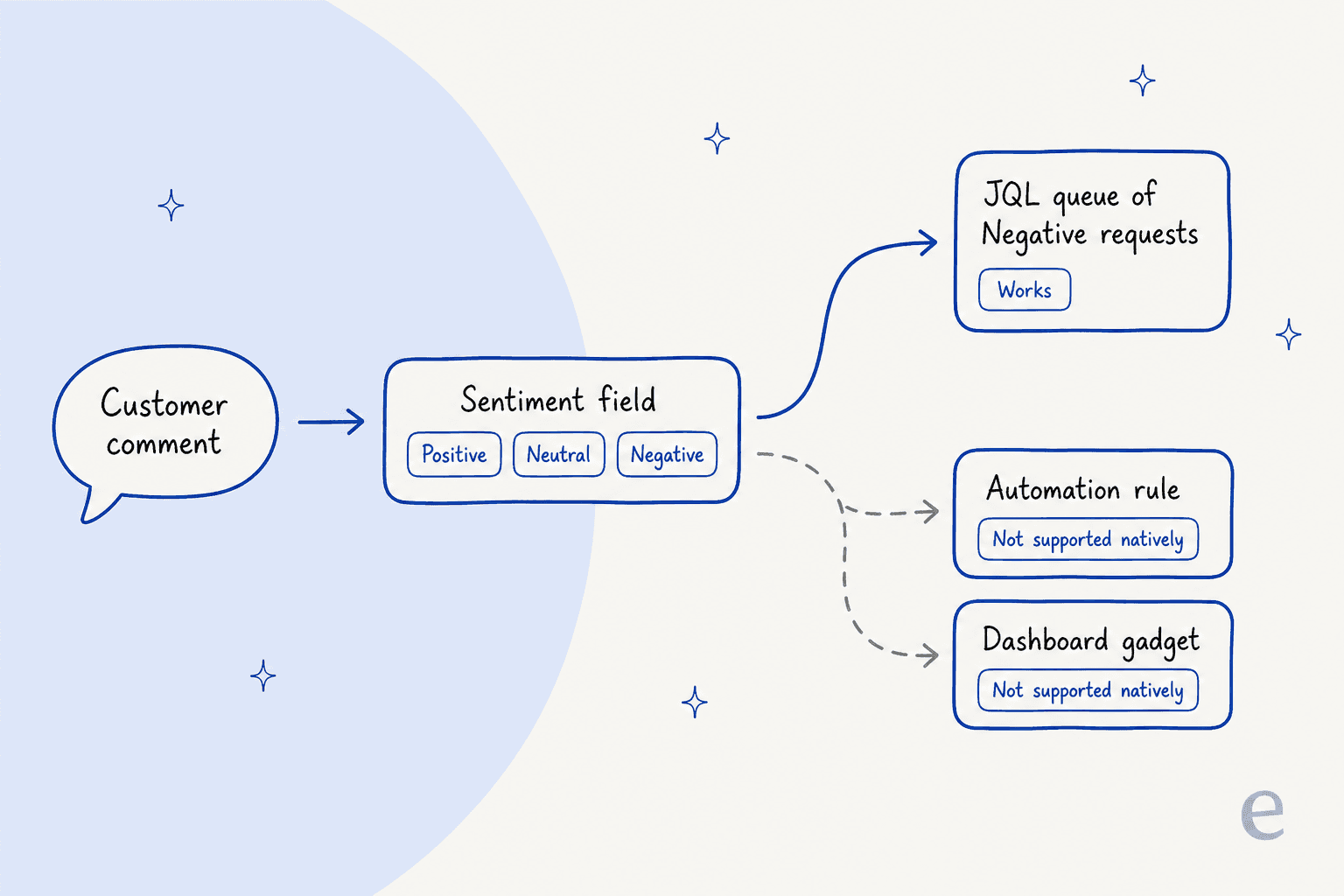
| Use | Status | Source |
|---|---|---|
| Show on the request | Documented | Atlassian support page |
| Filter in JQL to build a queue | Documented | Atlassian beta announcement |
| Overwrite the value by hand | Reported by a Community Champion | Community thread, July 2026 |
| Use in automation rules | Open suggestion, no workaround listed | JSDCLOUD-15308 |
| Chart in native dashboard gadgets | Reported as unsupported | Community, early 2025 |
| Raise priority or alert a lead automatically | Community feature idea | Community, February 2026 |
Queues work. Atlassian says teams can use the sentiment field in JQL to create custom queues so negative tickets get addressed promptly. A queue of every request with the Sentiment field set to Negative is the practical pattern.
Automation does not. The suggestion JSDCLOUD-15308, titled "Ability to obtain and use Sentiment field value and use in Automation", says no value is returned by smart values like issue.sentiment. It is marked Unresolved, was last updated April 6, 2025, and says there is currently no known workaround. So "if Negative, then raise priority" is not something I can point you to a documented rule for. My Jira AI automation guide covers what automation can read.
Dashboards do not either, natively. In January 2025 a user asked for a pie chart of 30 days of sentiment and found the field missing from the statistic type list. An Atlassian Partner replied that "the native Jira gadgets do not support the Sentiment field", and pointed to Marketplace apps that do. I did not check whether that has changed since, so look at your gadget list before assuming either way.
Escalation is a community wish. In February 2026 a Champion posted an idea for a native option: if sentiment stays Negative for two customer replies, set priority to High and notify the right queue. He called the feature today a "nice signal" on the ticket. Atlassian has not shipped that as far as I could find.
There is also a skeptic's view in the beta thread, and I think it deserves space:
"But I would never prioritize my queue based on customer sentiment. What does the customer learn from this? The angrier and more aggressive I am when I make my request, the faster it will be processed?"
It is a fair design question. A label that jumps the queue for loud customers can reward volume over impact, which is one reason I would pair it with SLA and request type, not use it alone. My AI ticket prioritization piece covers that trade-off.
Does Rovo do anything more with sentiment?
Yes, through the Request Router agent, formerly the Service Triage Agent. Atlassian says it analyzes "content, sentiment, and other details" to determine request type, urgency and priority, and that it monitors customer sentiment, SLAs and other details to suggest escalation at the right moment.
The wording matters. These are suggestions: its skills are Suggest priority, Suggest request type, Suggest escalation and Summarize work item. The page says you can run it inside automation rules by starting a prompt with "Automation mode", and that you can use the response directly in the rule. That is the documented path to something automatic.
What the page does not say:
- Which plan the agent needs. The page names none.
- Whether it reads the Sentiment field or runs its own sentiment read. It says "sentiment" and does not link the two.
- What it costs in credits. The credits page does not place Request Router in a tier.
So I would test it on a private project before building a rule on it, the same advice as in my AI ticket triage post. For the agent side, see Rovo agents.
How should I test the label before trusting it?
For two to three weeks, before it drives anything. This is also the advice from the Champion who answered the July 2026 thread: build a queue in JQL and check the AI against your own reading for a few weeks before using it operationally.
- Turn it on in one space only, not the whole site.
- Create a queue for Sentiment equal to Negative, plus one for Positive.
- Each week, pull 25 requests from each and read the customer's last comments yourself.
- Count misses, such as sarcasm, polite complaints and one-word replies.
- Only then decide whether a Negative label is allowed to change a priority, even by hand.
Because the value only updates when the reporter comments, also note when a label is stale: a request that was Negative on Monday and quietly resolved on Tuesday should not stay in the queue.
Where does eesel fit?
eesel does not duplicate the label. It picks up the thing the label cannot do, which is act. I work on eesel's integrations, so I read the Jira Service Management docs closely and I will only claim what they say.
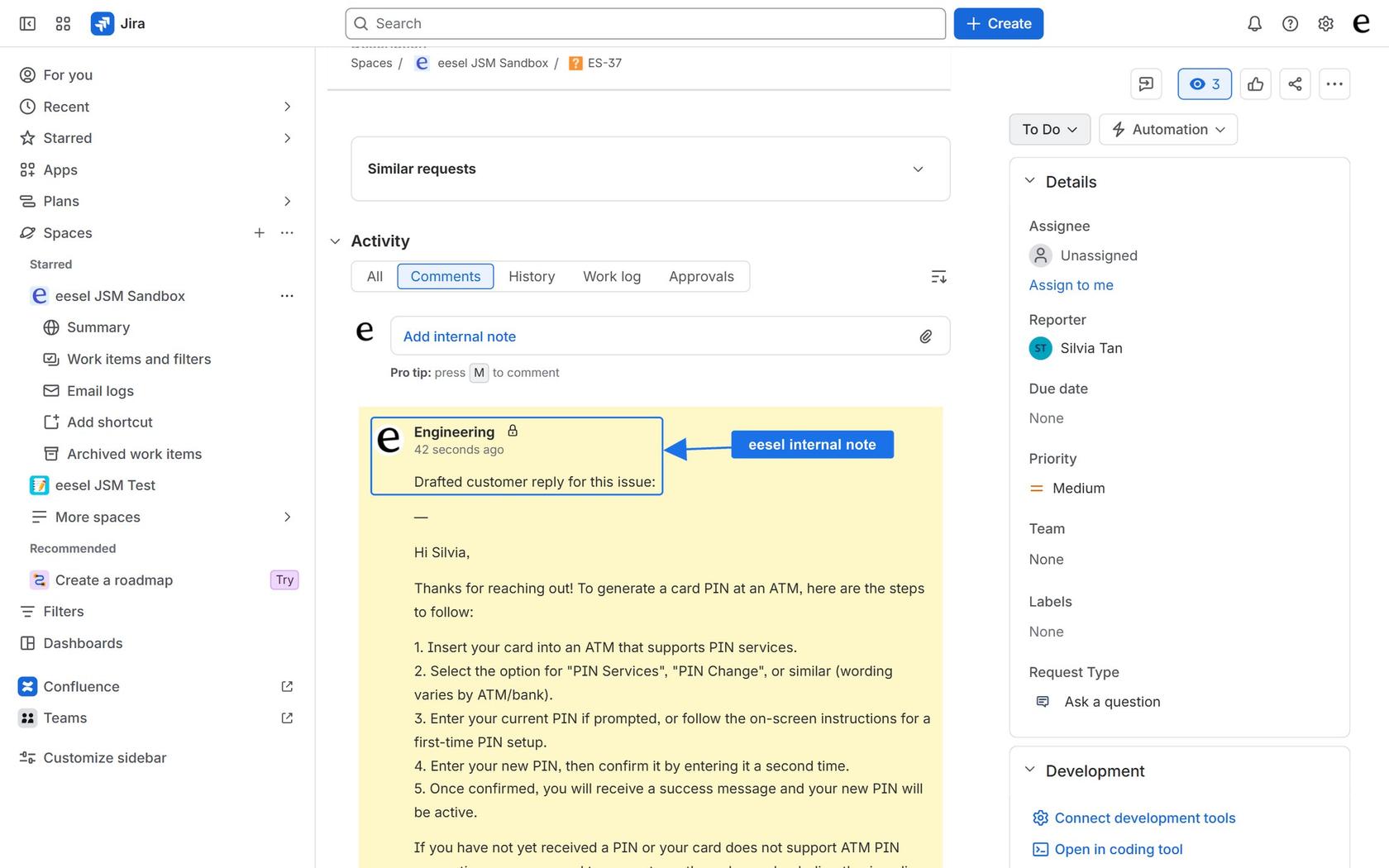
What the docs support:
- It starts on a new request or a new comment from anyone except eesel, and nothing else. A status or field change does not start a run.
- It reads the whole issue: fields, description and every comment, oldest first, each marked public or internal, with the reporter's comments flagged as the customer.
- It can act: leave an internal note, reply publicly, label an issue, update priority or custom fields, assign, add a watcher, link issues or transition the request.
- It follows plain-language instructions you write for the automation.
The docs do not name a sentiment feature. What that means in practice is a rule you write, for example: if the reporter's latest comment shows frustration or a threat to cancel, add a label, raise priority, assign to the on-call lead and leave an internal note that quotes the line that triggered it. The rule is yours, so the reasoning is visible in the note, which is the transparency one Champion said was missing.
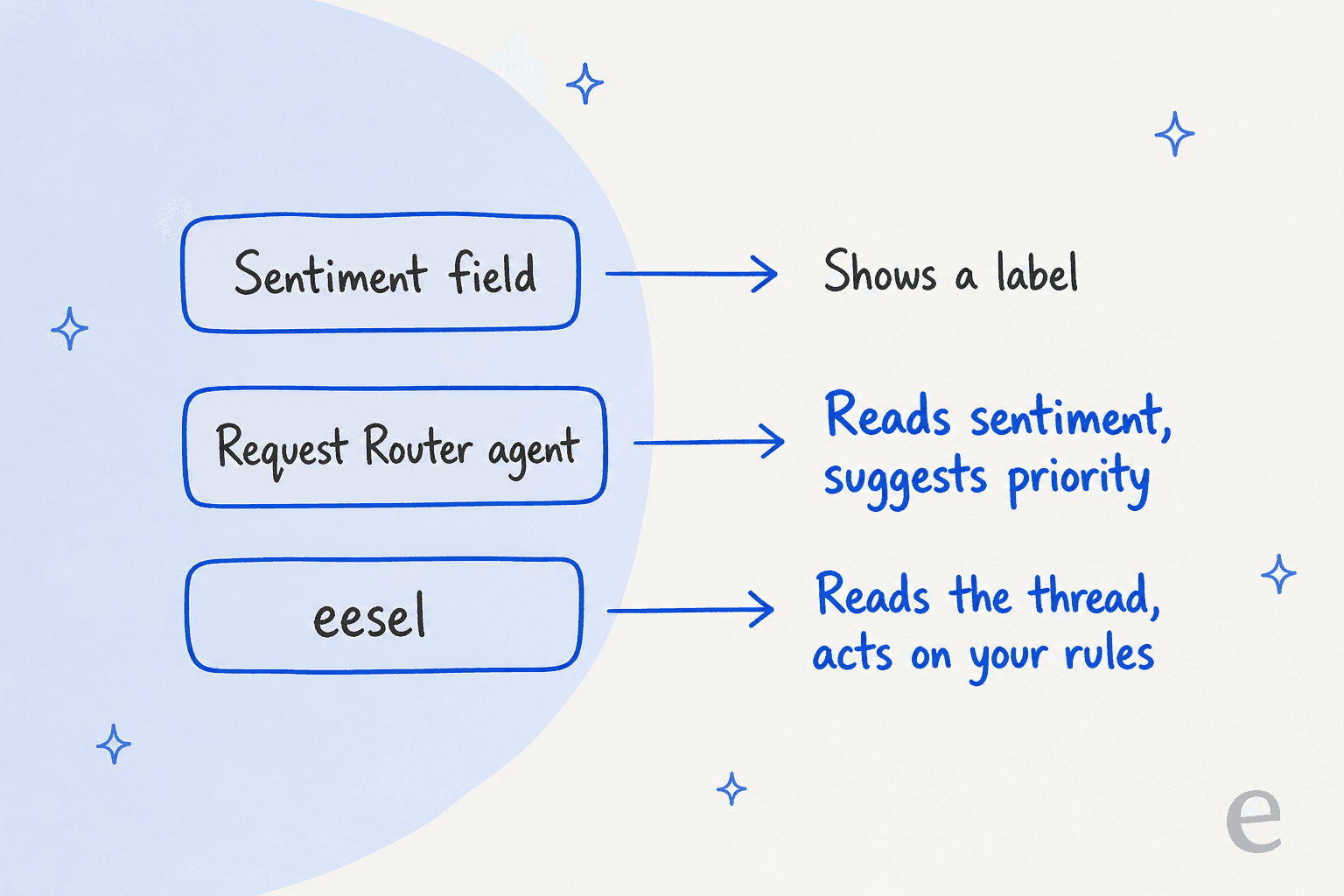
Two honest limits. First, I have not tested whether eesel can write into Atlassian's own AI-managed Sentiment field, so I would not plan around it; put the signal in a label and a note instead. Second, per the docs every comment wakes it, internal notes included, unless your instructions say otherwise, and it posts as the Atlassian account behind your API token.
The same pattern runs on other helpdesks. Rúngne runs a draft agent on Gorgias that reads the full thread first, looking for a promise a teammate already made, a return in motion or a frustrated customer, and it leaves a note with the facts when a call needs judgment. Across a month it handled about 2,100 tickets, with about 580 drafts left for people. Beautek sends frustration, legal questions and complex orders straight to a Zendesk ticket for the team, with the conversation attached. Neither runs on Jira, so test the equivalent on a JSM project. When I roll out a rule like this, I simulate it against past tickets first, because a confident rule that misreads sarcasm is worse than a plain label. My AI support simulation testing guide shows how.
| Native sentiment field | Request Router | eesel | |
|---|---|---|---|
| Plan | Premium or Enterprise | Not stated on the page | No Jira plan gate in the docs; from $299 a month for 500 credits |
| Starts when | A customer comment arrives | A chat, or an automation rule | A new request or comment |
| Output | Positive, Neutral or Negative | A suggested priority or escalation | A label, priority change, note or assignment |
| Usable in rules | Not documented | Via "Automation mode" | Your written instructions |
| Explains itself | No | Not stated | In the note you ask for |
| Pricing unit | Seat, plus plan | Seat, plus Rovo credits | Credits, no per-seat fee |
At low volume, the native label is cheaper if you are already on Premium, because the feature adds no line item that I could find. You pay eesel for the action and the note, for knowledge outside Jira such as Confluence, and for a rule that the docs do not tie to a Jira plan. The eesel pricing page has the current numbers.
With the eesel CLI, an AI coding agent can run eesel integrations connect jira, upload your approved escalation policy and ask test questions before launch. Someone with admin access still approves the Jira connection and API token, and the answers get tested before anything is live.
Which route should I use?
It depends on what you want to happen after the label:
- Agents just need a signal in the queue: turn on customer sentiment analysis on Premium, build a Negative queue and validate it for a few weeks.
- You want a suggestion on priority or escalation: test the Request Router on a private project, and confirm its plan and credit use first.
- You want it to act, with the reason written down: an eesel rule on new requests and comments, with a human still approving the first runs.
- You need sentiment in reports: budget for a Marketplace gadget app, or track a metric that does not depend on the field.
- You are on Standard: none of the native route is available, so compare the cost of moving up a plan with the cost of a rule-based agent.
The trade-off I would flag is trust. A three-value label with no confidence level is easy to read and hard to audit, so keep the real thread one click away and review a sample every month.
To see how other helpdesks handle the same feature:
- Help Scout sentiment analysis
- Freshdesk sentiment analysis
- Freshchat sentiment analysis
- Gladly sentiment analysis
- Dixa sentiment analysis
- HubSpot sentiment analysis
- Re:amaze sentiment analysis
- Gorgias sentiment detection
- Zendesk sentiment analysis
For the wider view, read AI sentiment analysis for support, sentiment analysis on tickets and training AI on past tickets.
More on JSM itself:
- Agentic AI in JSM
- AI draft replies in JSM
- Virtual service agent
- Jira AI pricing
- Atlassian Intelligence cost
- My JSM review
Try eesel for Jira Service Management
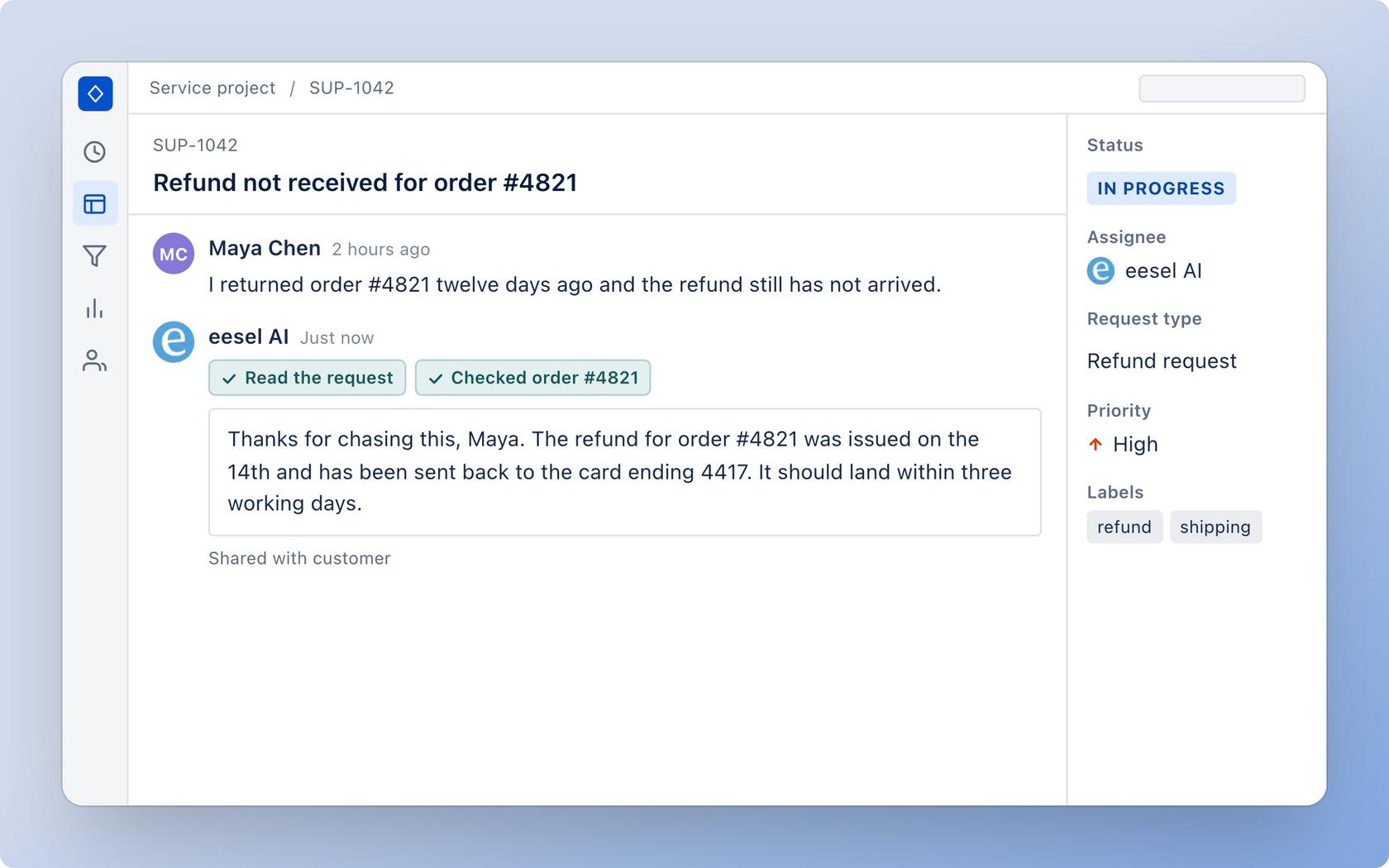
If your agents can see a Negative label but nothing happens next, eesel can pick up each new request and comment and apply the rule you wrote: a label, a priority change, an assignment and an internal note that shows why. You connect it with an Atlassian API token, pick a trigger and describe the rule in plain language; nothing is installed from the Atlassian Marketplace. It costs from $299 a month for 500 credits, with no per-seat fee and a free 7-day trial of 100 credits.
Try eesel for free, or read the integration page first.