


Jira Service Management's AI deflection is the virtual service agent, included on Premium and Enterprise with 1,000 assisted conversations a month, then from $0.30 each. The catch is what Atlassian counts. An assisted conversation includes every one matched to an intent, even when it ends in a ticket, and every AI answer the customer walked away from. So your bill measures volume, and the Resolved rate on the Performance page is your real deflection number. The portal's Requests deflected report is narrower still: it counts only customers who vote a suggested article helpful. If you want the requests that do get raised answered and closed, eesel reads each new request, answers from Confluence and past issues, and resolves or hands over with a note. With the eesel CLI, an AI coding agent can connect Jira and ask test questions before launch, though a person still pastes the API token.
What does Jira Service Management use for AI deflection?
The virtual service agent. It is Atlassian's tool for ticket deflection, and it answers customers in two ways: intents, which are conversation flows you build and train on example phrases, and AI answers, which summarize articles from the knowledge base linked to your space. If an intent needs a human, or the customer says they still need help, it creates a work item for your team.
It runs in four places: your portals, your help centers, Slack and Microsoft Teams. Two limits are easy to miss. In a help center it works only in Legacy help centers, per Atlassian's own page. And Atlassian's Slack setup page says you can use it in Teams or Slack, not both.
Plans matter too. Atlassian's pricing table lists the virtual service agent as not included on Free and Standard, and included on Premium ($55.28 per agent per month on that page) and Enterprise. On Standard, the deflection you get is article suggestions in the request form of your self-service portal, which I cover below. If you are weighing the upgrade, my JSM pricing guide breaks down the seat bands. Whether it pays back is the question in is JSM AI worth it.
What does Atlassian actually bill for?
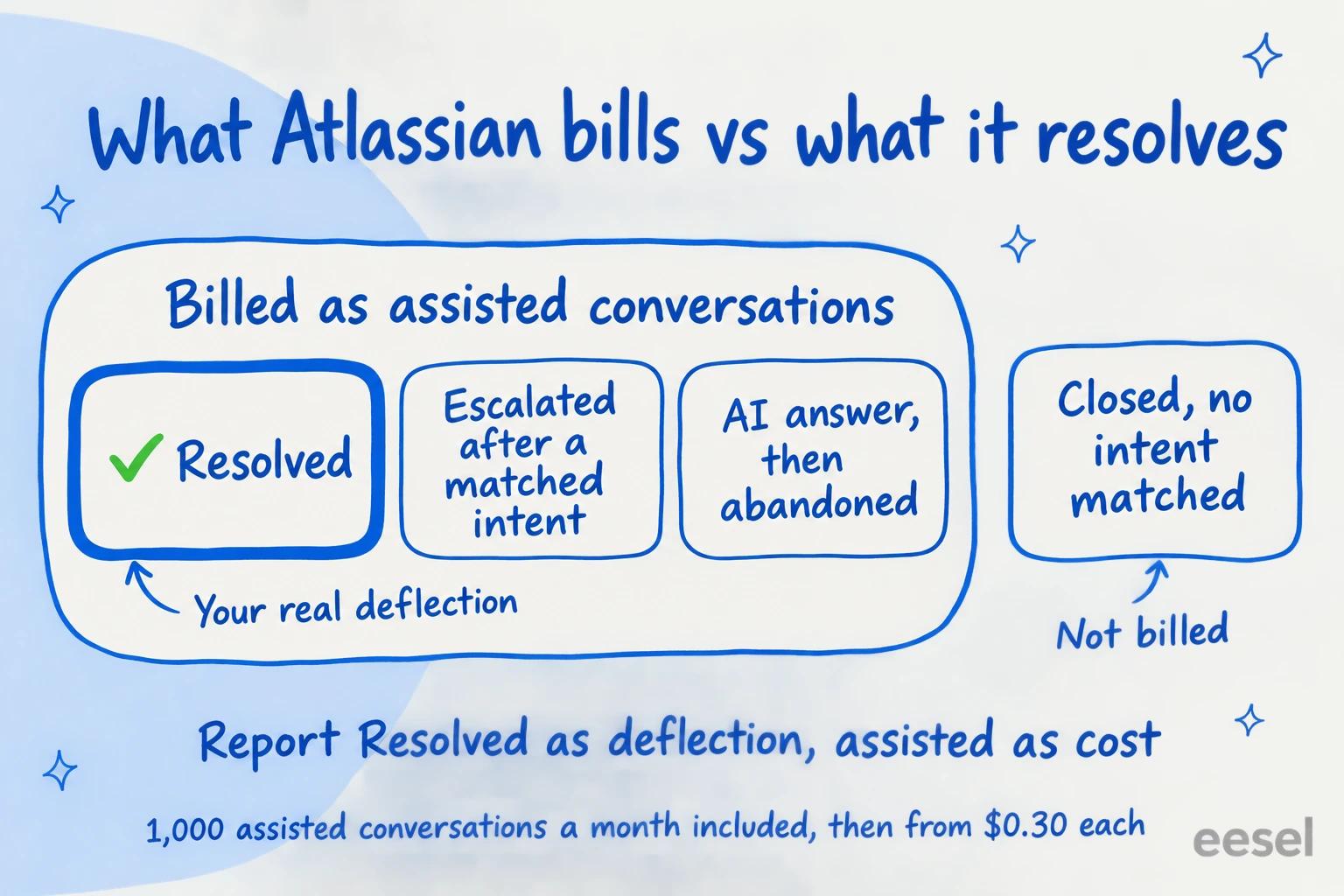
Assisted conversations. Atlassian's feature usage page defines them as two kinds:
- Matched conversations: "any conversation that was successfully matched to an intent, regardless of whether the virtual service agent resolved the work item or escalated it to an agent for further support."
- AI resolved conversations: the agent replied with AI answers, "and then the customer either indicates that the response resolved their work item or they abandon the conversation."
Read those twice. A matched intent that ends in a ticket for your team is billed. An AI answer the customer closed the tab on is billed, under a name with "resolved" in it. Conversations in test mode, your Slack test channel and beta channels are not counted.
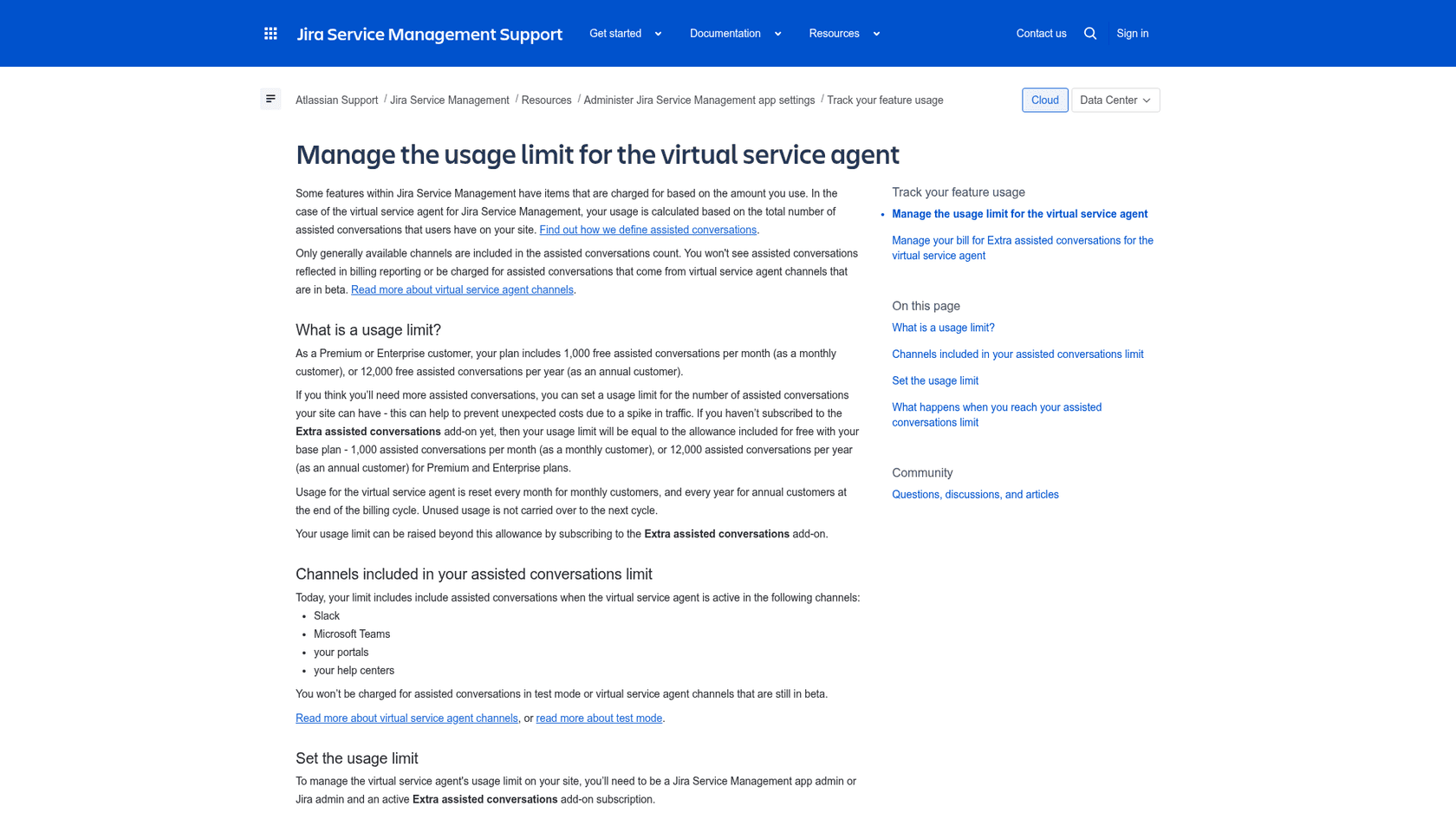
The allowance is 1,000 a month on monthly billing or 12,000 a year on annual, reset each cycle with nothing carried over. Past that you need the Extra assisted conversations add-on, priced on the pricing page at "$0.30(USD)/assisted conversation/month" to start, with volume discounts. At 2,500 assisted conversations a month, that is 1,500 over the allowance, or $450 a month at list price.
None of that is unusual for usage pricing. The problem is reporting the feature usage count as deflection. It counts work the agent did, not tickets your team didn't get. A real deflection rate needs the second number.
Which number is your deflection rate?
The Resolved figure on the virtual service agent's Performance page. Atlassian's help center guide defines it as "the percentage of all conversations that were resolved by the virtual service agent without any human intervention," whether an intent or an AI answer did it.
The Conversations log gives you the detail behind it. Each conversation has an Action (Matched, AI answered or Unassisted) and a Resolution (Resolved, Escalated or Closed). Set against the billing definition, the outcomes look like this:
| Outcome | What happened | Billed as assisted? |
|---|---|---|
| Resolved | Customer marked it resolved after a matched intent or an AI answer | Yes |
| Escalated | The agent created a work item for your team | Yes, if an intent was matched |
| Closed | No intent matched, no AI answer, customer abandoned it for 5 minutes and said they no longer needed help | No |
| AI answer, then abandoned | The customer left after an AI reply and it auto-closed | Yes, as "AI resolved" |
One wrinkle: if someone writes in a Slack thread after the agent resolved it, the Conversations page shows it as Escalated while performance metrics keep it as Resolved. That page also shows data only from your portal, help center and Slack, so Teams conversations are missing from the log.
So my reporting rule is simple. Report Resolved conversations as deflection, report assisted conversations as cost, and divide one by the other. If your overage divided by resolved conversations climbs, the agent is matching more without closing more, and that is your cue to read the Escalated and AI answered rows. The deflection vs resolution rate post goes deeper on why those two numbers drift apart. Other helpdesks have the same gap: Freshchat deflection bills by session, not by result.
What does the Requests deflected report count?
Something much narrower. Atlassian's knowledge base reports page says articles are suggested while a customer types a request summary in the portal, based on the article's labels, and "if the customer selects the suggested article while raising a request and votes it as helpful, it is counted as a request deflected in the portal."
That has two consequences:
- It undercounts. A customer who reads the article, gets the answer and leaves without voting is not a deflection in this report.
- It depends on labels. Suggestions come from the labels on each article, so an article without the right labels won't be suggested. Set up article suggestions before you trust the trend.
The companion Requests resolved report splits requests into resolved with an article (a knowledge base link in a comment), resolved without one, and deflected in the portal. It is useful for finding gaps in your knowledge base: a request type that always gets resolved without an article is your next article.
This report is also what a Standard-plan team has. If you are on Standard, it is your only native signal for customer self-service, so pair it with request volume per request type over time.
What happens when you hit the limit?
Deflection stops, and how it stops depends on the channel. Atlassian's usage limit page spells it out:
- Slack and Microsoft Teams: the agent "will immediately escalate, creating a work item."
- Portal: the Chat with virtual service agent button disappears.
- Help center: the agent is no longer active in your search bar.
Site admins get warnings at 80%, 90% and 100%, and you are never billed past the limit you set. That cap is a good safety net, but it is a cliff for your queue. On monthly billing it resets with your bill. On annual billing the 12,000 conversations cover the whole year, so a busy quarter can use up what was meant to last twelve months. If you set a usage limit, plan ticket staffing for the day it runs out.
What will the virtual service agent cost you?
Set your monthly volume and resolved share to see what the overage costs per conversation that was actually resolved (list price $0.30, before volume discounts).
How do I get more resolved, not more assisted?
From Atlassian's own advice, three things move Resolved:
- Filter by Escalated and Matched together. Those are conversations you paid for that still became tickets. Read a handful and fix the conversation flow or the training phrases.
- Filter by AI answered with low CSAT or escalation. Atlassian's page says this "might indicate that your knowledge base is out of date." Open the source articles and fix them.
- Use Create helpful articles on the help center Performance page. It groups keywords customers searched that got no answer, once there are enough of them.
If your goal is triage rather than fewer tickets, the same page suggests using intents to collect details and set the right request type before a work item is created. That is a different goal, and you should report it differently. My JSM AI ticket triage post covers the triage side. Atlassian's other AI route inside the work item is Rovo agents.
Try eesel on Jira Service Management requests
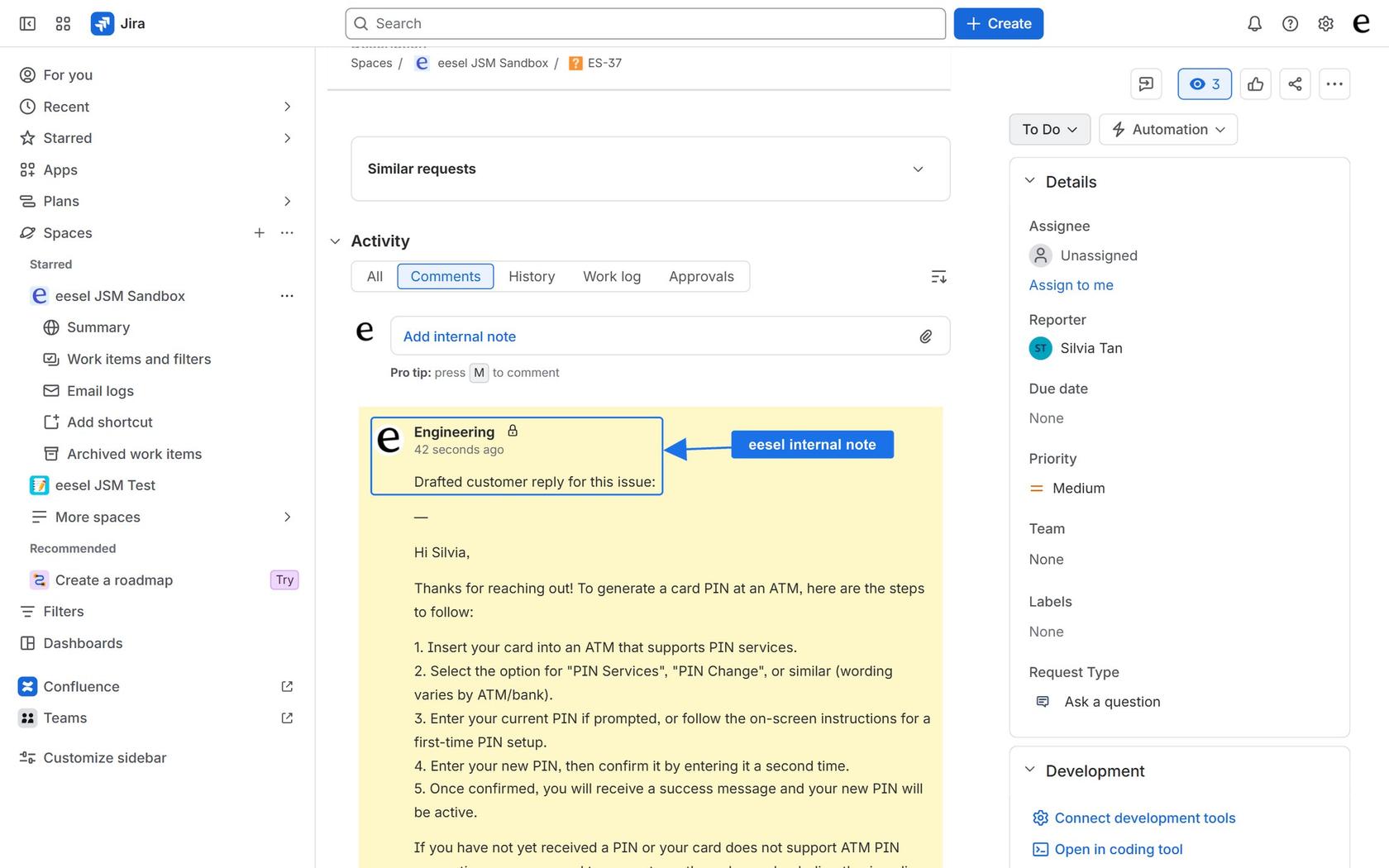
The virtual service agent works before a request exists. Plenty still get raised, by email, in the portal or after an escalation, and that is where eesel works. Its JSM integration docs say it starts on a new issue or a new comment, reads the whole issue with its fields and every comment, then can reply to the reporter, transition the issue to resolved, label, assign, or leave an internal note.
What makes it fit deflection is the knowledge it brings. eesel searches Confluence and similar past issues with JQL, so it can answer from how your team resolved similar requests before, not only from articles someone labelled. It also does not bill per intent match: you pay in credits, with no per-seat fee, on the eesel pricing page.
What it may do depends on who is asking. You decide which actions it takes on its own and which wait for a person's yes, so it can leave notes on its own while public replies and transitions wait for a teammate's approval (actions and approvals). Your written instructions say which requests it should answer and which it should hand over. Start it on notes, read a week of them, then let it reply, as in my JSM draft replies walkthrough. Before that, run it against past requests with simulation testing to see what it would have said.
Try eesel next to the virtual service agent, and count both by the same rule: requests closed without your team, not conversations touched.