


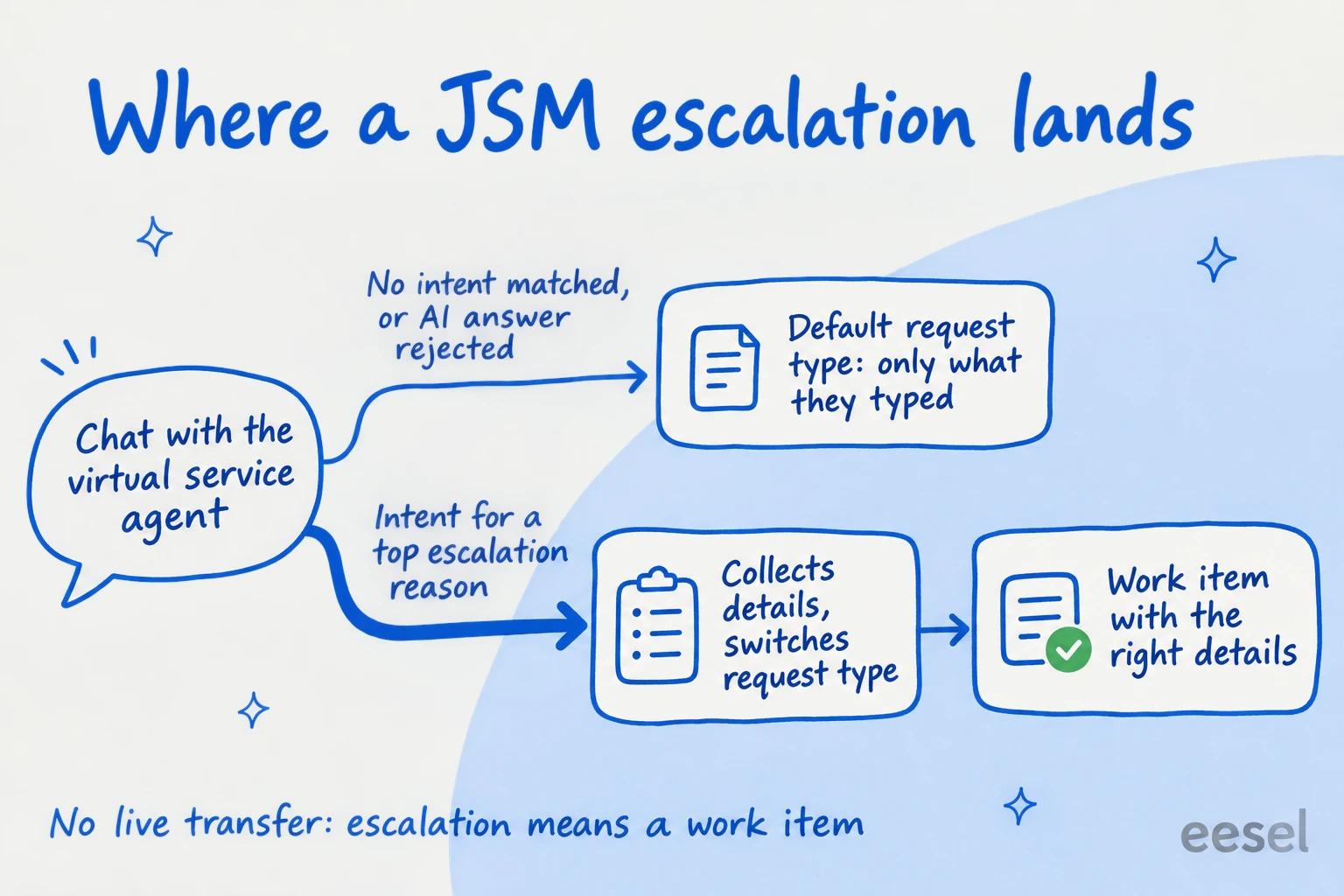
In Jira Service Management, the virtual service agent escalates to a human by creating a work item: it tells the customer a request has been raised and files it under its default request type. There is no live transfer to an agent in the chat. That makes the default request type the most important escalation setting you have, because every conversation that falls out of the AI, with no intent matched or an AI answer the customer rejected, lands there with only what they typed. Build intents for your top escalation reasons, so they collect details and switch request type before the work item is created, and keep "Raise a request" in the offer options so customers always have a way out. If you'd rather have AI work the request after it's raised, eesel reads the whole issue and either answers it or assigns it with an internal note saying why. With the eesel CLI, an AI coding agent can connect Jira and run test questions before launch, though a person still pastes the API token.
What does "escalate to a human" mean in Jira Service Management?
It means a work item, not a chat transfer. Atlassian's page on standard flows describes the Escalate flow as one that "lets the customer know that a request has been raised on their behalf and automatically creates a work item in Jira Service Management for one of your agents to work on."
So an escalated customer doesn't wait in the chat for a person to join. They get a request, and your team picks it up from the queue like any other. If your customers expect a person to join the chat, read my notes on human handoff in chat before you launch. In Slack, the agent channel and request channel sync comments between Jira Service Management and Slack, which is the closest thing to a live conversation after the handover. My JSM AI agent in Slack post covers that setup.
This matters if you came from a chat tool where escalation means an agent taking over the same thread. In JSM, the quality of the handover is the quality of the work item: its request type, its fields and what the customer said. For comparison, my Freshdesk AI escalation post shows where Freshdesk sends its handovers.
When does the virtual service agent escalate?
From Atlassian's docs, a conversation reaches the Escalate flow in these ways:
- An intent's conversation flow ends in Escalate. You build these, so you decide where they hand over.
- The match intent flow doesn't understand the question. This flow is the agent's intent detection, and when it doesn't understand the question it "may move on to the escalate or offer options standard flows."
- The customer says the answer didn't help. In the JSM help center, "if the customer indicates that they still need help, the virtual service agent asks them to rephrase their question, or offers to create a work item for a human agent to resolve."
- The customer picks Raise a request from the offer options buttons.
- You've used up your assisted conversations. In Slack and Microsoft Teams, Atlassian's usage limit page says the agent "will immediately escalate, creating a work item." In the portal the chat button disappears instead, and in the help center the agent stops answering in the search bar.
The offer options flow is worth knowing. It's "sometimes used instead of the escalate standard flow", for example when the customer has been asked to rephrase twice in a row, or says an AI answer didn't solve their problem. You choose one to three buttons: Raise a request, See search results and Ask another way. Only the first one reaches a person. My chatbot escalation post covers why that exit matters.
Email works differently. A customer's email creates the work item first, and the agent replies with AI answers, adding the answer as a comment on that work item. There's no escalation step because the request already exists.
What does the escalated work item contain?
Unless an intent changed it, the work item uses the virtual service agent's default request type, set under Manage in Studio, then Identity, then Jira Service Management settings. Atlassian's default request type page sets two rules for it:
- It must not be hidden from the portal. If the agent has trouble creating the work item, it may send the customer a link to that request type's form instead, and a hidden form means "customers won't be able to get help."
- It must have no required fields. The agent "has no way to fill out required fields when creating work items using the default request type."
The second rule is where handovers get thin. A JSM admin posting in the Atlassian Community in October 2025 described it: "when a chat is escalated, the first message from the conversation is automatically used as both the ticket title and description." The ask for information step can't prompt for Summary or Description, because it only supports custom fields: Date, Paragraph, Short text and Single-select.
Another admin, posting in February 2025, hit the same wall from the other side. When an AI answer didn't help and no intent matched, the agent created a request in the default type, and the customer saw "PROJECT-JIRA-ID is your request." rather than the Escalate flow's own message. Their verdict on those requests: "It's just their conversation dumped into a Jira."
How do I make escalations arrive with the right details?
Give your most common escalation reasons their own intents, so they never fall through to the default. An intent's conversation flow can do three things before it escalates:
- Ask for information. Each ask for information step fills one custom field, and a field can be used only once per branch.
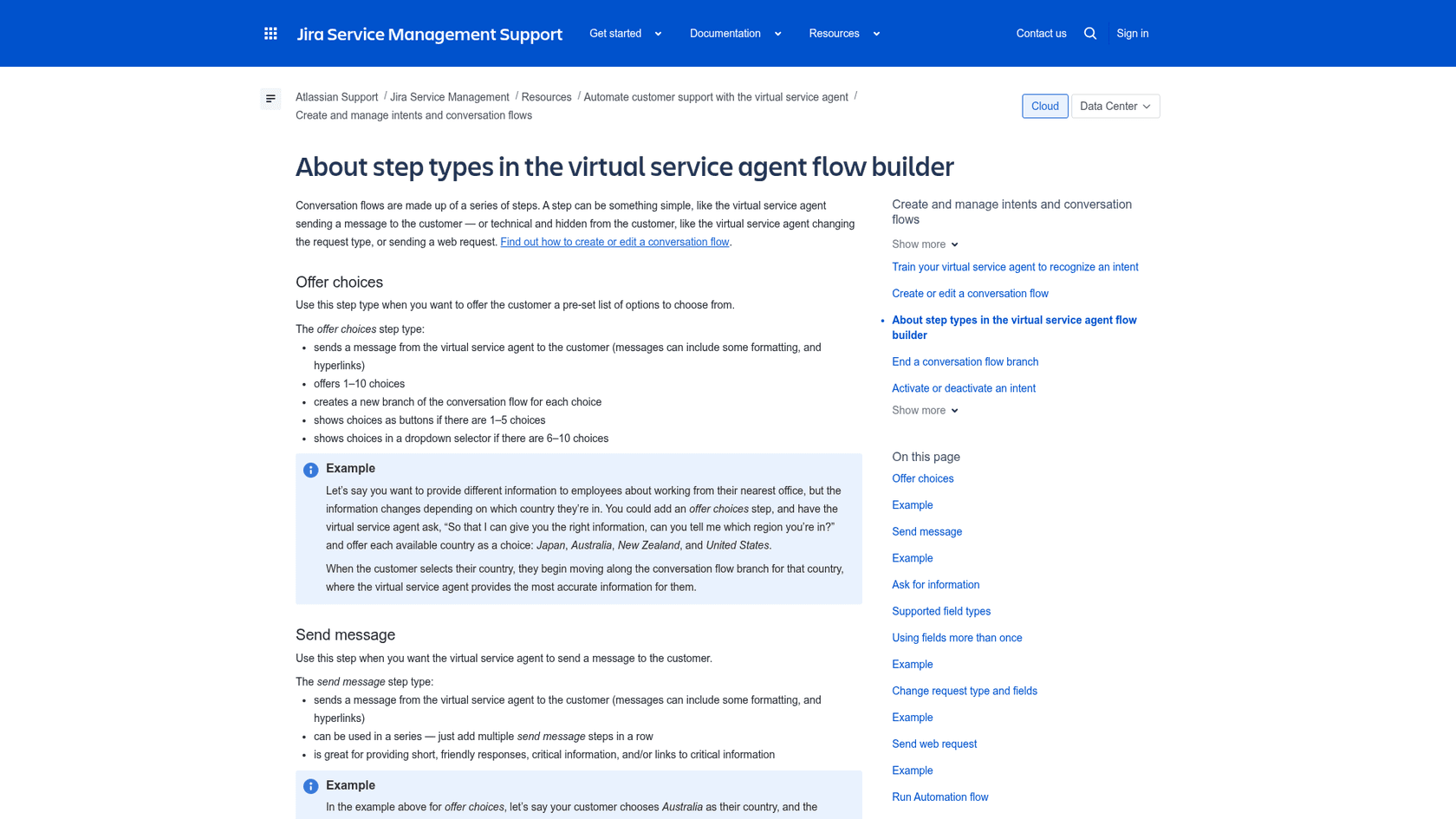
- Change request type and fields. This step is invisible to the customer and sets the request type, plus any field values you choose, for every work item created after it. That is how, for example, a hardware intent can file its work items as a hardware request instead of the generic default.
- Run an automation flow. It runs in the background, for example to create an incident in Jira Service Management, using the Conversation flow step trigger.
Then route the work item the way you route any request: by request type and queue. My JSM AI ticket triage post covers the routing side.
For the conversations that still reach the default, pick a request type built for them. The February 2025 admin went further: they pointed the default at a hidden request type and had automation close each of those requests as won't pursue, with a comment linking self-service docs and the portal form. I wouldn't copy that. It works against Atlassian's own advice not to hide the default request type, and it closes requests from customers who asked for help. A visible "Virtual agent escalation" request type with its own queue is the version I'd run: same visibility into what the agent missed, and nobody gets turned away.
Do escalated conversations still cost assisted conversations?
Yes, if an intent was matched. The virtual service agent is included on Premium and Enterprise with 1,000 assisted conversations a month, or 12,000 a year, then from $0.30 per assisted conversation, according to Atlassian's pricing page. Atlassian's feature usage page counts any matched conversation "regardless of whether the virtual service agent resolved the work item or escalated it to an agent."
So an intent that collects details and escalates costs the same as one that resolves. That's fine when the details save your team time, but it means escalation volume isn't free. My JSM AI deflection post goes through which counters are cost and which are outcomes, and the full plan prices are in JSM pricing.
Which request type does an escalation get?
How do I find conversations that escalated?
Open the Conversations page and filter by Escalated, which Atlassian defines as "the virtual service agent created a work item in Jira Service Management." Atlassian's conversation data page suggests two cuts:
- Escalated and Matched. If many escalated conversations were also matched to an intent, Atlassian suggests reading some back to see where the flow could improve.
- AI answered and Escalated (or low CSAT). This "might indicate that your knowledge base is out of date." Open the source articles the answers used, and fix the knowledge base first.
One quirk: a conversation the agent resolved can be escalated later, such as when someone posts again in the Slack thread. It then shows as Resolved in performance metrics but Escalated on the Conversations page. My post on escalation quality has more on measuring this. Count your escalation rate from one place, and say which.
Common mistakes with JSM AI escalation
- Leaving the default request type on a general form. Every unmatched conversation lands there with the first message as its summary. Give it a request type and queue of its own.
- Adding required fields to the default request type. The agent has no way to fill them in.
- Hiding the default request type. The fallback link to its form stops working.
- Removing Raise a request from offer options. See search results and Ask another way loop the customer back to self-service. Keep at least one button that reaches a person.
- Forgetting the limit. At your assisted conversations limit, Slack and Teams escalate everything at once. Budget queue time for that, or raise the limit before you hit it.
- Expecting both chat apps. Atlassian's Slack page says you can use the virtual service agent in Microsoft Teams or Slack, not both.
Try eesel next to Jira Service Management
The virtual service agent escalates before a request exists. eesel works on the request after it's raised, which includes every work item the agent escalates. Its JSM integration docs say it starts on a new issue or a new comment, reads the whole issue with its fields and every comment, then can reply to the reporter, transition the issue to resolved, label, assign, or leave an internal note.
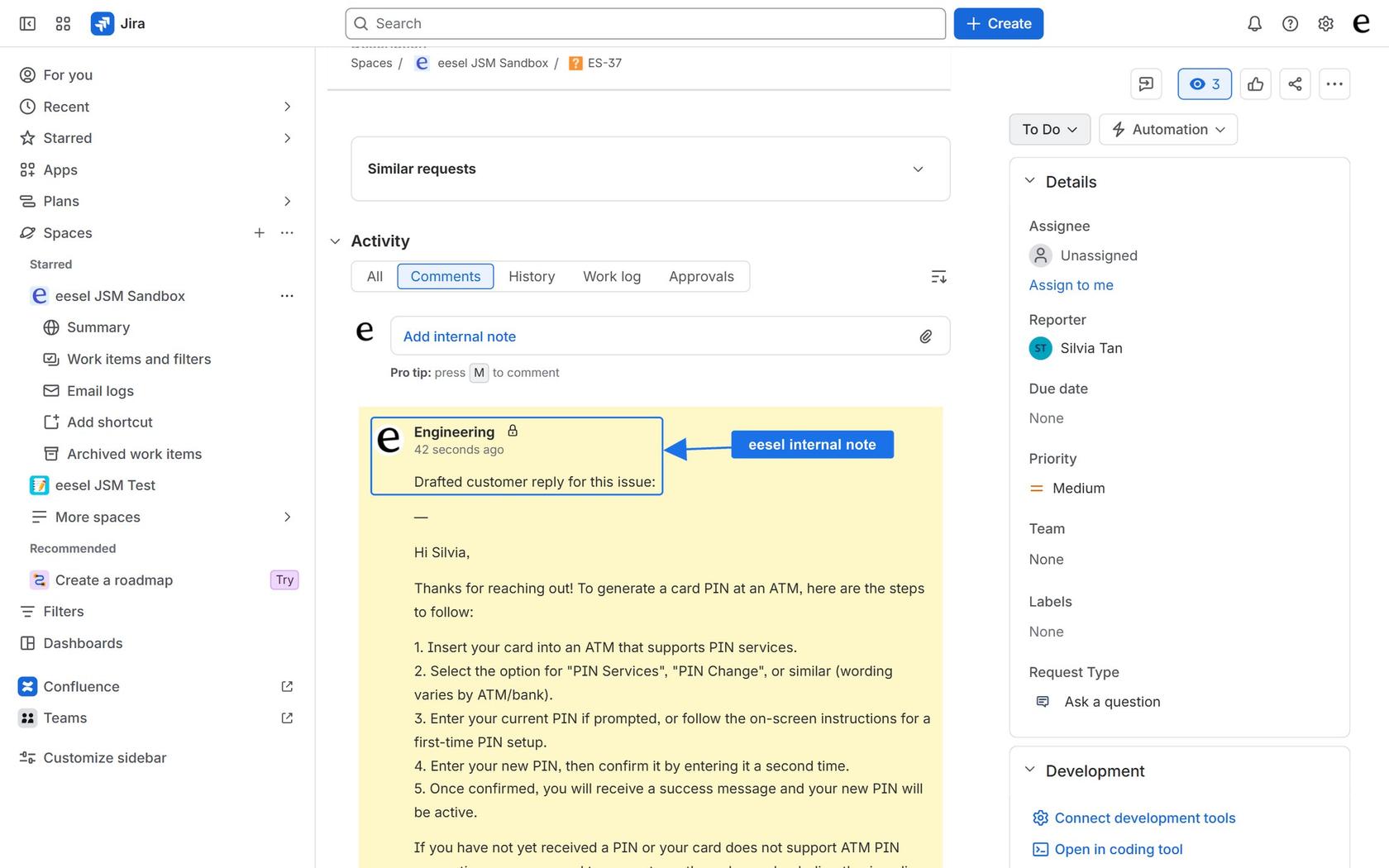
That changes what an escalation looks like. You write your handover rule in plain words in eesel's instructions, such as sending billing disputes to the finance queue with a note on what the customer already tried, and eesel follows it by assigning the issue and leaving an internal note with its reason. It searches Confluence and similar past issues, so the note can point at how your team solved the last one. A short ticket summary on top saves the agent reading the thread, and my AI agent handoff guide covers what a good note holds.
You decide which actions it takes on its own and which wait for a person's yes (actions and approvals). Start it on internal notes only, and run it against past requests with simulation testing to see what it would have done. It's priced in credits with no per-seat fee, on the eesel pricing page.
Try eesel on the requests your virtual service agent escalates, and see how many arrive already answered.