


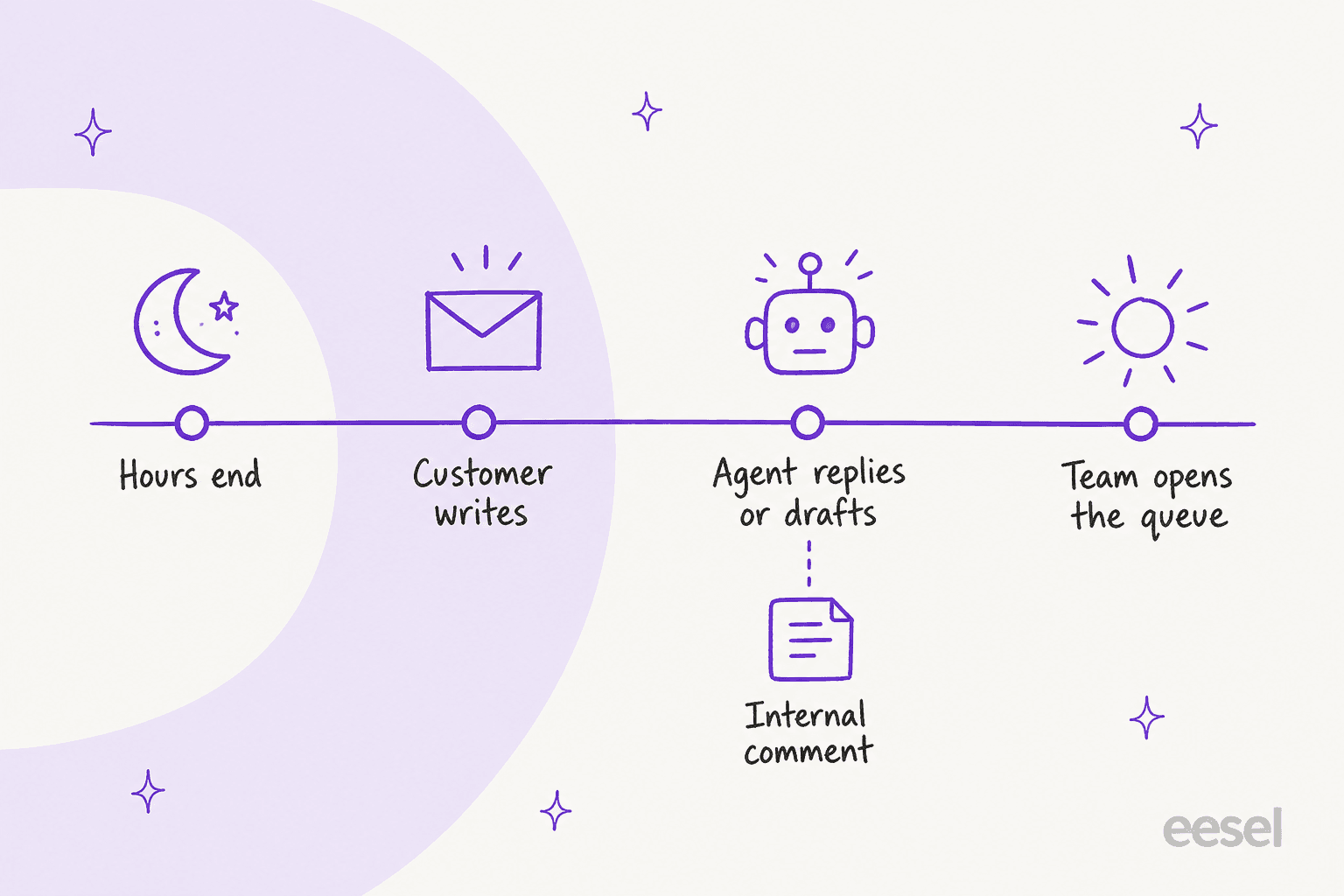
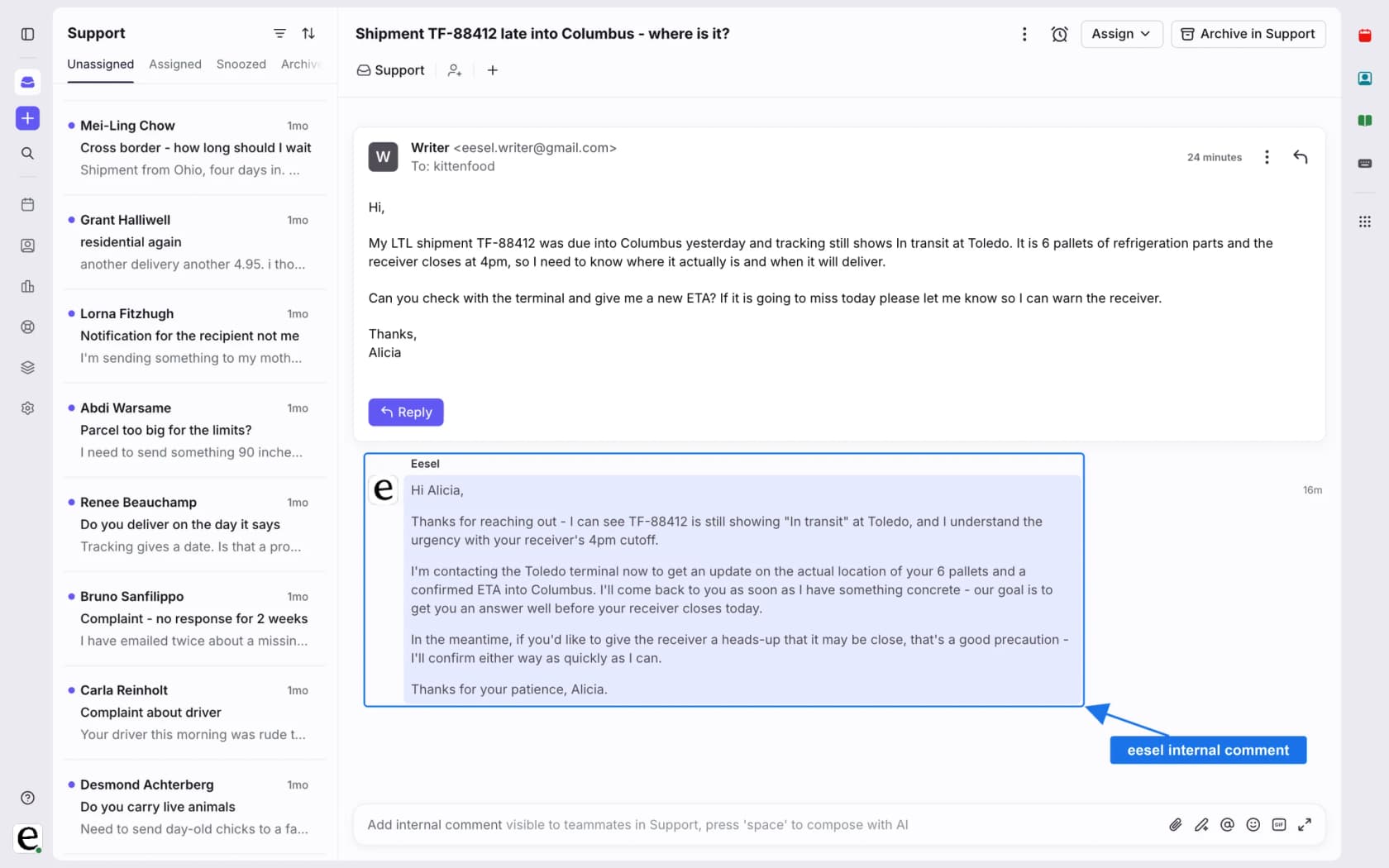
Front has no single after-hours switch: you set business hours, add a rule that fires outside them, and decide whether an Autopilot AI agent answers, drafts or just hands over. Autopilot bills by outcome, $0.39 per handoff and $0.89 per resolution, on top of seats from $25. A night's replies are only as good as the knowledge you connect and the handoff note you ask for, so I would start in draft mode. eesel can sit in the same inbox and leave a drafted reply as an internal comment, and with the eesel CLI a coding agent can connect Front and test a draft on a sample conversation before any customer sees it. Someone who can authorize apps in Front still has to approve the connection.
What does Front do with a message that arrives at 2am?
It lands in the shared inbox and waits, and what happens next depends on whether you ever set business hours. I work on eesel's support team, and the first thing I check in any helpdesk is what its clock actually controls. In Front, the clock is business hours, and they are off by default.
Per Front's business hours guide, you can set them for a whole workspace or for a single shared inbox, each with its own time zone. When a conversation sits in an inbox with its own hours, Front uses those over the workspace hours. Admins set them under Schedule in workspace settings, or on the Business hours tab of an inbox, and a company admin must also be a workspace admin to change them.
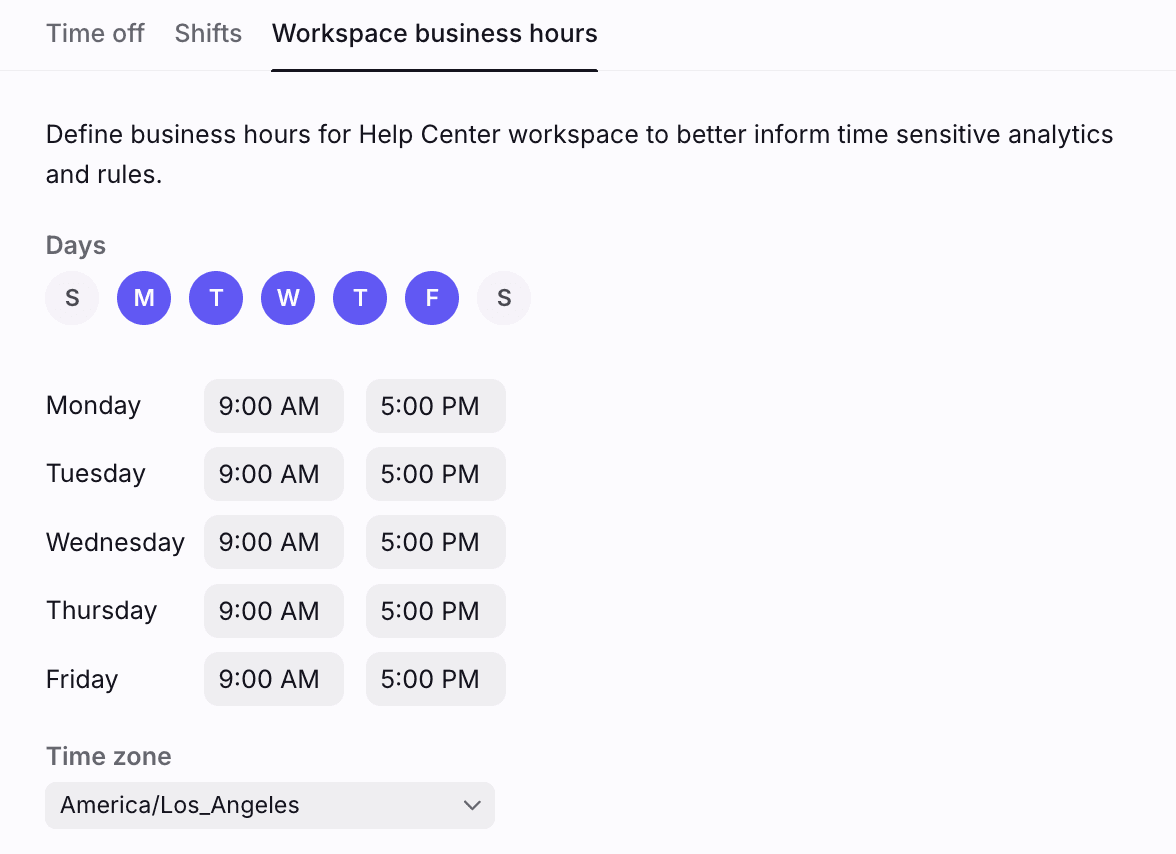
Front says business hours make analytics more accurate and let you automate workflows with rules. Its own example: with 9 to 5 hours, a message at 6:00 PM answered at 9:30 AM the next day counts as a 30 minute reply time. So the overnight wait costs you nothing on the report, and the customer still waits 15 and a half hours. My Front time goal rules post shows the same setting on goals.
Front is a shared inbox first and a ticketing system second, which I explain in shared inbox vs ticketing, so there is no SLA timer waiting in the background. Nothing replies to the customer until you build something that does.
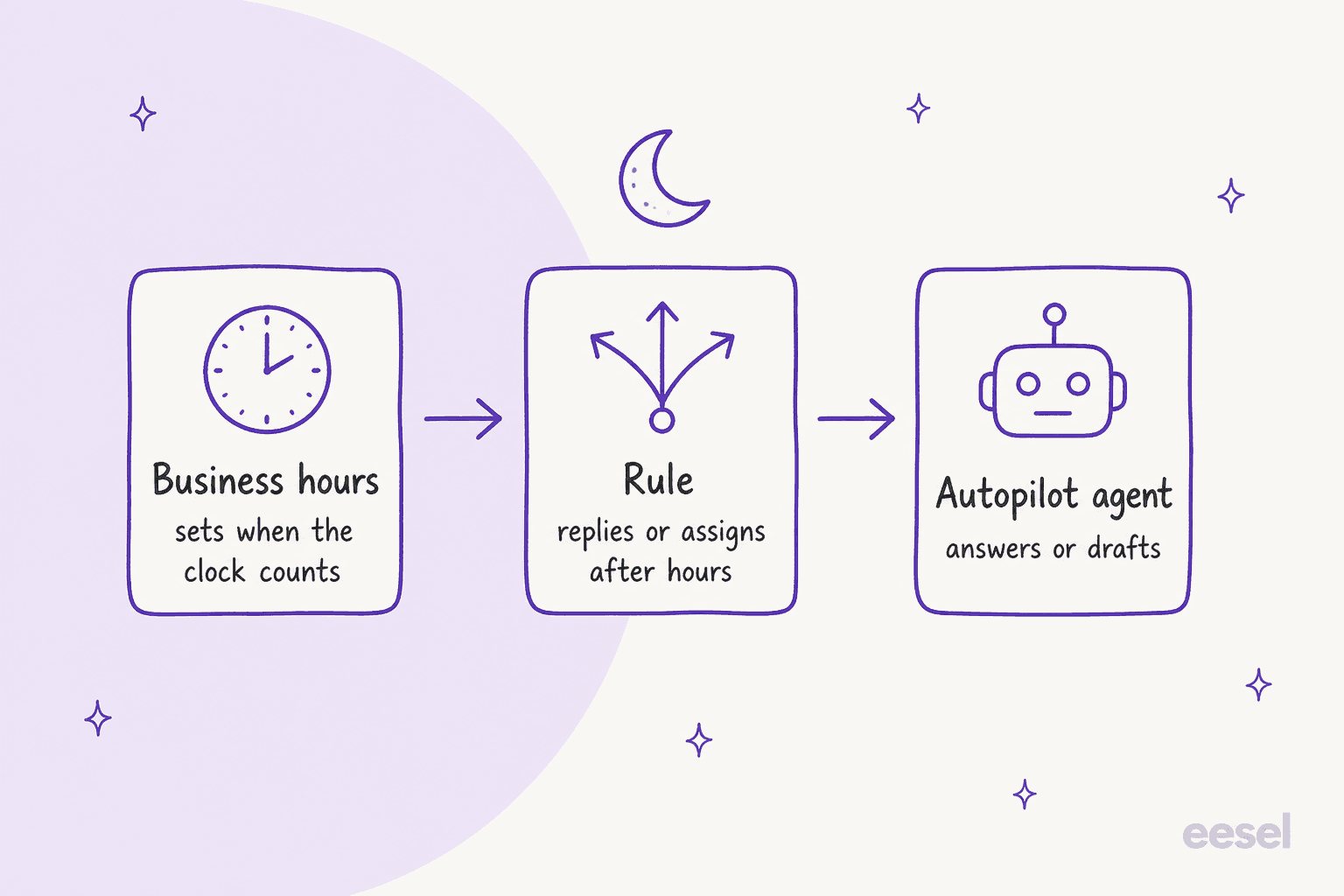
That is the whole picture in three layers: hours define "after", a rule acts on it, and an agent does the answering. The rest of this post takes them in order.
How do you send an after-hours auto-reply in Front?
With a rule. Front's rule library suggests exactly this: when a message arrives in your inbox after business hours, reply with a message template called "After hours" that says you received it and your team will follow up once hours resume.
Two conditions can do the "after" part, and the plan matters:
- Time is outside business hours compares the time to your workspace or shared inbox hours. Front's rule conditions page marks it as a feature of the latest Professional plan or above.
- Time is between lets you pick a time frame and a time zone. The same page does not mark it with the Professional asterisk, so it is the option I would try on Starter.
If your question is closer to out-of-office than after-hours, Front's out-of-office guide lists three routes: time off on your individual channels, a rule on your own inbox, or a rule on a shared inbox. Only admins can create rules for shared inboxes. The time off auto-responder works on individual email channels only and replies to a sender at most once every 4 days.
One catch from Front's own community. A customer found that many senders put an auto-response suppression header on their email, and a Front support specialist explained why:
"There is not a workaround for replying to these types of emails with a reply rule. We implement this block in order to help prevent issues like auto-responder loops."
That thread is from December 2024, so check how it behaves today, but plan on some senders never getting your auto-reply. If you are comparing helpdesks, the same job is a Freshdesk autoresponder, Zendesk after-hours automations or Gorgias rules outside business hours.
An auto-reply says "we will be back at nine". It does not answer the question, and that is the gap an AI agent fills.
Can Front's AI answer customers overnight?
Yes, in two ways, and only one of them needs a person to switch it on.
An Autopilot agent assigned by a rule
An Autopilot AI agent is a teammate with its own name and permissions. Per Front's AI agents guide, an assignment means resolving the conversation is the agent's job, and Front "highly" recommends an assignment rule to hand conversations to it automatically. So the overnight setup is a rule: trigger on an inbound message, add the outside-business-hours condition, and assign the agent.
Front's Autopilot rules page builds a similar rule. It branches on whether a message arrived within or outside business hours: inside, round robin to a team; outside, have the AI agent send an auto-reply. The Branch with AI step in that example is listed under Front's Enterprise plan, so on a lower plan you would use plain conditions instead.
What the agent works from is set on its creation screens, per Front's agent setup page:
- Instructions with broad do's and don'ts and escalation rules, plus a Draft replies only toggle that blocks sending whatever the Playbooks say.
- Knowledge sources, which Front's knowledge page lists as Front knowledge bases, public websites (up to 3,000 pages), third-party sources, PDF uploads and notes.
- Playbooks, the step-by-step procedures. Front rewrote them on October 6, 2026, and my Front AI escalation to human post covers what changed.
Two limits matter more at night than by day. Knowledge article updates take about 12 hours to re-ingest, so Front says to allow 24 hours before a change shows up in replies. And only English is optimized, so a customer writing in German at 3am is a test case, not a guarantee. Agents also work only in shared inboxes, and setup needs company admin permissions.
Resolve chat on your site
Front's Resolve is an embeddable chat that Front's Autopilot page describes as 24/7 AI-powered self-serve support from your connected knowledge sources or Playbooks. A customer verifies an email address with a 6-digit code, re-verifying only every 7 days, and an escalation creates a follow-up ticket for a person. The Set reply expectations setting lets you show different text during business hours and after hours, and after hours it displays the next business hours start time.
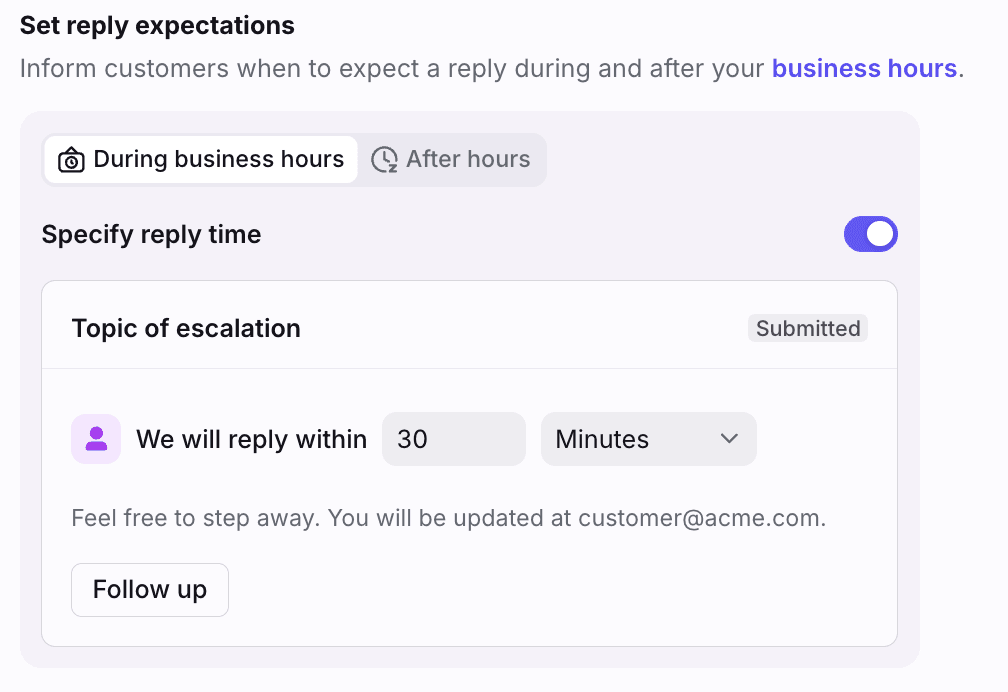
That after-hours message is the line your customer reads when the AI hands over at night, so write it for 2am and not for 2pm. For the ticket handover itself, see my Front AI escalation to human breakdown.
Why Copilot does not cover the night
Front describes Copilot as an always-on assistant for your team, and its Autopilot page says a teammate is always in the loop, prompting it and reviewing its output before anything is sent. That makes it a morning tool: it summarizes the overnight pile and drafts replies for the person who opens it. It is $20 per seat a month on Starter and Professional and included in Enterprise, per Front's pricing page. My Front AI Copilot and Copilot routines posts go deeper.
What does a Front night shift cost?
Seats first, then outcomes. From Front's pricing page, per seat a month billed annually:
| Plan | Price per seat | Seat limit | What matters after hours |
|---|---|---|---|
| Starter | $25 | Up to 10 | Autopilot add-on available; Time is between condition |
| Professional | $65 | Up to 50 | Time is outside business hours condition; Copilot add-on at $20 |
| Enterprise | $105 | None listed | Branch with AI in rules; Copilot included |
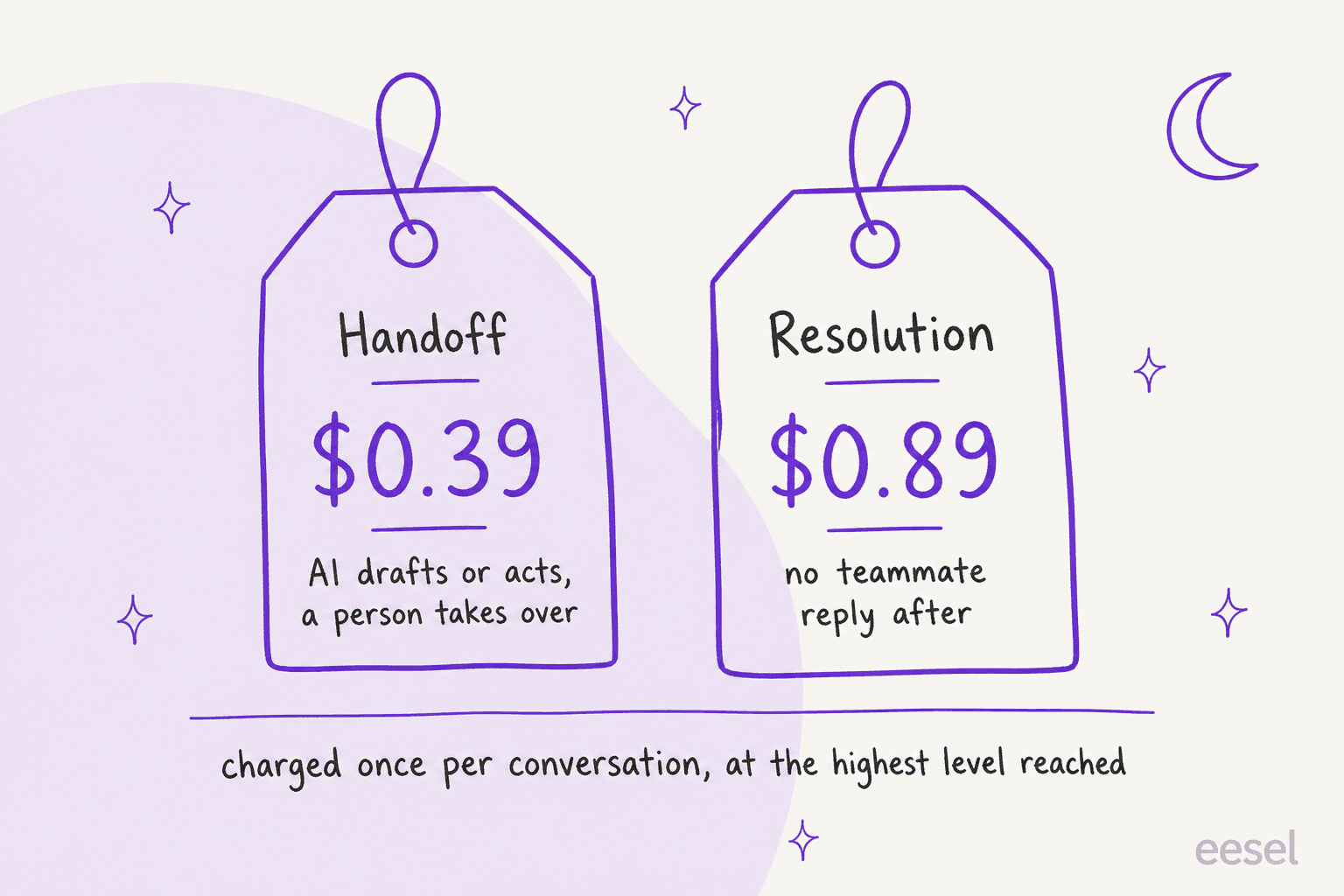
Autopilot is an add-on on all three plans, "starting at $0.39/conversation". Front's Autopilot article defines the outcome-based fees:
| Outcome | What Front says it is | Per conversation |
|---|---|---|
| Handoff | Drafting, replying or taking an action by an AI agent that is intended for human takeover | $0.39 |
| Resolution | Fully resolved with no human replies; no teammate follow-up within 24 hours for Resolve, SMS and WhatsApp, or 72 hours for email and portal | $0.89 |
A worked example, using my own assumed volume and only those published rates: 350 conversations arrive outside your hours in a month, the agent resolves 150 and hands off 200. That is 150 x $0.89 plus 200 x $0.39, which is $133.50 plus $78, or $211.50. Five Professional seats add $325. A conversation is charged once, at the highest level it reaches, and Front does not charge for a technical failure on its side.
Billing is pay-as-you-go, invoiced monthly, and the Autopilot article lists a 30-day trial with up to 1,000 Resolutions. After it ends, Front says Autopilot rules, Playbooks and Resolve channels stop running unless you opt in, so a night-shift rule built on the trial goes quiet on day 31. My Front pricing and Autopilot guides price the rest.
Two questions I would put to Front before relying on the number. Does a drafting-only agent bill every conversation at the handoff rate? The definition reads that way, but the page does not say. And does a conversation the agent hands off on its own count as a handoff? The metrics definitions separate planned handoffs from unplanned escalations, and the billing page does not.
How do I test the night shift before it goes live?
Test it in daylight, because a mistake at 2am has nobody around to catch it. Front gives you two tools.
For an agent, the Simulations tab in Compass runs a simulated customer against your agent and checks behavior against criteria you write. For the night, my three starter criteria are that it escalated when it should have, that it did not escalate something it could have answered, and that it never claims an action it did not take. A simulated conversation caps at 10 exchanges, and a simulation is not a replay of a real night, so treat a pass as evidence and not proof. My Front AI agent evaluation post covers the scoring.
For a rule, Front's Autopilot rules page says the test rule feature previews how Autopilot steps behave on real conversation data across branches. Run it on one conversation that arrived inside hours and one that arrived outside, since a time condition that is wrong by one time zone is the quietest failure here. The general method is in testing an AI agent and AI support simulation testing.
How I would set up Front after-hours coverage
If I were setting up a team on Front tomorrow, I would go in this order:
- Set business hours, per inbox where teams differ. They are off by default, and inbox hours override workspace hours. Check the time zone twice.
- Add the out-of-hours rule with the outside-business-hours condition (or Time is between on Starter), and send an "After hours" template that says when a person is back.
- Connect narrow knowledge. Front recommends scoping an agent's knowledge to its use case, and I would start with your published help center only.
- Create the agent in draft mode. Switch on Draft replies only, assign it by rule, and let your morning shift judge the night's drafts for a week.
- Write the handoff into instructions. Ask for an internal comment saying what it did and why it stopped, and name the tags and inbox it should use. Pausing an agent runs its escalation actions on everything assigned to it, so write those actions on purpose.
- Move to sending for the topics where the drafts were right. Ticket routing and tags can still send the rest to a person.
For the wider approach, see AI after-hours support, weekend coverage, 24/7 support with AI and human handoff best practices. The same question for other tools is answered in my Zoho Desk after-hours and Help Scout after-hours posts.
How does eesel cover after-hours conversations in Front?
eesel joins your Front shared inbox as an agent and works the conversation queue. Per the eesel Front docs, it learns from your published help center and your recent Front conversations, plus anything else you connect, such as Confluence, Notion or your website. It can send a reply, draft one for a teammate, leave an internal comment, add or remove a tag, assign a conversation, archive it or move it to another inbox. Front has no team assignee, so eesel hands over to a team by moving the conversation into that team's inbox.
For nights, I would describe the job in plain language: answer order-status and how-to questions, and for refunds or anything billing related leave an internal comment with what it found and assign the conversation to the billing inbox. Start with every reply as a draft so your morning shift reviews the night before trusting it with sending. eesel's triggers are a customer's first message, any new message, an @eesel mention and an archived conversation. I did not find a native "only outside business hours" switch in the docs, so if you want nights only, test a Front rule that flags those conversations first, or write the time check into the instructions and verify it on a sample.
None of eesel's published customer stories runs on Front, so here are three on other helpdesks that show the overnight pattern. Swiftreg runs eesel on Zendesk: about 2,100 tickets in a month, 1,494 public replies and 113 drafted for a person to send, with overnight tickets getting the same treatment as daytime ones. Question Beauty has a team that covers its customers around the clock and uses eesel on Gorgias to answer messages as they arrive: about 990 tickets, 960 replies and about 280 closed without a person. SE Ranking hands over refunds and requests for a person with the customer's name and email, and about 400 tickets in the month went to Tier 2 and weekend cases.
On permissions, eesel lets you set each action to run on its own, ask first or stay off (actions and approvals). That makes "send replies" wait for a yes while "leave an internal comment" runs freely, which is the setting I would pick for the first week. Connecting Front itself still needs someone who can authorize apps. For the head-to-head with Front's own AI, see Front AI vs eesel and Front AI alternatives.
Try eesel on your Front night shift
If your overnight conversations are mostly questions your help center and past conversations already answer, an agent can have them drafted or answered before your team signs in, with the rest tagged and waiting. Try eesel inside your Front shared inbox, start in draft mode, and judge a real night of drafts before you pay for anything beyond the trial. Pricing is one monthly fee for a batch of credits, from $299 a month for 500, per eesel pricing.