WooCommerce WhatsApp integration: 4 ways to set it up (2026)

Riellvriany Indriawan

Katelin Teen
Last edited November 25, 2026

A WooCommerce WhatsApp integration is one of four things, and the free official one, Meta's own Meta for WooCommerce plugin, sends exactly three order messages: when an order moves to processing, to completed, and to refunded. It doesn't include a way to answer the replies those messages invite. For a button that opens a chat on your phone, a free plugin such as Joinchat is enough. For cart reminders, broadcasts and a WhatsApp inbox inside WordPress, a Cloud API plugin such as WhatsApp Notification and Messaging costs $49 a year but needs your own Meta developer app. For the "where is my order?" messages themselves, eesel answers on your own WhatsApp Business number with the live WooCommerce order in front of it, and can hold refunds for a person's yes. Whatever you pick, budget for Meta's fees: since 1 October 2026 Meta charges for replies after the first 1,000 a month per number, and order updates are billed per message too. If you work with an AI coding agent, it can run eesel integrations connect woocommerce from the eesel CLI to print your store's connect link; the WhatsApp side still needs you to sign in with Meta yourself.
I'm on eesel's support team, so I spend my days in the messages a WhatsApp button produces. Most of them are the same five questions about an order, sent at 11pm, often with a screenshot of the confirmation email. That's the lens for this guide: what each route actually does with that message once it arrives, what it costs you per message, and where each one stops. If you sell on Shopify instead, the Shopify WhatsApp integration guide covers the same ground there.
What does a WooCommerce WhatsApp integration actually do?
It does one of four jobs, and the plugins that rank for "WooCommerce WhatsApp" mostly do only one each. Knowing which job you're hiring for saves you from installing three plugins that overlap.
- A chat button. A shopper taps a WhatsApp icon on your product page and a chat opens with your number on their phone. Nothing reaches WooCommerce, and nothing comes back.
- Order updates. WooCommerce tells WhatsApp when an order changes, and WhatsApp sends the customer an approved message (Meta calls these utility templates).
- Marketing and an inbox. Cart reminders, broadcasts and a place in WordPress to read and answer replies.
- Answering the questions. Something reads the customer's message, looks up their order, and replies, inside WhatsApp's 24-hour window.
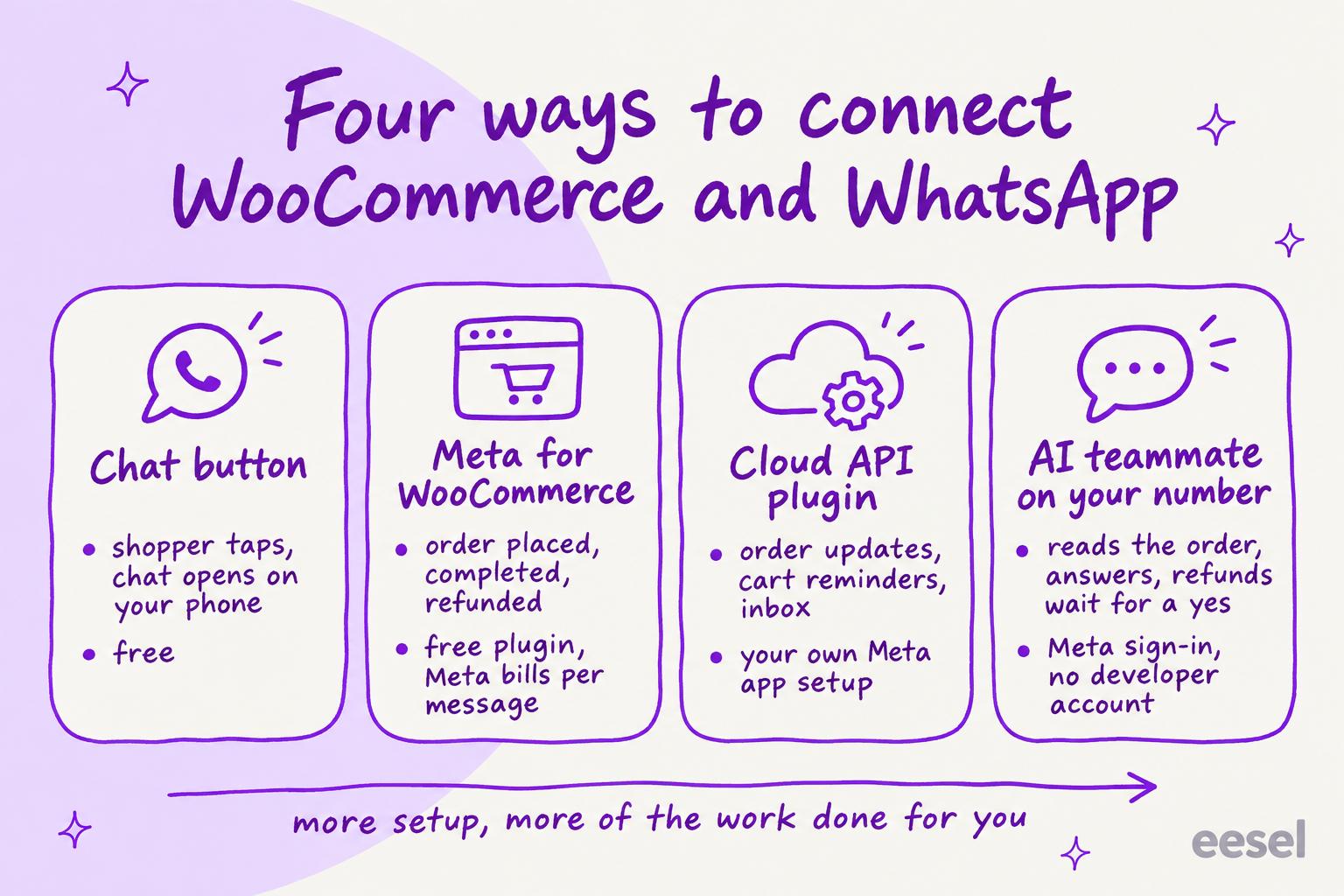
The first two are free to install. The last two are where the actual support work happens, and they're where a store's WhatsApp either becomes a channel or becomes a second inbox nobody owns. If you already run a helpdesk, the best helpdesk for WooCommerce comparison covers which ones take WhatsApp as a channel.
Option 1: a click-to-chat button
A click-to-chat plugin puts a WhatsApp button on your store, and tapping it opens a chat with your number in the shopper's WhatsApp app. It's the cheapest way to say "we're on WhatsApp", and for a small store it's often the right first step.
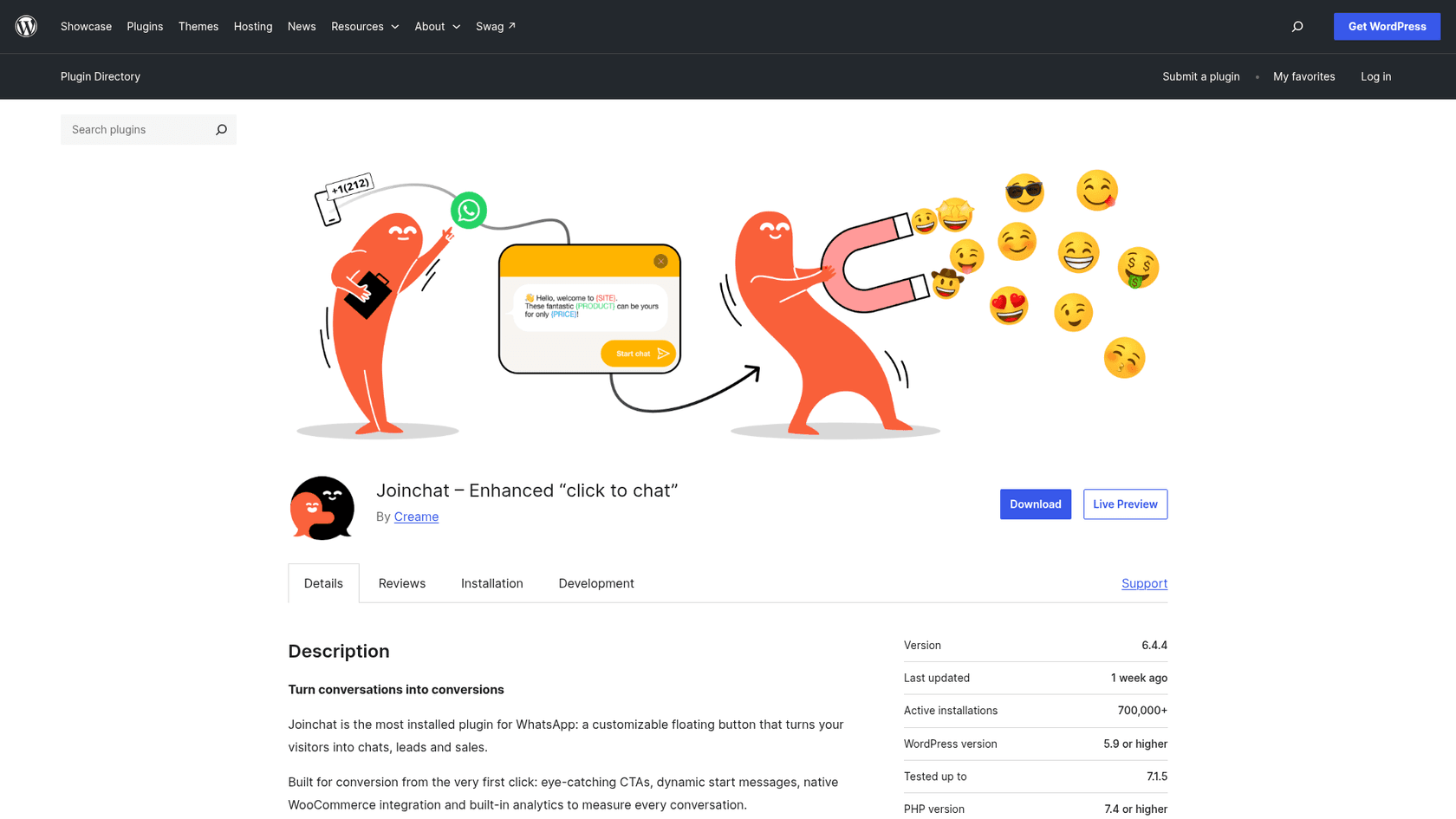
Joinchat is the one I see most. Its WordPress.org listing shows 700,000+ active installations and calls it "the most installed plugin for WhatsApp". For WooCommerce it adds a contact button next to "Add to cart", and its start messages can be set per product page, with variables that fill in the page the shopper was on, so the chat opens with context instead of "hi". Click to Chat by HoliThemes does the same job, with buttons on single product pages and the shop page and product variables in the prefilled message.
The catch is that a button only starts the conversation. The message lands on whichever phone has your WhatsApp, and someone on your team still has to open the order in WooCommerce, find the tracking number and type the answer. That's fine at ten chats a week. At a few hundred, the WooCommerce live chat plugins or a WhatsApp customer service platform start to earn their keep. And if most of those chats are "where is my order?", a guest order tracking page answers some of them before anyone taps the button.
My take: install a button if you have no WhatsApp presence today and a person who'll answer it. Skip it as your only setup if WhatsApp already brings you more than one person can answer.
Option 2: Meta for WooCommerce order updates
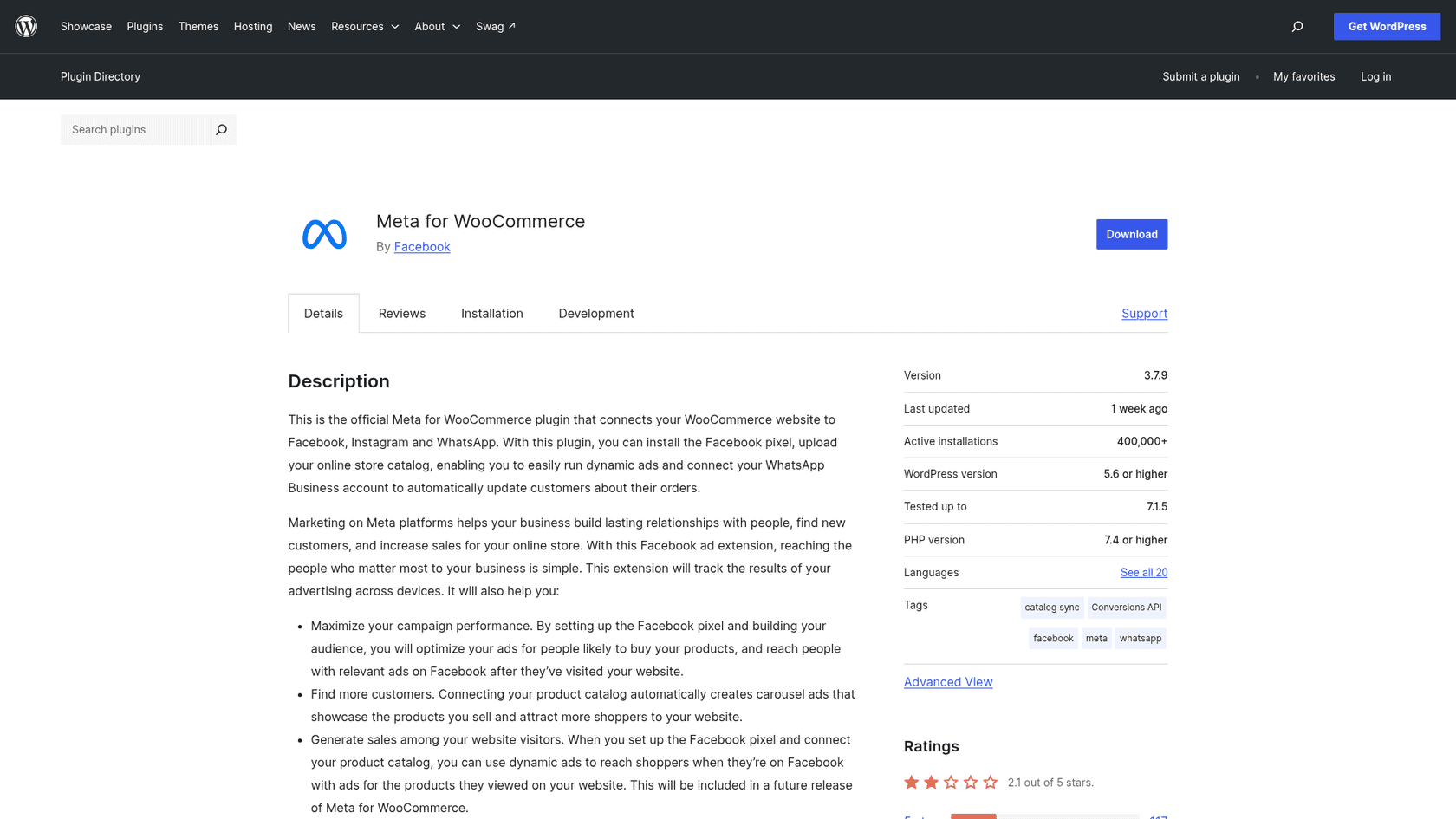
Meta for WooCommerce is Meta's own, official plugin for WooCommerce. It's free on WordPress.org, where it shows 400,000+ active installations, and it also handles the Facebook pixel and your catalog for ads. Its WhatsApp part became generally available in version 3.6.0 in March 2026, per the plugin's changelog, and since 3.7.2 WhatsApp has its own menu in the WordPress admin.
What it sends is narrower than the marketing line "updating your customers about their orders at every step" suggests. The plugin's source maps three WooCommerce order statuses to WhatsApp messages: processing becomes "order placed", completed becomes "order fulfilled", and refunded becomes "order refunded". A shipped-but-not-completed order, an on-hold order or a cancellation sends nothing.
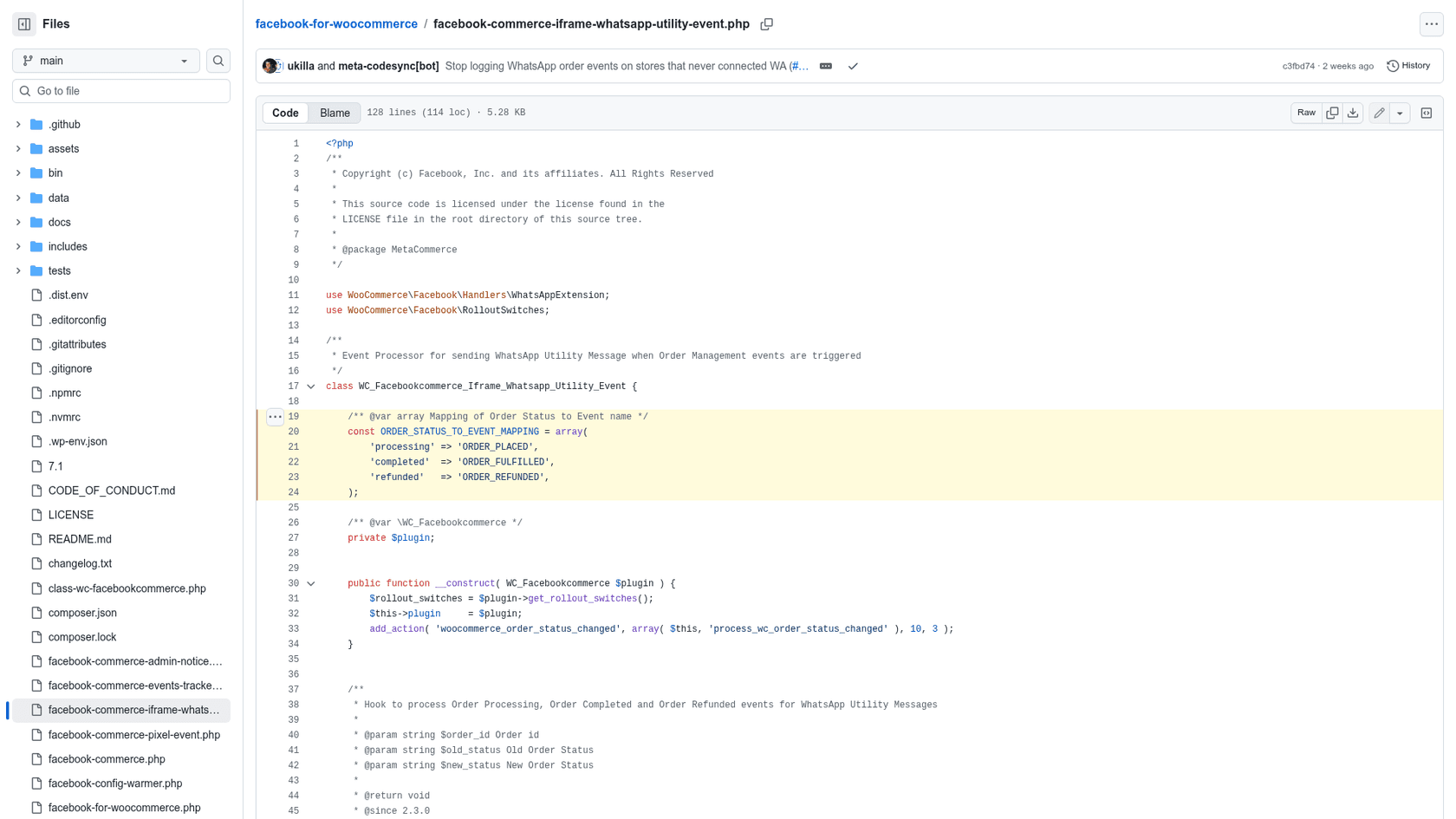
Two details from the same file matter in practice:
- It needs a phone number and a first name on the order. It takes the billing phone, falls back to the shipping phone, and if there's no phone or no billing first name it logs "WhatsApp utility message for order ... not sent" and moves on. If your checkout makes the phone optional, some customers will never get a message.
- The message links to the order. It includes a link to the order, plus its items and shipping method.
When a customer replies "can I change the address?", that reply goes to your WhatsApp Business account, and the plugin's listing describes order updates, not a way to answer replies. It has 2.1 out of 5 stars on WordPress.org.
A partial refund leaves the order on Completed or Processing, as the manual refund status guide explains, so only a full refund sends the refund message.
My take: turn it on if you want free, official order notifications and already use the plugin for ads. Plan who answers the replies before you do, because order updates are exactly what customers reply to.
Option 3: a Cloud API plugin for notifications, carts and an inbox
A Cloud API plugin connects WooCommerce straight to Meta's WhatsApp Cloud API with your own developer app, and gives you more control than Meta's plugin. WhatsApp Notification and Messaging for WooCommerce by RedefiningTheWeb is a good example because it's sold on the official WooCommerce Marketplace.
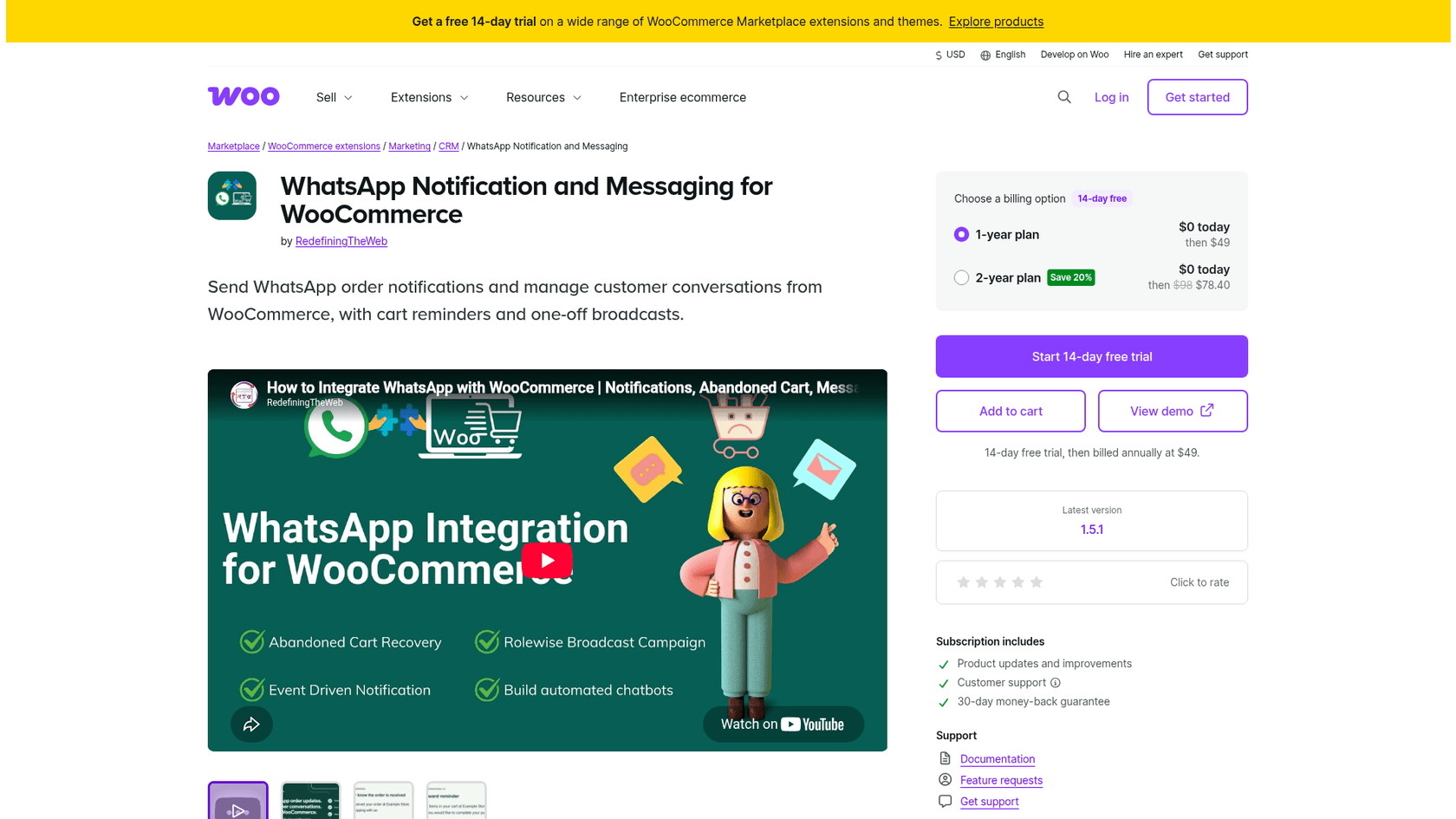
Its listing covers four jobs: order confirmations and status updates on the events you choose, replies to customers' WhatsApp messages from the WordPress admin, follow-ups on abandoned carts with an optional coupon, and one-off broadcasts. Keyword replies handle the questions you hear every day. It's $49 a year after a 14-day trial, or $78.40 for two years.
The price is low because the setup is yours. The listing says you'll need a Meta WhatsApp Business Account, then register a sending number, add the app credentials, configure the webhook and prepare approved templates, and it links a separate guide to making a permanent token. If "System User access token" means nothing to you, budget an afternoon or a developer, or look at the hosted WhatsApp Business API providers and WATI alternatives that do the Meta setup for a monthly fee. The listing is also honest about one limit worth knowing: a campaign counts a message as sent when Meta accepts it, which doesn't confirm delivery.
My take: the right pick if you want cart recovery and broadcasts and someone on the team is comfortable in Meta's developer console. Keyword replies won't read an order, so "where is my parcel?" still lands on a person.
Option 4: an AI teammate that answers on your number
The fourth route answers the messages, which is the part the other three leave to you. eesel connects to your WhatsApp Business number through Meta's own sign-in, with no developer account, API key or other WhatsApp provider, per eesel's WhatsApp docs. With WooCommerce connected through the free eesel AI plugin, it looks the order up before it answers.
Here's what that covers, from eesel's WooCommerce docs:
- Orders, read live. Status, line items, totals, addresses, order notes and custom fields, where shipping plugins record tracking numbers, plus products, stock and subscriptions.
- Actions in the store. Adding an order note, changing an order's status, refunding through the payment gateway, updating a customer's address, and pausing or cancelling a subscription. Each action can run on its own, ask a person first, or stay off (actions and approvals). I'd start refunds on "ask first", every time, and the WooCommerce returns automation guide shows what to hand it after that.
- What customers actually send. It reads photos and PDFs, so a screenshot of the confirmation email works, and voice notes are transcribed.
- Your phone keeps working. You can connect a number you still use in the WhatsApp Business app; chats show in both places and eesel sees what you sent from your phone.

What it looks like on a real store: Question Beauty runs eesel on Gorgias and Shopify rather than WooCommerce and WhatsApp, but the order work is the same. Between 8 August and 8 September 2026 eesel handled about 990 Gorgias tickets for them, sent about 960 replies itself and looked up about 290 Shopify orders before answering a delivery or order question, with refunds and complaints going to a person.
The limits, so you can plan around them:
- It answers; it doesn't send order notifications. WooCommerce has no triggers in eesel, so nothing in your store starts a message. Pair it with Meta's plugin or a Cloud API plugin for order updates.
- The 24-hour window applies. It replies freely within 24 hours of the customer's last message; after that only an approved template can reach them, and eesel sends templates only to customers who have messaged your number before.
- Handover goes through your other tools. There's no built-in handover inside WhatsApp, and replying from your phone doesn't pause it, so tell it in its instructions when to stay quiet and to open a ticket in your helpdesk when a person should take over.
- One number per workspace, and numbers still with another WhatsApp provider can't be connected yet.
If you already run Gorgias, Freshdesk or Zendesk next to your store, the same teammate works there too (Gorgias for WooCommerce, Freshdesk and WooCommerce, Zendesk and WooCommerce), and the chat bubble puts it on your storefront. For a wider look at bots on this channel, see the best WhatsApp chatbots and AI WhatsApp support for ecommerce.
My take: this is the route for stores where WhatsApp already brings in more order questions than a person wants to answer by hand. It costs more than a plugin (below), so it earns its place on volume.
What does WhatsApp cost a WooCommerce store in 2026?
Two bills: the plugin or tool, and Meta's per-message fees, which every route except a plain chat button pays. Meta's fees changed on 1 October 2026, and much of what's written about WooCommerce and WhatsApp predates it.
Per Meta's pricing page, Meta now charges for:
- Service messages, meaning any free-form reply inside the 24-hour window, whether a person or a third-party AI sends it, after a free tier of 1,000 a month per business phone number. These had been free since November 2024.
- Utility templates, such as order updates, per delivered message. Utility messages sent in reply to a customer had been free since July 2025; they're charged again too.
The exception is a conversation that starts from a Click to WhatsApp ad on WhatsApp's Android or iOS app: once you reply, messages in that window are free for up to 7 days.
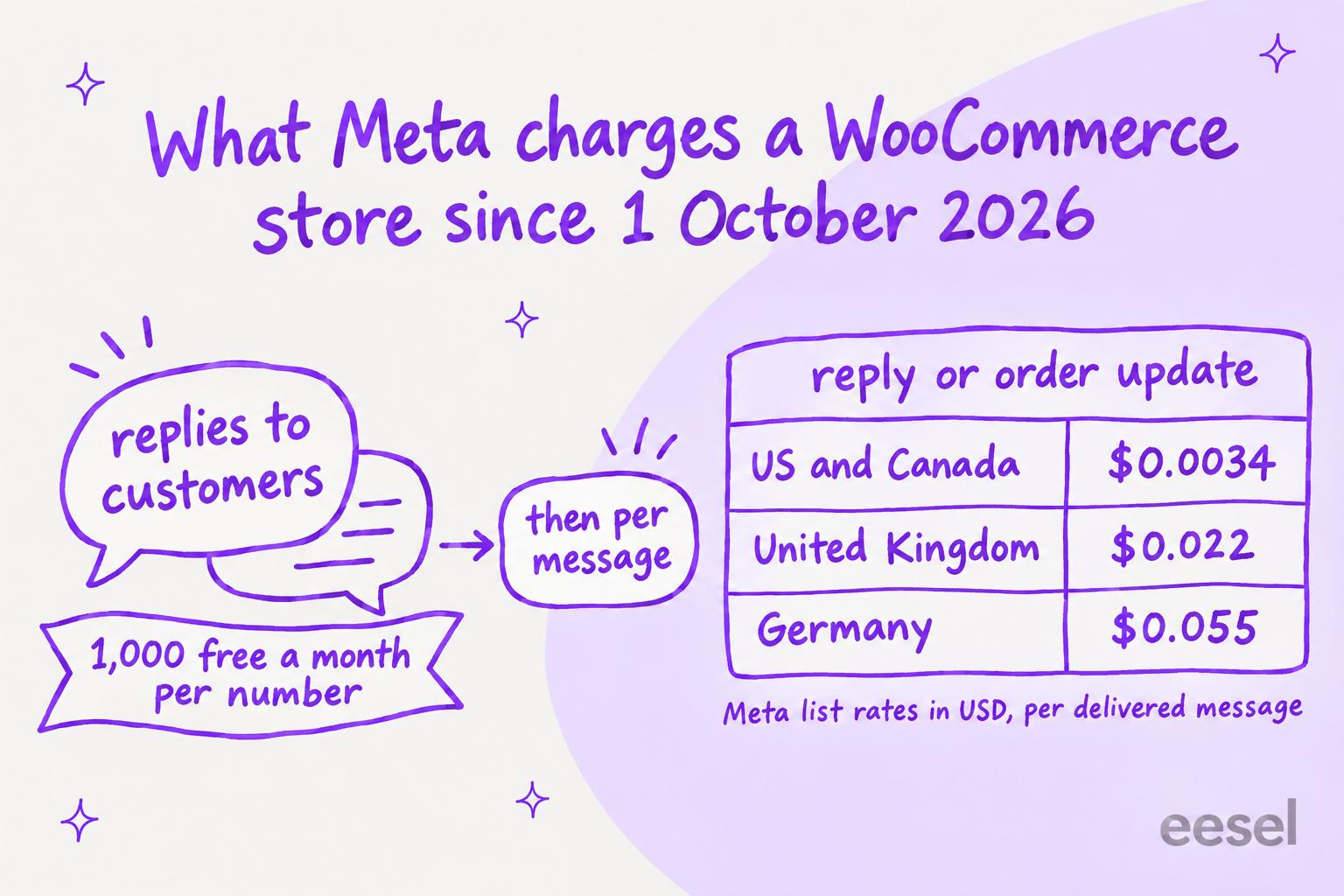
From Meta's USD rate card, utility and service messages cost the same in each market: $0.0034 in North America, $0.022 in the UK, $0.0171 in the rest of Western Europe and $0.055 in Germany. Utility messages get cheaper at volume through Meta's tiers; service messages don't.
Here's a worked month for a UK store with 600 orders, using Meta's plugin for "order placed" and "order fulfilled" and sending 1,500 replies on WhatsApp:
| Line | Maths | Meta's bill |
|---|---|---|
| Order updates | 600 orders × 2 messages × $0.022 | $26.40 |
| Replies | (1,500 − 1,000 free) × $0.022 | $11.00 |
| Total to Meta | $37.40 a month |
The same store in the US pays about $4.08 plus $1.70. Germany is where it adds up: $66 plus $27.50. Then add the tool: $0 for Meta's plugin, $49 a year for the Cloud API plugin above, or eesel's pricing, which is a fixed monthly plan where a ticket or chat is 1 credit, from $299 a month for 500 credits, with a free start of 100 credits for 7 days. Meta bills your business directly for its part, whichever tool you use. The WhatsApp Business API pricing guide goes deeper on Meta's categories.
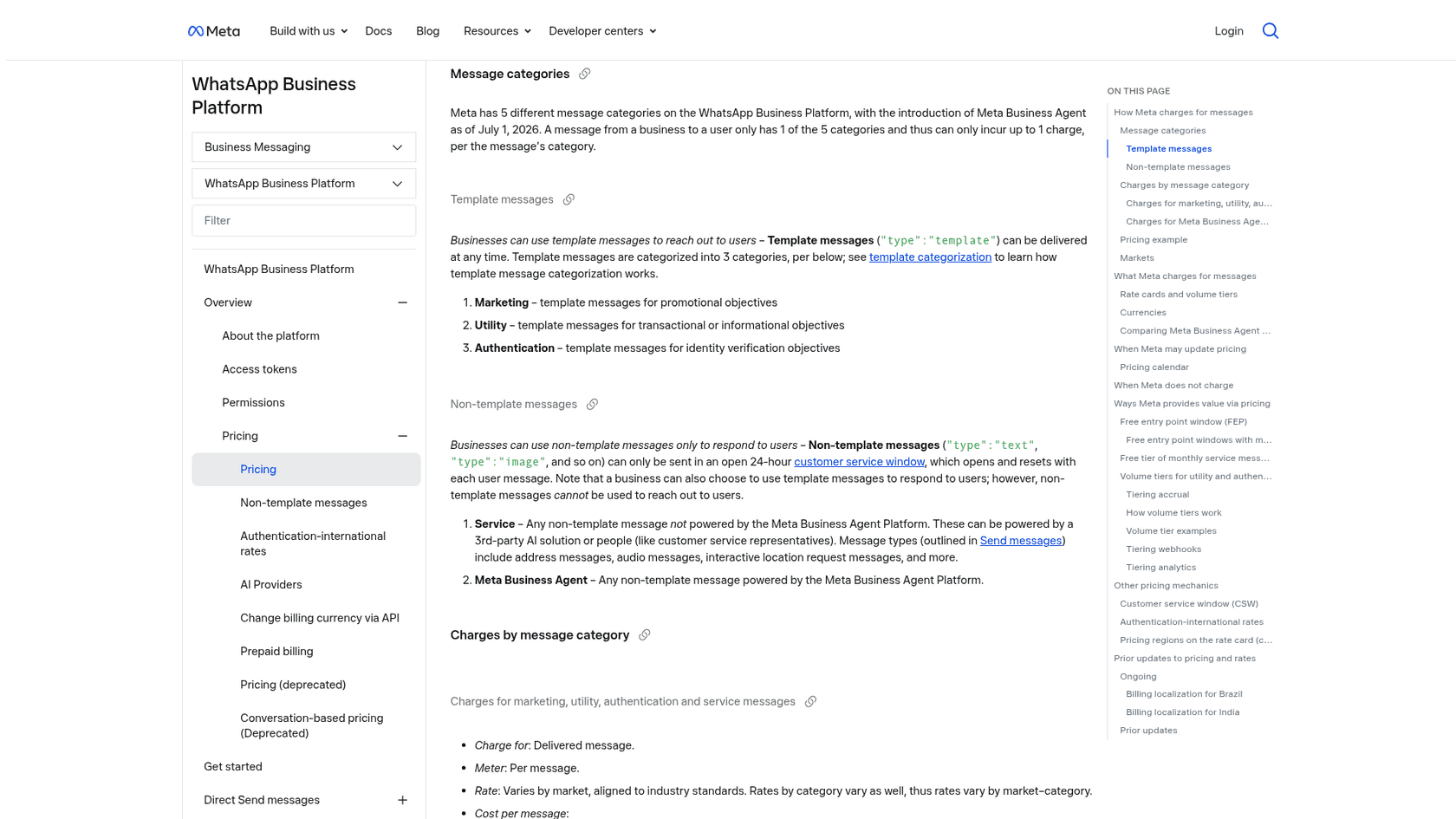
One practical warning from that page: a number with no payment method stops sending replies once its 1,000 free ones are used, so add a card in Meta's Billing Hub before your busy month, not during it.
Which WooCommerce WhatsApp route should you pick?
Pick by the job, not the plugin. Most stores end up with two pieces: something that sends order updates and something that answers the replies. Choose what you want WhatsApp to do and the chooser shows the route, what it costs and where it stops.
Pick the job you want WhatsApp to do to see the route, its cost, your first step and the catch.
My default for a store doing a few hundred orders a month: Meta's plugin for the three order messages, because it's free and official, and something that answers the replies, because those replies are the reason the channel exists. If your WhatsApp volume is low, that something is a person with the button. If it's high, it's an AI teammate. The guide to automating WooCommerce support covers the same split across email and chat. If it's your own team you want answering from a chat window, Claude for WooCommerce, the WooCommerce ChatGPT integration and the WooCommerce MCP server cover the AI clients.
Common mistakes when you set up WhatsApp for WooCommerce
These are the ones that come up again and again in setup conversations and support threads.
- An optional phone field at checkout. Meta's plugin skips any order without a phone or a billing first name, and logs it quietly. Make the phone field required if WhatsApp updates matter to you, and say why next to the field.
- A two-step verification PIN on the number. Meta's sign-in can't finish setup while the number has one; turn it off in WhatsApp Manager first, then retry, as eesel's WhatsApp docs explain.
- Assuming any number can connect. A number registered with another WhatsApp provider can't be connected to eesel yet, so check before you sign anything with a new tool.
- Answering after 24 hours with a normal message. It won't send, which is also why a fast WhatsApp auto reply matters. Reply inside the window, or use an approved template; the WhatsApp support window follow-ups guide shows how teams handle it.
- Forgetting the replies. Order updates invite answers, and with Meta's plugin those answers land in your WhatsApp Business account for someone to pick up. Decide who owns them on day one.
Try eesel on your WooCommerce WhatsApp number
If WhatsApp already brings you more "where is my order?" messages than you want to answer by hand, connect your WhatsApp Business number and your WooCommerce store to eesel and let it answer with the real order in front of it. What it may do depends on who is asking: for a customer messaging your number you might let it look up orders on its own and hold every refund for your yes, while a teammate who pairs their phone can ask it to look up an order or add a note with the access they already have in eesel (actions and approvals). Keep Meta's plugin for the order messages and let eesel handle what customers send back.
Try eesel free with 100 credits for 7 days, no card, and send your own number a test question about a real order before a customer does.