WooCommerce grouped product orders: why the group never shows up

Kira

Katelin Teen
Last edited November 5, 2026
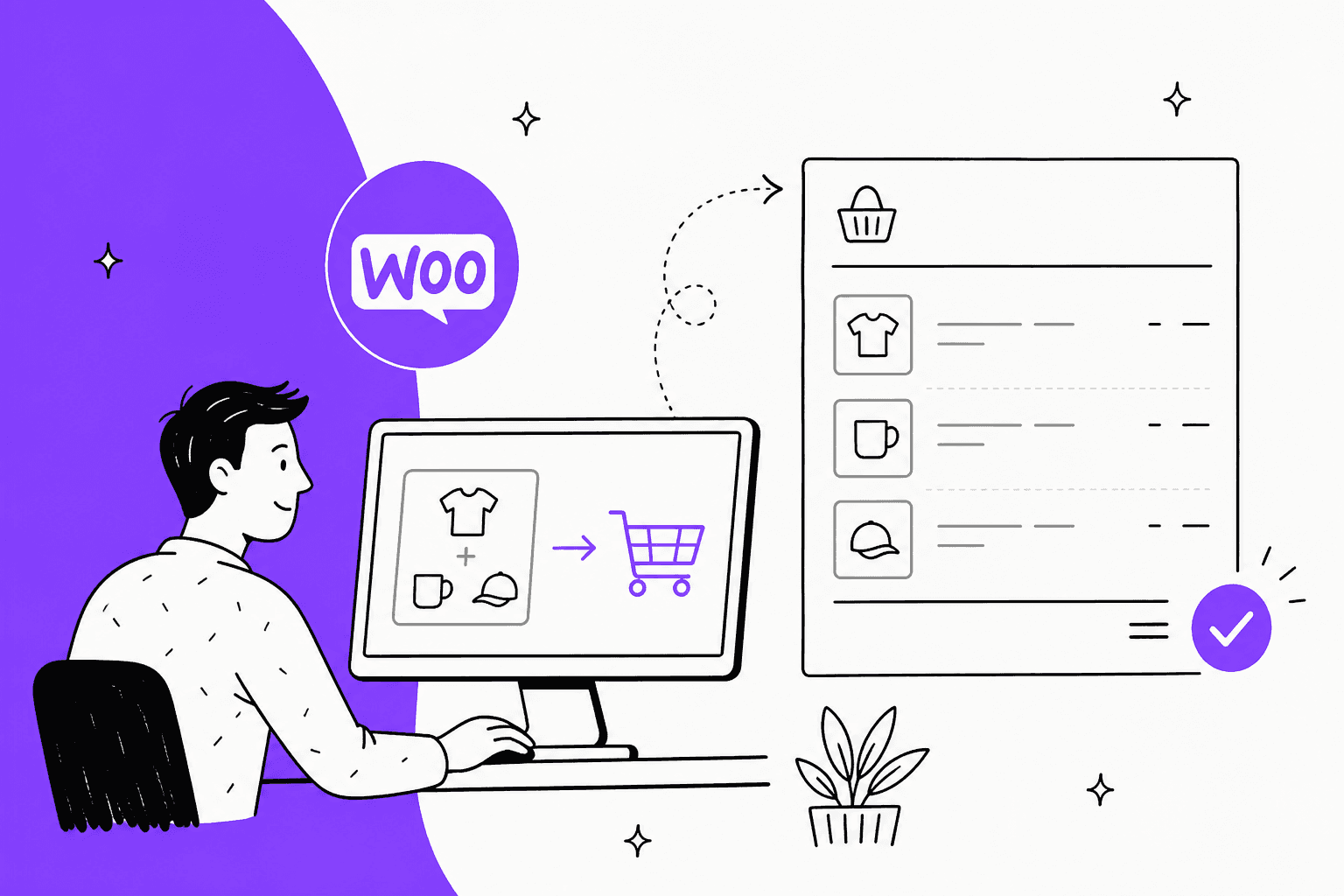
A WooCommerce grouped product never reaches the order. The order only holds the child products the customer picked, each as its own line item at its own price, with nothing linking them back to the group page. Two things catch support teams: an item that failed a stock check is left out while the rest go through, and there's no set price to refund against. eesel reads each order line by line, so it can tell a customer exactly which items they bought. With the eesel CLI, a coding agent can upload your "sets" policy and test answers before go-live.
What is a grouped product in WooCommerce?
It's a product page that lists other products, and nothing more. WooCommerce's own docs say grouped products "do not have their own prices or stock numbers, since they are essentially lists of other products in your shop." I build features on eesel's agents, and I read code before I trust a docs page, so for this guide I went through WooCommerce's grouped product docs and the 11.2.2 source. Everything here was checked on 2026-11-06, when 11.2.2 was the latest stable release.
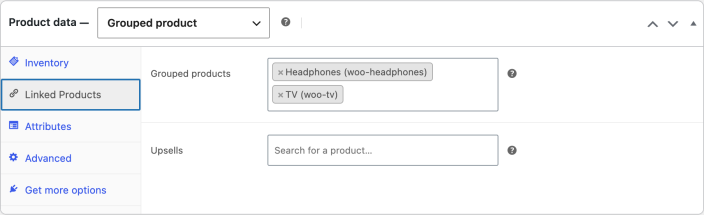
You make one by picking Grouped product in the Product data box, then choosing the children in the Grouped products field on the Linked Products tab. The price fields disappear when you switch the type, which WooCommerce's docs call "normal".
On the shop side, the group page shows a table: one row per child, each with a quantity box (empty, placeholder 0), its name and its price. The group's own price is just a range. The grouped product class works out the cheapest and dearest child and shows "$4 - $39", or one price if they match. On shop and category pages, the button reads View products, not Add to cart.
WooCommerce's bundling guide is honest about what this is for: grouped products are "more about product display" and don't involve "any different purchase rules". Its example is a furniture store showing a sofa, a sofabed, an armchair and a stool from one range on one page. That's the right mental model for ecommerce support: a group is a shelf, not a box.
What does a grouped product order look like?
It looks like the customer visited each child's page and added them one at a time. The group has no line, no price and no mention on the order.
The reason sits in one line of code. The grouped product class sets is_purchasable() to false, so the group itself can never go in a cart. When a customer clicks Add to cart on the group page, the form handler loops through the quantity boxes, skips anything at zero, and calls the normal add-to-cart for each child with a quantity. What lands in the cart, and then on the order, is a list of ordinary products.
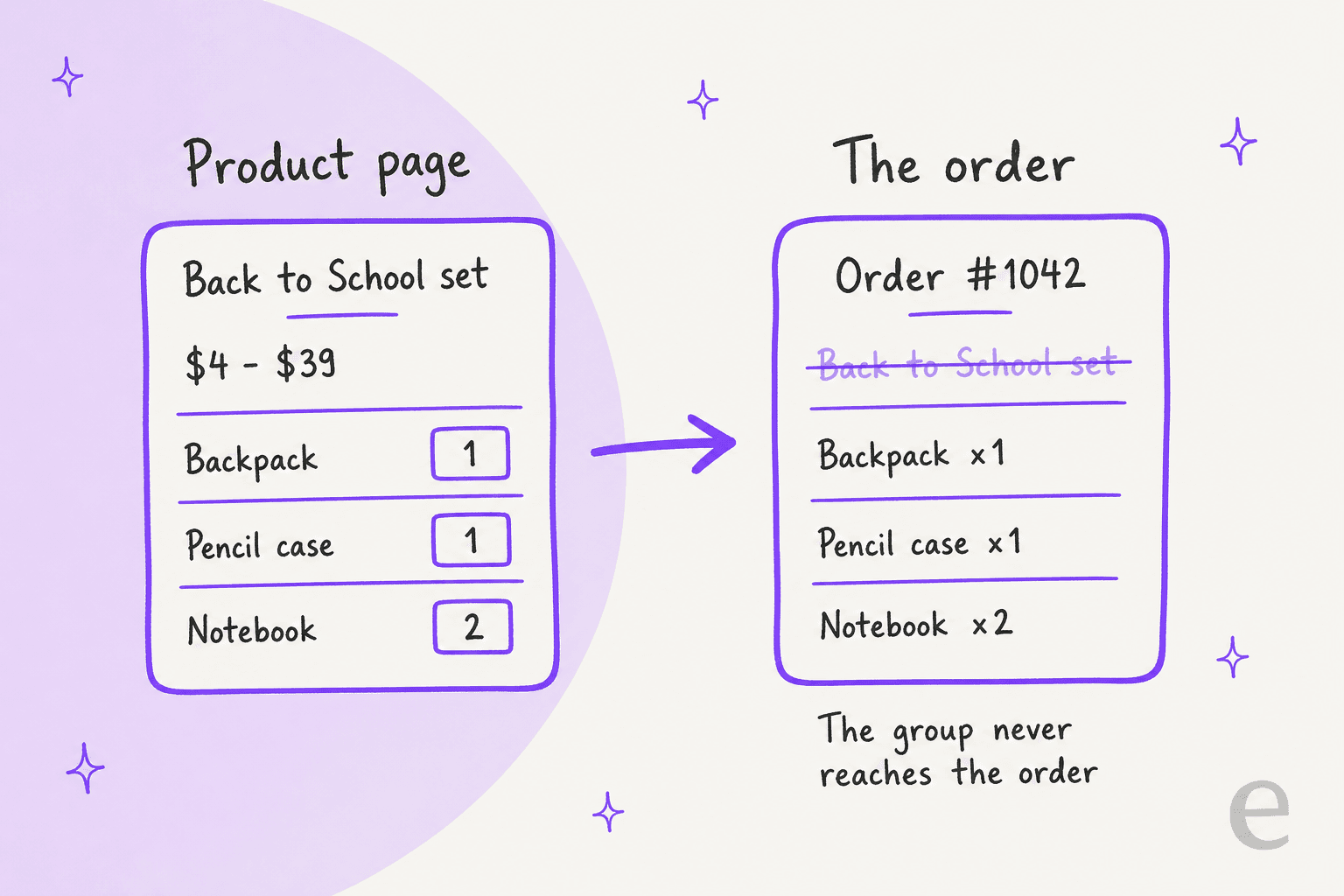
So when a customer writes "I bought the Back to School set, where's the rest of it?", here's what you're actually looking at on the order screen:
- Separate line items. Backpack x1, Pencil case x1, Notebook x2. Each with its own price, tax and refund box.
- No group name anywhere. Not on the order, not in the order emails, not on the customer's order tracking page.
- Normal stock movement. Stock comes off each child, because that's where stock lives. The group has none to reduce.
The useful first reply is a plain list: "Your order has these three items." Most "where's the rest" tickets are a customer who expected a fixed set and bought a pick-and-mix, or one whose item fell out of the cart, which is the next section.
Can you tell which group an order item came from?
No, and the order can't be made to tell you after the fact. Since WooCommerce 3.0, the group stores the list of its children, and a child can belong to any number of groups. A product doesn't know which groups it's in, and a cart line doesn't record which page it came from.
That was a deliberate change. When a developer asked for a way to find a child's group, a WooCommerce core developer replied on the GitHub issue:
"The whole idea is to make this a many to 1 relationship. There is not way to determine the parent, because there can be multiple parents."
Three knock-on effects for support and reporting:
- Sales sit on the children. Another GitHub issue points out the group's own total sales count stays at zero, because it can't be bought. Your best-selling "set" won't show up as a bestseller.
- Coupons need the child IDs. WooCommerce's coupon check compares the cart item's own ID and its parent ID. A coupon limited to the grouped product matches nothing, since the group never enters the cart. Limit it to the children or a category instead (more in my coupon restrictions guide).
- Your team can't answer "which set was this?" If the same notebook sits in a school set and an office set, the order can't say which page sold it. If that matters for warehouse picking or a promotion, you need a bundle extension, covered below.
Why do some grouped items go missing from the order?
Because each child is checked on its own, and a child that fails is skipped while the rest go in. Nothing stops the checkout, so a customer can pay for two out of three items without noticing.
Here is the classic product page flow from the form handler and the cart code:
- The customer types quantities next to each child and clicks Add to cart once.
- WooCommerce runs validation and a stock check for each child separately.
- A child that fails shows an error like "You cannot add that amount of "Notebook" to the cart because there is not enough stock (1 remaining)."
- Every child that passed goes into the cart anyway, and the success message lists only those.
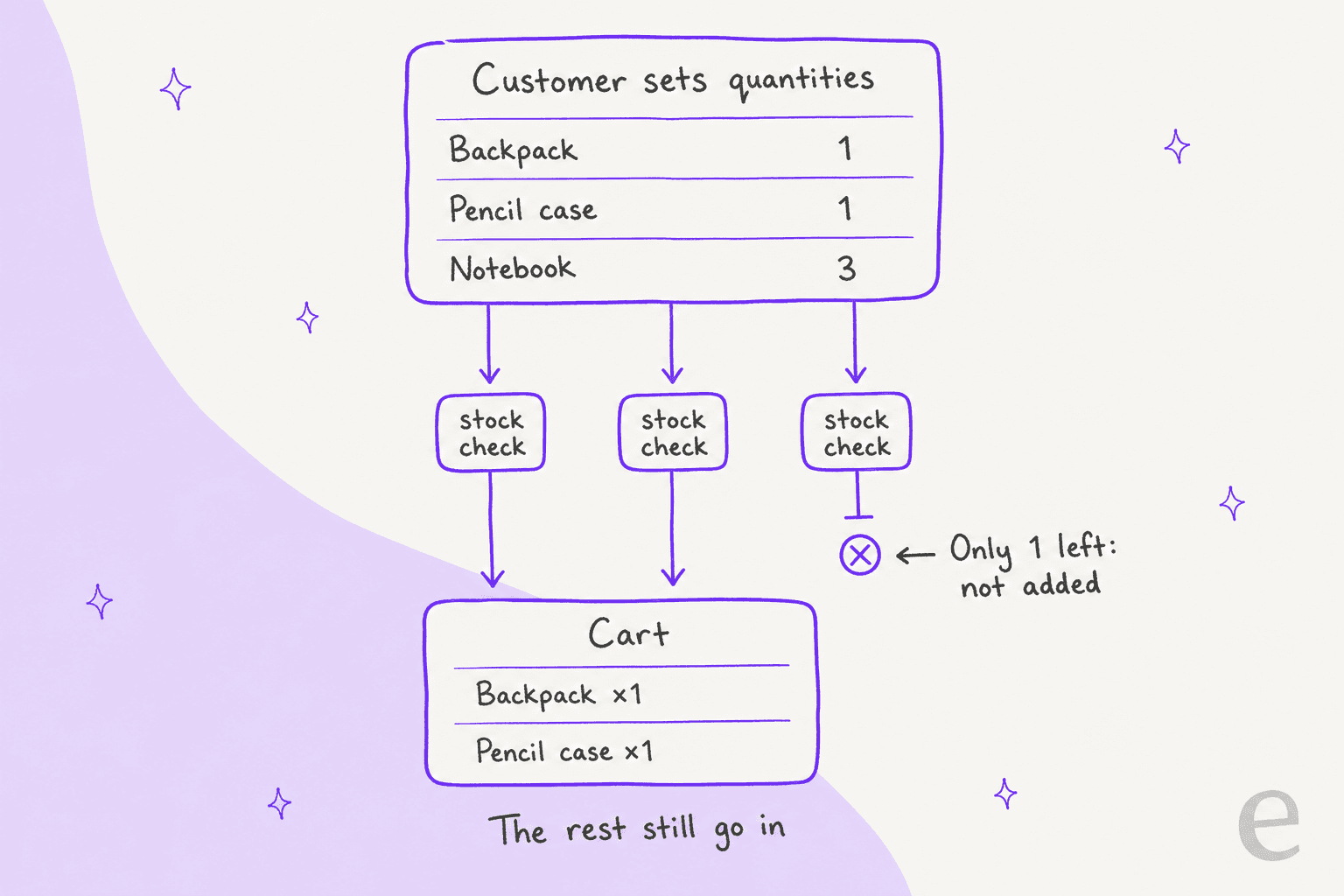
On a busy page with a mini-cart that opens on add, the error is easy to miss. The newer block-based product page had a sharper version of the same problem. A 2025 GitHub issue on the Add to Cart with Options block found the error only showed when every child failed. If any child went in, the error for the one that didn't was dropped. The fix agreed in the thread keeps adding the good items and shows the error alongside them, so a partial add is still the expected behaviour, just a louder one.
Two more ways a child never makes it into the box:
- It isn't buyable from the group page at all. In the grouped template, an out-of-stock child, a child with options to pick (like a size) and an unpurchasable child get their own button instead of a quantity box. Those link off to the child's page, and plenty of customers never come back. It's the same trap as variation stock on a single product.
- It isn't viewable. The group only lists children the shopper is allowed to view. Switch a child to private or draft, and it quietly drops off the group page.
So for "you forgot my notebook", check two things before you blame the warehouse. Is the notebook on the order at all? If not, was it in stock that day? A missing line item is usually a cart that never had it, not a picking error.
How do refunds and returns work on grouped product orders?
Line by line, exactly like any other order. You refund the items coming back, and the rest stay as they are. There's no set to break and no set discount to claw back, because the order never had either.
That's simpler than a true bundle, and it's worth saying so to customers who ask "do I lose the bundle price if I return one item?" On a grouped product order there was no bundle price. Each item was charged what its own product page said.
A few practical notes from the manual refund side:
- Partial returns are easy to record. Enter a quantity in the refund box for the returned line, tick restock if it's going back on the shelf, and leave the rest.
- Shipping is the one shared cost. The group's items share the order's shipping line, so decide up front whether a partial return refunds any of it. Your returns policy should say.
- A refund isn't always money back. Recording a refund in WooCommerce only moves money if your gateway supports it. The same applies to refund requests handled by any tool.
Grouped product or bundle: which one is your store using?
Check before you answer a pricing or refund question, because the answer flips. A grouped product is free in core and shows items side by side. The bundling extensions change what actually lands on the order.
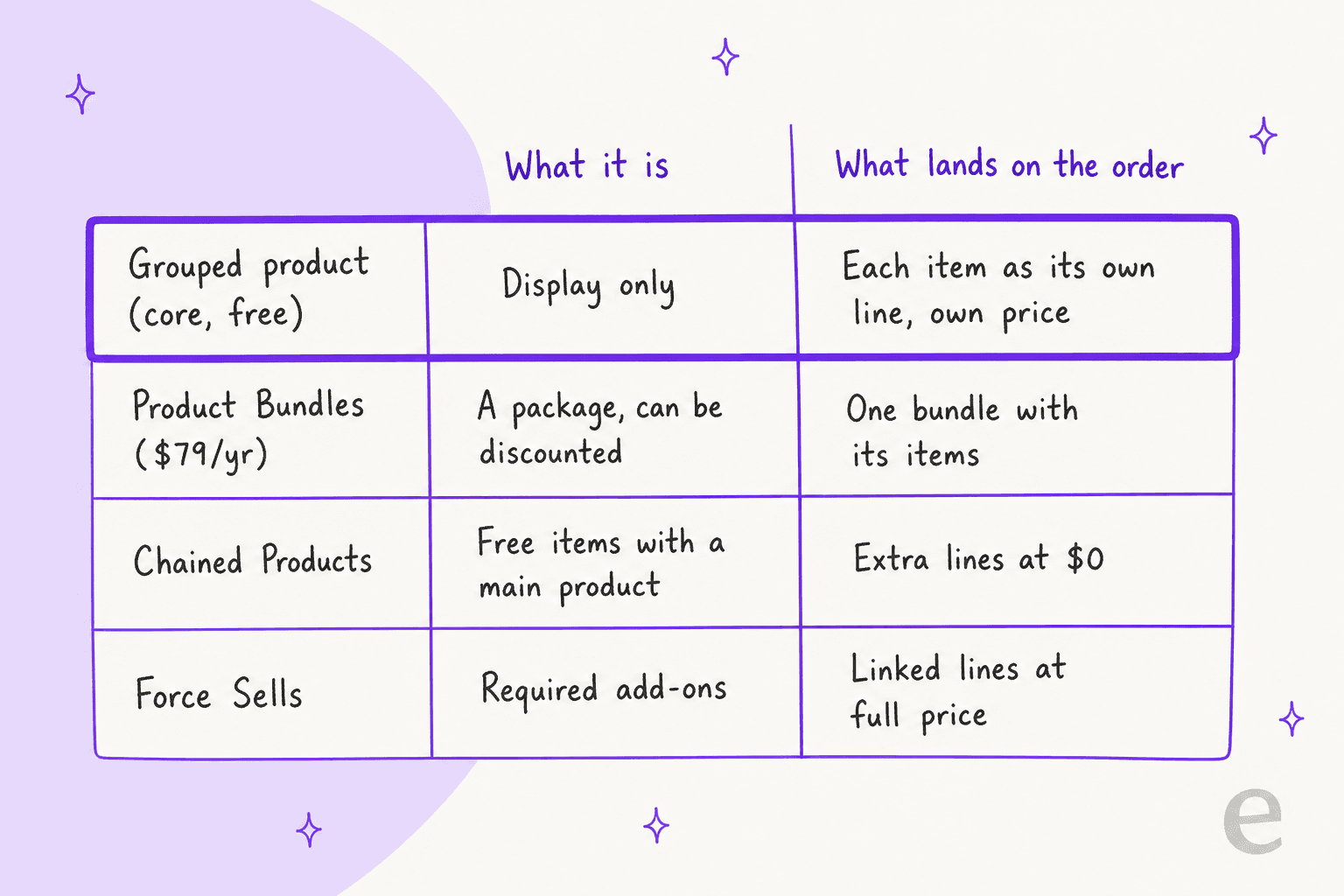
| Option | What it's for | Price |
|---|---|---|
| Grouped product | Show several products from one range on one page, each at its own price | Free, in WooCommerce core |
| Product Bundles | Sell "product packages", including discounted combos and pick-and-mix boxes | $79 for a 1-year plan |
| Chained Products | Add free items to a main product, at a price of zero | Paid extension |
| Force Sells | Add required products to the cart with a main product, each keeping its price | Paid extension |
The descriptions come from WooCommerce's bundling guide. If a store keeps getting "where's my set price?" or "which set did I buy?" tickets, that's a sign it wanted a bundle and built a group. Store owners hit this when they try to sell one product made of several stock items:
"I want to sell a product (Product A) that is composed of 2 different SKUs (Product B and Product C). I only want to display Product A to the customer on the frontend, without them realizing that Product B and Product C are added to their cart when they place the order."

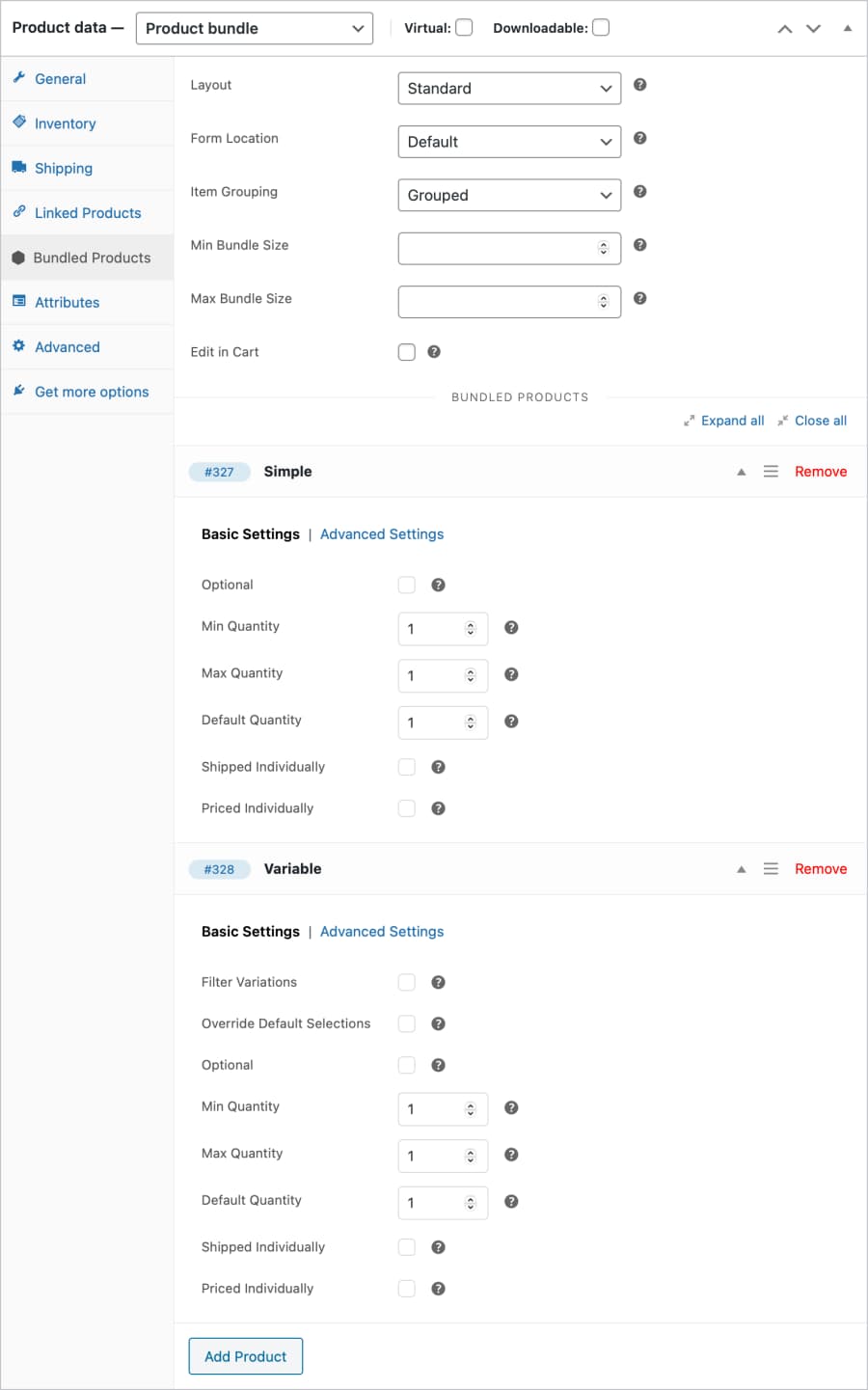
The first reply was short: use Product Bundles. That's the right call. A grouped product can't hide its children, because the children are the only thing the customer ever buys.
How should support answer grouped product questions?
Start from the line items, every time. Here's the short version I'd give a new teammate, or an AI agent:
| Customer says | Check | Usual answer |
|---|---|---|
| "I ordered the set but got half of it" | Which children are on the order | List the items they bought; offer to add the missing one |
| "One item never arrived" | Is it on the order at all? | If not, it likely failed the stock check at add-to-cart |
| "Do I lose the set price if I return one?" | Is it a grouped product or a bundle? | Grouped: no set price, refund that item only |
| "Your coupon didn't work on the set" | What the coupon is limited to | Coupon must target the child products |
| "Which set was this from?" | Nothing on the order says | Ask which page they used; the order can't tell you |
If your team uses canned responses, the first two rows are worth a saved reply each. They come up whenever a group page has a child running low on stock, which on most stores is all the time. They also feed straight into your contact rate, so it's worth fixing the page too: keep stock levels visible on each child row, which the template already does through its stock HTML.
Can an AI agent answer grouped product questions?
Yes, and it's a good fit, because the answer is always on the order. An agent that reads line items doesn't get confused by a group that isn't there.
The eesel WooCommerce integration connects through the free eesel AI plugin or a REST API key. Its Look up orders action reads an order "with its items, totals, status and notes", and Look up products and categories reads your catalogue, which the integration syncs with SKUs, pricing, stock and variants. So when a customer asks where the rest of their set is, the agent can list what's on the order, check the missing child's stock, and say it plainly.
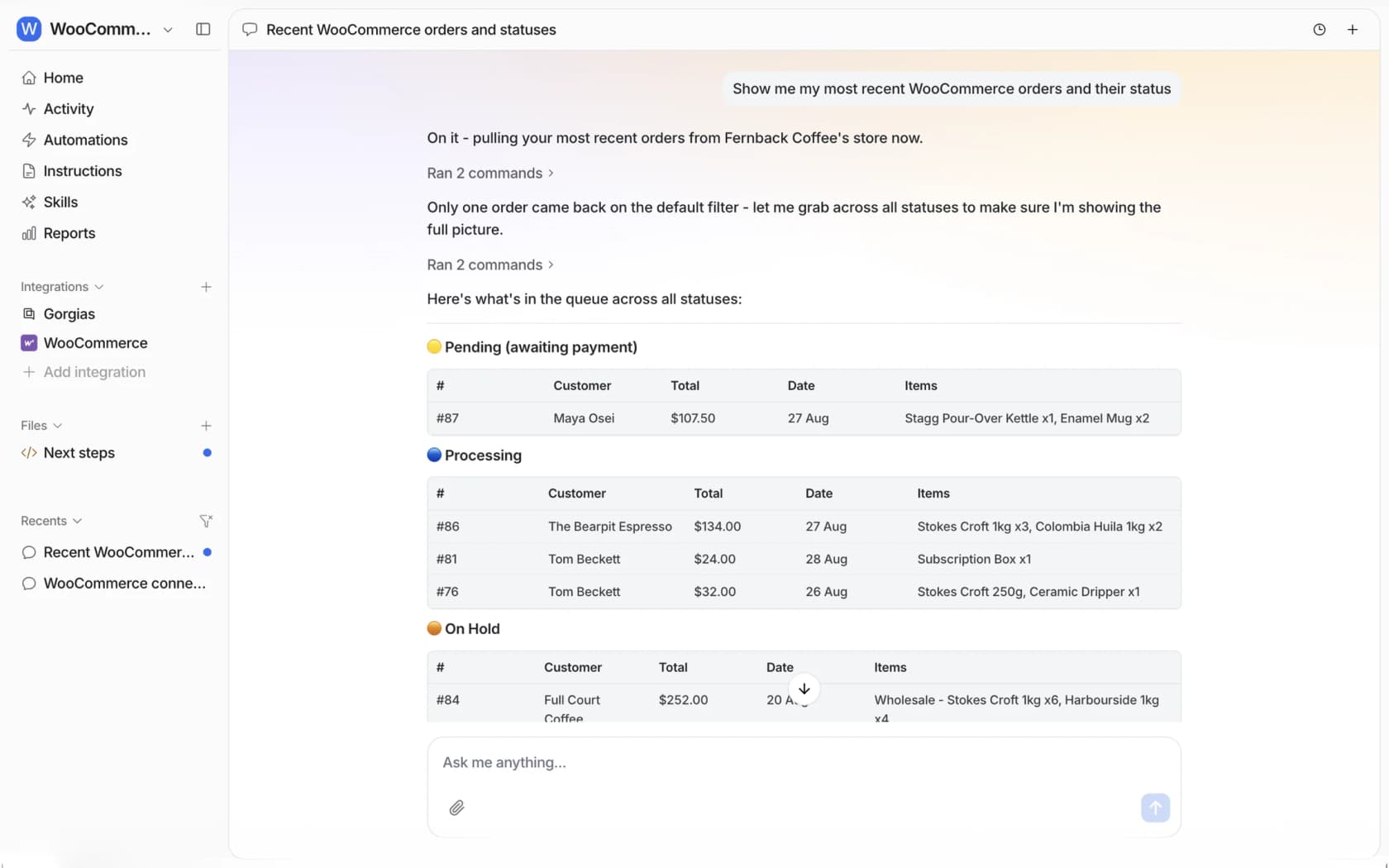
The one thing it can't do is the thing WooCommerce can't do either: say which group page an item came from. Write that into the agent's instructions, along with whether your store uses groups or bundles, so it doesn't promise a set price that never existed.
This is how eesel's ecommerce customers already work. Amagency runs support for four brands from one Gorgias account, and eesel left about 900 internal notes on tickets in a month, each with a draft reply and the order details it found, for a person to send. Cape Coffee Beans has its team ask @eesel in a Zendesk internal note to pull up a product, a past ticket or an order. Both keep the order lookup in the hands of the agent and the final word with the team.
For setup, the WooCommerce chatbot post and the setup guide cover connecting a store.
For a wider look, there's the best AI for WooCommerce roundup and the WooCommerce review. If you run Gorgias on WooCommerce, the same order lookups work there.
Common mistakes with grouped product orders
These are the ones that cause the most back-and-forth:
- Looking for the set on the order. It isn't there. Read the line items.
- Assuming a missing item was a picking error. Check whether it was ever on the order. A failed stock check at add-to-cart is the more common cause.
- Promising a set price on returns. Grouped products don't have one. Refund the returned item at what it cost.
- Restricting a coupon to the group. It matches nothing. Use the children or a category.
- Using a group when you meant a bundle. If you want one price, one discount, or hidden components, that's Product Bundles, not core grouped products.
- Unpublishing a child without checking the group. It disappears from the group page, and nobody gets told.
If you're also tidying up the rest of your order flow, the guides on customer order notes, shipping zones and order tracking support cover the next tickets in line.
Try eesel for WooCommerce support
Want an AI for WooCommerce that knows a "set" is really three line items? eesel is an AI helpdesk teammate that connects to your store through a free WordPress plugin, reads each order line by line along with your product stock, and answers shoppers in your chat bubble, your helpdesk or Slack. Write actions like notes and refunds wait for your approval until you trust them, and you can try it free on your own orders.