WooCommerce variation stock availability: why an option shows unavailable and what to tell the customer

Riellvriany Indriawan

Katelin Teen
Last edited November 5, 2026
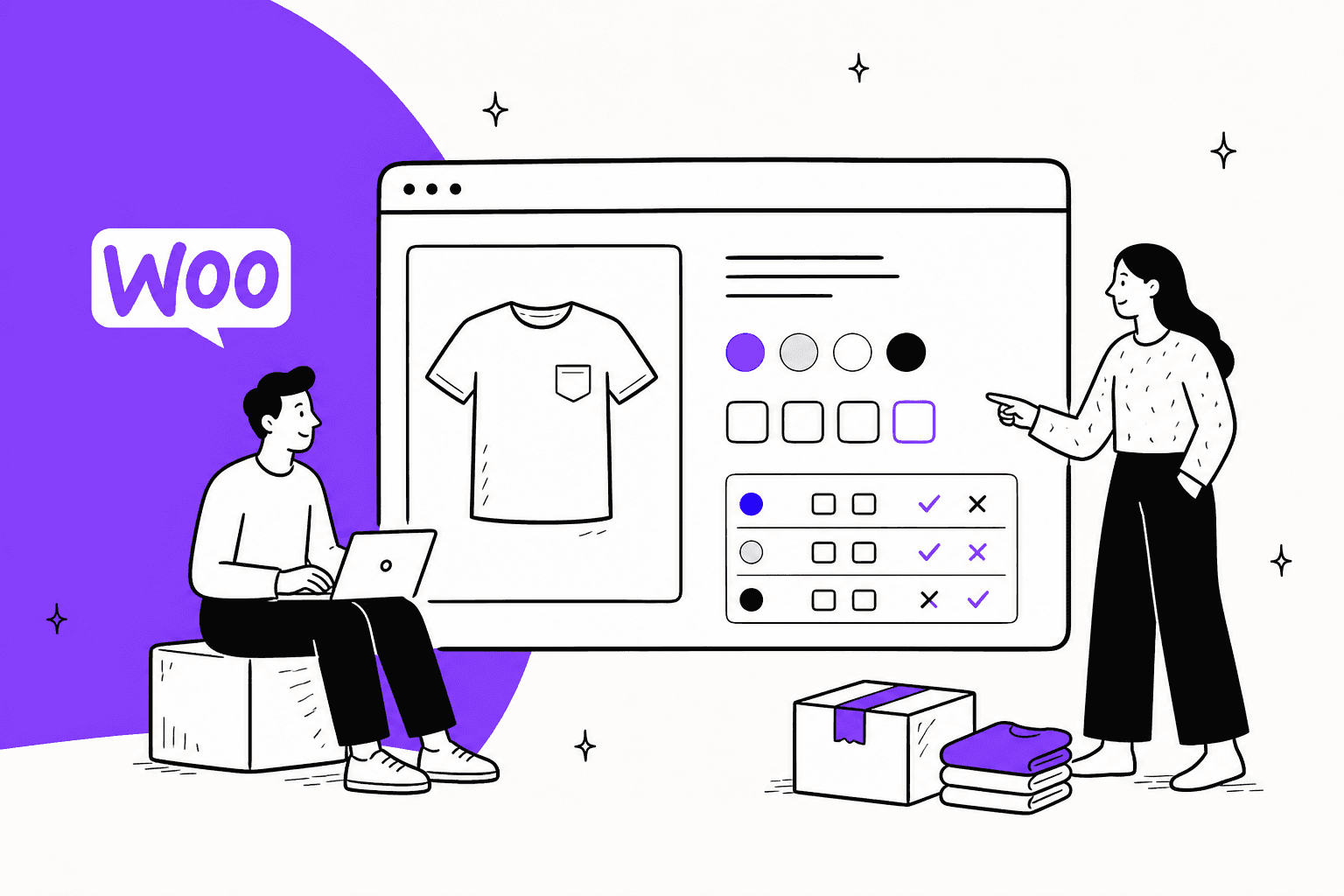
Most "is this size in stock?" tickets on WooCommerce come from three settings, not a broken store. Variation stock lives either on the variation or on one shared parent count, the parent shows "in stock" if any single variation is, and core hides a variation that has no price. So read the variation the customer picked, never the parent, before you answer. eesel reads live WooCommerce stock and variants, and links the product page when it can't confirm. With the eesel CLI, a coding agent can upload your sizing and restock notes, then test the answers before anything goes live.
Where does WooCommerce keep stock for a variation?
In one of two places, and the answer you give a customer depends on which one your store uses. I work the support queue every day, and the stock tickets that take longest are the ones where the agent checked the wrong place. I checked everything below against WooCommerce's variable product docs and the core source on 2026-11-06, when WooCommerce 11.2.2 was the stable release.

A variable product is the parent, a t-shirt for example, and each variation is one combination, such as Red and Large. Each variation can carry its own price, image and stock. The stock part works like this:
- Stock on the variation. Tick Manage stock? on the variation and it gets its own stock quantity, backorder setting and low stock threshold. Selling a red shirt reduces only the red count.
- Stock on the parent. Leave Manage stock? unticked on the variations and turn on stock management on the parent's Inventory tab. Every variation then draws from one shared count.
- Both on the same product. The docs say this isn't all or nothing. Variations that manage their own stock use their own count, and the rest pull from the parent.
- No stock tracking at all. With stock management off, a variation has a stock status someone sets by hand: In stock, Out of stock or On backorder.
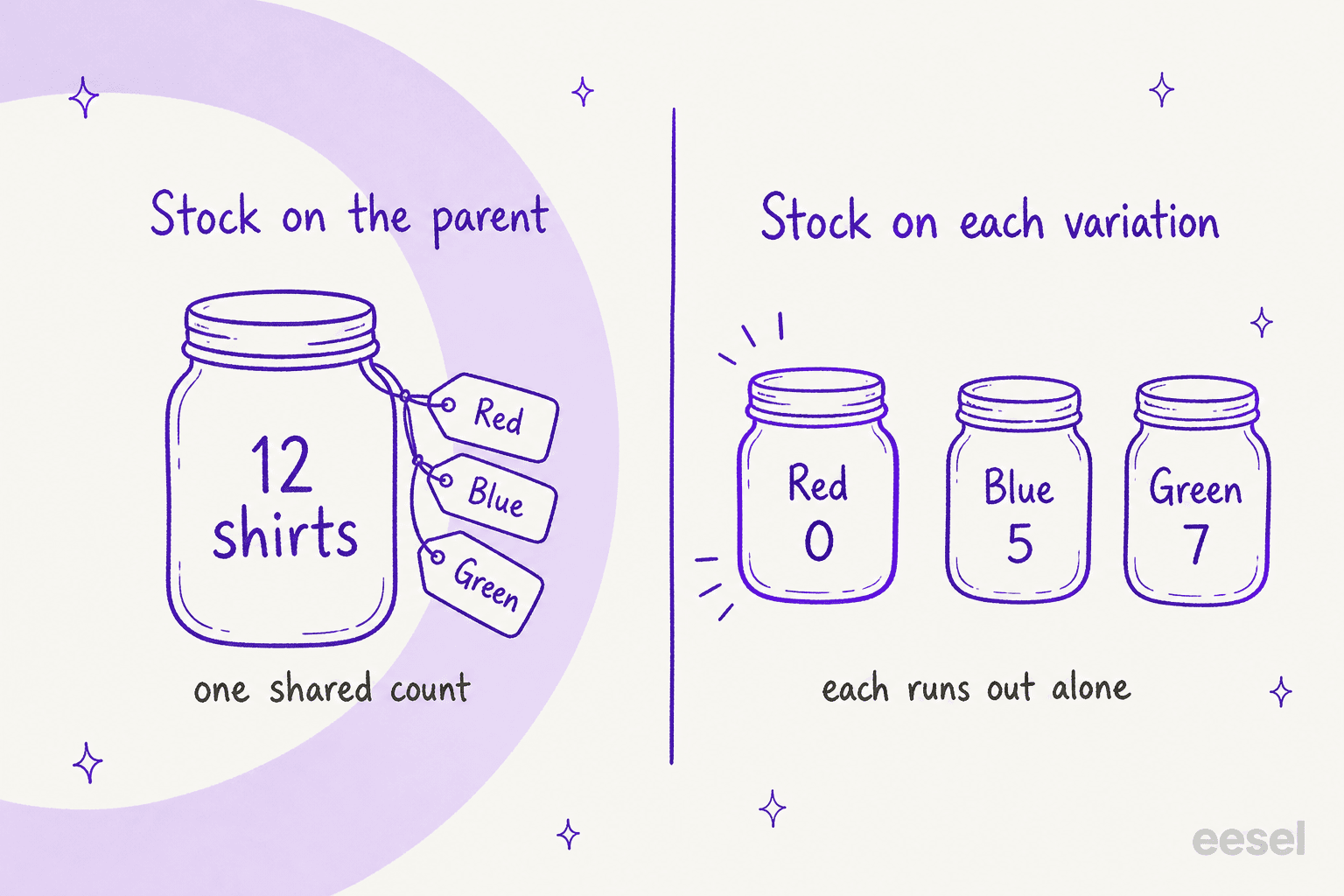
That choice matters to support for one reason. With a shared parent count, WooCommerce can't tell you a specific size is sold out, because it only knows the total. If the warehouse has run out of Large but the parent count says 12, the store will happily sell a Large. Ask your store owner which setup you have before you write a stock macro.
The low stock threshold also falls back. If a variation has no threshold of its own, the docs say WooCommerce uses the product-wide one, and the store-wide default in the source is 2. For the wider picture of what core does, see my WooCommerce review and the WooCommerce pricing breakdown.
Why does the product say in stock when the size is sold out?
Because the parent's status is a summary of its children. When a variation's stock changes, WooCommerce re-syncs the parent: the data store sets it to In stock if any variation is in stock, On backorder if none are in stock but one allows backorders, and Out of stock only when every variation is out.
So a shirt with nine sizes and one left in Small shows "in stock" on the shop page. The customer clicks through for a Large, finds it unavailable, and writes in feeling misled. The docs confirm the parent "will remain visible on shop and category pages as long as at least one variation is in stock."
Here is how each setup shows up to a shopper, from the docs' own table:
| Stock setup | Shop and category pages | Product page dropdown |
|---|---|---|
| Stock on the variation, out of stock, no backorders, hide setting on | Parent shows if any variation is in stock | Out-of-stock variations hidden |
| Stock on the variation, out of stock, backorders allowed | Parent shows | Every variation shown, including out of stock |
| Stock on the parent | Parent shows | Every variation shown |
The support rule that follows is short. Never answer a stock question from the parent product. Open the variation the customer picked, or ask which size and colour they want first. Pre-sale stock questions are their own ticket type, and my guides to AI for pre-purchase questions and AI for pre-sales questions cover how to route them.
Why is a size missing from the dropdown?
Four causes cover almost every case, and only one of them is stock.
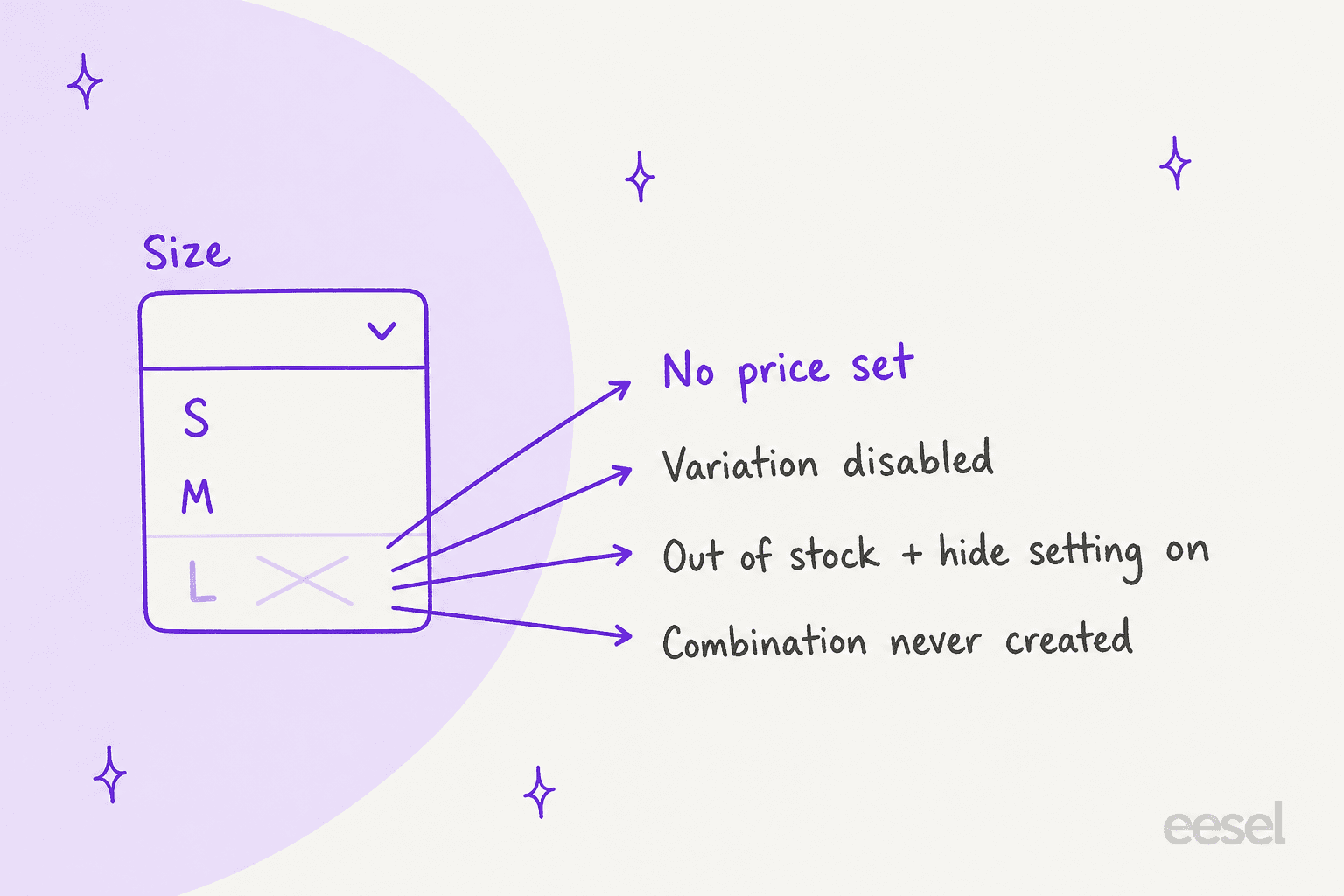
- The variation has no price. In the core source, a variation only counts as visible when it is published and its price is not empty, and the parent drops invisible variations from the list by default. A variation with a blank price simply disappears. This is the most common one I see after a bulk import.
- The variation is not enabled. Each variation has an Enabled box. Untick it and the variation is no longer published, so it is hidden the same way.
- It is out of stock and the hide setting is on. Hide out of stock items from the catalog lives under WooCommerce, Settings, Products, Inventory, and it is off by default. The docs list four conditions for it to hide a variation: the setting is on, stock is managed on the variation, the stock is 0 or set to Out of stock, and backorders are off.
- The combination was never created. If nobody made a Large in Green, there is nothing to show. On a small product the dropdowns filter it out. On a large one, see the next section.
If the customer says "I can't find my size", the first question isn't "is it in stock?" but "does that variation exist, have a price, and is it enabled?" Only then check stock. For more on what core does with products, see adding AI to WooCommerce.
What do the "unavailable" messages mean?
WooCommerce has three messages a customer might paste into a ticket, and each points to a different cause. I took the wording from the frontend scripts so you can match a screenshot to the cause.
| What the customer saw | When it shows | Likely cause |
|---|---|---|
| "Sorry, no products matched your selection. Please choose a different combination." | After picking options that don't match any variation | The combination doesn't exist, on a product with more than 30 variations |
| "Sorry, this product is unavailable. Please choose a different combination." | On clicking a greyed-out Add to cart button | The variation exists but can't be bought, usually out of stock |
| "Please select some product options before adding this product to your cart." | On clicking Add to cart before choosing every option | Nothing is wrong; an option is still unpicked |
The first message is tied to a number most store owners never see. By default, a variable product with 30 or fewer variations gets dynamic dropdowns, so after the customer picks a size, the colour list shrinks to what exists. Above 30, the template code stops loading every variation up front, the dropdowns turn static, and the customer only learns a combination doesn't exist after picking it.
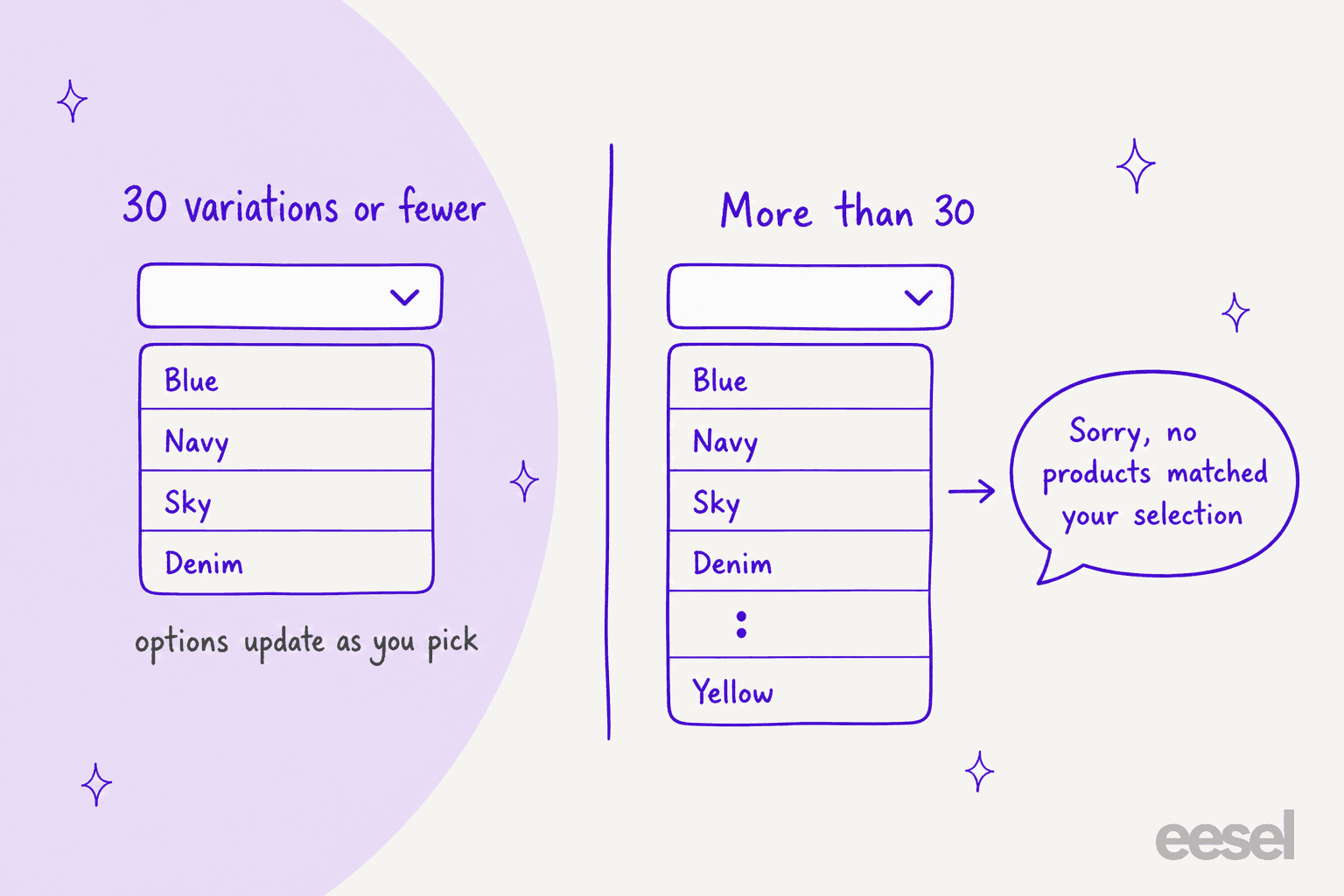
The docs say this is a performance trade-off, and a developer can raise the limit with the woocommerce_ajax_variation_threshold filter. For a store with lots of colours and sizes, raising it can remove a whole class of "your site is broken" tickets, but test page speed after.
There is a fourth message that appears later, in the cart: "Sorry, we do not have enough ... in stock to fulfill your order." That one comes from the cart code and means stock ran out between adding the item and checking out, which brings us to timing.
Can two customers buy the last one?
They can both see it, and only one gets it. WooCommerce checks stock when an item goes into the cart and again at checkout, but it doesn't hold stock while it sits in a cart. Stock is held once an order exists and is waiting for payment, for the Hold stock window under WooCommerce, Settings, Products, Inventory. The source defaults that to 60 minutes, and the block checkout's stock reservation also uses 60 minutes unless a developer filters it.
Stock is actually reduced when the order reaches Processing or On hold. My WooCommerce order status guide walks through that, and the manual refund guide covers when a refund puts stock back.
For a support reply, this means two things. Never tell a customer "it's in stock, it'll be there when you check out", because nothing reserves it. And when a customer says the item vanished at checkout, the cart message above is the honest explanation, not a bug.
Backorders add one more wrinkle. A variation that allows backorders stays buyable at zero stock. If it is set to "Allow, but notify customer" and stock is managed, the product page shows "Available on backorder". Set to plain "Allow" on a stock-managed variation, core shows no backorder text at all, so the customer may not know they ordered something that isn't on the shelf. If your store ships backorders, say so in the reply before they ask where their order is.
What should a support agent say for each case?
Pick what the customer reported in the widget below to see the likely cause, what to check, what to say, and what to fix.
The customer says...
Open the one that matches the ticket.
"My size isn't in the dropdown"
"It says no products matched my selection"
"Add to cart is greyed out" or "it says unavailable"
"The shop page said in stock"
"It disappeared at checkout"
"I ordered it, but you say it's not in stock"
Two habits make this work. Ask which variation before you check anything, because a "do you have it in stock?" without a size is unanswerable on a variable product. And never quote a number from the parent count when stock is shared, because it isn't the size they asked about.
Can an AI agent answer variation stock questions?
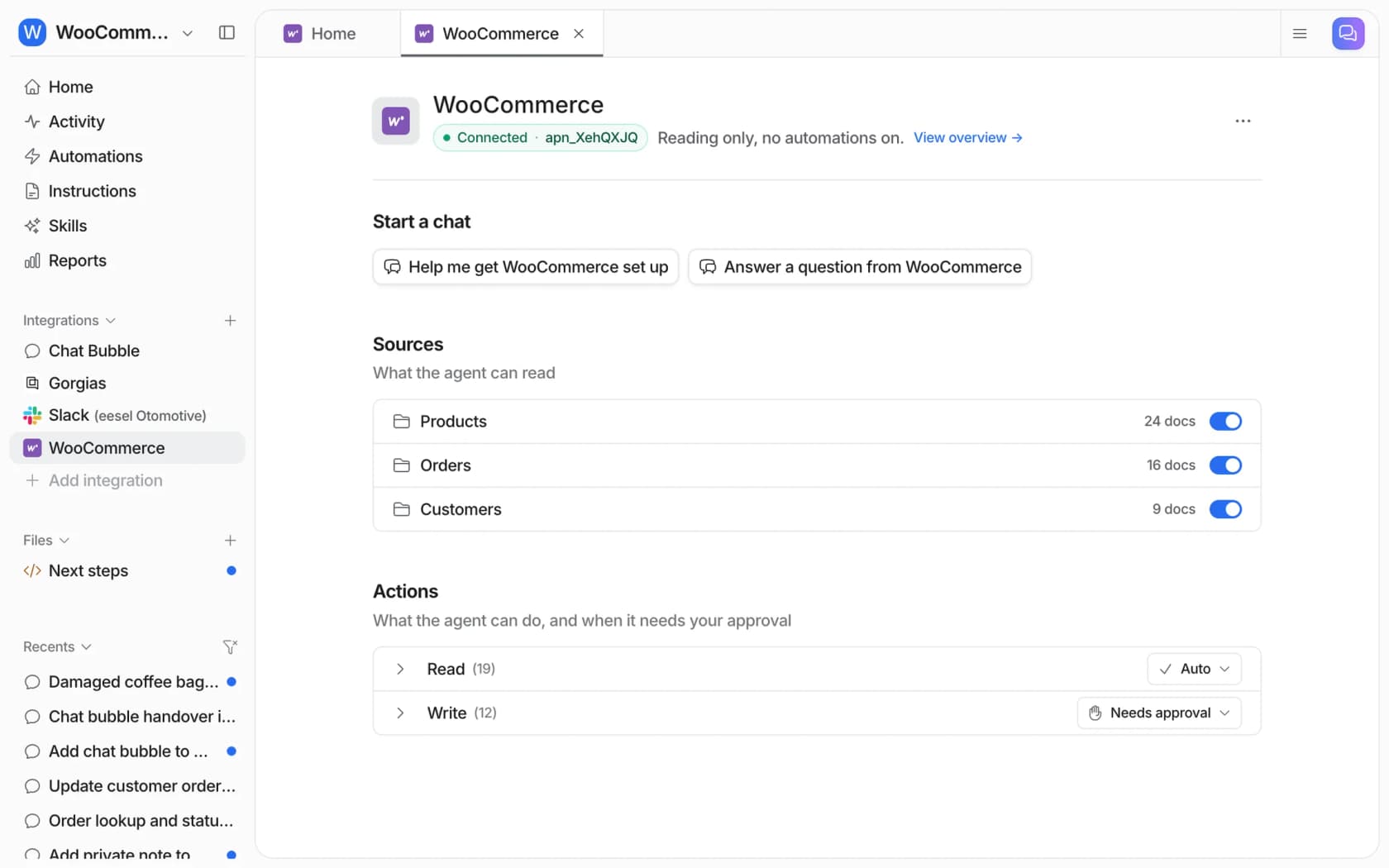
Yes, if it reads the live variation instead of the product page text. The eesel WooCommerce integration connects through the free eesel AI plugin or a REST API key, and its Products source covers "your catalogue, with SKUs, pricing, stock and variants." The product lookup action reads the store live, so an answer about Large in Green comes from that variation's current stock, not from a page crawled last week.
A few honest limits from eesel's own docs, since they shape what the agent should say:
- Options link to the product page. In the chat bubble, a shopper can add a simple product to the cart from a product card. A product with options to pick, such as a size, links to its product page instead.
- Shared stock is still shared. If your store keeps stock on the parent, the agent sees the same single count you do, so it can't confirm a size that WooCommerce doesn't track.
- Restock dates aren't in WooCommerce. Core has no "back in stock on" field, so a restock answer needs a note, a policy page or a person.
- Changing stock needs approval. The write side includes updating products, and each action follows the approval rule you set. With a Read-only key, lookups work and updates fail.
Here is what this looks like on a live store. Question Beauty gets short messages from Messenger, email and chat, and "is this in stock" is one of the regulars. Its agent reads about 270 product pages from Shopify, and a price or a product detail comes from the current product page, or it shares the product link instead. That rule is the one you want on WooCommerce variations too. The store runs on Shopify rather than WooCommerce, but the pattern carries over.
Cape Coffee Beans runs eesel in Zendesk with more than a thousand products that change all the time. Between 8 August and 8 September 2026, the team called it into 23 tickets, and it looked up 19 products in the live Shopify catalogue. A product answer links the product page it came from. If the knowledge base can't confirm something, it says so and asks the team to check.
Both are examples of customer service automation that answers from the store's own data. Connecting WooCommerce still needs someone with WordPress admin access to approve the key, and the CLI doesn't replace that step.
If your helpdesk is Gorgias, read Gorgias with WooCommerce and Gorgias AI for WooCommerce first. For a broader pick, see the best AI for WooCommerce support and best AI for ecommerce support.
Which settings cut the most stock tickets?
These are the ones I would check first on a store, in rough order of how many tickets they prevent.
- Give every variation a price. A blank price hides the variation with no warning to the customer. Check after every import.
- Track stock on the variation for anything that sells out by size. A shared parent count is fine for one-size items and wrong for apparel. The AI for inventory management guide covers the stock side.
- Decide on the hide setting on purpose. Hiding sold-out sizes cuts "it says unavailable" tickets, but customers then ask "do you make it in Large?" Pick the question you'd rather answer.
- Use "Allow, but notify customer" for backorders. It's the only setting that tells the shopper before they buy.
- Set stock display format. Under Inventory, "Only show quantity remaining in stock when low" shows "Only 2 left in stock" and nudges a decision before the cart race. The order management system overview and the ecommerce support contact rate data show how big this queue can get.
If you are still weighing the platform itself, see WooCommerce alternatives and Shopify vs WooCommerce. For automations outside support, there is also WooCommerce with n8n.
Try eesel for WooCommerce stock questions
Stock tickets on a variable product are the same handful of questions, and the answer is in the variation, not the product page. eesel checks the live WooCommerce variation before it replies, so "do you have this in Large?" gets that size's real stock or a link to the product page, never a guess from the parent. It joins your helpdesk, a chat bubble or Slack, and any product update waits for your team's approval.
Try eesel on your store.
Want to see the agent first? Read how the WooCommerce AI agent works, or the AI chatbot for WooCommerce setup. New to the terms? Here is what an AI agent is, and how it differs from a macro. For a wider look at shop chat, see the ecommerce helpdesk guide and AI chatbots for ecommerce.