

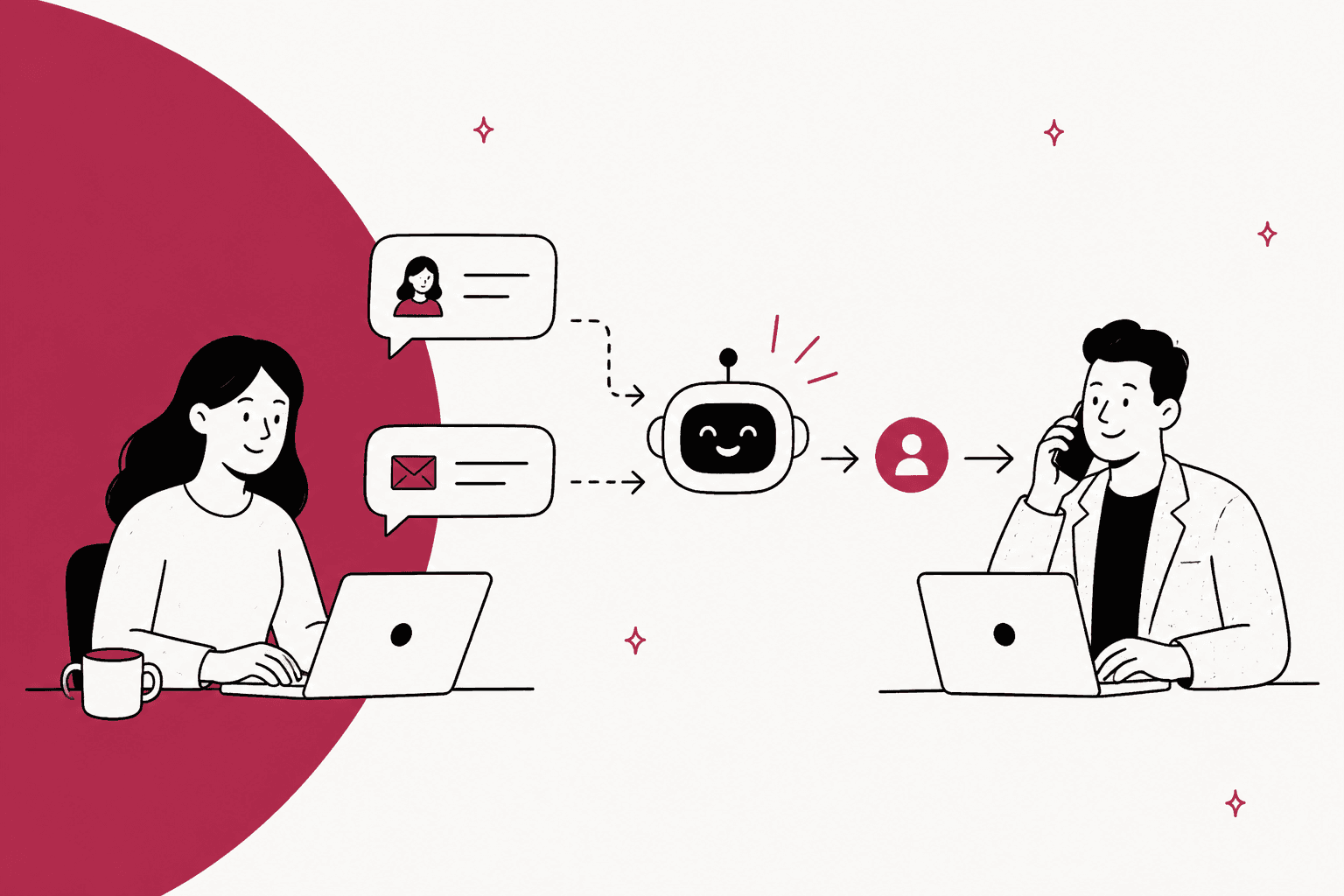
AI for pre-sales questions works when it treats every question as one of three kinds. The ones your own pages already answer (does it do X, which plan fits, what does the published plan cost) the AI should answer on its own, right away. The ones that need judgement (will it work with our exact setup, how do you compare to a rival) it should answer from what you have written, then offer a person. And the ones that are really a negotiation (a custom quote, a discount, a big order) it should not answer at all. It should collect the name, email, company and need, and hand a filled-in lead to sales.
Most guides frame this as an "AI sales assistant" that compares you with competitors and recommends plans. The teams I've seen get it right do less than that: they switch competitor talk off, keep prices tied to a live source, and spend their effort on the handoff.
eesel does this as an AI teammate in your website chat and helpdesk. BEAUTEK, a B2B supplier to beauty and medical studios, runs it on its site and in Zendesk. In one month it answered 77 website chats in German and created 20 Zendesk tickets from chat, most of them sales leads.
What counts as a pre-sales question?
Any question a potential customer asks before they have bought. It sounds like a sales thing, but most of these questions land in support. They come in through the website chat, the "contact us" form, and the same shared inbox as order problems and bug reports, so the support team is usually the first to see them.
I work eesel's support queue every day, and the thing to know about pre-sales messages is that they often mix two jobs in one sentence. Take a typical one: "Does your tool work with Salesforce, and can we get a discount for 30 seats?" The first half is a support question with a factual answer. The second half is a sales conversation. Treat the whole message as one or the other and you get it wrong.
Here are the common ones, and where each really belongs:
| What the buyer asks | What it really is | Who should answer |
|---|---|---|
| "Does it do X?" | A feature fact | AI, from your docs |
| "Which plan is right for us?" | Plan limits matched to their size | AI, from the pricing page |
| "How much does it cost?" | A published price, or a quote | AI if published, sales if quote-only |
| "Does it integrate with our CRM?" | An integration fact | AI, from the integrations list |
| "Will it work with our setup?" | A fit question with details | AI first, then offer a person |
| "How are you different from [rival]?" | A positioning question | AI only from your own comparison page, or a person |
| "Is it secure? Can you fill in our questionnaire?" | A published fact, plus a document task | AI for the published part, a person for the paperwork |
| "Can we get a discount?" | A negotiation | Sales |
| "We need 500 units by March" | A large order or custom quote | Sales, with the details collected |
| "Can I book a demo?" | A meeting request | AI shares the booking link or takes details |
If you sell physical products to shoppers, a lot of this overlaps with sizing, stock and shipping questions. I cover those separately in AI for pre-purchase questions. This post leans toward the considered buy: software, equipment, B2B orders, anything where the answer often ends in a quote or a call.
Why do pre-sales questions end up in the support inbox?
Because that's where the button points. The chat bubble on the pricing page, the help center contact form, the reply-to address on a newsletter all route to support. Sales teams usually only see a buyer once they fill in a demo form, which is a much later step.
That has two effects. First, pre-sales questions compete with everything else in the queue, so a buyer asking about an integration at 9pm waits behind yesterday's refund requests. Second, the person answering is often not the person who can say yes to a discount, so the conversation stalls at exactly the moment it should move forward.
An implementer who set up AI chat on several stores this year put the trade-offs plainly:
"It all depends what is the goal: - increase sales? by 5-20%, possible but you already have to have a decent monthly revenue to justify the costs (at least 10k/month) - answer FAQ - possible as well, not a lot of perceived value there"

I'd read that as a warning about scope. An AI that only answers FAQ copy feels thin to buyers, because they could have read the FAQ themselves. The value shows up when it answers the specific question with the specific fact, and when the buyer who is ready to talk gets to a person fast. That's the whole design problem in two halves, and the rest of this post walks through both.
Which pre-sales questions should AI answer, and which go to sales?
Sort them into three lanes and write those lanes into the AI's instructions. This is the single most useful thing you can do, and it's more important than which tool you pick.
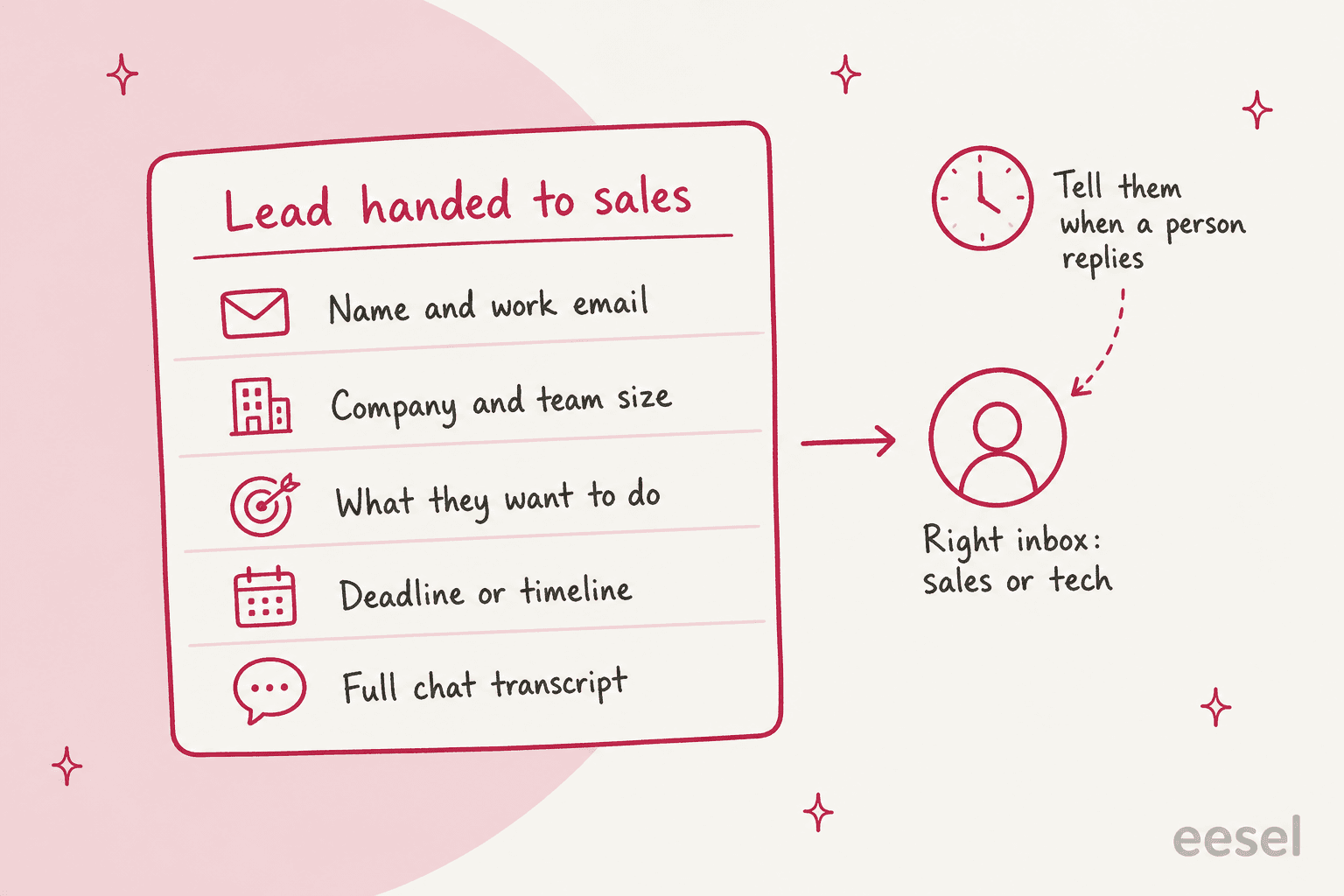
Lane 1: AI answers. Anything your published pages, docs or past support replies already settle. Feature facts, integrations, plan limits, published prices, onboarding steps, data residency, languages supported. The test is simple: if a new hire could answer it by reading your site, the AI can too. This lane should be the bulk of your pre-sales volume, and the answer should link the page it came from so the buyer can check.
Lane 2: AI answers, then offers a person. Questions where the facts are written down but the buyer's situation adds details your pages don't cover. "We use Salesforce with a custom object for renewals, will your sync pick that up?" The AI can explain what the integration does from the docs, then say plainly that a person can confirm their setup, and offer to pass it on.
Lane 3: AI collects, sales replies. Custom quotes, discounts, payment terms, large or recurring orders, contract changes, anything that needs someone with authority to say yes. The AI's job here is intake, not answering. Ask for what sales needs, create the lead, and tell the buyer when a person will reply.
Use the sorter below to see how I'd route a few real-sounding questions:
Pre-sales question sorter
What did the buyer ask?
Pick a question to see the lane, what the AI says, and what it hands over.
Reads: the pricing page, plan limits and seat rules.
Says: which plan covers 12 people and why, with the price as published and a link to the pricing page.
Hands over: nothing, unless they ask about a discount or custom terms.
Reads: the integrations list and that integration's docs page.
Says: yes or no, what the integration syncs, which plan includes it, and the setup page.
Hands over: nothing. If the integration doesn't exist, it says so instead of guessing at a workaround.
Reads: the docs for each part of their setup they named.
Says: what is documented, what isn't, and that a person can confirm the rest.
Hands over: if they say yes, the transcript plus their setup details to whoever does technical pre-sales.
Reads: only a comparison page you have published, if you have one.
Says: your own strengths and the page link. It never quotes a rival's price or feature list.
Hands over: the conversation to sales if the buyer wants more than your page says.
Reads: any published discount (annual billing, nonprofit pricing) and nothing else.
Says: the published discount if one applies, and that a person handles anything beyond it.
Hands over: name, work email, team size and what they want, as a tagged lead for sales.
Reads: stock and lead times for the item, if your store data has them.
Says: what it can confirm, and that a person will send the quote, with a realistic reply time.
Hands over: quantity, deadline, delivery country, company and contact details, plus the transcript.
Should AI compare you with competitors?
This is where I disagree with most of the advice out there. The standard pitch is that the AI should "explain differences, strengths, limitations and use cases" against any competitor a buyer names. In practice, the teams I've seen running pre-sales chat for real often turn that off.
Two eesel customers wrote it into their setup. IC Intracom, which runs a chat for each of its two networking brands on Shopify, keeps answers to the scope of the question: "No lecturing, no unasked-for background, no jokes, no competitor equivalents." An industrial automation company that put its technical library behind a chat goes further: "No pricing, no comparisons with other companies, nothing about other customers."
The reason is simple. An AI comparing you with a rival has to know the rival's current prices and features, and it doesn't. It has whatever was in its training data or a page it found, which may be a year old. A wrong claim about a competitor in your own chat window reads as a sales tactic, and it's the kind of thing a buyer screenshots.
My rule: if you have a comparison page you've published and would defend, let the AI answer from that page and link it. If you don't, have it say what your product does well for the buyer's use case and offer a person for the head-to-head. That's still a useful answer, and it doesn't put words in a rival's mouth.
What should AI say when a buyer asks about price?
It depends on whether your price is published.
If it's published, quote it exactly and link the pricing page. Plan names, what each includes, monthly versus annual, any per-seat or usage charge. The AI should also do the arithmetic for the buyer's size, because "12 people on the Team plan at $X per seat" is the answer they actually want. This is the easiest high-value pre-sales answer there is.
If it's quote-only, don't make the AI dance around it. Say that pricing depends on their setup, ask the two or three questions sales needs to give a number, and hand it over. IC Intracom does a version of this: business pricing questions go to the dealer and business account sign-up page, not to a made-up number.
Discounts and promotions are where AI pricing goes wrong most often, and it's rarely the model's fault. It's the source. One store owner asked the question every team running promotions should ask:
"Does anyone else worry about chatbots giving outdated information when promotions change frequently? We run flash sales, bundle deals, seasonal discounts, and limited-time offers, and it feels like keeping everything aligned would be a challenge. Have you ever had a chatbot mention last week's promotion or an expired offer, and how did you solve it?"
The fix is to give the AI one live source for prices and tell it to ignore everything else. ClutchLoop, a phone accessory brand on Gorgias and Shopify, does exactly that: prices, variants and stock come from Shopify at the moment of asking, "not from crawled pages that may be out of date." In one month its agent ran 76 live product lookups in Shopify. For software, the equivalent is pointing the AI at your current pricing page and excluding old launch posts and changelogs from its sources. The hallucination prevention guide covers the rest.
How should the handoff to sales work?
This is the part that decides whether AI helps or hurts your pre-sales pipeline. A good answer followed by a dead end is worse than no chat at all, because the buyer was ready and you made them wait.
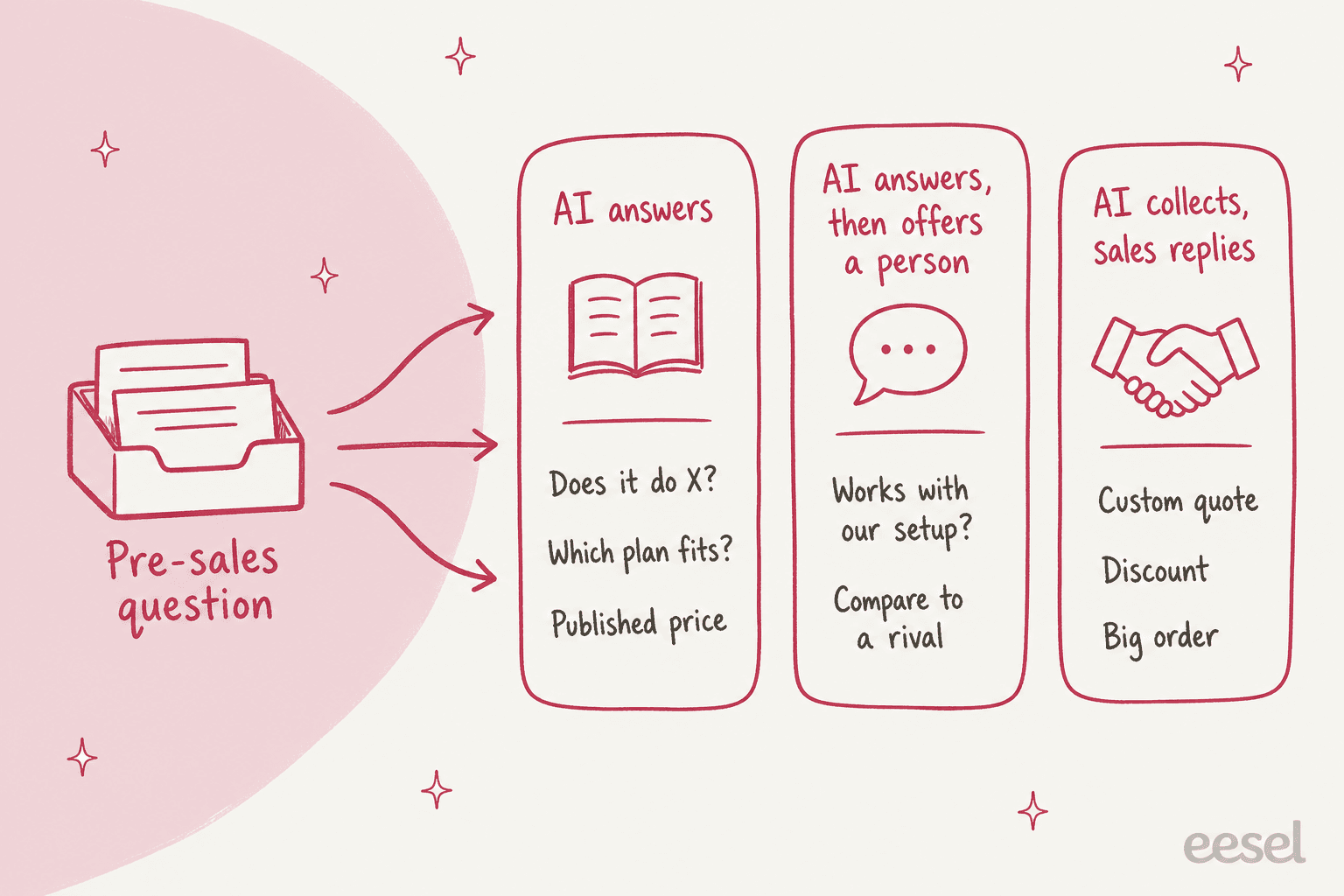
A handoff that works does five things:
- Collects only what sales needs. Name and work email always. Then the two or three things your sales team qualifies on, usually company, team size or volume, and timeline. Don't make the buyer fill in a form inside a chat. The lead qualification guide has a longer list if you need it.
- Sends it to the right inbox. Sales questions to sales, technical questions to whoever does technical pre-sales. IC Intracom routes sales and order questions to the sales team and technical ones to technical support, each with the visitor's name, email and the full chat transcript.
- Sets an honest expectation. IC Intracom's chat tells the visitor the follow-up may take up to three business days. That's not fast, but it's true, and a true answer beats "someone will be in touch shortly" followed by silence.
- Asks for a phone number when calls close deals. BEAUTEK's chat takes the buyer's name and email for a quote, a consultation or a larger order, creates a Zendesk ticket tagged as a sales lead, and asks for a phone number so the sales team can call.
- Tags the lead so sales can find it. A tagged ticket can feed a view, a report, or an automation into your CRM. Untagged, it sits in the general queue.
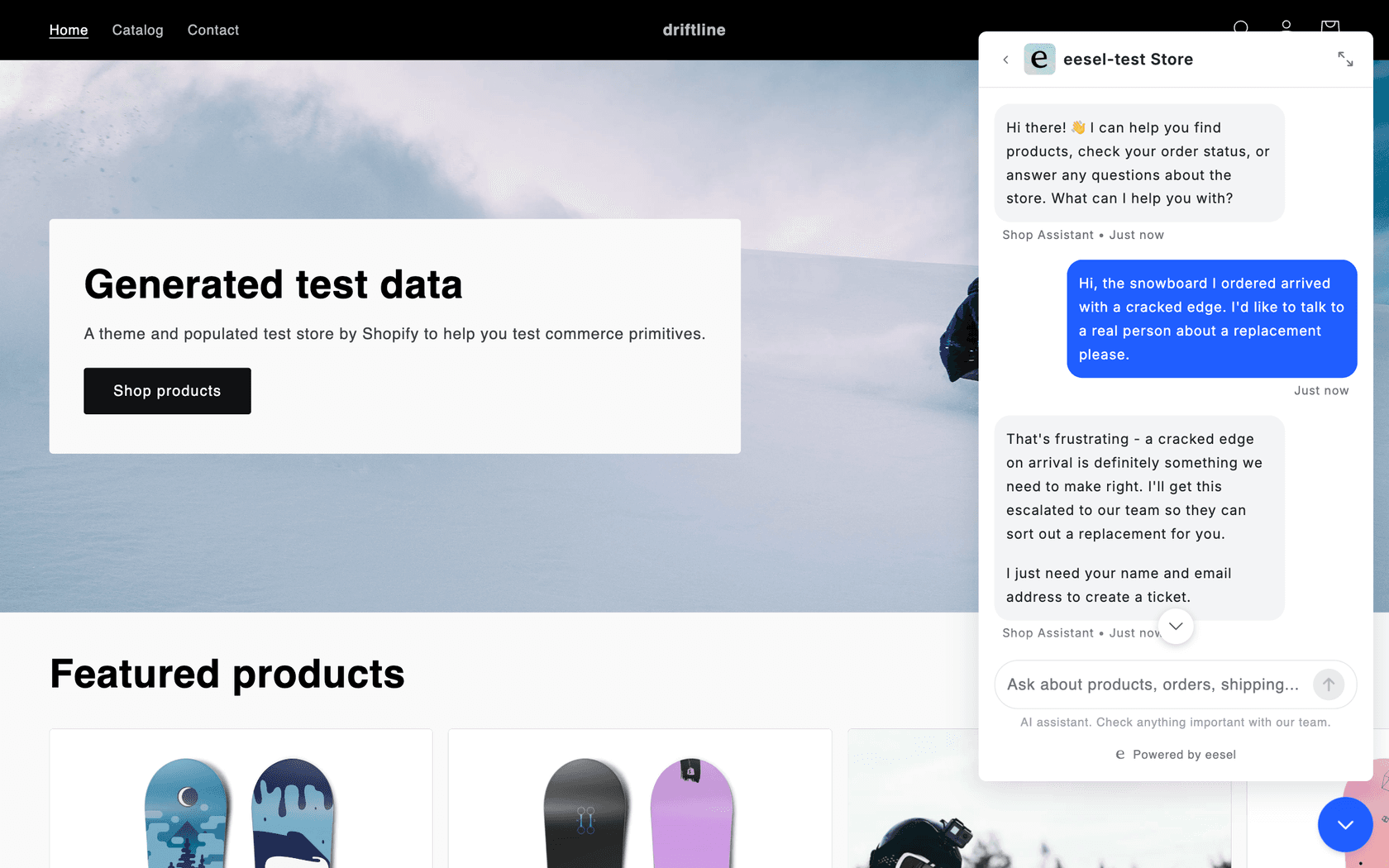
For the general mechanics of passing a chat to a person, my posts on handoff best practices and handoff flow examples go deeper. If you're on Shopify, there's also a short guide on how to collect email and phone before the handoff.
How do you set up AI for pre-sales questions?
Five steps. They work the same whatever tool you use, though the screens differ.
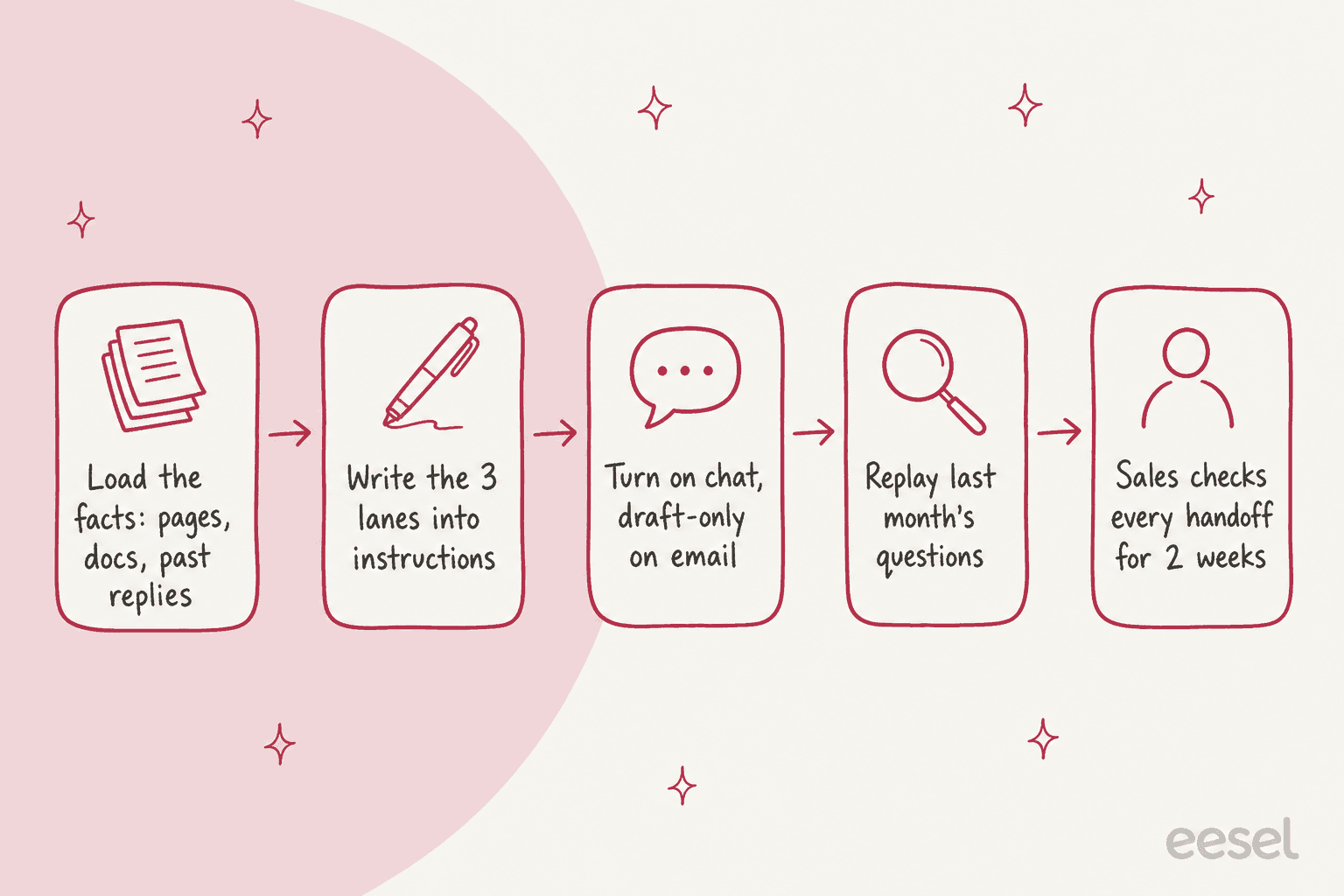
- Load the facts. Your website, pricing page, docs or help center, integrations list, and past support replies to pre-sales questions. Past replies matter more than people expect, because they hold the answers your team actually gives, including the awkward ones. If your product data lives in a store, connect the store so prices and stock are read live. BEAUTEK's agent answers from about
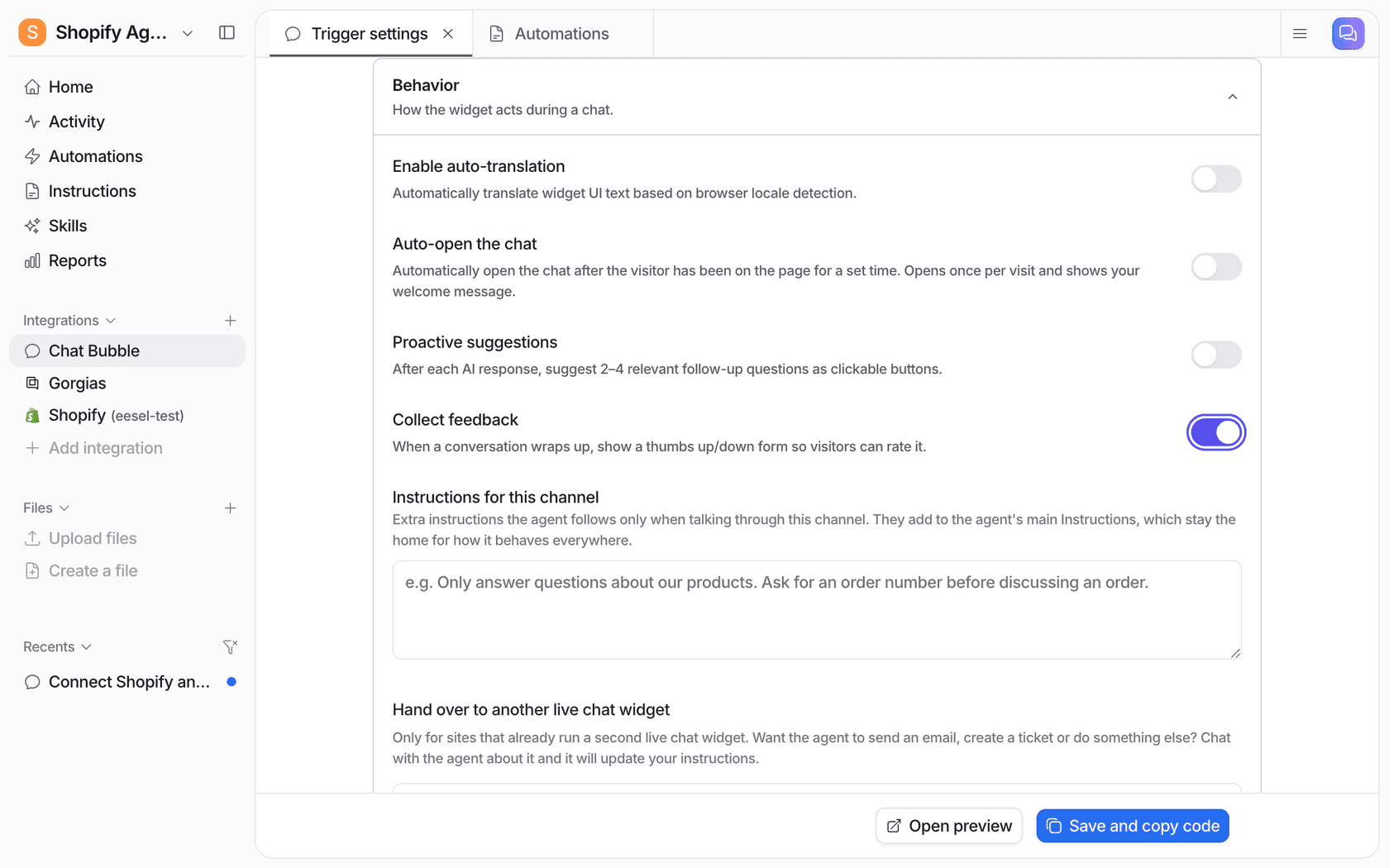
6,700pages and documents, including its suppliers' own sites, because that's where a lot of the product detail lives. - Write the three lanes into the instructions. In plain sentences: what the AI answers, when it offers a person, what it never answers, and exactly what it collects before a handoff. Add your rules on competitors and discounts here. Most tools have a place for channel-specific instructions too, so your website chat can be more sales-minded than your support inbox.
- Turn on website chat live, and email on drafts. A chat visitor expects an answer in seconds, so live replies make sense there once you've tested them. A pre-sales email can wait a few minutes for a person to approve a draft, which is how you build trust in the answers. The approval workflows guide covers how to set that up.
- Replay last month's pre-sales questions. Before going live, run the AI against real questions you've already answered and read what it would have said. You'll find the gaps in a day: the integration nobody documented, the plan limit that changed. The simulation testing guide explains how many examples you need per topic.
- Have sales check every handoff for two weeks. Not every AI answer, every handoff. Did the lead arrive with what they needed? Did it go to the right person? Was anything handed over that the AI could have answered? Two weeks is usually enough to tune the lanes.
The timing piece matters too. Pre-sales questions don't keep office hours, and BEAUTEK's case is a good example: its phone line is staffed 8:30 to 16:30 on weekdays, but the shop is open all the time. If evenings and weekends are where you lose buyers, my post on weekend support coverage covers that angle, and multilingual support matters if buyers write in more than one language.
Which tools can answer pre-sales questions with AI?
Most helpdesks now ship an AI agent, and all of them can handle lane 1. The differences show up in lanes 2 and 3: how you write handoff rules, where the lead lands, and whether the AI can read live data like stock or CRM records.
| Tool | Where it answers | How handoff rules work | Good fit for |
|---|---|---|---|
| HubSpot Customer Agent | HubSpot chat and email | Written handoff guidelines, per channel and per audience segment | Teams whose sales and support both live in HubSpot |
| Zendesk AI agents | Zendesk Messenger, email, web forms | Messaging flows that can collect details before a transfer to a live agent | Teams already on Zendesk messaging |
| Gorgias AI Agent | Gorgias chat and email | Set in Gorgias's AI Agent settings, with a shopping assistant for stores | Shopify stores on Gorgias |
| eesel | Its own chat bubble, inline embed and public chat link, plus Zendesk, Freshdesk, Gorgias, HubSpot and others | Plain-language instructions, with handoff as a ticket or email | Teams that want one agent across website chat and an existing helpdesk |
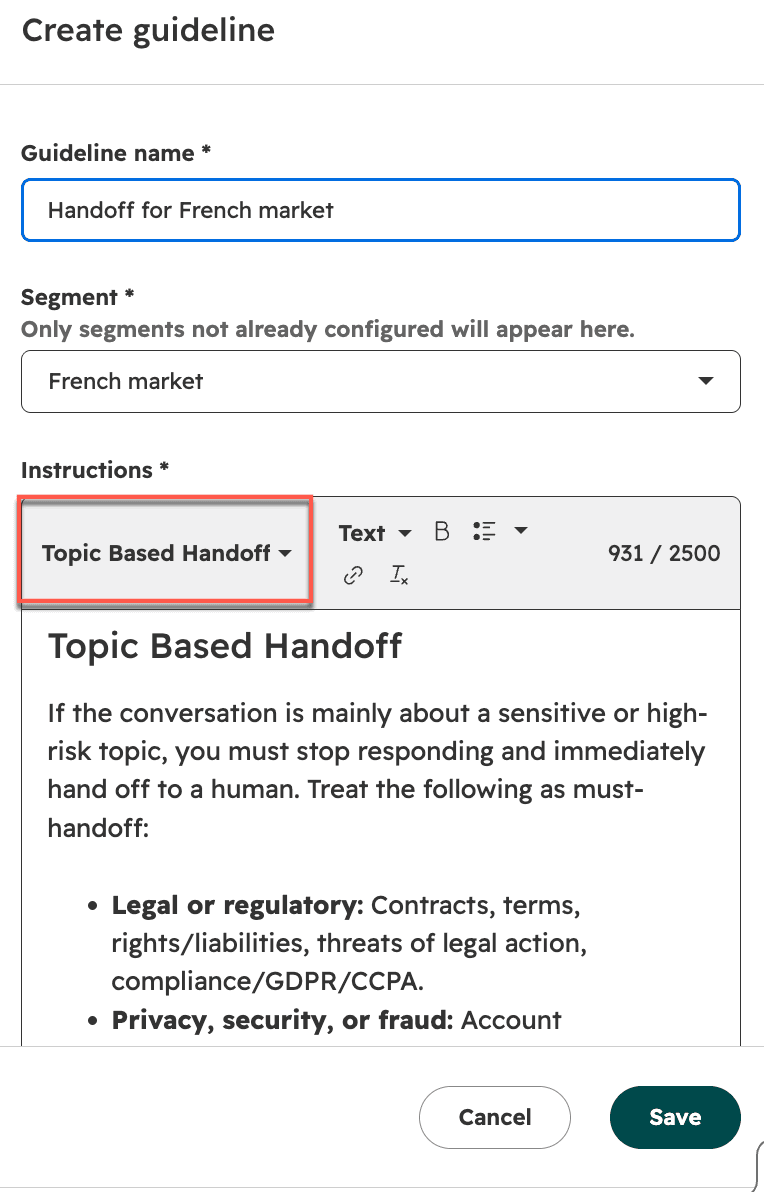
HubSpot's Customer Agent lets you write handoff guidelines as instructions, for example a "topic based handoff" for legal, privacy or billing subjects, and you can apply different guidelines to different customer segments, per its handoff setup article. Chat and email handoffs are configured separately, and editing them needs an assigned seat. If sales and support already share HubSpot, a handoff lands right next to the contact record. More detail in my HubSpot customer agent post.
Zendesk's AI agents run in Messenger, and Zendesk's own messaging workflow guide suggests a simple form to collect essential details before a conversation reaches a person. If you're already there, the guide to Zendesk AI agents and the one on data capture cover the setup.
Gorgias bundles its AI Agent into its helpdesk plans, with a set number of automated interactions included and $1.50 per automated interaction past that limit, per the Gorgias pricing page. Its shopping assistant is built for store pre-sales: product questions, recommendations and cart help.
If you want a wider field, my roundups of AI sales assistant software and the best chatbots for lead generation compare more options.
How eesel handles pre-sales questions
eesel is an AI teammate that joins your support team. For pre-sales, that means one agent that answers in your website chat and in your helpdesk, from your own pages, docs and past tickets, and hands buyers to a person with the details already gathered.
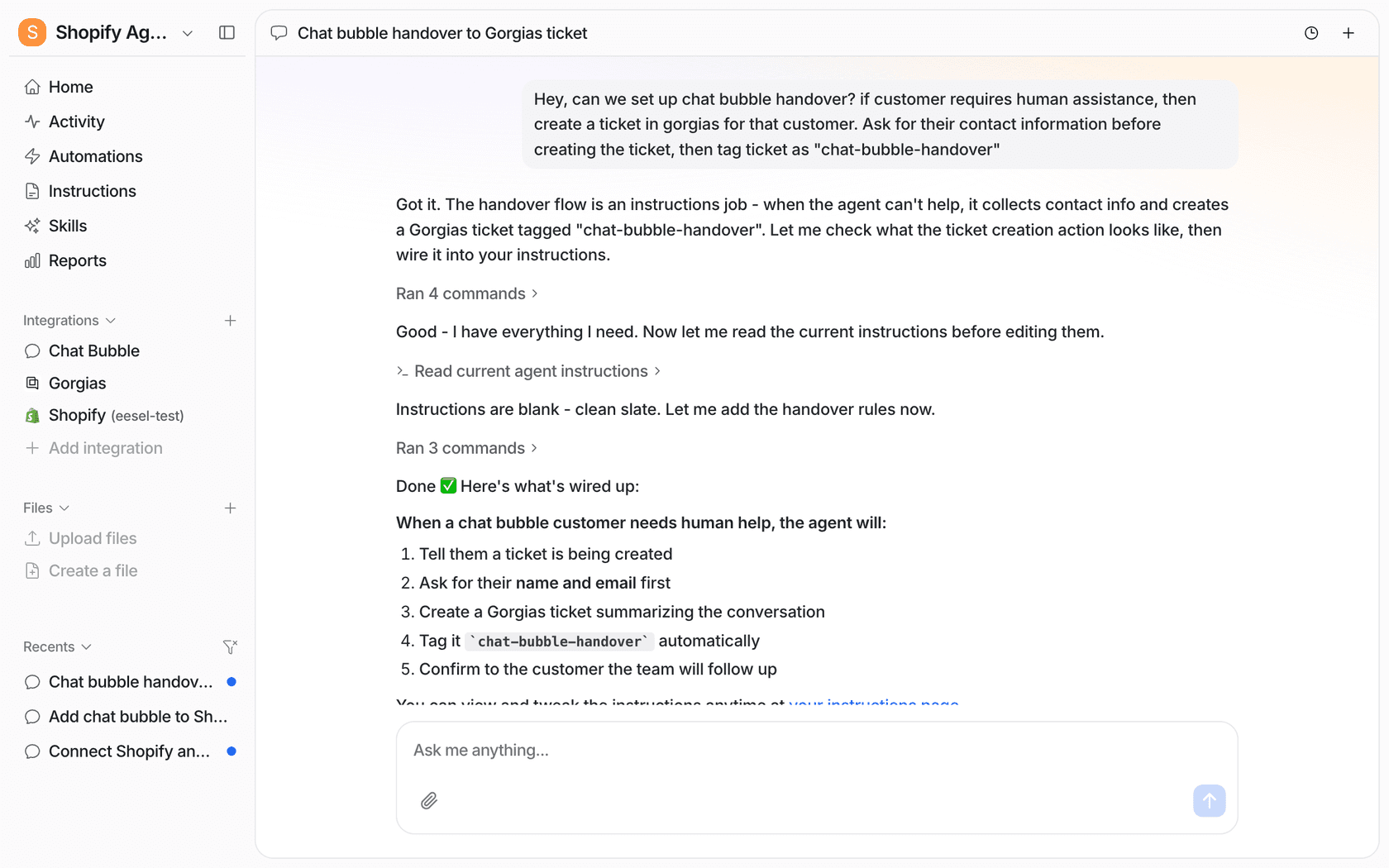
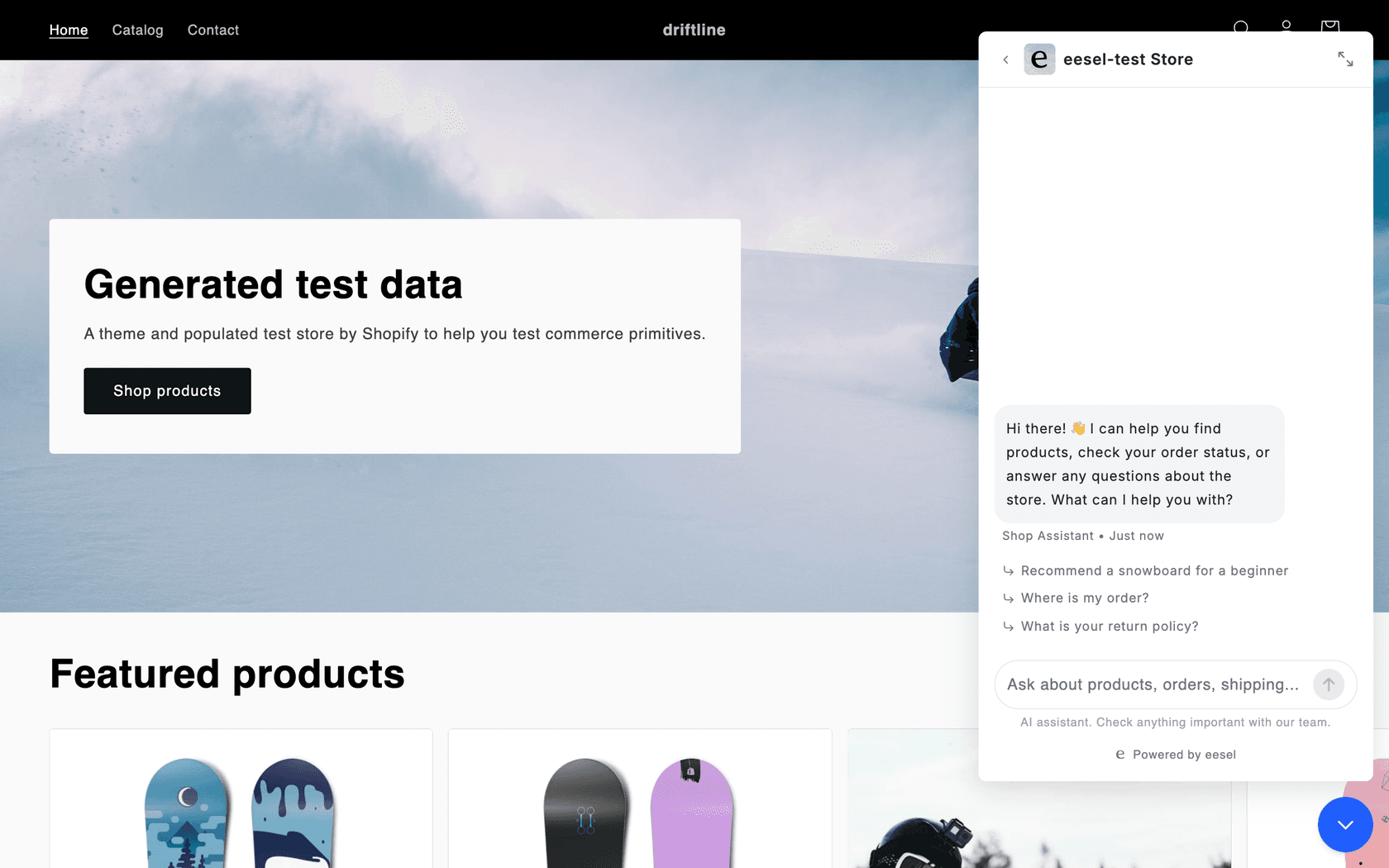
The setup is a conversation. You ask the agent for a chat bubble on your site, tell it what it may answer and what to escalate, and it writes those rules into its instructions, which you can read and edit. Handoff to a person is usually a ticket in your helpdesk: the agent asks for a name and email, creates the ticket with a summary of the conversation, and tags it.
A few things that matter for pre-sales specifically:
- Live store data. With Shopify connected, the agent checks stock, variants and price at the moment of asking and shows products as cards a buyer can add to the cart.
- CRM context on HubSpot. On HubSpot, the agent can read deals, contacts and companies once you switch them on for that agent, so it can see that a "new" chat is from a company with an open deal. They're off by default, because contact records are personal data.
- One agent, several places. The same agent can answer in the bubble, an inline chat on a contact page, a public chat link, and your Zendesk or Freshdesk queue.
- What it can't do. It doesn't create HubSpot contacts or deals itself, and its Calendly connection is read-only, so it shares your booking link rather than booking the meeting. A lead arrives as a ticket, and your existing helpdesk-to-CRM setup takes it from there.
Here is how four customers use it on questions buyers ask before they commit:
BEAUTEK sells treatment couches, chairs and equipment to studios across Europe. Its chat opens with three choices: product advice, help with an order, or a complaint. Between 8 August and 8 September 2026 it answered 77 website chats and created 20 Zendesk tickets from chat, most of them sales leads, each with the buyer's details and a phone number when they gave one.
IC Intracom runs one agent per brand, reading about 2,100 Shopify product records. Resellers and IT teams ask how far a PoE extender reaches or whether there's a TAA compliant version. In its first month it handled 34 chats with 41 product lookups, and handed 3 to the team as tickets.
Norden-Frisia, a German ferry line, uses its chat bot CaptAIn for questions passengers ask before they book: departures, prices, vehicles, bikes, who travels free. When a chat can't be closed, it creates a Zendesk ticket.
The industrial automation company answers engineers only from its technical documents, and says plainly when it has nothing to go on. Well over twice as many questions arrive at the chat as reach the support desk.
What should you measure?
Count leads and wrong answers, not just chats. A pre-sales AI that answers 500 chats and loses the ten buyers who wanted a quote has failed at the part that matters.
| Metric | What it tells you | Where to find it |
|---|---|---|
| Pre-sales chats answered without a handoff | How much of lane 1 the AI covers | Chat or helpdesk reports, filtered by tag |
| Leads created from chat | Whether lane 3 is reaching sales | Count of tickets with your sales-lead tag |
| Leads with complete details | Whether the intake works | Sales spot-checks for the first weeks |
| Time from handoff to first human reply | Whether your team keeps the promise the AI made | Helpdesk first-reply time on tagged tickets |
| Answers corrected by a person | Where the facts are missing or stale | Edits on drafted replies, poor feedback ratings |
The industrial automation company has a good habit here: a regular digest of what the chat was asked, which answers were rated badly, and where the knowledge had gaps, which go straight into the documentation backlog. That turns pre-sales questions into a list of pages your site is missing. For more on what to track, see containment and escalation quality.
Try eesel for pre-sales questions
If buyers are asking about your product in a chat bubble or a support inbox and waiting for an answer, eesel can answer the factual questions from your own pages in seconds and pass anyone ready for a quote to your sales team with their details and the conversation attached. BEAUTEK turned 20 chats into sales tickets in a month this way, while the AI handled the product questions around them.
You can start on the free plan with 100 credits, no card needed, and paid plans start at $299 a month for 500 credits, where a chat or a ticket is one credit, per the eesel pricing page. Try eesel and set up a chat bubble with your own pre-sales rules.