WooCommerce ChatGPT integration: 3 ways to connect your store (2026)

Rama Adi

Katelin Teen
Last edited November 25, 2026
There is no official WooCommerce ChatGPT integration yet (WooCommerce lists its Stripe route into ChatGPT as "Coming soon"), so stores connect one of three ways: a product feed to get found by US shoppers, an MCP plugin from $39 a year to ask ChatGPT about orders, or a chatbot plugin with their own OpenAI key. OpenAI dropped in-chat Instant Checkout in March 2026, so none of them puts checkout inside ChatGPT. The feed costs nothing and checkout stays on your site. The MCP route (AI Engine Pro from $59 a year, or W7S at $39 a year) needs ChatGPT Business or Enterprise. And none of the chatbot plugins I checked refunds an order or verifies a guest.
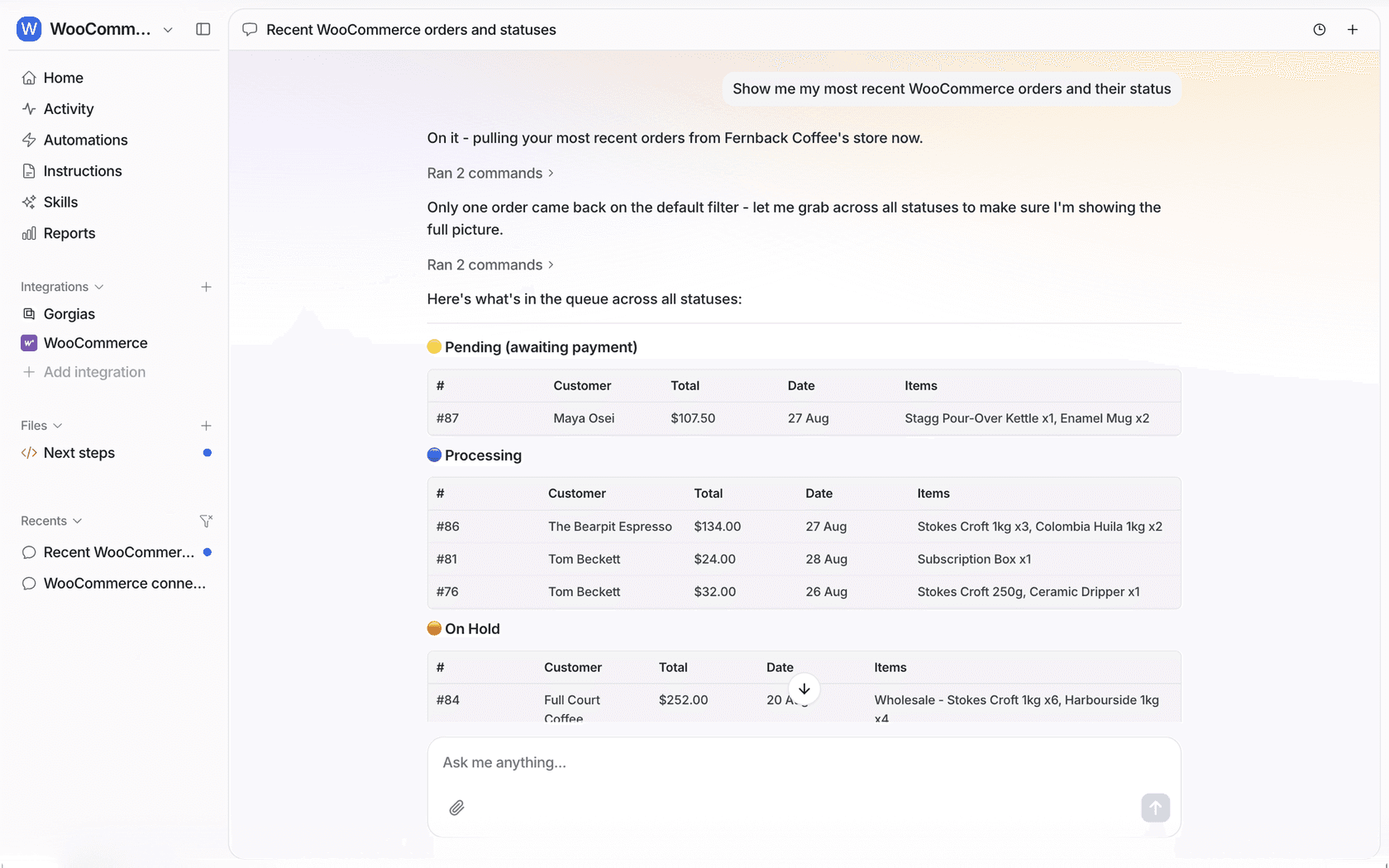
That third job is where most stores actually lose time: "where's my order?" and "can I get a refund?" arriving in chat and email (the WooCommerce support automation guide breaks down which ones). eesel is an AI teammate that reads WooCommerce orders live while it answers shoppers in your chat bubble or helpdesk, and holds refunds for a teammate's yes when you set it to. You can even talk to it from inside ChatGPT. A coding agent like Codex or Claude Code can set it up with the eesel CLI, uploading your policies and asking it test questions before it goes live, though connecting the store still needs an admin to approve it.
I build integrations at eesel, so when someone says "integration" I want to know three things: whose access it uses, what it can change, and who can make it act. Those are the questions I ask of every route below.
What does a WooCommerce ChatGPT integration actually do?
It does one of three different jobs, and the search lumps them together. Each one has its own tools, its own price, and a different person on the other end of the chat.
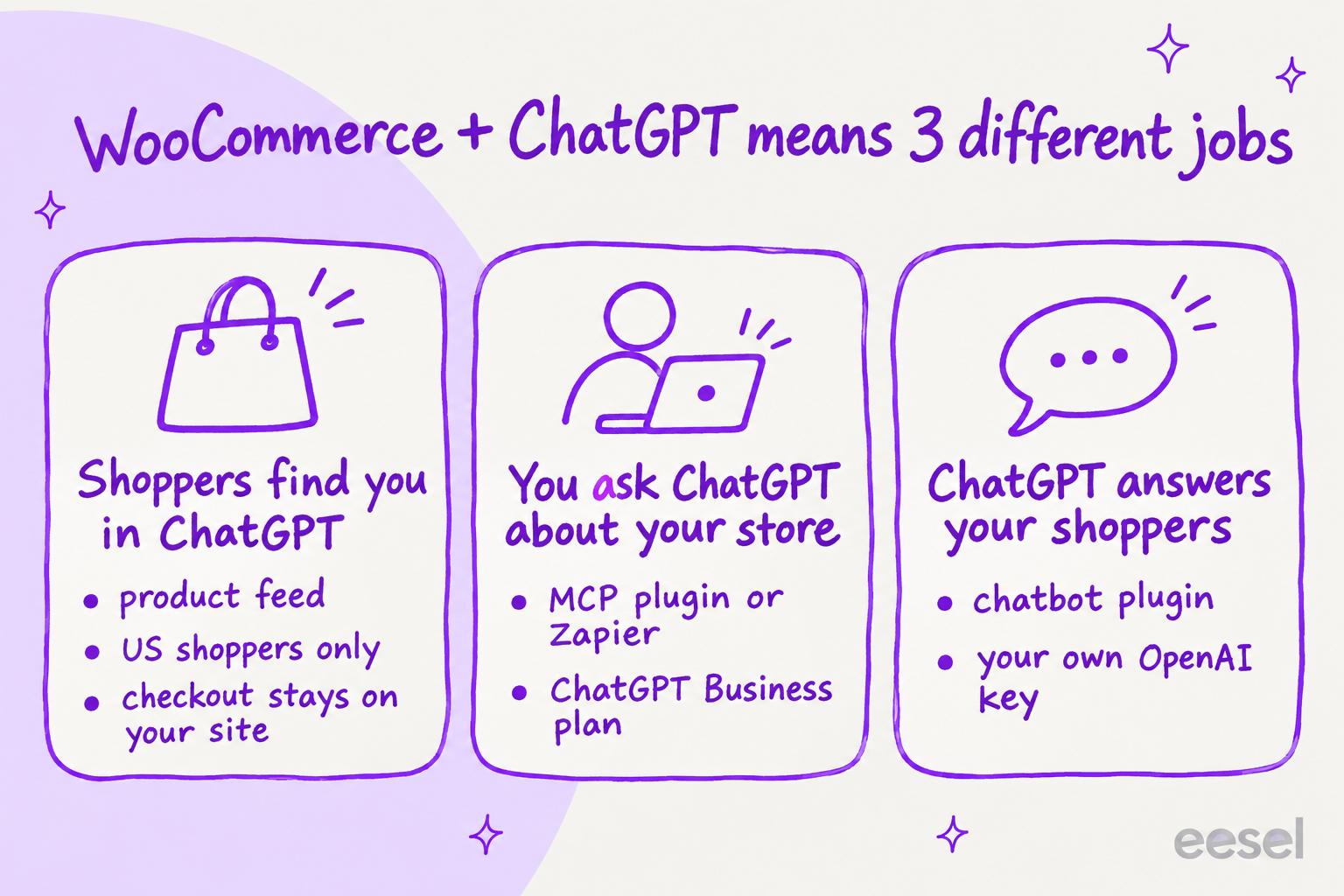
| Job | Who is chatting | What you install | What it costs | The catch |
|---|---|---|---|---|
| Get products found in ChatGPT | US shoppers in ChatGPT | A product feed, often through a feed plugin | No OpenAI fees; feed plugins free to $19/month | No checkout inside ChatGPT for Woo stores yet |
| Ask ChatGPT about your store | You or your team | An MCP plugin, or Zapier | $39 to $129/year, plus Zapier's plan on that route | Needs ChatGPT Business or Enterprise/Edu |
| Answer shoppers with ChatGPT | Your customers | A chatbot plugin and an OpenAI API key | $9/year and up, plus OpenAI per token | Order lookups for logged-in shoppers at best; no refunds |
Can WooCommerce products show up in ChatGPT shopping?
Yes, for shoppers in the US, by sending OpenAI a product feed. Buying inside ChatGPT is a different matter. OpenAI launched Instant Checkout in September 2025 and pulled it back six months later. In its March 2026 post it says "the initial version of Instant Checkout did not offer the level of flexibility that we aspire to provide, so we're allowing merchants to use their own checkout experiences while we focus our efforts on product discovery." The earlier version is in ChatGPT Instant Checkout, and the wider picture in ChatGPT for ecommerce.
OpenAI's merchants page now spells out the deal:
- Purchases "are completed on merchant-owned websites or apps".
- "There are no fees on purchases that start in ChatGPT."
- "Shopping is currently live for ChatGPT users in the U.S."
- Shopify and Etsy catalogs are already in. Everyone else applies, and "If you've already applied, you're on the waitlist."
The feed itself is a file. OpenAI's feed schema takes JSONL, CSV or TSV with nine required fields (item_id, title, description, url, brand, seller_name, image_url, availability, price) plus target_countries and store_country. You deliver it through Business Hub by manual upload, a hosted URL or SFTP, and OpenAI's feed guide says you have to verify your identity before you can upload. One wrinkle: the merchants page still calls self-serve onboarding something coming "later this year", while the developer docs describe it as live. Expect some back and forth.
Is there an official WooCommerce plugin for ChatGPT checkout?
No. WooCommerce's own agentic commerce page marks the Agentic Commerce Protocol through Stripe as "Coming soon". WooCommerce's agentic commerce lead wrote on WooCommerce's blog on 19 November that "Neither protocol is available broadly to WooCommerce stores yet." The same post adds: "If your store takes card payments, an AI agent can already check out on it, the same way a customer does." When ChatGPT sends a shopper (or its own agent, as with ChatGPT Wallet) to your site, your normal checkout does the work.
The WordPress.org plugins that fill the gap are small and unofficial, so read them carefully:
| Plugin | What it really does | Active installs | Price |
|---|---|---|---|
| FeedAgentX | Hosted feed for Business Hub and ChatGPT Ads | 10+ | Free up to 500 products, then $9 or $19 a month |
| PromptStocked | Readiness check and an OpenAI-format feed; "does not handle checkout or payments" | Under 10 | Free, paid Pro add-on |
| Instant Checkout for ChatGPT by WPFactory | Readiness audit and an XML feed. Despite the name, no checkout | 10+ | Free |
| AI Checkout for WooCommerce | Builds Instant Checkout endpoints; one release, 6 January 2026 | Under 10 | Free |
The last one is the trap. It still says "OpenAI charges a small transaction fee per completed purchase", which contradicts OpenAI's current no-fee wording, and the in-chat checkout it builds was written for a program OpenAI has since moved away from. If you only want to be found, a feed plugin is enough. The ChatGPT merchant fees post has the history.
How do I connect ChatGPT to my WooCommerce store's orders?
Add an MCP plugin to your store, then add it to ChatGPT as a custom MCP server. MCP (Model Context Protocol) is the plug that lets ChatGPT call tools on another system, the same idea behind apps in ChatGPT. The hitch is on both ends.
On ChatGPT's end, OpenAI's help article says "Custom MCP server connections and full MCP support are available for ChatGPT Business and Enterprise/Edu customers on ChatGPT web." On a Business workspace, "Only admins and owners can create and publish plugins for custom MCP servers". It's web only, no mobile. Plan prices are in ChatGPT pricing.
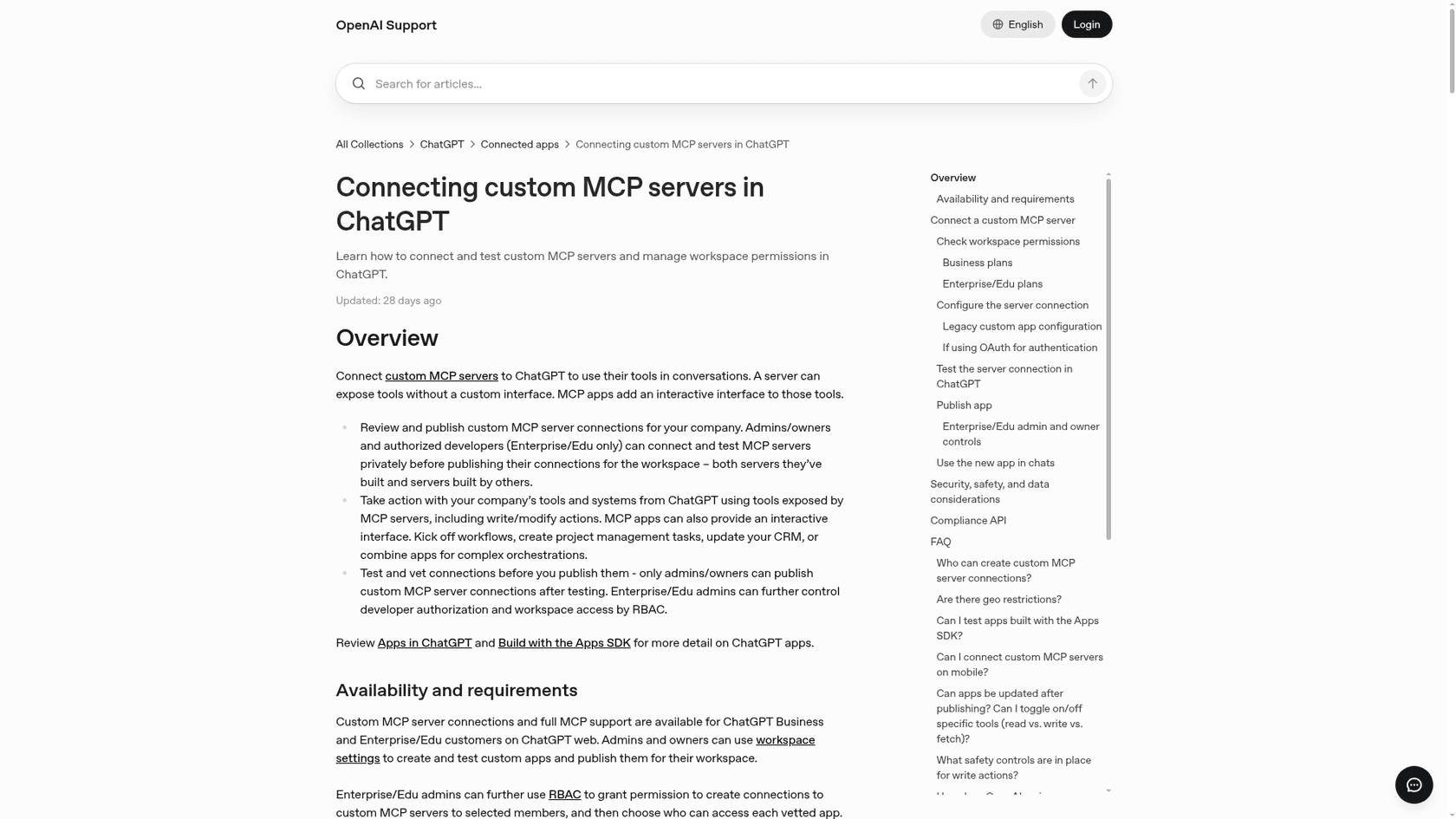
On WooCommerce's end, the built-in option doesn't fit ChatGPT as documented. WooCommerce's MCP docs call it a "developer preview". It needs the separate MCP Adapter plugin, signs in with a WordPress Application Password, and reaches remote sites through a local proxy. The example setups are Claude Desktop, Claude Code, Cursor and VS Code. ChatGPT's custom server page accepts OAuth or no authentication over a public HTTPS URL, which leaves no slot for an Application Password. (The WooCommerce 11.3 notice also removed the old endpoint that used REST API keys, so older tutorials are out of date.)
So in practice you use a plugin built for it:
- AI Engine by Meow Apps (90,000+ active installs) runs an MCP server that its listing says ChatGPT can connect to "with no account, no API key and no usage limits". Its WooCommerce tools (products, coupons, orders, inventory, customers, subscriptions) are part of AI Engine Pro, from $59 a year for one site.
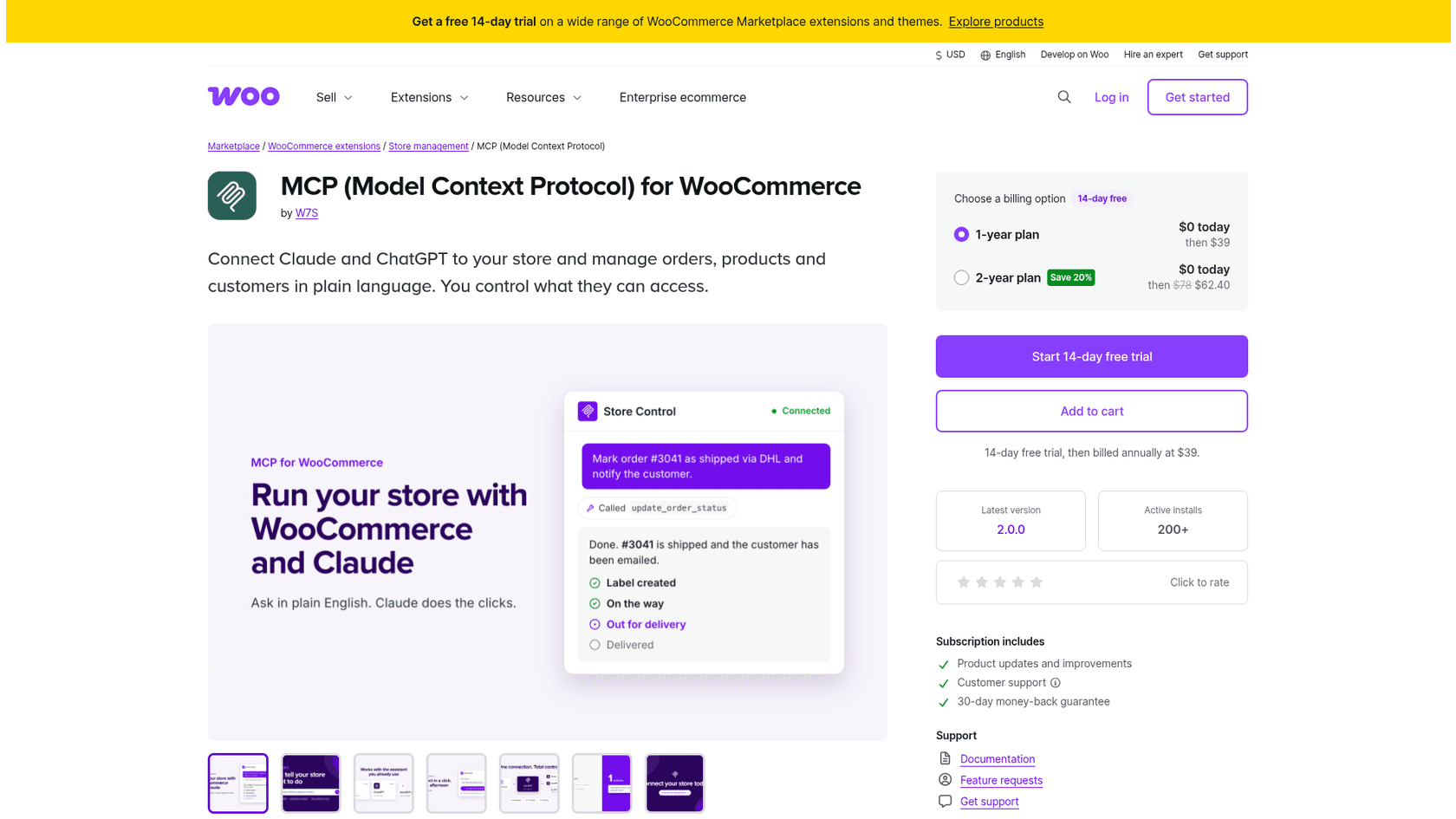
- MCP for WooCommerce by W7S sells on the WooCommerce Marketplace for $39 a year after a 14-day trial. It covers orders, products, customers, coupons, refunds and reports, keeps an optional action log with customer data masked, and "a read-only key cannot create, update, or delete anything".
- Zapier, the official WooCommerce extension at $129 a year plus a Zapier account, pitches running store tasks from your AI chat: "Mark yesterday's orders as completed." Zapier's plans start free at 100 tasks a month, and it says MCP tool calls are free through 5 January 2027.
Two read-only options exist for the numbers people: Supermetrics answers sales questions as a ChatGPT plugin (14-day free trial), and Flatly syncs your store and lets ChatGPT query it from $19 a month.
How to connect ChatGPT to WooCommerce, step by step
This is the MCP route, the one that lets you ask ChatGPT "which orders are still processing from last week?"
- Check your ChatGPT plan. You need Business or Enterprise/Edu, and an admin or owner to add the server.
- Install an MCP plugin on the store. AI Engine Pro or W7S's MCP for WooCommerce, from the options above.
- Decide what it may touch. Start read-only. W7S separates read and write keys, and AI Engine's listing says agents edit "safely and with your approval".
- Add it to ChatGPT. In ChatGPT, open Plugins, click the plus button, choose Add custom MCP server, paste your plugin's HTTPS endpoint, pick the sign-in method and create it. OpenAI says you no longer need Developer Mode for this.
- Test with a question, then an action. Ask for an order by number. When you try a change, ChatGPT asks first: OpenAI's docs say "Write actions by default require confirmation."
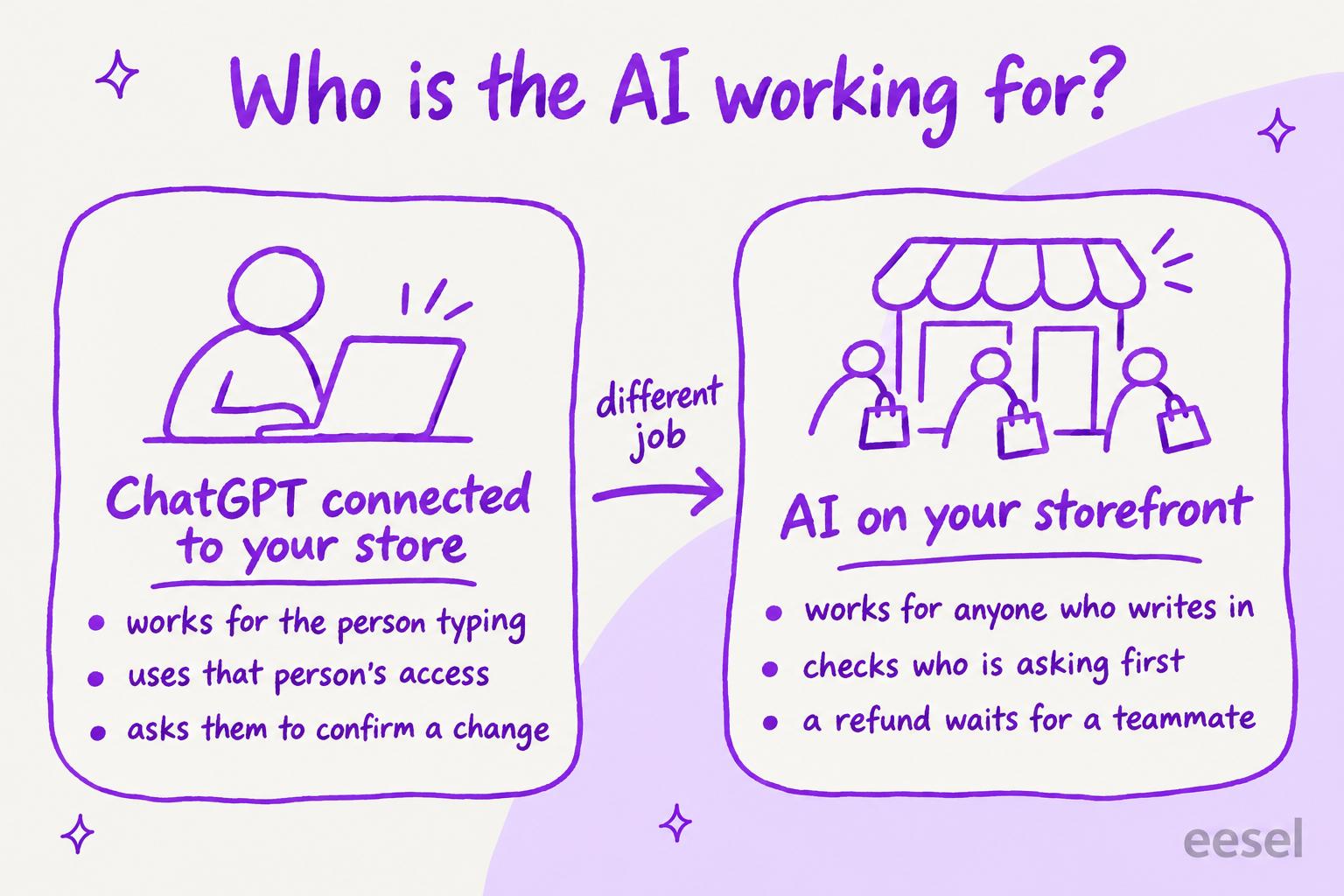
Common mistakes. Following a 2025 tutorial that turns on WooCommerce's old MCP toggle (it's gone since 11.3). Expecting it to work on ChatGPT Plus. Confusing it with Automattic's ChatGPT for WordPress plugin, whose pages cover posts, pages, media and comments and never mention orders. Handing write access to a whole team before anyone has watched what it changes. And treating it as customer support: this connection answers whoever is typing in ChatGPT, which is you, not your shoppers.
Can I put a ChatGPT chatbot on my WooCommerce store?
Yes, with a WordPress plugin and your own OpenAI API key, and you pay OpenAI per token on top of the plugin. The good ones read your catalog. An AI chatbot answers from what it can see, so what it reads is the whole question. Order lookups are thinner, and refunds aren't there at all.
| Plugin | Price | Reads orders? | Refunds | Human handoff |
|---|---|---|---|---|
| AI Engine + Woo Basics | Free plugin; Woo Basics $9/year for one site | For logged-in customers | Not built in | None listed |
| MxChat | Free; Pro $69.97 one-time for one site | Order history, on the paid Woo add-on | No | Via Slack (Pro) |
| WoowBot | Pro from $49/year | Order status on Pro | No | Slack on the $189/year Master plan |
AI Engine's Woo Basics docs say it can retrieve order information "for your logged-in users". None of the three listings describes checking a guest by order number and email, which matters because plenty of WooCommerce orders are guest checkouts.
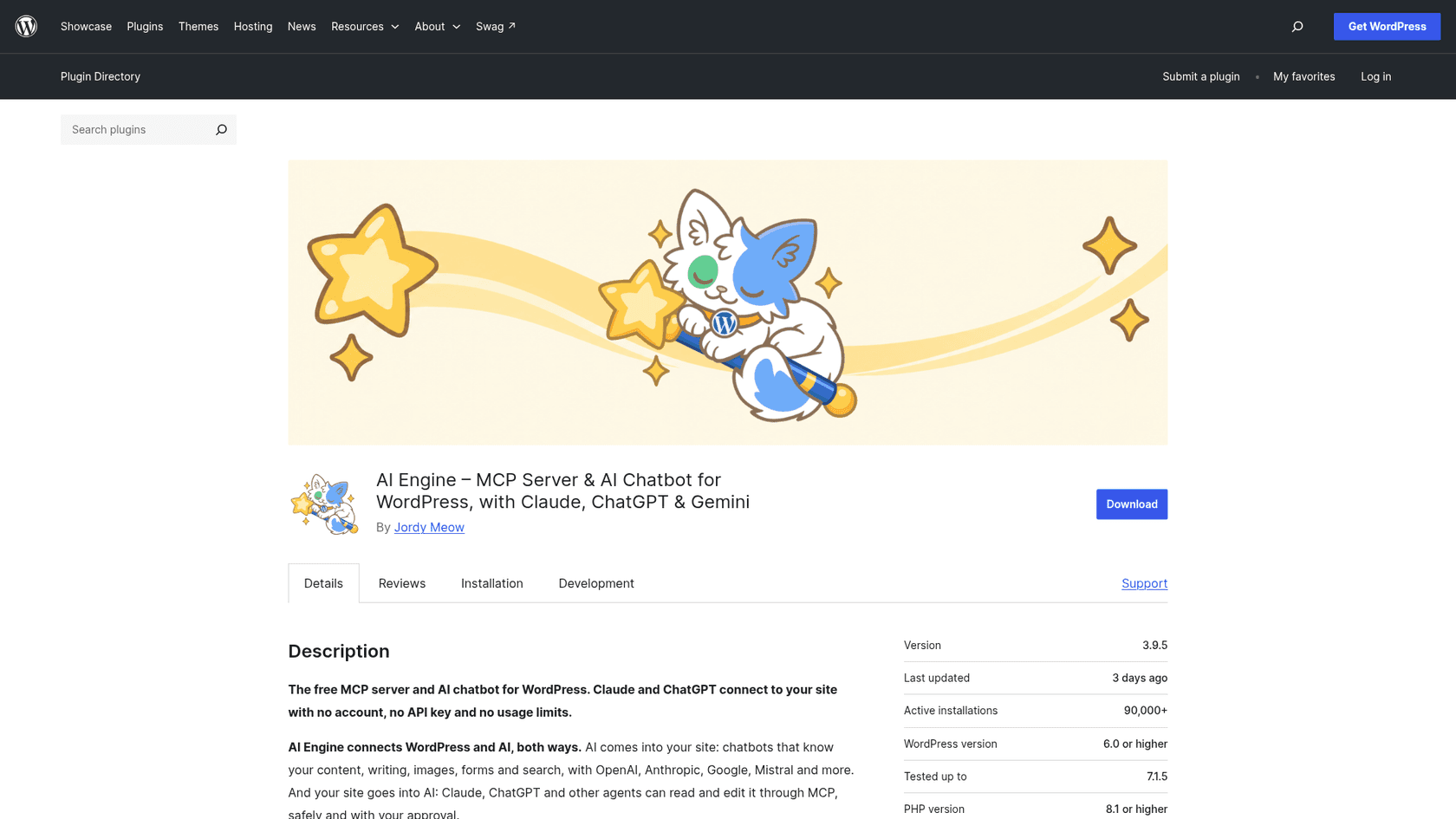
The token bill is usually small. On OpenAI's pricing page, GPT-6.2 Sol costs $2.00 per million input tokens and $10.00 per million output tokens, and GPT-6 Luna $0.10 and $0.50. The surprises come from setup. AI Engine's own FAQ admits "You can't completely block the model's built-in knowledge", and its users say so too:
"Despite enabling content awareness, the bot still responds to untrained data. Example: If I ask write a Hello world in python, it writes which I don't need"
When one user asked for a bot that just works, AI Engine's author was refreshingly straight with them: "a SaaS chatbot solution might suit you better" (WordPress.org). For a wider list, see AI chatbots for WooCommerce and the WooCommerce live chat plugins roundup.
What about Zapier, Make and n8n?
These connect WooCommerce events to OpenAI's API, not to your ChatGPT window. Zapier's WooCommerce and ChatGPT page pairs triggers like a new order or order note with OpenAI actions; its top template creates "ChatGPT conversations from new WooCommerce order line items". Make and n8n work the same way (the WooCommerce n8n guide has examples). They're good for one-way jobs like drafting a product description when a product is added. They don't hold a conversation with a customer.
Which WooCommerce ChatGPT route fits your store?
By now the answer depends on which job you came for. Pick yours to see the route, what it costs and what to watch for.
Pick what you want ChatGPT to do for your store to see the route, its cost and the catch.
Where eesel fits for WooCommerce support
The routes above work for the person typing. Support is the opposite problem: strangers write in, and the AI has to know who it's talking to before it reads an order or touches money. That's the job eesel does.
eesel's WooCommerce integration reads orders, order notes, customers, products and subscriptions live, and answers shoppers in your chat bubble and helpdesk, and your team in Slack. It works alongside Gorgias, Zendesk or Freshdesk, and the best helpdesks for WooCommerce post compares those. Its write actions include adding an order note, changing an order's status (which is how it cancels), creating a refund, and updating a saved address. You connect with the free eesel AI plugin and approve on WooCommerce's own screen, so no keys to copy.
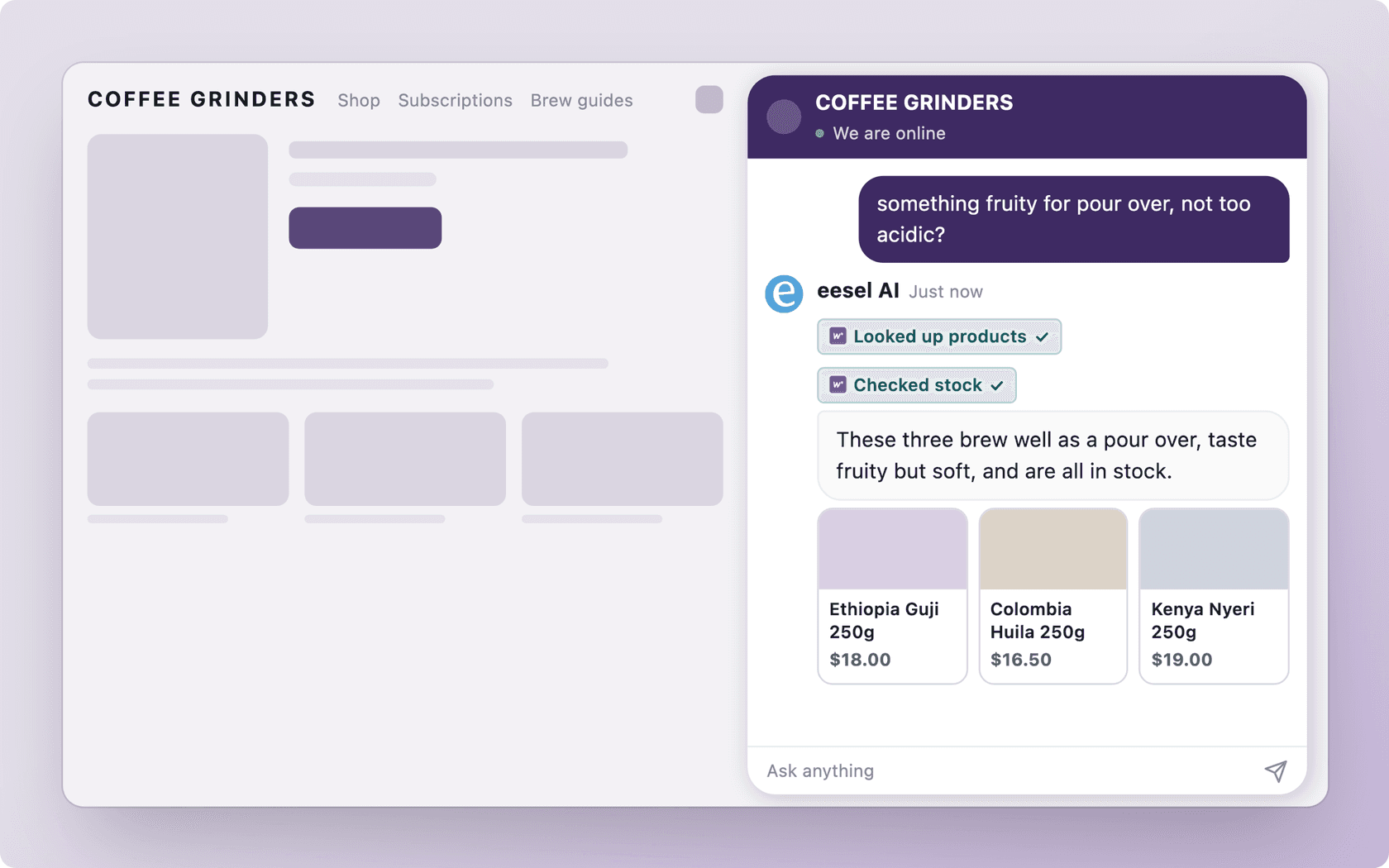
What makes it different from a chatbot plugin is that what it may do depends on who is asking. Every action runs on its own, asks first or stays off, and eesel adjusts that to the person in the conversation. Out of the box, the actions and approvals docs say a refund runs when your support lead asks for it in Slack, while the same request on a customer's ticket can be held by eesel's safety check for an editor to approve. Set the refund action to Ask first and every refund waits for a teammate's yes, which is how I'd start. The WooCommerce refund guide explains when a refund actually moves money.
And the ChatGPT part: with the eesel plugin for ChatGPT you can talk to your eesel agent from a ChatGPT conversation, with the same access you have in the eesel dashboard. Your agent works with whatever it's connected to, so a store with WooCommerce connected gets a ChatGPT window that can ask eesel about an order, without writing an MCP server.
Where it's not the fit: WooCommerce never starts an eesel run, so it won't act on a new order by itself, and it isn't a product feed for ChatGPT shopping. For other options, see the best AI for WooCommerce support.
Try eesel on your WooCommerce store
If your ChatGPT question started with too many "where's my order?" messages, a ChatGPT connection won't answer them for you. An AI teammate that reads the order and keeps refunds behind your approval will. eesel starts with a free 7-day trial with 100 credits, where a ticket or chat is 1 credit, and paid plans start at $299 a month for 500 credits on the pricing page. Connect your store, ask it about last week's orders, and watch what it would say to a shopper before it says anything.
Try eesel on your store, or book a demo if you'd like someone to walk through it with you.