

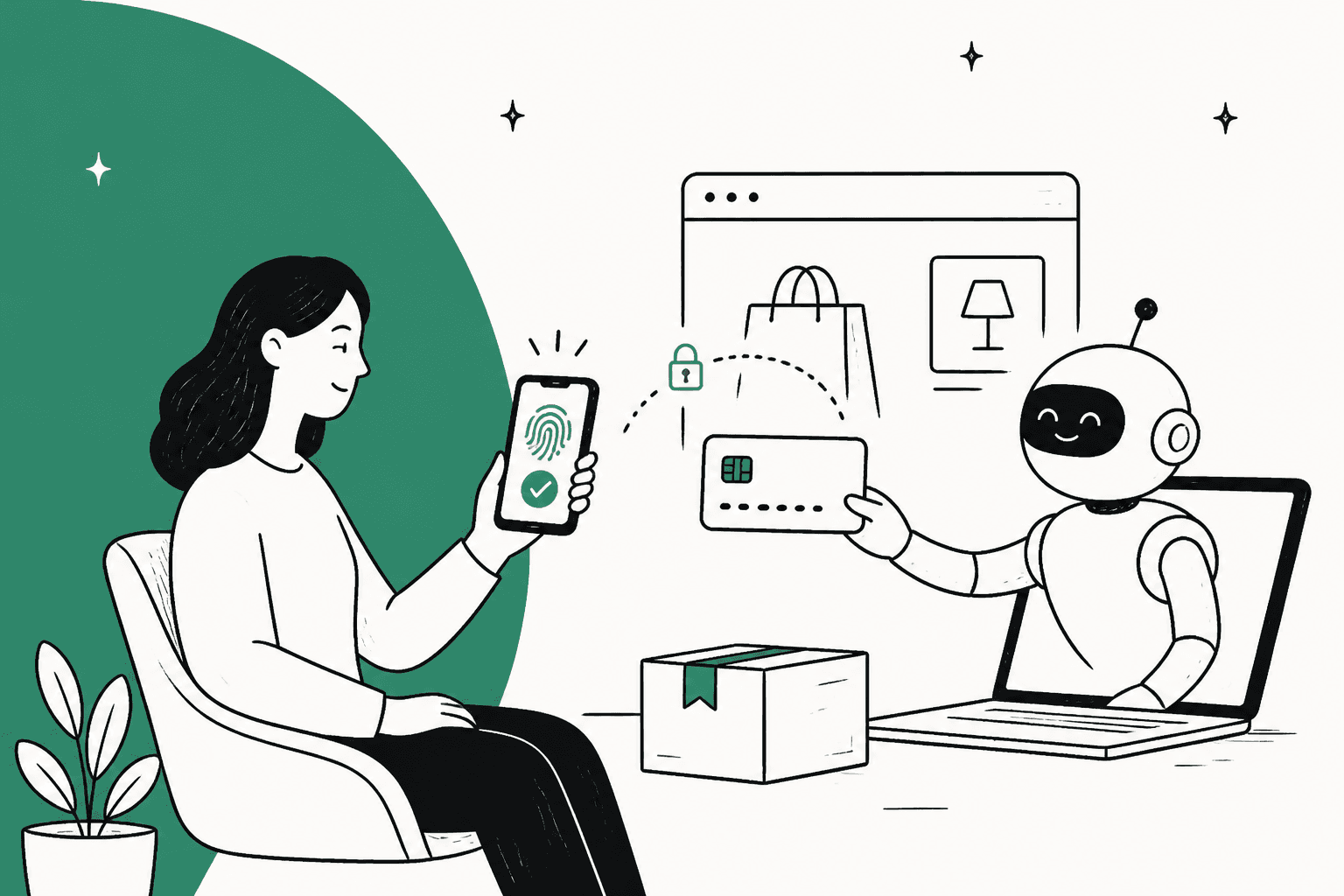
ChatGPT Wallet, launched November 13, 2026, lets OpenAI's dots agents pay for things on your behalf. You save a credit card once, approve each purchase with Face ID or Touch ID, and the card network gives the store a token instead of your card number. It's live only for US ChatGPT Pro users (from $100/month).
For merchants, the payment is the easy part: no Wallet-specific integration is required. The harder part comes after: OpenAI's terms send every order, return and refund question to the store. eesel answers those inside your helpdesk with the Shopify order in hand, and with the eesel CLI a coding agent can load your refund policies and test the answers before go-live.
What is ChatGPT Wallet?
ChatGPT Wallet is a saved-card payment layer inside ChatGPT, built with American Express, Mastercard and Visa, that lets an AI agent finish a checkout once you've approved it. OpenAI's announcement calls it the first wallet that lets agents pay "without access to users' actual card details" and that requires a security check for every purchase.
It only works through dots, the always-on agents OpenAI launched in September. A dot has its own cloud computer and browser, so when you ask it to "find me a new sweater" or "book a hotel in Chicago next weekend", it can now walk the merchant's own checkout and pay, rather than stopping at a link. If you haven't met dots yet, there's a full dots review.
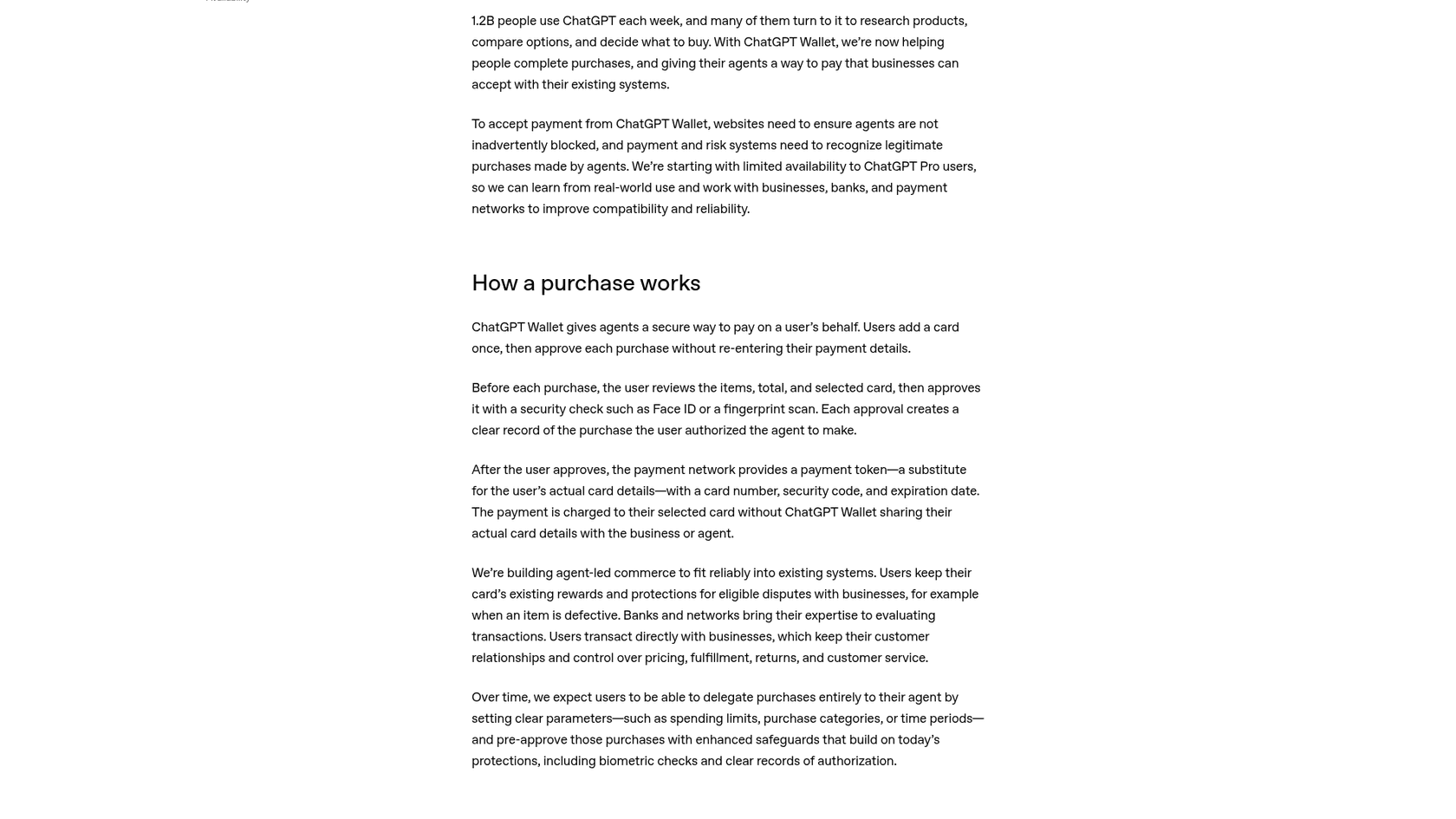
I work eesel's support queue every day, and the line in that announcement that caught my eye wasn't about tokens. It was this one: businesses "keep their customer relationships and control over pricing, fulfillment, returns, and customer service." That's a nice way of saying the agent buys, and the store answers for it. Hold that thought, I'll come back to it.
It's also worth separating Wallet from the things that came before it. Instant Checkout and the Agentic Commerce Protocol needed merchants to integrate with OpenAI. Wallet takes the opposite route: the agent uses the checkout page you already have, with a card network token, so a store can receive a Wallet order without ever having heard of it.
How does a ChatGPT Wallet purchase work?
A Wallet purchase is a five-step handoff between you, your dot, the card network and the store. The Wallet help article lays out the shopper side in detail.
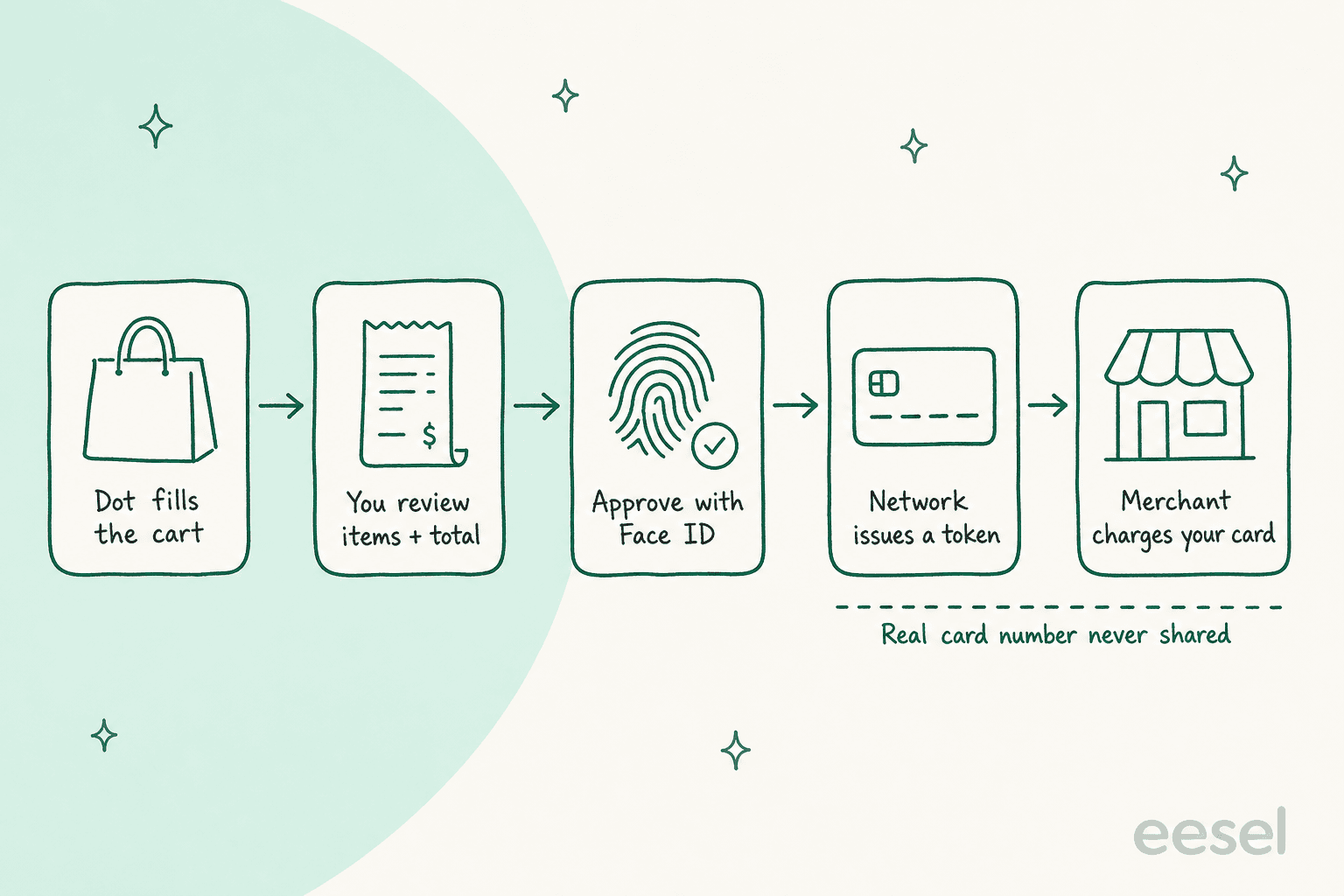
- Add a card once. Ask your dot "Help me add a card to Wallet" or go to Settings, then Wallet. Card details go into a secure form, never into the chat, and your bank may ask you to verify the card. Chase cardholders approve the link inside the Chase app.
- Let the dot shop. It searches, compares, and fills in the merchant's checkout. It may ask you for a name, email, phone or delivery address along the way.
- Review the request. You see the merchant, items, total, selected card, and any shipping or recurring-payment terms.
- Approve with biometrics. Tap Approve and pass Face ID or Touch ID. If your current device can't do that, ChatGPT hands you a link or QR code to finish on your phone.
- The token pays. The payment network issues a token with its own card number, security code and expiry. The charge lands on your real card, but the store never sees that number.
Two details in the help center will matter a lot to anyone in support. First, "Ready to check out" means your approval is complete, not that the merchant placed the order. OpenAI tells shoppers to look for a merchant confirmation before trying again. Second, the card number on the receipt won't match the one on the physical card, because the token is a different number.
Looking further out, OpenAI says it expects people to eventually hand off purchases entirely by setting spending limits, categories or time periods. That isn't live yet, though the terms already leave room for it (more on that in the safety section).
Who can use ChatGPT Wallet right now?
ChatGPT Wallet is limited to US ChatGPT Pro subscribers with an eligible US-issued credit card, and it's rolling out gradually, so even eligible users may not see it yet. Here's the full list of conditions from OpenAI's help center and Wallet terms:
| Requirement | What OpenAI says |
|---|---|
| Plan | ChatGPT Pro, which starts at $100/month with Pro 100, Pro 200 and Pro 500 tiers |
| Where it works | Only in conversations with your dot. Not in Chat, Work, or standalone Codex threads |
| Age and location | 18 or older, living in the US, with a US billing address for the card |
| Cards | Eligible US-issued American Express, Chase, Mastercard and Visa credit cards |
| Debit cards | Not supported |
| Virtual cards | Not supported at launch |
| Chase cards | Primary cardholder only, not authorized users |
| Business cards | Allowed if your organization permits storing it |
| Approval device | Biometric check such as Face ID or Touch ID on a supported device |
| Wallet fee | None published for shoppers or merchants |
If you're weighing whether Pro is worth it for this alone, the dots pricing breakdown and the Pro 500 review cover what the rest of the plan gets you. Wallet cards are also kept separate from your ChatGPT subscription card and any ChatGPT balance, so adding one doesn't change how you pay OpenAI.
What does ChatGPT Wallet change for merchants?
For most stores, ChatGPT Wallet changes very little at checkout and quite a lot after it. OpenAI's Accept payments guide is blunt: Wallet "works out of the box with existing checkout pages and payment forms" and no Wallet-specific integration is required.
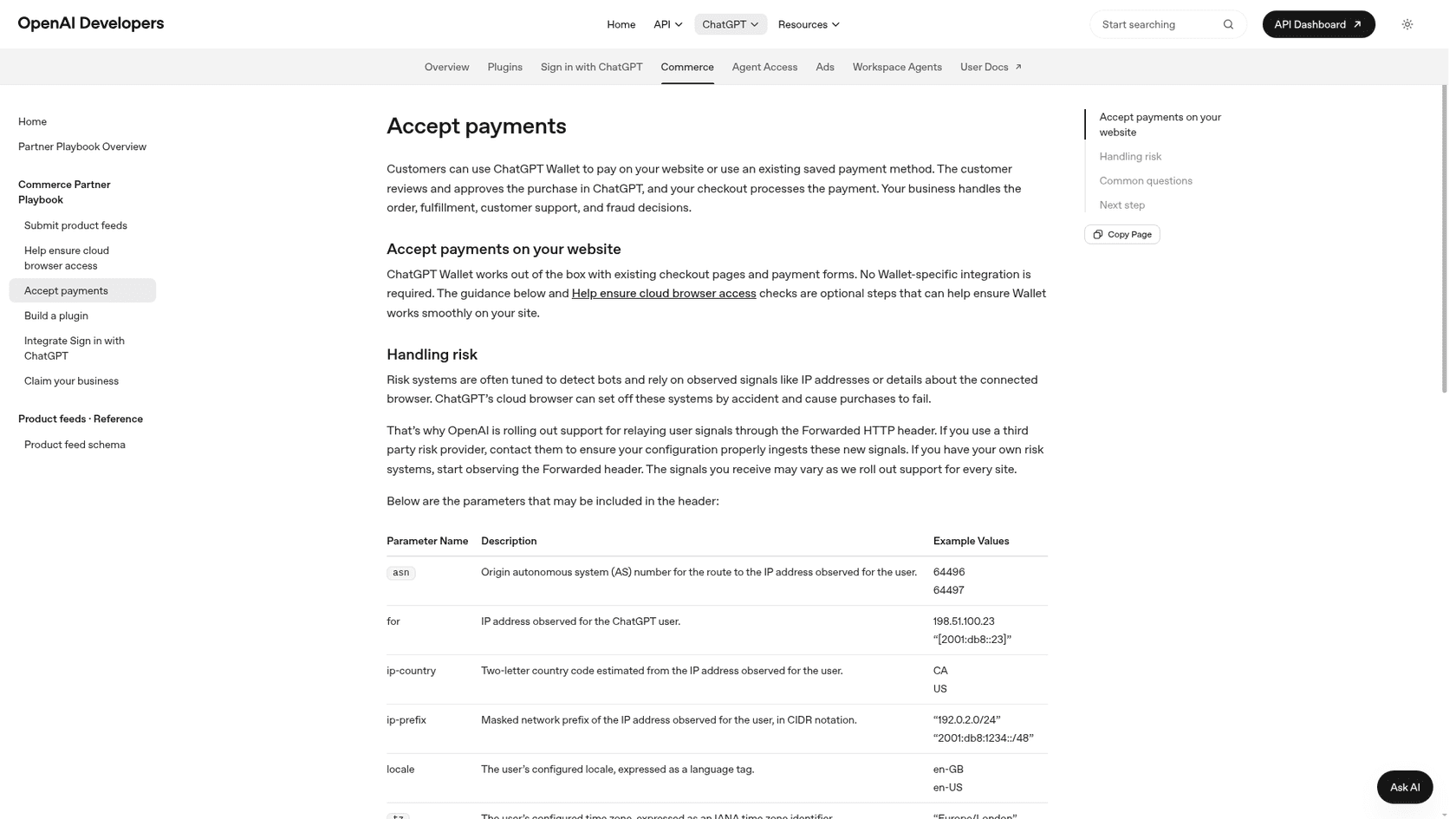
What you receive is a network token rather than a full card number. OpenAI says to use the Payment Account Reference (PAR) to tie that token back to the customer's underlying account, and it's strict about one thing: the shopper consented to one transaction only, so don't save or reuse that credential for a separate purchase. Subscriptions are fine if your checkout already supports recurring billing and you get the customer's consent.
The real risk is accidental declines. Fraud tools are tuned to catch bots, and a dot shopping from a cloud browser looks a lot like one. To help, OpenAI is relaying shopper signals through the standard Forwarded HTTP header, including the user's IP country, masked network prefix, locale, time zone and user agent. If you use a third-party risk provider, OpenAI suggests asking them how they read it. It's also working directly with Forter, Riskified, Sardine and Signifyd on fraud, and with Adyen, Checkout.com and Stripe on payments.
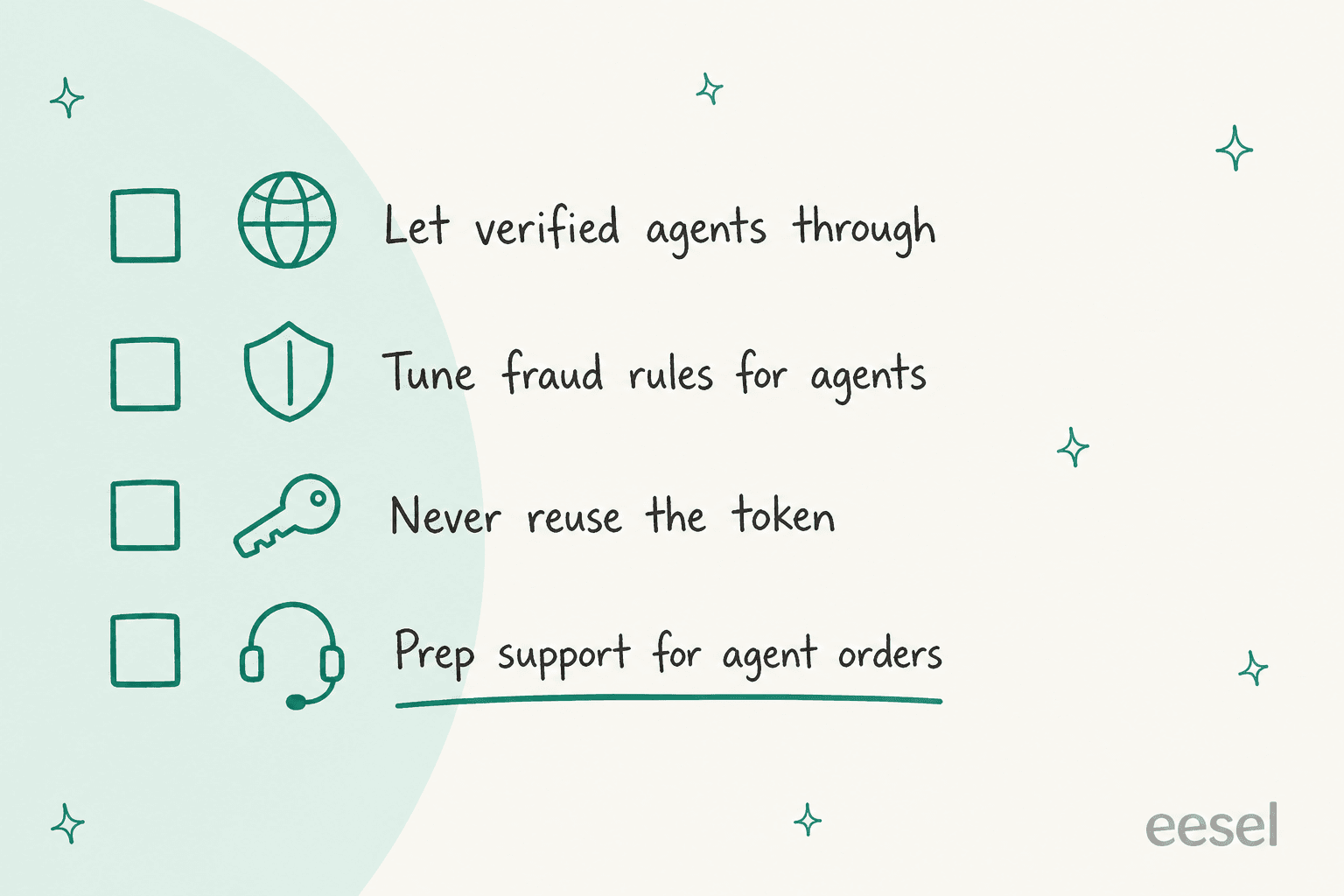
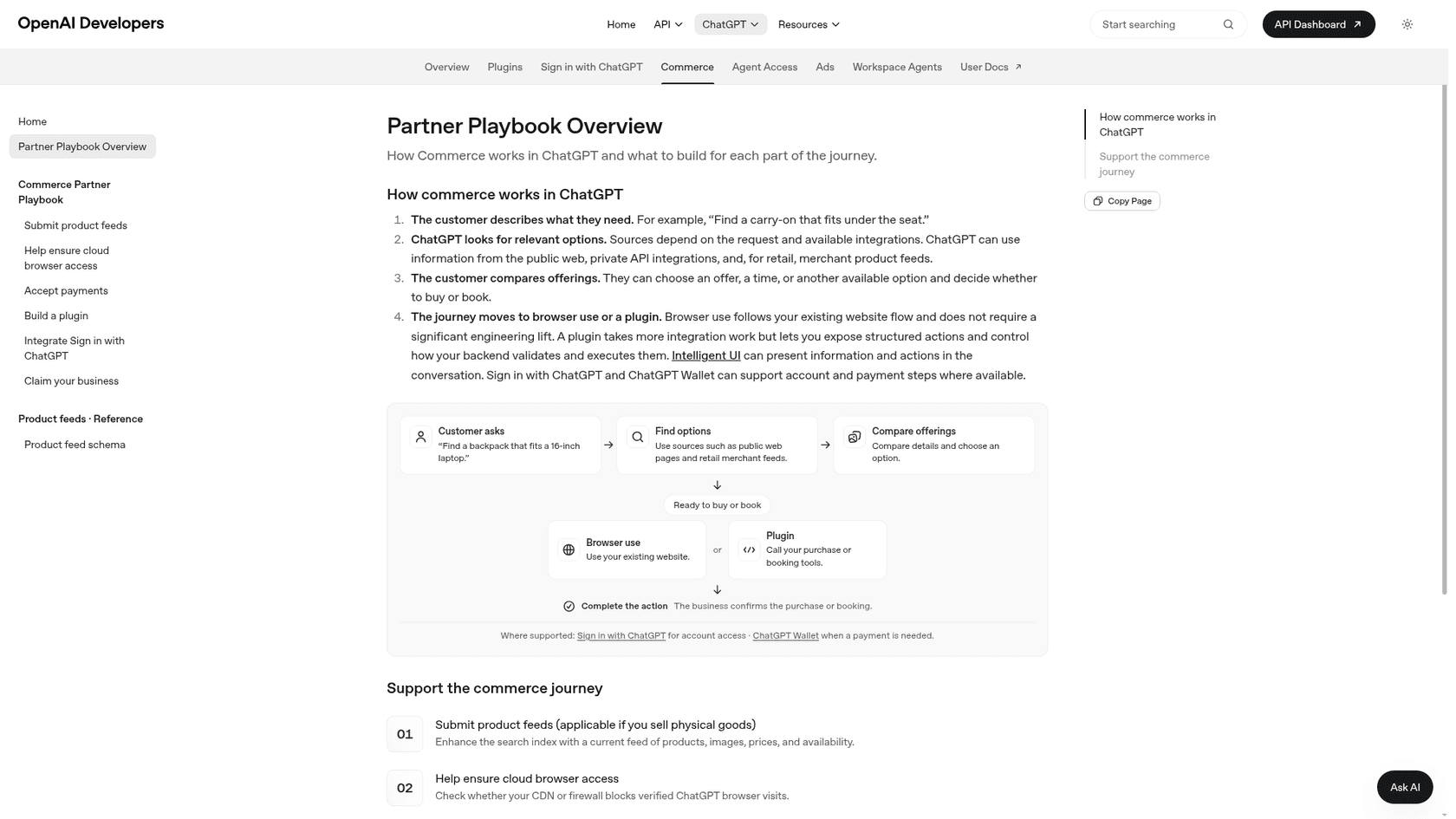
OpenAI bundles all of this into a Commerce Partner Playbook. In practice, I'd split it into four jobs:
- Let verified agents through. Configure your CDN or firewall to recognize signed requests via Web Bot Auth, using OpenAI's Agent Access checks. Browser access doesn't need a plugin or product feed.
- Tune fraud rules. Ask your risk provider about the
Forwardedheader so legitimate agent orders stop getting cancelled. - Keep your listing accurate. Claim your business in the Business Hub and upload a product feed with current prices and stock. Shopify stores can connect from the Shopify admin.
- Go deeper only if it pays off. A plugin or WebMCP tools let agents check stock or manage carts through your systems, at the cost of more engineering.
None of OpenAI's playbook steps touch the support queue, though. That's the last box on the checklist above, and it's where I think most stores will feel Wallet first.
Who handles support when an AI agent buys from you?
You do. The Wallet terms say the merchant is "the seller and merchant of record", and that OpenAI does not decide or fund merchant refunds or card chargebacks unless the law requires it. The help center sorts problems into three buckets:
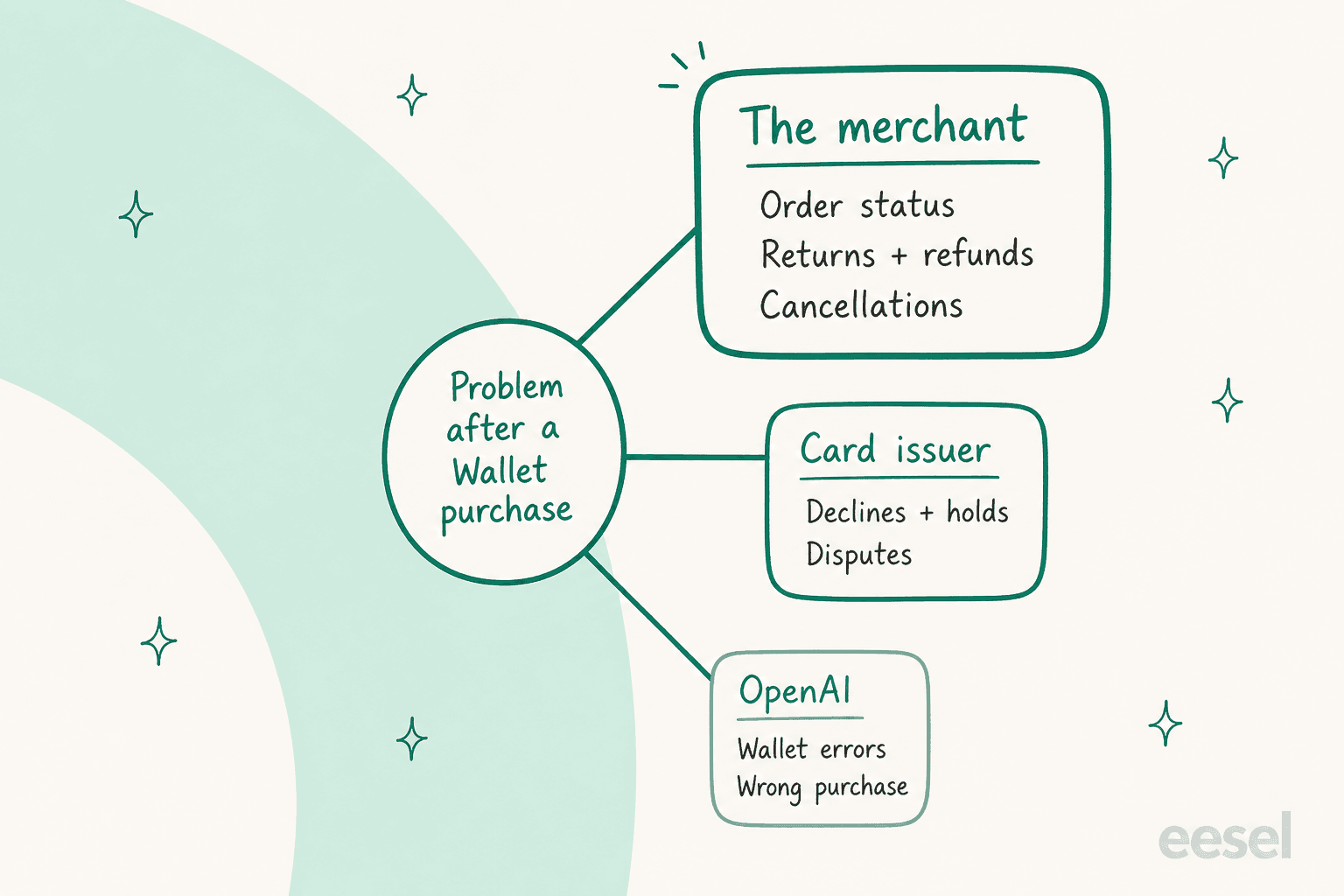
| Problem | Who OpenAI sends the shopper to |
|---|---|
| Order status, cancellations, returns, refunds | The merchant |
| Recurring charges the shopper agreed to | The merchant |
| Declined, pending, disputed or unrecognized charges | The card issuer |
| Wallet errors, or a purchase different from what was approved | OpenAI Support |
Now picture the tickets that produces. A shopper approved a purchase, saw "Ready to check out", and isn't sure the order went through. They see a pending charge with a card number they don't recognize, because it's the token. Their dot picked the wrong size and they want an exchange. Each of these starts on your side of the counter, and the shopper may not even remember your store's name, because they asked their agent to "find a sweater", not to buy from you. That's a where-is-my-order ticket with extra confusion baked in.
This isn't new territory for me. eesel has spent years putting AI on live support queues, and ecommerce queues look the same almost everywhere. One multi-brand ecommerce operator I've seen in eesel's sales calls was handling 500+ tickets a day, mostly refund requests, unsubscribes and order tracking. Agent purchases will add to exactly those three piles.
The fix that works today is boring and effective: an AI that can look up the order before it answers. STIL Classics runs eesel on Gorgias and Shopify; eesel reads each ticket, looks up the order, and leaves a draft reply as an internal note for a person to check and send. In one month that was 320 tickets prepared and 230 Shopify orders looked up before a line was drafted.
Cape Coffee Beans does the same on Zendesk, looking up order questions by order number and linking the Shopify order in its answer.
If you'd rather start smaller, the pieces are worth setting up on their own: refund automation, clear answers for chargeback questions, and a reply template for "I don't recognize this card number" that explains tokens in one sentence. The guide to payment disputes covers the last one.
What are people saying about ChatGPT Wallet?
Early reaction splits into two camps: payments people who like that Wallet runs on existing card rails, and skeptics who think one biometric check per purchase isn't real autonomy. ChatGPT's own launch post pulled 3,626 likes and 468 replies on X in its first day.
"With ChatGPT Wallet, agents pay without access to your actual card details. Every purchase requires a security check."
The sharpest merchant-side read I found came from Simon Taylor, a fintech writer who advises Sardine, one of OpenAI's named fraud partners:
"If you sell online, find out this week if you block agents by accident, then decide on purpose."

In the replies to that post, Mihir K. asked the question I'd expect from most support leads: "what about returns and chargeback." The terms answer it, and the answer is "the merchant." On Hacker News, the thread was smaller and more skeptical, with one commenter asking whether people will "actually trust models with our wallets."
My take: the biometric step is a feature for merchants. Every order carries a clear record that the shopper approved this item, at this price, on this card. That's a better starting point for a dispute than a lot of regular web orders get.
Is ChatGPT Wallet safe?
ChatGPT Wallet is built so the agent never holds your real card number. Each approved purchase uses a network token, every purchase needs a biometric check on your own device, and when that check runs on your device, OpenAI says it doesn't receive the face or fingerprint scan itself. Your card's rewards and dispute protections still apply, which is more than a stored-value balance would give you.
There are real limits to keep in mind:
- AI can still get it wrong. The terms say it outright: "AI systems can make mistakes." Your approval covers what's on the screen, so check the size, quantity and total, not just the product name.
- Not every store works. OpenAI says Wallet may not complete checkout everywhere, and some sites block agents. If a purchase fails, check for a merchant confirmation before paying another way.
- Recurring charges outlive the approval. Agree to a subscription and the merchant can store the credential and charge again under those terms. Cancelling means contacting the merchant.
- Prompt injection is still a risk for agents in general. OpenAI's dots safety post describes monitoring for malicious instructions, and the prompt injection glossary entry explains the attack.
One wrinkle worth flagging: the announcement describes pre-approved, hands-off purchases as something users will get "over time", but Section 1 of the Wallet terms already says you can "grant ChatGPT the authority to approve each purchase in advance". Today's help center only documents per-purchase biometric approval, so I'd treat pre-approval as coming, not shipped. For a wider look at the risks, see the checkout security guide.
Get your store ready for agent orders with eesel
ChatGPT Wallet will send you orders you didn't market for and customers who aren't sure what they bought. eesel's AI helpdesk teammate joins your existing Shopify and helpdesk setup, learns from your past tickets and policies, and answers "did my order go through?" with the actual order in hand. A person can review every draft first, the way STIL Classics does, and you can simulate it on historical tickets before it goes live.
Pricing is on the eesel pricing page, and you can set it up yourself in a few minutes. Try eesel and see how it handles your next order question.