What is Sign in with ChatGPT?
I build eesel's integrations, and because of that I spend more time than is probably healthy reading OAuth consent screens. This one is more interesting than most of them. The login part is boring on purpose, but the second permission quietly changes the question of who pays for AI.
OpenAI's help article on plan usage says it in plain terms: Sign in with ChatGPT lets you sign in to participating apps with your ChatGPT account, and "if you have a Plus or Pro plan, you can also choose to use your ChatGPT plan for AI requests there." Those eligible requests "count toward the ChatGPT Work and Codex usage included in your plan."
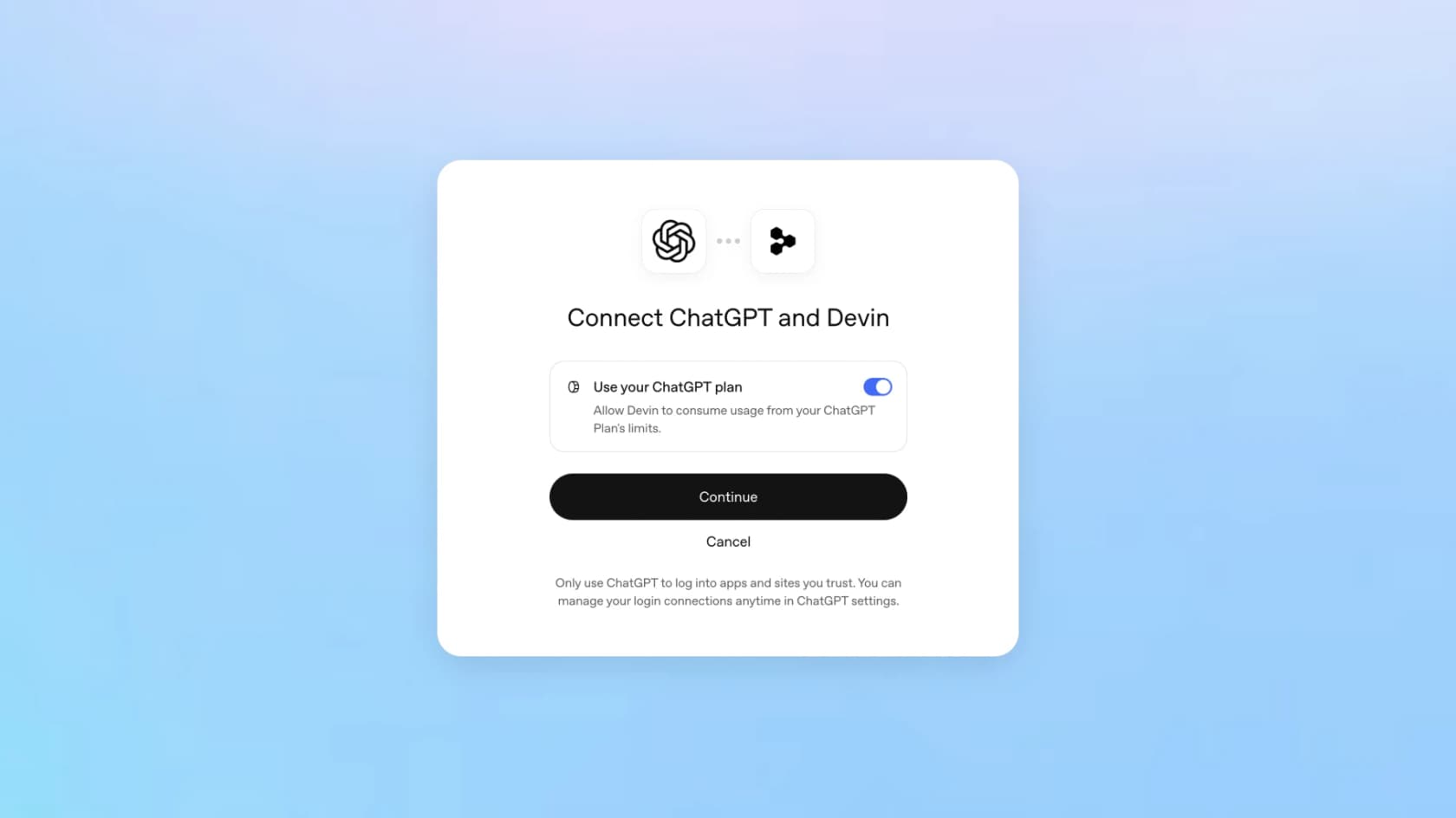
The sign-in half is not the new part, actually. OpenAI's release notes show it rolling out on July 29, 2026 with Airtable, GitLab, HubSpot, Notion, Supabase and Vercel. What DevDay added on top is the plan-usage half, which was announced in the DevDay recap as "use your allowance across 16 partners including Cognition's Devin, Notion, Vercel, T3, OpenClaw, and Dactyl, and control how much each can use."
There is no standalone launch post for it. The official story sits spread across the recap and two help articles, plus the developer docs, and that is part of why it got lost under OpenAI Dots, GPT-6.1 Sol and the new Pro 500 plan the same day.
It's also a separate thing from OpenAI Marketplace, which lets enterprises spend part of an OpenAI commitment on partner software.
The two permissions, side by side
The identity help article is careful about keeping these two apart: "You can complete identity sign-in without approving subscription sharing." Here is what each one hands over in practice.
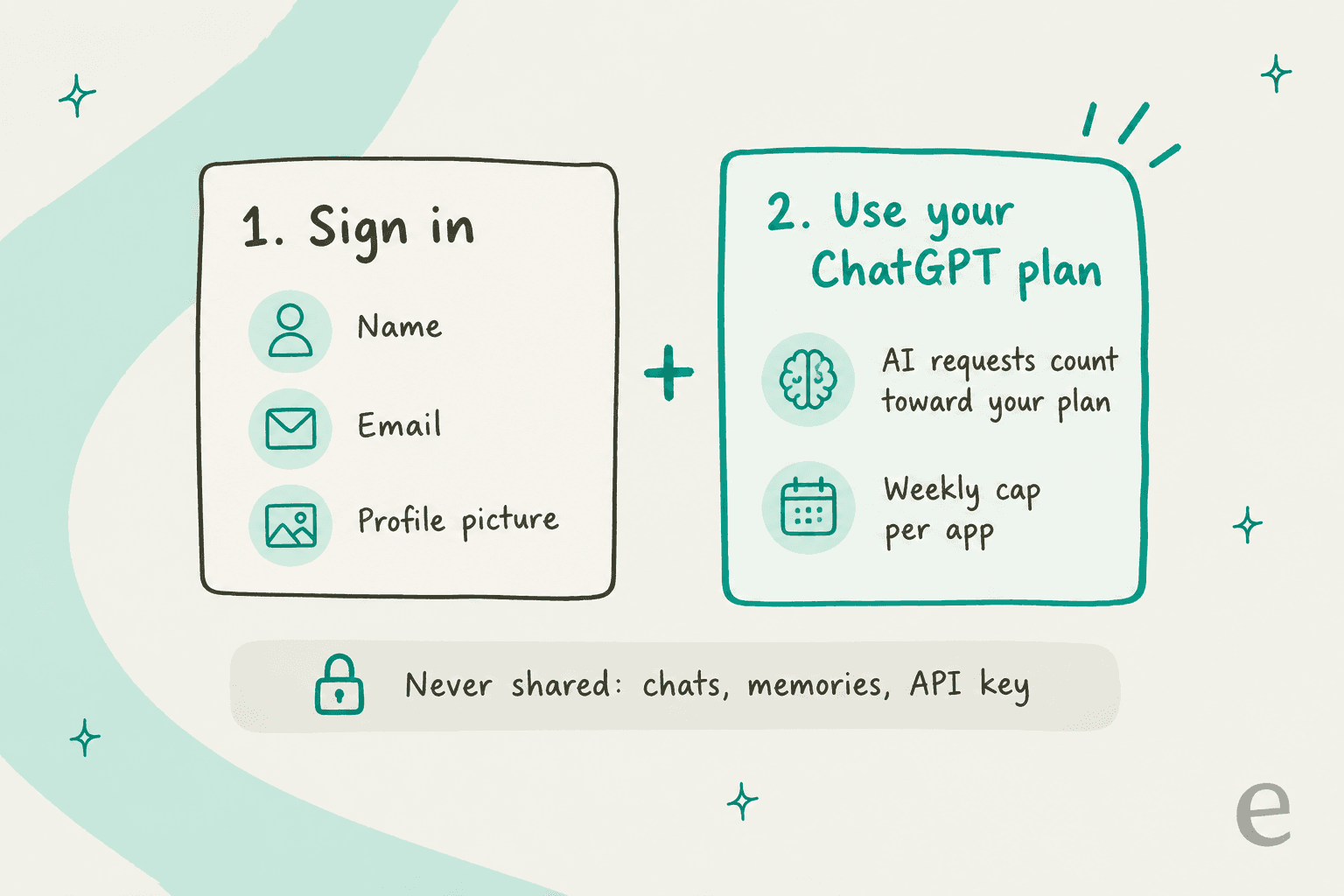
| Sign in only | Use your ChatGPT plan | |
|---|---|---|
| Who can use it | Any ChatGPT user, globally, including Enterprise members (subject to admin settings) | Plus and Pro only, in commercial apps |
| What the app gets | Name, email, profile picture | Permission to send eligible AI requests billed to your plan |
| What it never gets | Conversations, memory, files, billing info | Conversations, memory, an OpenAI API key |
| Cost to you | Nothing | Counts against your existing plan limits |
| Where you manage it | Settings, Security and login | Settings, Usage, App limits |
Sources: help 20001410 and help 20001542.
How do you connect an app?
On the user side it takes about a minute. You start from the partner app, not from inside ChatGPT:
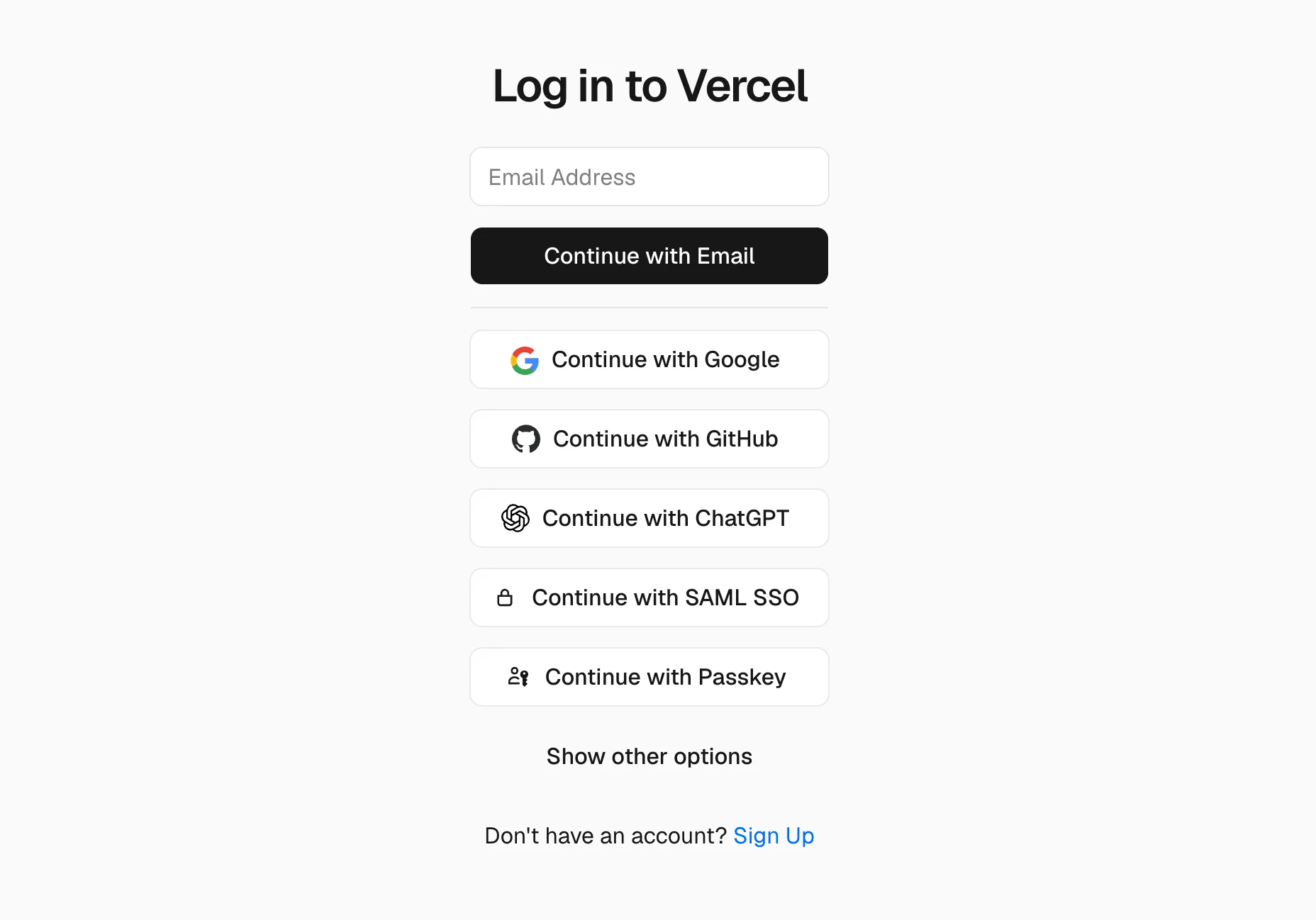
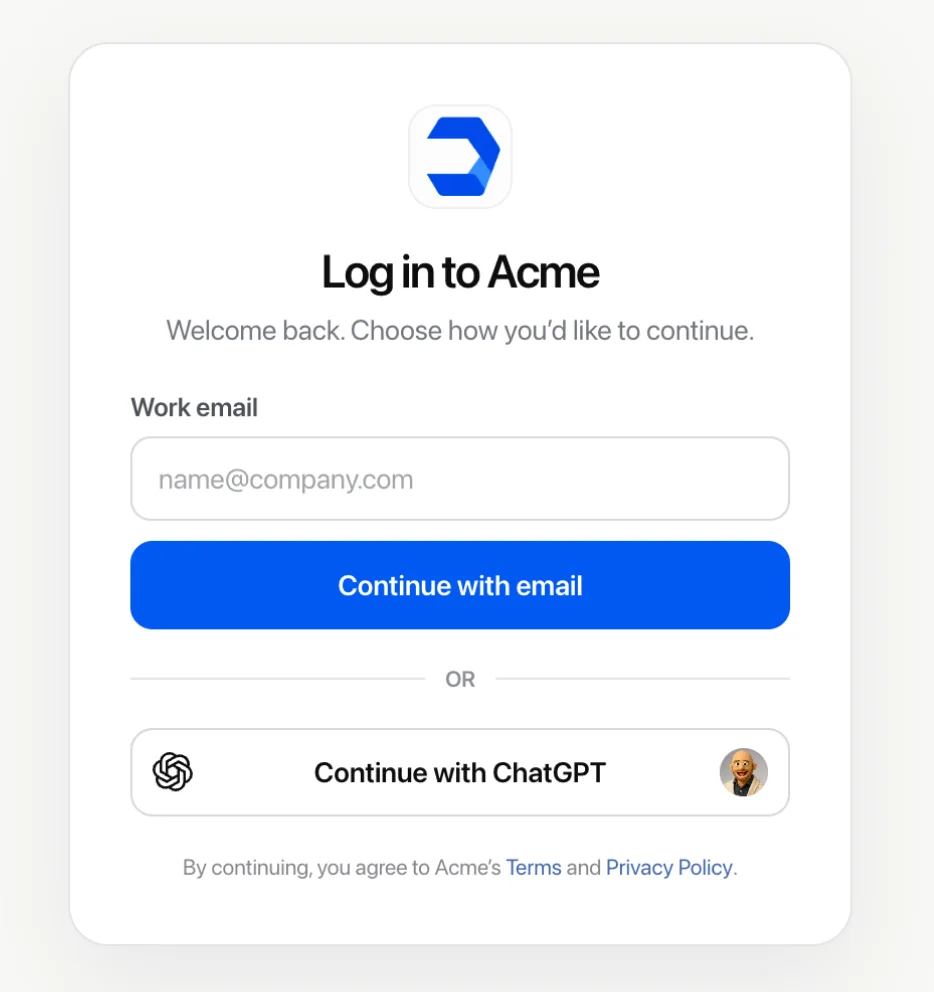
- Pick Continue with ChatGPT (or Sign in with ChatGPT) on the app's login page.
- Sign in to the ChatGPT account you want to use.
- Review the basic info the app will receive.
- If the app offers it, turn on Use your ChatGPT plan. You can skip this and stay signed in either way.
If you are already using the app, OpenAI says to look for the plan option in its account or billing settings (help 20001542).
One detail that trips people up is that signing out of the app doesn't stop it from using your plan. OpenAI spells this out directly, "Signing out of the app ends your session there, but does not disconnect the app from ChatGPT or stop its authorized use of your plan." To end it for real, you go to Settings, Security and login, Login connections, and disconnect there. Disconnecting doesn't reverse usage already recorded, and it also doesn't delete what the app has already received.
Which apps support Sign in with ChatGPT?
OpenAI's partner directory lists 21 names in three buckets. The "16 partners" figure from DevDay lines up with the 12 plan-usage apps, plus the 4 open-source tools.
| Bucket | Apps | What you can do |
|---|---|---|
| Plan usage (12) | Amp Code, Conductor, Dactyl, Devin, Hermes Agent, Hyperagent, Kilo Code, Lovable (coming soon), Notion, Vercel, Vorflux, Warp | Sign in and spend Plus or Pro usage |
| Sign-in only (5) | Airtable, Canva, GitLab, HubSpot, Supabase | Log in only, no plan usage |
| Open source (4) | OpenClaw, OpenCode, Pi, T3 | Any ChatGPT user can connect |
The pattern jumps out: at least eight of the twelve plan-usage apps are coding or app-building agents. That makes sense when you look at where the feature came from. Codex's IDE extension and CLI already let you sign in with ChatGPT instead of an API key, and OpenAI's own docs describe plan usage drawing on "Codex / ChatGPT work usage." If you've been comparing Codex pricing against Claude Code pricing, this is the same allowance, only now you can take it with you.
The fact that HubSpot is sign-in only is worth a flag for support folks. You can log into HubSpot with ChatGPT just fine, but Breeze isn't drawing on your plan.
How do the usage limits work?
This is the place where the fine print lives, and honestly it's better designed than I expected, after reading plenty of ChatGPT reviews complaining about opaque limits. All of it sits in ChatGPT under Settings, Usage, App limits.
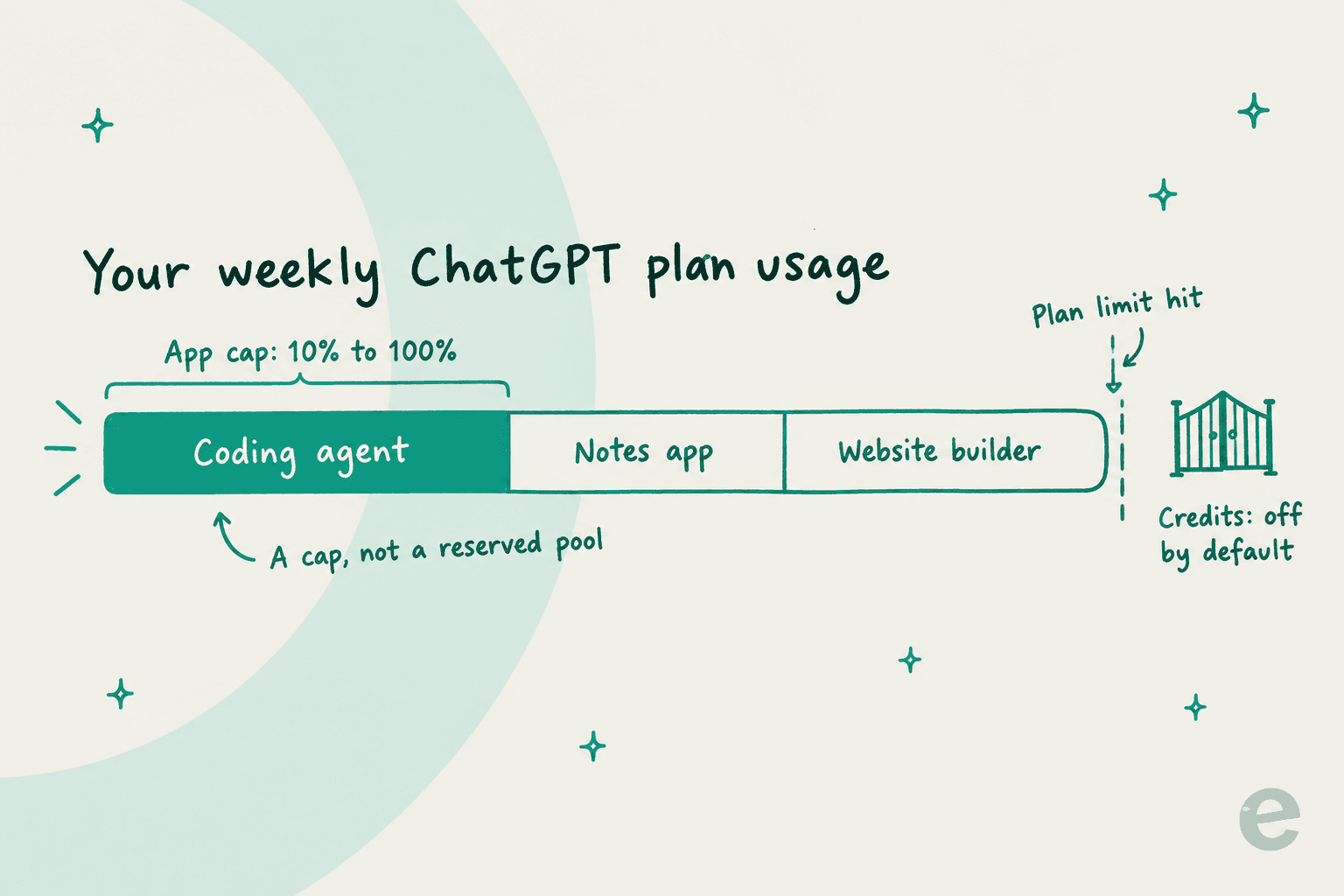
The rules, straight from OpenAI's help article and the developer docs on sessions:
- Per-app weekly cap, 10% to 100%. "An app limit is a cap, not a separate pool of usage. It does not reserve usage for the app or increase your overall plan limits."
- Plus shares one five-hour limit across every app. "Usage in one app contributes to the same five-hour usage total, and no app receives a separate allowance." The five-hour limit doesn't apply on Pro.
- Credits are off by default. An app can use ChatGPT credits after you hit plan limits only if you allow it, and only if that app's cap is set to 100%.
- Usage rates can differ. "Usage rates may differ between an app and ChatGPT," and nobody publishes a conversion rate. The only way you learn what a Devin session costs your plan is by running one.
That last point is the one I would keep an eye on. If you've got automatic credit purchases on, OpenAI warns "continued usage can result in automatic charges" and "you may not receive a separate notice." Also, the allowance this feature lets you spend elsewhere is the same one people were arguing about on launch day:
"Pre DevDay: $200 20x / AFTER DevDay: $200 10x / NOW: $500 for 25x. Thanks @OpenAI"
That reply was sitting second under the launch post from Tibo, who leads Codex at OpenAI. Before you route three coding agents through one Plus account, have a read of my breakdown of ChatGPT pricing so you know what the weekly pool actually holds.
What does each partner still charge you?
OpenAI covers the GPT tokens. Each partner decides on what else you pay for, and the answers vary more than the launch made it sound. Everything below comes from each partner's own docs.
| Partner | Partner plan needed | What your ChatGPT plan covers | What still bills to the partner | When ChatGPT usage runs out |
|---|---|---|---|---|
| Devin | Self-serve Pro, Max or Teams; not Free or Enterprise (docs) | GPT share of each session, except fast and priority variants | Non-OpenAI models in the mix | Falls back to Devin quota, then on-demand credits |
| Notion | Business or Enterprise workspace, members only (help) | Notion Agent when you pick a specific GPT model | Auto mode and non-GPT models; Custom Agents not supported | Asks you to switch to Notion credits |
| Vercel v0 | Not specified (docs) | Responses from supported OpenAI models | Image generation, subagents, supporting work | Pauses generation, no auto-switch |
| Amp | None, free Hobby tier works (pricing) | Low, medium and high modes (OpenAI models only) | Ultra mode on credits | Not stated |
| Dactyl | Builder plan $20/month (site) | All AI in builds, $0 token markup | The Builder subscription | Not stated |
| Hyperagent | Paid plan from $20 (docs) | Supported GPT model usage | Other models, images, search, browser sessions | Optional fallback to Hyperagent credits |
Two things stand out to me here. First, most partners split the bill rather than hand it all to OpenAI: Devin's docs say only the GPT portion is "billed only to your ChatGPT plan," while other models in its ensemble draw from Devin quota. Notion does the same through its model picker. Second, the enterprise tiers mostly get carved out. Devin excludes Enterprise accounts (for Desktop and CLI it recommends Fusion mode with GPT-6 Astra as lead), and Devin Teams links plans per user: "There is no shared team-wide ChatGPT plan."
Dactyl gives the clearest worked example, right on its homepage: ChatGPT Plus at $20 plus Dactyl Builder at $20 comes to $40 a month, against what it calls a typical $200 native tier. One wrinkle: Dactyl's FAQ says plan sharing is "ChatGPT Pro today," which doesn't match OpenAI's Plus-and-Pro wording. I'd check inside the app first before assuming that Plus works there.
What do developers actually get?
If you're on the building side, the headline is good news, while the fine print is more of a preview. The quickstart is blunt about access: "Sign in with ChatGPT is currently available to selected commercial partners through a limited trial. ChatGPT plan usage is available to all open-source partners and selected private clients."
So in practice the split looks like this:
- Open-source and locally hosted apps like OpenClaw can ship plan usage now. Per the sign-in docs, "this direct flow needs neither a client secret nor a partner API key."
- Paid or hosted apps fill in the interest form or talk to their OpenAI rep. Even builders using the Apps SDK for a ChatGPT plugin have to ask the partnerships team to switch the button on once they have built it.
Under the hood it is just standard OAuth with PKCE against auth.openai.com. Identity uses openid profile email. Plan usage adds offline_access resource.invoke chatgpt.tokens.use.direct, and the docs stress that "a valid ID token alone does not authorize ChatGPT plan usage." Access tokens last one hour and refresh tokens last 30 days, rotating on each refresh.
Inference goes through one endpoint only, the same Responses API behind the OpenAI Agents API, POST https://api.openai.com/v1/responses, with store: false and stream: true on every request. The preview limitations page is where I would spend most of my time before committing to anything:
| Area | Not supported in the preview |
|---|---|
| Request fields | 15 fields, including temperature, top_p, max_output_tokens, metadata, prompt and user |
| Messages | Explicit system-role messages are rejected |
| Hosted tools | Image generation, file search, Code Interpreter, native computer use, hosted MCP and connectors, tool_search |
| Inputs | Audio and video input, the Files upload API, transcription |
| Lifecycle | No notification when a user disconnects your app; no per-host revocation for sessions copied to a VM |
If your product leans on hosted MCP connectors or file search, that's a rebuild and not a toggle. And because usage-limit errors like subscription_sharing_usage_limit_exceeded can land mid-stream, your app has to cope with a response that dies halfway through. OpenAI won't save you on this one: "OpenAI does not silently switch the request to another billing path." The documented fallback is the user's own API key, billed at normal OpenAI API pricing, if they choose it.
There are some branding rules as well. The quickstart asks for the label "Continue with ChatGPT" with "comparable visual prominence" to your other sign-in options, and the UI guidelines add a bold one on top: "Your app must clearly show which of its plans support ChatGPT plan usage."
What are people saying about it?
Not much, which is a signal on its own. Five Hacker News submissions about the feature, like this one, drew zero or one comment each; the real discussion happened inside the DevDay thread and on X. The sharpest take puts the whole thing in a different frame:
"sign in with chatgpt is a huge deal, and i don't understand why they framed it as auth when it's really openai expanding favored pricing to third parties and bundling services into the subscription..."
I think that's right. The login is only the wrapper, and the product is the bundle. Indie developers are the ones who see the upside first:
"Subscription sharing is going to be huge for indie apps that don't want to deal with token billing."

The competitive read is just as direct. Nobody in the threads could name an Anthropic equivalent for Claude plans, and people noticed:
"Sign in with ChatGPT is such an important announcement. Anthropic needs to match this soon or it's going to be a massive wedge."
There is some healthy skepticism too. One HN commenter pointed out that OpenAI "has explicitly allowed subscriptions to be used in 3rd party apps at least as long as I've been a subscriber" (ac29), so for the people already piping Codex auth into tools, this mostly formalizes what they were doing and puts a meter on it. If you're weighing ChatGPT against Claude for a coding setup, portability of the plan is now a real point on OpenAI's side of the ledger.
Where does Sign in with ChatGPT not fit?
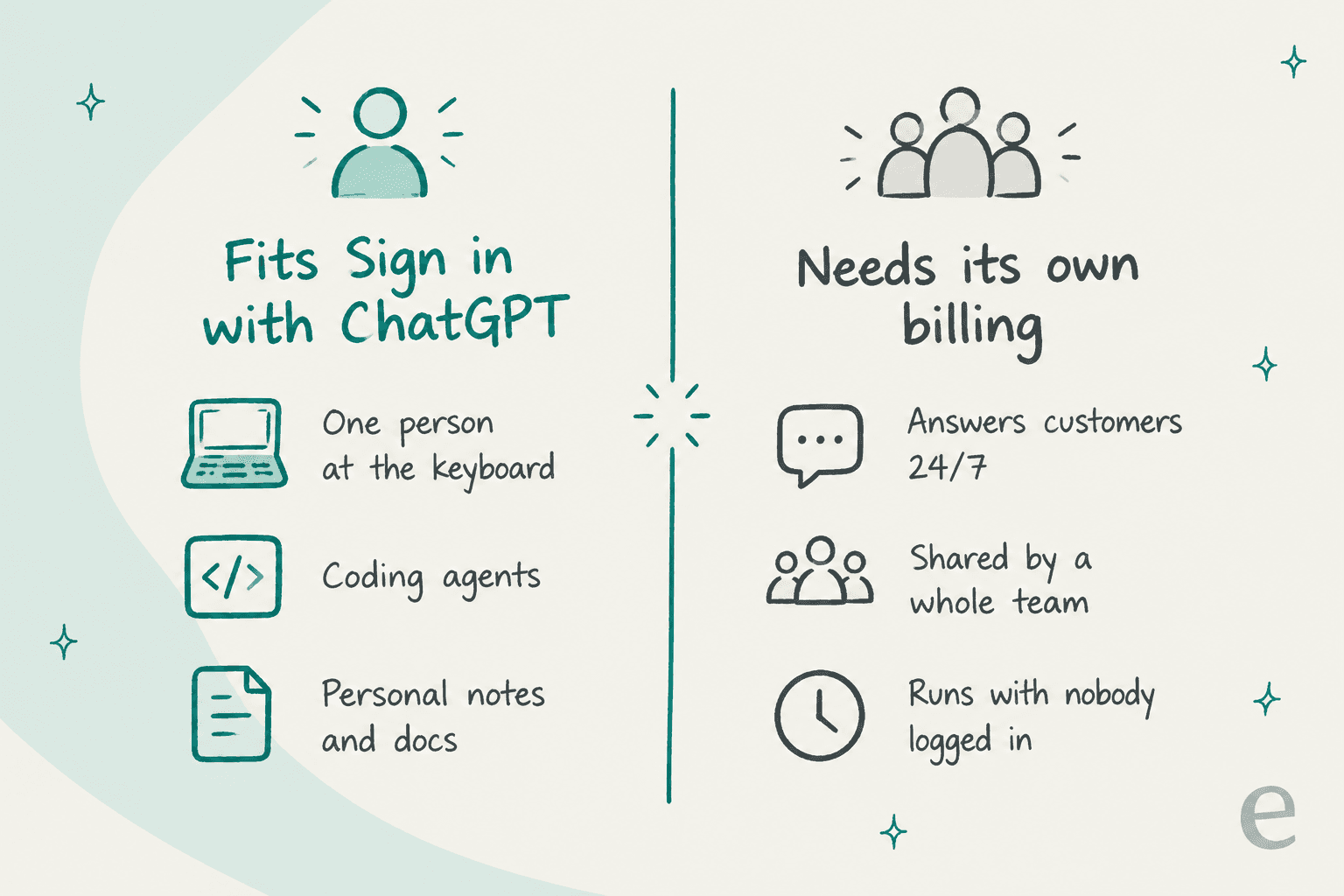
Here's the shift I'd want a reader to leave with. Sign in with ChatGPT is a great deal for work that has one human, one account, and a session that ends. It's a poor fit for work that runs for a team or for customers, and also for work that runs while nobody is logged in.
The reasons are all in OpenAI's own rules:
- It's individual. Plan usage belongs to one Plus or Pro account. Business and Enterprise plans can't share theirs with commercial apps, and partners like Devin say outright there's no team-wide plan.
- It stops at the cap. When usage runs out, requests fail unless that person opted into credits. For a coding session that's a shrug, but for a customer waiting on a reply it's an outage.
- It can be switched off by one person. Anyone can disconnect an app in settings, and the app isn't even notified.
Customer support is the clearest example. On a demo call this year, a technical evaluator at a hardware company asked whether eesel would fall back to some other ChatGPT when it didn't know an answer, and whether that could be turned off. That is exactly the right instinct to have. A support team running an AI agent needs to know exactly which model answers, from which knowledge, on whose bill, and none of that should depend on one agent's personal subscription.
That's why I'd price support AI per ticket or chat for the whole team, not per person. If you're sizing that up, my guide to AI customer service costs walks through the real numbers.
If you were hoping to bolt ChatGPT onto Zendesk AI or another helpdesk, ChatGPT for Zendesk and ChatGPT for HubSpot Service Hub cover what actually works today.
Try eesel for support work a ChatGPT plan can't cover
Sign in with ChatGPT is a smart way to stop paying twice for a coding agent. If the job is answering your customers, though, you want something that doesn't share one person's weekly cap. eesel's AI helpdesk teammate joins your existing queue in Zendesk, Freshdesk or Jira Service Management, learns from your past tickets and help center, and runs on its own team plan: a free tier with 100 credits, then $299 a month for 500, where a ticket or chat is one credit.
You can also see exactly what it did. The Reports view shows task volume, what triggered each run, and how many tool actions a human approved, so there's never a "which ChatGPT answered that?" moment. And if you live in a terminal, the eesel CLI lets you or a coding agent like Claude Code or Codex check activity, edit instructions and approve actions without opening the dashboard, which is a nice pairing with whatever coding agent your ChatGPT plan is now paying for. It's the same idea as an AI agent CLI, aimed at your support teammate. My terminal agents guide shows how that works.

Try eesel free, no card needed.
Frequently Asked Questions
What is Sign in with ChatGPT?
Which apps support Sign in with ChatGPT?
Does Sign in with ChatGPT cost extra?
Can ChatGPT Business or Enterprise users use their plan in other apps?
What does an app see when I use Sign in with ChatGPT?
How do the Sign in with ChatGPT usage limits work?
Can I add Sign in with ChatGPT to my own app?
Can a support team run an AI agent on Sign in with ChatGPT?


Article by
Rama Adi
Rama is a software engineer at eesel AI with two years of experience writing about B2B SaaS, AI tools, and customer support technology. Based in Bali, Indonesia, he brings a developer's perspective to product comparisons — cutting through marketing copy to what the integrations and APIs actually do.