What is Codex Security Cloud?
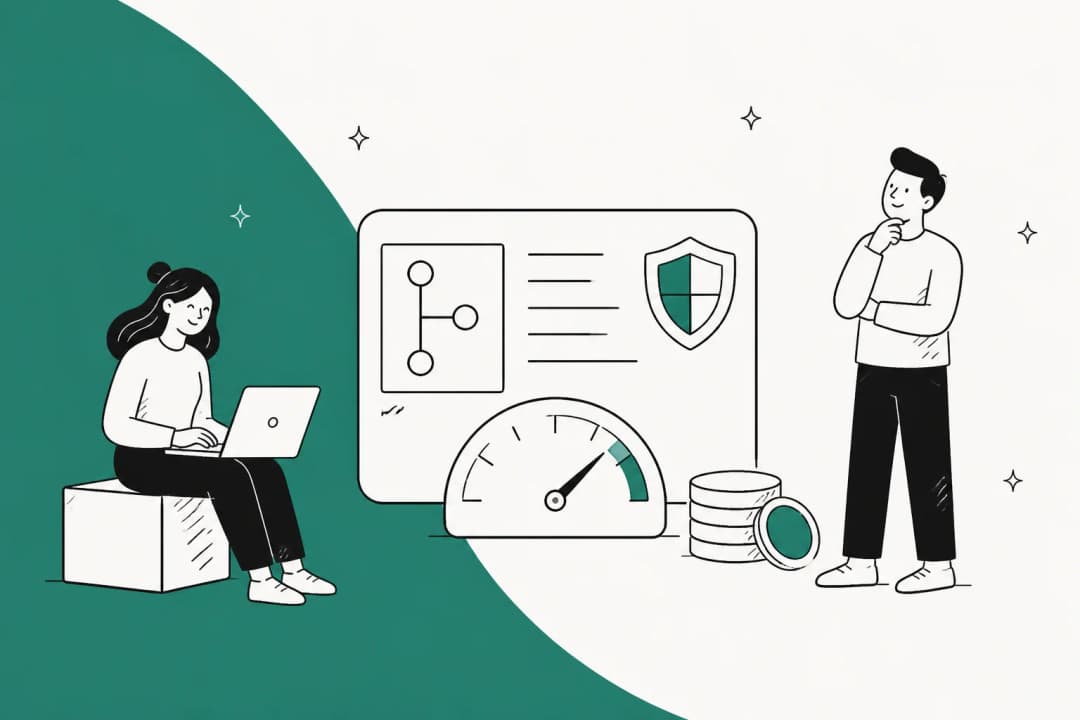
Codex Security is OpenAI's application security agent inside OpenAI Codex. It finds and confirms vulnerabilities, and also proposes the fix. Codex Security Cloud is the version that runs in Codex cloud against your connected GitHub repositories. You install it as a plugin and point it at a repo, then it keeps working whether your machine is on or not.
OpenAI's DevDay recap puts it plainly: Codex "investigates findings, removes duplicates and prepares fixes in the cloud, even with your laptop closed." It's available in research preview on the web and in the Codex app.
It was one of several DevDay launches, alongside always-on OpenAI Dots and the GPT-6.1 Sol model.
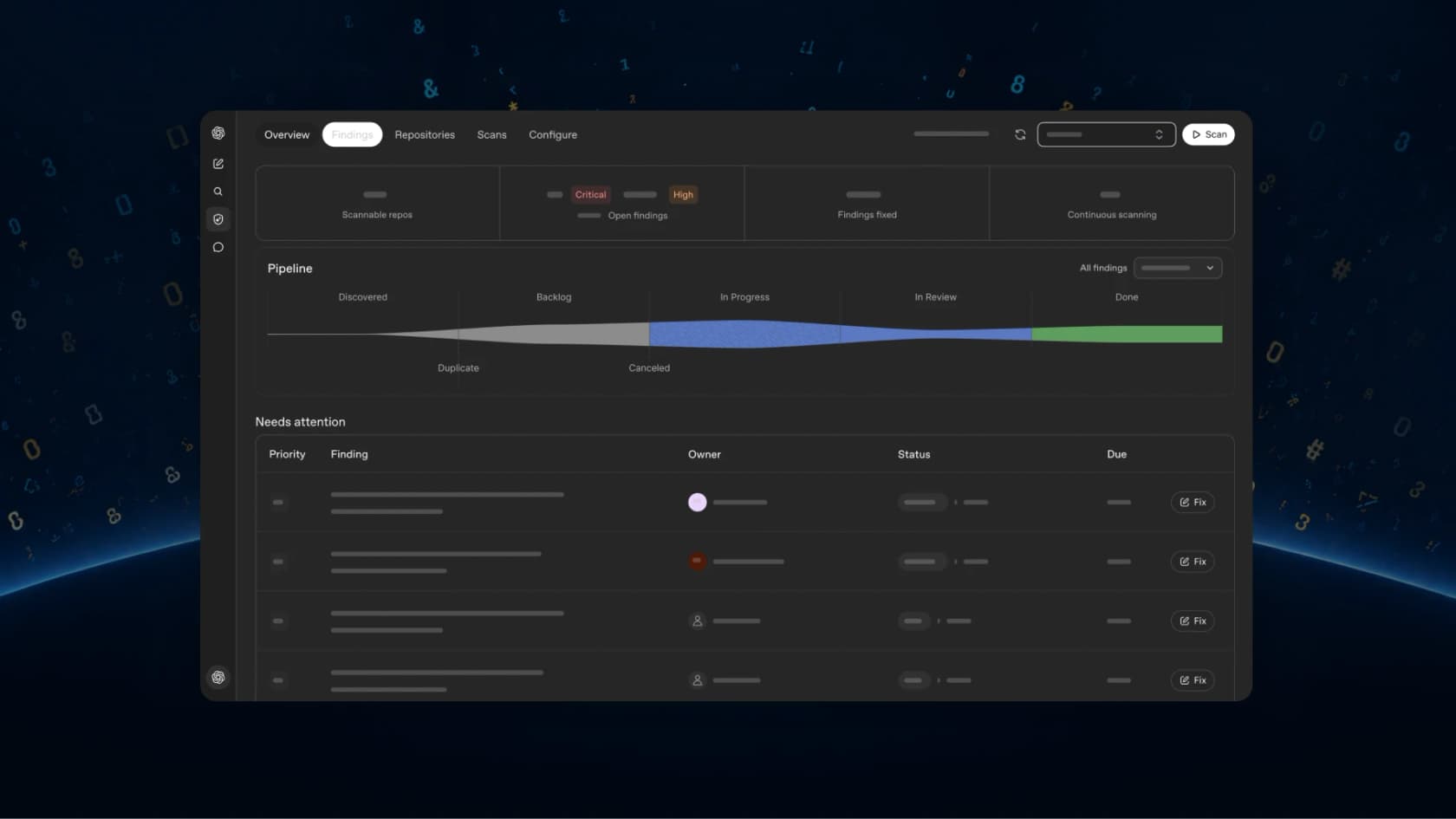
This didn't appear out of nowhere. The product has a longer history, and it is worth knowing because the numbers OpenAI quotes come from the earlier stages:
| Date | What shipped | Who could use it |
|---|---|---|
| Oct 30, 2025 | Aardvark, "an agentic security researcher powered by GPT-5" | Private beta, select partners |
| Mar 6, 2026 | Renamed Codex Security, research preview in Codex web | Pro, Enterprise, Business, Edu, free for the first month |
| Jul 2026 | Public CLI and TypeScript SDK on GitHub, Apache-2.0 | Anyone can install; scans need Codex Security access |
| Sep 29, 2026 | Codex Security Cloud plugin, Daybreak Blue included | Pro, Business, Enterprise, Edu |
The track record OpenAI points to is real. Aardvark found 92% of known and synthetically introduced vulnerabilities in its "golden" test repos. In the 30 days before the March launch, the beta cohort's scans covered more than 1.2 million commits and turned up 792 critical and 10,561 high-severity findings. OpenAI also says false positive rates fell by more than 50% across all repositories, and 14 CVEs have been assigned from its open-source work, including reports to OpenSSH and GnuTLS, and also Chromium.
How Codex Security Cloud works
The pipeline has four stages, and the Cloud FAQ lays them out in order. I've built agent pipelines like this at eesel, so for me the interesting part is the order, where validation sits before anything reaches a human.
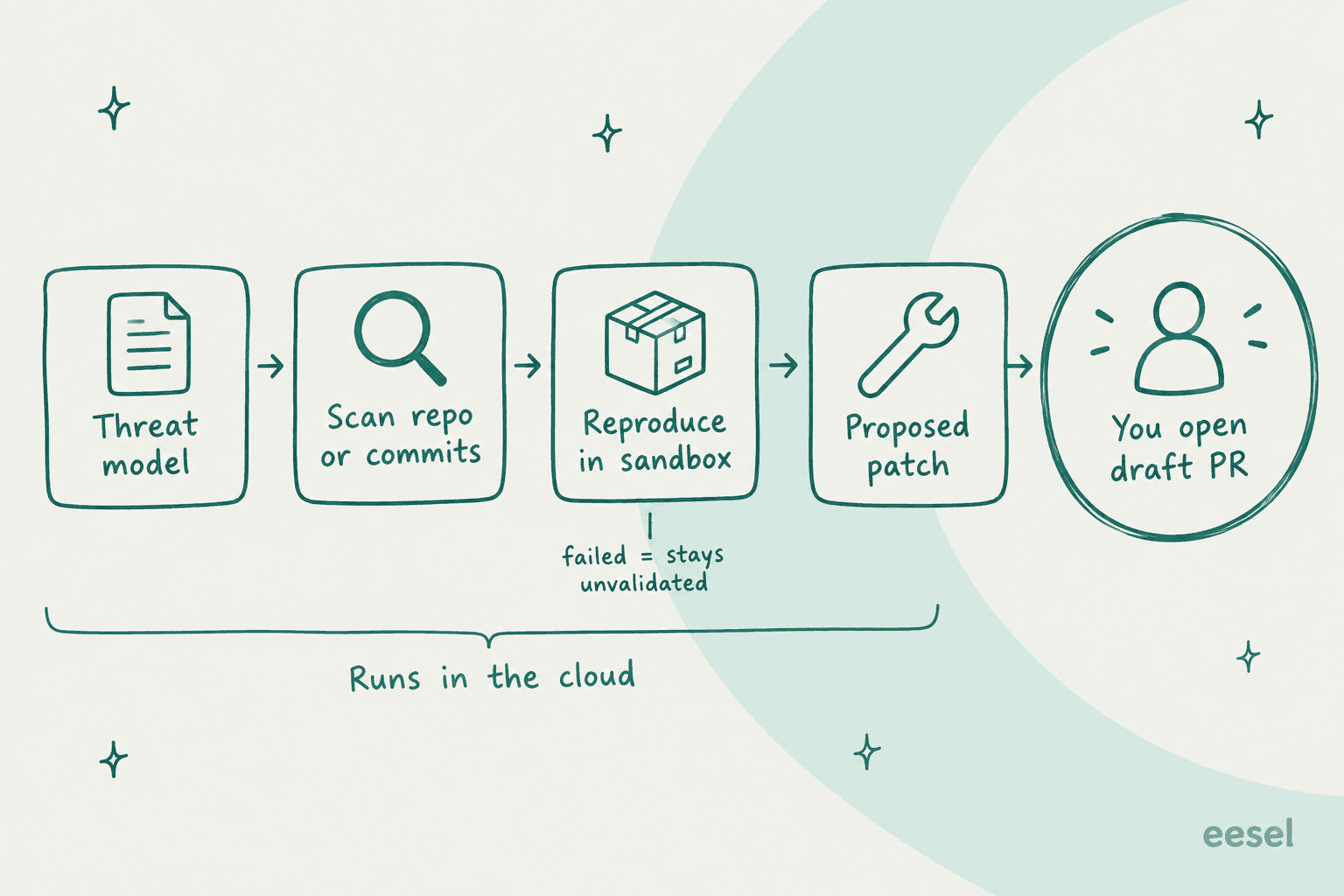
- Analysis. Codex reads the repo and writes a threat model: entry points, trust boundaries, auth assumptions, risky components.
- Scanning. A Repository scan reviews everything once. Commit changes monitors new commits and can look back over existing history.
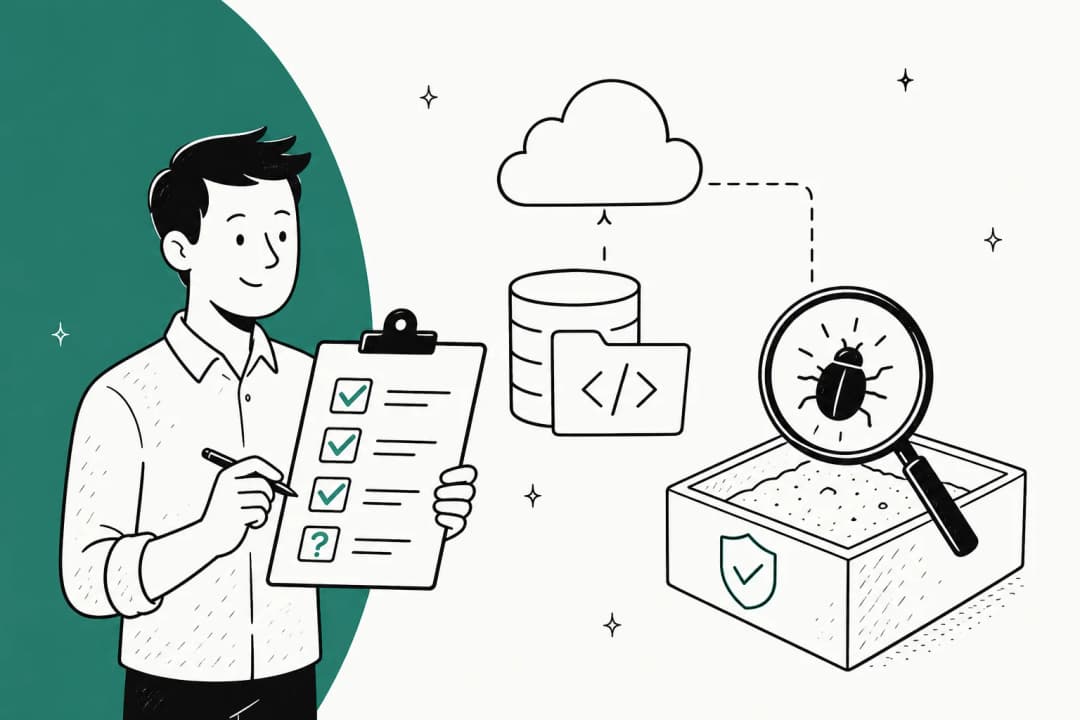
- Validation. For each likely issue, it tries to reproduce the problem in a clean container, running commands or tests and attaching logs as evidence. Findings that reproduce get marked validated. Ones that don't stay unvalidated, with the attempt still logged.
- Remediation. You get guidance and, when one can be generated, a "minimal actionable diff" with file and line context.
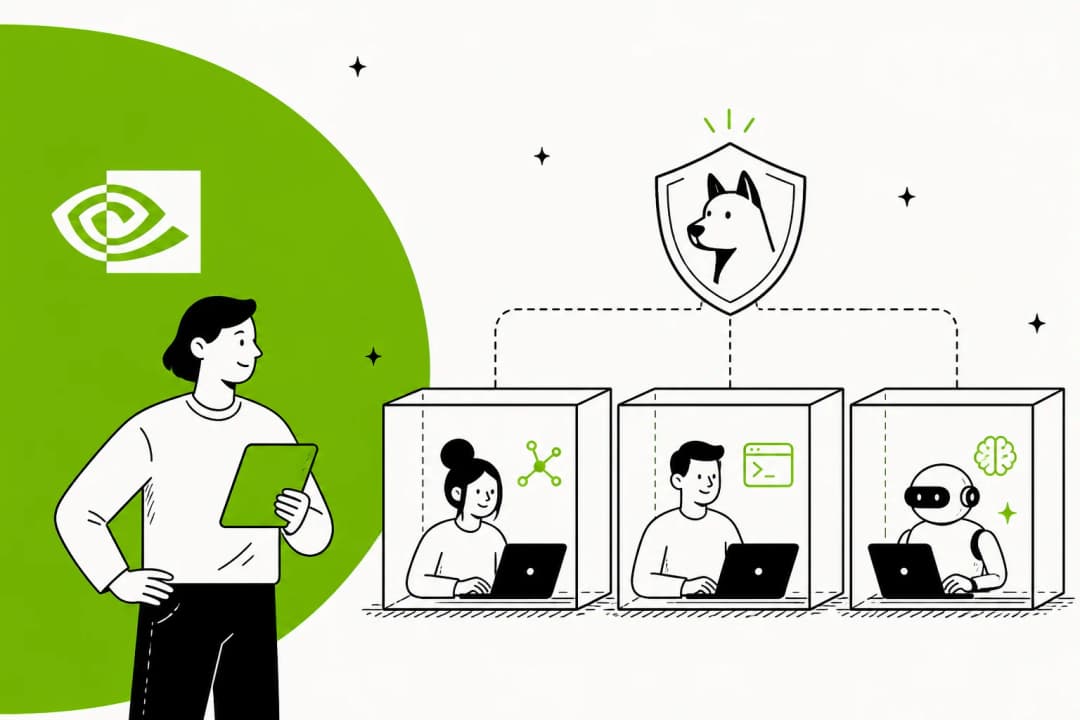
A few behaviors are worth knowing before you trust the output. It's language-agnostic, though OpenAI notes that quality depends on how well the model reasons about your language and framework. It doesn't need a build step to find issues, but it may try to build inside the container to reproduce one. And every job runs in an "ephemeral Codex container with session-scoped tools" which is torn down when the job ends.
Most teams will underuse the threat model. Codex drafts it from your code, and then it guides every future commit scan and how findings get ranked. OpenAI's threat model guide says to edit it when your architecture changes or "when findings miss the areas you care about." In practice I'd edit it on day one, because the model knows your code but doesn't know that the billing service is the thing your auditors ask about.
Four ways to run Codex Security, and which one is Cloud
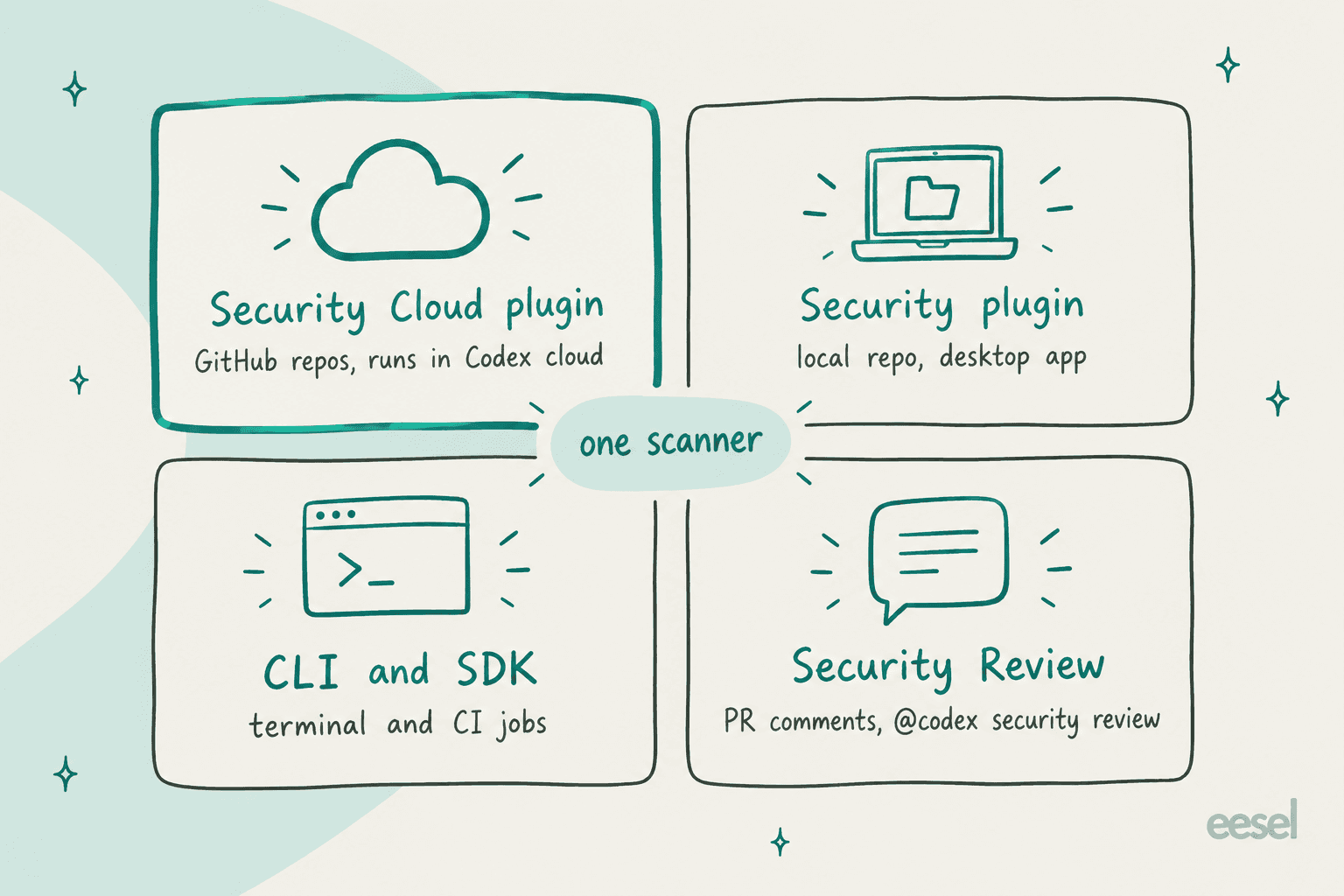
People get confused at this point, so here is the map. OpenAI ships the same scanner through four surfaces, and only one of them is called "Cloud."
| Surface | Where it runs | Best for |
|---|---|---|
| Codex Security Cloud plugin | Codex cloud, on connected GitHub repos | Always-on repo scans and commit monitoring |
| Codex Security plugin | A Codex task on your machine, via the desktop Security workbench | Scanning a local repo or one folder, deep scans |
| CLI and TypeScript SDK | Your terminal or CI, npx @openai/codex-security | Bulk scans across many repos, CI gates, SARIF export |
| Codex Security Review | GitHub pull requests | A security-focused pass on each PR, @codex security review |
The Security Review piece pairs well with Cloud. It goes deeper than Codex's general code review on security risks, and you can trigger it when a PR opens or on every push, or alongside code review. By default, automatic reviews post only High and Critical findings to the PR. If you already use Codex's GitHub integration, that's a settings toggle, not a new tool.
The CLI is worth a look even if you plan to live in Cloud. It's where the plumbing shows. You get --max-cost for an estimated spend limit and --fail-on-severity high for CI, and also findings false-positive to record why a finding doesn't apply. That note gets fed back as context to future scans, though it doesn't suppress the rule. It's the same reason why I like a real CLI on any agent, since the AI agent CLI pattern makes the agent scriptable instead of a dashboard you have to babysit.
How to set up Codex Security Cloud
Setup takes five steps per OpenAI's setup guide, and you need Codex cloud to be configured already for your workspace.
- Install the plugin. Open Plugins in ChatGPT on the web or desktop, search for Codex Security Cloud, install and enable it, then open Security Cloud.
- Connect GitHub. Select New scan, then Connect GitHub if prompted, and grant access to the repos you want scanned.
- Start a repository scan. Choose the repo, pick a compatible Cloud environment (or create one), leave What to scan on Repository, and select Start scan.
- Review findings. Open Findings to see affected code, validation evidence and remediation guidance. Where you see Fix with Codex, generate a patch, review it, then select Create draft pull request.
- Turn on commit monitoring. Start a New scan, choose Commit changes, and select Create. Under Monitoring settings you can change the environment, set how many days of history to review, pause monitoring, and edit the threat model under Project context.
If the plugin doesn't show up at all, the docs give one answer only: "check with your workspace administrator." That leads into the messiest part of the launch.
Who can use Codex Security Cloud?
On paper, it's four plans. OpenAI's DevDay recap says Cloud is "Available to all Pro, Business, Enterprise and Edu users on desktop and web." Plus isn't on the list, and the Security Review docs say outright it's "not available on Plus."
Here's the wrinkle: on the same day, the feature matrix on OpenAI's Codex pricing page still marks "Codex Security for connected GitHub repositories" as available on Enterprise / Education only, with Pro and Business shown as unavailable. One of those two pages is out of date, and my bet is on the matrix because the launch post is newer. Still, I wouldn't promise a Pro or Business user access until they see the plugin in their own marketplace.
| Plan | Price | Codex Security Cloud (per DevDay) | Codex cloud |
|---|---|---|---|
| Plus | $20/month | Not available | Yes |
| Pro | $100, $200 or $500/month | Yes | Yes |
| Business | $20/user/month annual, $25 monthly | Yes | Yes |
| Enterprise and Edu | Contact sales | Yes | Yes |
| API key only | API rates | No (no cloud features) | No |
Prices are from OpenAI's Codex pricing page. One more detail is that an API key can run the CLI, but the API Key option has "No cloud-based features," so Cloud needs a ChatGPT plan.
What does Codex Security Cloud cost?
There's no Codex Security line item anywhere. Scans run as Codex cloud work, so they draw from the same pool as everything else. Per the Security Review docs, security reviews "consume included Codex allowance or ChatGPT credits." Once your plan's included usage runs out, Plus and Pro users can buy credits, while Business, Edu and Enterprise plans on flexible pricing buy workspace credits, as covered in my Codex pricing guide.
The number that matters is the model rate. OpenAI's credit table states "Daybreak Blue uses GPT-5.6 Sol credit rates," which is 100 credits per million input tokens, 10 per million cached input and 500 per million output.
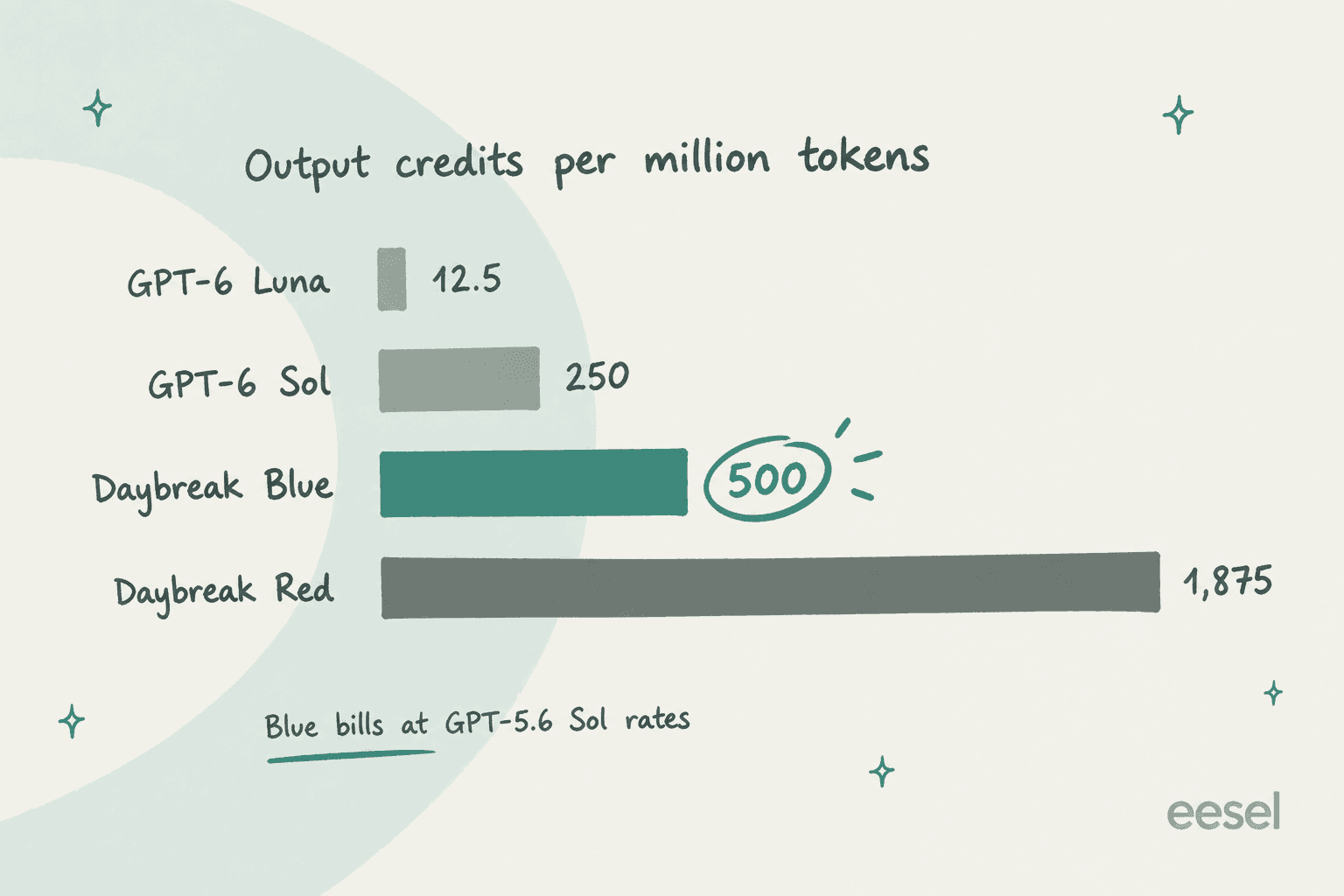
That's twice the per-token rate of GPT-6 Sol (50 / 5 / 250) and 40x GPT-6 Luna on output. So the reduced-refusal access isn't free, and you pay the older GPT-5.6 Sol price for it.
Daybreak Red, the specialist model that needs separate approval, sits at 312.5 / 31.25 / 1,875. In fairness to Blue, the local plugin's deep-scan docs already recommend gpt-5.6-sol for the best scan quality, so it is roughly the rate where a serious scan would run anyway.
To make it concrete, here is some illustrative arithmetic, not a measured scan. Say a full-repo scan reads 5 million input tokens, half of them cached, and writes 400,000 output tokens on Daybreak Blue:
| Line | Tokens | Rate (credits per 1M) | Credits |
|---|---|---|---|
| Fresh input | 2.5M | 100 | 250 |
| Cached input | 2.5M | 10 | 25 |
| Output | 0.4M | 500 | 200 |
| Total | 475 |
In terms of scale, OpenAI says a typical GPT-5.6 Sol task uses 5 to 30 credits. A repo scan with validation is many tasks' worth of work, and commit monitoring keeps going. If you run the CLI with an OpenAI API key instead, billing follows OpenAI API pricing, not credits. Real users of the CLI have reported it the same way: one said a scan "ate through 25% of my weekly credits," another that a failed run cost about $13. The CLI's --max-cost limit helps, but OpenAI's CLI FAQ is clear that it's "an estimate, not a hard spending cap."
My advice is to run one repository scan on a mid-sized repo and check your usage dashboard before and after it. Only then switch on commit monitoring across the org.
Why the bundled Daybreak Blue matters most
If you read only one section, make it this one. The most common complaint about Codex Security before Cloud wasn't false positives, it was refusals.
Daybreak is OpenAI's program for defenders. Daybreak Blue gives "access to flagship models with reduced refusals for authorized defensive workflows" such as vulnerability discovery, secure code review, threat modeling and patch validation. Normally you get it by applying through Trusted Access for Cyber, and the approval isn't guaranteed. The tiers are covered in detail in my GPT-5.6-Cyber post.
Without it, the standard model's cyber guardrails fire on exactly the work that a security agent exists to do. When OpenAI open-sourced the CLI in July, the Hacker News thread was filled with people who hit that wall:
"Thing is, you WILL encounter refusals with Sol doing anything remotely adjacent to security work. Which for Codex Security is kinda... problematic."

Another user ran it on a small open-source library, and after watching it for 41 minutes got "This content was flagged for possible cybersecurity risk" at the end:
"it ran for over 40 minutes and during that time I had no idea what was happening, thought it was frozen or in a bad state. Also, it ate through 25% of my weekly credits :("
Codex Security Cloud "includes access to models offered through Daybreak Blue without a separate Daybreak application," per the DevDay recap. That's the real upgrade. One honest caveat is that the launch is only two days old, and I haven't found anyone yet who confirms refusals are gone on Cloud specifically. The Hacker News launch thread had zero comments when I checked.
What early users have said so far
Hands-on reports are still mostly about the CLI and the earlier plugin, since those run the same scanner. The praise is real, even if it's early. Simon Willison, who previewed it in April, put it this way:
"I've been previewing this in Codex for a few weeks - it's very good! Had some great results from it having it run security reviews against code written using other models"
The worries fall into three buckets:
- Cost and resilience. Beyond the refusal stories, one user's scan hit their account's rate limit and gave up after a minute, costing about $13. An OpenAI team member replied in the thread that retries and resume were still to come (Hacker News).
- Code leaving the building. This isn't an offline scanner. As an OpenAI team member explained on Hacker News, code and context are sent to OpenAI's hosted model, and "If your company doesn't allow source code to leave its environment, you shouldn't run this against that codebase."
- Coverage claims. A Hacker News commenter, relaying curl maintainer Daniel Stenberg's posts, said both Codex Security and Anthropic's Claude Mythos came back with zero issues on curl, before another tool's scan led to six CVEs. That's secondhand, so treat it as a warning about relying on only one scanner and not as a benchmark.
Where it fits next to the tools you already run
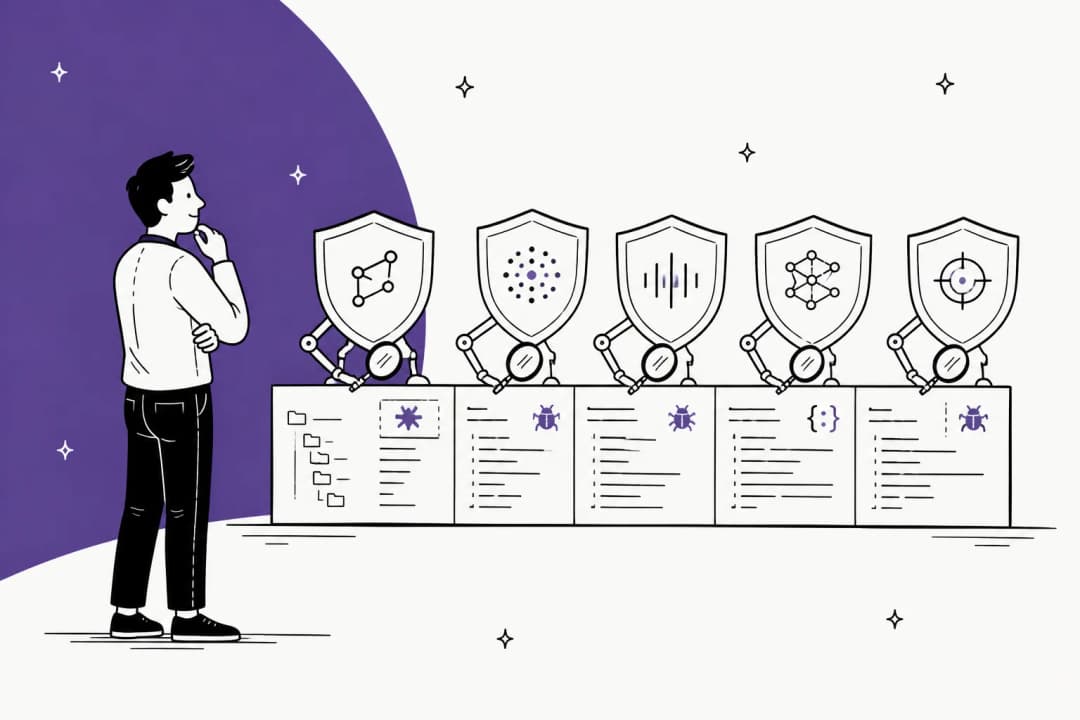
OpenAI's own FAQ answers the replacement question in one word: "Does it replace SAST? No. Codex Security complements SAST." Rule-based scanners give you broad and deterministic coverage, while Codex Security adds reasoning about how your code fits together and sandbox validation on top. And because it's an AI scan, results can vary between runs even with the same configuration.
Here's how the closest options compare, from each vendor's own pages:
| Tool | Published price | Tests findings? | Proposes patches? |
|---|---|---|---|
| Codex Security Cloud | Included Codex usage, then credits | Yes, reproduces in a sandbox | Yes, you open the draft PR |
| Claude Code Security | No price; limited preview for Enterprise and Team | Re-examines each finding to "prove or disprove" it | Yes, with human approval |
| GitHub Code Security | $30 per active committer/month | Not stated (CodeQL static analysis) | Yes, Copilot Autofix |
| Snyk | Free; Team from $25/month | Re-scans each fix candidate | Yes, Snyk Agent Fix |
| Semgrep | Free to 10 contributors; Teams from $30/contributor/month | Not stated | Remediation listed |
The pairing I'd actually run is to keep your rule-based scanner (CodeQL through GitHub's paid plans, or Snyk or Semgrep) as the floor, and then add Codex Security Cloud for the reasoning-heavy bugs that a rule can't express. If your team lives in Claude Code, its /security-review command and GitHub Action are the nearest equivalent.
My Claude Code review covers how that agent behaves day to day. If you're still choosing a coding agent at all, my best AI coding assistant tools list is the place to start, and Claude Code's GitHub integration shows the PR-side setup.
For the wider field, see the OpenAI Codex alternatives roundup and the GPT-5.6-Cyber alternatives list.
Five things to check before you switch it on
These come straight from the docs. Each one has bitten someone, or will.
- PR comments are as public as your PR. Per the Security Review docs, findings posted to a pull request "inherit that pull request's GitHub visibility." On a public repo, anyone can read a vulnerability write-up before you've fixed it. Set the reporting threshold accordingly, or keep findings in Codex.
- A missing finding isn't a fixed finding. The CLI FAQ says "A missing finding or scan comparison alone doesn't prove that a fix worked." Rerun the original scan and recheck the specific issue.
- Watch coverage, not just findings. Scans report coverage as
complete,partialorunknown. A clean report with partial coverage means "didn't look," not "nothing there." - Patches are proposals. Codex never auto-applies a fix or edits your PR branch, which is good. Keep it that way in your process too, and run your tests on every draft PR it opens.
- It's a research preview. Behavior, limits and plan availability can change. The plugin has shipped six releases between August 21 and September 24, 2026, so pin your expectations to the version in front of you.
eesel, for the jobs a security agent doesn't own
Codex Security Cloud is a good example of what a ready-to-work AI teammate looks like, with one job and the right tools for it, plus evidence before it asks a human to act. That's the same shape I build at eesel, only for different jobs. eesel is an AI teammate platform, and today you can hire two teammates: an AI helpdesk teammate that joins Zendesk, Freshdesk, Gorgias or Front, and an AI blog writer for content and SEO. The best AI teammates roundup shows how others approach the same idea.
The validate-first idea maps over directly. Codex reproduces a vulnerability before showing it to you; eesel runs the helpdesk teammate against hundreds of your past tickets in a simulation before it touches a live customer. And the gap between "validated" and "shippable" is real in support too. In one real-traffic trial on an e-commerce Zendesk inbox, the teammate hit 93% triage accuracy and 100% spam detection, yet agents sent only 12% of drafts as-is and rewrote the rest. Accurate isn't the same as ready, which is why actions outside a teammate's rules wait for human approval and every run lands in a shared activity log.

If the Codex Security CLI is what appealed to you, eesel has the same kind of surface. The eesel CLI lets you operate your teammate and workspace from a terminal: eesel approvals list shows what's waiting on a human, eesel activity lists every run, and scripts can automate the rest. Each workspace also works as an MCP server, so Codex or Claude Code can drive the same teammate you see in the dashboard. My AI teammates explainer goes deeper on the model.
Pricing is public: a free plan with 100 credits, then teammate plans from $299/month for 500 credits, where one ticket or chat is one credit. See the pricing page, or try eesel and watch the helpdesk teammate answer your real past tickets the same afternoon.
Frequently Asked Questions
What is Codex Security Cloud?
Who can use Codex Security Cloud?
How much does Codex Security Cloud cost?
Does Codex Security Cloud replace SAST tools like CodeQL or Snyk?
Does Codex Security Cloud fix vulnerabilities automatically?
What is Daybreak Blue in Codex Security Cloud?
Is my code safe with Codex Security Cloud?
How is Codex Security Cloud different from the Codex Security CLI?
@openai/codex-security) runs from your terminal or CI and can use an API key, while Codex Security Cloud runs in Codex cloud against connected GitHub repos and keeps working when your laptop is closed. The AI agent CLI guide explains why a CLI surface matters for scripting.

Article by
Kira
Kira is a writer at eesel AI with a Computer Science background and over a year of hands-on experience evaluating AI-powered customer service tools. She focuses on breaking down how helpdesk platforms and AI agents actually work so that support teams can make better buying decisions.