What does Codex Security Cloud cost?
Most people who search "Codex Security Cloud pricing" are after one number, and I went looking for it too. OpenAI doesn't publish one. The Codex pricing page has no Codex Security row, and the Cloud FAQ doesn't mention cost at all. The only availability statement is in the DevDay 2026 recap: "Available to all Pro, Business, Enterprise and Edu users on desktop and web."
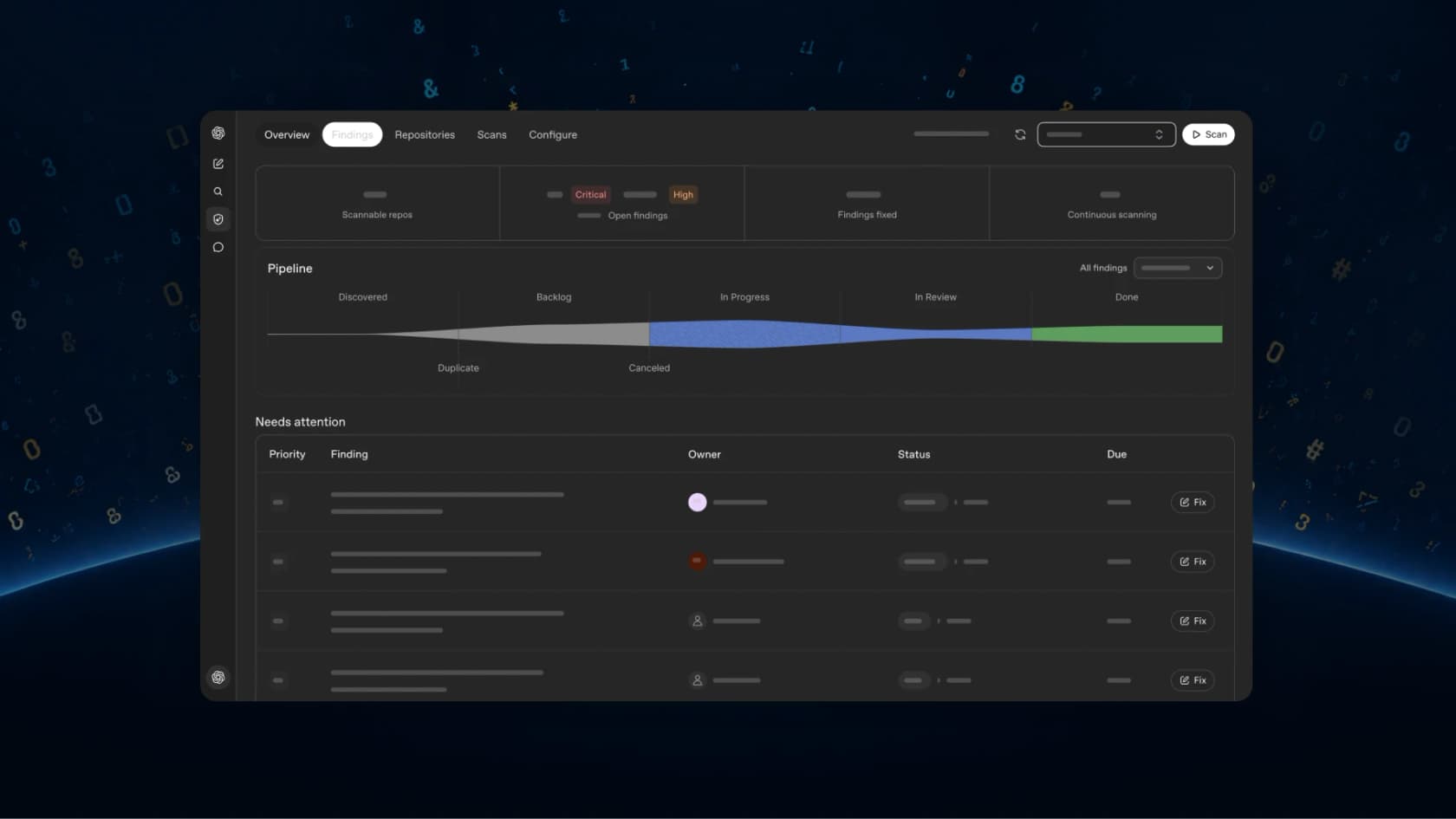
So the honest answer, as far as I can tell, is that Codex Security Cloud costs whatever its tokens cost on your plan. It runs in Codex cloud, and the pricing page says plainly that "ChatGPT Work and Codex share usage." Your scans compete for the same allowance with your coding tasks and your ChatGPT Work jobs, and also with the Excel add-in.
I write about AI pricing for eesel, and I've read enough eesel sales-call notes to know why this matters. On one eesel call this year, a buyer said they'd watched a previous vendor's price more than double, and the first thing they asked for was a price lock. A usage meter that has no published per-job price is pretty much the opposite of that, which is fine for a pilot but harder to put in a budget.
Which plans include Codex Security Cloud?
This is the part where it gets messy, because two OpenAI pages disagree with each other. The DevDay recap names four plan families. The feature matrix at the bottom of the Codex pricing page lists "Codex Security for connected GitHub repositories" as available on Enterprise only, and unavailable on Plus, Pro, Business and API key.
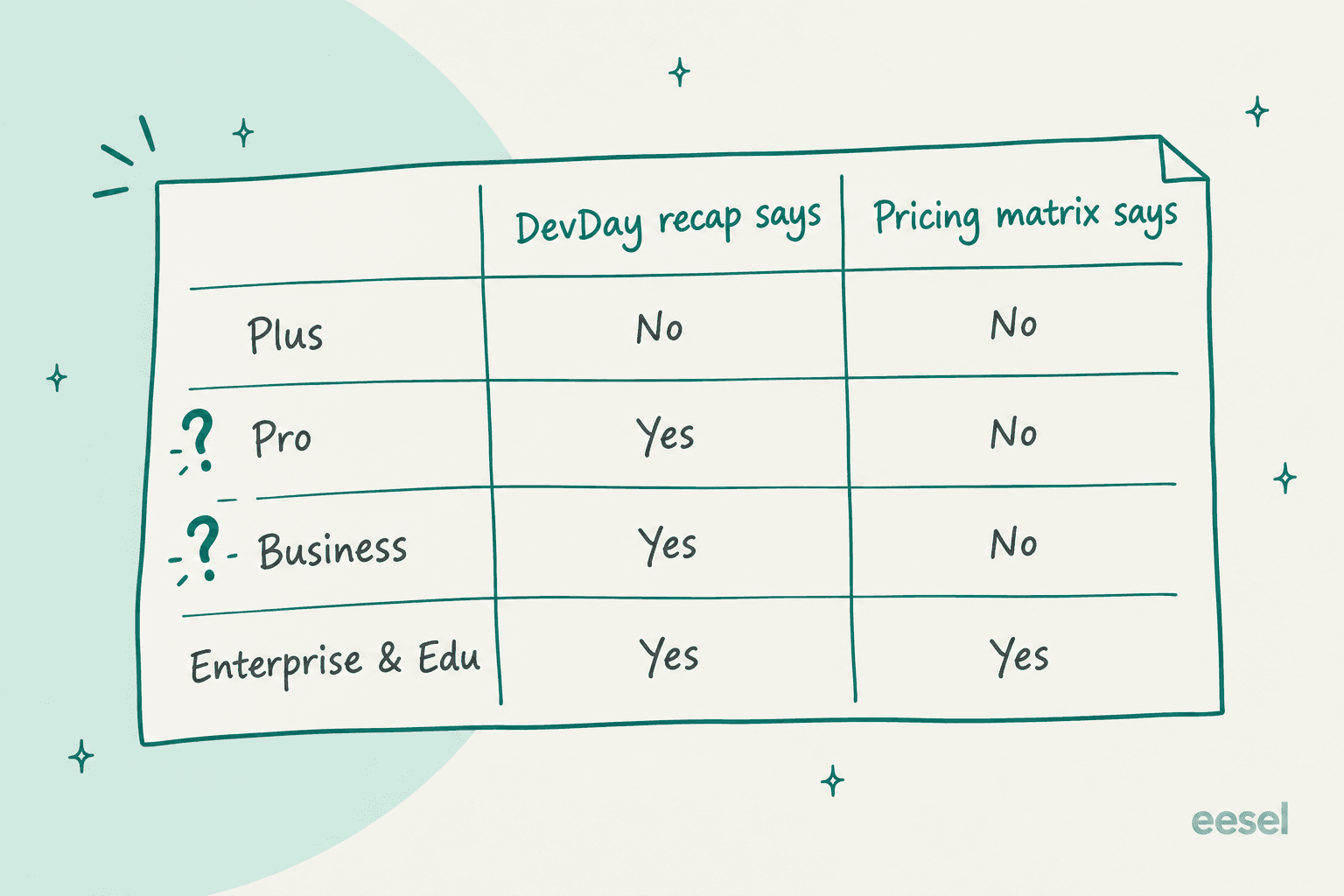
My read on it is that the matrix just hasn't caught up with the launch yet, since the recap is the newer page. The Codex Security docs hedge too: "If access is unavailable, check with your workspace administrator." I wouldn't upgrade a plan only for this until you've actually seen the plugin in your own workspace.
Here are the plans, with the base price you pay before any scanning happens:
| Plan | Price | Cloud access per DevDay | Pricing matrix | After the included allowance |
|---|---|---|---|---|
| Free | $0/month | No | No | Limited credit pilot |
| Go | $8/month | No | No | Limited credit pilot |
| Plus | $20/month | No | No | Personal credits |
| Pro | $100, $200 or $500/month | Yes | No | Personal credits |
| Business standard seat | $20/user/month annual, $25 monthly | Yes | No | Workspace credit pool |
| Business premium seat | $100/user/month annual, $125 monthly | Yes | No | Workspace credit pool |
| Enterprise and Edu | Contact sales | Yes | Yes | Contract credit pool |
| API key | API rates | No cloud features | No | Billed per token |
Prices come from the Codex pricing page and OpenAI's business pricing. Business needs at least 2 seats. Pro has no five-hour limit, though weekly limits can still apply, and that matters if you plan on leaving commit monitoring running.
How are Codex Security Cloud credits calculated?
Once the included usage runs out, every scan gets billed on tokens. The ChatGPT rate card gives the formula: input tokens times the input rate, plus cached input times the cached rate, plus output times the output rate, each per million.
The model that matters here is Daybreak Blue. Cloud "includes access to models offered through Daybreak Blue without a separate Daybreak application," per the DevDay recap. That access is OpenAI's fix for the refusals that CLI users ran into in July, and the rate card prices it at GPT-5.6 Sol rates. Here's the slice of the rate card that applies to security work:
| Model | Input (credits per 1M) | Cached input | Output |
|---|---|---|---|
| Daybreak Blue (GPT-5.6 Sol rates) | 100 | 10 | 500 |
| Daybreak Red | 312.5 | 31.25 | 1,875 |
| GPT-6.1 Sol | 50 | 2.5 | 250 |
| GPT-6 Sol | 50 | 5 | 250 |
| GPT-6 Luna | 2.5 | 0.25 | 12.5 |
Three details from the same pages change the math. Codex doesn't charge for cache writes. Fast mode costs 2x the credit rate, and it burns the included allowance at 2.5x. Then the pricing page also notes "GPT-5.6 Sol's promotional pricing is available at least through November 21, 2026," for usage paid with purchased credits. OpenAI doesn't say what the rate turns into after that, so I'd treat the Blue rate as a number that can still move.
Daybreak Red is a separate track altogether. It needs Trusted Access for Cyber approval on top of Blue, and Blue approval "doesn't grant access to Daybreak Red." Most teams that scan their own code won't ever touch it. My GPT-5.6 Cyber piece covers the cyber model tiers.
What does one real scan cost in credits?
OpenAI won't tell you this, so I measured one myself. For my Codex Security Cloud review, I ran the open-source Codex Security CLI on a 56-line Flask app with 5 planted bugs. It found all 5. The scan took 8 minutes 56 seconds and logged these tokens:
18,684fresh input tokens173,804cache writes3,357,854cache reads73,204output tokens
Since Codex doesn't bill cache writes separately, I counted them as input. Running those numbers through the rate card gives this:
| Rate applied | Input | Cached input | Output | Total |
|---|---|---|---|---|
| Daybreak Blue | 19.2 credits | 33.6 credits | 36.6 credits | 89 credits |
| GPT-6 Sol | 9.6 credits | 16.8 credits | 18.3 credits | 45 credits |
| GPT-6.1 Sol | 9.6 credits | 8.4 credits | 18.3 credits | 36 credits |
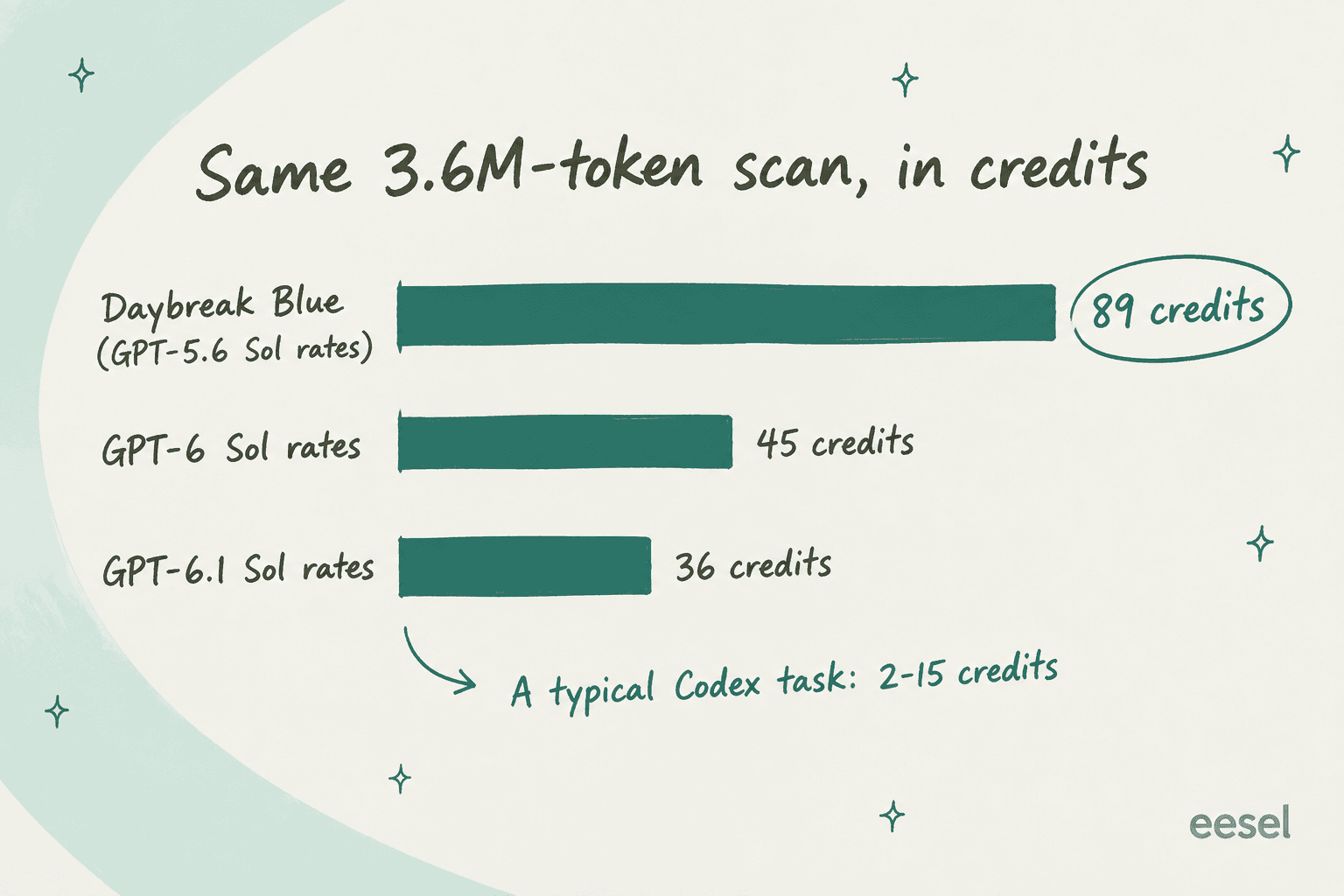
For a sense of scale, the rate card says "a typical Codex task using GPT-6.1 Sol may consume between 2 and 15 credits," and the pricing page puts a typical GPT-5.6 Sol task at 5 to 30. One scan of a toy app cost about as much as 6 to 45 ordinary Codex tasks.
And what about dollars? OpenAI doesn't publish a per-credit price for personal or Business plans, so the closest yardstick I've found is a Pro subscriber's grant email, posted on Hacker News, describing "62,500 usage credits (a $2,500 USD value)." That works out to $0.04 per credit, or about $3.58 for my scan. That is roughly in line with the CLI's own estimate on the API route, which was $3.75 to $6.77.
There are two caveats on my number. It's a tiny repo, and a real codebase will use more tokens, though 93% of mine were cache reads from the agent re-reading its own context, which is mostly fixed overhead. And the Cloud plugin may not run exactly the same steps as the CLI. Treat 89 credits as a floor-ish reference point, not a quote.
What does it cost for a whole team?
Here's the worked example I would use for a budget. A 10-person team on ChatGPT Business, billed annually, pays $200 a month for seats. Suppose they run one full scan a week on each of 5 repos, about 20 scans a month. If each scan cost what mine did, that's roughly 1,780 credits, or about $71 at the $0.04 yardstick, once the included allowance is gone. Bigger repos push that number up, and commit monitoring does as well.
To compare, OpenAI's rate card says "Codex costs approximately $100–$200 per developer per month" on average, before anyone turns on security scans. The GitHub Code Security add-on is a flat $30 per active committer, so $300 a month for the same 10 people, with no meter.
You can plug in your own numbers below. The default credits per scan is the 89 I measured, and switching the rate shows you what happens if Cloud moves to a GPT-6 model.
If the numbers look high, the lever to pull isn't the plan, it's how often you scan. A weekly full scan plus commit monitoring on your 2 or 3 riskiest repos covers most of the value for a fraction of the credits.
Where do the hidden costs come from?
The rate card is the easy part of this. The money you don't plan for tends to come from scans that bill you and return nothing.
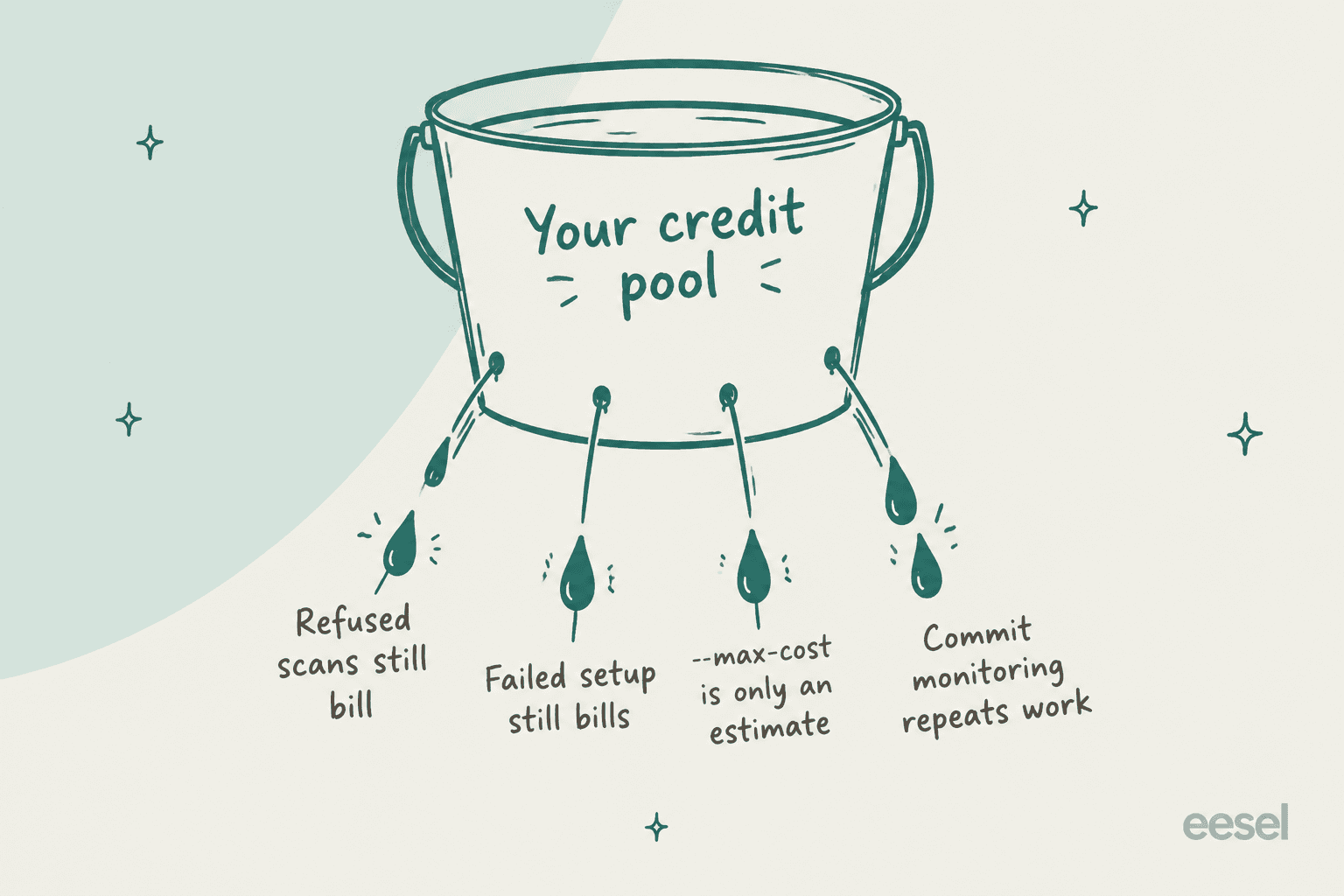
- Refused scans still bill. Before Daybreak Blue came bundled in, CLI users ran long scans that ended in a cyber-risk refusal, and they paid for the whole run anyway.
"it ran for over 40 minutes and during that time I had no idea what was happening, thought it was frozen or in a bad state. Also, it ate through 25% of my weekly credits :("

- Failed setup still bills. My own first run quit in preflight and left an empty output folder, after using about $0.74 to $1.40 of tokens. Another user reported a rate-limit failure that "cost me ~$13," and an OpenAI team member replied in the same thread that retries and resume weren't built yet.
"it started a scan but stopped after hitting the rate-limit of my account. It gave up after just a minute of retrying"
- The cost cap isn't a cap. The CLI's
--max-costflag is, per OpenAI's CLI FAQ, "an estimate, not a hard spending cap." I set$4, and my final high estimate still came out at $6.77. - Commit monitoring repeats work. The Commit changes mode reviews new commits and can reach back into existing history, per the setup docs. Every push takes another bite out of the allowance. You can pause it per repo in Monitoring settings.
- Cloud tasks cost more than local ones. The pricing page warns that "Cloud tasks may use more of your allowance than local messages," and the scanner runs entirely in the cloud.
The Blue bundle should cut down the first problem, but nobody has posted a hands-on Cloud bill yet, so I can't confirm that from real use. The Hacker News launch thread had zero comments when I checked.
How do credits work on each plan?
How you top up depends on which side of the ChatGPT house you're on.
Plus and Pro. When you hit a limit, you can buy personal credits from Settings, with optional automatic reload and a monthly maximum. Per OpenAI's credits article, credits are "valid for 12 months from purchase," non-refundable outside billing errors, and "not API credits." Prices "can vary by account, region, and plan."
Business. Credits are optional and pooled across the workspace, bought under Settings > Billing, valid for 12 months. Per OpenAI's flexible pricing FAQ, if the pool is empty "the feature is blocked." For a cost-conscious team, that's a nice default to have. Set Usage Alerts before you connect a repo.
Enterprise and Edu. One shared pool per contract with no per-seat caps by default. Admins can set overage limits, but even a limit of 0 "does not guarantee that your credit balance stays at or above zero," since in-progress requests finish. Long scans are exactly the kind of request this applies to.
The Codex Security Cloud setup flow runs from installing the plugin to choosing between a one-off Repository scan and Commit changes monitoring. That choice is the biggest cost lever you have:
Can you use an API key instead?
Not for Cloud. The pricing page says API-key accounts get "No cloud-based features (GitHub code review, Slack, etc.)." What you can do is run the open-source CLI in CI with an OpenAI API key and pay API rates per token. That's the route I tested, and it's also the only one that has a real dollar figure: $3.75 to $6.77 for my tiny app.
There's a catch, though. An open GitHub issue, #1024, reports that the Daybreak Blue selection gets dropped under API-key auth. So the CI route may scan with standard guardrails, which is what produced the refusals above. If refusals are what worries you, Cloud with a ChatGPT sign-in is the safer bet. My OpenAI Codex integration with GitHub guide covers the other GitHub hooks.
There's also a cheaper path on the way. A recent commit on the codex-security repo switches the CLI default to GPT-6 Sol. At GPT-6 Sol rates, my scan would have been 45 credits instead of 89. OpenAI hasn't said whether Cloud will follow.
Are there free or discounted options?
There are a few, and they're narrower than the headlines make them sound.
- The free preview month is over. The March 2026 research preview came "with free usage for the next month." That window closed a long time ago.
- Daybreak credits for defenders. OpenAI's Daybreak page promises "$1 billion in Daybreak credits for defenders," aimed at state and local governments, critical-infrastructure operators, community banks, nonprofits and open-source maintainers. You do have to apply for them.
- Codex for OSS. The research preview post says open-source maintainers can get free ChatGPT Pro and Plus accounts plus Codex Security through Codex for OSS. Access isn't instant, though. One vim maintainer said on Hacker News they had "applied twice already never heard anything back."
Is Codex Security Cloud worth the price?
For a team already paying for ChatGPT Business, Pro or Enterprise, a pilot costs you almost nothing extra. The scanner itself is good: in my test it found every planted bug and explained each one well. The price problem isn't the size of the bill, it's that you can't see it in advance.
Here's how it stacks up next to the per-seat tools most teams already know:
| Tool | Price | Billing unit | Best for |
|---|---|---|---|
| Codex Security Cloud | Included plan usage, then credits | Tokens (about 89 credits for my test scan) | Deep, validated findings on a few key repos |
| GitHub Code Security | $30 per active committer/month | Seat | A deterministic floor on every PR |
| Snyk | Free; Team from $25/month | Plan, up to 10 developers on Team | Dependency and open-source risk |
| Semgrep | Free to 10 contributors; Code from $30/contributor/month | Seat | Custom rules you write yourself |
OpenAI's own FAQ answers the "replace or add" question: "Codex Security complements SAST." So I would budget for Codex Security on top of a seat-priced tool, not instead of one. If you're also comparing coding agents, my OpenAI Codex alternatives and Claude Code pricing posts cover the same metering question from the other side. Claude Mythos is the closest rival for security research.
My verdict: worth a pilot, not yet worth a budget line. I'd revisit it after November 21, when the GPT-5.6 Sol promotion window ends and the first real Cloud bills start showing up.
Want AI with a price you know in advance?
eesel doesn't scan code. It's a platform of AI teammates you hire for specific jobs, starting with an AI helpdesk teammate that works your support queue and an AI blog writer. The pricing works as the opposite of a token meter. One ticket or chat is one credit, with a free plan of 100 credits and paid plans from $299 a month for 500, all on the pricing page.

Before it answers a customer, the helpdesk teammate runs against your past tickets, so you get to see what it would say and what that would cost. If you'd rather drive it from a terminal, the eesel CLI lets you run the same teammate yourself, or hand it to a script or a coding agent like Claude Code. Try eesel on a week of real tickets.
Frequently Asked Questions
How much does Codex Security Cloud cost?
Is Codex Security Cloud free?
Which ChatGPT plan do I need for Codex Security Cloud?
What is the Daybreak Blue credit rate in Codex Security Cloud pricing?
How much does a Codex Security scan cost with an API key?
Do failed Codex Security scans still use credits?
Is Codex Security Cloud cheaper than GitHub Code Security?


Article by
Kurnia Kharisma
Kurnia is a software engineer and writer at eesel AI with two years of SEO experience, writing about AI tools, helpdesk software, and customer support. He pairs a developer's understanding of how these products are built with search-driven research into what actually ranks and resonates with the people searching for them.