WooCommerce MCP server: what it does and how to set it up (2026)

Rama Adi

Katelin Teen
Last edited November 25, 2026
WooCommerce's MCP server is free and built into WooCommerce, but it only switches on when you install the MCP Adapter plugin, and the current release (11.3.1) gives an AI client 8 abilities: search, create, edit and delete products, search orders, change an order's status, and read or add order notes. Refunds, coupons and customers aren't in it yet; they're on WooCommerce's 11.4 development branch, which registers 46 abilities and hasn't shipped. The server signs in with a WordPress Application Password, so it works from desktop and terminal clients (Claude Desktop, Claude Code, Cursor, VS Code, Windsurf) and not, as WordPress documents it, from claude.ai or ChatGPT in the browser. If you need refunds or a web client today, a plugin such as W7S's MCP for WooCommerce ($39 a year) fills the gap. If what you want is an AI that answers shoppers' order questions, an MCP server is the wrong shape, because it only acts when someone at a keyboard asks; eesel is the AI teammate that reads orders live inside your chat and helpdesk, and a coding agent can set it up for you with the eesel CLI, with a store admin approving the WooCommerce connection.
What is the WooCommerce MCP server?
It's WooCommerce's own way of letting an AI client run store operations over the Model Context Protocol, the open standard Claude, Cursor and most coding agents use to call outside tools. WooCommerce describes it in its MCP docs as product and order "abilities" registered in WordPress, which "AI clients can discover and run" through the MCP Adapter plugin, "subject to WordPress and WooCommerce permissions."
Three pieces make it work, and it helps to know which does what before you set anything up:
- WooCommerce registers the abilities (the actual store operations) with the WordPress Abilities API, which is part of WordPress core. You don't turn anything on: "there is no WooCommerce setting to turn on."
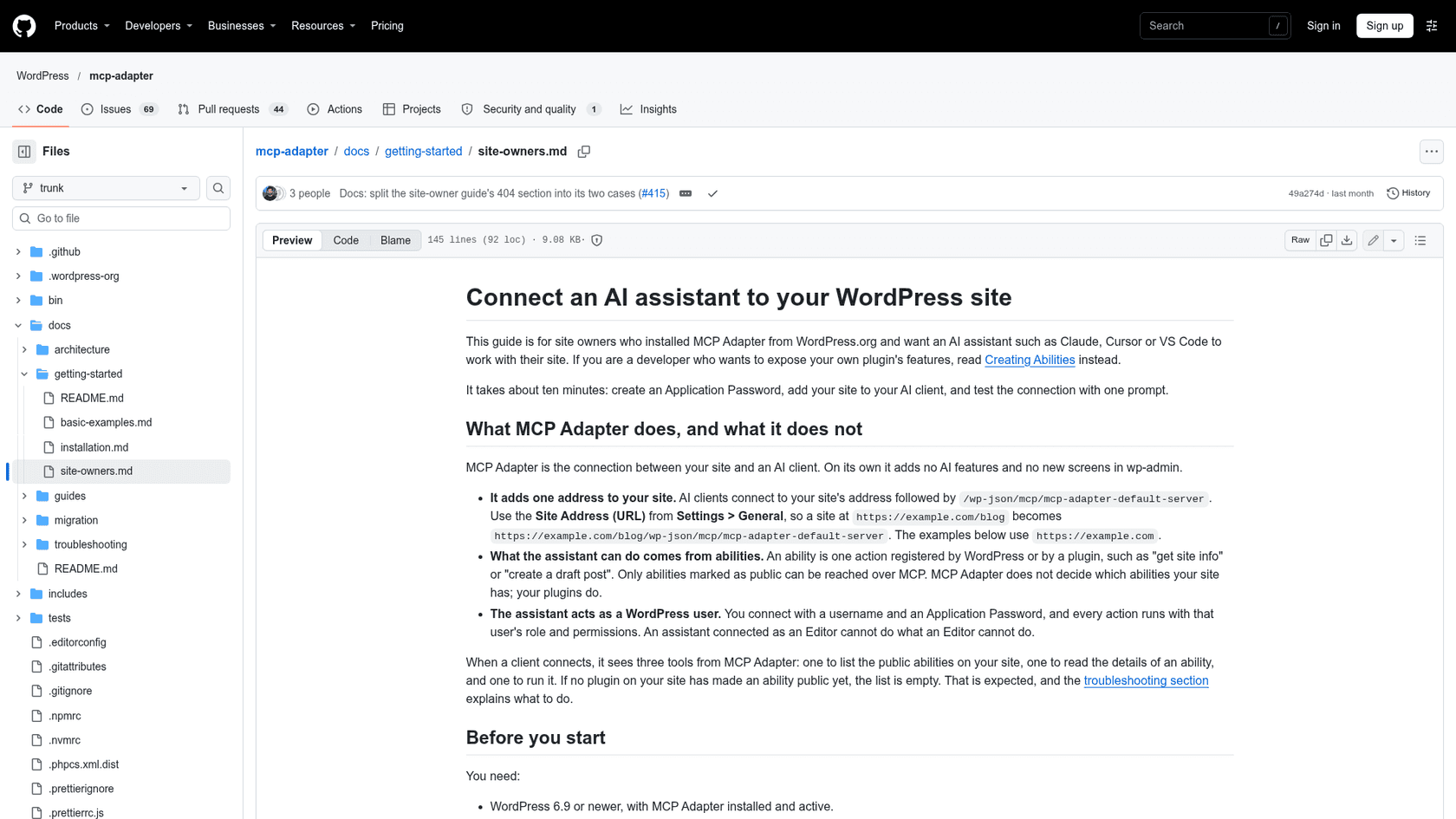
- The MCP Adapter plugin is the server. WooCommerce "does not bundle the MCP adapter", so until you install it there is no endpoint. It adds one address to your site,
/wp-json/mcp/mcp-adapter-default-server, and has no settings screen. - Your AI client connects to that address as a WordPress user and calls the abilities that user is allowed to run.
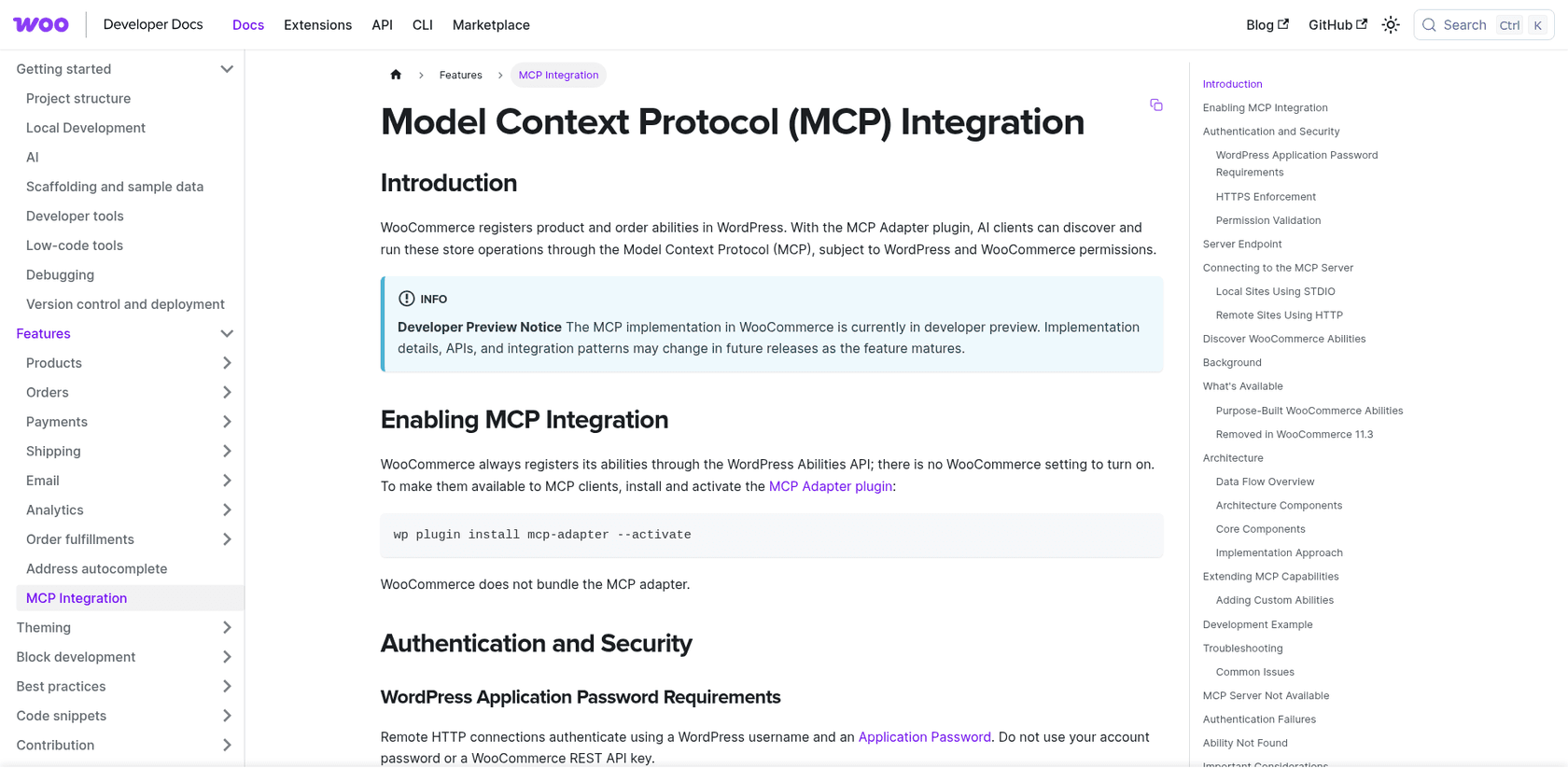
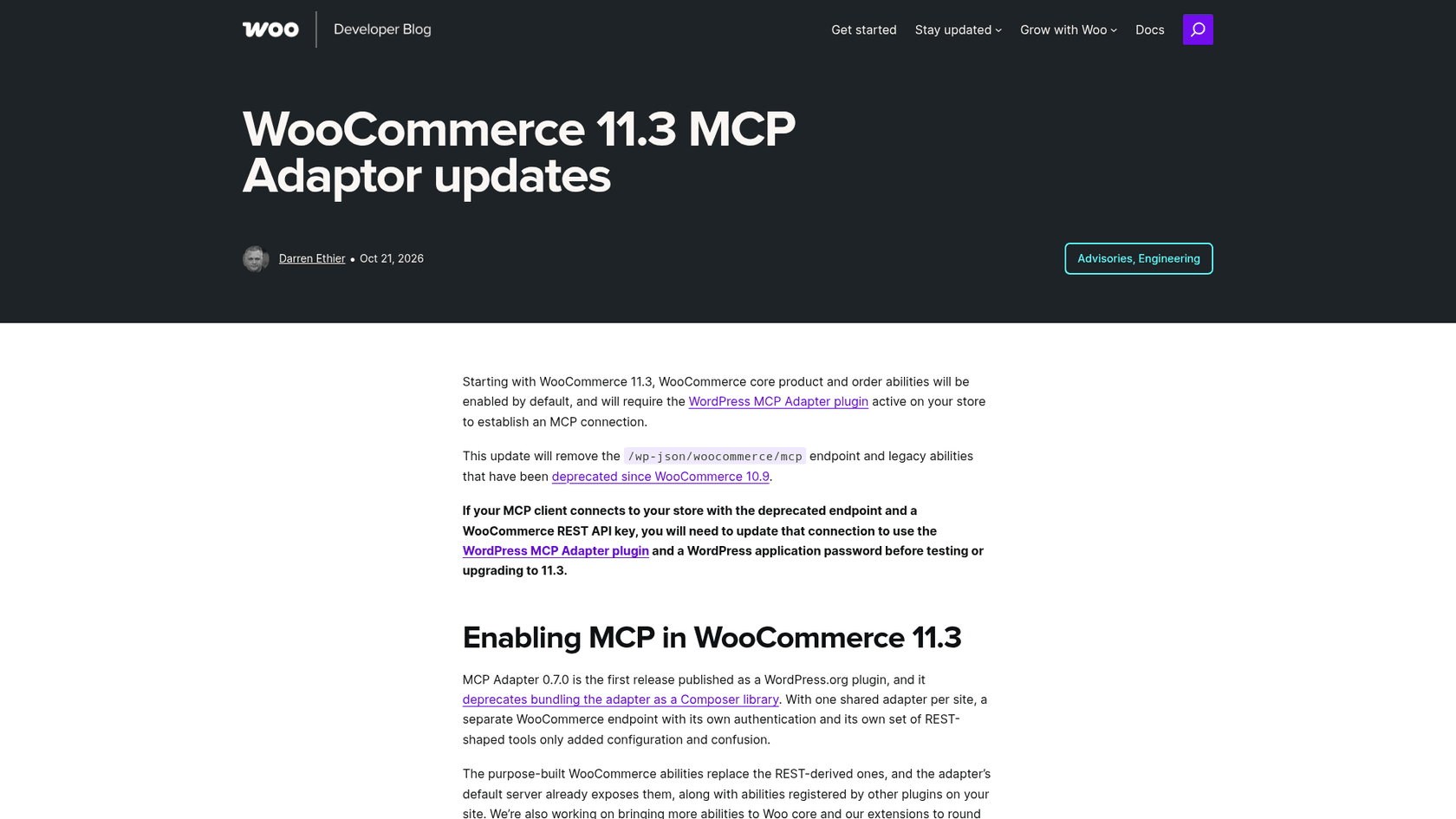
Two things in that picture catch people out. First, it's labelled a developer preview: WooCommerce's docs say "Implementation details, APIs, and integration patterns may change" and list "Breaking Changes" and "Production Testing" under things to consider. Second, the server you'll read about in older guides is gone. The WooCommerce 11.3 advisory removed the old /wp-json/woocommerce/mcp endpoint and its REST API key header; requests to it "now return HTTP 410". If a tutorial tells you to enable MCP under WooCommerce > Settings > Advanced > Features or paste an X-MCP-API-Key, it predates 11.3.
What can the WooCommerce MCP server do?
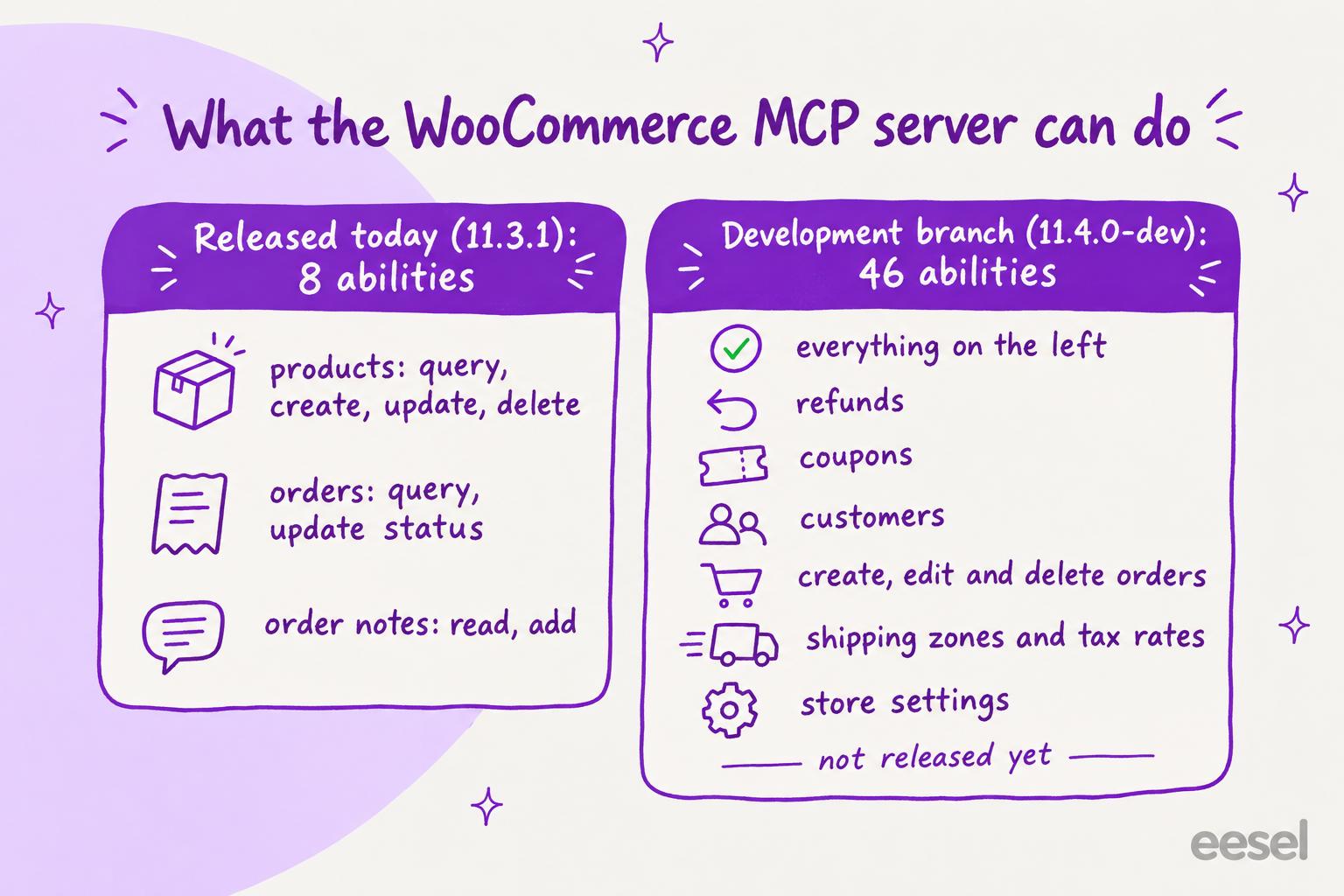
In the released version, eight things. I read the abilities folder at the 11.3.1 tag on GitHub, and it matches the docs' list exactly:
| Area | Ability | What it does | Marked destructive? |
|---|---|---|---|
| Products | woocommerce/products-query | Search and filter products, with pagination | No |
woocommerce/product-create | Create a product | No | |
woocommerce/product-update | Edit a product | Yes | |
woocommerce/product-delete | Delete a product | Yes | |
| Orders | woocommerce/orders-query | Search orders by status, customer, date and more | No |
woocommerce/order-update-status | Move an order to another status | Yes | |
| Order notes | woocommerce/order-notes-query | Read an order's notes | No |
woocommerce/order-add-note | Add a note to an order | No |
That's a catalog tool and an order status tool. There is no refund, coupon, customer or create-order ability in 11.3.1, and no edit to an order beyond its status and notes. So "mark yesterday's paid orders as completed" works, and so does "find this customer's last three orders", since orders-query filters by billing email or customer ID. "Refund order 4512" doesn't, and neither does editing the customer's saved address: there's no refund or customer ability.
What's coming in WooCommerce 11.4
A lot more. The ability loader on the 11.4.0-dev tag (a pre-release dated Nov 23, 2026) registers 46 core abilities. The additions include order refunds (woocommerce/order-refund-create, marked destructive), creating, editing and deleting orders, sending order emails, coupons, customers, product reviews and replies, shipping zones, tax rates, payment gateway settings, store settings and the system status tools. WooCommerce said this was the direction in its 11.3 advisory: "We're also working on bringing more abilities to Woo core and our extensions to round out the type of actions and tools available for humans and agents working with WooCommerce."
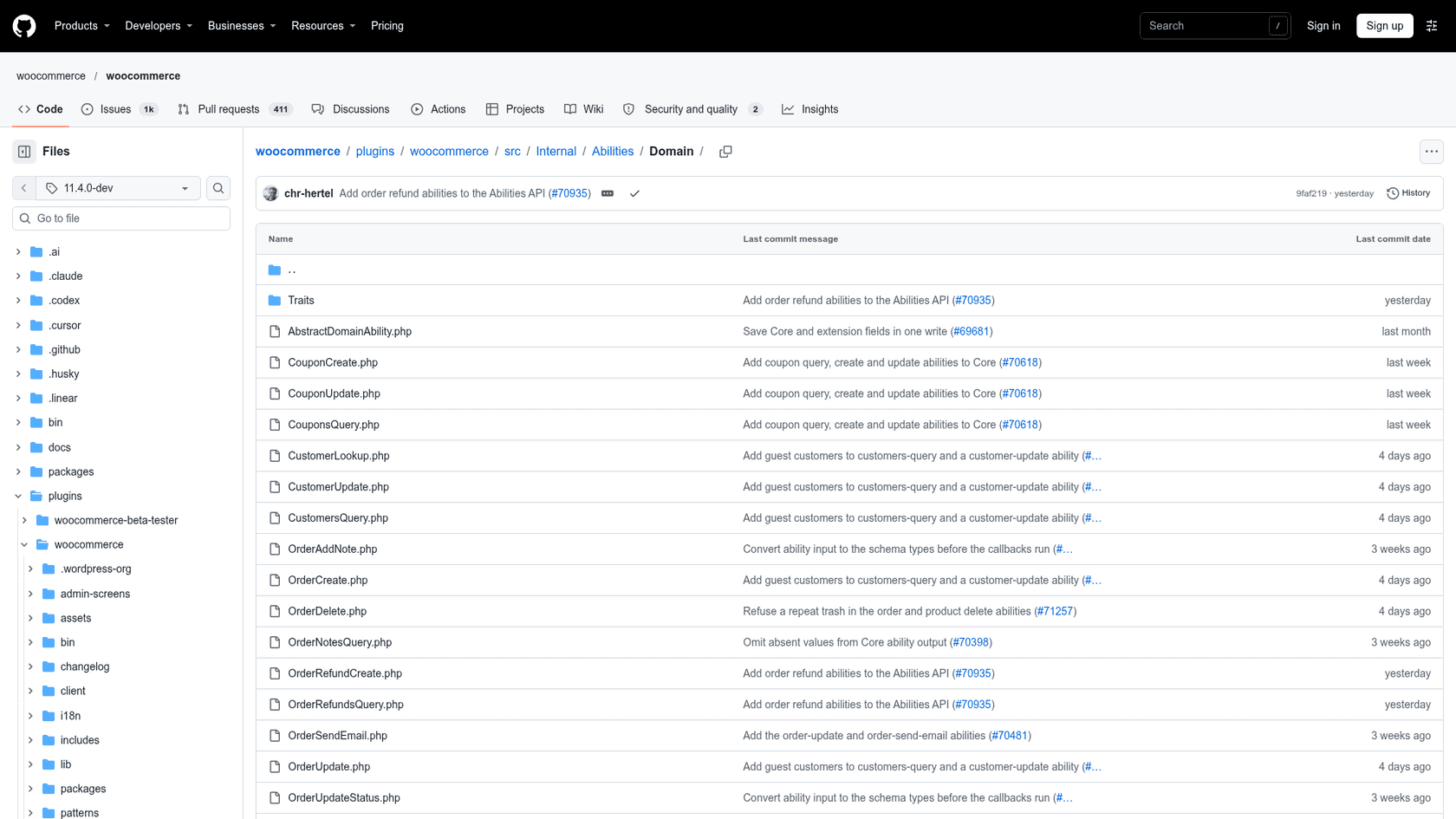
Read that as a preview, not a promise. Development code can change before release, and WooCommerce's releases page lists no date for 11.4 yet. What it does tell you: if all you're missing is refunds or coupons, the free server is set to cover them, and paying for a plugin today is a stopgap.
Why your AI sees only three tools
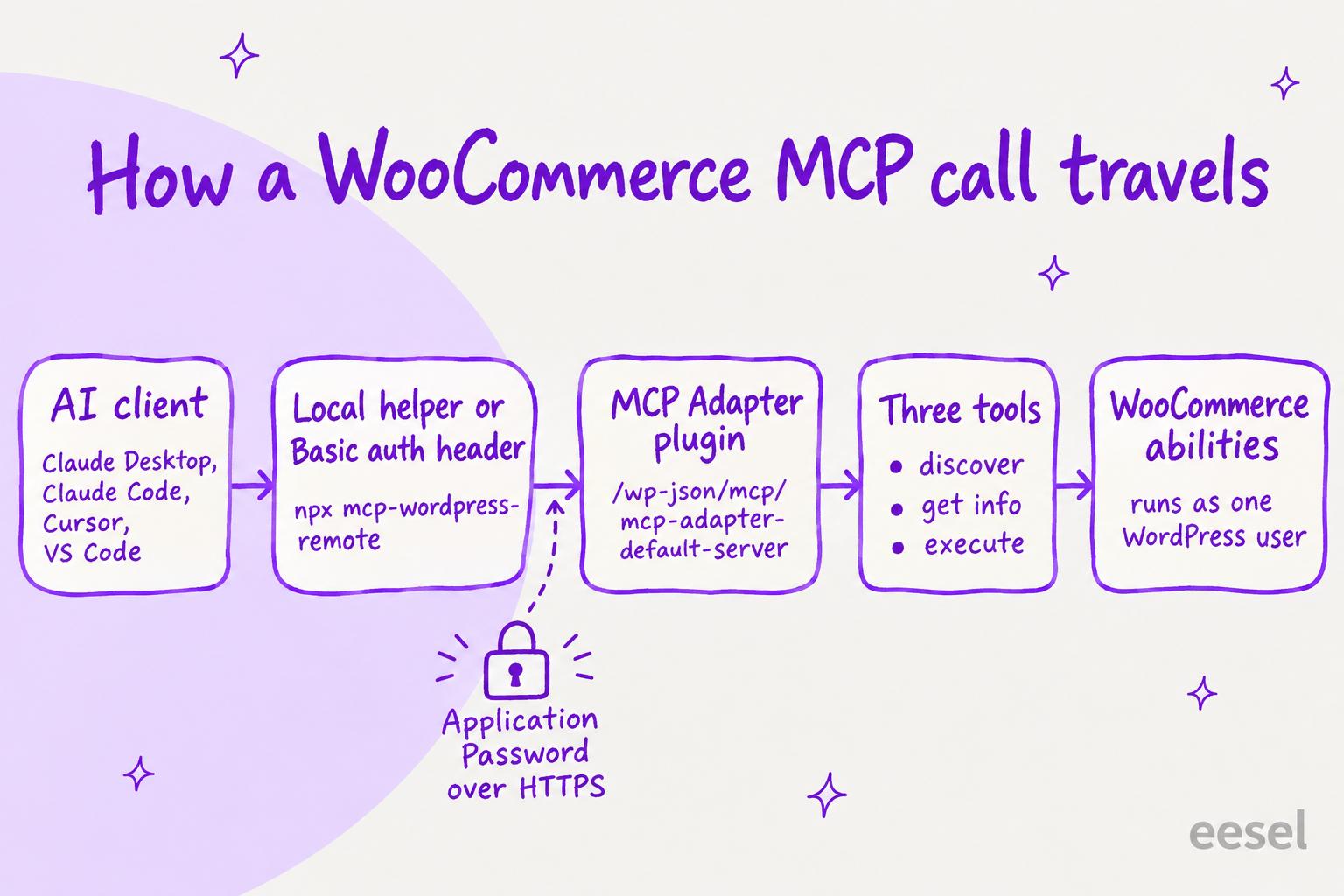
When a client connects and lists tools, it doesn't see eight WooCommerce tools. It sees three from the adapter: mcp-adapter-discover-abilities, mcp-adapter-get-ability-info and mcp-adapter-execute-ability. The AI lists what's available, reads one ability's schema, then runs it. The adapter's default server guide says this "keeps the MCP tools/list response small (only 3 tool schemas) regardless of how many abilities exist on the site", which matters if 11.4 ships the 46 on its development branch.
The side effect is approvals. Every call goes through the one execute tool, and an open adapter issue, #431, says that tool is "annotated destructive, so clients prompt for confirmation on read-only abilities". Expect your client to ask before it searches orders, not only before it edits one, and don't fix that by approving everything for the session, since a product delete goes through the same tool. The Claude Code permissions post shows how one client handles those prompts.
How do I set up the WooCommerce MCP server?
About ten minutes, by the adapter's own site-owner guide, if your host behaves. You need WordPress 6.9 or newer, HTTPS (WordPress hides Application Passwords on sites without it), permalinks that aren't set to Plain, and for most desktop clients, Node.js on your computer.
- Install the MCP Adapter. From Plugins > Add New Plugin, or
wp plugin install mcp-adapter --activate. Install it from WordPress.org, not GitHub source; the guide warns a source install is missing files it needs. - Create a WordPress user for the AI. WooCommerce's docs say to "Use a dedicated WordPress user with only the capabilities the MCP client needs." Every ability runs as this user and checks its permissions, so a Shop Manager role can do what a Shop Manager can.
- Make an Application Password under Users > Profile > Application Passwords for that user. Name it after the client and device ("Cursor on my laptop"). WordPress shows it once. Not your login password, and not a WooCommerce REST API key, which the new server doesn't accept.
- Add the store to your client (next section).
- Test it with the guide's prompt: "List the WordPress abilities you can use on my site." You should see the
woocommerce/abilities above. WooCommerce also logs ability problems under WooCommerce > Status > Logs, sourcewoocommerce-abilities.
If you only want to test, a local WordPress site with WP-CLI skips the password entirely: the client runs wp mcp-adapter serve --server=mcp-adapter-default-server --user=admin directly. Keep that for a staging copy, because --user=admin means every ability runs as an administrator.
The usual failures, from the same guide: a 401 means a wrong username or a host stripping the Authorization header before WordPress sees it (common on some Apache setups); a rest_no_route error means the adapter isn't active or another plugin turned its default server off; an empty ability list means no plugin has marked abilities public to MCP (on a WooCommerce store, check WooCommerce is on 11.3 or later); and a permission error when an ability runs means the connected user's role can't do that action.
Which AI clients can connect to the WooCommerce MCP server?
Anything that can run a local helper or send a custom header, which today means desktop apps and coding agents. Browser chat apps are the gap. If you're new to MCP clients, the Claude Code MCP guide covers how one loads servers.
| Client | How it connects | Where the docs are |
|---|---|---|
| Claude Desktop | mcpServers entry running npx -y @automattic/mcp-wordpress-remote@latest with WP_API_URL, WP_API_USERNAME, WP_API_PASSWORD (Settings > Developer > Edit Config) | WooCommerce MCP docs |
| Claude Code | One claude mcp add line with the same helper, or --transport http with an Authorization: Basic header and no helper | WooCommerce docs; site-owner guide |
| Cursor | Same mcpServers entry in ~/.cursor/mcp.json | Both |
| VS Code | Same entry under servers instead of mcpServers | WooCommerce docs |
| Windsurf and other desktop clients | The same JSON pattern | Site-owner guide |
| Codex | Not in WordPress's or WooCommerce's docs, but Codex's config takes the same pattern: codex mcp add with --env values and the helper, or an HTTP server with http_headers | Codex MCP docs |
| claude.ai, ChatGPT on the web | Not as documented: they sign in with OAuth and have no field for an Application Password | Site-owner guide |
The helper, @automattic/mcp-wordpress-remote, "translates the MCP client's local STDIO messages into HTTP requests", per WooCommerce. It runs on your computer, which is why you need Node.js, and why it also offers a local LOG_FILE of every call it forwards if you want a record. WooCommerce's docs add one rule worth repeating: "Do not commit a configuration containing an Application Password to version control." That matters most for Claude Code and Codex, where config files live next to code.
Can I use it from claude.ai or ChatGPT?
Not on its own, per the adapter's guide: "WordPress does not include an OAuth server and MCP Adapter does not add one, so these apps cannot connect to MCP Adapter on their own today." OAuth for the adapter is proposed in issue #436 with an open pull request, and its first version would still need an admin to register each client by hand.
There's one crack forming on Claude's side. Claude's custom connector docs now describe a Request headers field that can carry an authorization header on a connector with no sign-in, but "Request header authentication is in beta and available to a limited set of organizations." Neither WordPress nor WooCommerce documents using it for the adapter, and on a Team or Enterprise plan that header is one shared credential for everyone who uses the connector, so if you try it, connect a user with the lowest role that works. ChatGPT's custom MCP servers take OAuth or no authentication, and OpenAI lists them for Business and Enterprise/Edu plans in its help center. For those two apps, use a plugin (below). The Claude for WooCommerce guide walks through the Claude side, and the WooCommerce ChatGPT guide covers ChatGPT.
How do I limit what the AI can do?
With the WordPress user, mostly, because that's the only lever the server reads. Every ability checks its own permission callback against the connected user, so the role you give that user is the ceiling. A few habits that follow from how it's built:
- One user, one password per client. Every Application Password is listed under Users > Profile with when it was last used, and the site-owner guide suggests one password per client and device so you can revoke one without touching the others.
- Treat what it reads as customer data. WooCommerce's docs warn that order operations "may expose personally identifiable information (PII) including names, email addresses, physical addresses, and payment details", and that keeping that compliant is on you. Whatever the AI reads goes to your AI provider under its terms.
- Try writes on staging first. The guide says abilities "change your live site the same way an action in wp-admin does", and there's no undo.
- Narrow the server itself if roles aren't enough. A developer can create a custom MCP server with the
mcp_adapter_inithook that exposes only the abilities you list, each as its own tool, per the same default server guide. A read-only orders server for your support lead is one short hook.
Roles also have a blind spot: they say what one user may do, not who is asking. Anyone who can type into the connected Claude Desktop acts with that user's full access, which is fine for you and wrong for a shared laptop.
How do I add my own abilities?
Register them with the WordPress Abilities API and mark them public to MCP. WooCommerce's docs show the whole pattern: register a category on wp_abilities_api_categories_init, then wp_register_ability() on wp_abilities_api_init with an input schema, an output schema, a permission_callback (their example checks manage_woocommerce) and 'meta' => array( 'mcp' => array( 'public' => true, 'type' => 'tool' ) ). WooCommerce's demo plugin registers a woocommerce-demo/store-info ability you can copy.
This is the honest answer to "the server can't do X": if your store runs on a plugin with its own data (bookings, subscriptions, a loyalty points table), a short custom ability gives your AI that data with your permission rules, and every MCP client picks it up through the same three tools. One upgrade trap: abilities that showed up in the old endpoint don't carry over by themselves. WooCommerce's docs say the adapter "only exposes an ability when its meta.mcp.public is true", so custom code written for the pre-11.3 endpoint needs that flag added.
What the WooCommerce MCP server won't do
The limits that decide whether it fits, each from the vendor's own docs or issue tracker:
- It's a preview. WooCommerce warns of breaking changes, and the 11.3 release already broke every connection built on the old endpoint.
- No refunds, coupons or customers in the current release. They're on the 11.4 development branch only.
- No web chat apps without a plugin, as above.
- Flaky local sessions. An open issue, #308, reports the WP-CLI server dropping under Claude Code "exactly one minute after every connect".
- It never starts anything. An MCP server answers when a client calls it. A new order, a failed payment or a customer's email doesn't wake it, so it's a tool for the person at the keyboard, not for the queue.
And there's no production path without some technical setup. One GitHub user put it plainly:
"None of these docs show a simple and detailed way to connect to the default MCP server that your plugin creates."
"You show how to do it through WP-CLI or with a local website using Studio, but what about production sites where users don't have SSH access?"
A maintainer answered by pointing to the site-owner guide, and confirmed "There's no settings screen."
Plugins and alternatives to the built-in server
If you need refunds, customers or a browser client this week, these fill the gap. All run on your store and also work with desktop clients.
| Option | How the AI signs in | WooCommerce coverage | Price |
|---|---|---|---|
| WooCommerce MCP server (built in) | Application Password | 8 abilities in 11.3.1 | Free |
| MCP for WooCommerce by W7S | A token URL on a WooCommerce API key | 211+ tools: full order edits, refunds, customers, coupons, reports | $39 a year after a 14-day trial |
| AI Gateway by 1TeamSoftware | OAuth, approved on your store | 147 tools, each area switched to Read or Write | Free; PRO $129 a year |
| AI Engine by Meow Apps | OAuth or a bearer token | WooCommerce tools on Pro | Pro from $59 a year |
| Easy MCP AI | OAuth 2.1 with PKCE | 47 WooCommerce tools | Free |
| Zapier extension plus Zapier MCP | Zapier's own sign-in | Whatever Zaps you build | $129 a year plus a Zapier plan |
W7S is the most store-specific: its listing says "a read-only key cannot create, update, or delete anything", and its setup docs add tool packs you switch off and an optional log of every call with customer details masked. AI Gateway starts locked down: "AI Gateway starts with everything switched off." The W7S docs also say its connector URL "uses a revocable token, not OAuth", which is how it reaches claude.ai and ChatGPT where the built-in server can't. For a no-code route, n8n workflows call AI from store events instead of letting you chat with the store, and Zapier can do the same.
Which WooCommerce MCP route fits what you want?
Pick the job you came for to see the route, what it costs, the first step and the catch.
Where eesel fits for WooCommerce support
Every route above works for the person typing, with that person's access. Support is the opposite case: shoppers write in at 2am, and the AI has to work out who's asking before it touches an order. An MCP server isn't built for that, and it's what eesel does. It joins your chat bubble, your helpdesk (it works alongside Gorgias, Zendesk or Freshdesk) and Slack, and reads the store live when a conversation needs it.
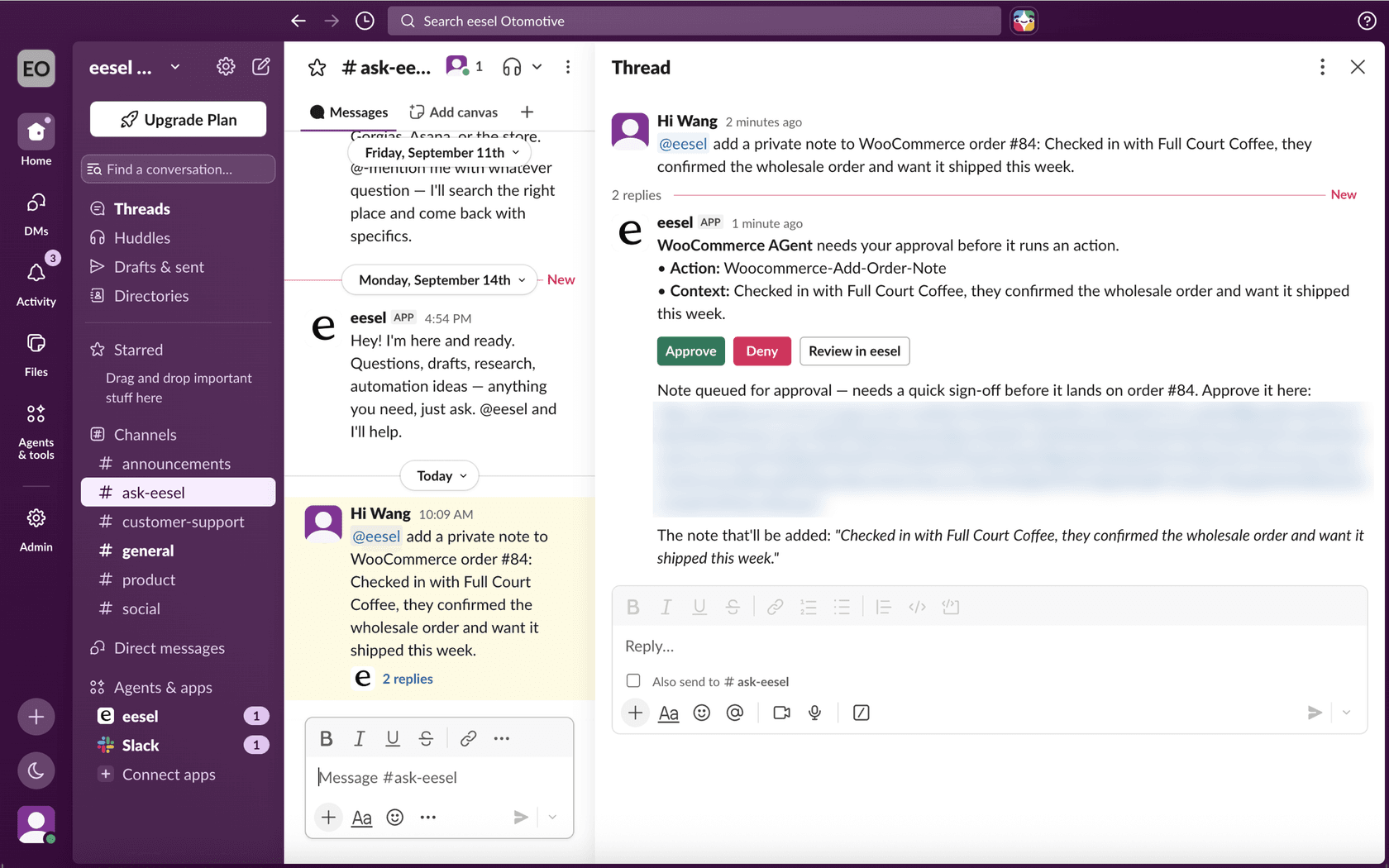
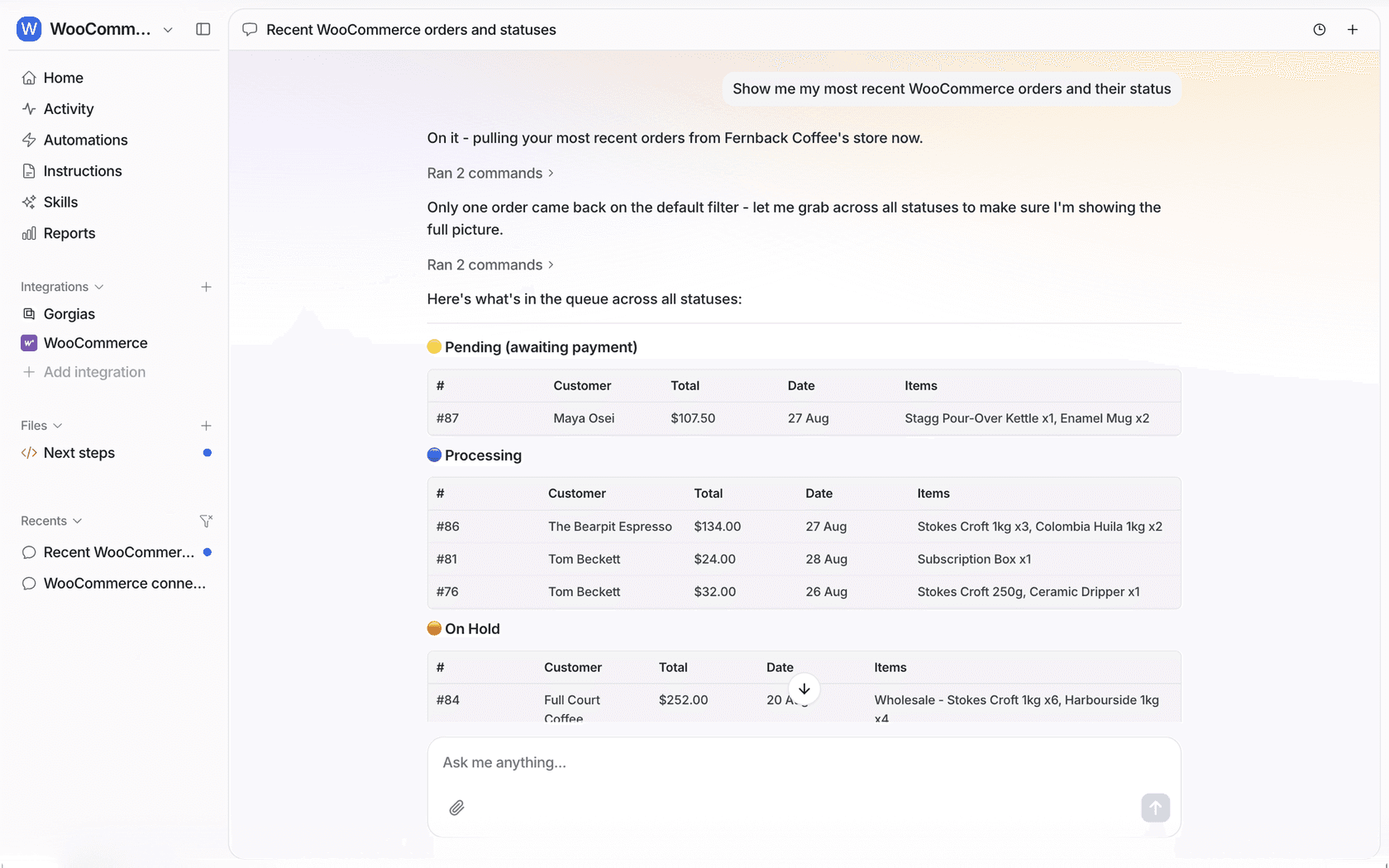
Its WooCommerce docs say it reads orders, order notes, customers, products and subscriptions, and its write actions include adding an order note, changing an order's status, creating a refund and updating a saved address, so it covers the refunds and customer lookups the built-in server doesn't have yet. You connect with the free eesel AI plugin and approve on WooCommerce's own screen, with no Application Password to manage.
What it may do depends on who is asking. Each action runs on its own, asks first or stays off, and eesel adjusts that to the person in the conversation: a refund can run when your support lead asks in Slack, while the same request on a shopper's ticket can be held by eesel's safety check for a teammate's yes, per the actions and approvals docs. Set the refund action to Ask first and every refund waits, which is where I'd start; the refund status guide covers when a refund actually moves money.
It also lives in the same terminal as your MCP setup. The eesel CLI runs the same eesel teammate and workspace from a shell, a script or a coding agent such as Claude Code, Codex or Cursor: eesel integrations connect woocommerce prints the connect link for a store admin to open, eesel chat asks it test questions before it goes live, and eesel files upload adds your returns policy. Your eesel workspace is itself an MCP server too, so the Claude Code session where you set up the WooCommerce server can also check eesel's activity and approve held actions.
Where it's not the fit: WooCommerce never starts an eesel run, so it won't act on a new order by itself, and if all you want is Claude or Cursor editing your product catalog, the free built-in server is the simpler tool. For a wider comparison, see the best AI for WooCommerce support.
Try eesel next to your WooCommerce MCP server
Keep the MCP server for the work you do at your desk: bulk product edits, order cleanups, quick questions about last week. Put eesel on the questions your shoppers send while you're not there, working out who's asking before it acts, with refunds that wait for you once you set them to Ask first. It starts with a free 7-day trial with 100 credits and no card, where a ticket or chat is 1 credit, and paid plans start at $299 a month for 500 credits on the pricing page.
Try eesel on your store, or ask your coding agent to run npx @eesel/cli login and connect it for you.