AI for WooCommerce Subscriptions: skip, pause and cancel in chat

Riellvriany Indriawan

Katelin Teen
Last edited November 25, 2026
An AI with Read/Write access to the WooCommerce Subscriptions REST API can skip, pause and cancel subscriptions inside the conversation, by moving the next payment date or changing the status. That fills the gap a stock store leaves: pause is off by default and there is no skip button, while Cancel is always there.
Two tools I found do this today: AeroChat on messaging channels from $49 a month, and eesel, an AI teammate that works inside your helpdesk, chat bubble and Slack, where each action can run on its own or wait for a person's yes. If you'd rather the subscriber clicked a button, a €69-a-year add-on puts skip and date changes in My Account. An AI coding agent such as Claude Code can also use the eesel CLI to load your skip and cancel policy and test eesel before it answers anyone; connecting the store still needs a WordPress admin's approval.
What can a subscriber do in WooCommerce Subscriptions without you?
Less than the marketing suggests. The product page says subscribers can upgrade, downgrade, suspend or cancel from My Account, and it's right about the menu. The defaults are a different story. Here is what a subscriber gets on a fresh install, from Woo's subscriber guide and its cancel and suspend doc:
| Subscriber wants to | Out of the box | What turns it on |
|---|---|---|
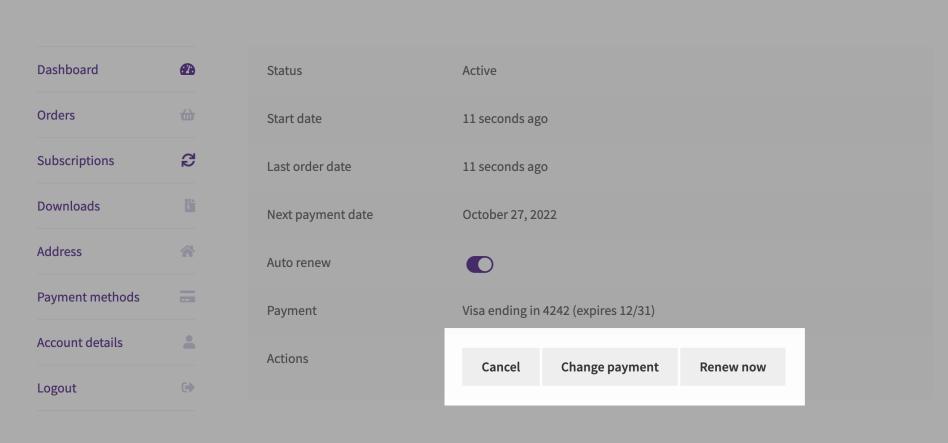
| Cancel | Always on. "There is no setting to disable cancellations" | Only custom code hides the button |
| Pause | Off. Customer Suspensions is set to 0 | A suspension limit above 0, or "unlimited" |
| Skip the next renewal | No button | An add-on, or a person in the admin |
| Move the next payment date | No button | An add-on, or a person in the admin |
| Change how often it renews | No button | An add-on, or a person in the admin |
| Update the card | Change payment button, where the gateway supports it | On by default |
| Pay a failed renewal | Pay button on the renewal | On by default |
| Switch plan or size | Off until you turn on switching | The switching setting |
| Renew early | Off until you turn on early renewal | The early renewal setting |
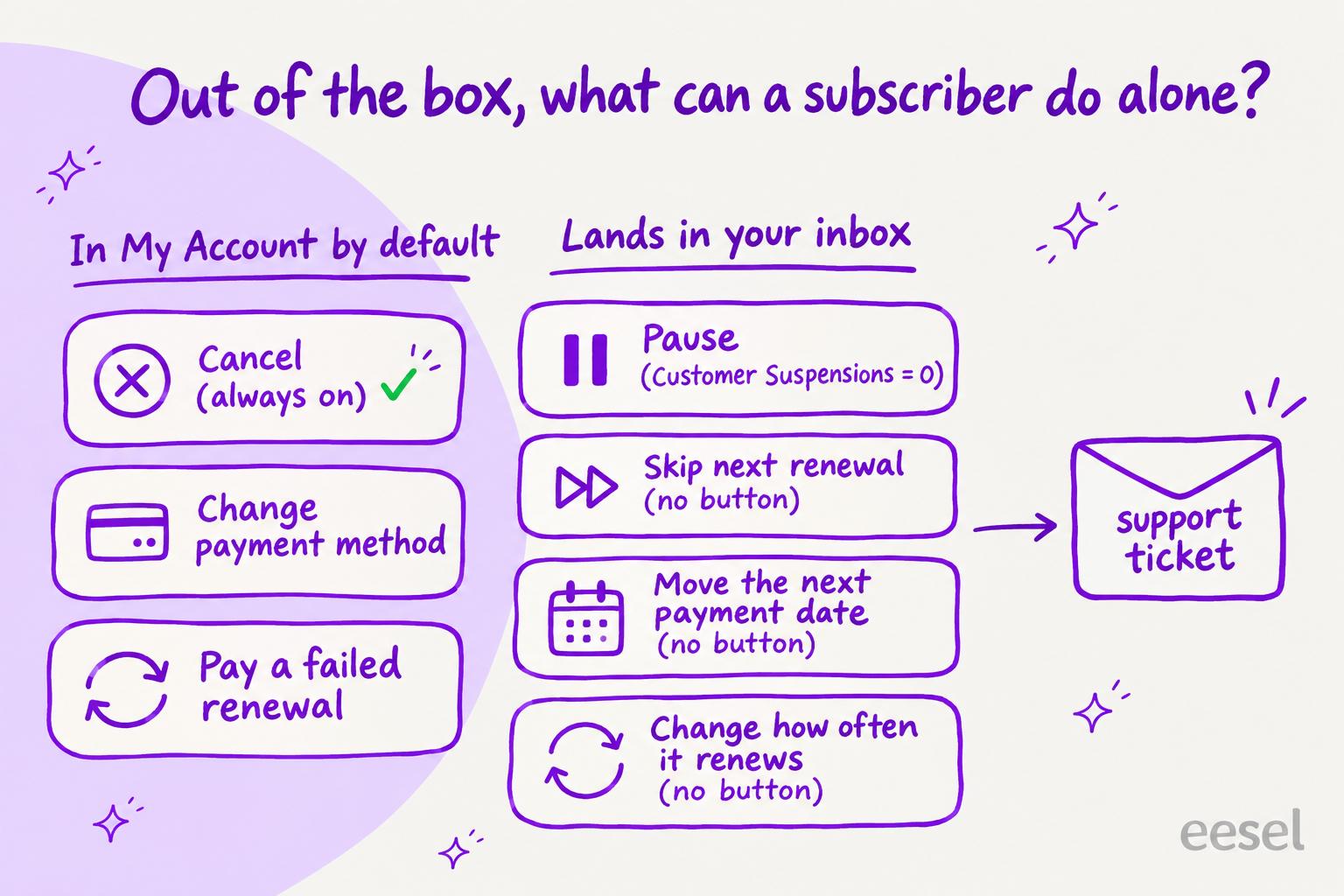
That table is the whole problem in one picture. The suspension setting defaults to 0, which "turns off the customer suspension feature completely", while the Cancel button can't be turned off at all without code. A subscriber who only needs a month off sees one way out, and it's the permanent one.
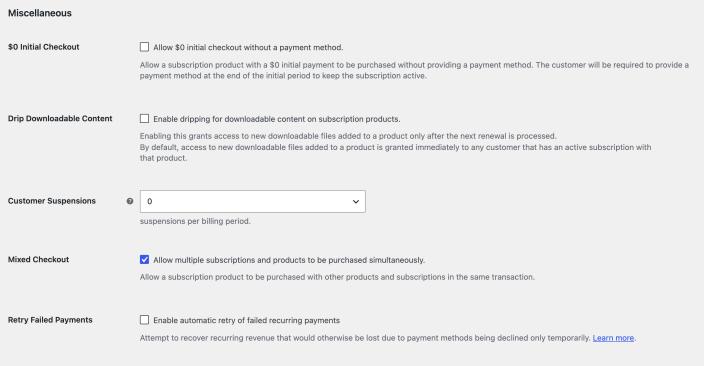
If you'd rather fix the self-serve side first, the settings live under WooCommerce > Settings > Subscriptions. Raising Customer Suspensions adds a Suspend button, and the limit counts per billing period, so a value of 3 on a yearly plan means three pauses a year.
Why do skip and pause requests end up in your inbox?
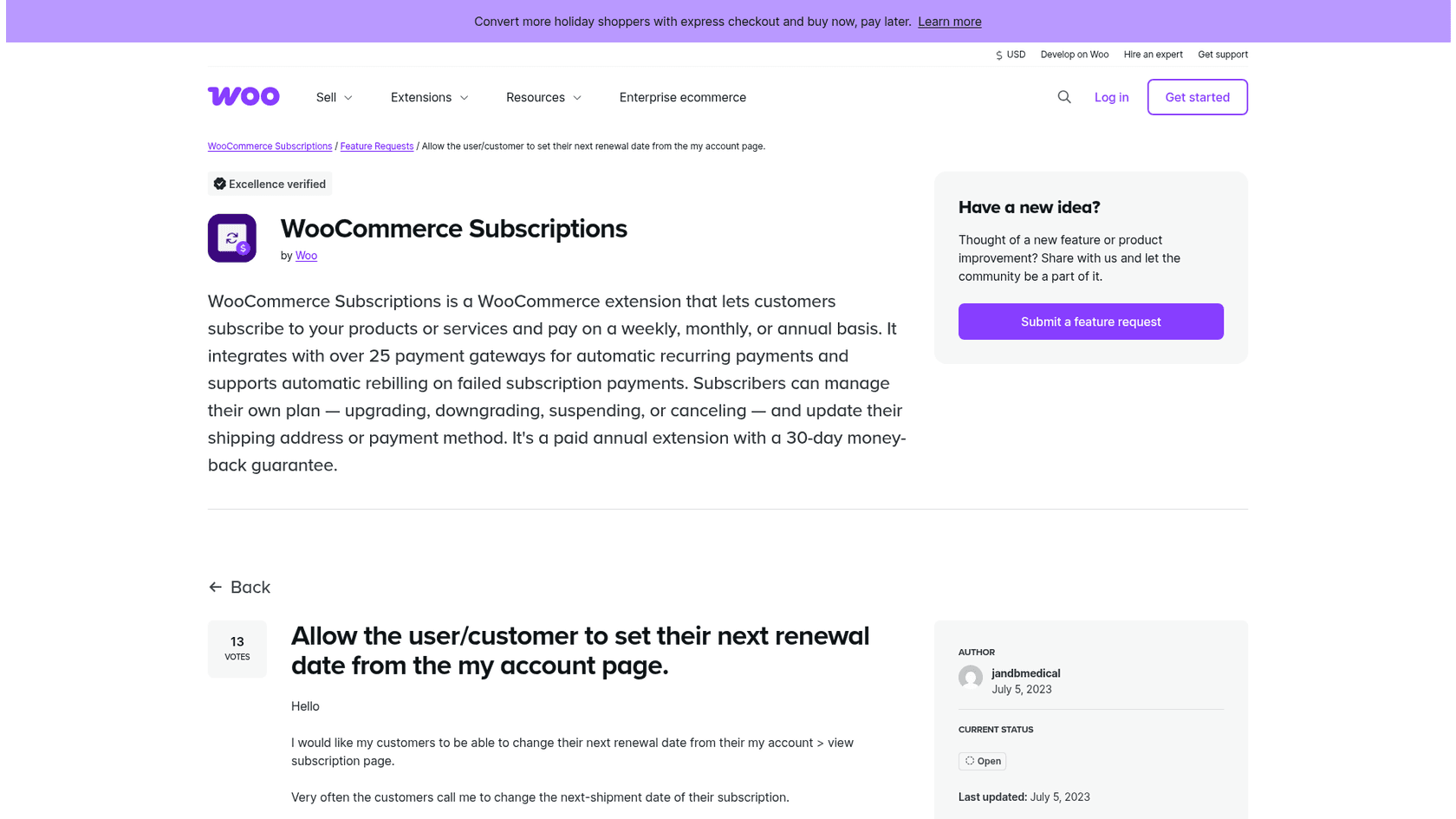
Because nothing on a stock store lets the subscriber do them, so they write in and someone opens the subscription in WordPress admin and edits the date by hand. Store owners have been asking Woo to change this for years. This request has 13 votes and has been open since July 2023:
"Very often the customers call me to change the next-shipment date of their subscription. I am able to do this from the wordpress admin for them by editing the subscription and configuring the next shipment date based on their request. However It would be nice If we could give them the ability to do this for themselves."
The timing makes it worse. A skip request sent at 11pm the night before a renewal is a refund by morning if nobody reads it in time. That's the strongest case for letting an AI handle these: a skip is only worth something before the charge runs, and a queue that waits for business hours turns skips into refunds.
There's a quieter cost too. The Customer Cancelled Subscription email is disabled by default, so a subscriber who cancels in My Account gets no confirmation unless you turn it on, and your team hears about it from the store manager copy, if at all.
I'd also put the extension's own cost in context. WooCommerce Subscriptions is $279 a year, with a 3.9 rating from 141 reviews on Woo's marketplace, and some reviewers say the support is what makes it worth the price:
"Yes, it's an expensive plugin. The support makes it worth it. They are dedicated and go above and beyond."
What can an AI change in WooCommerce Subscriptions?
Most of what these requests need. WooCommerce Subscriptions adds its own endpoints to the store's REST API, documented by Woo, and they take the same Read/Write consumer key as orders. The store needs pretty permalinks on; "Default permalinks will not work."
Through those endpoints an AI can:
- List and read subscriptions, by customer, status or a search term, with the status, next payment date, billing period and interval, items and recurring total.
- Read the orders linked to a subscription (
/subscriptions/<id>/orders), which is how it finds the renewal that failed. - Change the status:
on-holdto pause,activeto resume,pending-cancelto end at the close of the paid period,cancelledto end now. Woo's docs offer two ways to send it:statussets it with no date calculations, whiletransition_statusbehaves the way a change in the store does: "Next payment dates are set or recalculated on activation", suspension counts update and cancelled dates are set. For a subscriber's request you want the second. - Move the next payment date, which is what a skip is: one billing period later.
- Change the billing period and interval, so "every month" becomes "every two months".
- Add a note to the subscription, like the customer order notes on an order, so your team sees "Skipped in chat, too much coffee at home" next time they open it.
Two things it should hand back to the subscriber rather than do itself. A new card goes through the Change payment button in My Account, because card details belong with your payment gateway and never in a chat. A plan switch goes through the Switch button, because WooCommerce Subscriptions works out the proration there. The AI's job on both is the link and a plain explanation of what happens next.
One limit sits in your payment gateway, not the AI. Woo's gateway table lists which gateways support payment date changes: WooPayments, Stripe, PayPal Payments and Square do; Amazon Pay and Worldpay don't. On those, a skip can't be done by moving the date, and a good AI hands it to a person instead of trying.
What does an AI need to know before it touches a subscription?
The status names hide more than they say. These are the traps I'd brief any AI, or any new teammate, on before letting it act.
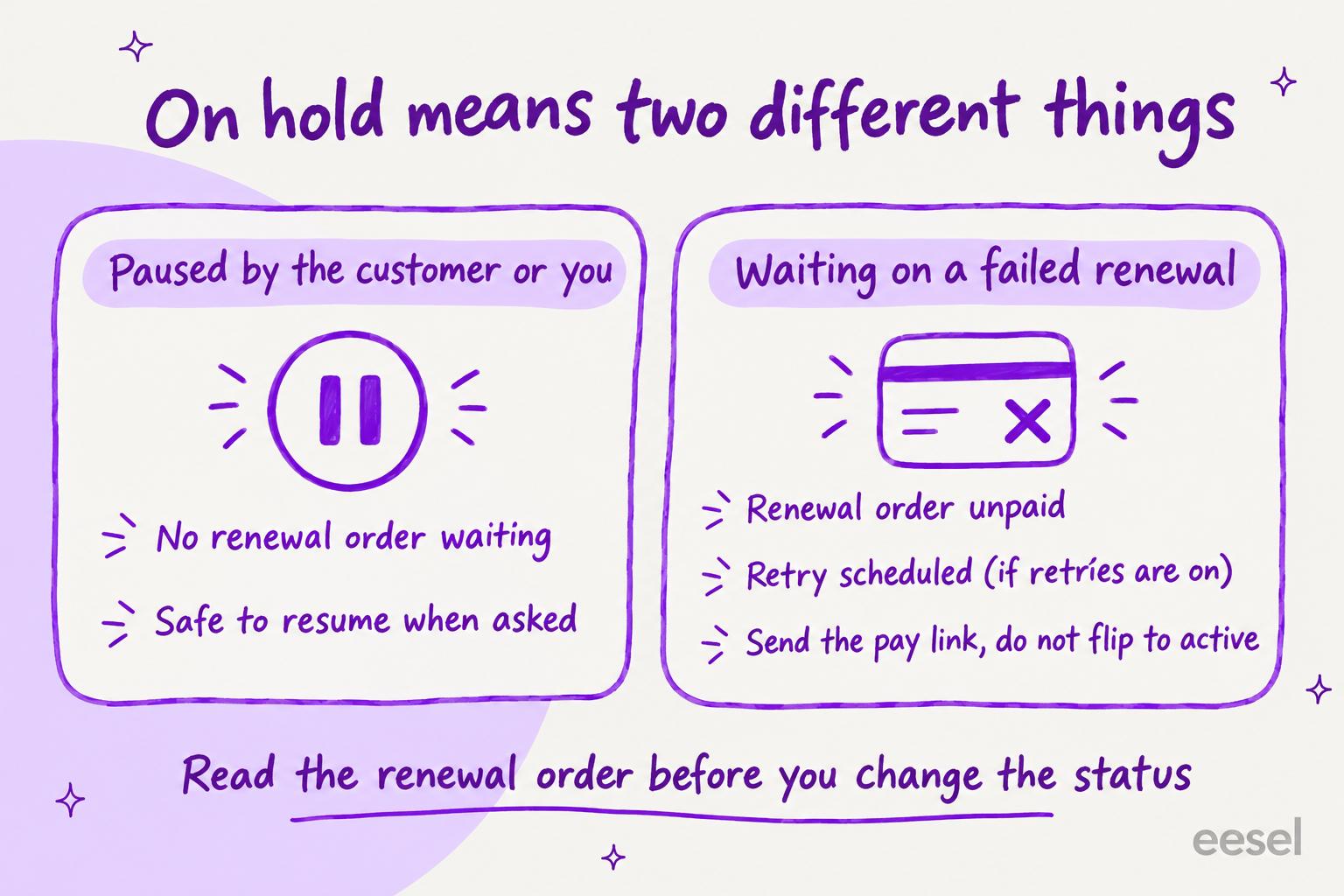
On hold means two different things. Woo's status guide says a subscription shows On-Hold "when an associated order is awaiting payment, or when the store owner or customer manually suspends it". One is a pause; the other is a failed renewal. By default a failed renewal leaves the subscription on hold until the subscriber pays. If the retry system is on, the first failed charge also schedules a retry 12 hours later, and that retry is cancelled if the subscription's status no longer matches the rule. So an AI that "resumes" an on-hold subscription without reading its renewal order can cancel the retry, or reactivate a subscriber who hasn't paid. Read the renewal order first; if one is unpaid, send its payment link instead.
Retries are off unless you turned them on. The retry system is "off by default". When it's on, five default rules retry a failed renewal over 7 days, and it doesn't run for SEPA payments. If yours is off, a declined card leaves the renewal unpaid and the subscription on hold, and the subscriber gets an invoice email if you've enabled it, which is exactly when they write in.
Cancelled is final. Neither a customer nor a store manager can reactivate a cancelled or expired subscription; the subscriber resubscribes, which starts a new one. So the safer cancel for most subscribers is Pending Cancellation, which keeps what they've paid for and ends at the close of the term, and gives you a window for a retention offer that doesn't feel like a trap.
A renewal that's hours away is a race. I'd set a cut-off: if the next payment is less than a day away, the AI says so and hands the skip to a person rather than promising it. AeroChat's published recipe does the same, with 24 hours as its example.
The AI's reply may be the only confirmation. Woo's email list has a Suspended Subscription email for the store manager and none for the subscriber, and the subscriber's cancellation email is off by default. So the AI should say the new date or end date in plain words every time, and add a note so your team can see what changed.
Which tools add AI or self-serve to WooCommerce Subscriptions?
Three kinds, and they solve different parts of the problem: add-ons that give the subscriber more buttons, automations that act on events, and AI that handles the conversation. I priced each for one store, from the vendor's own page.
| Tool | What it does for subscriptions | Changes the subscription? | Price |
|---|---|---|---|
| Toolbox for WooCommerce Subscriptions | Adds skip next, change next payment date, change frequency and quantities to My Account | Yes, the subscriber does it | €69 a year, 1 site |
| Cancellation Survey and Offers | Survey at cancel, then a discount or a skip next renewal offer | Yes, if the subscriber accepts | Free survey version; $79 a year with offers |
| RetentionKit | Cancel surveys, renewal discounts, skip offers, Klaviyo events | Yes, if the subscriber accepts | $99 a year, 1 site |
| AutomateWoo | Workflows on subscription events (status changed, renewal payment failed, before renewal), plus card expiry notices | Status changes and invoices, no date changes | $159 a year |
| StoreAgent | AI chat answers renewal date, amount and items for signed-in shoppers | No, it explains how to cancel | From $19 a month |
| AeroChat | AI chat on WhatsApp, Instagram, web chat and email: skip, pause, cancel, card and switch links | Yes, status, date and notes | From $49 a month |
| W7S MCP | Your team asks Claude or ChatGPT about subscriptions | Adds notes only | $39 a year |
| eesel | AI teammate in your helpdesk, chat bubble and Slack: reads subscriptions and orders, pauses, resumes, skips, changes frequency, cancels | Yes, on, ask first or off | 7-day free trial, then from $299 a month for 500 credits (a ticket or chat is 1 credit) |
Toolbox for WooCommerce Subscriptions
Best for stores whose subscribers would happily click a button if there were one. WP Overnight's add-on puts Skip Next Shipment, Change Next Payment Date, Change Frequency and quantity edits in My Account, and you switch each one on or off.
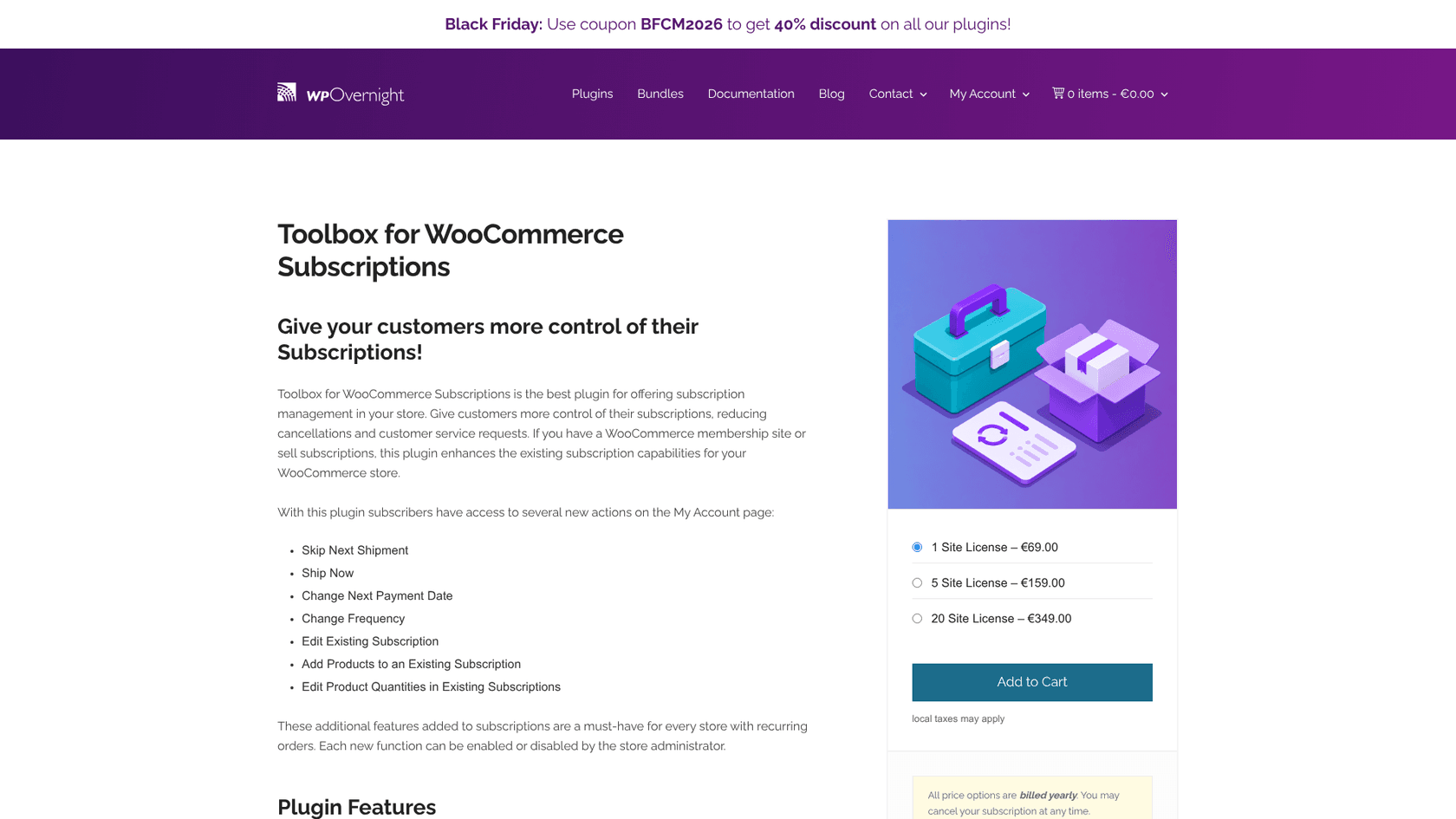
My take: the cheapest fix for the table above, and the first thing I'd install on a subscription box store. It doesn't answer the subscriber who writes in anyway, and plenty do.
Cancellation Survey and Offers, and RetentionKit
Best for stores where cancellations are the leak, and customer churn is the number you watch. Both put a survey in front of the Cancel button and answer each reason with an offer. Meow Crew's plugin is free on WordPress.org for the survey and $79 a year for the offers, including "Skip Next Renewal", which postpones the next renewal by one period. RetentionKit is $99 a year for one site and adds Klaviyo events, so a cancellation reason can start a win-back flow.
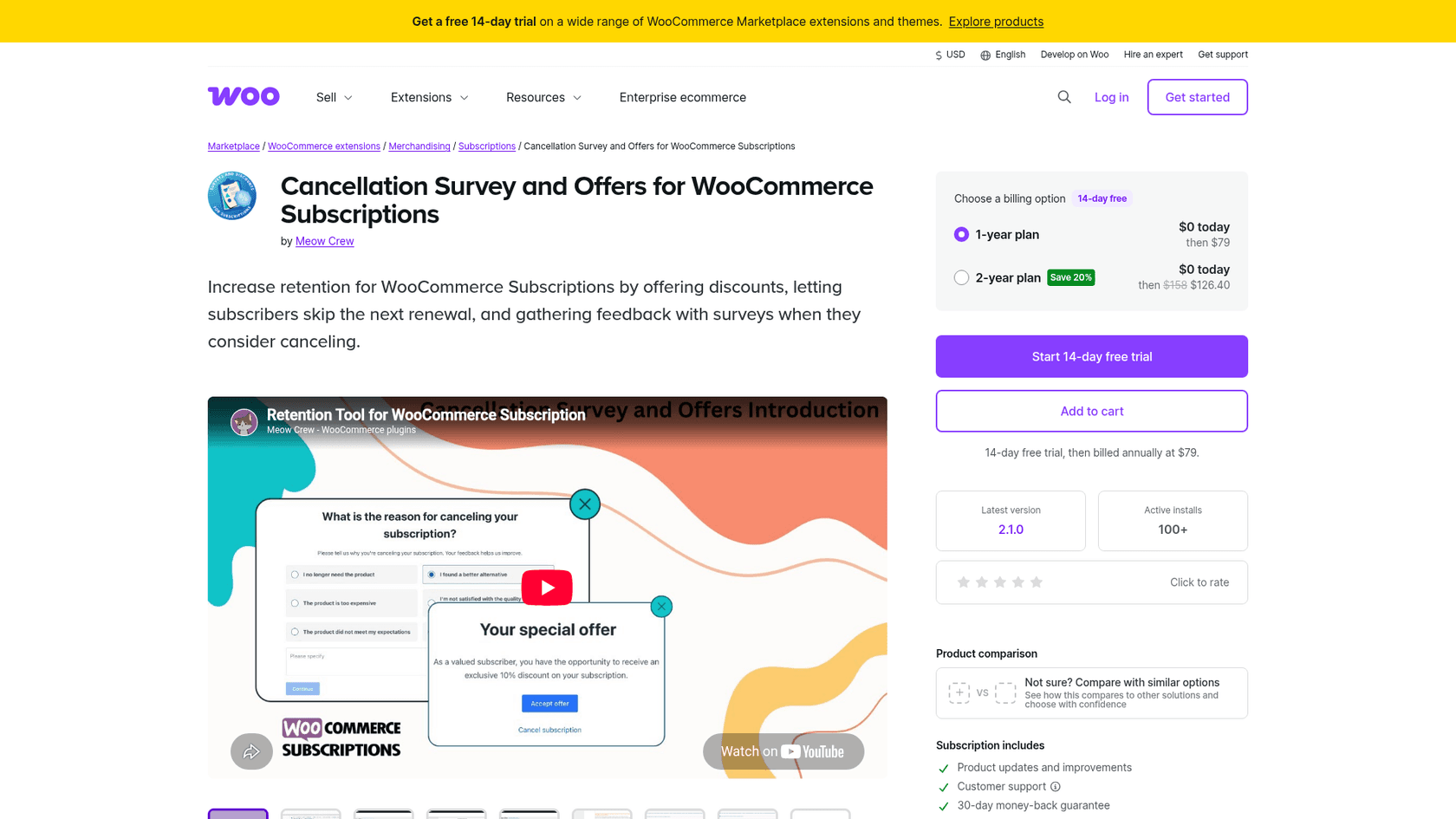
My take: worth it if you see the cancellations happen in My Account. Neither helps the subscriber who emails "please cancel", because the popup lives on the Cancel button.
AutomateWoo
Best for the proactive side: emailing before a renewal, chasing a failed payment, warning about an expiring card. AutomateWoo is Woo's own automation extension at $159 a year, with subscription triggers and a Change Subscription Status action. It can't move a next payment date: that feature request has 22 votes and has been open since November 2019.
My take: it's rules, not conversation. Pair it with whatever answers replies, because its emails will generate some. The WooCommerce support automation guide covers it alongside the other rule-based tools.
StoreAgent
Best if you only want renewal questions answered. StoreAgent's chat reads the live subscription for a signed-in shopper: renewal date, recurring amount, items, the ten most recent renewal orders. It is deliberately read-only: "Ask the assistant to cancel or pause a subscription and it will walk the shopper through doing it from the Subscriptions area of their account page." Paid plans start at $19 a month for 500 chat replies, after a Lite plan with 50 one-time replies.
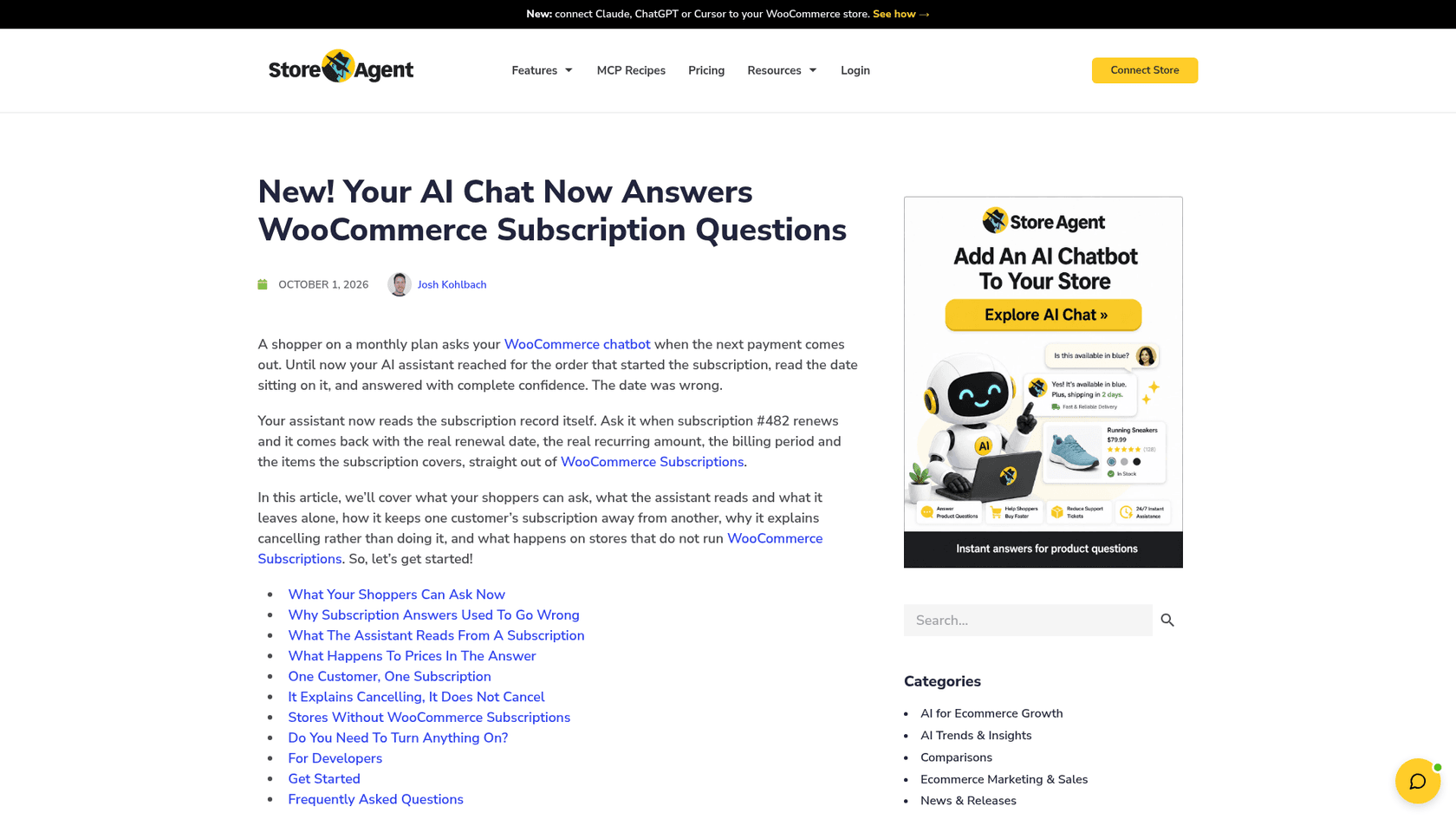
StoreAgent's release post makes a point every AI on this list should take: a subscription and the order that created it are different records, and an assistant that reads the order gives the signup date and first payment as if they were the renewal. My take: a safe start, and the cancellation answer is still a link, so the inbox keeps the pause and skip requests. More chat options are in the WooCommerce live chat plugins roundup.
AeroChat
Best for stores whose subscribers message on WhatsApp or Instagram. AeroChat skips by moving the next payment date one billing period, pauses with on hold, cancels to pending cancellation after one retention offer, adds a note each time, and sends the My Account link for card changes and plan switches. Its plans start at $49 a month for 500 AI responses.
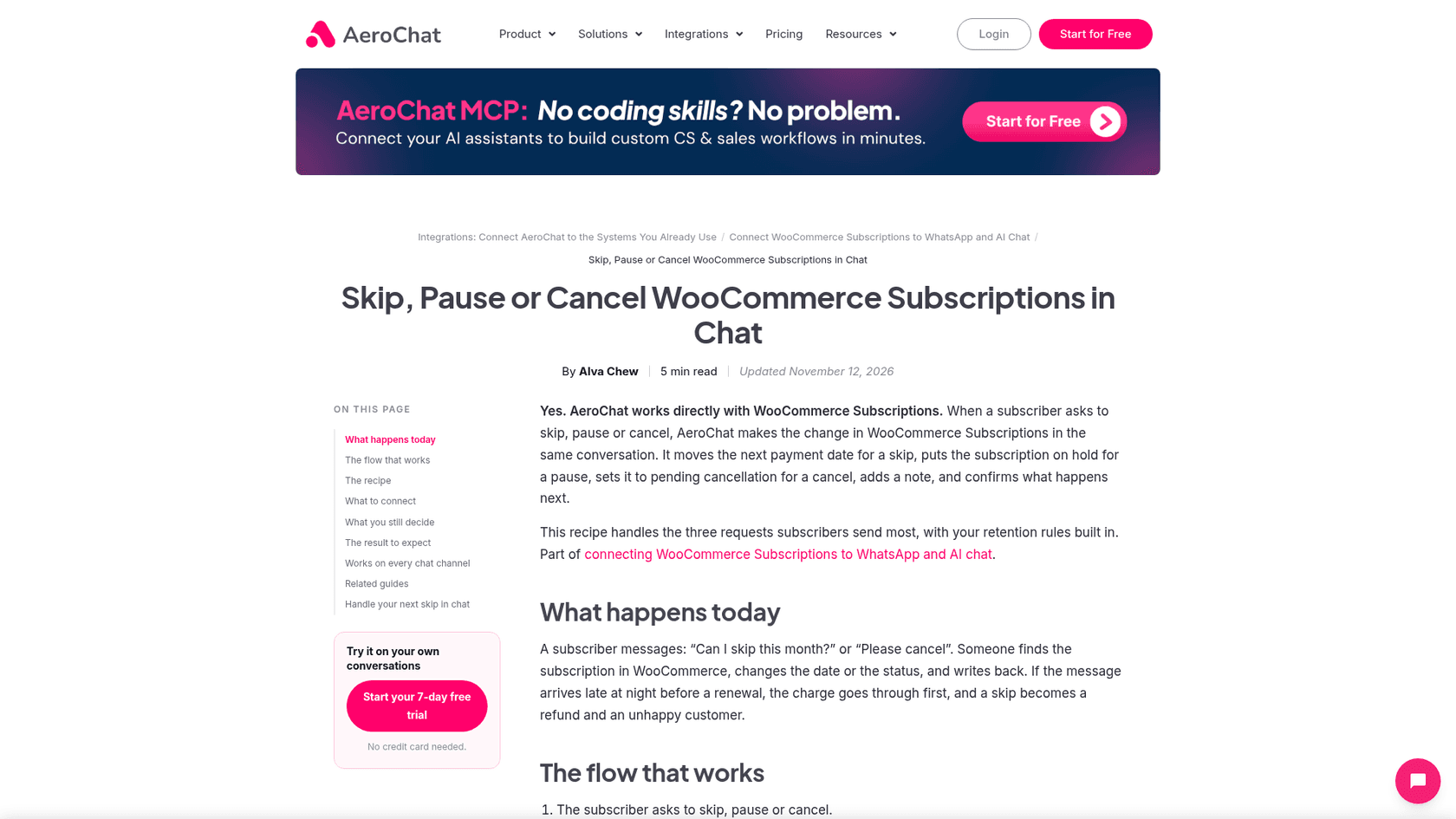
My take: the most complete chat-first option I found, and its published recipes handle the traps above well (it hands off when the next payment is close). It's built for messaging channels: its pages list WhatsApp, Instagram, Messenger, Telegram, web chat and Gmail or Office 365 email. The best helpdesk for WooCommerce guide covers the helpdesk side.
W7S MCP
Best for the store team, not subscribers. The W7S MCP extension ($39 a year) lets Claude or ChatGPT list and read your subscriptions, add a subscription note and look up the orders behind a renewal, so "show me subscriptions that failed to renew this week" becomes a question you can type. It's covered with the other options in the WooCommerce MCP server guide. If you use Claude, the Claude for WooCommerce guide covers the assistant side; for ChatGPT, see ChatGPT for WooCommerce.
How should an AI handle each subscription request?
Pick the request and you'll see what the subscriber can do alone on a default store, what an AI with REST API access does, and the catch for that request.
Pick a request to see the default, the AI's move and what to watch for.
How eesel handles WooCommerce Subscriptions
eesel is an AI teammate that joins the tools your team already works in. On a WooCommerce store it looks up subscriptions along with orders, customers and products, and its Update subscription action "pauses, resumes or cancels a subscription, moves its next payment date or changes how often it renews". It answers subscribers in your chat bubble and inside your helpdesk, and your team in Slack, from the same connection. Gorgias teams can start with the Gorgias WooCommerce guide. Zendesk teams have the Zendesk WooCommerce guide. For Freshdesk, read the Freshdesk guide.
What makes it safe to let loose on billing is that you decide what it may do and for whom. Each action can be set to on, ask first or off, and what it may do depends on who is asking: it can pause a subscription when your team lead asks in Slack, ask first when a verified subscriber does, and never touch billing for an anonymous visitor in the chat bubble. Anything set to ask first waits for a person's yes, with the reason shown (a human in the loop on exactly the changes you choose), as an approval card in Slack or the dashboard (Actions and approvals has the detail).
The closest published story is a subscription business. MentorShow, a French online learning platform sold on a yearly subscription, runs eesel on HubSpot. Before it drafts anything, it reads the member's subscription status, next renewal date and past tickets, because, as the story translates its French instructions:
A login problem from someone with no active subscription is not a login problem.
In one month it read about 1,200 HubSpot conversations and tickets and wrote 432 reply drafts, with refunds, billing checks and account changes handed to a person. That's the pattern I'd copy for subscriptions: let the AI read everything, draft everything, and turn on the changes one at a time.
Where it isn't the right fit, so you know before you start: WooCommerce never starts an eesel run on its own, so a failed renewal doesn't wake it. A subscriber's message, a ticket or a Slack mention does, and a scheduled automation can check on-hold subscriptions each morning. The order status guide explains what a failed renewal order looks like in WooCommerce. It doesn't take card details or run plan switches either; like AeroChat, it sends the subscriber to My Account for those.
One more limit, tied to the API trap above: eesel's update action sends Woo's plain status field, not transition_status, so WooCommerce's date logic doesn't run on its changes. When it resumes a subscription whose next payment date has passed, have it set a new date in the same change. It can set pending cancellation, but because it sends status, WooCommerce doesn't fill in the end date; have it read the subscription back and confirm the end date, or hand that one to a person.
Try eesel on your WooCommerce subscription queue
If your inbox is full of "can I skip this month?", start where the risk is lowest. Connect your store with the free eesel AI plugin (the guide to adding AI walks through it), set Update subscription to ask first, and let eesel draft the replies and propose each skip or pause for a yes in Slack. Skips, pauses and cancels are one action, so once a week of approvals has gone the way you'd have done it, switch it on and say in eesel's instructions which cases still need a person, cancellations first. The subscriber gets the change before the renewal runs, and your team stops editing next payment dates by hand.
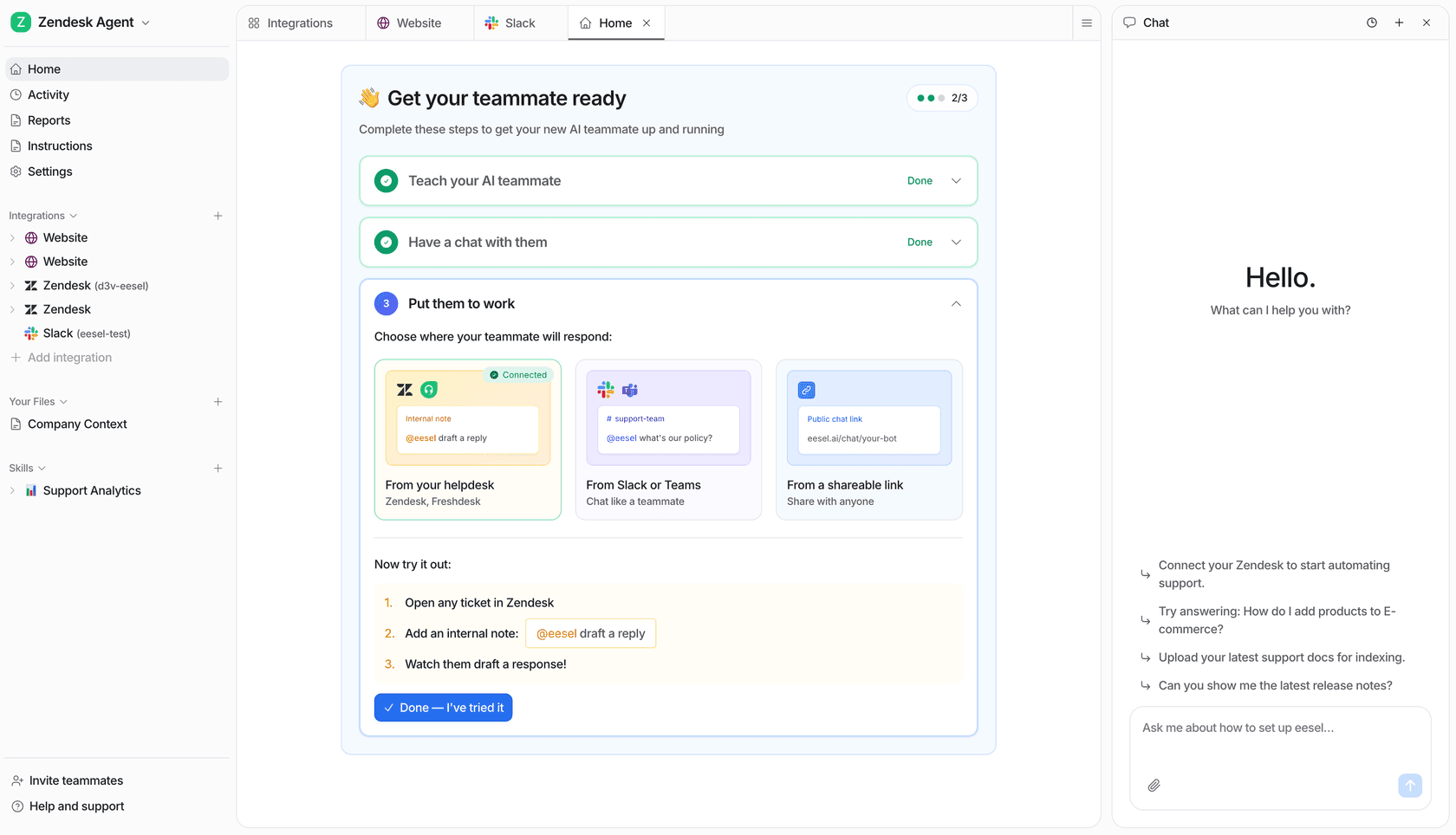
Try eesel on a test subscription first, then on the real queue. For the rest of the store, start with AI for WooCommerce support. Returns are in automating WooCommerce returns.