Claude for WooCommerce: 3 ways to connect your store (2026)

Kira

Katelin Teen
Last edited November 25, 2026

Claude has no WooCommerce connector in its directory, so you connect a store one of three ways: WooCommerce's own MCP server, free, from Claude Desktop or Claude Code; a plugin such as W7S's MCP for WooCommerce ($39 a year) or 1TeamSoftware's AI Gateway (free version) to use Claude on the web; or a chatbot plugin on your own Anthropic API key to answer shoppers. Unlike ChatGPT, whose help center lists custom MCP servers for Business and Enterprise/Edu, Claude takes a custom connector on every plan, including Free (one connector), so a store owner can try this without upgrading. The MCP routes act with the access of the person typing in Claude, and the chatbot plugins check at most that a shopper is logged in, and none of them documents a lookup for a guest order, so none is built for strangers asking about orders.
That last part matters once the questions come from customers: "where's my order?" and "can I get a refund?" in your chat bubble and inbox. eesel is an AI teammate that reads WooCommerce orders live while it answers shoppers, works out who is asking before it acts, holds refunds for a teammate's yes when you set it to, and is itself in Claude's connector directory, so you can talk to it from a Claude chat. A coding agent like Claude Code can set it up through the eesel CLI, uploading your return policy and asking it test questions before it goes live, though a person still has to open the connect link to connect the store.
I build features and AI agents at eesel, so I read every "connect Claude to X" guide the same way: which Claude app it runs in, whose permissions it uses, and what it can change without asking. Those three answers sort the WooCommerce options quickly.
Is there an official Claude connector for WooCommerce?
No. Claude's public connector directory has no WooCommerce listing, and the nearest official option doesn't reach your orders. The WordPress connector by WordPress.com lists 181 tools for building and editing sites, and WordPress.com's list of MCP tools treats WooCommerce products as just another content type, with sales numbers in stats. No order, refund or customer tools are listed. It also only covers sites on WordPress.com or connected through Jetpack, and self-hosted Jetpack sites get it free only "through November 30, 2026", per WordPress.com's guide. (I covered that connector in more depth in Claude for WordPress.)
WooCommerce has shipped two Claude experiments, and is clear that neither is a product:
- WooCommerce for Claude, a one-click bundle for Claude Desktop with store analytics ("How did my store do this week?") and a read-only key. Its post says: "It is not a feature announcement, not a roadmap commitment." The GitHub README says you can switch the key to Read + Write if you want Claude to edit products and orders.
- A Claude Commerce Agent port of Anthropic's open-source shopping agent, a self-hosted Python service. WooCommerce lists its own limitation plainly: "No authentication. Anyone who can reach the services can use them, and the merchant service holds a full-write REST key." It's reference code for developers, not something to put in front of shoppers as is.
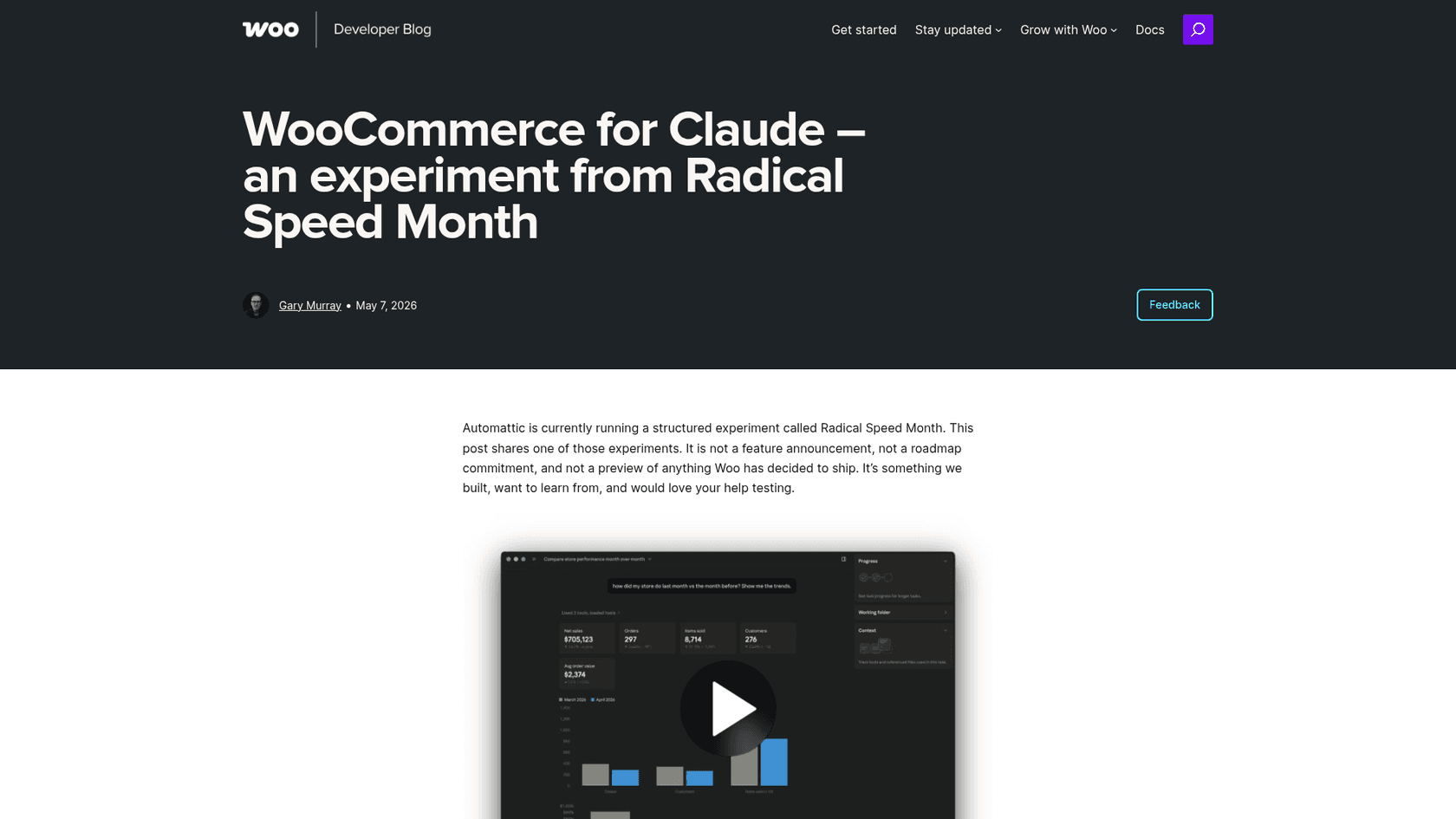
So "Claude for WooCommerce" today means wiring it yourself. The good news is that WooCommerce has done most of the wiring for one of the Claude apps.
Which Claude app you use decides the route
Claude Desktop and Claude Code can run a small program on your computer to reach your store. Claude on the web can't: Anthropic's custom connector guide says "Claude connects to your remote MCP server from Anthropic's cloud infrastructure", so your store has to be reachable from there and accept a sign-in the web app supports. An Application Password isn't one of them. That one difference splits the options.
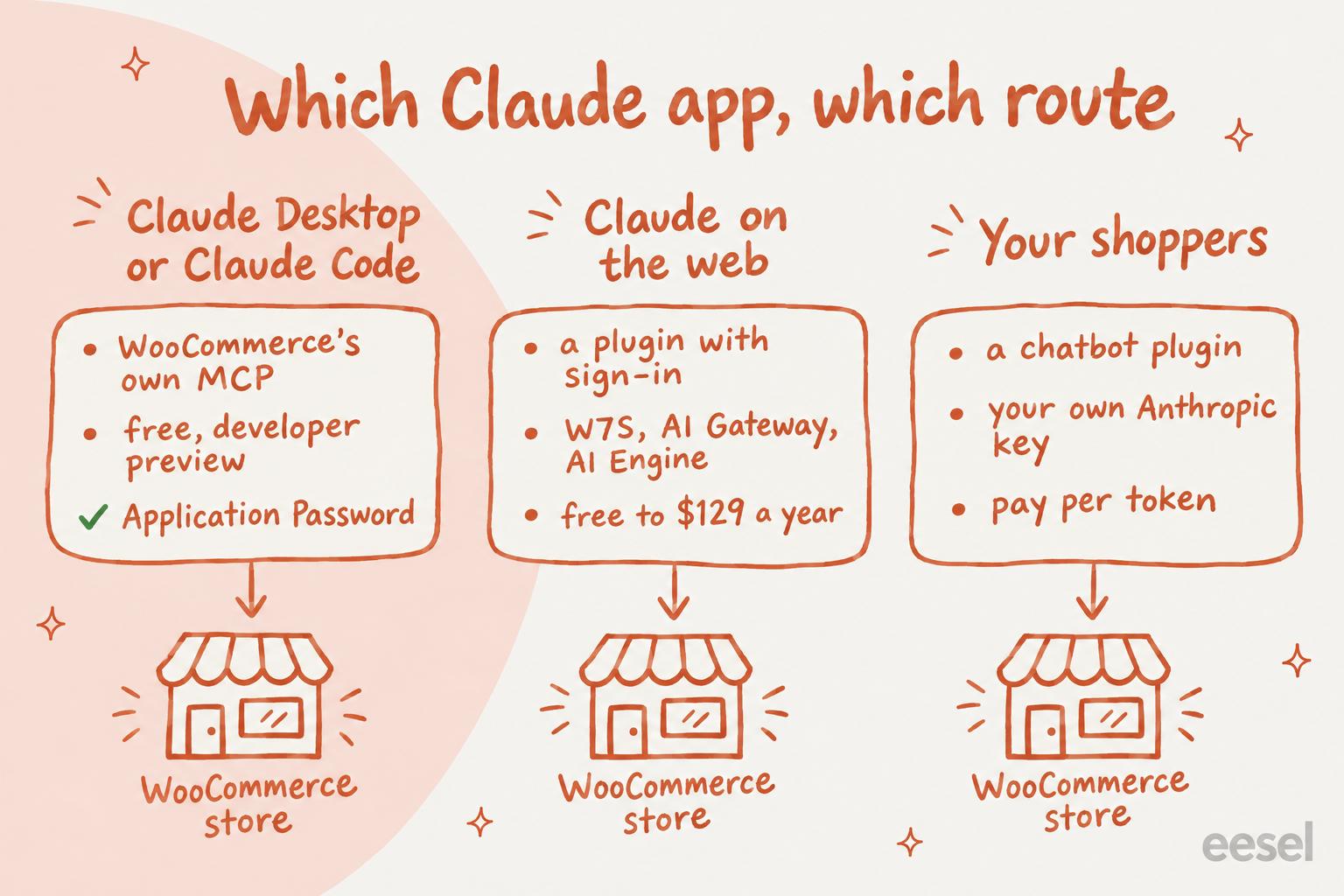
| Route | Claude app | What you install | Cost | Who it works for |
|---|---|---|---|---|
| WooCommerce's own MCP | Claude Desktop, Claude Code | The free MCP Adapter plugin, an Application Password, Node.js on your computer | Free (Claude Code needs Pro or above) | You |
| An MCP plugin with sign-in | Claude on the web, Desktop, Code | W7S, AI Gateway, AI Engine Pro or Easy MCP AI | Free to $129 a year | You and your team |
| A chatbot plugin | None (Claude's API) | AI Engine or MxChat with your Anthropic API key | Plugin plus per-token API cost | Your shoppers |
On price, Claude's pricing page lists Free at $0, Pro at "$17 Per month with annual subscription discount ($200 billed up front). $20 if billed monthly", Max at $100 a month and Team from $20 a seat on annual billing. Claude Code is not on Free. The Claude pricing breakdown has the rest.
How do I connect Claude Desktop or Claude Code to WooCommerce?
Use WooCommerce's own MCP server. It's free and documented for exactly these two apps. WooCommerce's MCP docs say "WooCommerce always registers its abilities through the WordPress Abilities API; there is no WooCommerce setting to turn on." You add the separate MCP Adapter plugin (80,000 active installs) and point Claude at it. If MCP is new to you, it's the open standard that lets Claude call tools in other systems; MCP for customer support explains it from the support side.
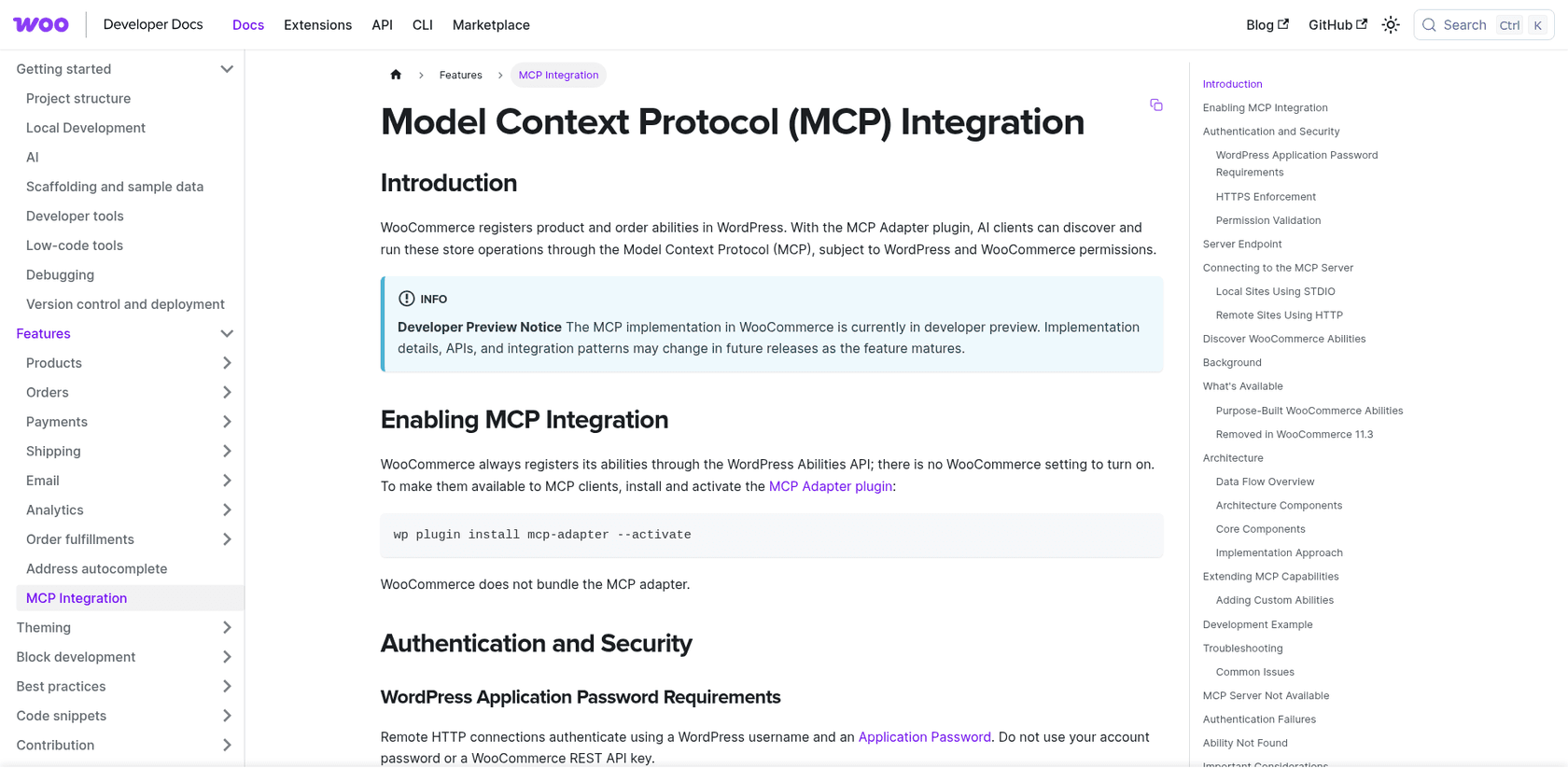
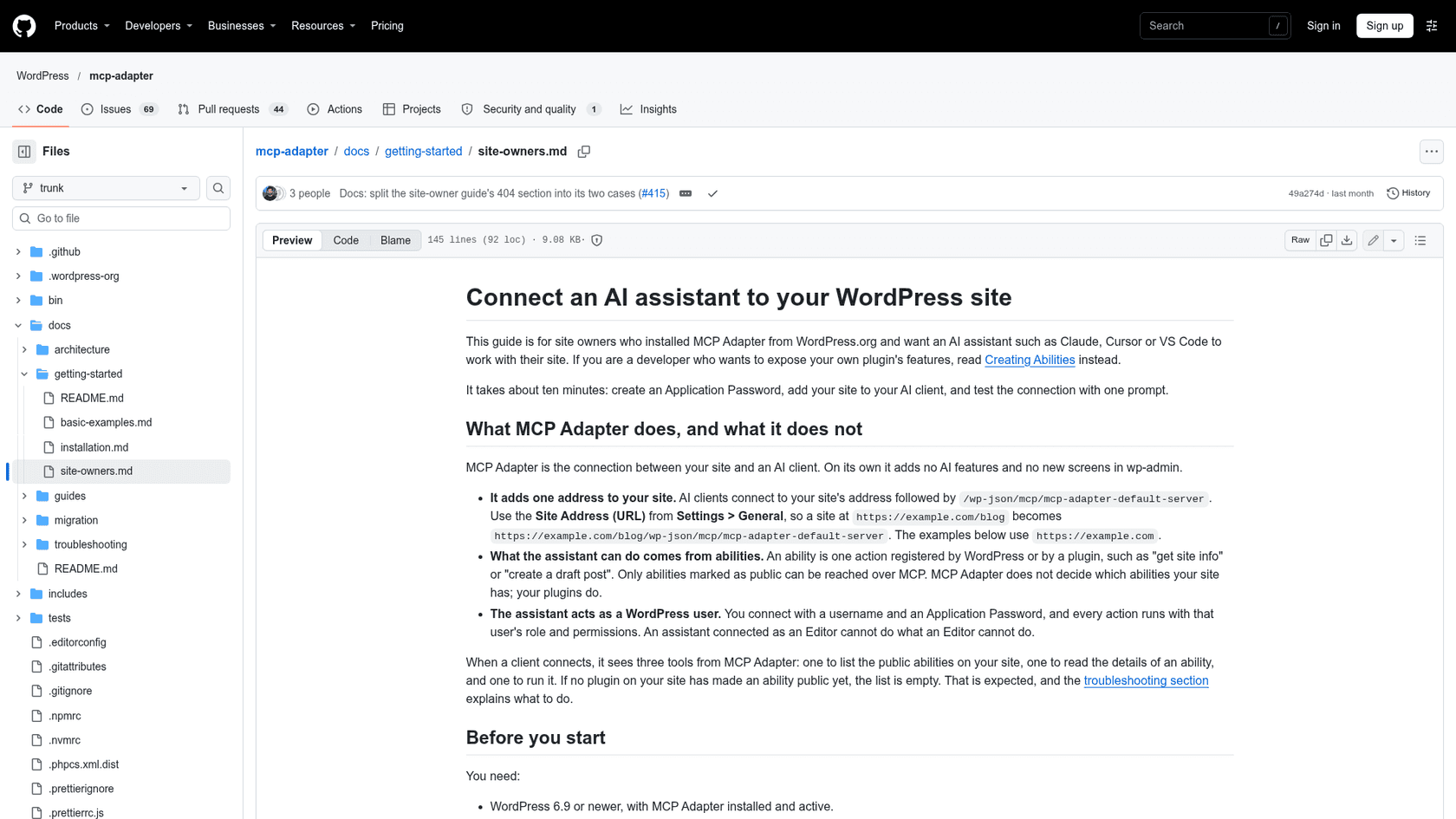
The steps, from WooCommerce's docs and the adapter's site-owner guide:
- Check the basics. WordPress 6.9 or newer, HTTPS, and any permalink setting except Plain.
- Install MCP Adapter from Plugins in your WordPress admin (or
wp plugin install mcp-adapter --activate). - Create a dedicated WordPress user with only the role Claude needs, then an Application Password for it under Users > Profile. WordPress shows it once. WooCommerce's docs say: "Do not use your account password or a WooCommerce REST API key."
- Add the store to Claude. In Claude Desktop, add an
mcpServersentry that runsnpx -y @automattic/mcp-wordpress-remote@latestwith your store's endpoint (/wp-json/mcp/mcp-adapter-default-server), the username and the Application Password. In Claude Code it's oneclaude mcp addline with the same three values, copy-paste from WooCommerce's docs page, or a direct HTTP connection with a Basic auth header, from the adapter's guide. - Test it. Ask Claude to list last week's processing orders.
The adapter's guide puts the whole job at "about ten minutes", and Node.js on your computer is the one extra the Desktop route needs. If you followed an older tutorial, note that the WooCommerce 11.3 notice removed the old /wp-json/woocommerce/mcp endpoint and its REST-key sign-in; requests to it "now return HTTP 410".
What can Claude do in WooCommerce through the built-in MCP?
Products (query, create, update, delete) and orders (query, read notes, update status, add notes), which is less than you'd guess. There's nothing listed for refunds, customers or coupons, and no way to create an order. Claude also sees three generic tools rather than one per action ("discover", "get info" and "execute ability"), so expect it to explore a bit before it acts.
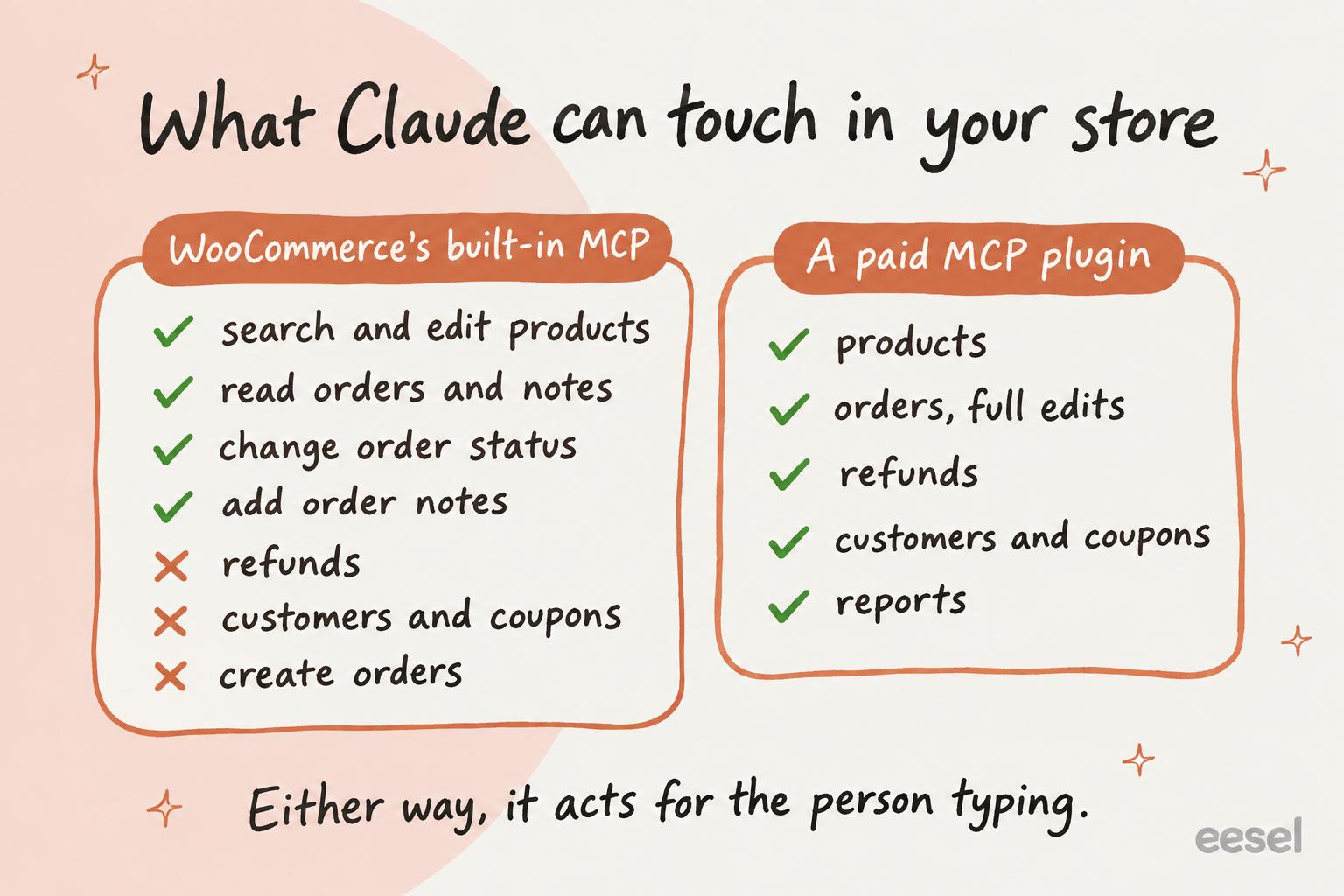
Two warnings from WooCommerce itself are worth reading before you connect a live store. It's a "developer preview" where "Future updates may introduce breaking changes". And "Order and customer operations may expose personally identifiable information (PII) including names, email addresses, physical addresses, and payment details." That data lands in your Claude chat, so a Team or Enterprise plan, where the pricing page says there's "No model training on your content by default", is the safer home for it than a personal account.
How do I use Claude on the web with my WooCommerce store?
Install a plugin that gives your store a sign-in Claude's servers accept, then add it as a custom connector. WooCommerce's own route can't do this. The MCP Adapter guide says it directly: "WordPress does not include an OAuth server and MCP Adapter does not add one, so these apps cannot connect to MCP Adapter on their own today." An OAuth server for the adapter is proposed in issue #436 and still open.
On Claude's side the bar is low. Anthropic's help article says custom connectors are on "Free, Pro, Max, Ultra, Team, and Enterprise plans. Free users are limited to one custom connector." On Team, "only Owners and Primary Owners can add them", and then each member connects individually. Your store must be on the public internet over HTTPS on port 443, because the connection comes from Anthropic's servers, not your laptop.
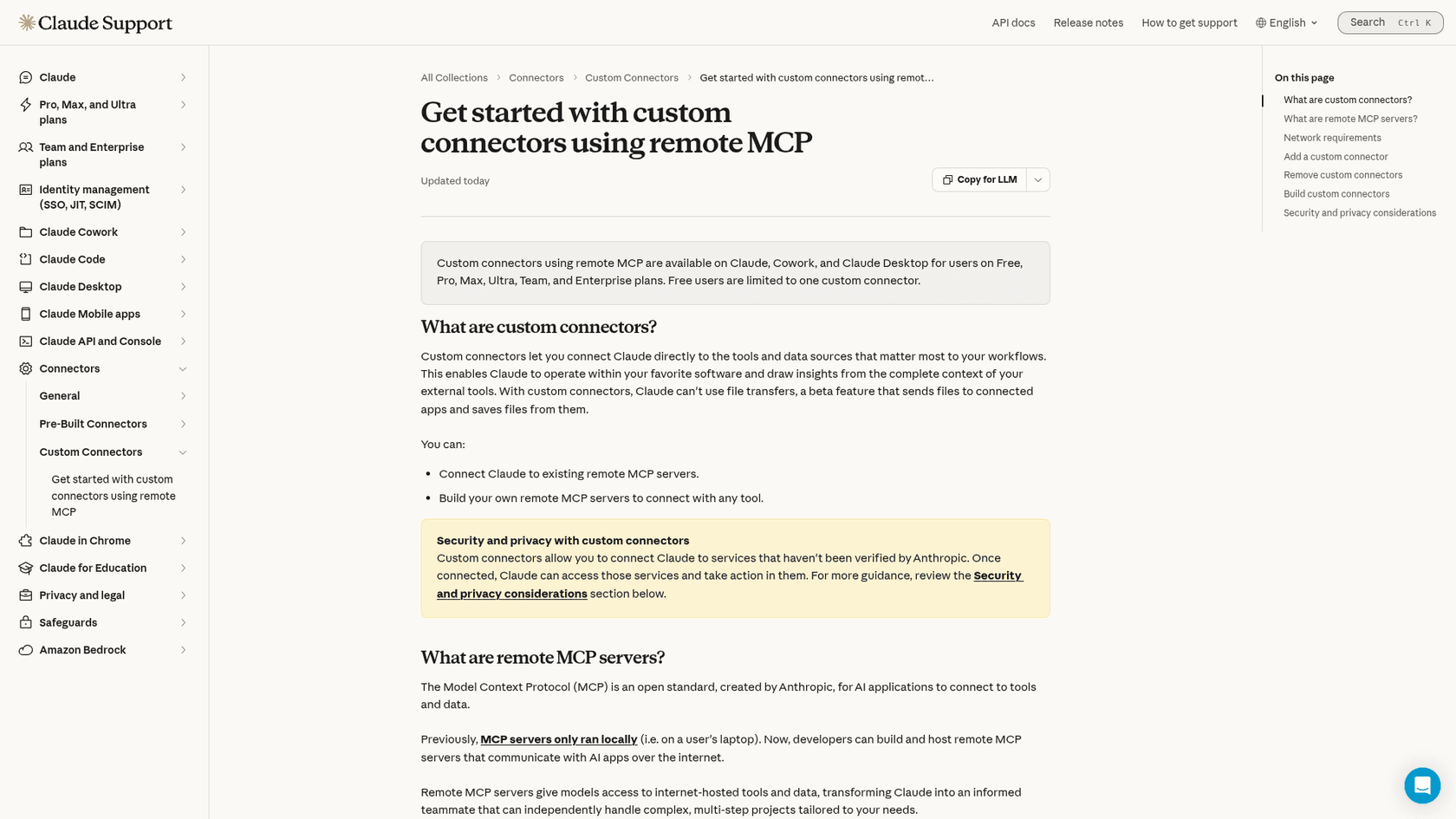
The plugins that do it, all of which also work in Claude Desktop and Claude Code:
| Plugin | How Claude signs in | WooCommerce coverage | Price |
|---|---|---|---|
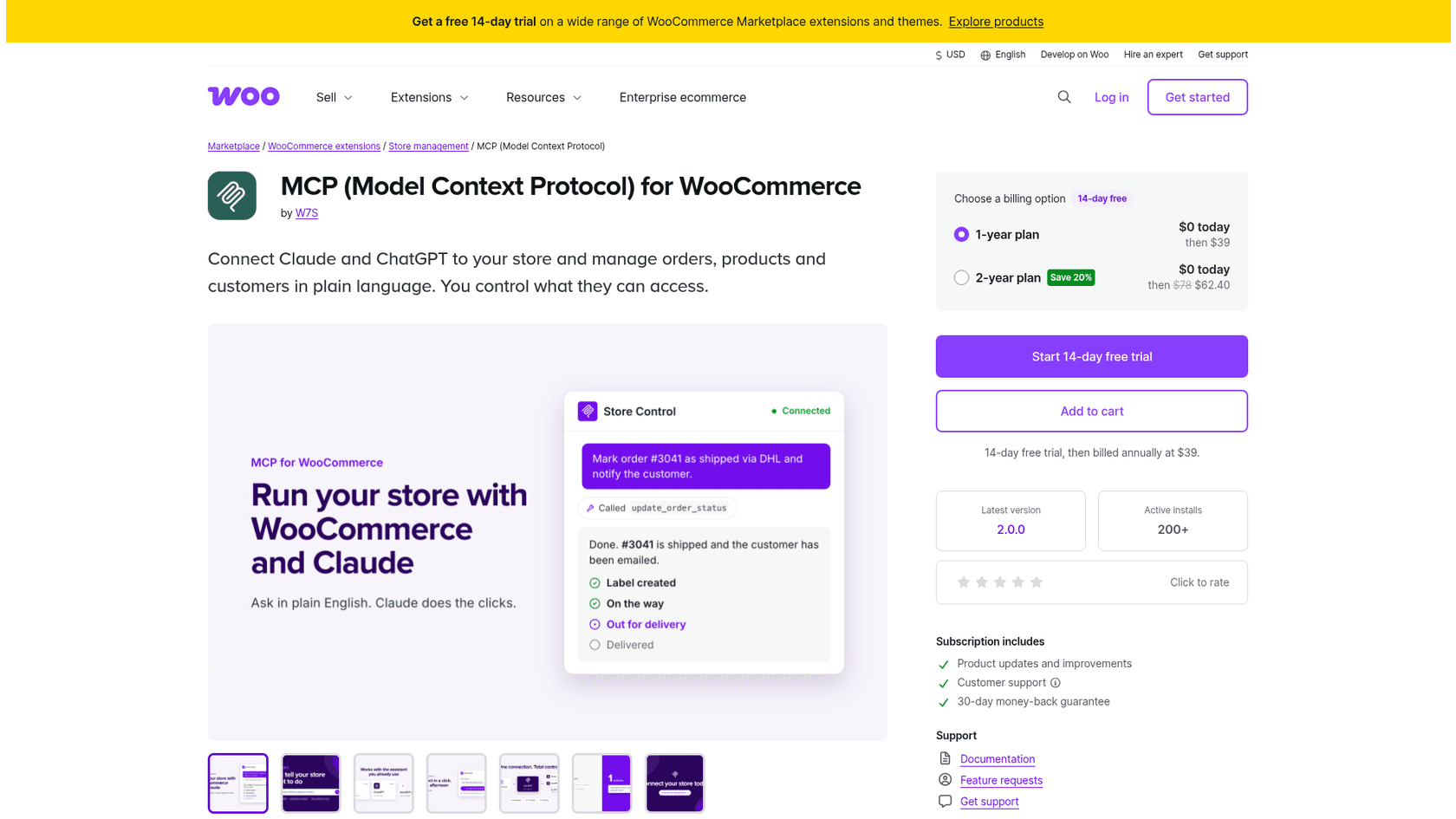
| MCP for WooCommerce by W7S | A token URL ("No sign in" in Claude) on a WooCommerce API key | 211+ tools: orders with full edits, refunds, customers, coupons, reports, subscriptions | $39 a year after a 14-day trial |
| AI Gateway by 1TeamSoftware | OAuth, approved on your store | 147 tools in the free version, each part switched to Read or Write | Free; PRO $129 a year |
| AI Engine by Meow Apps | OAuth, Full access or Read-only | Products, variations, coupons, orders, stock, customers on Pro | Free MCP; Pro from $59 a year |
| Easy MCP AI | OAuth 2.1 with PKCE | 47 WooCommerce tools | Free |
W7S is the most store-specific. Its setup docs open Claude's connector form with the name and URL filled in, offer a one-click .mcpb bundle for Claude Desktop (0.13.37 or newer, plus Node.js 18), and say "The bundle contains your API key, so treat the file like a credential." A read-only key "cannot create, update, or delete anything", and an optional action log masks customer details. AI Gateway goes the other way on defaults: its Claude guide says "AI Gateway starts with everything switched off."
One snag users report is a connector that installs but never shows store tools. One WordPress.org user had the connection "working great for regular WordPress stuff", then hit this:
"I don't see any WooCommerce specific functions or commands anywhere?"
Check that the plugin you pick lists WooCommerce tools on the tier you're buying (AI Engine's are Pro only) before you blame Claude. Another is a host or CDN rule that blocks the /.well-known/ paths OAuth needs, which shows up in Claude as "Couldn't reach the MCP server".
What about Zapier, and Claude in Chrome?
Zapier MCP works in Claude too, and is "included in every Zapier plan". Pair it with the Zapier extension for WooCommerce ($129 a year), whose listing shows prompts like "Add tracking number 1Z999AA1 to order #4521 and email the customer." It suits a team already running Zaps; the WooCommerce n8n guide covers the self-hosted alternative.
Claude in Chrome can click around your WordPress admin with no plugin at all, on paid plans. Anthropic's safety guide advises against "Interacting with sites containing personal information of others", and notes "Whatever is visible in one of those tabs is captured in the screenshots and becomes part of the conversation." A WooCommerce orders screen is exactly that, so I'd keep it for product edits.
Can Claude answer my WooCommerce customers?
Yes, through a chatbot plugin running on your own Anthropic API key, and you pay Anthropic per token on top. AI Engine lists "Built-in connectors for OpenAI, Anthropic, Google" and more, and its paid Woo Basics add-on (from $9 a year) adds product search and, per its docs, order information "for your logged-in users". MxChat lists "Claude Haiku 5.5 (recommended), Claude Sonnet 5.5, Claude Opus 5.5" and sells an order-history add-on on Pro. WoowBot, another WooCommerce chatbot, names OpenAI, Gemini, OpenRouter and Dialogflow but not Claude.
The token bill is small. Anthropic's API pricing has Claude Haiku 5.5 at $0.10 per million input tokens and $0.50 per million output (higher above 100,000 tokens in a prompt), and Sonnet 5.5 at $2 and $10. By my arithmetic, a reply with 5,000 tokens of context and 400 tokens of answer costs about $0.0007 on Haiku 5.5, before any tool calls. The Claude Haiku 5.5 pricing post has the details.
The gaps are the same as with any AI chatbot plugin, whichever model runs it. Order lookups are for logged-in customers at best, though plenty of WooCommerce orders are guest checkouts. None of these plugins describes issuing a refund. And a bot that reads your store data needs a plan for prompt injection, which is why Anthropic's own commerce agent, in WooCommerce's port, stages "every write" on the merchant side "behind a human approval gate". For a wider list, see AI chatbots for WooCommerce.
Which Claude for WooCommerce route fits your store?
WooCommerce's free MCP if you use Claude Desktop or Claude Code, W7S or AI Gateway for Claude on the web, and a chatbot plugin or a support tool when shoppers need answers. Pick the line closest to you.
Pick the setup that sounds like yours to see the route, what it costs and the step people miss.
Where eesel fits for WooCommerce support
The MCP routes above work for whoever is typing in Claude, with that person's access. Support is the opposite problem: strangers write in, and the AI has to work out who it's talking to before it changes an order or touches money. That's the job eesel does, and it's built for the questions WooCommerce support actually gets.
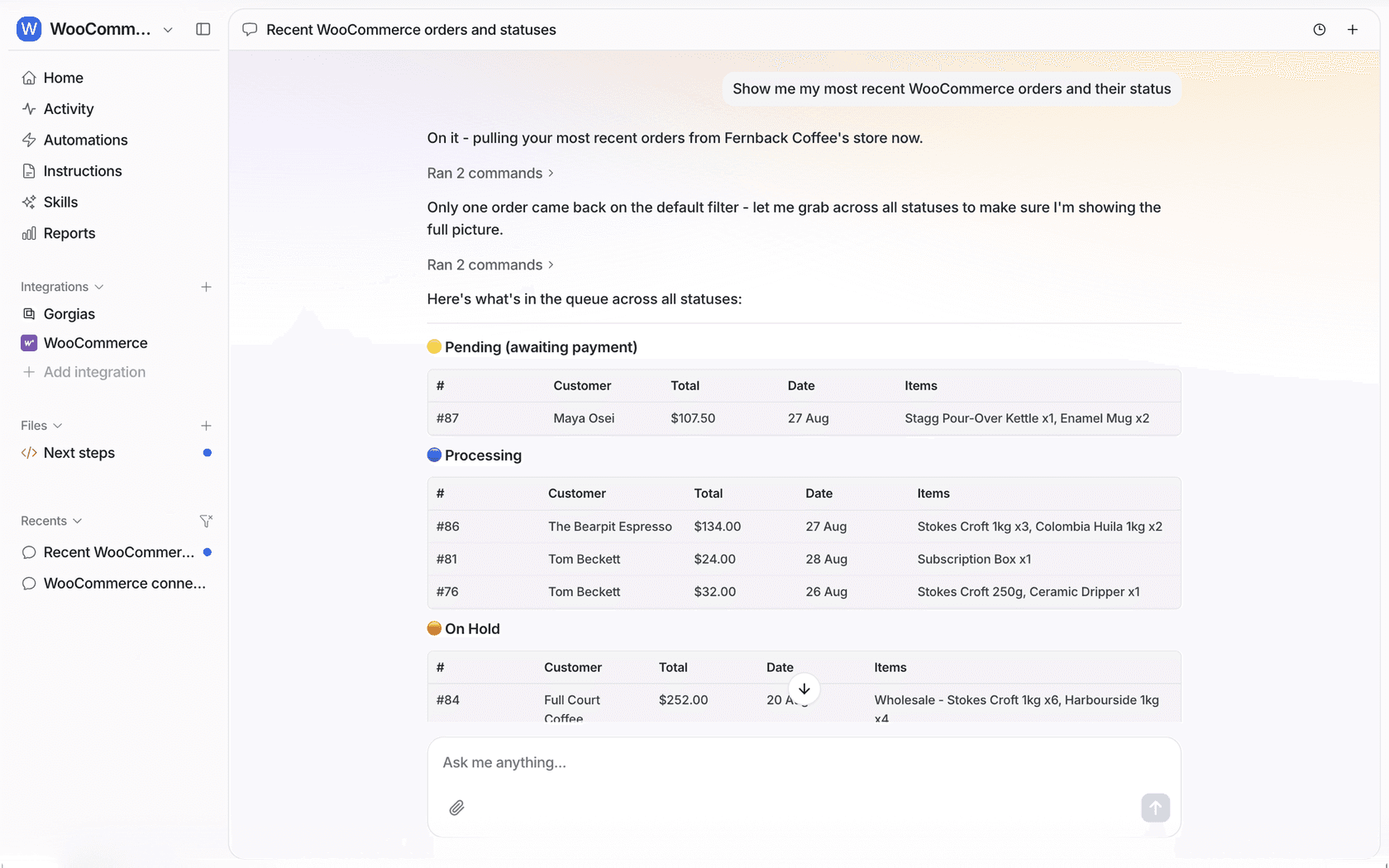
eesel's WooCommerce integration reads orders, order notes, customers, products and subscriptions live, and answers shoppers in your chat bubble and helpdesk (it works alongside Gorgias, Zendesk or Freshdesk), and your team in Slack. Its write actions include adding an order note, changing an order's status (which is how it cancels), creating a refund and updating a saved address. You connect with the free eesel AI plugin and approve on WooCommerce's own screen, so there are no keys to copy or Application Passwords to manage.
What it may do depends on who is asking. Every action runs on its own, asks first or stays off, and eesel adjusts that to the person in the conversation. Per the actions and approvals docs, a refund can run when your support lead asks for it in Slack, while the same request on a customer's ticket can be held by eesel's safety check for an editor to approve. Set the refund action to Ask first and every refund waits for a teammate's yes, which is where I'd start. The WooCommerce refund guide covers when a refund actually moves money.
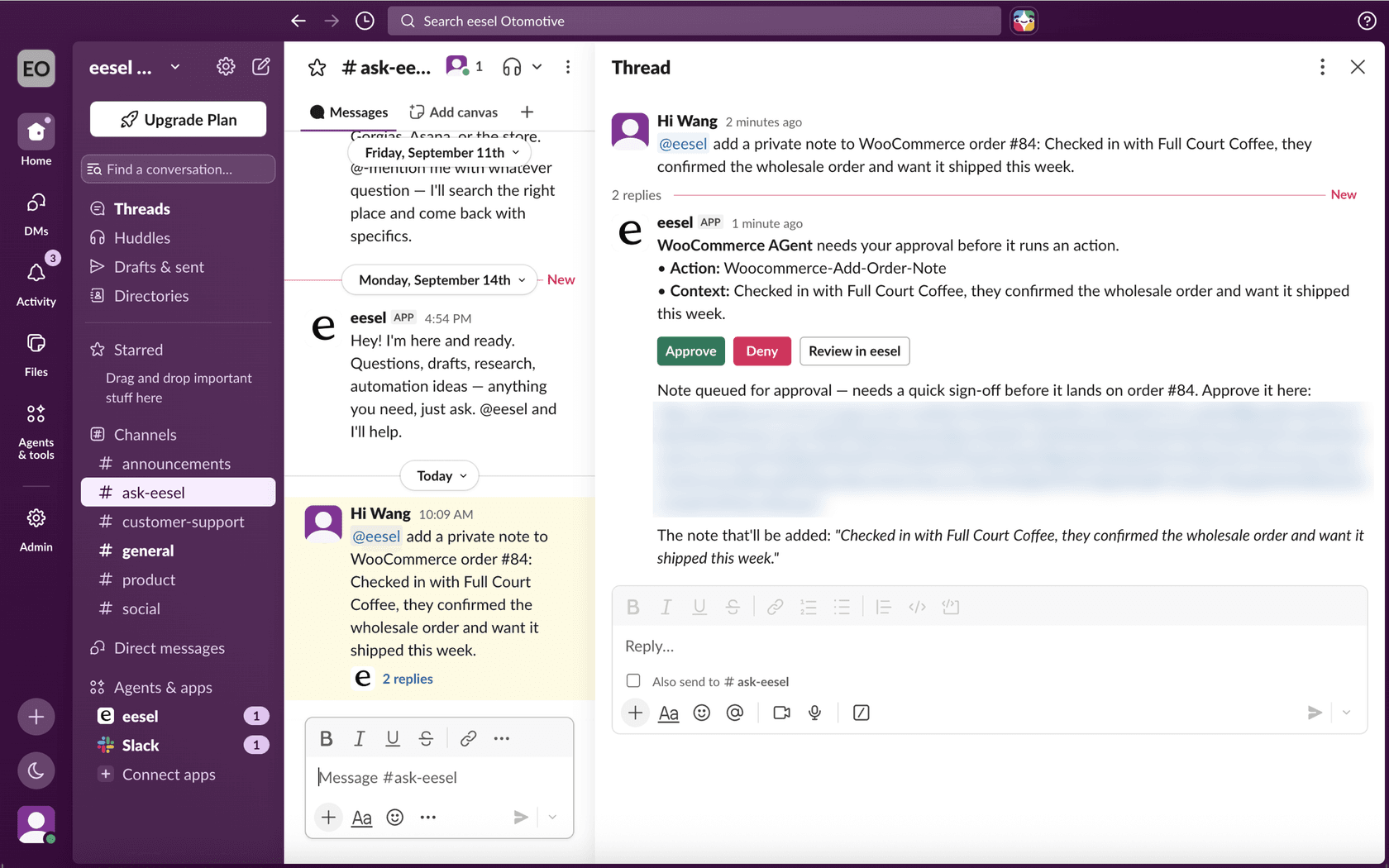
And the Claude part: eesel is in Claude's connector directory, so from any Claude chat you can say "ask eesel what it did today" or "have eesel draft a reply to the refund ticket", with the same permissions you have in the eesel dashboard. Anything set to need approval still asks, and an editor can approve it from Claude. With WooCommerce connected to eesel, that's a Claude window that can ask about an order without you running an MCP server on your store.
Where it's not the fit: WooCommerce never starts an eesel run, so it won't act on a new order by itself, and if all you want is Claude editing your own product catalog, the free WooCommerce MCP route above is the simpler tool. For more options, see the best AI for WooCommerce support.
Try eesel on your WooCommerce store
If your Claude question started with too many "where's my order?" emails, connecting Claude to your store will help you answer them faster, but it won't answer them for you. An AI teammate that reads the order, checks who's asking and keeps refunds behind your approval will. eesel starts with a free 7-day trial with 100 credits and no card, where a ticket or chat is 1 credit, and paid plans start at $299 a month for 500 credits on the pricing page. Connect your store, ask it about last week's orders from Claude or the dashboard, and read what it would tell a shopper before it tells anyone.
Try eesel on your store, or book a demo if you'd like someone to walk through it with you.