

Gladly AI hands a conversation to a person when a global reason, a handoff statement in a Guide, a failed quality check or an error says so, and the agent gets the whole exchange plus a written summary. The docs never say what a handoff costs. They say a session with no AI reply isn't billable, so I would assume a handed-off one is. Gladly's own pages also disagree on whether the handoff message is optional. eesel has no Gladly connector, but its helpdesk teammate hands over inside Zendesk, Freshdesk and Gorgias.
I work the eesel support queue every day, so I read Gladly's help center for one thing: what lands on a person's desk, and what did the customer already hear? With the eesel CLI, an AI coding agent can upload approved escalation rules as knowledge, then ask test questions and check the answers before anything goes live. Connecting a helpdesk still needs an admin to approve it.
What triggers a Gladly AI handoff?
Four things, and only the first two are settings you write yourself.
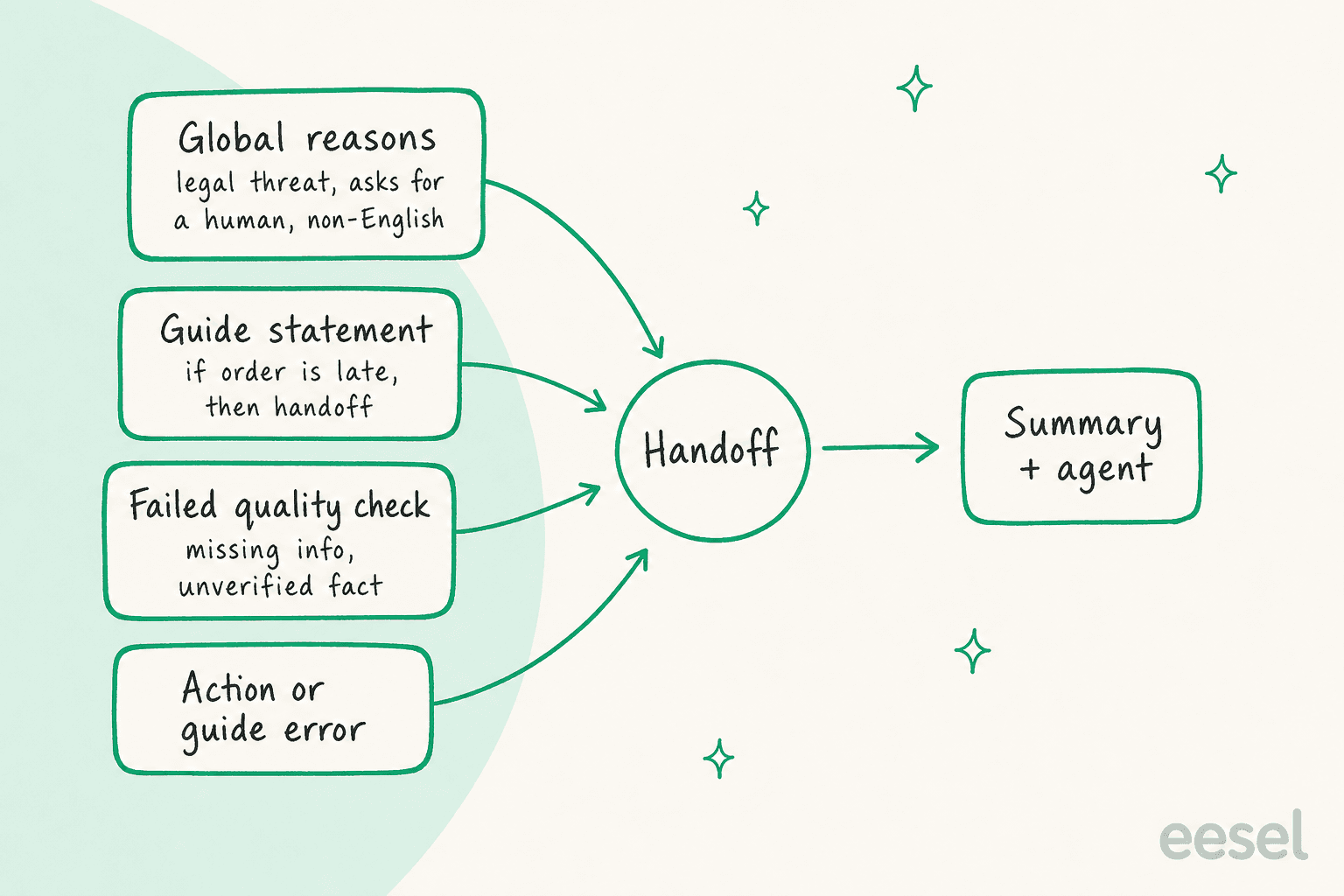
- Global reasons. The 'When to get more help' tile holds a list of reasons the AI should not handle. The built-in ones are a legal threat, an explicit request for a human, and a non-English language. You can add your own, and Gladly's best practices say to avoid duplicating the defaults and not to start a line with a dash.
- Guide-level statements. Inside a Guide you write a sentence such as "if the order is outside the expected delivery window, then handoff," highlight the words that mean handoff, and attach a reason. Gladly's Author Handoffs page says that reason appears in the handoff summary the agent sees.
- A failed quality check. Every reply passes automated checks first, in three categories: Missing Action, Missing Information and Unverified Information. A failure means the AI hands off instead of sending, per the AI Sessions list.
- An error. If an Action or a Guide hits an error while running, the AI hands off too.
The Conversation Review panel records which of the four fired, with a rationale. That is the part I would use daily: it tells you whether a handoff was a rule you wrote or the AI running out of answers.
| Handoff cause | Who controls it | Where to see it |
|---|---|---|
| Legal threat, human request, non-English | Defaults, editable in the tile | Handoff reason on the session |
| Guide statement | You, per Guide | Handoff summary on the Timeline |
| Failed quality check | Gladly's checks | Conversation Review, Quality Check Results |
| Action or Guide error | Your Actions and Guides | Conversation Review, handoff section |
What does the customer see when the AI hands off?
A message, and its default is the awkward part. Gladly's setup page says the handoff message is optional and you can leave the field blank. The best practices page says the message is required and defaults to "One moment please." The AI Sessions page shows another default, "Hold tight! Calling in one of our Brand Ambassadors to help." I could not tell from the docs which one wins in a fresh workspace, so check the tile before go-live.
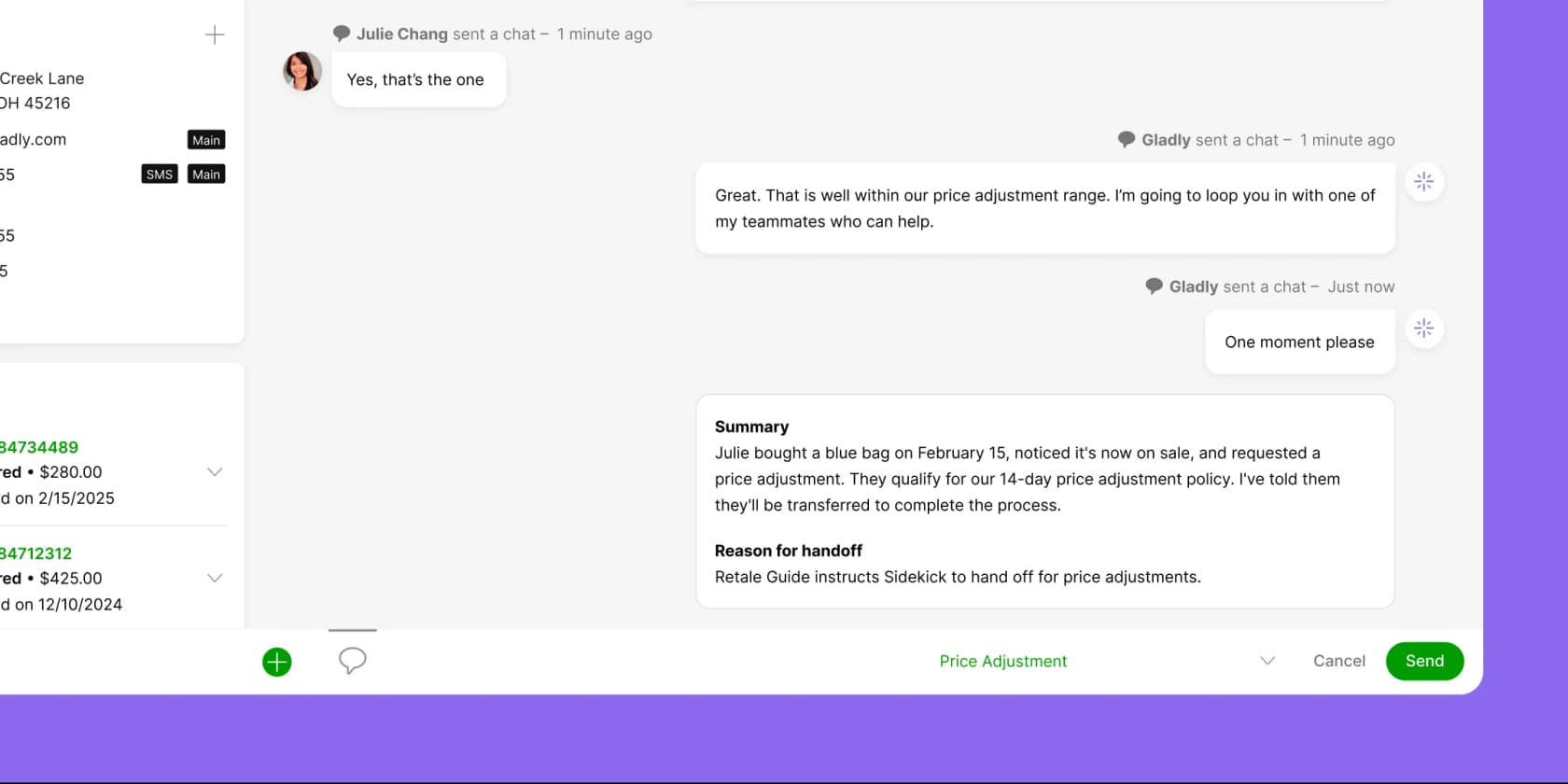
Gladly's advice for the wording is practical: say there may be a short wait, give a timeline if you can, and say a person is taking over. That matches what I see in the queue. A customer told "someone will reply within a day" waits calmly. A customer told "one moment please" waits for a minute and then writes in again.
One more quirk from the Common FAQs: if a handoff reason matches the customer's very first message, the AI doesn't engage, but it still sends the handoff message unless you blank it.
What does the human agent get?
Everything the AI said, plus a summary. In the agent experience page, Gladly walks through six events in the Conversation Timeline, and I drew them in order.
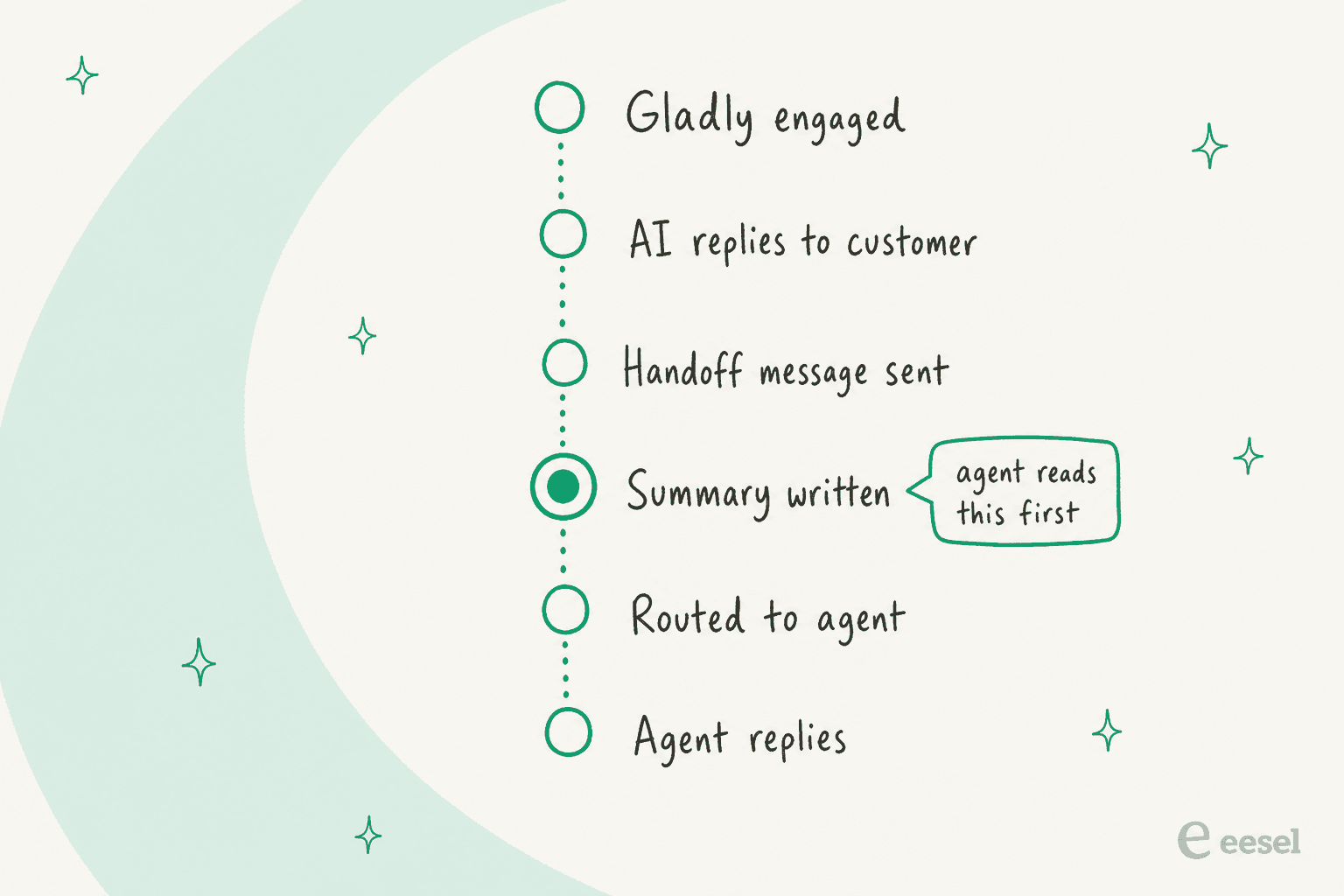
The summary is written before the routing line, so the agent reads it first. If it is in a language the agent doesn't read, the agent can translate it, a feature I covered in Gladly AI conversation translation. For chat customers who searched Answers before asking for help, Self-Service Handoff also shows the search terms and the Answers they saw, so the agent doesn't repeat one.
Gladly then reviews what agents write on handed-off conversations and drafts Suggested Answers from them. That turns each handoff into a possible fix for the next one, which is the best idea in the whole flow. If you want the same loop in your own process, my guide to reviewing AI conversations has a weekly routine.
"While the AI optimization has been a bit slower compared to other help desks, our customers tend to prefer human interaction, so it hasn't negatively impacted the overall experience."

Where does the conversation go after handoff?
Into ordinary Gladly routing, and that is where two details matter.
- Rules wake up. Gladly's Rules limitations say Rules don't execute while the AI handles a conversation. Keyword routing, Topic rules, auto-replies and spam filtering only run after the handoff.
- The SLA clock starts. Per How SLA impacts routing, AI-handled messages aren't counted as routed and queued, so the SLA starts when the AI hands off.
From there the conversation lands in the Inbox tied to its Entry Point, and People Match and priority apply as usual. I covered that order in Gladly AI conversation routing and the ordering logic in Gladly AI conversation prioritization. Topics the AI adds before handoff can feed those Rules, as in Gladly AI conversation tagging.
Phone works differently. In Voice AI setup, the Gladly Voice AI node has an Exit Node that should be a Handoff node. The Voice Entry Points page then routes it to a default or specific Inbox. The call is recorded like a normal call from there, and the agent gets a text summary. Voice is an add-on, per the agent experience for Voice AI page.
If you run Gladly's AI inside another helpdesk, the handoff is a ticket. For Gorgias, Gladly creates a ticket with the transcript as a public message and an AI summary as an internal note, plus tags from the conversation Topics. That integration covers chat and email, with SMS and voice listed as planned. The Zendesk integration tells you to add a failsafe automation that unassigns Gladly after an hour, because an outage can leave a ticket stuck with the AI.
What does a handoff cost on Gladly?
Gladly doesn't say, so here is what I can and can't back up.
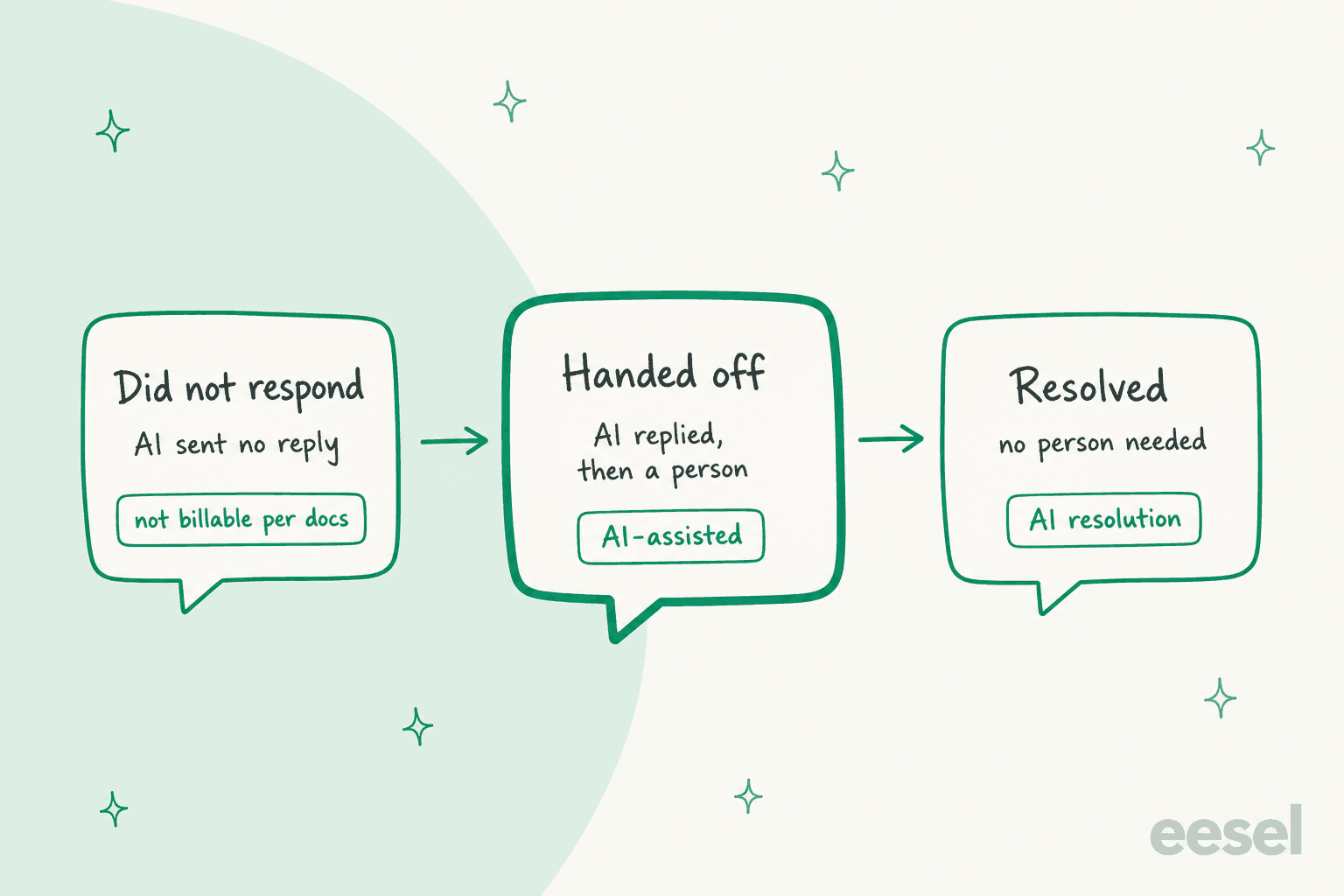
- The AI Sessions list defines three outcomes. "Did Not Respond" means the AI transferred without sending a generated reply, and those sessions "are not counted as Billable Gladly AI Assisted Conversations."
- "Handed Off" means the AI replied and then passed it on. The page doesn't give a price for it, but by contrast with the first outcome, I read it as billable.
- The Shopify listing shows
$1.50per AI Resolution and$0.25per AI Assist, with a$250monthly spending cap and$120a month per team member. It doesn't define either term, so I can't tell you a handoff costs$0.25. - Spam shows how billing really works. Per the Common FAQs, an AI reply to spam counts as a billable resolution, while a Workflow that closes the session without sending a message isn't billable. A Say or Ask step before closing makes it billable.
So the cheapest handoff is the one decided before the AI speaks, and the first reply is where the meter starts. My Gladly pricing post covers the rest, and AI customer service statistics gives context on how much volume teams send to AI at all.
Where do the docs and the marketing leave gaps?
| Gap | What I found | What to do |
|---|---|---|
| Handoff message optional or required | Setup page says optional, best practices say required with a default | Open the tile and set it explicitly |
| Default reasons editable or not | One page says not removable, a callout on the same page says editable | Test in your workspace |
| Billing for a handoff | Not stated | Ask your Gladly rep in writing |
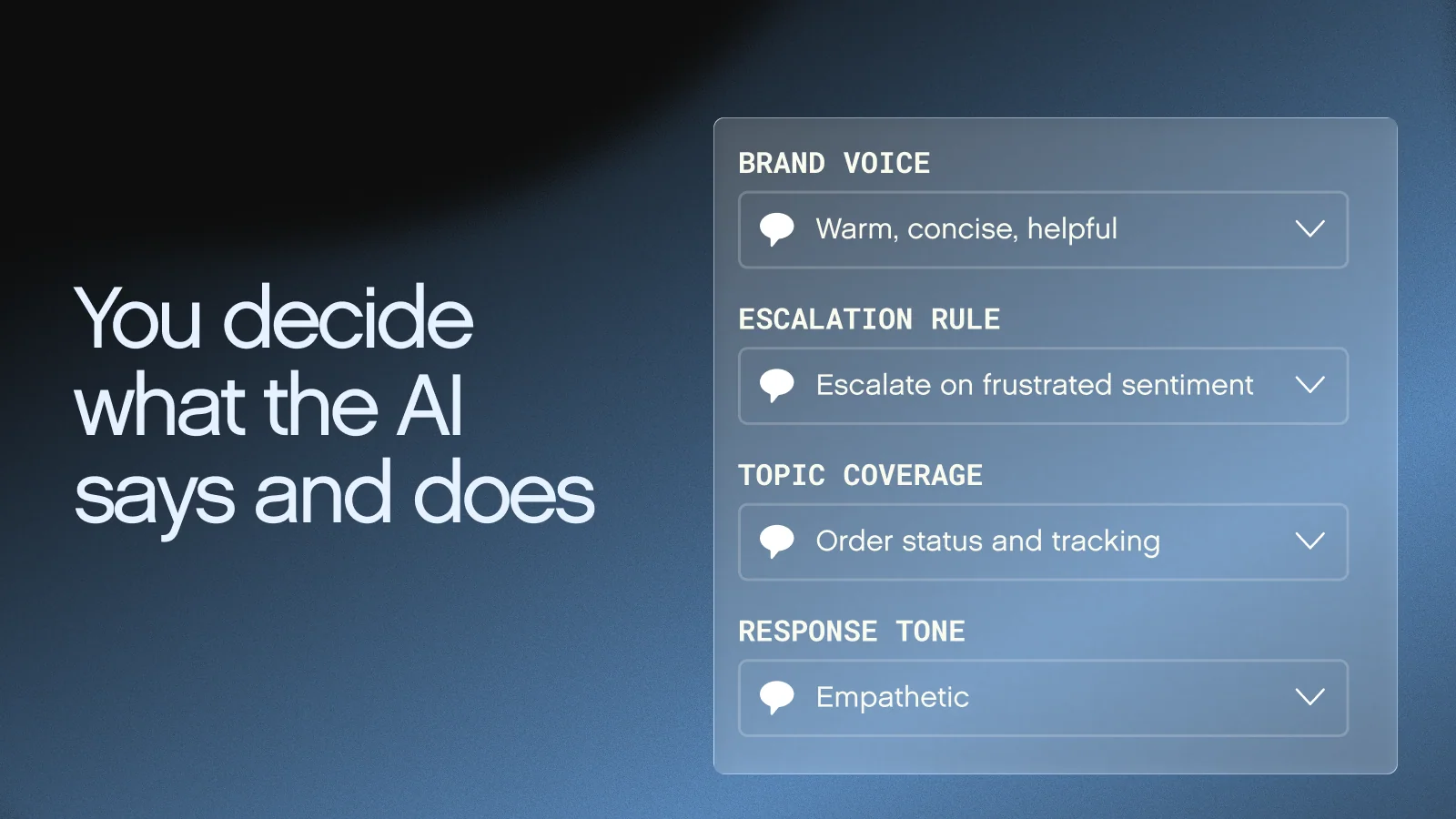
| Sentiment triggers | The Shopify listing image shows "Escalate on frustrated sentiment," and I found no such trigger in the handoff docs | Write it as a Guide statement and test |
| Voice and SMS on helpdesk integrations | Gorgias integration lists SMS and voice as planned | Check before you promise 24/7 coverage |
The sentiment row deserves a second look. Gladly's listing artwork shows an "Escalate on frustrated sentiment" rule, but the docs describe handoffs as reasons you write, and my Gladly AI sentiment analysis post says the live reaction to sentiment is a handoff reason you add yourself. Treat it as something you phrase and test.
How would I set up Gladly handoffs, in order?
- Keep the defaults, then edit one at a time. Legal threat and human request should stay.
- Write the handoff message yourself. Include a wait time.
- Add Guide statements for the costly cases. Damaged item, late delivery, refund over a limit. See refund guardrails.
- Test in the AI Sessions tester with real messages before you connect an Entry Point.
- Review "Handed Off" and "Did Not Respond" weekly. Gladly itself tells you to look for sessions where you would rather a person had stepped in.
- Feed Suggested Answers back into Public Answers so the same question stops escalating.
A Reddit practitioner put the policy bluntly, and it fits Gladly:
"it makes more sense to let it handle the easy 30-40% of tickets and route everything else to a human."

For design questions on any platform, my AI agent handoff best practices, handoff flow examples and measuring containment and escalation quality are the places I would start. The glossary entries on escalation rate and human in the loop define the terms.
Where does eesel fit if you run Gladly?
Honestly, not inside it. eesel has no Gladly connector, and the helpdesk integrations list names Zendesk, Freshdesk, Gorgias, HubSpot, Help Scout, Front and others instead. If you are weighing options, see best AI for Gladly and Gladly alternatives.
Where eesel does apply, its AI helpdesk teammate answers first inside your existing queue and hands over with the details a person needs. SE Ranking runs one eesel agent per product on Zendesk live chat. In a month from 8 August to 8 September 2026, eesel handled about 4,650 conversations, answered about 2,100 live chats first, and handed about 1,260 chats to the team. Refunds, trial extensions, a request for a person, or a question it can't answer go over with the customer's name and email, and eesel tells the customer to expect a reply in one or two business days, never that someone is joining now. That last rule is the one I would copy into any handoff message: promise only what the team can deliver.
A high handoff count there isn't a failure. It is the system doing what it was told, and an ai_handled tag in Zendesk lets the team count it.
Related reading on other platforms: Front AI escalation to human, Zendesk AI agent handoff, Gorgias handover control, HubSpot channel handoffs, Zendesk bot-to-agent messaging and chatbot escalation.
Try eesel for helpdesk handoffs
If your queue lives in Zendesk, Freshdesk, Gorgias, Front or HubSpot rather than Gladly, eesel joins it as a teammate that answers what your knowledge covers, leaves a note on what it found, and stops when a person takes over. Start with drafts, test on past tickets, widen scope later, and keep permissions set per action. See pricing and Try eesel.