Trying to figure out Amazon Redshift pricing can feel like you need a PhD in AWS billing. You’re looking at a powerful tool for data analytics, but the mix of pricing models, node types, and usage fees can make it nearly impossible to predict what your monthly bill will actually look like. If you've been struggling to get a straight answer, you're definitely not in the alone.
This guide is here to cut through the noise. We're going to break down every part of Amazon Redshift pricing in plain English, so you can see exactly how you’re charged and, more importantly, where you can save some money. We'll cover everything from the main compute and storage costs to the serverless options and extra features, giving you the clarity you need to pick the right setup for your budget.
What is Amazon Redshift?
Before we dive into the numbers, let's quickly get on the same page about what Amazon Redshift actually is. In short, Amazon Redshift is a massive, fully managed data warehouse that lives in the AWS cloud. It’s built to store and analyze huge amounts of data, which is why it’s a go-to for companies doing business intelligence (BI) and big-picture reporting.
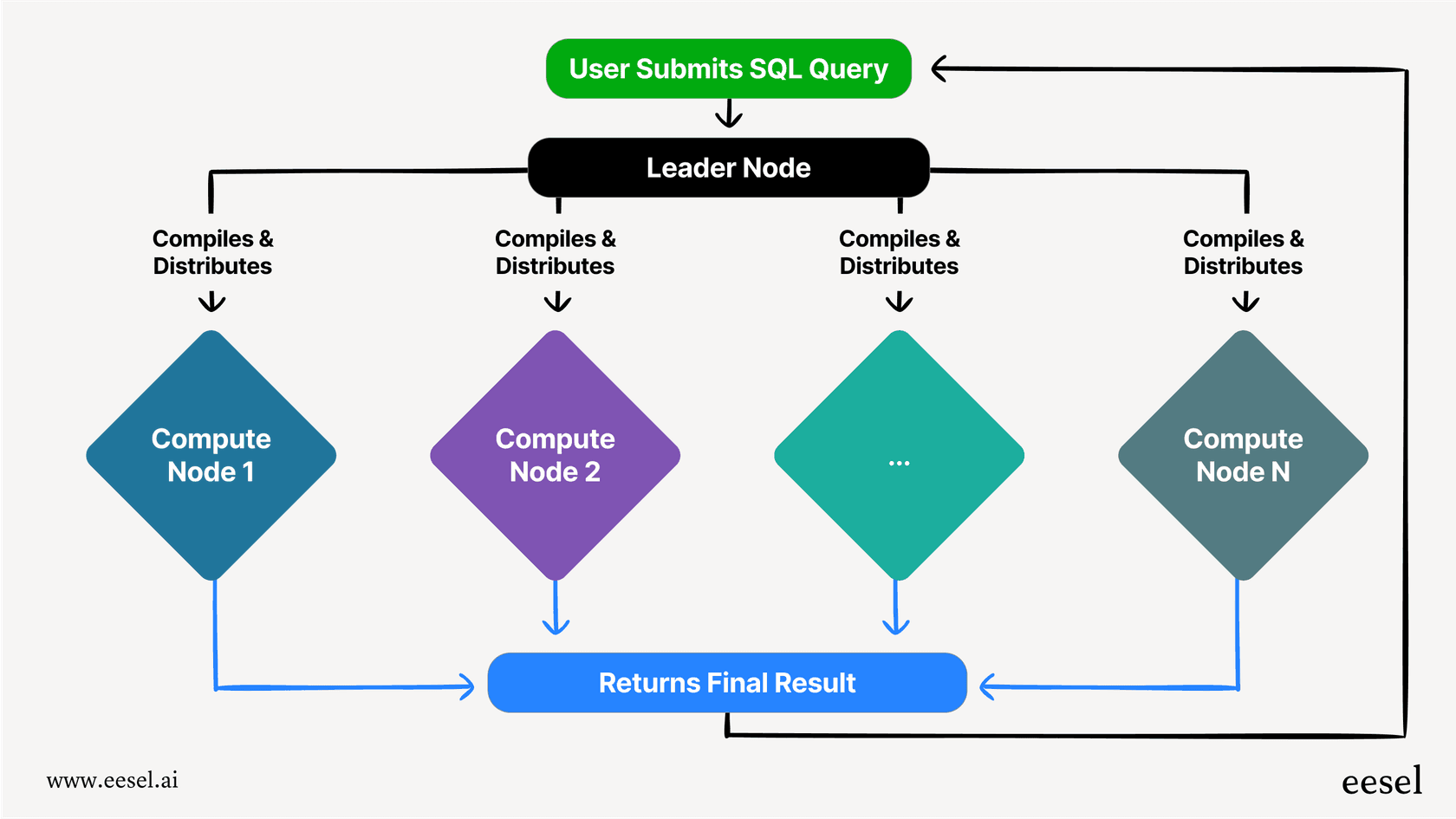
Teams use Redshift to run complex SQL queries on gigantic datasets, digging for insights on anything from customer behavior to operational hiccups. It uses a clever technology called massively parallel processing (MPP), which basically splits up a big query and runs the pieces across multiple servers at once. This is how it stays fast even when you’re sifting through terabytes of data. Naturally, it plays very well with other AWS services, like S3 for data storage and Glue for organizing your data.
The core components of Redshift pricing
Your final Redshift bill isn’t just one line item, it's a mix of a few different things. It all depends on how you decide to set it up, how you pay for it, and what bells and whistles you turn on. Let's look at the main building blocks.
Compute costs: The engine of your warehouse
This is usually the biggest chunk of your bill. It’s the cost for the raw processing power needed to actually run your queries. You have two main ways to go here.
-
Provisioned clusters: This is the classic approach where you pick and launch a group of servers, called nodes. You’re in the driver's seat, controlling the size and type of your cluster.
-
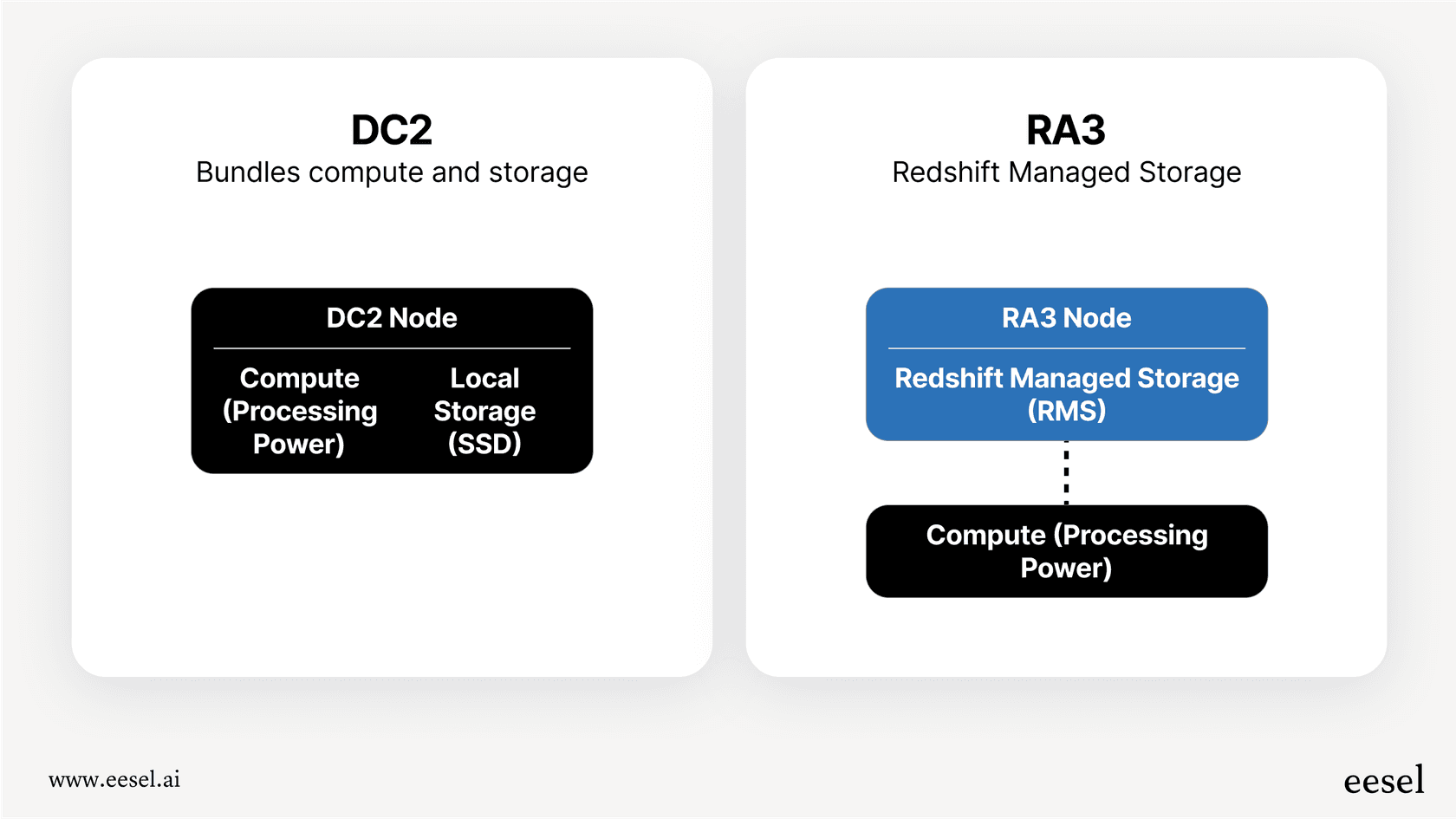
Node types: Your main choices are DC2 (Dense Compute) nodes or RA3 nodes. DC2 nodes are great for smaller datasets (under 1 TB) and bundle storage and compute together. RA3 nodes separate compute and storage, making them a better fit for larger workloads where you need to scale one without the other. AWS has since added RG nodes, which also separate storage and include a built-in data lake query engine, so they don't need Spectrum.
-
On-demand pricing: Just like it sounds, you pay a simple hourly rate for the nodes in your cluster. There’s no commitment, so it’s flexible, but it's also the most expensive option. The good news is you can pause your cluster to stop the on-demand billing clock.
-
Reserved instances (RIs): If you know your workload is going to be pretty steady, you can commit to a one- or three-year term. In exchange for that commitment, you get a hefty discount (up to 62.5% on a three-year, all-upfront term) off the on-demand price. Reserved pricing is listed for RA3 and RG nodes, not DC2.
-
Redshift Serverless: If your workload is more stop-and-go, unpredictable, or has big spikes, Redshift Serverless is a fantastic option. It automatically starts up, scales resources to meet demand, and shuts down when it's not needed.
-
Pay-per-use model: Instead of paying for servers that are running 24/7, you’re billed for the compute you actually use, measured by the second in "Redshift Processing Units" (RPU)-hours. This means you don’t pay for idle time, which can be a huge money-saver.
Storage costs: Paying for your data
How you're charged for storage depends on the compute model you've picked.
-
With DC2 nodes: Storage comes bundled with the compute nodes, so there's no separate fee. The catch is that your storage capacity is tied directly to the number of nodes you have. Need more storage? You have to add another compute node.
-
With RA3 nodes (Redshift Managed Storage): Here, storage is separate from compute. You pay a simple flat rate per gigabyte per month for data stored in what’s called Redshift Managed Storage (RMS). This lets you scale up your storage without having to buy more expensive compute nodes you might not need.
-
Backup storage: Redshift gives you some free automated backup storage, but if you take manual snapshots or keep backups for a long time, you'll be billed at standard Amazon S3 rates.
Additional usage-based costs
On top of compute and storage, a few other services might show up on your bill.
-
Redshift Spectrum: This handy feature lets you run SQL queries on data sitting directly in your Amazon S3 data lake, without having to load it into Redshift first. You pay for the amount of data your query scans (for example, around $5.00 per terabyte scanned in US East).
-
Concurrency Scaling: When a bunch of queries hit your warehouse at once, Redshift can automatically add temporary muscle to handle the load. You get one hour of free credits for this each day, but if you use more, you’re billed at your on-demand rate for every second of extra capacity.
A breakdown of Redshift pricing plans
Okay, let's put some real numbers to this. Comparing all the options can make your head spin, since the exact cost depends on your AWS Region. The table below gives you a general idea using the on-demand and serverless pricing for the US East (Ohio) region. For the most up-to-date, specific pricing, you should always check the official AWS Redshift pricing page.
| Component | Model | Pricing (US East - Ohio) | Best For |
|---|---|---|---|
| Compute | Provisioned (On-Demand) | Starts at $0.25/hour (dc2.large) | Flexible needs, development, and testing. |
| Provisioned (Reserved Instance) | Up to 62.5% discount on on-demand rates (3-year, all upfront) | Steady, predictable production workloads. | |
| Serverless | $0.36 per RPU-hour | Workloads that are intermittent or have big spikes. | |
| Storage | Redshift Managed Storage (RMS) | $0.024 per GB-month | Used with RA3 nodes to separate storage from compute. |
| Additional | Redshift Spectrum | $5.00 per terabyte of data scanned | Querying data that lives in your S3 data lake. |
| Concurrency Scaling | Per-second on-demand rate after free credits | Handling sudden bursts of simultaneous queries. |
Beyond the sticker price: Hidden costs and the total picture
The prices in that table only tell you part of the story. The true cost of any data warehouse also includes the operational headaches and the engineering time it takes to run it well. This is often called the Total Cost of Ownership (TCO).
The hidden cost of complexity
Ask any data engineer, and they'll tell you that getting the best performance for your money out of Redshift takes some serious know-how. Teams spend a lot of time:
-
Figuring out the right node types and cluster size.
-
Designing database schemas and distribution keys to make queries run faster.
-
Keeping a close eye on usage to decide when to scale up, pause, or commit to a reserved instance.
-
Rewriting complex SQL queries to be more efficient, especially if they’re using Redshift Spectrum.
This engineering effort is a very real cost. If your data team is spending a chunk of their week just managing the warehouse, that’s time they aren't spending on finding the insights your business actually needs.
The challenge of unpredictable support needs
While a data warehouse is a beast for backend analytics, it’s not really built to solve frontline business problems like customer support. For a support team that just needs fast, reliable answers for agents and customers, the complexity and management of a tool like Redshift is often overkill. Setting up and maintaining a whole data platform just to power a support bot doesn't make much sense.
This is where a totally different approach comes in. Instead of a massive data project, you could use a tool built for the job, like eesel AI. It connects directly into the tools you already use, like your Zendesk helpdesk or your internal knowledge in Confluence and Google Docs, to automate support right out of the box.
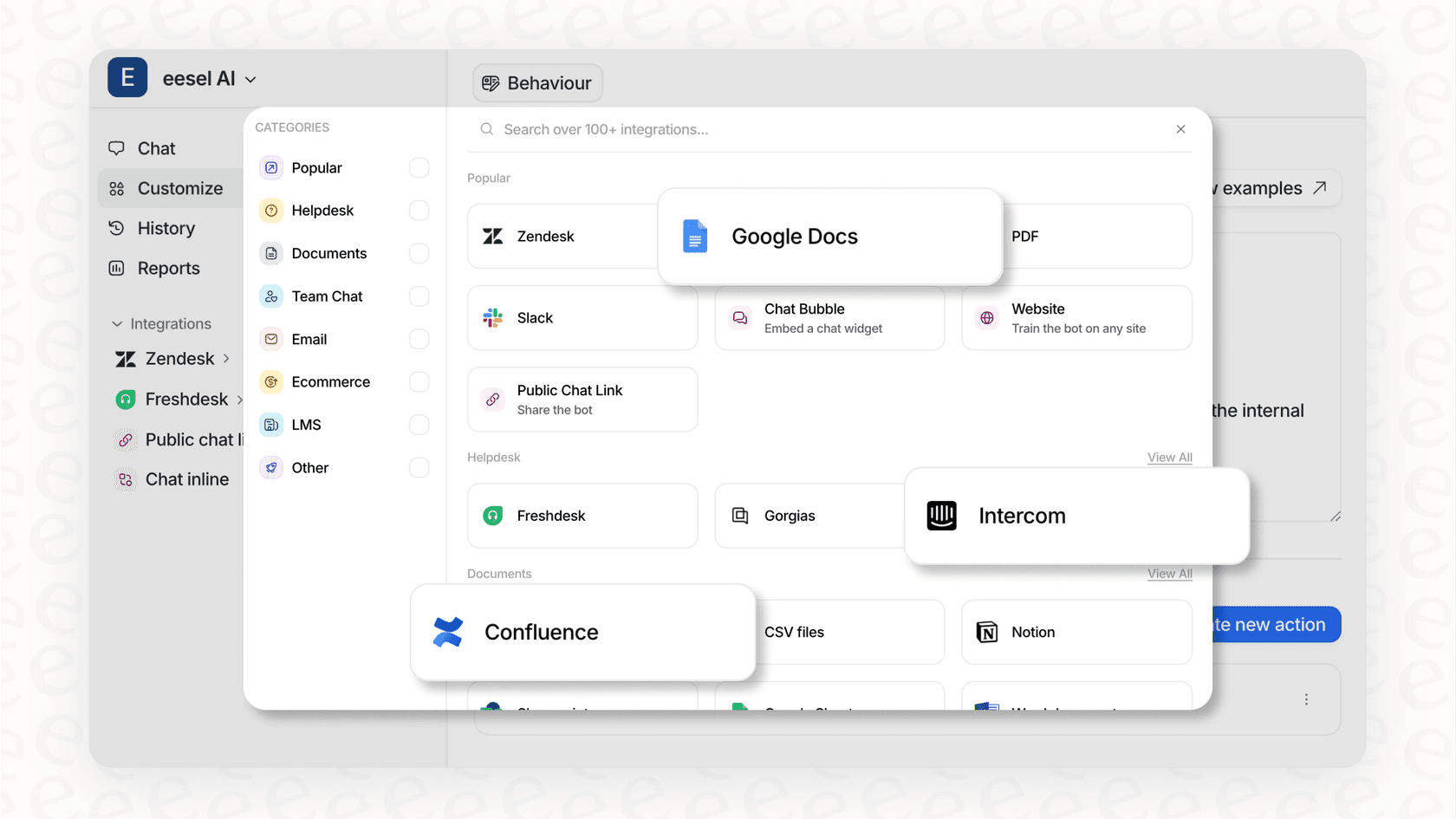
With eesel AI, you get a powerful AI agent that doesn’t require a team of data engineers to manage. You can be up and running in minutes, not months, and its straightforward pricing means no surprise bills. It’s a solution designed for speed and simplicity, delivering real value without the high total cost of a heavy-duty data platform.
Making sense of Redshift pricing
Amazon Redshift is a powerful data warehouse, but its pricing model has a lot of moving parts. The trick to keeping costs in check is to match the right model to your workload.
-
For steady, predictable work, Provisioned Reserved Instances give you the most bang for your buck.
-
For spiky or on-and-off workloads, Redshift Serverless is a great pay-as-you-go model that stops you from paying for idle time.
-
For large and growing datasets, RA3 nodes with managed storage give you the flexibility to scale storage and compute separately.
But remember to look beyond the monthly invoice and think about the Total Cost of Ownership. The engineering time spent on maintenance can be a huge hidden cost. If your main goal is to solve a business problem like automating customer support, a dedicated, self-serve tool might get you there much faster and more cheaply.
If you're looking to cut down on operational complexity and get a faster return on your AI investment, take a look at how eesel AI can automate your customer support without all the data engineering overhead. You can get started in minutes.
Frequently asked questions
What are the primary factors that influence Redshift pricing for a provisioned cluster?
For provisioned clusters, Redshift pricing is primarily driven by the chosen node types (DC2 or RA3), the number of nodes, and whether you opt for on-demand hourly rates or commit to Reserved Instances. Storage costs are either bundled with DC2 nodes or paid separately for RA3 with Redshift Managed Storage.
How does Redshift pricing differ between provisioned clusters and Redshift Serverless?
Provisioned Redshift pricing involves paying for dedicated nodes, either hourly or with long-term commitments, regardless of constant usage. Redshift Serverless, however, bills you only for the compute capacity (RPU-hours) consumed when queries are running, making it ideal for intermittent or spiky workloads as you don't pay for idle time.
What are some effective strategies to optimize Redshift pricing and reduce my overall bill?
To optimize Redshift pricing, consider Reserved Instances for steady workloads to get significant discounts. For unpredictable usage, Redshift Serverless can be more cost-effective as you only pay for actual compute. Regularly monitoring and right-sizing your cluster, along with pausing it when not in use, are also key.
Does backup storage significantly impact Redshift pricing?
Standard automated backup storage is generally free up to a certain limit. However, manual snapshots or extended retention of backups will incur additional charges, billed at standard Amazon S3 rates, which can impact your overall Redshift pricing if not managed.
How can I estimate my potential monthly Redshift pricing before committing?
AWS provides a helpful Pricing Calculator specifically for Redshift. You can input your expected usage, node types, and storage needs to get a detailed forecast of your potential monthly Redshift pricing.
What role do Reserved Instances play in managing Redshift pricing for long-term use?
Reserved Instances (RIs) offer substantial discounts, up to 62.5% off on-demand rates on a three-year all-upfront term, by committing to a one- or three-year term. They are crucial for reducing Redshift pricing when you have predictable, long-running workloads, as they lock in a lower hourly rate for your chosen node types.