Best AI for Shopify Plus in 2026: 8 tools that act on orders

Rama Adi

Katelin Teen
Last edited November 25, 2026

The best AI for Shopify Plus is the one that can safely take order actions across your stores, not the one with the slickest chat demo. On Gorgias, start with its built-in AI Agent. For the deepest order actions on top of Gorgias or Zendesk, look at Yuma or Siena. To keep your helpdesk and decide action by action what the AI may do alone, eesel fits; through the eesel CLI, a coding agent can load your returns policy and test answers before launch.
The Plus catch most comparisons skip: every expansion store is a separate connection, none of these tools documents Shopify B2B support, and the billing unit changes your bill more than the headline price.
What makes Shopify Plus support different?
Shopify Plus support differs from a regular Shopify store in three ways that decide which AI works: you run several stores, you probably run Shopify Flow, and some of your orders are B2B. A tool that looks great on a single US store can stall on all three.
I build integrations at eesel, so the first thing I check on any of these tools is which Shopify permissions it asks for and which order changes it actually makes. It matters here because Shopify only shows apps the last 60 days of orders unless the store approves read_all_orders, and cancelling an order through the Admin API "cannot be reversed", per Shopify's developer docs. An AI that "handles refunds" in a demo is making real, permanent changes to your store once it's live.
Here's what the Plus platform adds on top of a normal store, all from Shopify's own pages:
- Price and contract. Plus is "from
$2,300/mo" on the Shopify pricing page. The Plus plan help page shows$2,500per month on a 1-year term and$2,300on a 3-year term. - Expansion stores. A Plus contract covers one main store plus nine expansion stores at no extra cost, per Shopify's expansion store docs. Each one is its own
.myshopify.comstore with its own orders, so a support AI has to connect to each. - Shopify Flow. Shopify Flow is a free automation app, and its built-in actions include Add order tags, Cancel order and Send HTTP request. A tag your AI adds can start a Flow.
- B2B. Plus adds unlimited B2B catalogs, deposits and partial payments. Payment terms run from Net 7 to Net 90 and are set per company location, per Shopify's B2B docs.
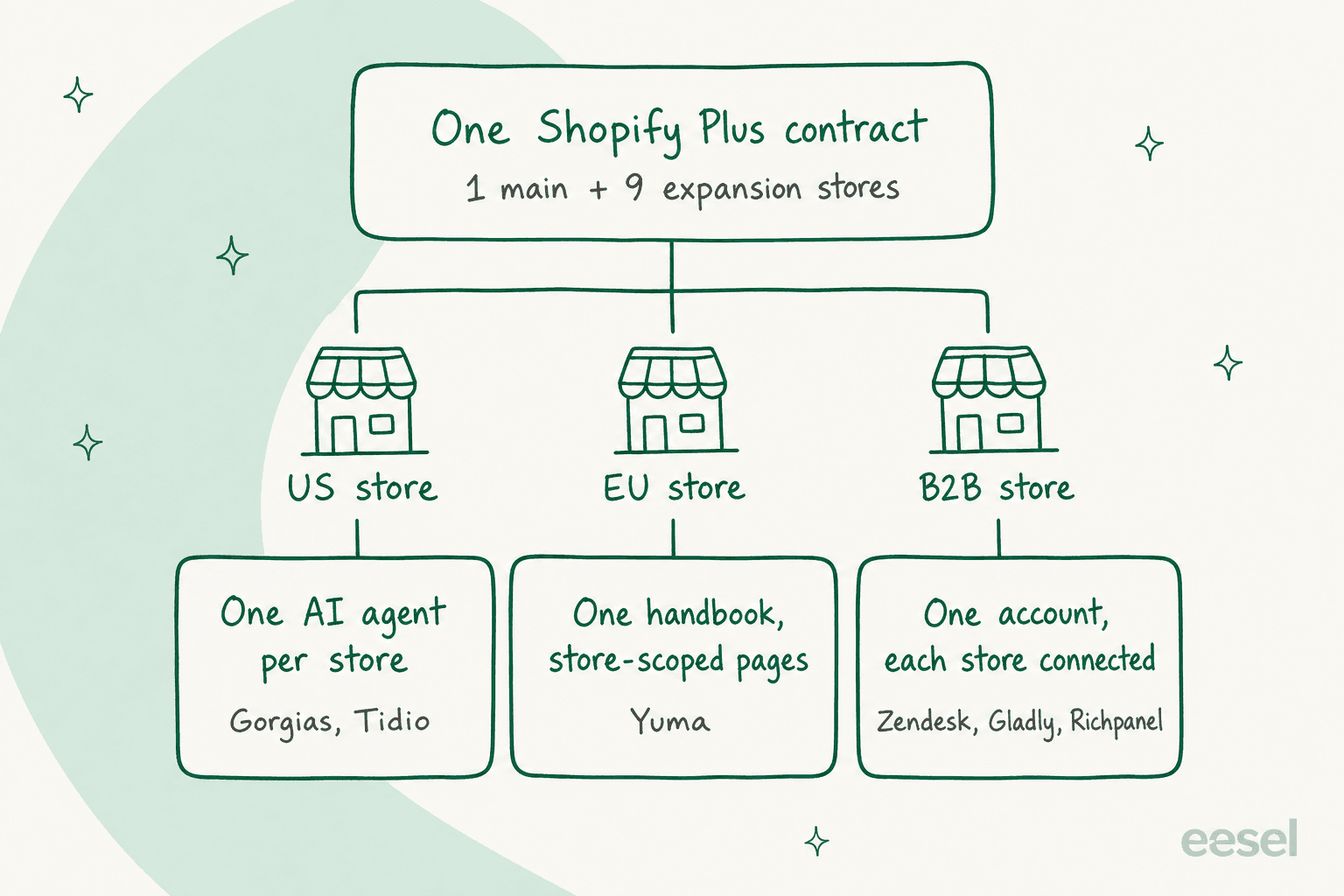
Most buyers learn this only after signing. Ten stores can mean ten AI setups to maintain, or one, depending on the tool. If you run a US store, an EU store and a wholesale store, ask each vendor exactly how many agents, knowledge bases and handover rules you'll be managing.
Shopify's own AI doesn't close the gap yet. Shopify Inbox now calls itself an "AI sales associate" for storefront chat, and Sidekick is a merchant assistant. Neither is documented as cancelling, refunding or editing orders for shoppers on email or social. That leaves order actions to the eight tools below. My Shopify Inbox review covers the storefront chat, and the Sidekick guide covers the merchant assistant.
The buyer question I hear most
On an eesel sales call earlier this year, an ops lead at a DTC supplements brand doing about 7,000 Gorgias tickets a month on Shopify put the core worry plainly:
"I need an AI who is only handling the tickets that it's confident to handle and all the other ones, leave them alone."
That brand went with Yuma, which stays on this list for good reason. The lesson: at Plus volume, nobody can review every AI reply, so knowing what the AI won't touch matters as much as what it will. Every tool below gets judged on that.
How I picked and compared these tools
I started from what a CX lead at a Plus brand asks for: AI that resolves the whole conversation and takes the Shopify action, with a clean handover to a person when it shouldn't. I left out tools that only draft replies.
For each tool I read the vendor's own pricing page (fetched on 2026-11-25), its Shopify integration docs, its handover docs and its trust page. I scored each one on:
- Which Shopify order actions the AI takes by itself, as listed in the vendor's docs, not its marketing page.
- Guardrails on money-moving actions: approvals, caps, customer confirmation.
- Expansion store setup: one agent across stores or one per store.
- Shopify Flow and B2B, the two Plus features most tools ignore.
- Cost at Plus volume, priced for one buyer: 10,000 AI-handled conversations a month.
Where a vendor's docs don't say something, the table says "not documented". That's not the same as "can't", but it's what you should ask on the demo.
Best AI for Shopify Plus compared
The table scrolls sideways on mobile.
| Tool | Best for | AI billed per | List price | Order actions the AI takes alone | Money guardrails | Expansion stores | Shopify Flow | AI channels | Security | Free trial | Shopify App Store |
|---|---|---|---|---|---|---|---|---|---|---|---|
| Gorgias AI Agent | Brands already on Gorgias | Automated interaction ($0.85-$1.00) plus ticket fee | $40-$1,430/mo, custom above 5,000 conversations | Cancel, edit address, remove or replace item, free reship, Loop portal link, Recharge and Skio | Conditions, customer confirmation on irreversible actions | One AI Agent per store | Listing says "Works with Shopify Flow" | Email, chat, SMS, Instagram, Messenger, WhatsApp | SOC 2 Type II, HIPAA, GDPR | Yes | 4.3 (709 reviews) |
| Yuma AI | Highest automation on top of your helpdesk | Full resolution | $14,400-$90,000/yr, 12-month commit | Cancel, refund (full, partial, %), reship, edit line items, gift card, returns via Loop, ReturnGo, AfterShip | Hard Limits refund caps, 10% gradual rollout | One Handbook, store-scoped pages | Not documented | Email, chat, SMS, WhatsApp, Instagram, Facebook, reviews, voice add-on | SOC 2 Type II, GDPR, CCPA | 30 days | 5.0 (9 reviews) |
| Siena AI | Brand-voice DTC on Zendesk, Gorgias or Gladly | Automated ticket ($0.90) plus platform fee | $750/mo platform, rest quote-only | Cancel, refund, replace, edit order, change address and email, Loop returns, Recharge and Skio | Customer confirms Loop returns; caps not documented | Not documented for Shopify | Not documented | Email, SMS, WhatsApp, Instagram, Facebook, chat (via helpdesk) | SOC 2 Type II, GDPR, HIPAA | Not documented | No listing |
| eesel | Keeping your helpdesk with per-action approvals | Ticket or chat handled (1 credit) | $299-$1,749/mo for 500-5,000 credits | Refund, cancel, create return, edit items, edit address, add order tags, draft order | On, Ask first or Off per action | Not documented | Adds order tags that start a Flow | Gorgias, Zendesk and other helpdesks, chat bubble, email, Slack | GDPR; SOC 2 Type II in progress; HIPAA on Enterprise | 100 credits for 7 days | 5.0 (6 reviews) |
| Richpanel | All-in-one helpdesk with a low AI rate | AI-handled conversation ($0.20) plus seats | $69-$99 per agent/mo plus AI | Cancel or hold, refund (full, by line, store credit), edit address, edit items, returns via AfterShip or Richpanel, subscriptions | Always allow or Require approval per action, Co-Pilot mode | 1, 5 or unlimited stores by plan | Not documented | Email, chat, SMS, WhatsApp, Facebook, Instagram, phone | SOC 2 Type II, HIPAA, GDPR | Yes | Listing unavailable |
| Gladly | Enterprise retail with voice | AI resolution | Enterprise quote-only | Cancel, refund with preview, edit address, $0 replacement, draft order invoice, discount code, Loop link, Skio | Refund previewed with customer; Skio money actions off by default | Multiple Shopify instances; separate AI agent per brand | Not documented | Chat, email, SMS, voice | SOC 2 Type II, PCI DSS, HIPAA, GDPR | 30 days (Shopify listing) | 4.7 (29 reviews) |
| Zendesk AI | Teams committed to Zendesk | Verified resolution ($1.50-$2.00) plus seats | $19-$115 per agent/mo plus resolutions | None built in; you build them with the integration builder | Not documented | Multiple storefronts per account | Not documented | Messaging, email, voice (early access) | SOC 2 Type II, ISO 27001, ISO 42001, GDPR | 14 days | 3.2 (96 reviews) |
| Tidio Lyro | Chat-first stores at lower volume | Conversation (AI and human share one quota) | $33/mo up; above 1,000 conversations quote-only | Get order details, update shipping address | Visitor confirmation (live chat only) | One project per store | Not documented | Chat, email, Messenger, Instagram, WhatsApp | SOC 2, GDPR, CCPA | 7 days | 4.8 (1,361 reviews) |
Two columns are worth a second look. "Order actions the AI takes alone" separates tools that act from tools that hand the action to your team. And the B2B question doesn't even get a column, because none of the eight documents Shopify B2B support for its AI.
1. Gorgias AI Agent
Best for: Plus brands that already run Gorgias and want Shopify actions without adding another vendor.
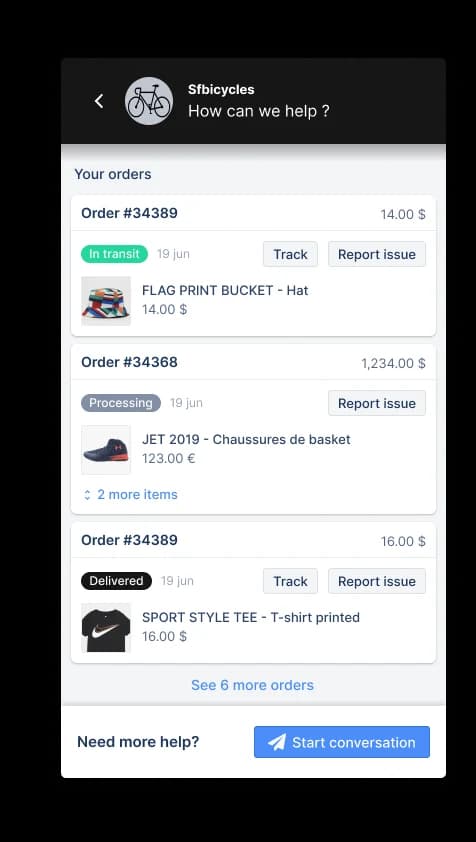
Gorgias is the helpdesk a lot of Shopify brands already live in, and its pricing page says it powers conversations for "40% of Shopify brands". AI Agent is built into every plan, so there's no separate app to wire up. My Gorgias review covers the helpdesk itself.
What it can do in Shopify
Gorgias documents a set of pre-built Shopify actions for AI Agent: cancel order, edit shipping address, remove an item, replace an item, reship for free and add an order note. Cancel and item changes only work on unfulfilled orders, and a cancellation refunds the full amount paid.
There's no standalone partial-refund action in that list. Refunds happen inside cancel, remove and replace. Returns go through Loop, where AI Agent sends the customer a Loop portal link rather than creating the return itself. Subscription actions exist for Recharge, Skio and Loop Subscriptions. My Gorgias AI Agent actions post walks through each one.
Shopify Plus fit
This is where Gorgias does well for Plus. "You get a dedicated AI Agent for each Shopify store you connect", per Gorgias's AI Agent docs, and actions and handover settings use a store dropdown. Your EU store's rules can differ from your US store's.
The Shopify App Store listing says it works with Shopify Flow. One limit to plan around: cancel and address edits "only make these changes in Shopify" and don't pass to your 3PL. If your warehouse picks fast, that needs a rule. Handover triggers on anger, a request for a human or sensitive topics, plus topics you set.
Pricing
Gorgias prices the helpdesk by ticket and adds an outcome fee when AI Agent resolves a ticket with no handover within 72 hours. That means an AI-resolved ticket pays twice: a ticket fee and an automation fee.
| Plan | Monthly | Tickets included | Automated interactions included | Per automated interaction |
|---|---|---|---|---|
| Starter | $40 | 50 | 30 | $1.00 |
| Basic | $90 | 300 | 30 | $0.90 |
| Pro | $550 | 2,000 | 190 | $0.90 |
| Advanced | $1,430 | 5,000 | 530 | $0.85 |
| Custom | Quote | Over 5,000 conversations a month | Quote | Quote |
At 10,000 conversations with 60% resolved by AI, Advanced works out to about $7,880 a month at list rates: $1,430 + 5,000 extra tickets at $0.36 + 5,470 extra automated interactions at $0.85. Above 5,000 conversations Gorgias points you to a custom plan, so treat that as a ceiling to negotiate from. My Gorgias AI Agent pricing breakdown has more scenarios.
Pros and cons
Pros:
- Shopify actions work once Shopify is connected, with no build work.
- One AI Agent per store suits expansion stores with different policies.
- Wide channel coverage, including SMS and WhatsApp.
Cons:
- No standalone partial refund action for the AI.
- AI-resolved tickets carry both a ticket fee and an automation fee.
- Cancels and address edits don't reach your 3PL.
A G2 reviewer at a growing brand put the cost concern this way:
"As our order volume grows and customer inquiries increase, the cost scales up quickly in ways that can be difficult to predict and budget for."

My take
If you're on Gorgias and your stores run mostly D2C, turn AI Agent on first and see how far it gets before buying anything else. Look elsewhere if you need partial refunds or Loop returns created by the AI itself, or if peak-season cost swings would hurt.
2. Yuma AI
Best for: high-volume brands that want the longest list of order actions and will commit to a year.
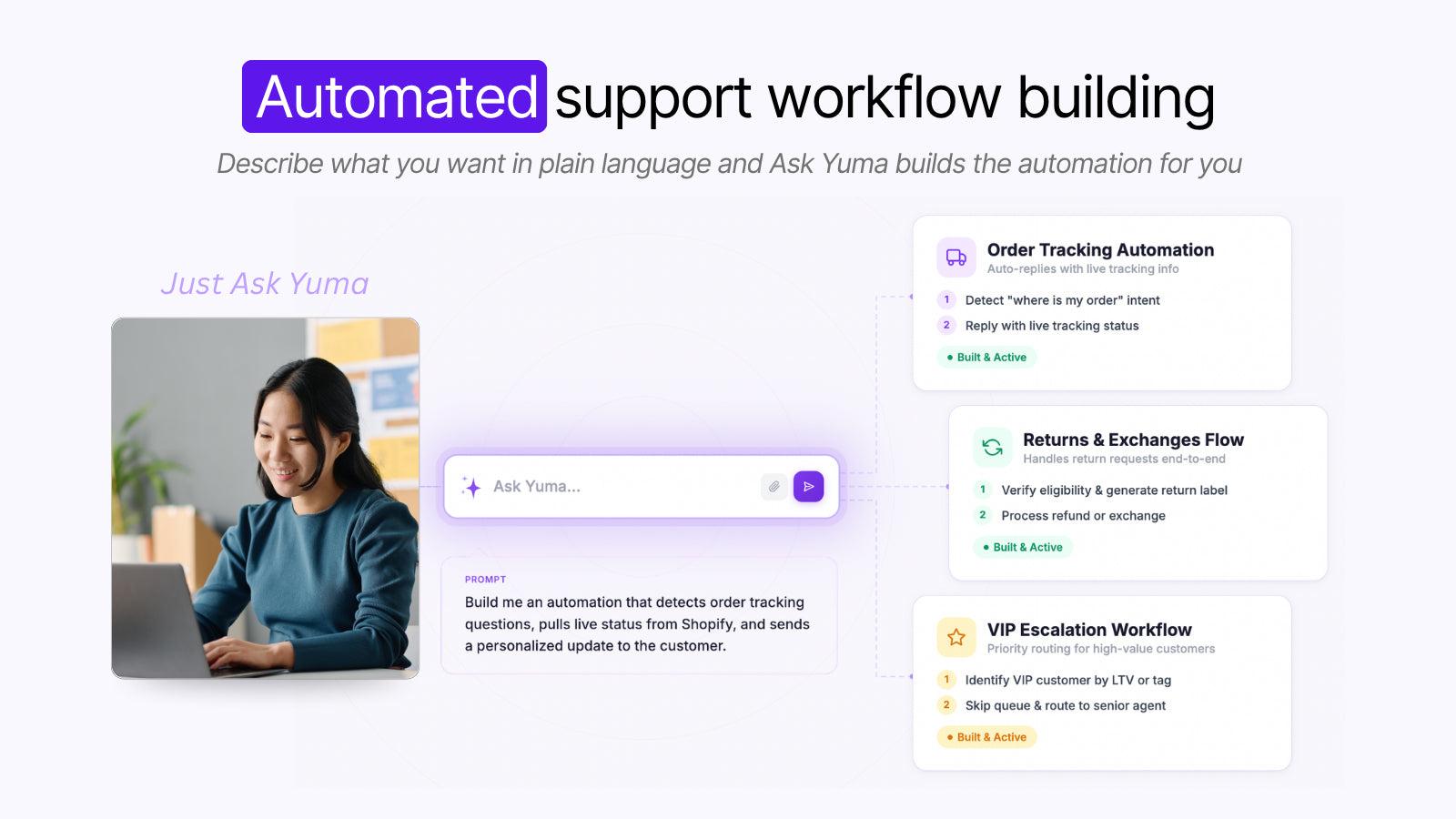
Yuma is an AI layer built for ecommerce that sits on top of Gorgias, Zendesk, Kustomer and other helpdesks. It doesn't replace your inbox. My Yuma AI review covers the product in depth.
What it can do in Shopify
Yuma's Shopify integration page lists the widest set of order actions here: search, tag, cancel, refund (full, partial or percentage), reship, add or edit notes, add, update or remove line items, send an invoice and create a gift card. Returns run through Loop, ReturnGo or AfterShip, where Yuma checks eligibility, creates the label and follows up.
Subscriptions are covered through Recharge, Skio and others. Address edits show up as an example on the Support AI page but not as a row in the Shopify action table, so confirm that one on a demo.
Shopify Plus fit
Yuma is the only tool here that documents a multi-store model built for this. "One Handbook covers every store in your account, with pages scoped to a store, channel or customer language", and adding brands or channels "doesn't change your bill", per its pricing page.
The guardrails are the strongest documented set on the list. Hard Limits put caps on refund amounts, coupon values and loyalty points, with a $50 refund cap shown as an example. A new playbook can go live on 10% of conversations, with the rest handled as drafts. Shopify Flow and B2B aren't documented.
Pricing
Yuma bills per full resolution: a ticket handled start to finish with no person involved. Escalations are free.
| Plan | Annual price | Resolutions included | Effective rate |
|---|---|---|---|
| Starter | $14,400 | 12,000 | about $1.20 |
| Growth | $40,000 | about 48,000 | about $0.83 |
| Scale | $90,000 | about 120,000 | about $0.75 |
| Higher volume | Quote | Custom | drops toward a $0.55 floor |
Every plan carries a 12-month commitment. At 6,000 resolutions a month (72,000 a year), you'd need Scale, so $7,500 a month. My Yuma pricing post compares the tiers.
Pros and cons
Pros:
- Most complete Shopify action list, including partial refunds and line-item edits.
- Hard Limits on refunds, coupons and loyalty points.
- One Handbook across stores, no per-brand billing.
Cons:
- 12-month commitment on every plan.
- Smallest bundle is
$14,400a year. - Monitoring depends on your process; one reviewer flagged slow detection.
"You find out if something is broken only after it's broken across dozen or hundreds of tickets."
My take
Yuma is the pick when you want the AI to do the most in Shopify and you have the volume to justify a year-long contract. It's also the tool the supplements brand from that sales call chose, for that reason. Skip it if you're still testing whether AI suits your brand.
3. Siena AI
Best for: DTC brands that care most about brand voice and run Zendesk, Gorgias or Gladly.
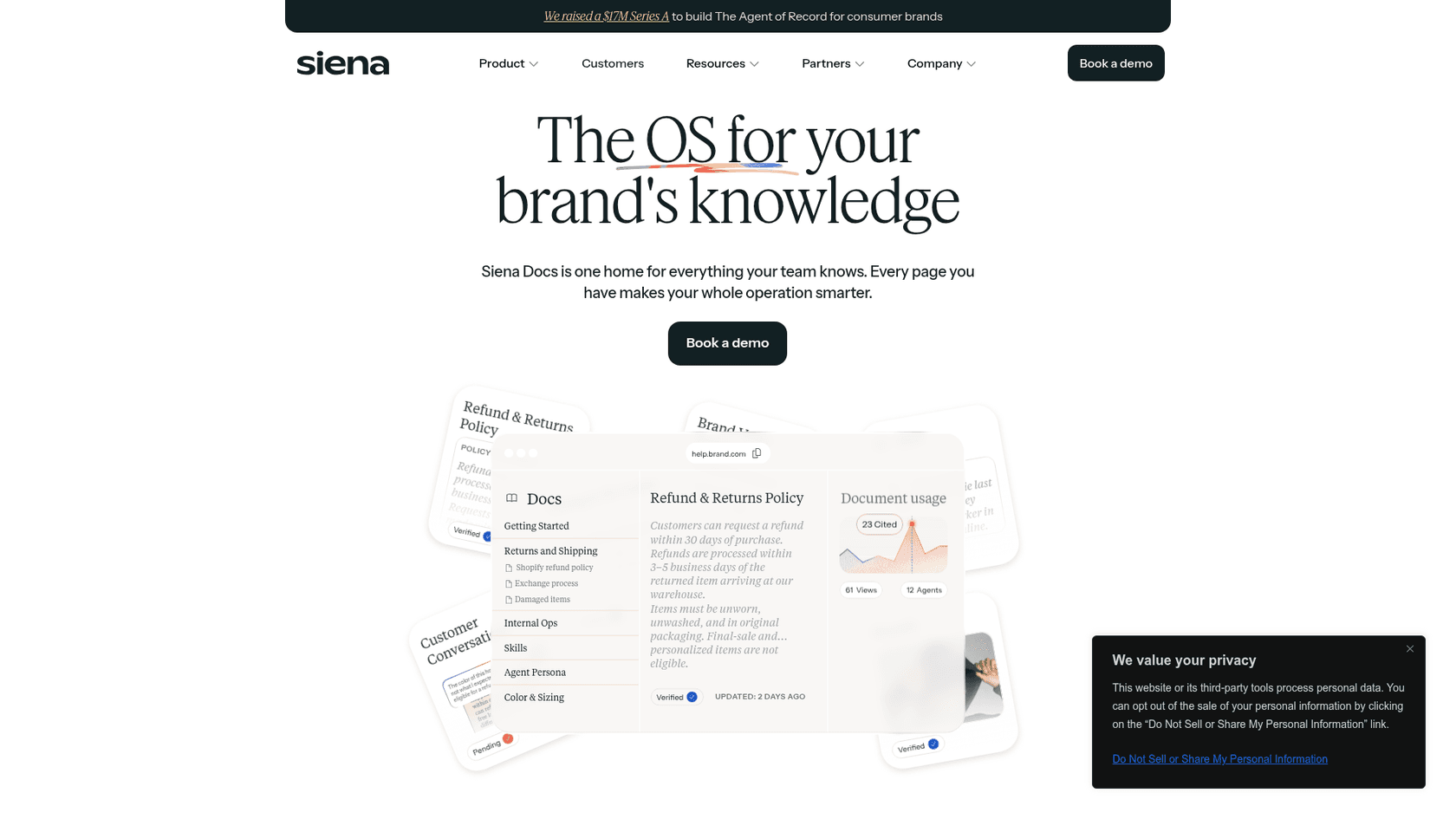
Siena is an AI layer for consumer brands that runs on top of your existing helpdesk. Its customer list leans toward well-known DTC names such as Spanx, HexClad and Coterie. My Siena AI review covers it in depth.
What it can do in Shopify
Siena's Shopify integration page says it can "cancel orders, process refunds, and send replacements automatically" and "edit orders, update shipping addresses, and change customer emails instantly". It also handles price-match adjustments.
Returns go through Loop Returns, where Siena creates the return in the conversation "only after the customer explicitly agrees". Subscriptions are the deepest category: Recharge, Skio, Ordergroove, Smartrr, Stay AI and Prive. That breadth makes it a strong fit for subscription brands.
Shopify Plus fit
Siena doesn't document how it handles several Shopify stores. It does document multiple Gladly, Dixa and AfterShip accounts per workspace, so ask about expansion stores directly. Refund caps, approval steps and confidence thresholds aren't documented either; what's documented is an unlimited sandbox for testing and business rules plus human handoff on the pricing page.
There's no Shopify App Store listing for Siena, and no documented Shopify Flow or B2B support.
Pricing
Siena's pricing page is a quote form, but it shows the building blocks:
| Component | Price |
|---|---|
| Platform fee | $750/month |
| Automation Pack | $0.90 per automated ticket |
| Support and implementation | Not published |
At 6,000 automated tickets a month, that's $750 + $5,400 = $6,150 a month at list rates, on top of your helpdesk. My Siena pricing post has more on how quotes land.
Pros and cons
Pros:
- Broad Shopify actions, including refunds and order edits.
- The deepest subscription app coverage on this list.
- Strong brand-voice positioning and named DTC customers.
Cons:
- No public plan table; you need a sales call for a real number.
- Multi-store and money guardrails aren't documented.
- No Shopify App Store listing to read merchant reviews.
"Siena has allowed us to significantly decrease our BPO hours while simultaneously increasing our positive customer interactions."
My take
Siena suits a subscription-heavy DTC brand that wants its AI to sound like the brand and is happy to buy through sales. If you run several stores with different policies, get the multi-store answer in writing before you sign. My Siena vs Yuma comparison helps if those two are your shortlist.
4. eesel
Best for: Plus brands that want to keep their current helpdesk and set an approval rule on every Shopify action.
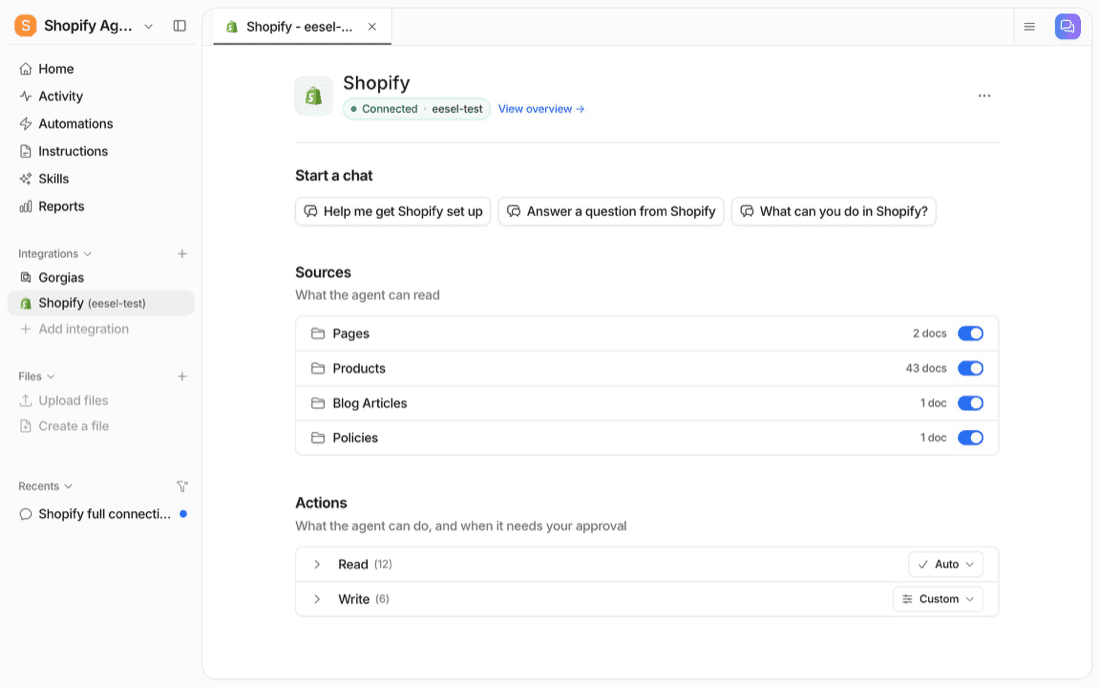
eesel is the product I work on, so read this section knowing that. It's an AI teammate for your helpdesk: you connect Gorgias, Zendesk or another helpdesk plus Shopify, it learns from your past tickets and policies, and it works tickets inside the tools your team already uses.
What it can do in Shopify
With a full connection, eesel's Shopify docs list these order changes: refund (a whole order, chosen items, part of an item or an amount), cancel an unfulfilled order, create a return, edit order items, update the shipping address, add order tags and create a draft order for a person to confirm. On the read side it looks up orders, tracking scans, customers by email, stock by location and discount codes, live.
Every action is set to On, Ask first or Off, per eesel's approvals docs. The docs' own advice is to "keep refunds, cancellations and anything that costs money behind an approval". With the eesel CLI, a coding agent such as Claude Code can connect the store, upload your returns and B2B policies, set refunds to Ask first and run test questions before anything goes live. Approving the Shopify connection itself still needs someone with app permissions on the store.
Shopify Plus fit
The Flow link is the Plus feature eesel handles in a documented way: Add Order Tags exists to route an order into a Shopify Flow, so the AI can tag an order "address-change-requested" and your Flow takes it from there. My Shopify Flow guide shows that pattern.
The limits, stated plainly: Shopify has no triggers in eesel, so a conversation has to arrive from your helpdesk, the chat bubble or Slack. How it handles several expansion stores isn't documented. Customers are found by email only, and Create Return covers every fulfilled item on the order. SOC 2 Type II is in progress, not finished, per the security docs.
Here's what that looks like on real Shopify stores. Rúngne, a Norwegian climbing apparel brand on Gorgias, handled about 2,100 tickets in a month with three agents. One tags every ticket, including a B2B tag that routes partner tickets to a named teammate. Question Beauty had eesel look up about 290 Shopify orders in a month and close about 280 tickets without a person, while refunds, returns and wholesale always go to the team with a note attached.
Pricing
eesel charges per ticket or chat handled, whatever the outcome, from its pricing page:
| Plan | Credits a month | Price |
|---|---|---|
| Free trial | 100 credits for 7 days | $0 |
| Teammate | 500 | $299/mo |
| Teammate | 1,000 | $499/mo |
| Teammate | 2,500 | $999/mo |
| Teammate | 5,000 | $1,749/mo |
| Teammate | More than 5,000 | Talk to eesel |
| Enterprise add-on | Any size | +$1,000/mo (SSO, EU hosting, HIPAA with BAA) |
A ticket is one credit however many replies it takes, and extra credits are $0.80 each up to a cap you set. At 10,000 tickets a month, list price is $1,749 + 5,000 × $0.80 = $5,749. That's per ticket handled, so handovers count too, which the cost section below accounts for.
Pros and cons
Pros:
- Works inside the helpdesk you already have, including Gorgias and Zendesk.
- Per-action On, Ask first or Off settings, with refunds held for approval.
- Order tags that start a Shopify Flow.
Cons:
- Multi-store handling isn't documented.
- Every handled ticket counts, including ones handed to a person.
- SOC 2 Type II is still in progress.
My take
eesel fits when your helpdesk is staying and you want to start supervised, then hand over more as the AI proves itself. STIL Classics runs it in pure draft mode: about 230 Shopify orders looked up and 430 drafts in a month, and nothing reaches a customer without a person. If you need a vendor with a finished SOC 2 Type II report today, put that on your checklist first.
5. Richpanel
Best for: brands willing to switch helpdesks for the lowest per-conversation AI rate.
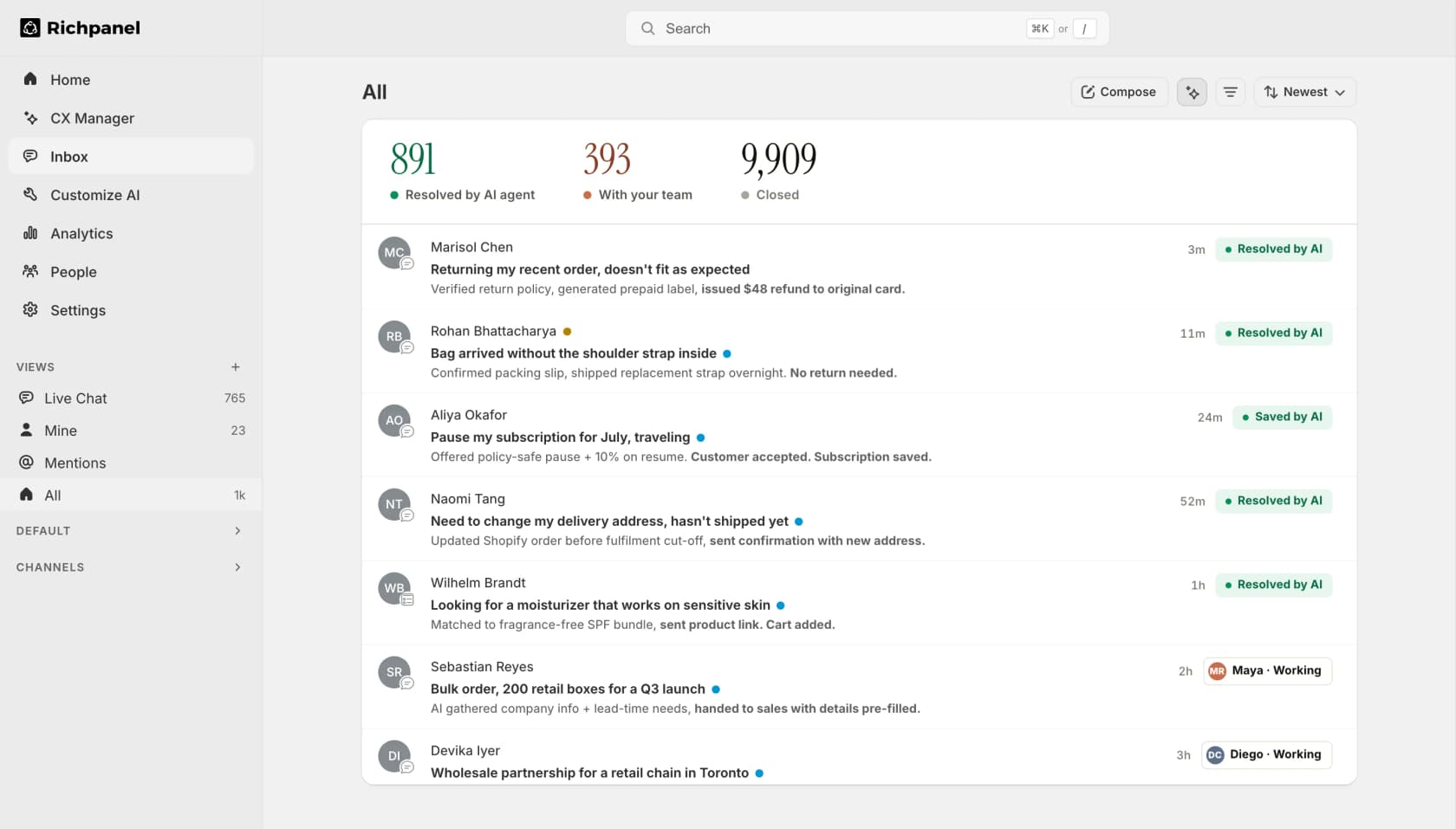
Richpanel is a helpdesk and AI agent sold on one bill. It's built for ecommerce, and its AI agents page cites Ridge running about 50,000 tickets a month. My Richpanel alternatives post covers who leaves and why.
What it can do in Shopify
Richpanel's AI action catalog lists 14 Shopify order actions, 16 Recharge actions and 12 returns actions. The AI can cancel or hold an unshipped order, refund in full, by line or as store credit, edit the address, swap a variant or edit items, and work returns through AfterShip Returns or Richpanel Returns. Loop Returns has "no integration today".
The guardrails are detailed. Each action is set to Always allow or Require approval, and an action with no setting waits for approval. Co-Pilot mode holds every customer-visible action. A reply saying a refund went through is held unless the refund actually succeeded.
Shopify Plus fit
Richpanel's pricing table ties stores to plans: 1 store on Pro, 5 on Pro Max and unlimited on Enterprise. With ten Plus stores, you're on Enterprise. Whether one AI agent spans stores isn't documented. Shopify Flow and B2B aren't either.
The bigger Plus question is the move. Richpanel is the helpdesk, so adopting its AI means leaving Gorgias or Zendesk. Richpanel says setup takes about 4 weeks and backs it with a "50% resolved in 30 days, or your money back" guarantee.
Pricing
| Item | Price |
|---|---|
| Pro | $69 per agent/month (1 store) |
| Pro Max | $99 per agent/month (5 stores) |
| Enterprise | Custom (unlimited stores) |
| Customer Service AI | $0.20 per AI-handled conversation |
| AI agents guarantee add-on | $2,000 one-time |
Contracts are yearly. At 10,000 AI-handled conversations, the AI costs $2,000 a month, plus seats. My Richpanel pricing guide breaks down the seat math.
Pros and cons
Pros:
- Lowest published AI rate here at
$0.20per conversation. - Detailed per-action permissions and Co-Pilot mode.
- Strong subscription coverage: Recharge, Skio, Loop Subscriptions and more.
Cons:
- You replace your helpdesk to use it.
- Ten stores means the Enterprise plan.
- The Shopify App Store listing currently says the app isn't available.
"Integrates beautifully with Shopify and gives us a great breakdown of customer purchase history as well as all their conversations with us in the past."
My take
Richpanel is the value pick if you were already thinking about leaving your helpdesk. If Gorgias or Zendesk is staying, the cheap AI rate comes with a migration attached.
6. Gladly
Best for: enterprise retail brands with a phone channel and many brands under one roof.
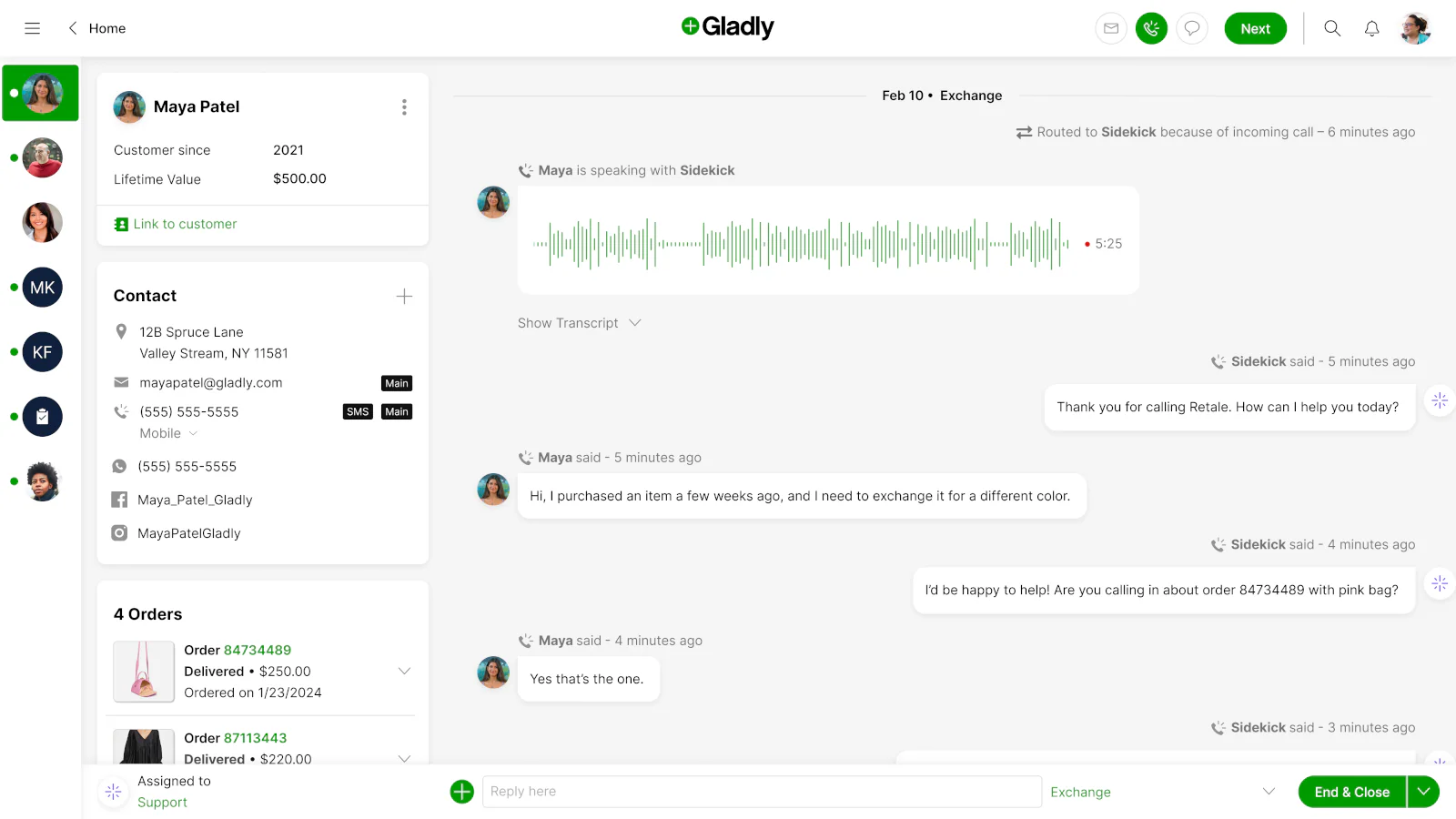
Gladly is a customer-centered helpdesk used by retailers such as Tory Burch, UGG and Crate & Barrel. Its AI, now called Gladly AI, runs inside the same conversation timeline your team uses. My Gladly AI guide covers the basics.
What it can do in Shopify
Gladly's Shopify docs say "All 21 actions are available to Gladly AI through Guides". That includes cancelling an unfulfilled order, previewing and issuing full or partial refunds, updating the address, creating a $0 replacement order, sending a draft-order checkout link and creating a one-time discount code.
Refund amounts "are previewed and confirmed with the customer before they're issued". Returns go through Loop as a portal link, and setup needs a developer. For Skio, Gladly AI can call 28 actions, and every money-moving one is off until an admin turns it on.
Shopify Plus fit
You can connect multiple Shopify instances, each with its own order card, per Gladly's multi-store doc. Separate AI agents give each brand its own voice and Guides. Gladly's Shopify listing asks for permission to view companies and draft orders support a PO number, but B2B support for the AI isn't documented.
Voice is the standout. A merchant on the Shopify listing says they deployed Gladly AI "across Chat, SMS, Email and Voice", which few tools here can match.
Pricing
Gladly's pricing page has no price table; enterprise pricing is quote-only. The only public numbers are on its Shopify App Store listing, for a smaller-business tier:
| Plan | Price | AI rate |
|---|---|---|
| Free | $0 for 30 days, 100 AI interactions | n/a |
| Starter cap | $250/month spending cap | $1.50 per AI Resolution, $0.25 per AI Assist, $120/month per team member |
That tier isn't sized for Plus volume, so plan on a sales conversation. My Gladly pricing post covers the seat side.
Pros and cons
Pros:
- AI on voice as well as chat, SMS and email.
- Refunds previewed and confirmed with the customer.
- Separate AI agents per brand.
Cons:
- Enterprise pricing is quote-only.
- Loop returns need a developer to set up.
- Recharge changes are for team members, not the AI.
"It is also definitely a premium-priced software, so it is an investment."
My take
Gladly earns its place when phone support is a big share of your volume and you run several brands. For a lean D2C team without voice, it's more platform than you need. My Kustomer vs Gladly piece helps if you're weighing enterprise helpdesks.
7. Zendesk AI
Best for: Plus brands committed to Zendesk who have admin time to build their own Shopify actions.
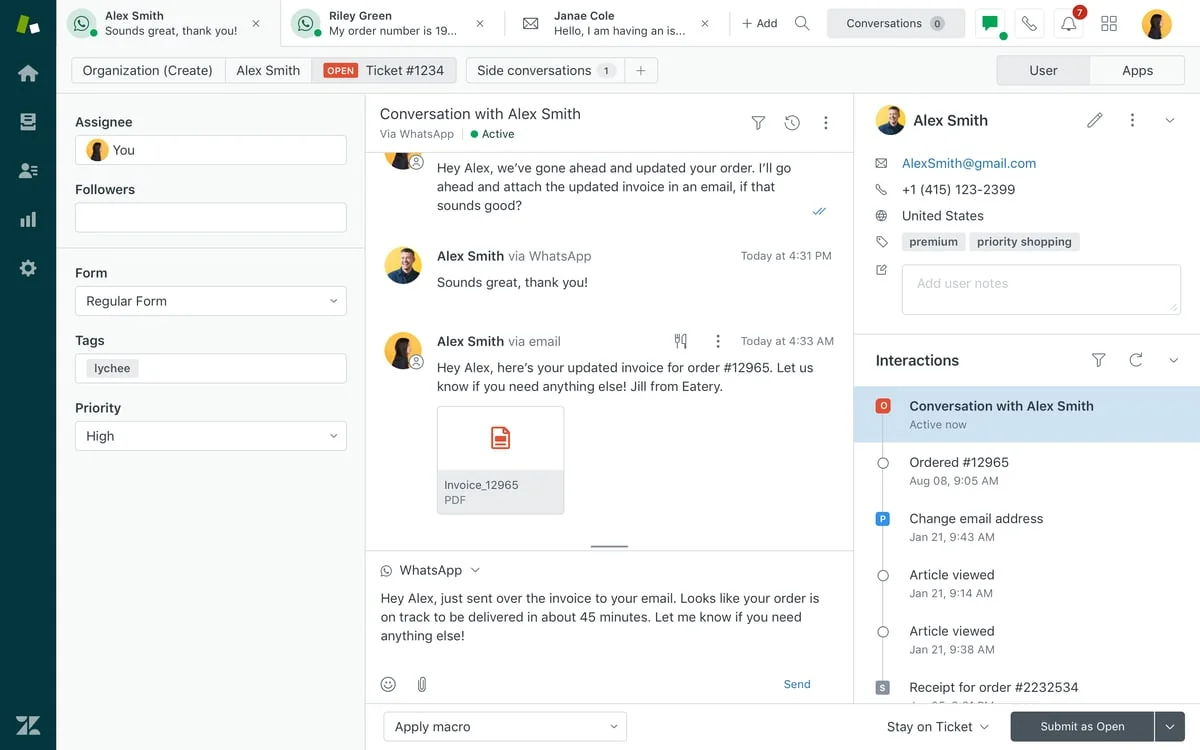
Zendesk is the general-purpose helpdesk many brands grow into, and its AI agents come with every Suite plan. My Zendesk Shopify integration guide covers the setup.
What it can do in Shopify
The packaged Shopify integration is built for people: agents see order data and can refund or cancel from the ticket. For the AI to act, advanced AI agents call Shopify through the integration builder, which you configure against the Shopify Admin API yourself.
That builder is restricted to Client Admins. Returns apps, address edits, discounts and subscription changes aren't documented as built-in AI actions.
Shopify Plus fit
"The integration allows multiple Shopify storefront connections to your Zendesk account", with a sidebar app per storefront. Shopify Flow and B2B aren't documented. Escalation is built with escalation blocks in the dialogue builder, covered in my Zendesk AI escalation rules post.
Zendesk has the deepest certification list here: SOC 2 Type II, ISO 27001 and ISO 42001 for AI management. If security review is your bottleneck, that helps.
Pricing
| Plan | Annual, per agent/month | Automated resolutions included |
|---|---|---|
| Support Team | $19 | 5 per agent/month |
| Suite Team | $55 | 5 per agent/month |
| Suite Professional | $115 | 10 per agent/month |
| Suite Enterprise | Quote | Not shown |
Beyond the included allowance, automated resolutions cost $1.50 committed or $2.00 pay-as-you-go. Since May 2026 only a "verified resolution" counts. At 6,000 verified resolutions a month, that's $9,000 committed, plus seats. My Zendesk AI pricing post explains the resolution tiers.
Pros and cons
Pros:
- Strongest security and compliance list on this page.
- Multiple storefronts on one account.
- Only verified resolutions are billed.
Cons:
- No built-in Shopify order actions for the AI.
- Integration builder is limited to Client Admins.
- Highest per-resolution list rate here.
My take
Zendesk AI makes sense if Zendesk is staying and you have someone who can build and maintain Shopify API calls. Most Plus brands on Zendesk get further faster with an AI layer that brings its own Shopify actions, such as Yuma, Siena or eesel. My Zendesk AI alternatives list covers more options.
8. Tidio Lyro
Best for: chat-first stores with modest volume that mainly need order status and address changes.
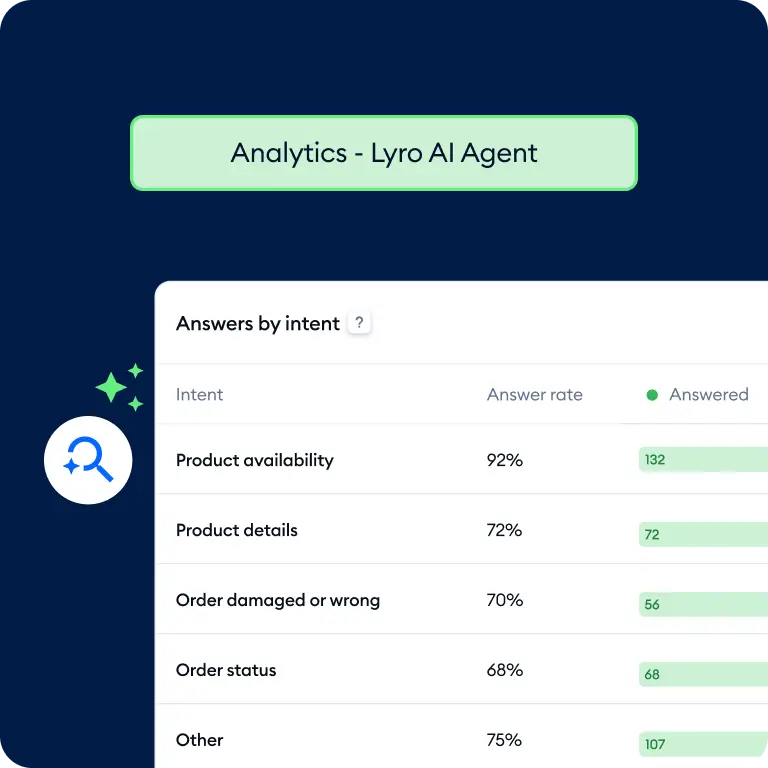
Tidio is a live chat and helpdesk tool with a "Built for Shopify" badge and 1,361 Shopify App Store reviews. Lyro is its AI agent. My Tidio AI for Shopify post goes deeper.
What it can do in Shopify
Lyro has two built-in Shopify steps: get order details and update the shipping address, per Tidio's Lyro Actions docs. Address changes cover address line 1, province, zip and city, within the same country.
The docs are direct about the rest: "There are no ready-made steps for canceling or refunding orders - these stay with your agents in the Inbox." Anything more needs a custom action or MCP tool you build.
Shopify Plus fit
Each Shopify store needs its own Tidio project, and "paid subscriptions are per project". Managing many projects from one panel needs Tidio's own Plus plan (a Tidio plan name, not Shopify's). Tidio's inbox "can't manage orders in multiple currencies", which matters if you sell through Shopify Markets. Flow and B2B aren't documented.
The customer-confirmation guardrail only works in live chat; "in email conversations, Lyro doesn't ask for confirmation".
Pricing
Tidio now sells plans by total conversations, with AI and human conversations sharing one quota:
| Plan | Price (with Lyro AI) | Conversations |
|---|---|---|
| Starter | $33/mo | 50 |
| Growth | From $63/mo | Up to 1,000 |
| Plus | From $300/mo plus usage | Custom |
| Premium | Contact sales | From 3,000 Lyro conversations |
Self-serve stops at 1,000 conversations a month, so Plus-scale volume is a sales quote. My Lyro AI pricing post tracks the plan changes.
Pros and cons
Pros:
- Quick Shopify install with a "Built for Shopify" badge.
- Clear handover options to the inbox or a ticket.
- Low entry price for small volumes.
Cons:
- AI can't cancel or refund orders natively.
- One project and one subscription per store.
- No multi-currency order management in the inbox.
"The handoff from bot to agent works well: when Lyro can't resolve something, the conversation passes to a person or becomes a ticket, so members aren't left stuck."
My take
Lyro is a fine choice for a single store's chat widget. For a Plus brand with expansion stores and email-heavy support, the missing cancel and refund actions and the per-store projects add up fast. My Tidio Lyro alternatives list has options that do more.
What will AI cost at Shopify Plus volume?
AI cost at Plus volume depends far more on the billing unit than on the sticker price. Four different meters run across these eight tools, and they charge for different things.
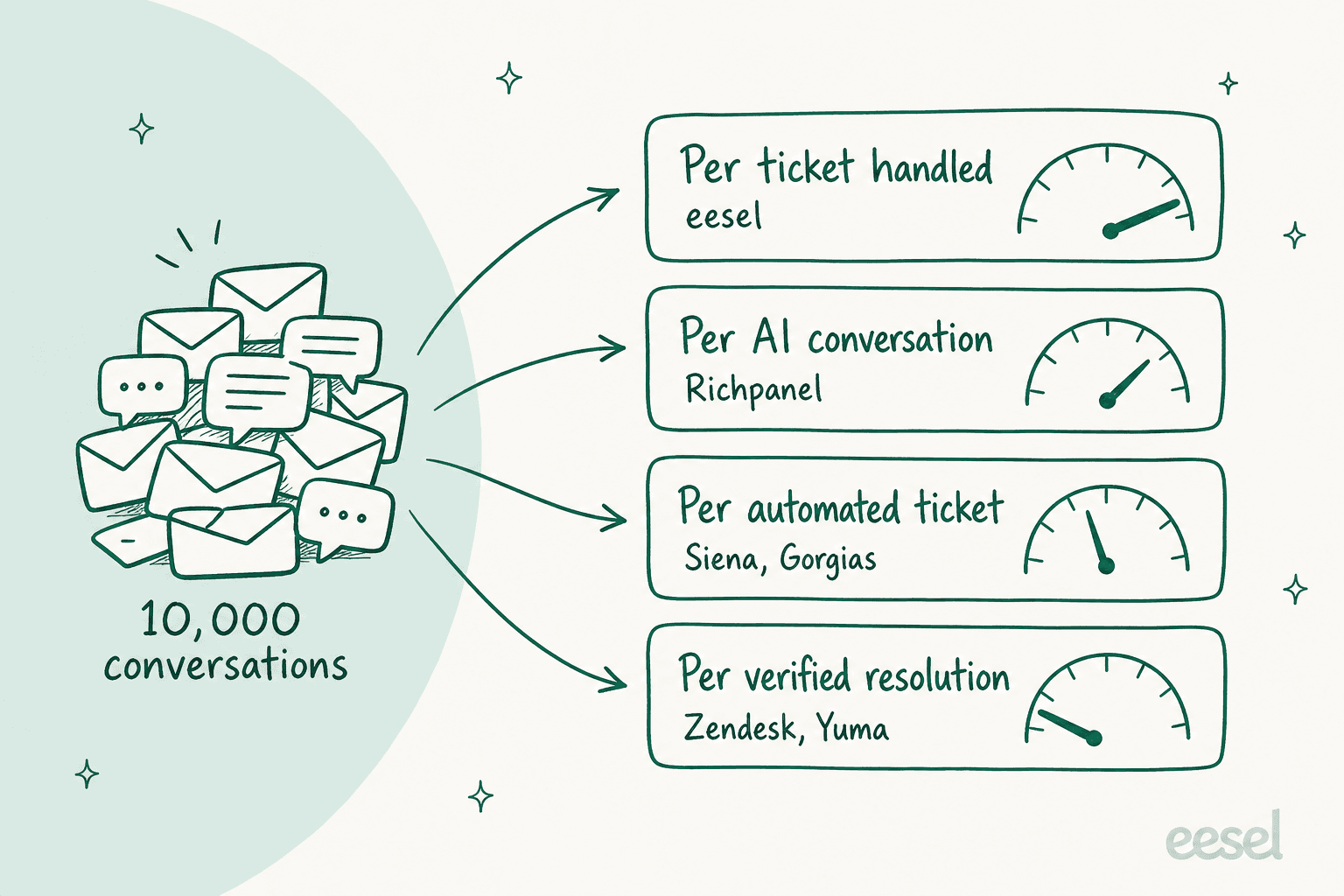
A per-ticket meter charges for every ticket the AI works, including ones it hands to a person. A per-resolution meter only charges when the AI finishes the job alone, but those prices per unit run higher. Which is cheaper depends on how many of your tickets the AI can close. My AI support cost guide covers the general case.
Plug in your own volume below. It uses each vendor's list prices from 2026-11-25 and doesn't include discounts.
Change the conversation count and the resolution share to see each tool's monthly AI list price; footnotes explain what each figure includes.
At the default 10,000 conversations and 60% resolution, the list prices land like this:
| Tool | Monthly AI list price | What it leaves out |
|---|---|---|
| Richpanel | $2,000 | Seats ($69-$99 per agent) and the helpdesk switch |
| eesel | $5,749 | Your existing helpdesk; list overage rate, and above 5,000 credits eesel quotes a custom plan |
| Siena | $6,150 | Your existing helpdesk, implementation fee |
| Yuma | $7,500 | Your existing helpdesk; 12-month commitment |
| Gorgias | about $7,880 | Nothing; includes the helpdesk, but custom pricing applies above 5,000 conversations |
| Zendesk | $9,000 | Seats ($115 per agent on Suite Professional) |
| Tidio Lyro | Quote | Self-serve stops at 1,000 conversations |
| Gladly | Quote | Enterprise is quote-only |
Note the bases differ: Richpanel and eesel bill all 10,000 conversations, while Siena, Yuma and Zendesk bill only the 6,000 the AI resolves. Two things shift this ranking in practice. If the AI resolves less, per-resolution tools get cheaper and per-ticket tools don't. If the AI resolves more, the reverse. Run the widget at 40% and at 80% before you trust any single number.
How should you roll out refunds and cancels on Plus?
Roll out money-moving actions in steps: lookups first, then customer-confirmed changes, then refunds and cancels behind an approval, and only then let the proven ones run alone. Every tool above supports some version of this, but they name it differently.
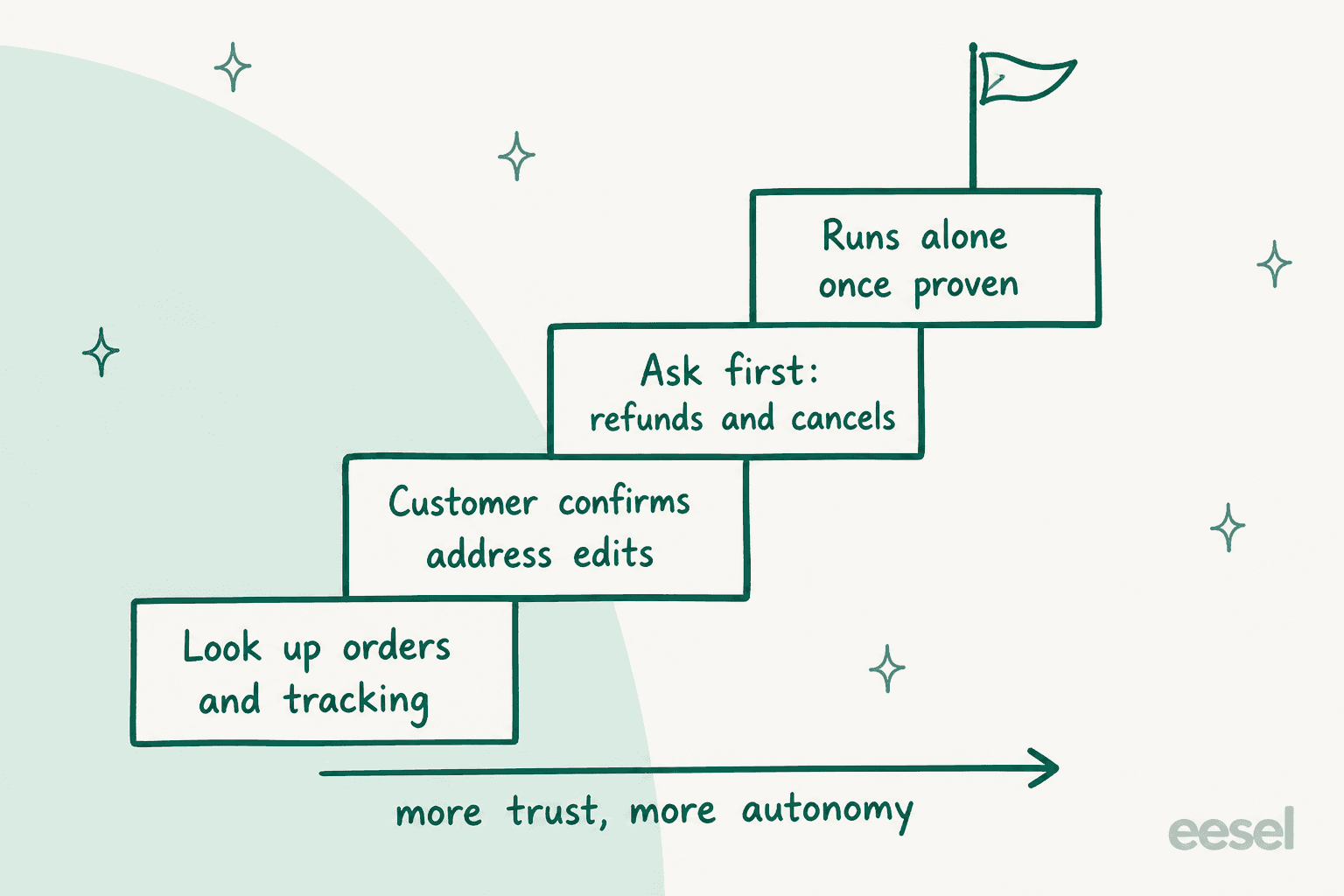
Here's how each tool's documented controls map to those steps:
| Step | Gorgias | Yuma | Richpanel | Gladly | eesel |
|---|---|---|---|---|---|
| Lookups only | Order tracking | Order search | Lookups run alone by default | Order lookups | Read group On |
| Customer confirms | Auto-on for irreversible actions | Not documented | One-time email code before changes | Refund preview confirmed with customer | Set in instructions |
| Approval for money | Not documented | 10% live, rest as drafts | Require approval per action | Skio money actions off by default | Ask first per action |
| Hard caps | Conditions on actions | Hard Limits on refunds | Refunds only to the amount your policy covers | Not documented | Shopify caps refunds at what's refundable |
A few Plus-specific rules I'd set on day one, whatever the tool:
- Route B2B tickets to people. None of these tools documents B2B support, so tag company-account tickets and hand them over. Payment terms and catalogs are per company location, and a refund on a Net 60 order is not the same as one on a card payment.
- Check the 60-day order window. Ask whether the tool requested
read_all_orders. Without it, any order older than 60 days is invisible to the AI. - Cancel before the 3PL picks. Gorgias says its cancels don't reach your 3PL, and the same risk applies everywhere. Pair cancels with a Flow or warehouse rule.
- Test on your past tickets. Gladly, Yuma and eesel all document simulations or replays. Run one before going live, as my refund guardrails guide explains.
For the handover side, my AI handoff best practices post covers what a good handover note looks like, and my guide to AI for returns covers the Loop and AfterShip patterns.
Which AI should your Shopify Plus brand pick?
Pick based on your helpdesk and how much you want the AI to do alone:
- You run Gorgias and stores are mostly D2C: start with Gorgias AI Agent and measure before adding anything.
- You want the AI to do the most in Shopify and have the volume: Yuma, with its Hard Limits and one Handbook across stores.
- Subscriptions drive your support and brand voice matters most: Siena.
- Your helpdesk stays and you want approvals on every action: eesel, set to Ask first on refunds and cancels.
- You're ready to switch helpdesks for the lowest AI rate: Richpanel.
- Voice is a big channel and you run several brands: Gladly.
- You're on Zendesk with admin time to build: Zendesk AI, or an AI layer on top.
- One store, mostly chat, modest volume: Tidio Lyro.
If you'd rather not run the support team at all, eesel also offers Managed Support, where eesel runs every customer conversation inside your tools for a flat monthly fee. For most Plus brands with an in-house team, the tools above are the better starting point. My best AI helpdesk for Shopify list covers the helpdesk choice itself.
Try eesel on your Shopify Plus store
If your helpdesk is staying and you want an AI that takes Shopify actions with an approval rule on each one, try eesel on your own tickets. Connect Gorgias or Zendesk plus your Shopify store, set refunds and cancels to Ask first, and watch it look up orders and tracking on real tickets before you let it act alone. Rúngne went from one agent to three with separate triage, drafting and answering jobs within a week, on the same Gorgias queue.
The free trial includes 100 credits over 7 days and every integration, with no card needed. Try eesel on your store, or read the Shopify integration page first.
Frequently Asked Questions
What is the best AI for Shopify Plus customer support?
Can AI cancel or refund Shopify orders on its own?
Does AI for Shopify Plus work across expansion stores?
How much does AI customer support cost for a Shopify Plus brand?
$2,000 a month in AI fees on Richpanel (plus seats) to about $9,000 on Zendesk (plus seats). eesel lists $1,749 for 5,000 credits and $0.80 per extra credit. My AI support cost guide walks through the billing units.