Zendesk Chat is shutting down: what to do before January 2028

Riellvriany Indriawan

Katelin Teen
Last edited August 7, 2026
What Zendesk actually announced
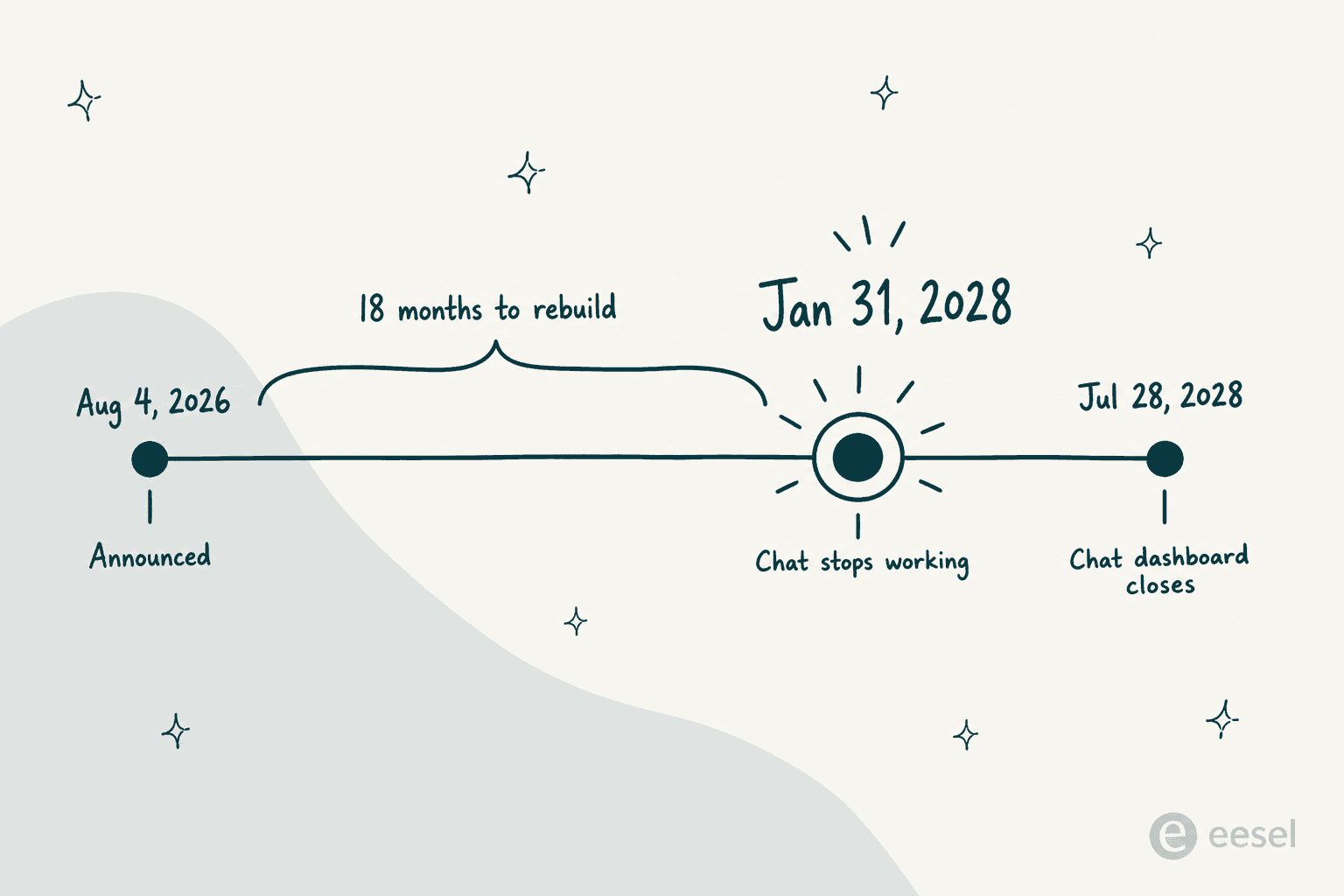
On 4 August 2026, Zendesk product manager Arpan Nagdeve posted the removal announcement for Zendesk Chat. It is a short article. The headline table inside it runs two cells wide.
| What | When |
|---|---|
| Announced | 4 August 2026 |
| Assisted migration begins | September 2026 |
| Zendesk Chat retires | 31 January 2028 |
| Chat dashboard read access ends | 28 July 2028 |
| Transition window | 18 months |
Those last two dates are not the same deadline, and I have watched people conflate them already. Chat stops working 31 January 2028. Then the Chat dashboard stays readable for roughly six months more, until 28 July 2028. That gap is your window for pulling historical data out. Reporting that leans on Chat records? Put the second date in the calendar, not just the first.
The stated reason is, to me, the most useful sentence in the whole announcement. It reads as a plain admission and not as spin:
"Chat is a legacy product that hasn't received feature enhancements since 2020 and does not support modern AI features."
Read that back slowly. A product you have been configuring, training agents on, pointing customers at for years, and it has been frozen since 2020. The Chat removal FAQ goes a step further and calls it "currently in maintenance mode." So if your setup felt dated, it was not you.
A fair word here, because a lot of shutdown coverage runs on unearned outrage. Eighteen months of notice, free migration webinars, a settings wizard and in-product banners is a respectable way to retire a product. Zendesk even names what lands on messaging first: proactive messaging and an audio player, plus business metadata. Nobody here is being ambushed.
It explains a lot about the last few years, as well. Ever wondered why Zendesk Chat features never quite caught up with what teams kept asking for? Or why every AI conversation on the platform pointed at messaging over the email channel? Here is your answer. The roadmap moved in 2020. The label only caught up in 2026.
Who is in scope, and who is stuck waiting
The announcement covers messaging-eligible accounts. Zendesk defines that as Chat plus Support, and Suite. There is one more requirement for migrating, which is that your account already sits on Agent Workspace.
Legacy Chat-only plans, though, are a different story. Zendesk's migration hub says Chat Team, Chat Professional and Chat Enterprise accounts "are not currently eligible for migration to messaging, and will receive more information from Zendesk at a later date." As of 7 August 2026 that second announcement still has not been published. I went through every Zendesk announcement up to 6 August, plus the removal index. Nothing.
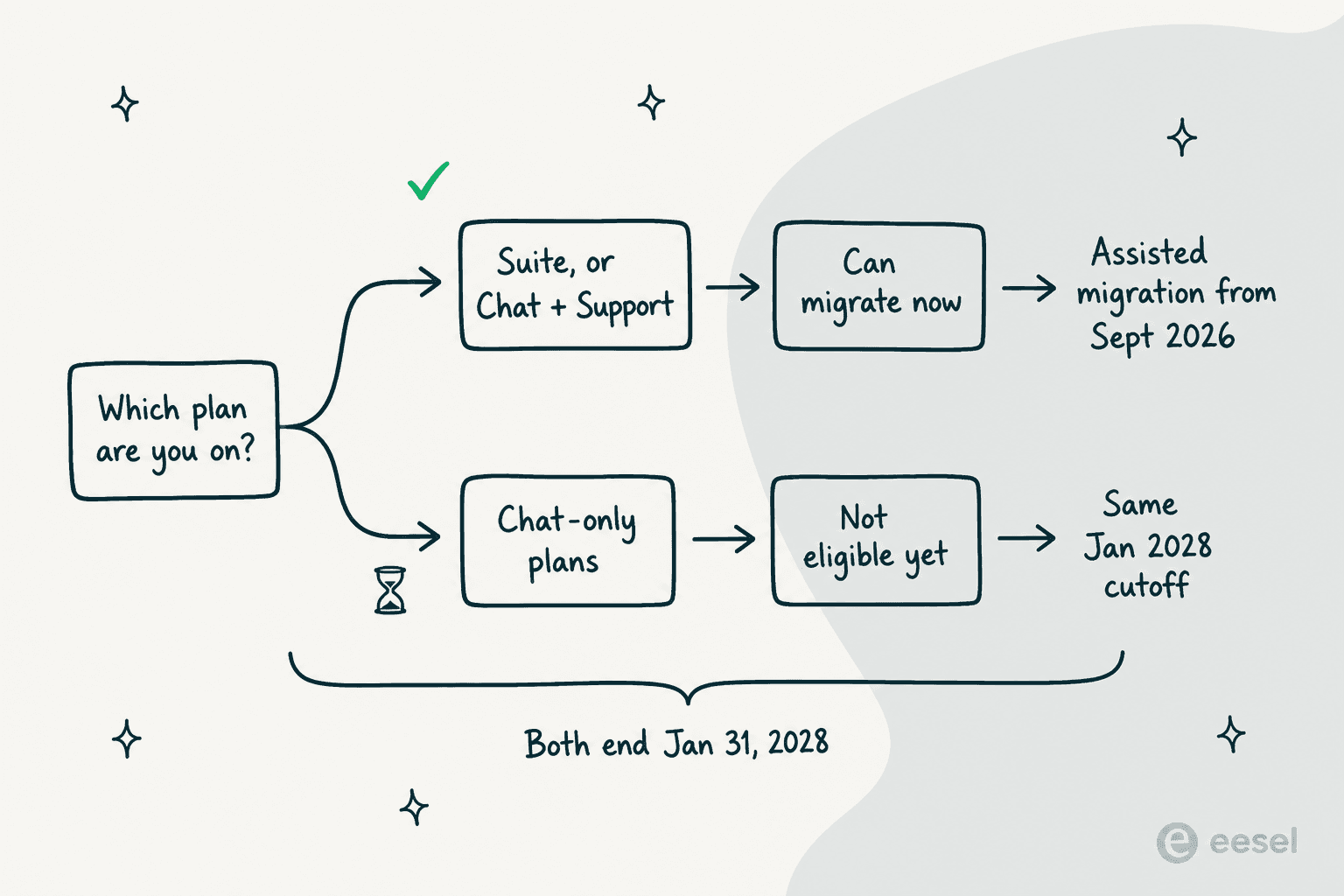
So: same cutoff, no path yet. That is the least comfortable spot in this whole thing, and the Chat-only cohort is sitting in it. Zendesk's FAQ tells them plainly: "We'd love for you to upgrade to Zendesk Suite... If not, you'll lose all access to Chat in January 2028." The same FAQ then offers a second option, in Zendesk's own words, that you "may choose to terminate your live messaging experience with Zendesk." Leaving is on Zendesk's list, not just mine.
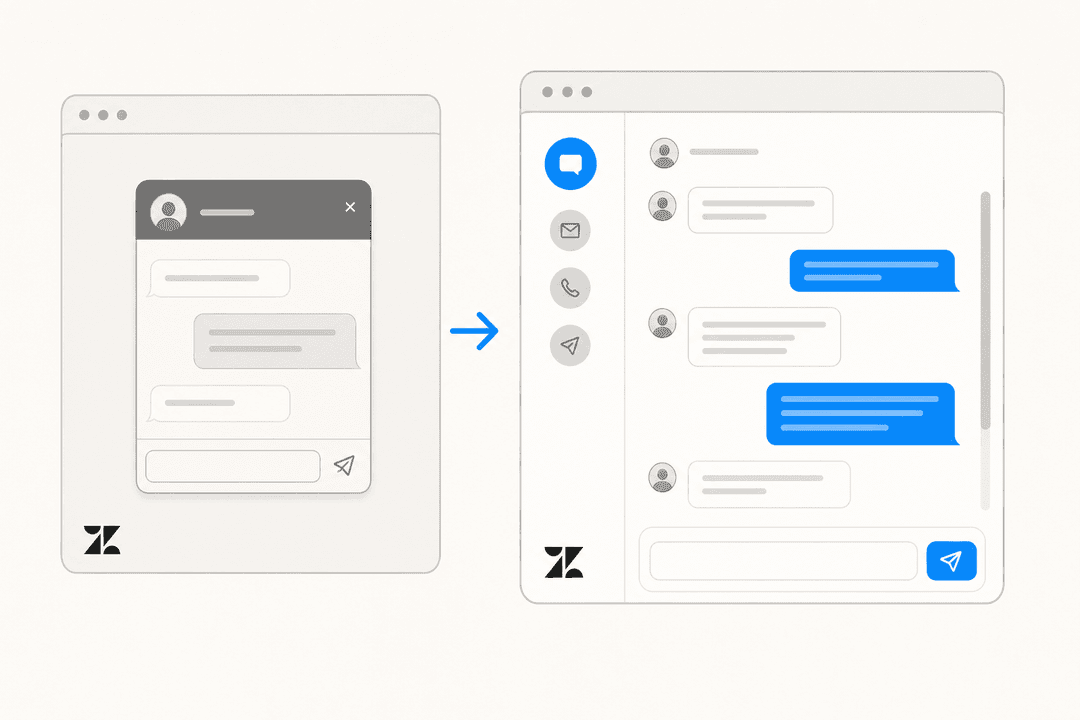
One thing that is not being retired: the Web Widget (Classic) itself. It does not show up as a row in Zendesk's removal index, and there is no deprecation notice for it anywhere. Legacy label, yes, and only available on accounts created before 5 June 2023. What the retirement takes away is the live chat capability the widget surfaces. The shell itself survives. For the full picture there, our web widget setup guide covers both versions, while the embed code guide handles installation.
What actually breaks when Chat goes away
If I were the one holding this migration, this is the section I would want. Zendesk says the settings wizard "ports existing Chat features and settings over automatically". True enough, as far as it goes. What costs you weekends is everything sitting outside that sentence.
Six categories get migrated automatically, and the wizard names them: triggers, operating hours, pre-chat and offline forms, CSAT, banned visitor IPs, and goals. It also switches on four things Chat never had at all, a 10 minute inactivity timer and a wait-time banner among them. That timer on its own changes agent behaviour. Worth reading up on conversation timeouts before you go live, not after.
One more piece of good news, before the bad. Turning messaging on does not switch live chat off. Live chat keeps running per brand until you enable the messaging Web Widget for that brand, and that last flip is the point of no return. Also worth knowing: automatic settings migration runs once per 24 hours only, so toggling messaging off and back on will not re-import whatever you changed in between.
Now the other list. Zendesk publishes its own unmigrated settings list. It runs longer than most people expect.
| Feature | Carries over? | What actually happens |
|---|---|---|
| Chat triggers to messaging triggers | Partly | AI converts them, keeps active status. Zendesk recommends reviewing all of them |
| Chat triggers to Support triggers | Partly | Arrive inactive, regardless of prior status |
| Chat triggers to proactive messages | Partly | Arrive inactive, regardless of prior status |
| Unsupported trigger conditions | No | Land in a "Not migrated" tab to rebuild by hand |
| Departments | No | Become Support groups. The concept is replaced |
| Chat roles | No | "Do not apply in Agent Workspace and messaging" |
| Mobile Chat SDK | No | Separate SDK. Zendesk calls it engineering work |
| Chat API, Real-time API, Incremental API | No | "Not supported in messaging" |
| Chat Conversations API (CCAPI) | Mostly | Survives, but CCAPI-based bots are blocked from being invoked |
| Operating hours | Lossy | Multiple sets per department merge into one schedule |
| Turning the widget off after hours | No | Now requires the Core messaging JavaScript API |
| Pre-chat form | Reshaped | Becomes an in-conversation prompt after the first exchange |
| CSAT | Yes | Calculation method differs, so trends are not comparable |
| Banned visitor IPs | Yes | Carry across. Clean the list first |
| Visitor list and live monitoring | No | "Legacy Chat feature. It does not apply to messaging" |
| Proactive chat from the dashboard | No | Admins "will not be able to initiate proactive chats" |
| Shortcuts | Not auto-migrated | Map to macros. Shortcuts with options are unsupported |
| Chat analytics setup | No | "No automated way." Rebuild every custom Explore report |
| Dropped chats metric | No | No direct equivalent exists |
| Skills-based routing | No | Only via omnichannel routing |
| Third-party bots | No | Reconnect manually |
| Chat apps and custom chat apps | No | "Cannot be downloaded." The Zendesk Chat app is auto-disabled |
| Social channels (WhatsApp, LINE, WeChat) | No | "You must manually create those channels" |
| Chat tags with capitals or symbols | Rewritten | Special characters silently become underscores |
Every row up there comes from Zendesk's own documentation, mostly the widget migration guide plus the Agent Workspace limitations page. Four of those rows deserve more than a table cell.
The trigger conversion is AI-driven, and it lands half switched off. Zendesk states it plainly: "Zendesk uses AI to assess how each Chat trigger is used... while most triggers are recreated accurately, we recommend that you review all migrated triggers." Then comes the part people miss. Triggers converting into Support triggers are "deactivated after migration, regardless of their activation status before migration". Same thing happens to the ones that become proactive messages. Only one of the three destinations keeps its on switch. A page-load trigger carrying a routing action splits into two objects, and both of them land inactive. So if your greeting stops firing the morning after you flip the switch, that is why. Our guide to messaging triggers covers the shape they land in.
The visitor list gets deleted, not replaced. Zendesk is unambiguous here: "The Visitors List is a legacy Chat feature. It does not apply to messaging." The moment messaging goes active, that list on your Chat dashboard is deactivated, and admins lose the ability to start proactive chats from it. Nearest replacements are the Agent productivity and Incoming tickets dashboards. Neither one is a live map of who is on your site. Has a team lead been running their shift off that list for five years? Tell them now, not on migration morning.
Your reporting starts from scratch. "There's no automated way to migrate your Chat analytics setup, so you need to recreate your reporting manually." Chat datasets and messaging datasets are not the same datasets, so every custom Explore report built on the old ones gets rebuilt. Dropped chats has no equivalent at all. And Zendesk pre-warns you that first reply time, ticket volume and handle time will all visibly increase, because in messaging first reply time measures from the handoff to a human, and "messaging tickets count tickets created from messaging channels, not chat sessions." Meaning your dashboards look worse while your team does not get worse. Plan that conversation with whoever reads the numbers. Export what you need through the conversation history export before the dashboard closes in July 2028.
Anything custom is an engineering project. Chat SDK v2 and the Messaging SDK are two separate products. Zendesk's own readiness checklist asks whether you have "identified the engineering work required to replace Chat SDK functionality with messaging SDK functionality", which is the polite way of saying budget the sprint time. Accounts running more than 500 configured integrations get told to contact an account rep before migrating at all, and so does anyone whose widget is built on the Chat Web SDK. Custom launcher behaviour on the classic widget? Our notes on launcher options are a decent inventory of what you will be re-specifying.
Social channels are their own small project, too. WhatsApp, LINE and WeChat each have to be created by hand on the messaging side. The SMS messaging channel is a separate setup again. Been running several inbound channels into one queue? Read our guide to multiple channels in one inbox before you rebuild the routing.
One more, filed under check this by hand: Zendesk's two pages disagree about goals. The widget migration article says business goals convert to messaging goals automatically. Meanwhile the settings impact table lists Settings > Goals as "N/A", with no destination at all. Verify that one yourself after you migrate. Do not trust either page on it.
If that rebuild list leaves you wanting the actual click path, our step-by-step migration guide walks the wizard end to end.
There are focused guides on offline message handling and on conversation tags, the row where capitals and symbols quietly turn into underscores. File attachment limits also differ between the two products.
A few more map straight onto rows in the table above. There is agent greetings, which replaces the greeting triggers that arrive inactive. There is conversation merge, which is how teams deal with the duplicate tickets persistent conversations create. And the message delivered webhook is one replacement for the Streaming API you are losing. This post is about the decision though, not the clicks.
What Zendesk's own users are saying
I went looking for people who already made this move. Mostly on r/Zendesk and Zendesk's own community forum, since teams have been migrating voluntarily for years now. The picture is mixed. Both halves are worth reading.
The complaint that surfaces most often is about category. Messaging is a different product category, people say, and not a newer version of the same one:
"Live chat is a real time communication. Messaging is a hybrid of email and chat. Messaging isn't real time, so you can take your time to respond. If you staff poorly it will not be a good customer experience. Customers prefer a real time experience. I've asked Zendesk previously for an example of a client who migrated to messaging from chat and the experience was better for the customers. I've not heard of any good examples."

One team actually measured the CSAT effect after switching, and their number is the sharpest one in the whole record:
"Our satisfaction rating since switching from live chat to the new messaging feature has significantly decreased. The number of good rated tickets has been cut by more than 50% consistently since this new feature was rolled out."
That is one team's experience and not a benchmark. But the mechanism they name is specific: messaging has no defined conversation end, so the moment for asking for a rating never really arrives. Worth knowing in advance, before your own CSAT chart dips and everybody in the room assumes the agents got worse.
Persistent conversations are the other theme that keeps recurring. Three weeks into being live, a team running around 2,000 chats a week described their workaround:
"So we have the agent applying a macro that closes the ticket, and creates a new ticket for follow up. This allows the customer to open a new ticket if needed, but seems incredibly hacky, and has added a lot of complexity to our data with a bunch of duplicate tickets. Agents also don't like it, because it adds tasks to their workflow."
Now the other side. It exists, and it lands more credibly coming from somebody otherwise unhappy:
"We recently moved to Zendesk Messaging and it has been a really bad launch from a Sys Admin perspective and agent experience. Customer experience is better for sure, but not perfect by any means. We love the self service options."
There is the honest summary, in one paragraph. Messaging is generally better for customers and generally worse for admins and agents, at least in the first months. Persistent conversations and self-service are real gains, and so are social channels and AI agents. The cost of them just lands on your side of the glass. For a longer read on the underlying difference, our comparison of AI chatbots and live chat covers why the two models produce different agent workloads.
What it costs on the other side
Good news first, because everyone asks this one and the answer is reassuring. Your seat price does not change. Zendesk publishes live chat and messaging inside a single "Messaging and live chat" feature block, under one price row. No messaging SKU. No surcharge either, and no add-on that messaging requires and Chat did not.
| Plan | Annual, per agent/month | Monthly, per agent/month | Messaging included |
|---|---|---|---|
| Support Team | $19 | $25 | Web widget and mobile SDKs only |
| Suite Team | $55 | $69 | Yes, departments capped at 2 |
| Suite Growth | Not published | Not published | Yes |
| Suite Professional | $115 | $149 | Yes, unlimited departments |
| Suite Enterprise + Copilot | Not published | Not published | Yes |
| Suite Enterprise Plus | Not published | Not published | Yes |
| Chat Team / Professional / Enterprise | No longer published | No longer published | Not eligible to migrate |
Three of Zendesk's plans carry a published price. The rest of them are a sales call. Standalone Chat pricing, meanwhile, has been taken down entirely: zendesk.com/chat/pricing now serves the general pricing page, and there is no Chat tier anywhere on it. Our breakdown of what Zendesk costs unpacks the published tiers.
The bill moves in exactly one place. That place is also the reason Zendesk wants you on messaging at all. Live chat has no AI agents. Messaging does, and those are metered per automated resolution.
| Plan tier | Included automated resolutions | Committed rate | Pay as you go |
|---|---|---|---|
| Team | 5 per agent/month | $1.50 each | $2.00 each |
| Professional / Growth | 10 per agent/month | $1.50 each | $2.00 each |
| Enterprise | 15 per agent/month | $1.50 each | $2.00 each |
However many agents you have, every account is capped at 10,000 allocated resolutions a year. The allocation expires annually. Legacy Support plans get access with zero included. Work it through at a realistic size: 10 agents on Suite Team gives you 50 included resolutions a month. Automate 1,000 conversations and you are paying for 950 of them. That is $1,425 a month committed, or $1,900 pay as you go, sitting on top of $550 in seats. Our deep dive on Zendesk Advanced AI costs has the full picture, and the question of whether the Zendesk AI chatbot is free has a short answer.
Two other meters exist on the messaging side only. Sunshine Conversations on Suite Professional includes 1,000 monthly active users, and after that it is $50 per additional pack of 2,500. Social channels and WhatsApp number hosting both carry "additional fees" which Zendesk does not publish anywhere.
None of that makes migrating a bad deal, to be clear. It does mean the honest framing goes like this: the migration is free, the reason for the migration is not.
Your three real options
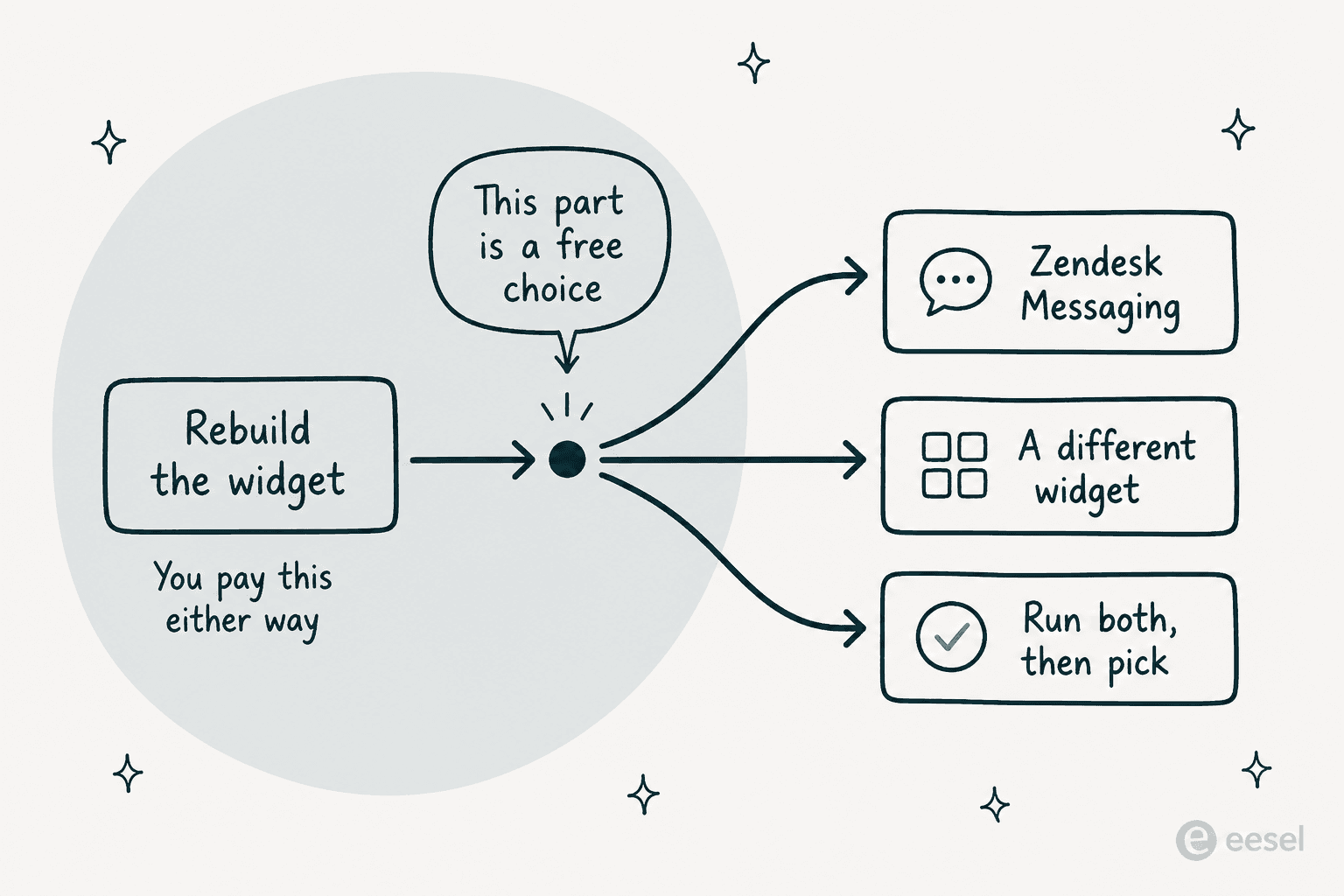
Here is the thing the announcement is structured to make you skip past. You are rebuilding the widget. Triggers, routing, reporting, after-hours behaviour, the mobile channel: that work happens on every path, and Zendesk's own unmigrated list is what says so. The rebuild cost is sunk before you choose anything. Which makes whatever sits on the other side of it a free choice. It will not be free again for years.
Option one: migrate to Zendesk Messaging. It is the default, and for most teams with agents actively working live conversations it is also the right answer. One vendor, one workspace, one bill. Routing to groups and omnichannel routing are real upgrades over what Chat could do, so are social channels and persistent conversations, and Zendesk's own tooling handles the first half of the work. Take the assisted migration slot in September instead of waiting for a batched one. Run it on a low-traffic brand first. Then budget a fortnight of trigger and report rebuilding. My take: if live conversation with a human is the point of your widget, do this one and stop reading.
Option two: rebuild the widget somewhere else. Nobody proposes this one internally, because it sounds like more work. On the deflection side of things it is usually less. If your widget mostly answers the same forty questions and escalates whatever is left, then what you are migrating is not a live chat system. It is an FAQ with a text box. Small object. You can keep Zendesk as the helpdesk underneath and change only the part customers actually touch, and our roundup of AI live chat software covers the field. My take: most to gain here goes to anyone whose chat volume is mostly repeat questions, since they are being asked to run a full migration in order to preserve a workflow they were about to replace anyway.
Two things to check before you take that path. First, whether the thing you are replacing is really deflection or live chat. The answer there changes which product you need. Second, how the handoff works, because a widget that cannot escalate cleanly is worse than the one you already had. Our notes on bot to agent handoff and on bot timeout and fallback point at the two settings I would test first, whichever vendor you land on.
Option three: run both, then decide. Zendesk makes this easier than people realise. Switching messaging on at the account level does not switch live chat off, because live chat keeps running per-brand until you enable the messaging Web Widget for that brand. So you get a real staging period out of it. Put an alternative on a low-traffic brand, or on one single help centre page, leave Chat running on the main site, then compare resolution rates on your own traffic before the deadline decides for you. My take: best option if you run more than one brand and there is any political disagreement internally, because it swaps the argument out for a number.
One caveat applies to all three. Do not wait until late 2027. Assisted migration starts September 2026 and the batched migrations follow it, and the accounts with the worst outcome are always the ones where Zendesk picked the date. On a Chat-only plan, you are being asked to buy a bigger plan just to keep a widget you already had. Price that upgrade against a standalone widget before you sign anything.
Try eesel
If option two is the one you keep circling, here is where I should be upfront. I work on eesel's support team. So treat what follows as a pitch, just a specific one.
The eesel Chat Bubble is one script tag. Paste it into your site, point it at whatever you already have (your help centre, your Zendesk, Google Drive, Notion, Confluence, or just a crawl of your own website), and it answers. There is no helpdesk requirement, which matters more than usual here. A Chat-only account being told to buy a Suite plan just to keep a chat widget can keep the widget without buying the platform. Escalation goes to email, or to Zendesk, or Freshdesk, or whatever else you connect. Anywhere you can add a script, it works, so WordPress, Webflow, Shopify, Squarespace and Wix are all fine.

On the numbers that matter for the comparison above: $0.40 per chat session, and one session covers all the back and forth with a single visitor rather than counting per message. No platform fee. No per-seat pricing, no monthly minimum on the standard plan either. There is a $1,000 a month Enterprise tier with a flat platform fee, for anyone who needs SSO, HIPAA and a BAA. The trial runs on $50 of free usage with no credit card, which for a deflection widget works out at a few hundred real conversations. Enough to see whether it actually resolves your questions before committing to anything.
During a migration, what I would actually do with it is test rather than switch. Point it at a staging page, or at one help centre section. Run it beside Chat while Chat still works, then look at what it resolves on your own traffic. That is the same shape as option three, and it is why I think the run-both path stays underrated. You end up with a number instead of an argument.
For a sense of how that looks in production, here is a web hosting company running eesel on their Zendesk Help Center and Messaging:
"Connecting eesel to zendesk helcenter and messaging is ridiculously simple and we managed to get a chatbot and AI assistant that does some pretty complex actions with relative ease."
Richard Westerhof, Cloud86, in a Zendesk Marketplace app review
Then there is a D2C mattress brand running both a chat bubble and a public chat link on top of Zendesk. The reason they gave for picking it was source coverage, not the widget itself, and that is the part I would pay attention to. Their documentation sat scattered across CSVs, Zendesk and Google Docs, and the widget had to read all three of those. The full Ecosa story has the setup.
Where eesel is not the answer: your widget's job is putting a customer in front of a human quickly, and your volume is high enough that live staffing is the whole point. In that case Zendesk Messaging plus your existing agents is the better build. eesel is a deflection and drafting layer. It does not replace a staffed live chat team. Worth saying plainly, since half the accounts reading this sit in that category.
Try eesel if you want to see what it resolves, before the deadline does the picking for you.
And if you would rather keep the whole thing inside Zendesk, that is a fine call too. Our guide to adding AI to Zendesk covers that path. So does the walkthrough on Zendesk chatbot setup. There is also a head to head at eesel vs Zendesk AI, which I wrote to stay readable for someone who ends up choosing Zendesk.
Whatever you pick: put 31 January 2028 and 28 July 2028 in the calendar today, and check which of the four situations in the planner above is yours. Eighteen months sounds generous right up until September, when the assisted migrations start and the queue forms.
Frequently Asked Questions
When exactly is Zendesk Chat shutting down?
Who is affected by the Zendesk Chat shutdown?
Does migrating from Zendesk Chat to Messaging cost more?
What does the Zendesk Chat migration wizard not carry over?
Is the Zendesk web widget shutting down too?
What happens if I do nothing before the Zendesk Chat shutdown?
What can I use instead of Zendesk Chat?


Article by
Riellvriany Indriawan
Riell is a designer and writer at eesel AI with about two years of experience researching CX platforms, AI chatbots, and helpdesk software. She combines her design background with a sharp eye for how these tools actually look and feel in practice — making her comparisons unusually visual and user-focused.