Zendesk Sunshine Conversations vs Live Chat, Explained

Rama Adi

Katelin Teen
Last edited July 9, 2026
What Zendesk Sunshine Conversations actually is
Sunshine Conversations started life as Smooch, a standalone messaging startup Zendesk acquired in 2018 and folded into its own stack. The rebrand stuck, but the job didn't change: it's a conversations API that lets a business send and receive messages across channels, and capture every one of them inside Zendesk.
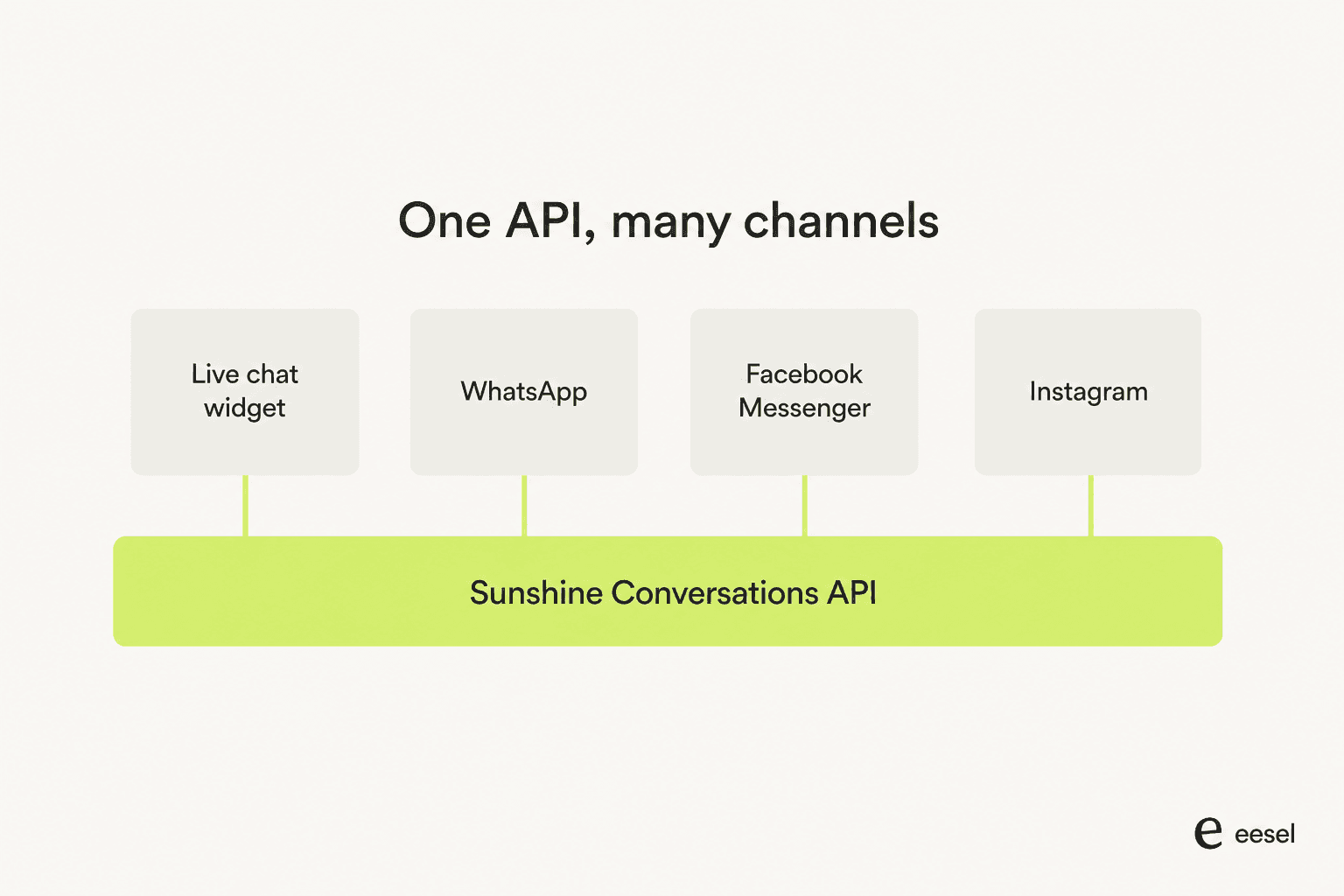
The developer docs are explicit that Sunshine Conversations doesn't compete with helpdesk software, live chat software, or bot platforms - it sits underneath all three. Helpdesk tools use its API to add messaging channels beyond email. Live chat tools use it to let a business talk to customers on whatever channel they prefer. Bot platforms plug into it so they can "focus on building smart conversational logic... without having to worry about managing messaging, conversation, and user identity functionality." In practice, that means the Zendesk web widget launcher your customers click on is a Sunshine Conversations client, even though most agents never see the name.
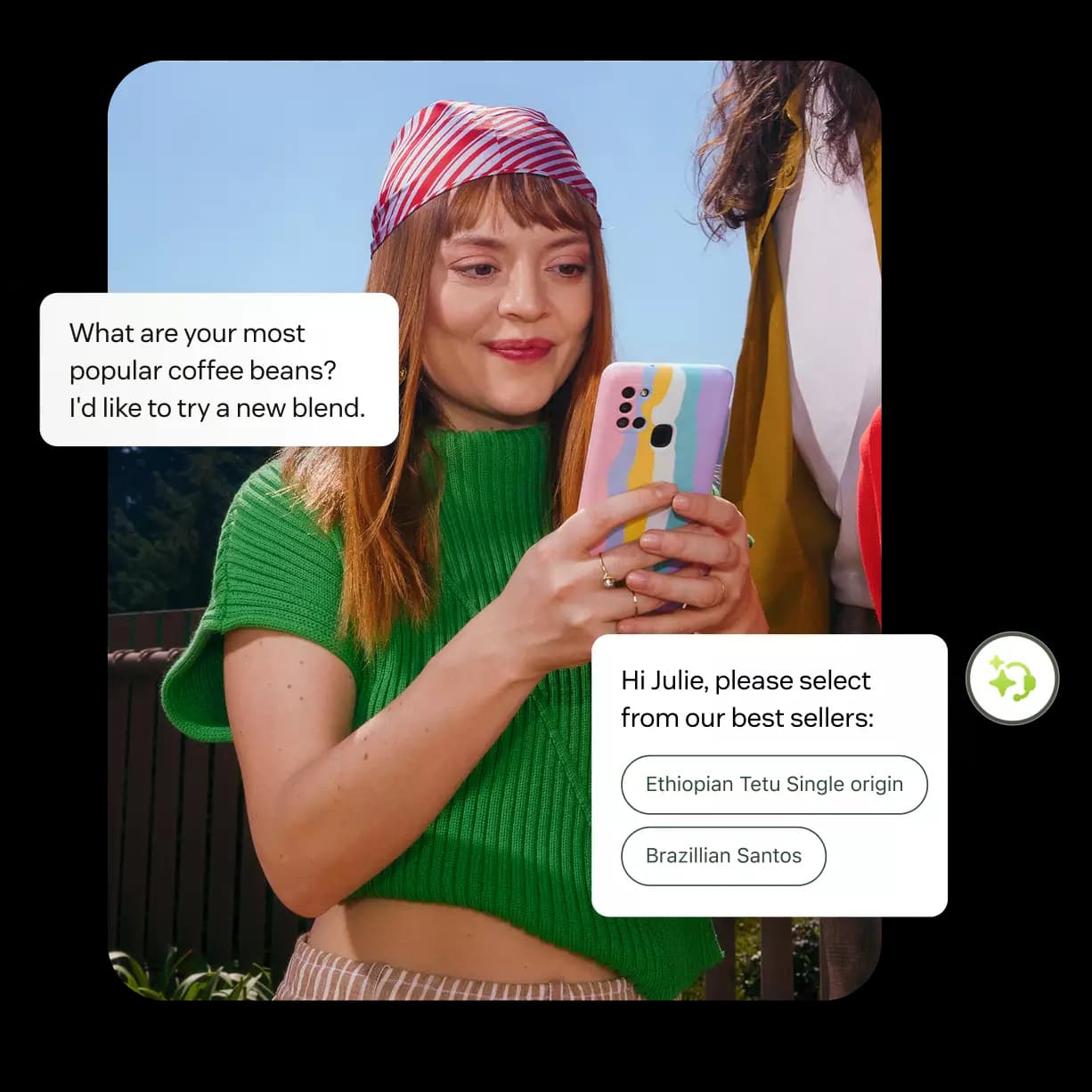
What makes it worth knowing about at all, rather than just an implementation detail: the channel list it unlocks is genuinely wide. Beyond the web widget, Zendesk's own support article names Android and iOS SDKs, Apple Messages for Business, Facebook Messenger, Instagram, LINE, MessageBird, Telegram, Twilio, Twitter DM, Viber, and WeChat as channels developers can wire up through the platform on top of the WhatsApp integration most teams already know. That's a much longer list than what shows up in Zendesk's native omnichannel setup screens, and it's the reason larger teams reach for the API rather than the admin panel.
How it actually powers live chat and messaging
Here's where the naming gets genuinely confusing, and it's worth untangling before you go shopping for a plan. Zendesk sells three overlapping things that all touch the same underlying engine:
- Legacy live chat - Zendesk's older, session-based chat widget. Zendesk is actively steering customers away from it, with dedicated migration guides pushing toward the newer product.
- Messaging - the current product, explicitly pitched as "level up live chat with Messaging." It replicates the live chat experience and adds AI agents, async conversations (a customer can close the tab and pick the thread back up later), and omnichannel routing on top.
- Sunshine Conversations - the conversations API both of the above are built on, and the only one of the three you'd touch directly if you're building a custom integration rather than using Zendesk's packaged widget.
So "live chat" and "Sunshine Conversations" aren't competing products - one is the customer-facing surface, the other is the engine underneath it, and Messaging is Zendesk's own name for the packaged, non-custom way of using that engine. If you're an admin clicking through setup screens, you're using Messaging. If your engineering team is calling the REST API directly to build something the setup screens don't support - a custom bot handoff flow, a webhook-driven integration, a non-standard channel - you're using Sunshine Conversations by name.
That distinction matters because of how conversation merging, file attachment limits, and conversation timeouts get handled differently depending on which layer you're operating at - the packaged Messaging product abstracts most of that away, while a direct API integration means you own those decisions yourself, including bot timeout and fallback behavior when your own bot doesn't respond in time.
| Layer | What it is | Who touches it |
|---|---|---|
| Legacy live chat | Older session-based widget, being phased out | Nobody new - migration is pushed by Zendesk |
| Messaging | Current packaged product: widget + AI agents + async + routing | Admins, via setup screens |
| Sunshine Conversations (API) | The conversations engine underneath both | Developers, via the REST API |
Which Zendesk plan you actually need
This is the part that trips up a lot of buyers, because "AI agents in chat" and "Sunshine Conversations access" are gated at two different tiers, not one.
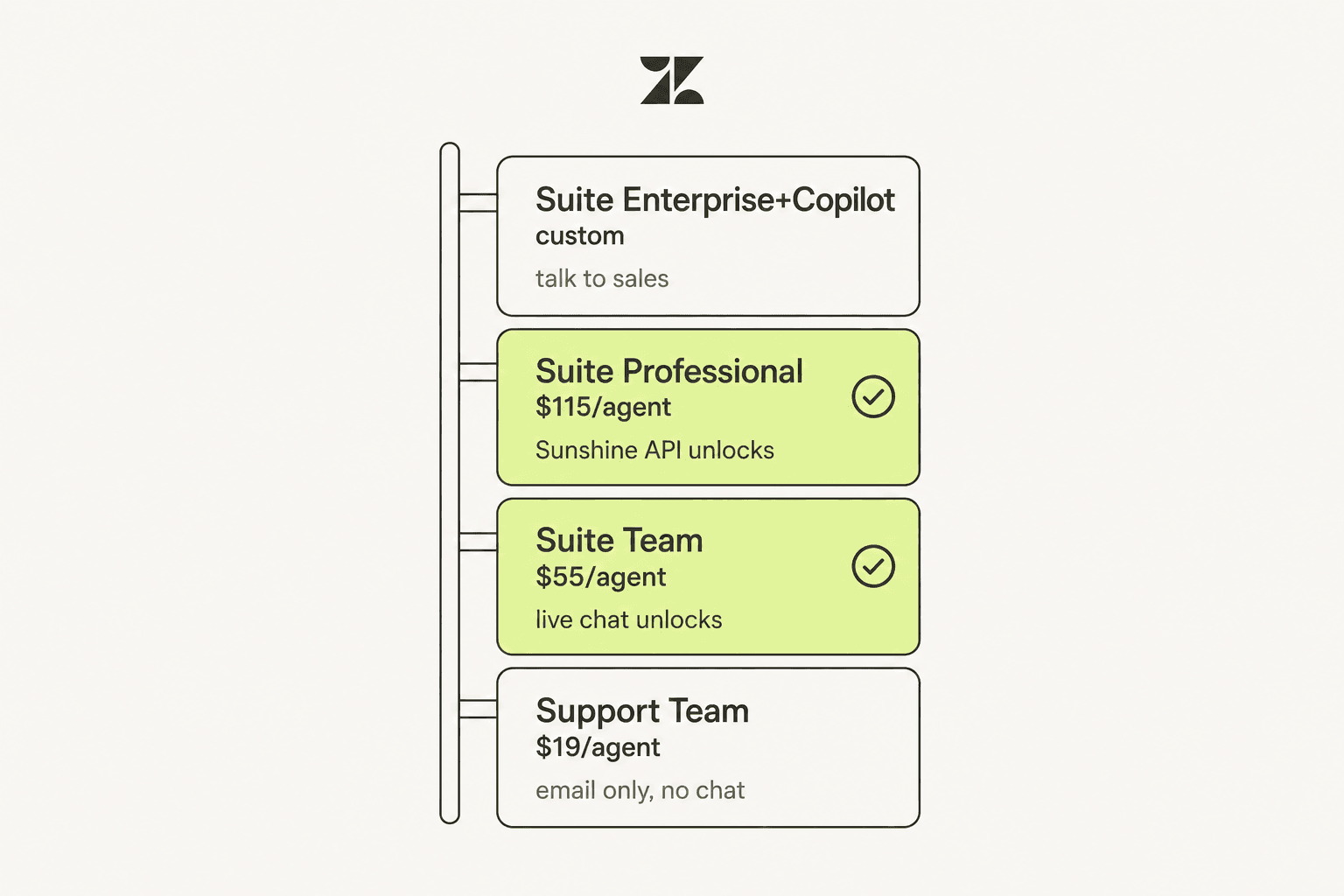
Zendesk's AI agents - the ones that resolve chat requests automatically - ship inside every Suite Team plan and above. You don't need Sunshine Conversations access to get an AI agent answering in your chat widget; you need it if you want to go beyond what Zendesk's native channel setup and bot logic support.
Sunshine Conversations platform access itself requires Suite Professional or higher - Suite Team customers don't get it at all, at any price, and neither do Support-only plans. Once you clear that bar, every plan at Professional-and-up gets the same base allowance: self-service documentation with limited chat support, full API access, 1,000 MAU included per month, and 1,000 outbound notifications included per month.
| Plan | Price (per agent/mo, billed annually) | AI agents in chat | Sunshine Conversations API |
|---|---|---|---|
| Support Team | $19 | No | No |
| Suite Team | $55 | Yes | No |
| Suite Professional | $115 (Most Popular) | Yes | Yes - 1,000 MAU included |
| Suite Enterprise + Copilot | Talk to Sales | Yes | Yes - 1,000 MAU included |
Before Zendesk folded Sunshine Conversations into Suite Professional-and-up, it sold the platform as three standalone tiers - Starter, Premium, and Enterprise - each capped at the same 500 MAU regardless of tier, with the real differences being support hours and a dedicated Customer Success Manager on the top tier. If you're on a legacy contract from before April 6, 2023, you may still have that standalone dashboard; current-plan customers don't get it at all and have to configure everything through the API.
What it costs once you outgrow the free allowance
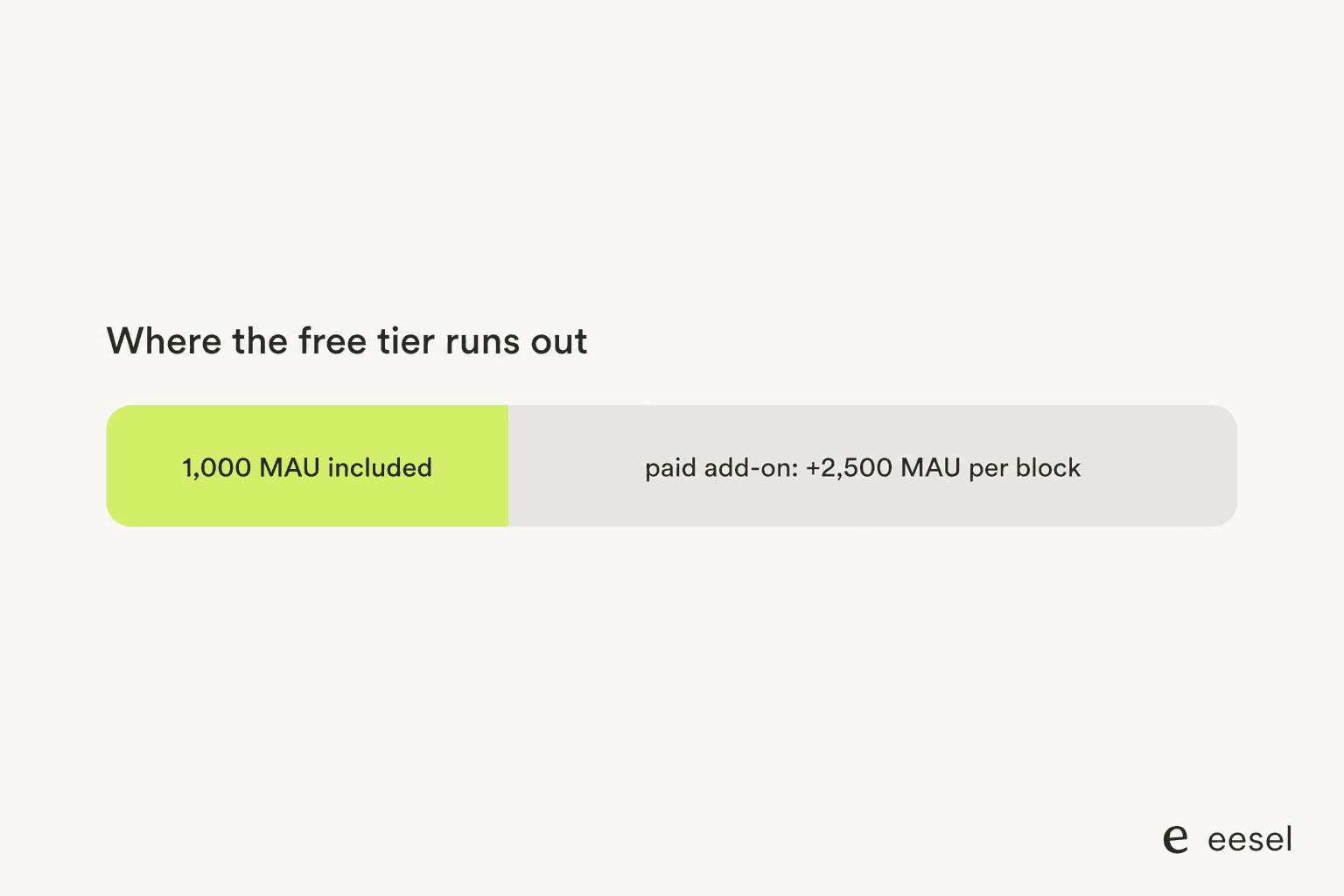
1,000 Monthly Active Users sounds generous until you remember it's not 1,000 tickets - it's 1,000 unique people messaging you in a month, and every incoming interaction counts against that pool. Once you exceed it, Zendesk doesn't let you buy a little more; add-ons come in fixed blocks of 2,500 additional MAU or 25,000 additional outbound notifications, and the exact per-block price isn't published on the pricing page or, per Zendesk staff replies on its own support forum, anywhere else customer-facing - you're routed to a sales conversation to find out.
There's a second wrinkle buried in Zendesk's own community replies: pricing charges for both outbound (proactive) messages and inbound interactions, but whether a customer's native WhatsApp usage and their separately-connected Sunshine Conversations channel usage share the same MAU pool is, in Zendesk's own words, an open question redirected to your account rep rather than answered publicly. That's not a small gap if you're trying to budget for WhatsApp at any real volume alongside a custom channel.
This is the same shape of complaint eesel hears constantly about Zendesk's newer usage-based automated resolution billing for AI agents - a real Capterra reviewer on the AI side put it plainly:
"Advanced configurations will take your time to learn and then implement. Pricing can be expensive for small startups because some useful and more advance features are locked behind higher plans."

Setting it up is an engineering task, not an admin task
If your team wants to use Sunshine Conversations for anything beyond what Zendesk's web widget setup guide already covers, be honest with yourself about who's doing the work. Current Suite Professional-and-up customers don't get the standalone Sunshine Conversations dashboard that legacy accounts had - everything has to go through the API. Getting an access token means generating one from the Agent Workspace admin center, then building against Zendesk's REST API documentation and (per Zendesk staff comments on its own support article) needing "a Eng. Team" to make meaningful use of it, not a point-and-click config.
Zendesk does soften the on-ramp with a Postman collection so developers can import and test API calls without writing a client from scratch, and a dedicated getting-started guide plus an app directory of pre-built connectors for common use cases. But the honest read is: if you're a small support team without engineering headcount, you're going to live inside Zendesk's packaged Messaging product and its chat features, not the raw API - and that's fine, because most of what teams actually want (an AI agent that answers in the widget, conversation handoff to a human when it can't) doesn't require touching Sunshine Conversations at all.
What real Zendesk users say about AI in chat
The honest complaint I hear most often isn't about the plumbing - it's about what's sitting on top of it. Zendesk's baseline AI agent, the one bundled into Suite plans, gets a specific and recurring criticism from actual users:
"doesn't feel like AI at all"

That tracks with what a Capterra reviewer wrote about Zendesk's own AI chat experience directly:
"First of all, you have to navigate the AI chat that never, and I mean NEVER gets what I'm asking. Then, there is a long wait to speak to a human. Very often, they don't ask clarifying questions and provide a link to an irrelevant article... As the leader of my support team, I would never pay for AI tools that provided this level of support."
Neither complaint is really about Sunshine Conversations, the API, or the channel list - it's about what happens once a message actually reaches the widget. Zendesk's Copilot and generative replies help agents draft faster, but the AI agent customers actually talk to in chat is doing basic intent routing, not learning from your specific tickets - and reviewers keep saying so, whether you read the full Zendesk review or the shorter pros and cons breakdown.
eesel for Zendesk live chat and messaging
I've talked to teams running Zendesk who needed exactly this gap closed. One hardware support team - running Zendesk across roughly 250 multilingual tickets a month - told us their core need wasn't a fancier chat widget at all: a copilot that draws on their actual past tickets and knowledge base, a customer-facing chat bubble that answers on its own and only escalates to a real Zendesk ticket when it genuinely can't help, mandatory citations on every answer, and the ability to crawl a password-protected help center Zendesk's own AI agent couldn't touch. None of that needed a single line of Sunshine Conversations API code - it needed a different AI layer sitting on top of the chat they already had.
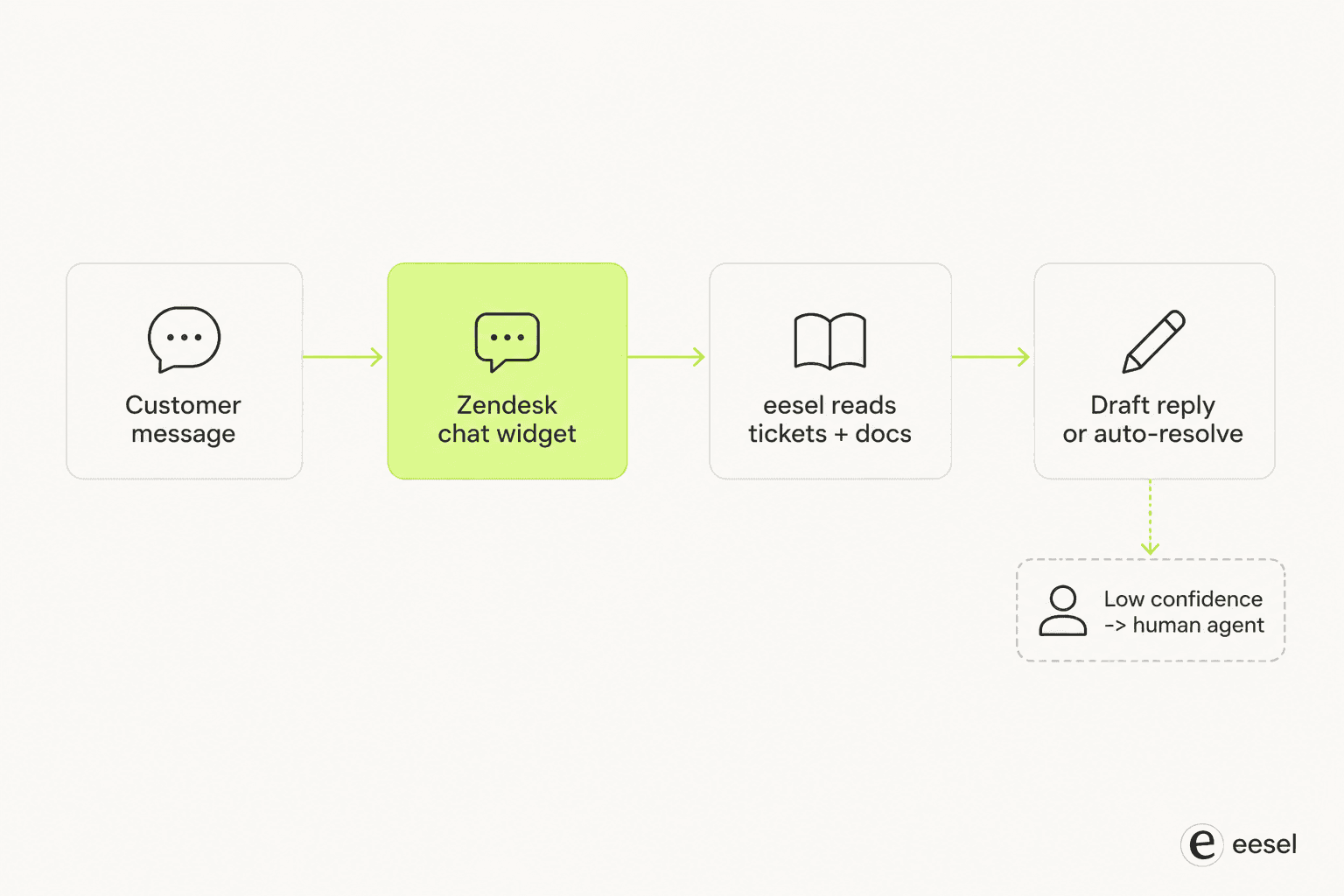
That's the role eesel plays. Rather than replacing Zendesk's web widget or asking your team to touch the Sunshine Conversations API, eesel plugs into your existing Zendesk integration and reads your actual ticket history and help center - not just the generic knowledge-graph pass Zendesk's own AI agent runs - before it ever drafts a reply. You can run it in simulation mode against your historical Zendesk tickets first, see exactly which topics it would have handled and which it would have punted, and only then flip it live in the chat widget your customers already use.
If your team is evaluating whether to invest engineering time in a custom Sunshine Conversations integration versus just fixing what's wrong with the AI agent your customers already hit in chat, eesel's Zendesk integration is worth trying first - it's one fixed monthly price (from $299/month for 500 credits) with no seat fees, so you're not committing to another per-agent line item on top of your existing Suite bill. For a full field-by-field look at how Zendesk's per-resolution AI pricing stacks on top of your Suite seat cost, see our guide to Zendesk AI pricing. And if you're comparing Zendesk against other customer service platforms before committing to a Suite tier at all, it's worth reading how Zendesk stacks up against Hiver or checking a roundup of free Zendesk AI alternatives if the Suite Professional price tag for Sunshine Conversations access is the sticking point.
Frequently Asked Questions
What is Zendesk Sunshine Conversations?
Sunshine Conversations is Zendesk's underlying messaging and conversations API, originally built by Smooch before Zendesk acquired it in 2018. It's the plumbing that runs beneath Zendesk's web widget, messaging, and social channels rather than a product support teams log into directly.
Is Sunshine Conversations the same thing as Zendesk live chat?
No. Live chat is the customer-facing widget agents actually use; Sunshine Conversations is the API layer underneath it. Zendesk is retiring its legacy live chat in favor of Messaging, which runs on Sunshine Conversations and adds AI agents, async conversations, and omnichannel routing on top of the same chat experience.
How much does Zendesk Sunshine Conversations cost?
It's bundled into Suite Professional and above with 1,000 Monthly Active Users (MAU) and 1,000 outbound notifications included per month. Past that, you buy add-ons in fixed blocks (2,500 MAU or 25,000 notifications), and the exact overage rate isn't published anywhere customer-facing; see our breakdown of Zendesk AI pricing for how that stacks with per-resolution AI billing.
Which Zendesk plan includes Sunshine Conversations?
Suite Professional, Suite Enterprise, and Suite Enterprise Plus. Suite Team and any Support-only plan don't get platform access at all - you'd need to upgrade before an API integration is even possible.
Do I need Sunshine Conversations to run an AI agent in Zendesk live chat?
No. Zendesk's own AI agents ship inside Suite Team and up without touching the Sunshine Conversations API. You only need Sunshine Conversations for custom channel integrations beyond what Zendesk's native setup screens support, or if you want a separate AI layer like eesel that reads your ticket history and knowledge base rather than relying on Zendesk's built-in model.