If you're building a customer messaging solution, you've probably faced the nightmare of managing separate integrations for WhatsApp, Facebook Messenger, SMS, and in-app chat. Each channel has its own API, documentation, and quirks. The maintenance burden multiplies with every channel you add.
Zendesk Sunshine Conversations solves this by providing a single REST API that unifies 14+ messaging channels. Originally developed as Smooch.io before Zendesk acquired it, Sunshine Conversations lets developers build once and deploy across every major messaging platform.
In this guide, I'll break down exactly what the Sunshine Conversations API offers, how it works, and what you need to know to get started. I'll also show how eesel AI for Zendesk provides an alternative for teams who want AI-powered messaging without building custom integrations.

What is Zendesk Sunshine Conversations?
Sunshine Conversations is a multi-channel messaging platform that sits at the heart of Zendesk's customer experience ecosystem. It acts as a translation layer between your application and dozens of messaging channels, normalizing the quirks of each platform into a consistent API.
The platform serves two main audiences:
For developers, it eliminates the need to build separate integrations for each messaging channel. Instead of learning WhatsApp Business API's idiosyncrasies, Facebook Messenger's webhook formats, and SMS provider quirks, you integrate once with Sunshine Conversations and the platform handles the rest.
For businesses, it enables connecting existing tools like helpdesks, CRMs, and bot platforms to customers over their preferred messaging channels, often without writing code.
The Smooch.io legacy
Sunshine Conversations began life as Smooch.io, a standalone messaging platform that Zendesk acquired. You'll still encounter Smooch references in legacy documentation and some SDK repositories. The core platform has been fully integrated into Zendesk's Suite, but the API architecture and many endpoints retain the Smooch DNA.
For licensed Zendesk customers, the base URL is https://{subdomain}.zendesk.com/sc. Legacy Sunshine Conversations accounts still use https://api.smooch.io.
Core API capabilities and architecture
The Sunshine Conversations API follows REST principles with JSON request and response bodies. The current version is v2, though v1.1 remains supported for existing integrations.
Key endpoints and resources
The API centers around several core resources:
| Resource | Primary Operations | Use Case |
|---|---|---|
| Messages | Send, receive, list messages | Core messaging functionality |
| Conversations | Create, read, update, delete conversation threads | Conversation management |
| Users | Profile management, authentication, merging | Customer identity |
| Webhooks | Subscribe to events, manage endpoints | Real-time notifications |
| Attachments | Upload, retrieve media files | Rich messaging support |
All endpoints use standard HTTP methods: GET for retrieval, POST for creation, PATCH for updates, and DELETE for removal. The API returns consistent error formats with HTTP status codes and descriptive error objects.
Pagination and limits
Sunshine Conversations uses cursor-based pagination rather than offset pagination. This approach avoids performance issues with large datasets by returning a pointer to a specific item rather than page numbers.
You can use page[after] or page[before] query parameters to navigate forward or backward through results. An optional page[size] parameter controls the number of records returned per request.
Be aware of these hard limits:
| Limit | Value | Impact |
|---|---|---|
| Messages per conversation | 30,000 | Older conversations need archiving |
| JSON request size | 100KB | Large payloads will be rejected |
| File upload size | 50MB | Media attachments have size caps |
| Rate limiting | Variable | 429 status code when exceeded |
When you hit rate limits, the API returns a 429 Too Many Requests status. Implement exponential backoff with jitter rather than fixed retry intervals. Usage spikes are expected and the limits are designed to be generous for normal operations.
Authentication and security
Sunshine Conversations supports two authentication methods, each suited to different use cases.
Basic authentication
For server-to-server API calls, basic authentication is the simplest approach. You use your API key ID as the username and the secret as the password in standard HTTP basic auth format.
This method works well for backend integrations where you're making calls from your server to the Sunshine Conversations API. It's straightforward to implement and debug.
JWT authentication
JSON Web Tokens provide a more flexible authentication option, particularly useful when you need to scope access narrowly or when passing credentials through less secure channels.
To generate a JWT, you need:
- Header with algorithm (HS256) and key ID
- Payload with scope claim (account, app, or integration)
- Signature using your API secret
JWTs are transmitted in the Authorization header with the Bearer prefix: Authorization: Bearer your-jwt-token.
Authorization scopes
The API uses three main authorization scopes that determine what operations are permitted:
| Scope | Access Level | Best For |
|---|---|---|
| account | All methods including account provisioning | Multi-tenant SaaS applications |
| app | All Core API methods | Single application integrations |
| integration | Users, Conversations, Attachments, Webhooks | Limited third-party integrations |
API keys follow a naming convention that indicates their scope: account keys start with act_, service account keys with svc_, and app keys with app_.

Supported messaging channels
Sunshine Conversations supports the most comprehensive range of messaging channels in the industry. All channels are accessible through the same API, with the platform handling the translation between channel-specific formats and the unified API.
Third-party messaging apps
- WhatsApp Business API - Full support for business messaging, templates, and rich media
- Facebook Messenger - Complete integration with buttons, quick replies, and webviews
- Instagram Direct - Messaging through Instagram business accounts
- Apple Messages for Business - Integration with Apple's business messaging platform
- LINE, Telegram, Viber - Full support for major Asian and European messaging platforms
- Twitter DM - Direct messaging through Twitter
- WeChat - Support for China's dominant messaging platform
SMS and voice providers
- Twilio - SMS integration through Twilio's infrastructure
- MessageBird - Alternative SMS provider integration
Zendesk-built SDKs
- Web Messenger - Embeddable chat widget for websites
- Android SDK - Native Android in-app messaging
- iOS SDK - Native iOS in-app messaging
- Unity SDK - Gaming and 3D application integration
The platform supports rich messaging features across channels where available, including structured messages, quick replies, carousels, and file sharing. When channels add new features, Sunshine Conversations typically updates to support them with minimal code changes required on your end.
Developer tools and SDKs
While you can interact with the Sunshine Conversations API directly via HTTP, Zendesk provides official SDKs that wrap the API and handle authentication, error handling, and request formatting.
Official SDKs
| Language | Package/Repository | Status |
|---|---|---|
| Java | sunshine-conversations-java | Actively maintained |
| Ruby | sunshine-conversations-ruby | Auto-generated from OpenAPI |
| Python | sunshine-conversations-client | PyPI package, auto-generated |
| JavaScript | sunshine-conversations-javascript | Community maintained |
The Java SDK receives the most active maintenance from Zendesk. The Ruby and Python SDKs are auto-generated from the OpenAPI specification, ensuring they stay current with API changes but potentially lacking hand-crafted ergonomics.
Development tools
For testing and exploration, Zendesk provides a Postman collection that includes all endpoints with example requests. The OpenAPI specification is publicly available for generating custom clients or documentation.
Webhook integration
Real-time event handling happens through webhooks. Your server exposes an endpoint that receives POST requests when events occur, such as incoming messages, delivery confirmations, or conversation state changes.
Common webhook triggers include:
| Trigger | When It Fires |
|---|---|
| conversation:message | Customer or agent sends a message |
| postback | User clicks a button or quick reply |
| conversation:created | New conversation starts |
| conversation:typing | User is typing indicator |
You'll need to verify webhook signatures using the shared secret provided when you create the webhook integration to ensure events are genuinely from Sunshine Conversations.
Integration with the Zendesk ecosystem
Sunshine Conversations doesn't exist in isolation. It's deeply integrated into the broader Zendesk platform, which can accelerate development or provide alternative approaches depending on your use case.
Web Widget
The Web Widget provides a customer-facing chat interface that embeds on your website or help center. It uses Sunshine Conversations under the hood, so conversations started through the widget flow through the same API you use for other channels.
Agent Workspace
When conversations need human intervention, they appear in Zendesk's Agent Workspace as tickets. Agents can respond directly, and their messages flow back through Sunshine Conversations to the customer on their original channel. This gives you a unified agent interface even when customers are spread across a dozen messaging platforms.
Switchboard
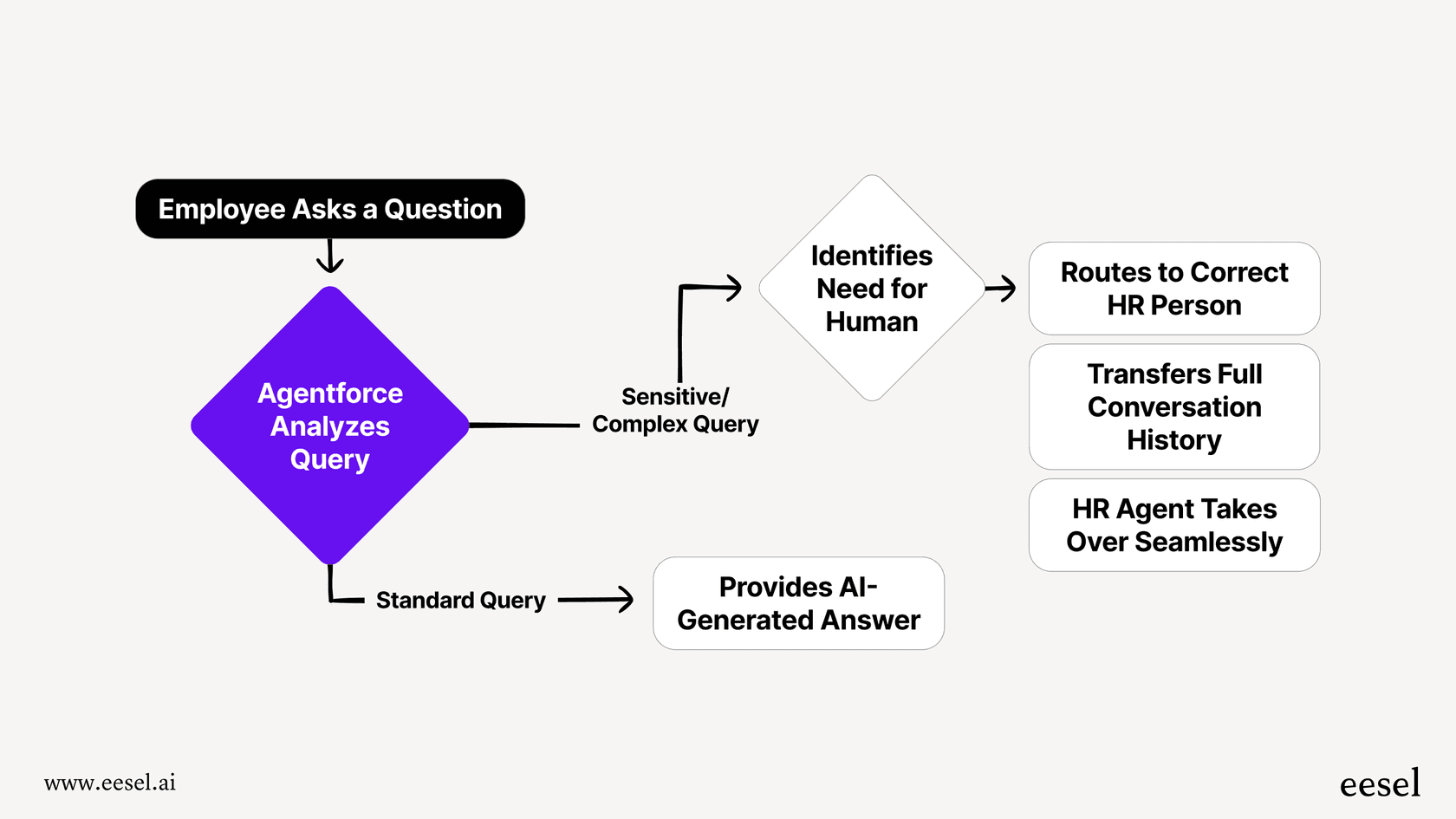
The Switchboard controls conversation routing between bots, AI systems, and human agents. You can programmatically pass control between systems while maintaining conversation context. This enables sophisticated workflows like bot-first triage with seamless escalation to humans.
At eesel AI, we leverage these integration points to provide AI-powered customer service that works natively within Zendesk. Our AI agents can handle conversations through Sunshine Conversations, escalate to human agents when needed, and maintain full context throughout the interaction.
Zendesk Suite pricing and access
Sunshine Conversations API access requires specific Zendesk Suite plans. Not all tiers include the full platform capabilities.
| Plan | Annual Price | Sunshine Conversations Access | MAUs Included |
|---|---|---|---|
| Suite Team | $55/agent/month | Basic messaging only | N/A |
| Suite Growth | No longer listed | Basic messaging only | N/A |
| Suite Professional | $115/agent/month | Full API access | 1,000 |
| Suite Enterprise | Custom (sales) | Full API access | 1,000 |
Key distinction: Suite Team and Growth include messaging through the Web Widget but don't provide full API access for custom integrations. To build your own integrations with the Sunshine Conversations API, you need Suite Professional or Enterprise.
Monthly Active Users (MAUs) represent unique users who send or receive messages within a 30-day period. If you exceed your included MAUs, additional packs are available at approximately $50 per 2,500 MAUs.
Source: Zendesk Pricing
Getting started with Sunshine Conversations development
If you're ready to build with Sunshine Conversations, here's what you need to get started.
Prerequisites
- Zendesk Suite Professional or Enterprise - Required for full API access
- Admin Center access - To generate API keys and configure channels
- Development environment - A server or cloud function to receive webhooks
- Basic understanding of REST APIs - For making API calls and handling responses
Quick start steps
-
Generate API keys - In Admin Center, navigate to Apps and integrations > APIs > Conversations API. Create a new key and securely store the App ID, Key ID, and Secret.
-
Set up a webhook endpoint - Create a publicly accessible HTTPS endpoint that can receive POST requests. For local development, tools like ngrok can create tunnels to your machine.
-
Configure your first channel - In Admin Center, enable a messaging channel (Web Widget is the easiest to start with) and connect it to your Sunshine Conversations app.
-
Test the integration - Send a message through your chosen channel and verify it reaches your webhook endpoint. Then try sending a response back through the API.
For a more detailed walkthrough, see our complete getting started guide.
eesel AI: AI-powered messaging without custom development
Building custom integrations with Sunshine Conversations requires significant development resources. If your goal is AI-powered customer service rather than building a custom messaging platform, consider whether you need to build at all.
At eesel AI, we provide AI agents that integrate directly with Zendesk, handling the complexity of Sunshine Conversations, Switchboard orchestration, and multi-channel messaging without requiring custom development. You get AI-powered customer service that works across all messaging channels, with human escalation and full Zendesk integration, without writing code.
For teams looking to add AI chat capabilities to their existing helpdesk, our AI chatbot works across messaging channels with the same unified approach as Sunshine Conversations, but without the development overhead. If you need help managing ticket volume, AI Triage automatically routes, tags, and prioritizes tickets before they reach your agents.